Final verdict: Should you upgrade to Windows 10?

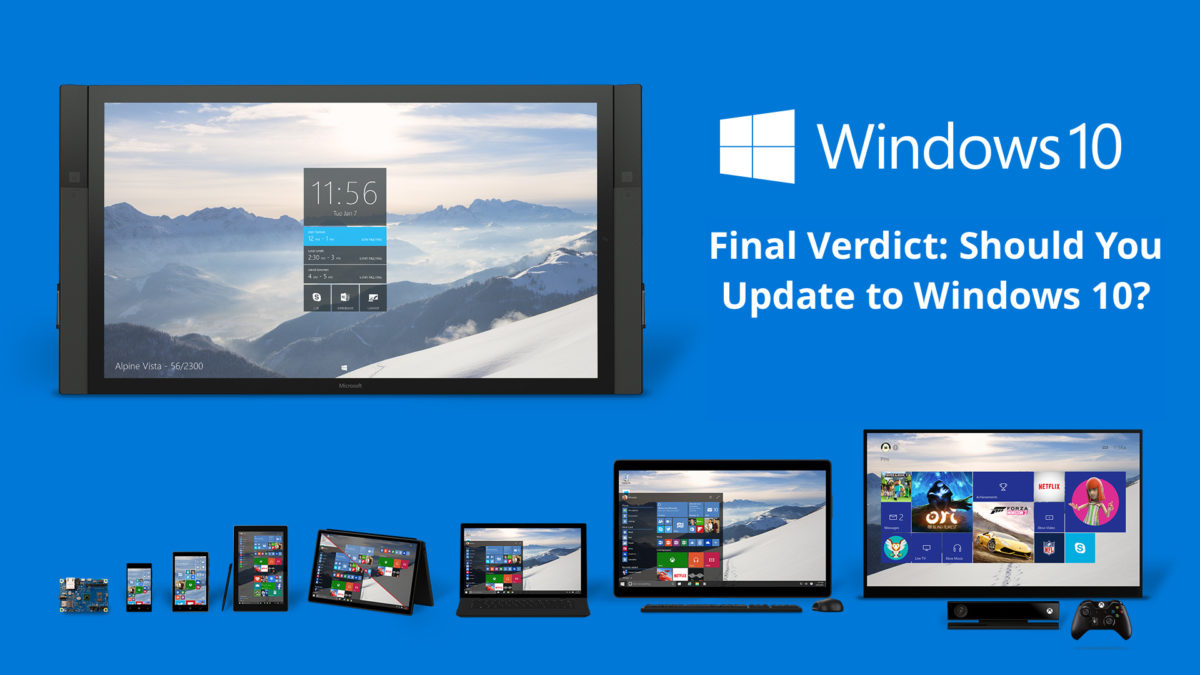
Should you upgrade to Windows 10? Is it worth the free upgrade or should you just skip it altogether? Let’s look at the pros and cons of upgrading to Windows 10 and help you decide.

Pros

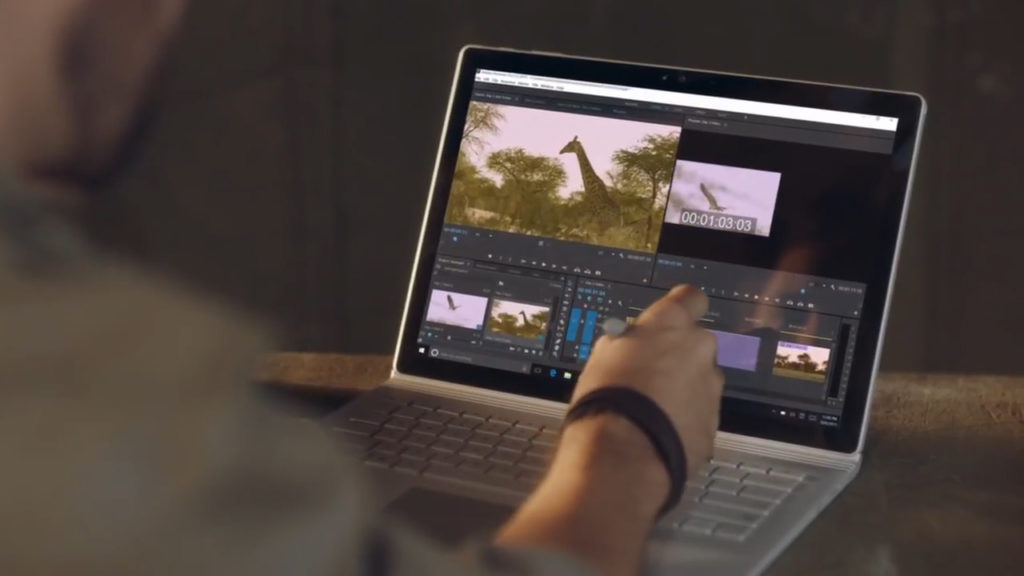
  1. Windows 10 is the bridge between the professional world of content creation and the personal world of content consumption – especially if you use a touch screen and a stylus. The touch interface has been dramatically improved over Windows 8, and Microsoft Ink now includes a load of improvements for working with styluses. Users of the good old keyboard and mouse will also observe an overall improvement in the ease of use in Windows 10, especially if you’re coming from Windows 8.Windows 10 Touchscreen
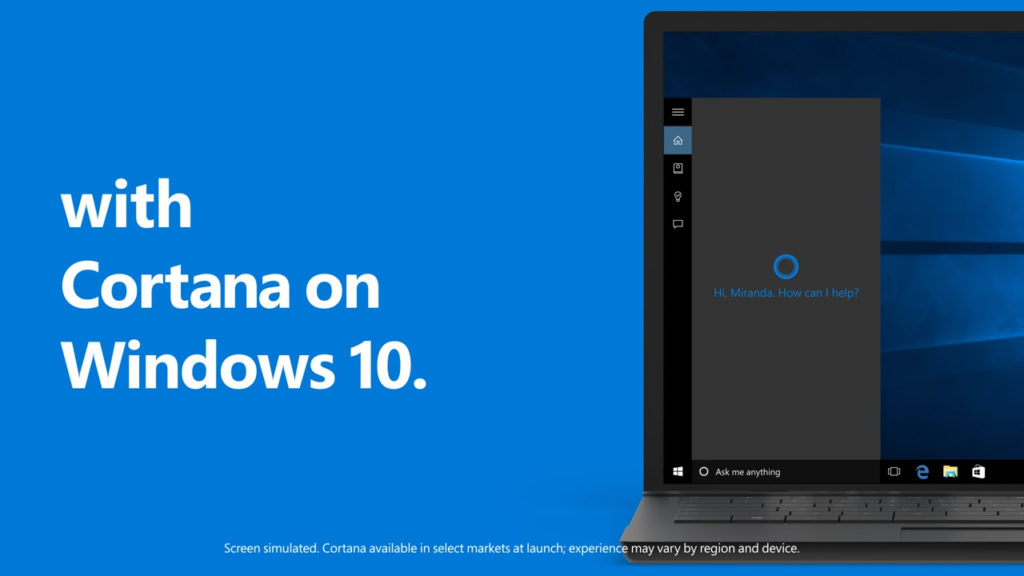
  2. Cortana is one of the biggest attractions of Windows 10. Think of it as a personal concierge you can ask about the weather, for directions, information on the Internet, manage reminders or set alarms. You can even ask Cortana to tell you a joke or sing you a song. In addition to Cortana, there are also many other new features, such as Notification Center, battery manager, disk space, multiple desktops …Windows 10 Cortana
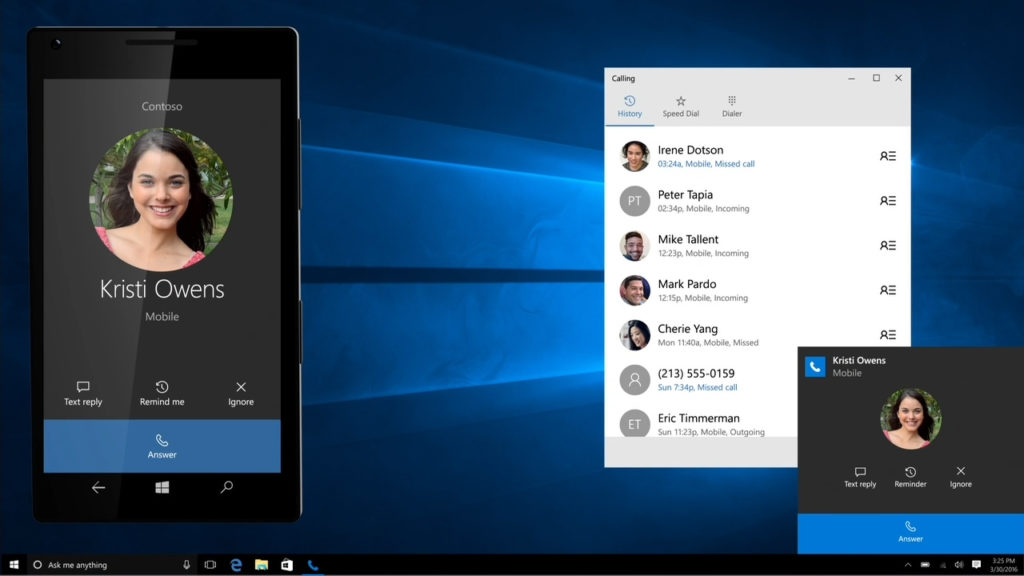
  3. Windows 10 is the first multi-platform operating system. It connects with Windows 10 Mobile, especially through universal apps, and also all your other Windows 10 devices – laptops, computers, tablets – ensuring that apps you own are accessible on all your devices. It isn’t as great as Apple’s Continuum yet, but it’s a step in the right direction.Windows 10 Multi Platform
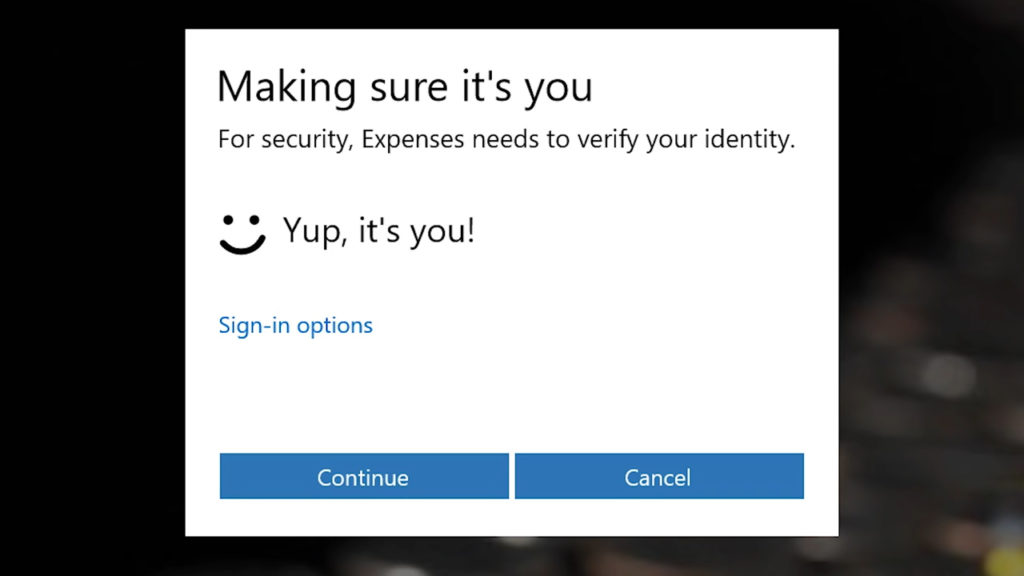
  4. Better security: New technologies such as Device Guard, improved built-in antivirus, Windows Defender, fingerprint recognition, encryption capability for applications and of course, the many patches and security updates.windows 10 hello
  5. Are you a gamer? If yes, then Windows 10 is your operating system. Not only is Windows 10 a lighter operating system with a smaller footprint and efficient memory management, DirectX 12 ensures that your games interface better with your hardware for spectacularly better frame rates and image quality – especially for those games that are optimized for multi-core performance. And as an icing on the cake, Windows 10 now supports Xbox games.https://www.youtube.com/watch?v=c4cXG8zu61Y

Cons

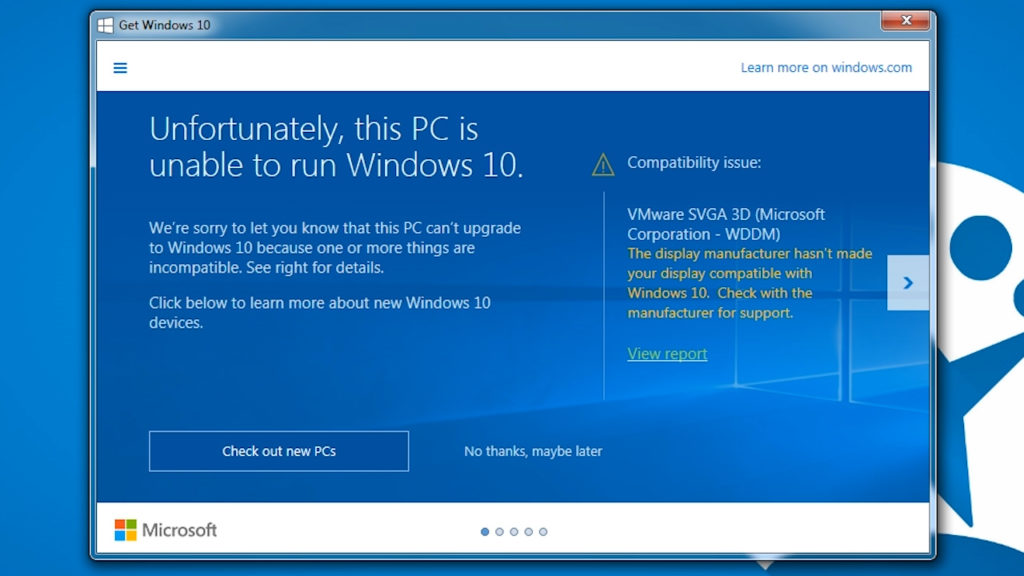
  1. Incompatibilities. Although these are very isolated cases, there may still be some peripherals that may not work with Windows 10. There is a tool to check if your device is ready to run on Windows 10 and also, you should check if you have the latest drivers. Visit this link to find out more about compatibility issues. People with older hardware should not upgrade. Windows 10 requires 16GB or 20GB of hard disk space (depending on 32 or 64-bit version), and requires at least 1GHz of RAM or more. 2GB of RAM is recommended.Windows 10 incompatible
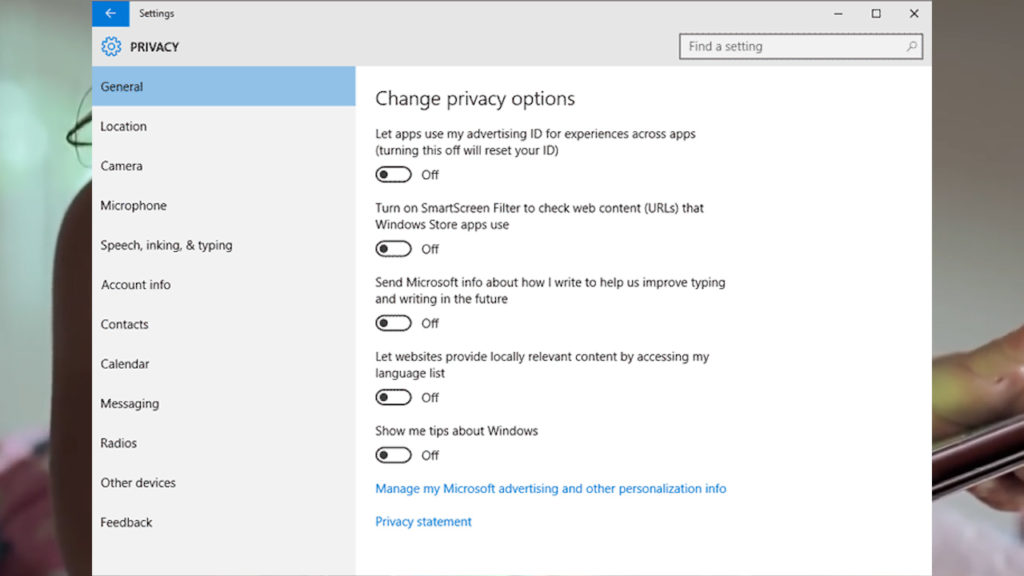
  2. Privacy issues. Windows 10 is clearly (and necessarily) more intrusive in terms of privacy than previous versions. It collects and processes your information about your activity, apps, and habits on its servers, so that it can offer you a more tailored experience. For example, Advertisement ID channels your information to Cortana so that it can offer better responses to your questions. Most of these features can be disabled at any time, even during installation, but this is where the decision must be made between features that could enhance our digital experience, and the information we give up for it. Just to be clear, Microsoft isn’t planning on doing anything evil or illegal to your information. In fact, almost every technology service today – Google, Facebook, Instagram, etc – collects a fair amount of your data as part of their experience. Microsoft has merely just joined the gang.windows-10-privacy
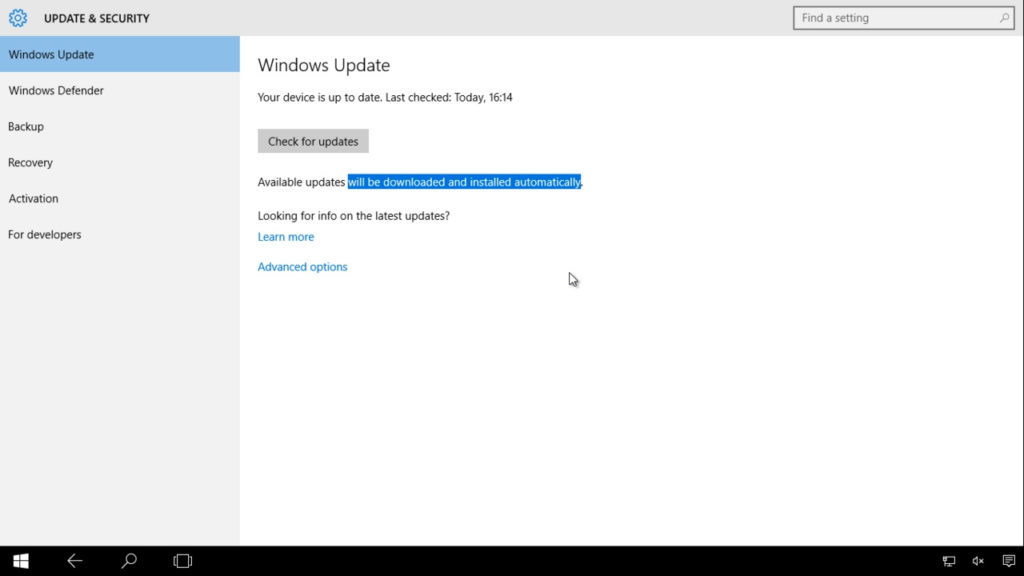
  3. No stopping or blocking security updates and new features. All Windows 10 updates are downloaded automatically, except when you’re on mobile data. Although you can set the time when the update will take place, but you cannot choose what to install or ignore.Winodws-10-update
  4. Universal Apps. There are not many of them and they are not exceptionally exciting as of now. Native apps such as Mail, Edge, Photos leave much to be desired in terms of functionality and design. And also, if you might miss the Windows Media Center, Windows Photo Viewer or care-free uploading of your documents into the OneDrive cloud, do not upgrade.
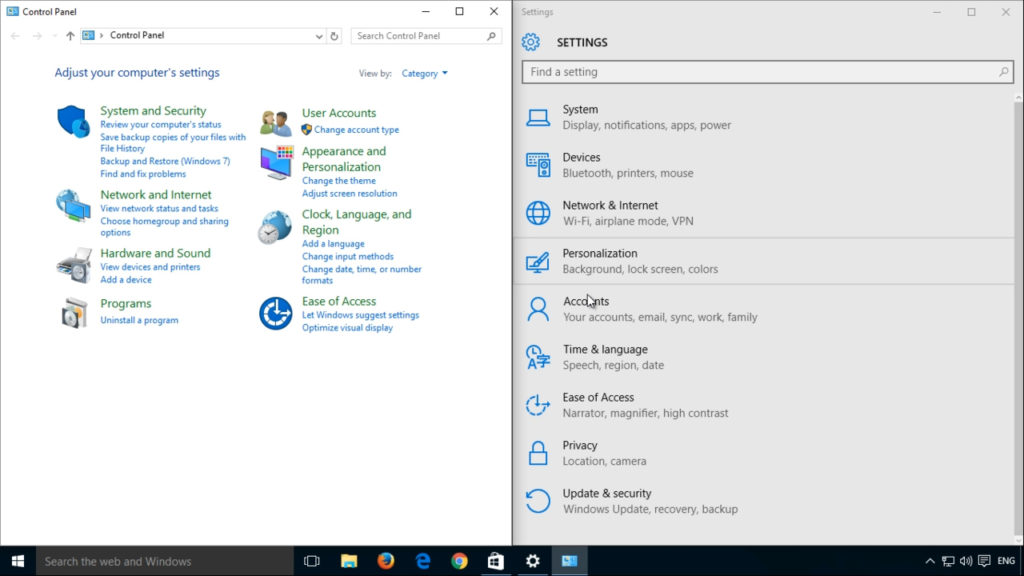
  5. Windows 10 not a finished product. Edge doesn’t feel complete in terms of functionality, Cortana is not available in all regions and languages, applications in the store are few and unexciting, and we have found several shortcomings in design consistencies – for example in the context menus and control panels.Windows 10 control-panel

So what should you do? Here’s what we think:

If you’re still using Windows XP or Windows Vista, Microsoft has ceased support and updates to your operating system, which means you’re now vulnerable to hostile attacks or incompatibilities. If your PC meets the minimum system requirements, we’d recommend that you update to Windows 10.

For users of Windows 8 or Windows 8.1, the upgrade to Windows 10 should be obvious: it is a big step forward and is Microsoft’s response to all the errors and complaints from Windows 8. We’d say, get it.

If you’re using Windows 7, then you have (much) less reason to upgrade. Windows 7 is an all-round stable, functional and powerful system. Windows 10 will be an unnecessary change for you. Just bear in mind that Microsoft will eventually phase out Windows 7 and stop issuing security and feature updates. So be warned!

Should you upgrade? Tell us what you’ve decided in the comments below.
What is in the Windows 10 Insider Preview 14316 and the Windows 10 Roadmap

Microsoft has plans to launch the next edition of Windows 10 with the Anniversary Update. Announced a few days before the Build Conference in Redmond, it caught many of us by surprise.  But the announcement gives a far clearer idea of what the Microsoft intend to do with its plans to make Windows 10 a truly universal operating system.

On their official website Microsoft officially explained that this Roadmap is a snapshot of the innovations that have been launched, features that have been trialed with Windows Insiders preview builds, and some others still in development. A Roadmap to success.

In this video we summary some of the developments that will come in the Anniversary Update, but expect more surprises as Microsoft continues to add to its flagship product.

What you can and try, but … how?

Providing that you are a Windows Insider you can try some of these updates today. You can join this select club if you meet some minimum technical requirements and are not afraid to reinstall Windows from scratch and possibly lose all your data. If you do not want to take the risk, don’t worry because here at Softonic are happy to (it helps when you have a pile of PCs no one is using). We have installed the Windows 10 Insider Preview 14316, which also announced in BUILD 2016. Here the news:

  • Cortana universal and powerful

New features have come to Cortana to make her more powerful. These include syncs to allow Cortana to share information across devices connected with your Windows 10 account. That doesn’t only mean Windows 10 devices, it includes Xbox One and some Android devices that have the Official 1.5 version of Cortana installed.

Cortana has been integrated into more programs: she can now read your emails in Outlook and Skype conversations. The information collected allow you to automate some functions, such as hotel reservations, saving shipping invoices, and ticketing.

  • Command Line Bash

Bash on Ubuntu on Windows 10? Microsoft has convinced Canonical to work with them, and now Linux users familiar with Bash have the option to open a Bash console to in order to navigate Windows 10. However this does require that you run Windows in developer mode.

  • New extensions for Edge

In the 14316 build Microsoft Edge – the Internet Explorer replacement – has received new extensions. These include OneNote Clipper and Pinterest which join previously announced add-ons like Microsoft Translator. Of course Edge still has a ways to go before catching up with Google Chrome or Firefox, both of which feature 100 of extensions, but it is a start.

  • Universal Skype

After an official announcement on the Skype blog, it is now possible to try an version of the Skype Universal app (Skype Universal Windows Platform or Skype UWP). This replaces Skype Messaging and Skype Video apps to let you manage all of your communications in one place. Much easier. Gradually this is to replace the standard Skype app.

Skype Bots were also announced at the BUILD 2016 conference. These tools are being designed to enhance user experience and can already be trialed in some countries (Australia, Canada, England, Ireland, India, New Zealand, Singapore, and the United States) for users of the latest version of Skype on PC, Android, and iOS. Developers have been invited to start creating Bots with the view of Skype as a potential platform for communication between company and customers.

More new features

The 14316 Build incorporates many other new features, including:

– An improved Action Center to make it easier to find notifications and the Quick Control system buttons (Wi-Fi, Brightness, tablet mode, Red, airplane mode). You can prioritize notifications by importance: Normal, High or Priority. You can also set the number of notifications per application.

Emojis updated to be more detailed, with a thicker, more expressive edge.

Improved customization with two main themes (Dark and Light).

– New ways to access your PC. Besides improvements to Continuum, the Connect app lets you project your screen to another PC wirelessly.

Virtual Desktop Enhancements that anchor the window. With two screens, this allows you to keep an application running on one while browsing different desktops.

– Battery is to replace Battery Saver, a tool that lets you view all battery related settings in the same configurations panel. This will help you modify apps running in the background. You can now even set Windows to stop them to save charge.

– Improvements and bug fixes and common problems, including the Feedback Hub (the place for Insider comments), Windows Update, and Progress Updates.

Messaging Everywhere allows you to send and receive calls to your PC with Windows 10. The preview of this app is available soon.

Read more about these improvements in the official article: Announcing Windows 10 Insider Preview Build 14316.

The roadmap

With the publication of the Windows 10 roadmap, Microsoft clearly outlines which of its updates are already finished, published already (see above), which have been canceled (interesting), and which are currently development. Below are the future updates:

– The ability to unlock your PC with your phone (Windows Phone and possibly Android) or even with your SmartBand (Microsoft Band 2 and other compatible devices). System starts will also be more comfortable and more personalized.

– Improvements to Windows Defender will make using Windows 10 in professional environments more secure, with improvements to both Windows Hello and Windows Passport.

– It seems that Edge will continue to improve with the addition of web notifications. These could see notes generated by services such as Facebook and other web applications even when you’re not using them.

– The Start Menu will receive updates. Microsoft says it will focus on giving better access to all the apps and additional support for touch input and smart pens.

– Picture in picture: it seems that Microsoft hopes to allow playback of multimedia content over other applications. This could let you comment on live video using Twitter without having to move between windows.

– Cortana will be made more prominent in the notification menu (Action Center).

– Improvements to Windows Ink. Input with intelligent pencils and be better integration with other services.

Related Articles

Windows 10 now crystal clear with how updates improve your system

Windows 10’s most iconic feature is about to change forever

Windows 10 has a big challenge ahead: to conquer this giant

5G and why you will need it

There has been a lot of chatter around 5G technology recently. But, if you are anything like me, you are probably asking yourself why we need it. After all, if you can find one, a 4G signal usually proves more than enough. So, is it really necessary and, if it is, why?

All of this made my mission at this year’s Mobile World Congress in Barcelona clear: understand exactly what 5G technology is, and discover why it’s so important. In this video I will summarize everything I discovered, and answer some common questions about 5G technology.

What is 5G?

Well this is not exactly defined yet, because – while people have some ideas – no one is sure how it will be used. Currently it’s just kind of an amorphous concept that people know we will need, but with no clear objectives or standardization of protocols. It is assumed that by mid-2017 5G and its standards will be fully defined by operators, manufacturers, and companies.

The initial and somewhat obvious use of 5G will be as a connection technology to ensure greater coverage, reliably, and data transfer for mobiles. Plus, there is talk of incredible wireless speeds, with up to 1GB per second for multiple users at once.

5G will not stop at improving quantity, but also coverage and reliability thanks to a greater spectrum signals at a higher frequency. This should allow it to reach hundreds of thousands of people without any disruption of service. Talking to an Intel representative, he described this as lanes on a freeway, with a lane able to be reserved for each user thanks to technologies like MIMO.

Why do I need 5G when I can barely get 4G?

Keep in mind that 3G began to be implemented in 2000, and 4G began to appear in 2010. Back then most of us still had phones with buttons, so the idea of streaming full movies on the move over our mobile connection seemed alien. It seems likely that by 2030 5G will be the most common connection, but by then we will be complaining about its limitations and dreaming of 6G.

The point is that the mobile industry has always been forward thinking, but this time it’s not alone: because soon ​​everyone will need 5G thanks to the dawn of the Internet of Things (IoT).

The Internet of Things

The future is becoming clear, and it is a world where man will no longer talk to machines, but machines and devices will talk to each other. You may have already seen this on a small scale, such as smart watches that connect to phones and lights that are controlled by your phone. But the future will incorporate many more things: smart cars, security cameras, refrigerators, beds, gloves, socks, doorknobs… Everything.

Experts speak of billions of devices being connected from 2018. No matter how little bandwidth each will need, the sheer volume will demand a huge – constantly open – connection to ensure they work reliably. And that isn’t even thinking about our personal media demands, as we start to consume videos in 4K, 8K, and even in full a 360-degree for VR.

Yup, 4G probably won’t cut it.

Latency needs to end

It won’t only be the number of things controlled this way that will rise, so too will their importance as critical systems start to rely on 5G. Because of this, latency will need to be eliminated: i.e. the time it takes for information to travel from point A (your phone) to point B (the door of your house).

We can tolerate some latency in a game, media, and services like text messaging. But a self-driving car needs to respond in milliseconds, movement in Virtual Reality must happen instantly or the illusion is broken, and a surgeon operating at remote drone for heart surgery needs information in real-time. 5G will enable all of this.

Ethical questions 5G

It is possible that, after seeing this video, you will realize why 5G is getting so many people excited. It offers a future filled with fun, along with a freedom of movement and information that was previously unimaginable. But, like all technological advancement, it raises moral and ethical questions.

The technology gap. The world is still full of gaps: gender, race, class, economic… And while many countries will ensure 5G coverage for all, there are others that struggle to provide any kind of connection for its population.

This is exactly the struggle Mark Zuckerberg is trying to highlight with the Internet.org foundation. Although some people consulted suggest that countries may leapfrog from 3G to 5G, it’s hard to imagine that this technology and information gap will be so easily bridged.

Will we be able to provide internet for everyone?

Big Data. The Internet of Things will not only connect to everything and everyone, it will also generate millions of petabytes of video and data about our habits, customs, and movements. Who will regulate and control the management of this data? Who will fight for privacy when it looks like a losing battle? And, how will businesses use this data?

The world exposed. Everything and everyone connected everywhere. Internet inside and outside the home, even in our clothes. What security will be needed?

Perhaps it is too early to see everything the next 5 years will hold, but it should be exciting to watch the dawn of this technological revolution.

What do you think of everything this 5G future holds?

Related Stories

The 5 Global Mobile Award nominees

Five awesome things to do with Google Cardboard

An online toothbrush? The Internet of Things is here

It won’t be long until you are completely exhausted of hearing about the Internet of Things. But there is no escape: the world is approaching a moment when nearly everything around us will be interconnected – be it at home or on the street. All consuming your bandwidth, of course.

One of the latest developments in the world of connected devices is a toothbrush. Presented by Oral-B at the 2016 Mobile World Congress in Barcelona, the Oral-B Genius is an intelligent brush that makes sure your dental hygiene routine is up to scratch. It isn’t set to be released until this July, but you can see it in action in the below video and on their official website.

Trouble seeing the video? Click here.

Oral-B Genius uses its own accelerometer, and your smartphones camera, to help you improve your brushing. We all tend to brush our teeth below the recommended two minutes, and regularly do not distribute our brushing evenly – such as right-handed people regularly under brushing the right of their mouth. Oral-B Genius aims to help with this, even giving us the ability to share a report of our hygiene habits with our dentist to give us advice on what we are doing wrong.

Oral-B Genius includes a challenge mode to gamify the process. This turns off the feedback, having you brush your teeth “blind” – you know, like you do now. Once you finish a challenge, the app offers you feedback on your performance and gives you a score.

It’s an interesting bit of tech, and it certainly seemed to work well, but I am not sure that it is entirely necessary. Still, that might be because it isn’t totally aimed at me, with a large part of its design being for markets where regular health checks are less common.

Related Stories

The 5 Global Mobile Award nominees

Five awesome things to do with Google Cardboard

Follow me on Twitter: @AntoniNoguera

The song that united Steve Jobs and Bill Gates

We all have songs that make us think of someone. And now Bill Gates has shared the song that reminds him of Steve Jobs during an interview on BBC Radio 4´s Desert Island Discs – we recommend that you listen here.

Desert Island Discs began back in 1956 – that’s right its 60 years-old. But, if you don’t know the format, its quite simple: a single guest is asked what eight recording they would take with them if they were stranded on a desert island, and then interviewed about their choices. During Bill Gates’s 28 minutes on the show he began talking about Steve Jobs calling him an “incredible genius”.

In this video we did discover the song that unites them and why, according to Bill Gates.

</p

Can’t see the video? Click here.

While at first these two giants of computing were allied, we know that they later grew apart. Steve Jobs accused Microsoft of being a monopoly, of having no “taste”, and even copying others’ designs with no “original ideas” of their own. In the below video – which summarizes their relationship – there is even a moment when Jobs compares Microsoft to McDonald’s: pure gold.

Still want more of this rivalry? Then have a look at this video that shows the two facing off at the D5 Conference in 2017.

Follow me on Twitter: @AntoniNoguera

Bye bye Windows 8

Today we are saying goodbye to one of Microsoft’s shortest-lived operating systems. Windows 8 will end its short three-year life cycle later today – Tuesday January 12, 2016 – when it receives one final security update.

Windows 8 users need not worry however, simply by downloading the free upgrade to Windows 8.1 – which Microsoft considers a service pack – you will still be able to receive ongoing support and security updates.

If you are happy with Windows 8, and are thinking of sticking with it, you should be aware that you are leaving yourself open to security breaches with Microsoft no longer supporting it. So, with vulnerabilities to any new threats going unpatched, considering the upgrade to Windows 8.1 or Windows 10 is seriously recommended.

That said, if you would truly H8 to give up 8, then a good antivirus is a must – as can be seen by users who are still using Windows XP as their primary OS. And, though we do not recommended, the desire to retain a vintage operating system does earn our respect.

Talking of vintage software, versions of Internet Explorer before Internet Explorer 11 (IE11) will also cease to receive security updates from today. If you are running Window 7 or later you can upgrade to IE11 for free, Vista and XP users should consider alternatives like Mozilla Firefox.

Source: Softpedia

200 million users for Windows 10

Just last week we received a press release from Microsoft in which the last article revealed that Windows 10 is now installed on in 200 million devices. This is thanks to a huge boost from Black Friday sales, with a whopping 40% of new devices running the OS.

It is true that the adoption rate is very high: 140% faster than Windows 7 and 400% faster than Windows 8 – an OS that was an important step towards Windows 10, but which was criticized by users.

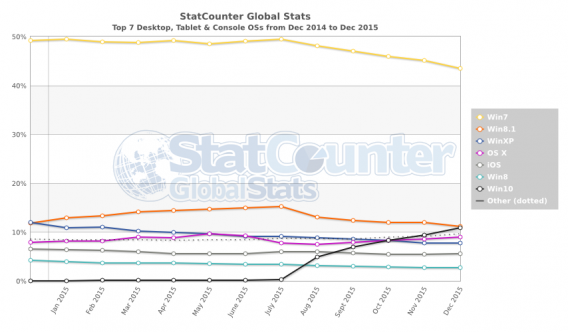
Looking at a chart from StatCounter, Windows 8 represents less than 3% of global operating systems worldwide. Note also that the steady growth of Windows 10 means it is already surpassing Windows 8, while Windows 7 is declining at the same rate – yeah, Microsoft ending its support for 8 is making a lot more sense suddenly.

We could say that we will miss Windows 8, but we all know that is not true. Long live Windows 10.

Related Stories

Internet Explorer is dying: a history of the world’s most hated browser

Which Windows 10 version should I get?

5 alternatives to Internet Explorer