{
"de-DE": "",
"en-US": "Ben Bowman is an Emmy Award-winning journalist who led Softonic.com's editorial team in 2018 and 2019. Before joining Softonic, he was the Head of Content for Curiosity.com and a news producer for NBC, Fox, and CBS. He is an award-winning filmmaker and director of sketch and improv comedy, and a contributing writer for the Pitch comedy app.",
"es-ES": "",
"fr-FR": "",
"it-IT": "",
"ja-JP": "",
"nl-NL": "",
"pl-PL": "",
"pt-BR": "",
"social": {
"email": "ben.bowman@softonic.com",
"facebook": "",
"twitter": "https://twitter.com/BowmanInc",
"linkedin": "https://www.linkedin.com/in/benbowman/",
"web": "https://bowmaninc.weebly.com/"
}
}
Another Redditor noted, “Just tried it and yep, it works (had a quick look at the Google Mars surface demo). Without the flag enabled, you just get an option for a desktop 360 view. Enable the flag though and an option to view in VR is there, and it launches it straight to the headset.”
That user continues: “For those that don’t know how, in your Chrome address bar, type: chrome://flags then do a search on that page for ‘Oculus’, and set it to enabled.”
If you’d like to play around with some web-based third-party-generated VR experiences, you can check out this site.
It’s clear that virtual and augmented reality will become the future of entertainment and web consumption. The question is when we’ll make the big shift. Some estimates suggest the VR game market will surpass $45 billion by 2025. Until then, we’ll keep an eye on developments and keep you in the loop.
Whether you’re on vacation or simply in an unfamiliar part of town, you’re going to have to eat sooner or later. So when your stomach starts growling, just follow this guide to find the best grub.
How to find the best restaurant wherever you are
Download Yelp to your phone
A lot of people complain about Yelp, but it’s incredibly helpful. The app allows you to search the area around you to discover restaurants, bars, and more. Right now, Yelp is most useful for food and drinks because it’s completely reliant on its users to add information. If a restaurant closes and no one tells Yelp HQ, the app could lure you astray. Still, Yelp’s listings are usually correct.
Yelp is a great app for getting local knowledge on where to eat, drink and shop. You can easily find places nearby, read or add reviews and photos, and get directions.
Choose the Restaurants section
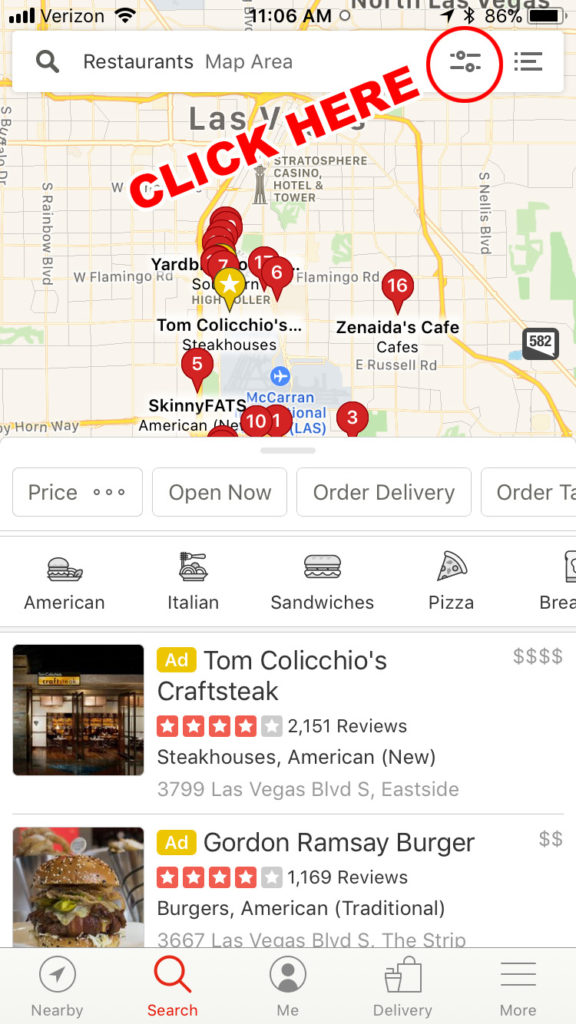
Click Nearby and then Restaurants. A map pops up, showing your location and a lot of different options. If you need to search another area, go up to the search bar and enter your destination. You can tap and move the map to include the radius you’re willing to travel, then click Redo Search in This Area.
Narrow your choices
Yelp has some helpful icons to help you narrow down your dinner. You can click on categories like American, Italian, Sandwiches, or Pizza. But don’t do that yet! (We know you’re hungry. Just wait a sec.)
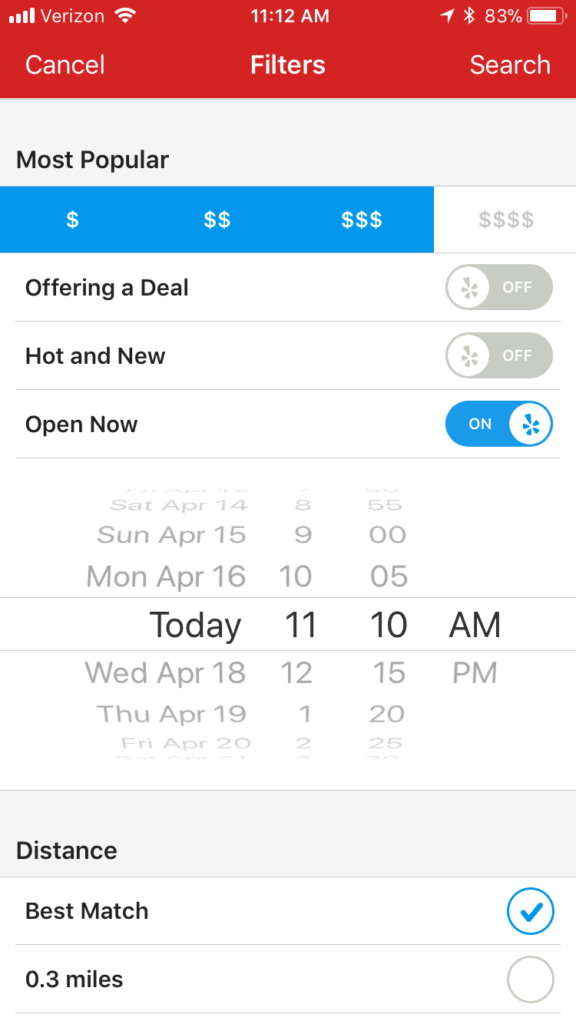
Look up in the search bar and click these little slider bars. That opens the filters section.
This click will dramatically improve your results. Once you’re inside the filters, you can choose whether the restaurant offers delivery or takeout, how expensive it is, and, importantly, whether the place is even open right now. You can also choose the distance from your location: 0.3 miles, 1 mile, 5 miles, or 20 miles. (Yelp also offers a “Best Match,” but who knows how far that is?)
Make the most important click
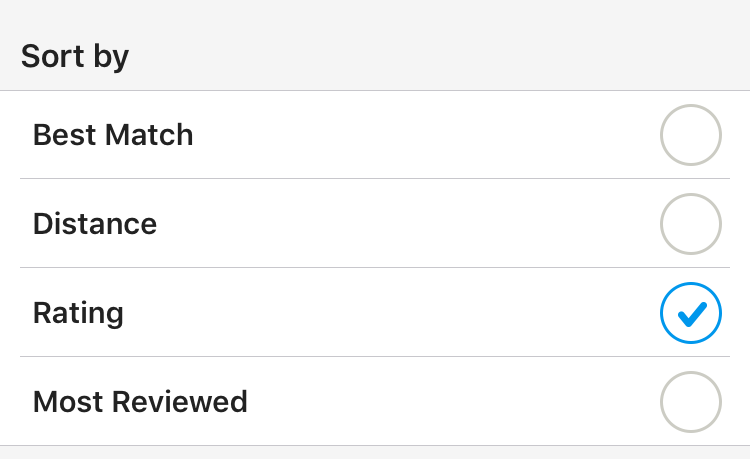
Your Yelp results do not default to the best options. Advertising and other algorithms can come into play in the default view (also known as Best Match). But if you truly want your best food options, keep scrolling in that filters tab until you see Sort by. Drop down this box and select Rating. Click Search at the top to take you back to the map view.
See how the list has changed? As you scroll through the list now, you should see results in order of the best-reviewed restaurants. Sometimes, you’ll see a weird, slightly lower score among the 5-star gems, and sometimes you’ll see an ad, but your results are far more accurate now. You can further narrow your options by cuisine or other factors, but always remember to check that filters tab each time to be sure the app is sorting by rating first.
What if you’re traveling?
Yelp works best within the United States, and especially in larger cities. Remember, either a business owner or a Yelp user has to take the time to enter each business into the site. You could easily miss a hidden gem because no one took the time to add it. (Adding a new restaurant you’ve discovered is a great way to support them.) Yelp users don’t always take the time to add fast food or chain restaurants.
Outside the U.S., Yelp results aren’t often as helpful. You literally can’t even use it in Bermuda. Major European cities often have a fair amount of Yelp listings. But for international travel, TripAdvisor is often a better option. Just remember, if you take the time to add your restaurant discoveries and write a review in Yelp, you’ll be helping future travelers who could follow in your footsteps. And isn’t it nice to pay it forward?
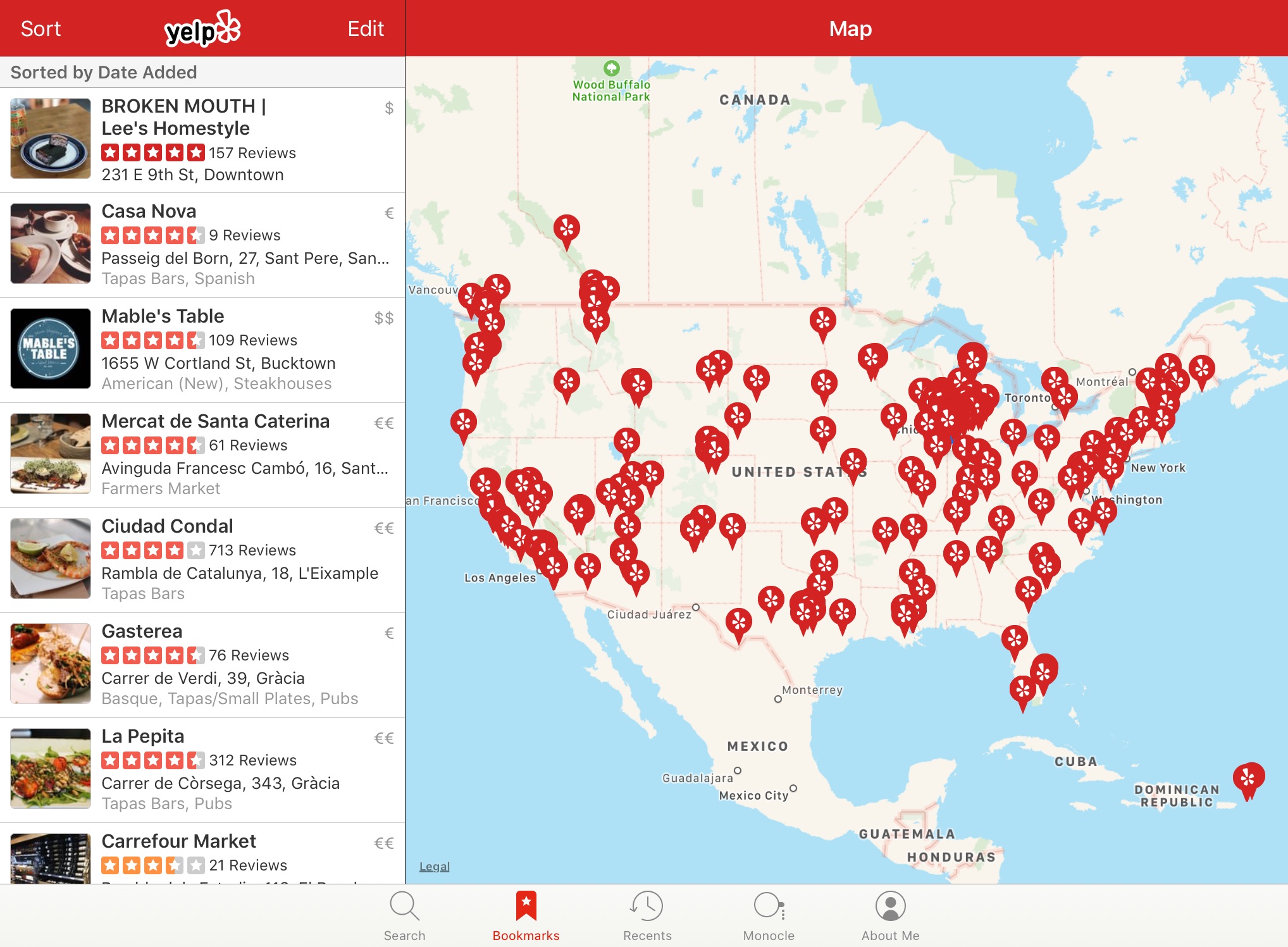
If you’re a real pro, you can do some research on your vacation destination and add some bookmarks to the most promising places. When you arrive, click More on the bottom of the app, then click Bookmarks. Your saved places appear, sorted by distance. You can also click the map icon in the upper right corner to see your bookmarked spots highlighted in relation to your location.
I will never get to all my bookmarks, but it’s worth a shot.
Take everything with a grain of salt
Remember that Yelp ratings are not gospel. They’re just a guide to help a hungry wanderer find a reliably good meal. You may find an incredible restaurant that only has three stars. Or you may have the worst dining experience of your life in a 5-star Yelp favorite. The best restaurant in the city may not even be on Yelp because the locals don’t want visitors dropping by. Your mileage may vary. And don’t discount the power of trying an unlisted hole in the wall. You could discover the next great dining experience and use Yelp to share it with the rest of the world!
Gaming and communication are soaring up out charts this week. While Fortnite and Fortnite Battle Royale are still among our most popular downloads, we’re focusing on the fastest rising stars, and it seems the upcoming NBA playoffs have our gamers in the mood to hoop.
If you’ve ever played any of the NBA 2K games, this one will feel familiar, but they’ve improved the MyCareer option. Play as an individual player or manage the entire league. (And who among us has not dreamed of being David Silver?) In this edition, shooting is more predictable, dribbling is simpler and more intuitive, and the AI is better. How can you entertain yourself during the incredibly boring early rounds of the real NBA playoffs? Try this game instead!
Build and build and build and build. That’s the fun of Roblox. Kids absolutely love creating and interacting with virtual worlds in this game. It’s kind of like LEGO. Roblox users have created over 15 million games and the community is growing by the day. Never tried Roblox? Now’s the time to jump in!
Guys. Make up your mind. Are we deleting Facebook or are we installing it? Maybe after Mark Zuckerberg’s testimony, people are feeling more willing to embrace the social media monster once more. (We don’t know if you heard, but he started it in his dorm room and their mission is to connect people.) It’s nearly impossible to escape Facebook, which may explain why so many people are flooding back. You could consider using this new Firefox feature to help protect your privacy. And be sure to think twice before allowing apps to have access to your permission.
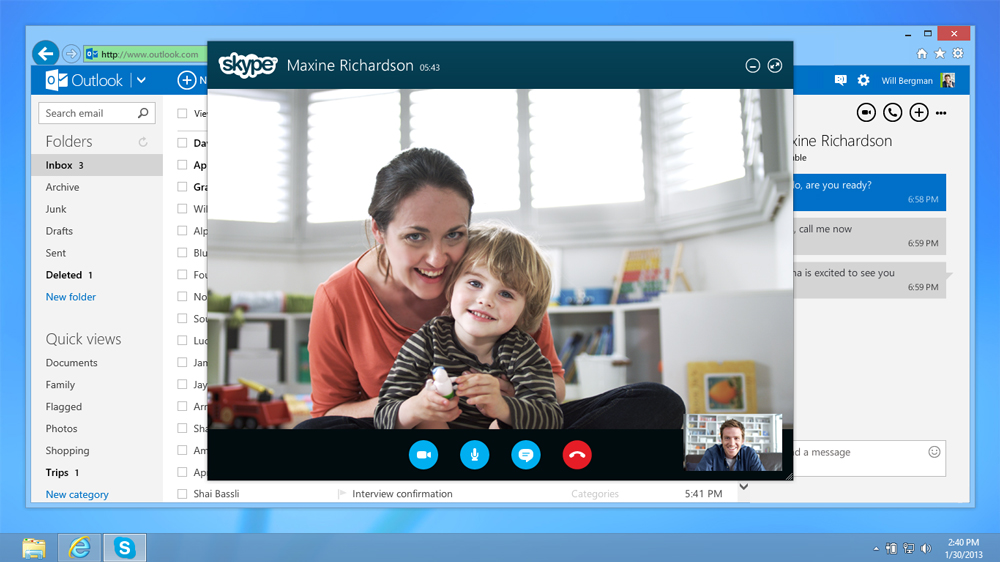
Consider Skype the telephone for the 21st century. Make video calls, audio calls, and send text messages. You can even do group videoconferencing. It works across devices, so if Grandma has an iPhone, but you’ve got an Android, it’s not hard to get Granny to choose Skype over FaceTime (though you will need to help her set it up, most likely). If you’ve never used Skype before, give it a shot. You might just leave all your other messaging apps aside.
Wish you could use Android apps on your desktop? Nox does the job. It works for Windows or Mac. Messaging apps, games, you name it – now you can make all of it run on a desktop. This handy little program has already been downloaded more than 2 million times on Softonic. Give it a shot!
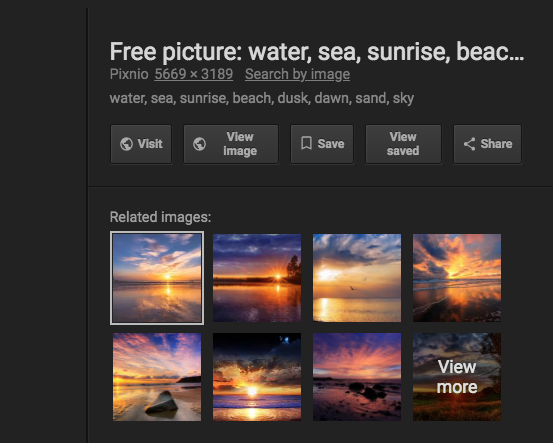
Google Image Search is great. But a recent tweak made it much harder to get the images you’re looking for. In an effort to calm photographers and publishers who were tired of having their images stolen, Google killed off their “view image” button.
Now when you do a search for an image, you’ll only see an option to visit the page. And if you want to comb through the source code to find the image and get the URL, you’ve got that option. Let’s just say that’s less than ideal.
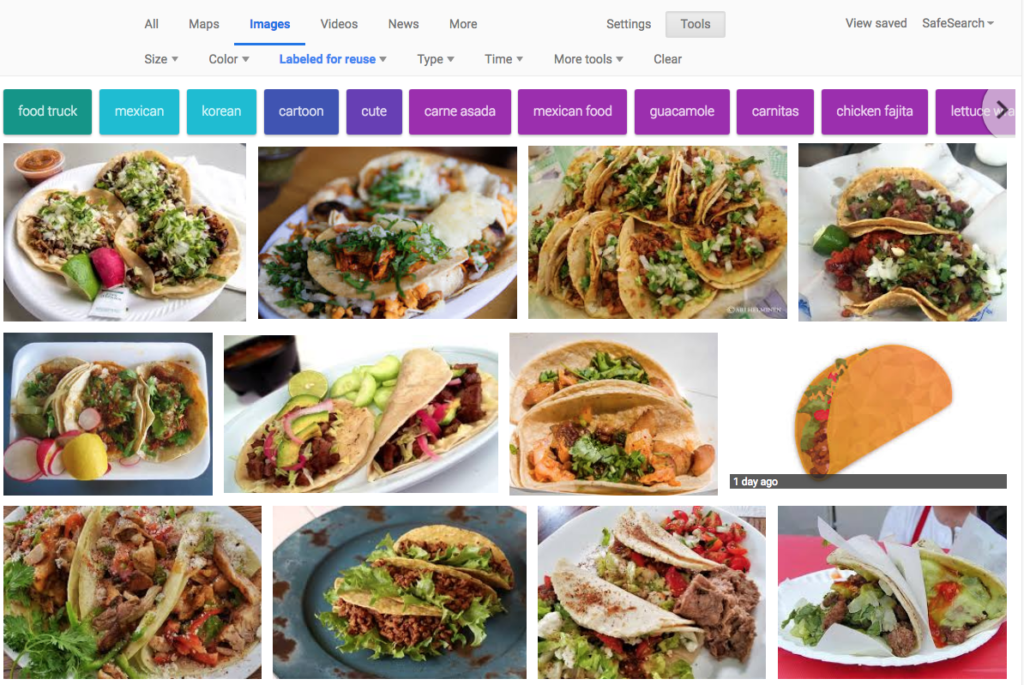
But there are a lot of reasons why you might not want to visit a specific page for an image. If the page has a ton of other content, it can be difficult to find the picture you’re looking for. Or maybe the site itself has some nasty pop-ups or other features you don’t want. (God help you if you’re at work, trying to get an image of tacos and Google dumps you on a restaurant page that’s blaring mariachi music while your boss stands a few feet away.)
Good news: you can get the “view image” button back!
How to get the “view image” button back on Google Image Search
If you use Chrome, you can download this add-on to restore the feature.
This is the part of our article where we remind you that you should never download or share an image without getting permission from the copyright holder. That said, you can probably find some images that are free to use. In your Google Image Search, click Tools and then look under Usage rights to narrow your search parameters. Look: we even found some taco pictures that are explicitly labeled for reuse! (And our boss is none the wiser…)
What’s new in the world of apps this week? Softonic’s users are always scoping the latest and greatest ways to increase productivity, have fun, and communicate. Are these five apps for you? Take a look…
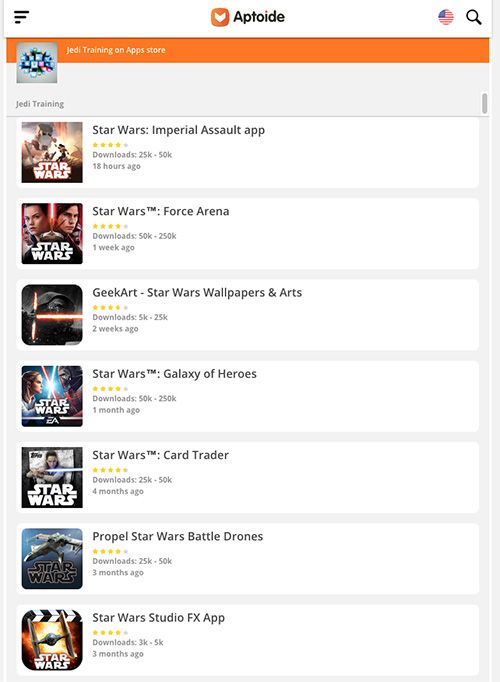
Sick of the Google Play store? There may be a better way! Aptoide is an alternative application store. It doesn’t require registration and its 300,000 apps/updates install almost instantly. The coolest feature? It has a sweet rollback function that allows you to return to old versions of your favorite apps. Check it out!
Last week’s biggest smash continues to dominate the world of games. After a storm wipes out most of Earth’s population, you and your team must battle monsters and construct forts to beat back the bad guys. It’s part Left 4 Dead and part Minecraft. Fortnite and its Battle Royale spinoff are becoming so popular, you’re now seeingpro athletes mimicking the game in their celebrations. Don’t be the last one of your friends to jump on the trend. Grab your pickaxe and start battling!
Whew! This is the browser intended to replace Internet Explorer. Microsoft Edge introduces includes a reading mode, which is a stripped back version of a web page. The Reading List (first seen as a Windows 8 feature) allows you to save articles in this format to return to later. Another great feature is the ability to annotate your webpage with notes and highlight different areas, whether you are using a mouse, stylus or your finger. Looking for a new browsing experience? Give this a whirl.
Sometimes you need to take a screenshot on your desktop. Maybe it’s the latest crazy tweet from a certain very crazy person, maybe it’s the weird face your coworker is making on a video call. Either way, Snipping Tool++ can do the job. It features a basic image editor in case you need to blur something out. You can use Snipping Tool++ to take a snapshot of an entire page or to record a highlighted portion. Get snippin’!
Our team wants to give some love to the new apps that cracked the Top 100 in the past week.
There’s Facebook Lite, which actually makes for a refreshing, slimmed down experience of the social network. It cuts out all the video and audio and allows you to send messages without having to open the Messenger app. Cool!
UC Browser is a streamlined web browser that could come in handy, especially if you have a slow internet connection.
And for some reason, people are suddenly downloading Halo again. Yes, that Halo. The original game. Nothing like a little FPS nostalgia, eh?
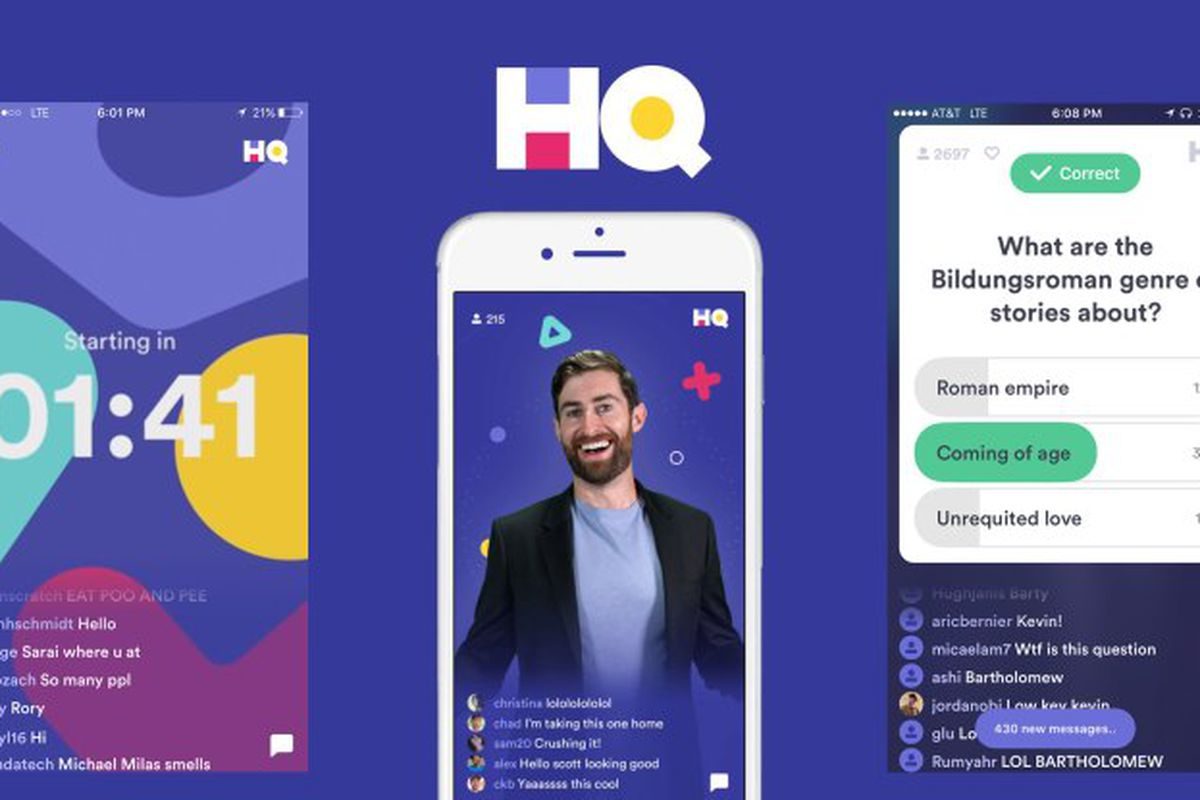
HQ Trivia is having its moment in the sun. With a $15 million infusion from a group founded by gajillionaire fun-ruiner Peter Thiel, the live trivia game is angling to become your twice-daily habit of choice.
Here’s what we like about HQ: You can (in theory) win real money and the questions are appropriately difficult.
Here’s what we don’t like about HQ: Virtually everything else.
5 ways to fix HQ Trivia
1. Fire Scott
Your usual trivia host is Scott Rogowsky, a bearded, angular man-child who enjoys shouting dad jokes. Some people love him and refer to him with the unfortunate nickname “Quiz Daddy.” But if we wanted puns shouted at us for ten minutes while we were trying to concentrate, we’d crank up the volume on our local TV weatherman while attempting to do our taxes. The New York Times says, “On first viewing, Scott can come across as incredibly annoying.” Yes. And on second viewing. And eightieth. And ninety-seventh.
Just contrast Scott’s flailing flop-sweat desperation with the calm, cool demeanor of Jimmy Kimmel when he hosted the game one night in January.
Jimmy realized that A) he’s wearing a microphone and B) if people want him louder, they can adjust their volume. He managed to be funny and relaxed. (Remember, Jimmy has trivia hosting experience.) It’s sad when Scott’s vacation relief mimics his shouty car-dealership-commercial delivery. Relax, all you fill-ins. Be like Jimmy. Convince your bosses to kick Scott to the curb.
2. Let us keep playing
As soon as players get knocked out of the game, many simply abandon it for the day. (We wouldn’t want to spend a minute more with Scott, either.) It’s no fun watching trivia questions float by without the chance to answer. It’s fine if players are disqualified from the prizes, but you might as well let them flex their brains. If we could keep answering, we’d stay engaged, and we could feel some measure of pride from only having missed one answer.
3. Stop lying to us
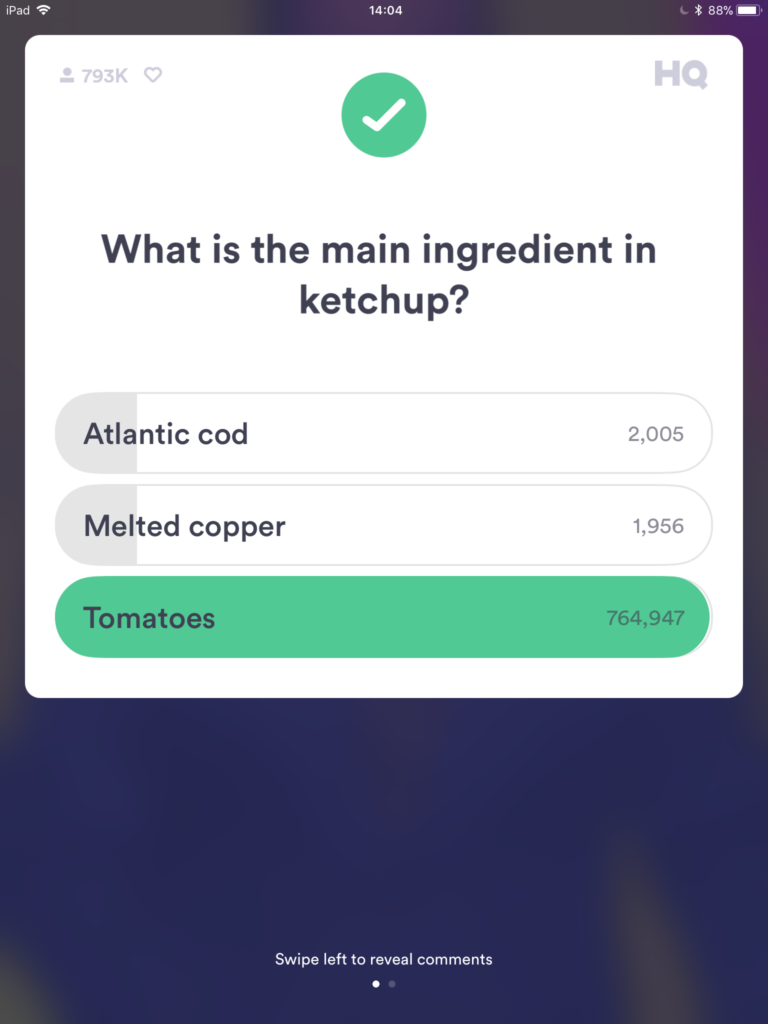
In today’s quiz, this was one of the questions:
You truly expect us to believe that nearly 4,000 people couldn’t identify the main ingredient in ketchup? How did you find 1,956 backwater mutants who are smart enough to activate their phones, download the app, and still think that melted copper is the primary ingredient in a universally known condiment? Maybe 4,000 contestants were falling down the stairs and their outstretched hands landed on the wrong answer. This is weird and impossible.
4. Let us switch our answers
Because of the 10-second time limit, we’re forced to choose once and then we’re stuck. But why lock us into an answer until the clock expires? We reserve the right to change our minds like the girl Scott thought he was taking to prom. Sometimes our first answer is wrong and we should have the right to pivot to a better choice.
5. Start on time
HQ often fires up four to eight minutes late for every round. Then Scott comes on and yammers for another four minutes. That would be fine if the app had a “Sandman” option like Showtime at the Apollo. Who wouldn’t enjoy seeing Scott swept off the stage while a siren blares in the background? During this afternoon’s game, we had to suffer through Scott singing the entirety of “Meet the Mets.” It was so brutal, Kim Jong Un is considering launching mp3s of it at his enemies. Between the delays and Scott’s interminable monologues, HQ always has a rough start.
And remember, no matter how good you are at HQ, you could be battling against all-time Jeopardy champion Ken Jennings. If you’re splitting your winnings with a bona fide trivia wizard, you’ll never bring home a big prize.
If HQ doesn’t make some improvements soon, ol’ Scott will be looking to annoy a captive audience at a toll booth somewhere. C’mon, HQ. You’re better than this.
HQ - Live Trivia is an app that allows you to pit your wits against a range of trivia questions tackling various different subjects. Join in with literally thousands of other players and compete to find out who will be the trivia champion of the day. There are prizes to be won, but only if you keep your wits about you and manage to answer the questions correctly!
Looking for the hot new thing? At Softonic, we’re always tracking the apps on the rise. According to our charts, Facebook installs are down nearly 18 percent this week and its corporate cousin Instagram is down more than 28 percent. Tired of having your data scraped and sold off to Russians, eh? Here are five great apps that our community loves instead.
A storm has wiped out most of the world’s population. What’s worse? Monsters are coming to attack the remaining survivors. In this co-op game, you and your team must head out, kill the monsters, and gather resources to build up a sweet anti-monster fort. It’s part Minecraft, part Left 4 Dead. It’s so fun, a researcher took the time to decide whether it should be literally classified as addictive. Where do we sign up? Get your game on here…
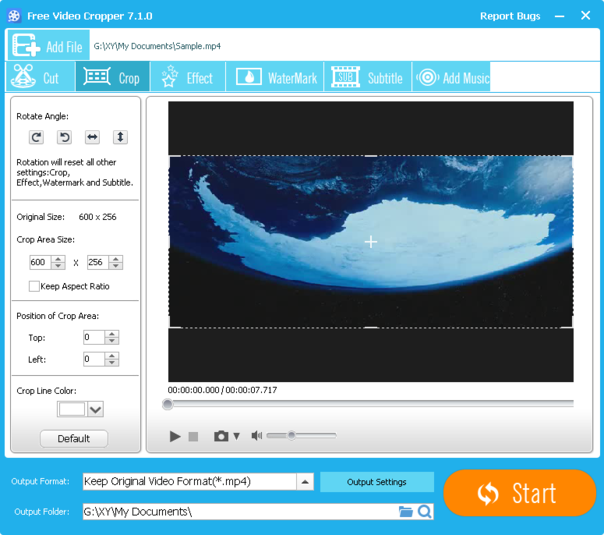
ThunderShare’s free video editor will take your home movies and make them pop on social media. It’s basically an upgrade to Microsoft’s free Movie Maker. Use this tool to rotate and crop your footage. Add fades and edit your video down to the best parts. You can even add a watermark! Give it a whirl and see what it can do for your film career. (Free download for Windows)
Oh, Fortnite is back on our list again, this time with their Battle Royale version. In this game, you’re on an island where you need to kill everyone else. (Very similar to PUBG, if you dig that.) You start off with a pickaxe, which you can use to destroy things to gather resources. Like the original Fortnite, you can also build structures for defense. What are you waiting for? Get fighting!
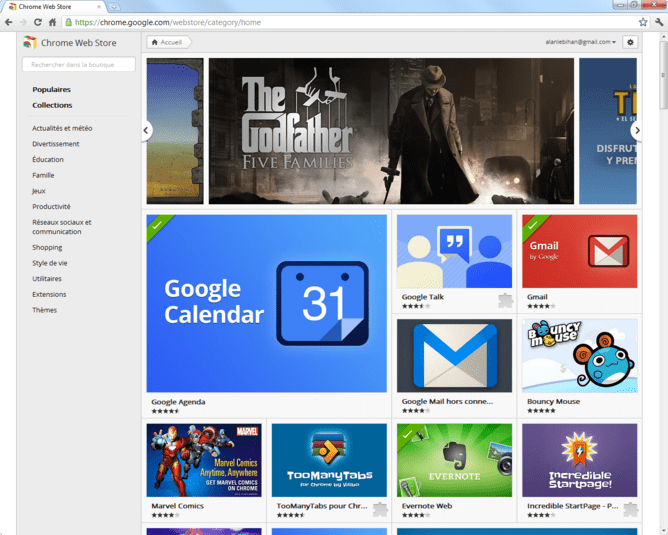
All hail the browser that helped kill off Internet Explorer! Google’s baby makes surfing the web a breeze, allowing for seamless transitions and speedy browsing. Extensions, themes, and other goodies make the experience customizable. If you’ve never tried Chrome before or you haven’t installed it on your phone yet, jump on it.
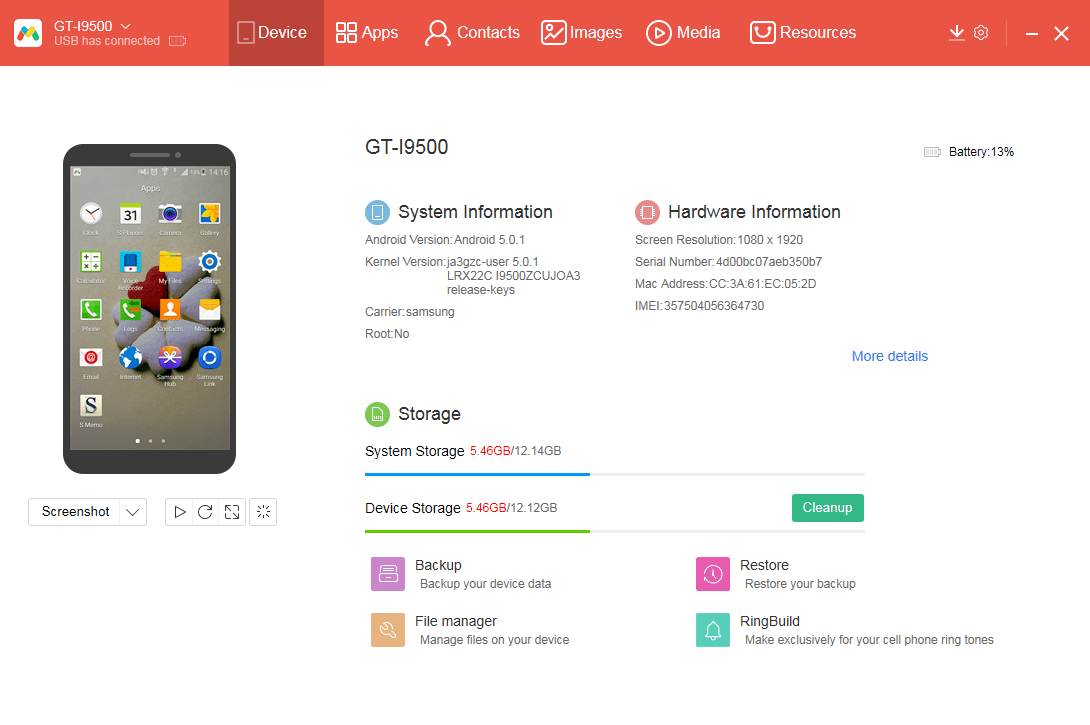
You can use this free tool to transfer data from your phone to your PC and back again. Because it doesn’t store any data, you can feel safe knowing that your files are moving safely from one place to another. It’s also compatible with older operating systems, so there’s no excuse not to back up your photos, music, and videos. (Free download for Windows)
We hate being late to a trend. Just last week, we were laughed out of the hair salon for asking for “The Rachel.” To help you stay in touch with the latest software trends, we’re launching a new feature: Furious 5. Each week, we’ll bring you the software that’s jumping ahead of the pack so you can join those early adopters.
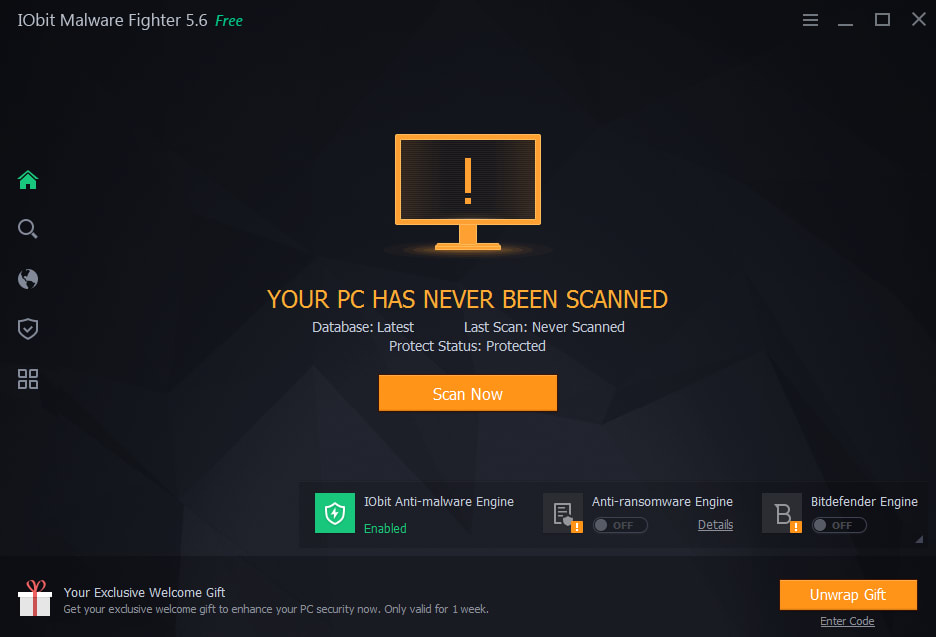
Bad guys are everywhere, and IObit is there to watch your back like a cyber-Batman. IObit scans your computer every day to keep you safe, and it only kicks in when your PC is idle so you won’t have any performance interruptions. IObit also tosses out outdated drivers so hackers won’t have any backdoors to sneak through. In case you’re still freaking out about that one episode of Black Mirror, IObit also alerts you if your PC’s camera is being used without your permission. Now you can see why it’s our fastest rising download of the week!(Free download for Windows.)
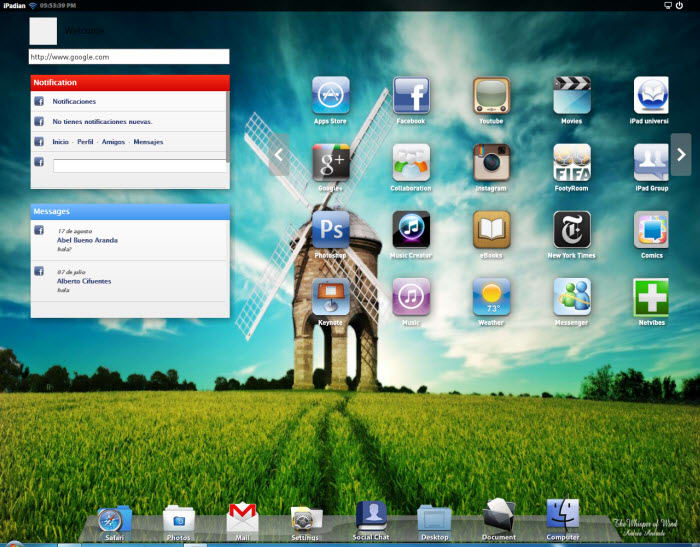
Do you ever look at your Windows desktop and wish it were an iPad? It’s a thing people do. All the time. Like looking at broccoli and wishing it was tacos. iPadian waves its magic wand over Windows and gives you an iPad-like environment to play. Of course, it’s not exactly like an iPad, but it’s a pretty close simulation. (Free download for Windows.)
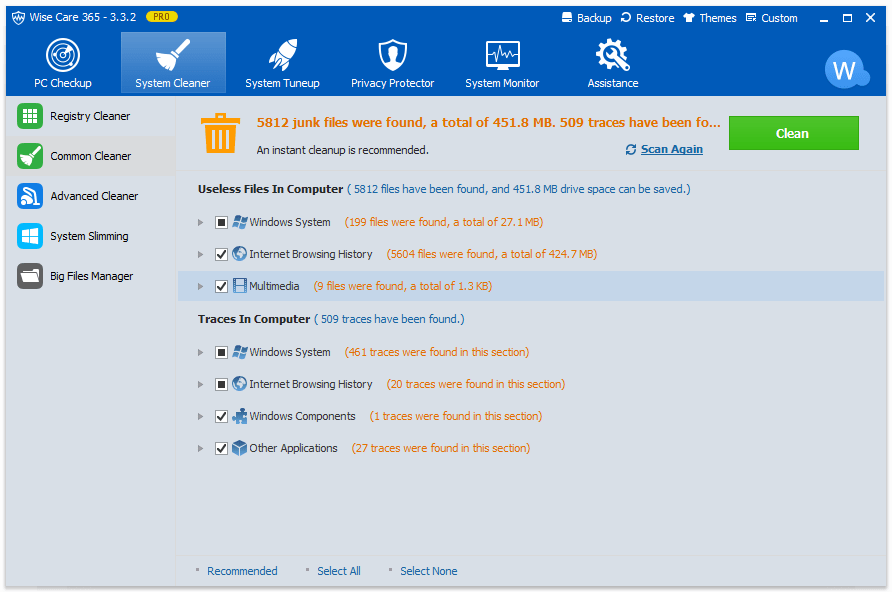
Optimize. Clean. Stabilize. No, that’s not the tagline for a Michael Bay movie about a warrior janitor who repairs wobbly tables. It’s what Wise Care 365 does for your PC. After an initial scan, Wise Care will keep tabs on your files, making sure your system isn’t clogged with junk. While CCleaner may do a better job, Wise Care is easy to use and a solid way to keep your computer running smoothly. Give it a shot! (Free download for Windows.)
Are you unfamiliar with Instagram? The powerhouse social media app is all about sharing photos. Your dog. Your lunch. That mole you just found on your shoulder. It’s all fair game to blast across the interwebs. It’s possible we’re seeing a surge in downloads because of the concerns about all the Facebook data leakage and folks are looking for a new social outlet. Except… Instagram is owned by Facebook. (Shakes fist at Zuckerberg.) (Free download for Android or iOS.)
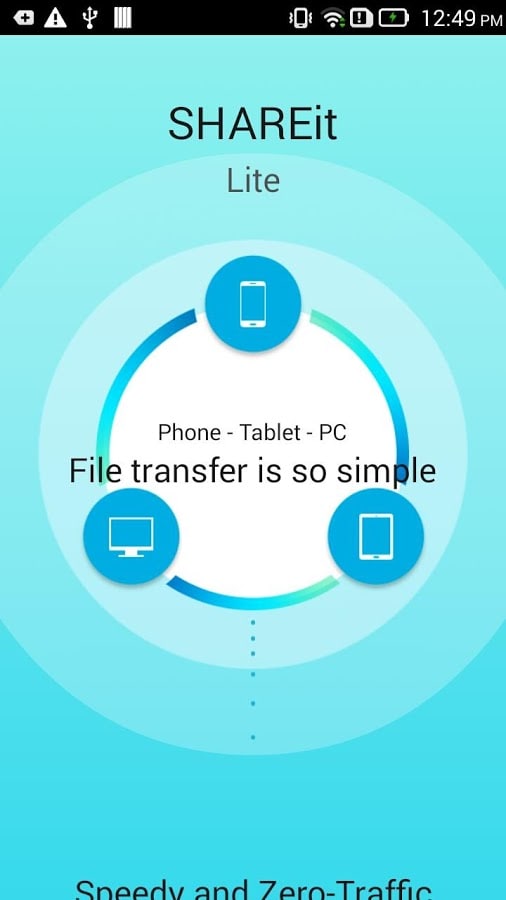
In the year 2018, most of us have a phone and a tablet and a desktop at work and maybe an old laptop lying around. So if you’ve got a picture or a video on one device and you want to transfer it to another, it may mean digging through a junk drawer of cables to find the right solution. That’s where SHAREit comes in. It doesn’t transfer data over a general Wi-Fi connection or Bluetooth. Instead, it creates a direct wireless connection with up to five devices like a small network. Once connected to another device, files can be sent and received. Here’s a full rundown of the app.
You can also clone a device and send its contents to another device. And best of all, it’s multiplatform. Download SHAREit and organize your digital life! (Free download for iOS, Android, and Windows.)
What’s the coolest new app you’ve discovered? Let us know in the comments below. Maybe it will make next week’s Furious 5!