How to video chat with Instagram

In a bid to make sure you never leave Instagram for a minute, the social network now offers you the ability to video chat with your friends. Here’s how it works…

Instagram Download Instagram
9

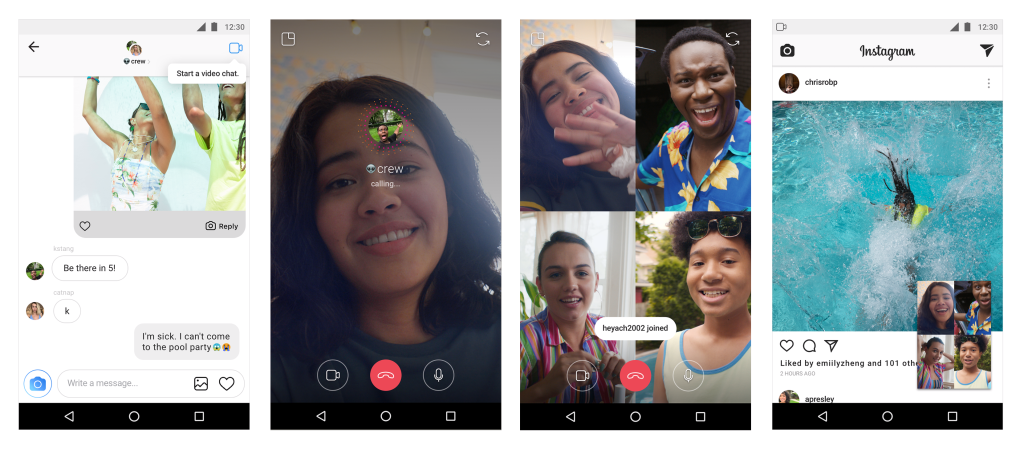
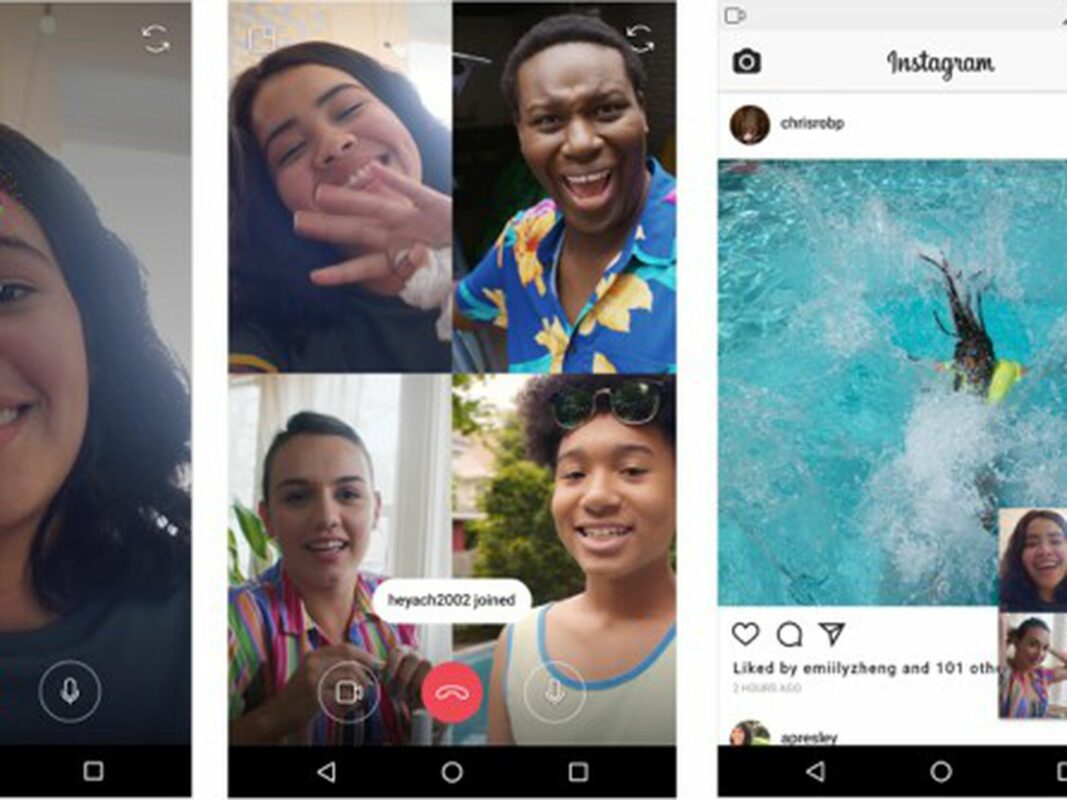
First, go to your Instagram inbox. A quick right-swipe takes you there. Then use the search box to locate your friend or just open any previous message thread. Tap the camera icon in the upper right corner. Your friend’s phone will ring and the video chatting can begin.

Instagram says you can video-chat with four people at once. What’s interesting is that you can minimize the video chat and do other stuff on Instagram, like send messages to other friends, browse your feed, or post a story. So if you see your pal on the video chat looking really distracted, that’s because she’s looking up the latest Kardashian post instead of paying attention to you. It’s 2018. If you’re not multitasking, you’re missing out.

And speaking of the Kardashians, you can’t initiate a video call with Kendall unless she follows you on Instagram, too. Sorry.


Watch: Mario Kart VR looks INTENSE

For more than 25 years, gamers have been able to race one another in various versions of Mario Kart. But if we add virtual reality to the mix, Mario Kart looks like the most fun humans can possibly have. Check this out.

In addition to the VR headset, gamers sit in a cart that moves around to complete the sensory experience. This video was shot at VR Zone in Osaka, Japan. And we need to book a flight there immediately.

While we’re in Osaka (or Tokyo or Okinawa), we can also sign up for a real-life tour of the city in go-karts as we’re dressed like the Mario crew.

It’s probably frowned upon to whip turtle shells at fellow drivers in the real-life go-karts, you can do it all day long in the VR world. Man, what a time to be alive!


You’ll soon be able to play video games on Netflix

Do you ever wish you could play games on Netflix? Soon, you’ll be able to. This is not a drill. We repeat: Video games are coming to Netflix.

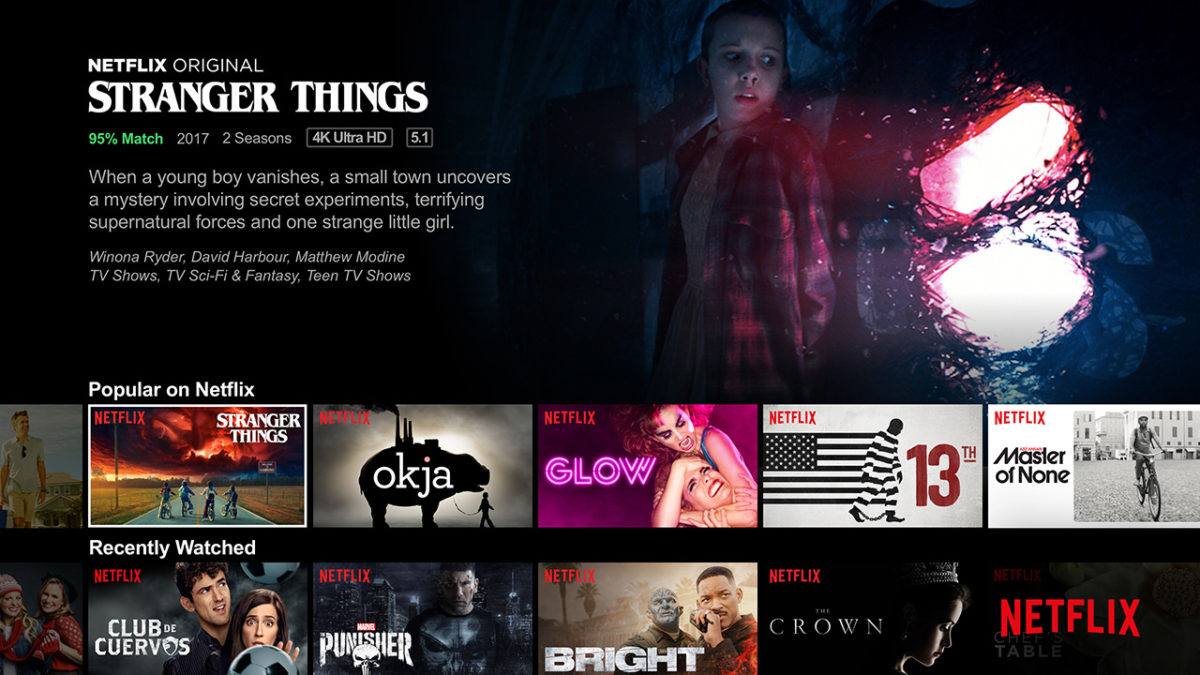
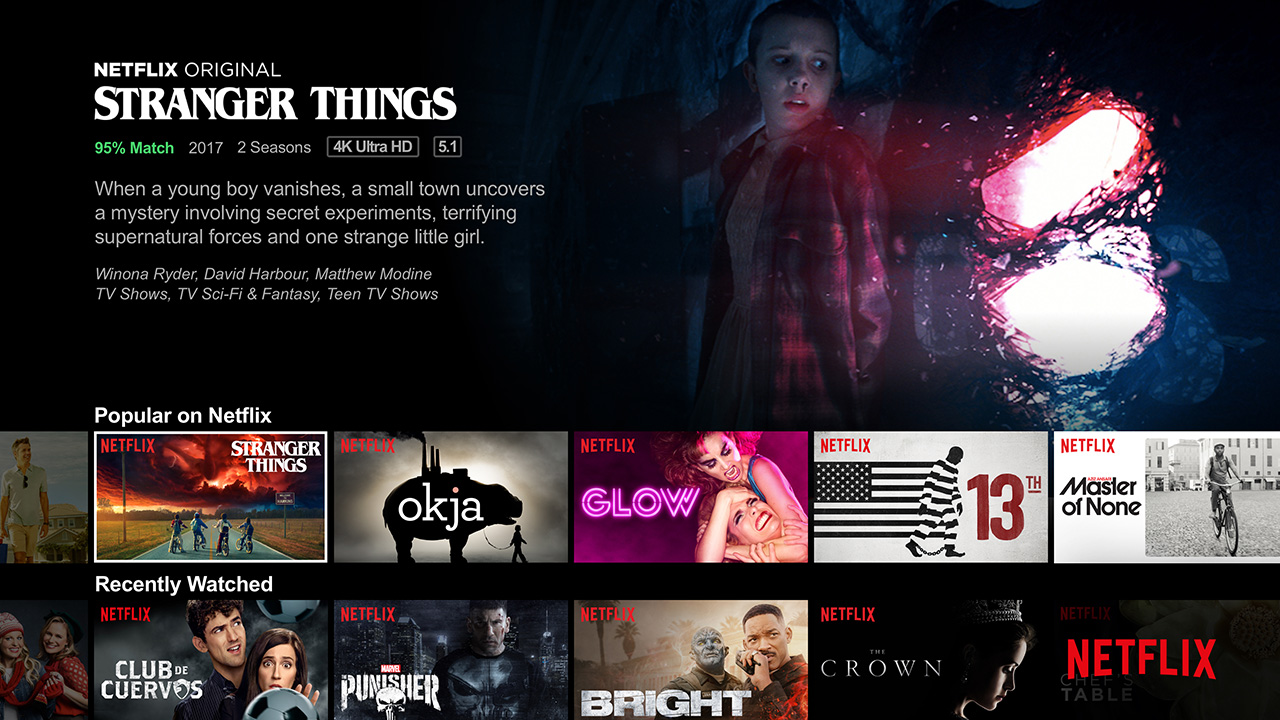
According to TechRadar, Netflix is partnering with Telltale Games to provide a streaming game experience. TechRadar reports that Minecraft: Story Mode will be a five-part episodic adventure and might be available to stream on Netflix later this year.

Don’t expect Xbox-level gameplay or anything. Telltale offers simple choose-your-own-adventure-style experiences. You’ll watch a video, then make a choice that plays the next video, and so on. TechRadar says the games will work as long as you have a controller with direction buttons.

Telltale is also working on a “Stranger Things” game, which would be a perfect way to start the Netflix partnership. (Press “up” to make Eleven shred the skin of the Demogorgon, press “left” to rescue Barb from the Upside-Down?)

Will people actually play games on Netflix or will it just be a weird experiment? It’s anybody’s guess, but the possibilities are intriguing…


This is the best app to keep track of your baby

Five blessed weeks ago, I became a father to twin boys. While I’m holding up with the diapers and feedings and endless exhaustion, fatherhood would be significantly more difficult if it weren’t for the Baby Connect app. Whether you have one kid or a dozen, this thing is a lifesaver.

Baby Connect Download Now ►
8

What is the best app for new parents?

Keeping your kids on track

Kids eat and go through diapers like nobody’s business. When babies are born, their stomachs are the size of a teaspoon, so there’s not a lot of room inside your little bundle of joy. Even if you have a notepad and are meticulous about charting feedings and diaper changes, there are times when you’ll hand your kid off to your partner or you’ll forget your notepad or you’ll be so tired you’ll forget to write something down. The Baby Connect app solves that problem.

Whenever my wife or I do anything for the kids, it goes in the app. We have Baby Connect on each of our phones. I take the night shift with the boys, helping them with everything until 4 a.m. When my wife wakes up and takes over, she can open Baby Connect to see a detailed log of everything I did for them overnight. It’s surprisingly thorough.

How it works

Here’s the main screen where I spend most of my time:
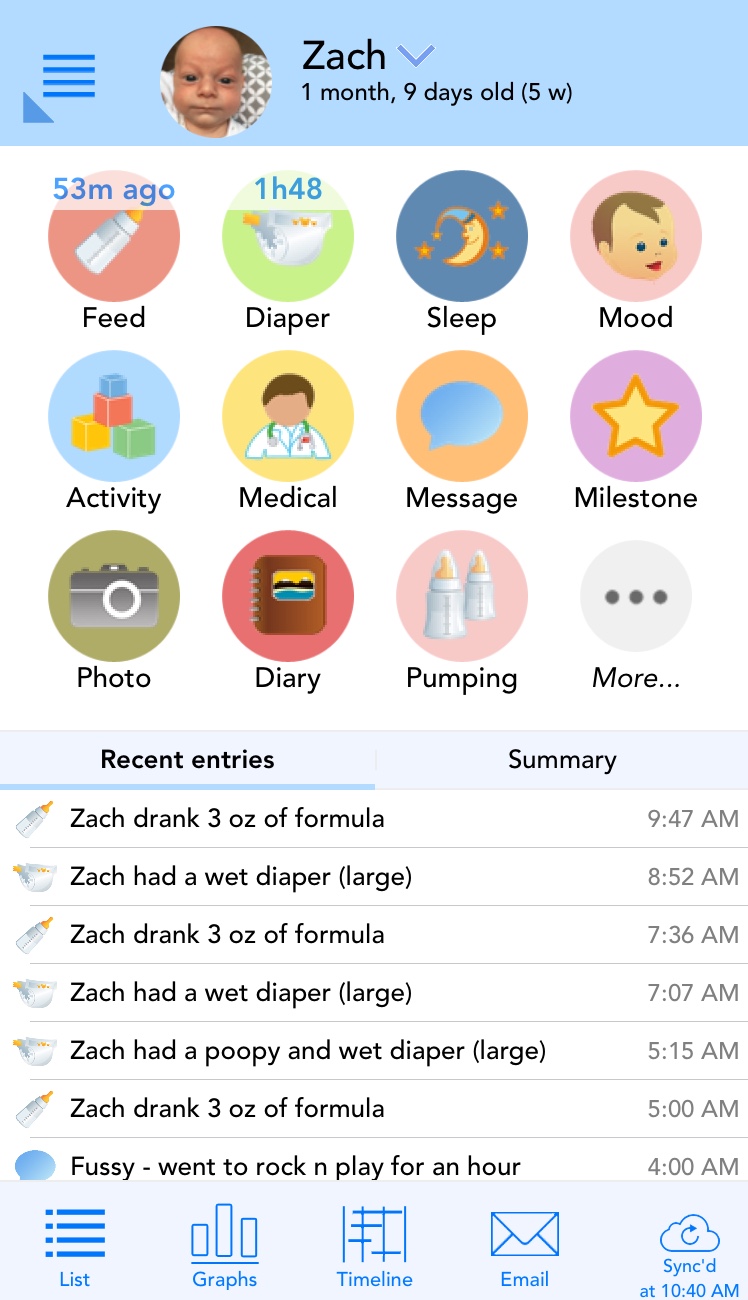
At a glance, I know that  Zach ate 53 minutes ago and he last had a diaper change 1 hour and 48 minutes ago. That means he’s probably going to start screaming at me for food in 67 minutes. (My boys eat like clockwork.)

If you want to add an entry, you just click the icon and an appropriate screen pops up. Let’s say I had to change Zach’s diaper. I’d click the Diaper button and this would appear:
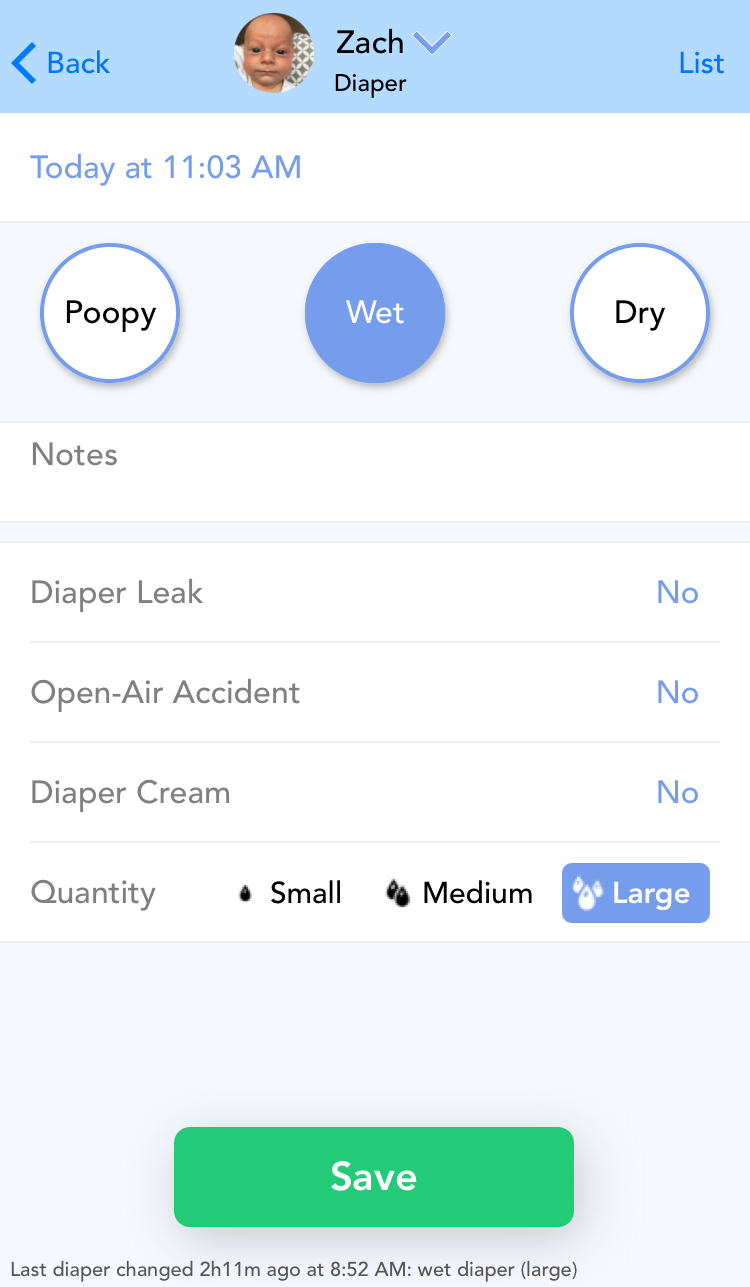
My boys are fans of the “Open-Air Accident” option. What’s really nice is that if you’re feeding or changing simultaneously, there’s an option to add an entry for both kids at once. Just change two wet diapers? Hit Diaper, then touch your child’s picture at the top of the screen. That opens a window for you to Select Multiple children.

It’s extremely helpful over time as the Baby Connect app starts generating charts that allow you to plan your purchases. I can see Zach’s appetite is growing, but tapering off a bit. I also see the dude rips through close to 80 diapers a week. So when I’m standing in Costco, looking at a 4,000-pack of diapers, I have a decent idea how long that will last us.
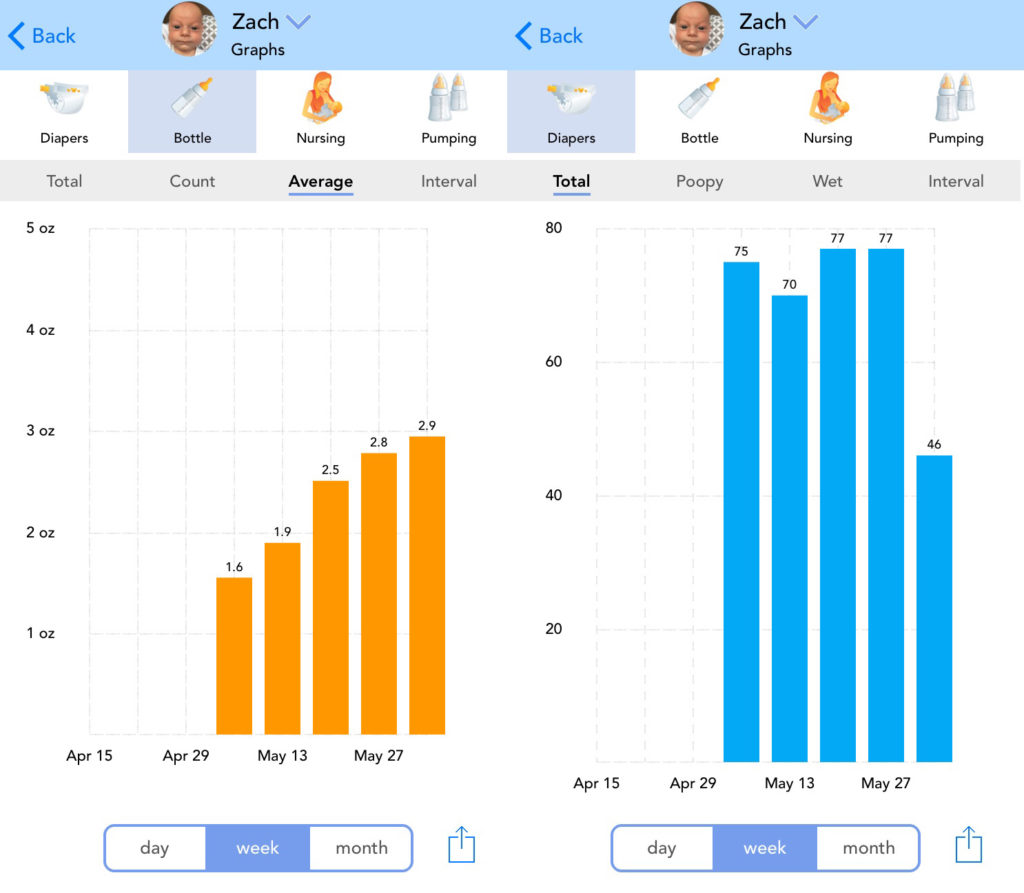
There are also tabs for medical information, so you can add weight and height to chart your kids, along with any medicine they might be taking.

If you have multiple people caring for your kids, they can all connect to the same account so everyone can add data throughout the day. This app is so flexible, even daycare centers can use it to track dozens of children. As your family grows, you can keep adding kids without additional charge.

Yes, Baby Connect costs $4.99. I’m the last person who ever wants to pay for an app, but two things are true: $4.99 is the cheapest baby-related thing you’ll ever buy and your sanity is definitely worth $4.99. On our first night from the hospital, as the boys were unleashing their sonic death cannons on us, we happily plunked down the five bucks and our lives have been better since then.
Baby Connect Download Now ►
8


Xbox at E3: 2018 – Watch the newest game trailers for Halo Infinite, Battlefield V, Gears of War 5, and more

E3 is underway and Xbox got the chance to throw the first punches. The biggest news is probably that a new Xbox is in development. Actually, make that Xboxes, plural. Microsoft says they’re working on multiple consoles. You have our attention, Microsoft.

As to the games announced at E3, we’ve rounded up the trailers for the most anticipated upcoming adventures, so take a look and let us know what you’re most excited for in the comments below!

Want to watch the whole Xbox presentation? Check it out here:


You can now mute accounts on Instagram. Here’s how.

Tired of seeing pictures of your old roommate’s dog on Instagram every. single. day? As much as you might love ol’ Scraps, your old roommate should really throttle back on the pictures. Until he gets his act together, you might want to mute him. Starting now, you can.

Instagram Download Instagram
7

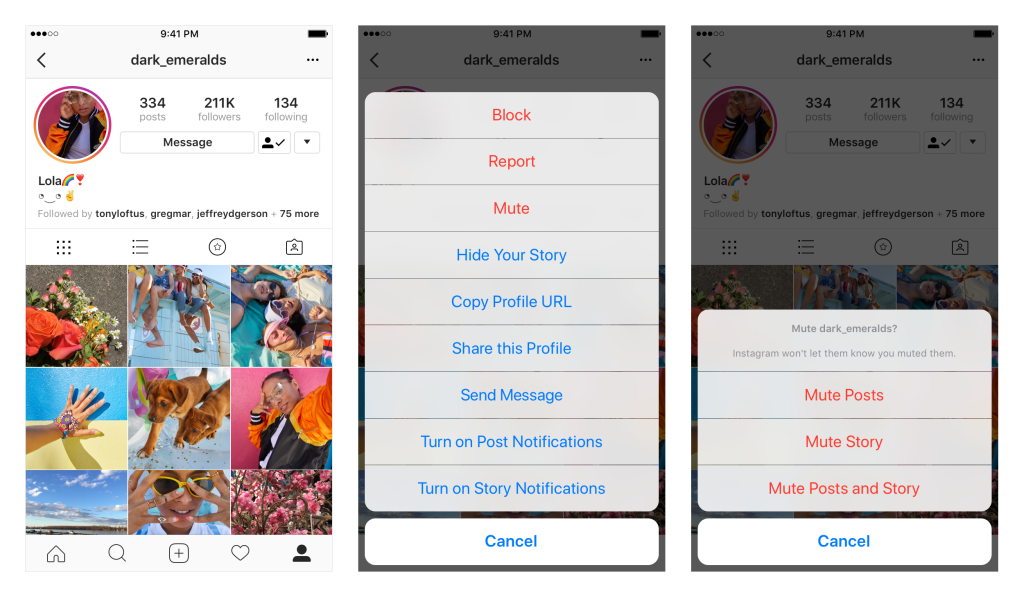
Instagram now allows you to mute accounts. That means you still follow them, but you won’t see their photos in your feed. If you ever want to check in on them, it’s as simple as going to their profile page. You can also unmute the account to return it (and all those dog photos) to your regular Insta-stream.
To mute an account, tap the … menu in the corner of the post. From there, you can choose whether to mute posts, or mute posts and stories from an account. You can also mute posts and stories by pressing and holding on a story in your tray, or from a profile.

So why not just unfollow someone instead? Consider that if you unfollow a private account but want to check in on them later, you’d have to ask permission again, and that could kick off an awkward conversation about why you unfollowed them in the first place. It might be safer just to mute someone and then you always have the option to reconnect down the road without drawing attention to yourself.

Instagram also wants to explain why they stopped sharing posts in chronological order, so if you’re curious about the random algorithm goofiness they’re sending your way, you can read more here.

And if you’re curious what we’re up to, why not follow Softonic on Instagram? We’d be honored.

Furious 5: Apps on the rise (Week ending April 27, 2018)

This week’s fastest-rising downloads are helping our users be more productive and more creative while blowing off steam. Looking for some new programs to try? Give thise a whirl.

Furious 5: Apps on the rise

1. GS Auto Clicker (+34%)

Ever find yourself having to click the same spot over and over and over again? Maybe you’re playing a game where you have to click in the same spot several times. That’s where GS Auto Clicker comes in. Don’t let your wrist get tired from all that boring clicking. Try GS Auto Clicker and let the program do all the clicking for you!

GS Auto Clicker Download Free
7

2. FL Studio (+27%)

FL Studio used to be known as Fruity Loops. If you want to launch your music career, this is a program you want on your radar. Use FL Studio to create sick beats. If Mozart were alive today, he’d be all over this program. Unleash your inner composer and see what iconic sounds you can create with FL Studio!

FL Studio Download Free
7

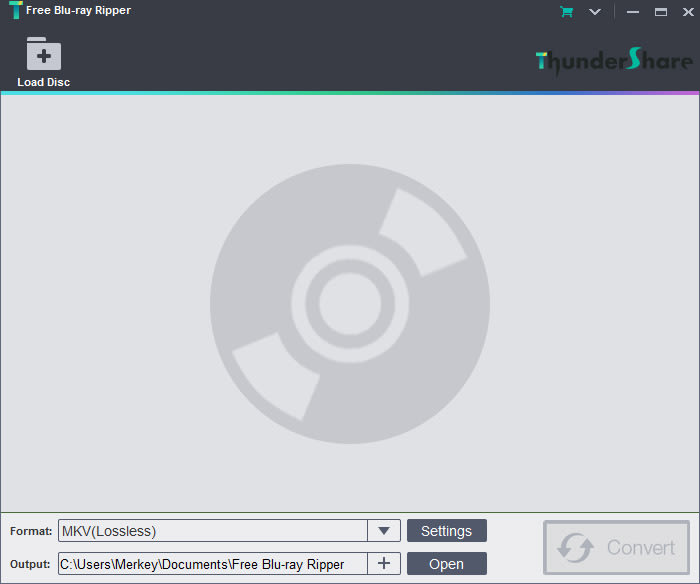
3. Free Blu-Ray Ripper (+25%)

Warning: Circumventing the anti-piracy protections of Blu-Rays is technically illegal. That said, pirates gonna pirate. If you need a copy of your Blu-Ray for legal reasons only, this is a tool to help you down the road. If you plan on embracing the dark side and thumbing your nose at the copyright gods, consult your lawyer, and consider if this program is right for you.

Free Blu-ray Ripper Download Free
7

4. Skype (+23%)

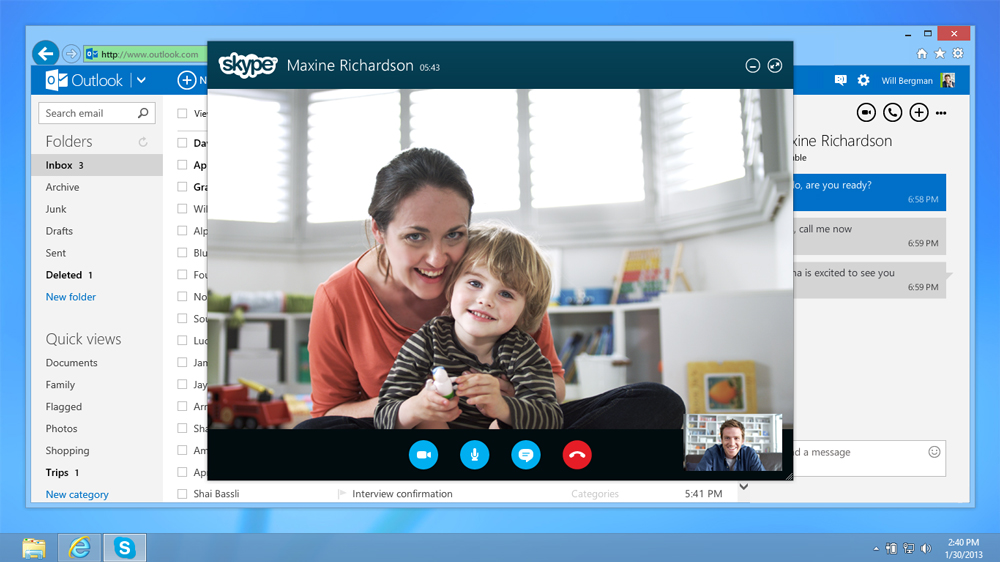
What can’t Skype do? The versatile communication app allows video calls, texting, and regular old phone calls. Gather ’round, kids. Many, many years ago, your ancestors would dial a phone number and actually talk to a person on the other end. You had to give them your nearly undivided attention! You couldn’t save your replies for a lull in “Game of Thrones” because the person on the other end of the call was just sitting there, waiting for your reply. Skype lets you do that. But it also aces all kinds of other communication. If you haven’t tried it yet, what are you waiting for?

5. Ravenfield (+20%)

A first-person shooter with 16-bit graphics? Count us in! If you’re tired of getting demolished in Fortnite: Battle Royale, maybe you’ll be up for a little retro shoot-’em-up. Looking for a game that lets you blow off some steam in a simple, fun way? Ravenfield may be just what the doctor ordered.

Ravenfield Download Free
7

What will dominate our charts next week? Got an app you want us to spotlight? Let us know in the comments below!

Microsoft will allow linking of Xbox and Discord accounts

Xbox

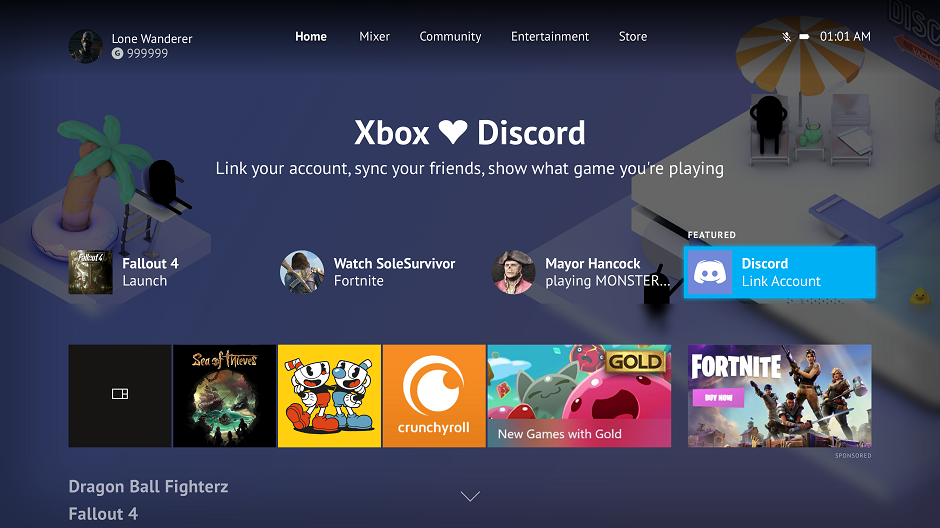
What fun is gaming if you can’t talk trash with your friends? Today, Microsoft announced it will allow gamers to link their Xbox and Discord accounts, allowing console and PC gamers to come together.

8

According to Microsoft, here’s how it works from an Xbox…

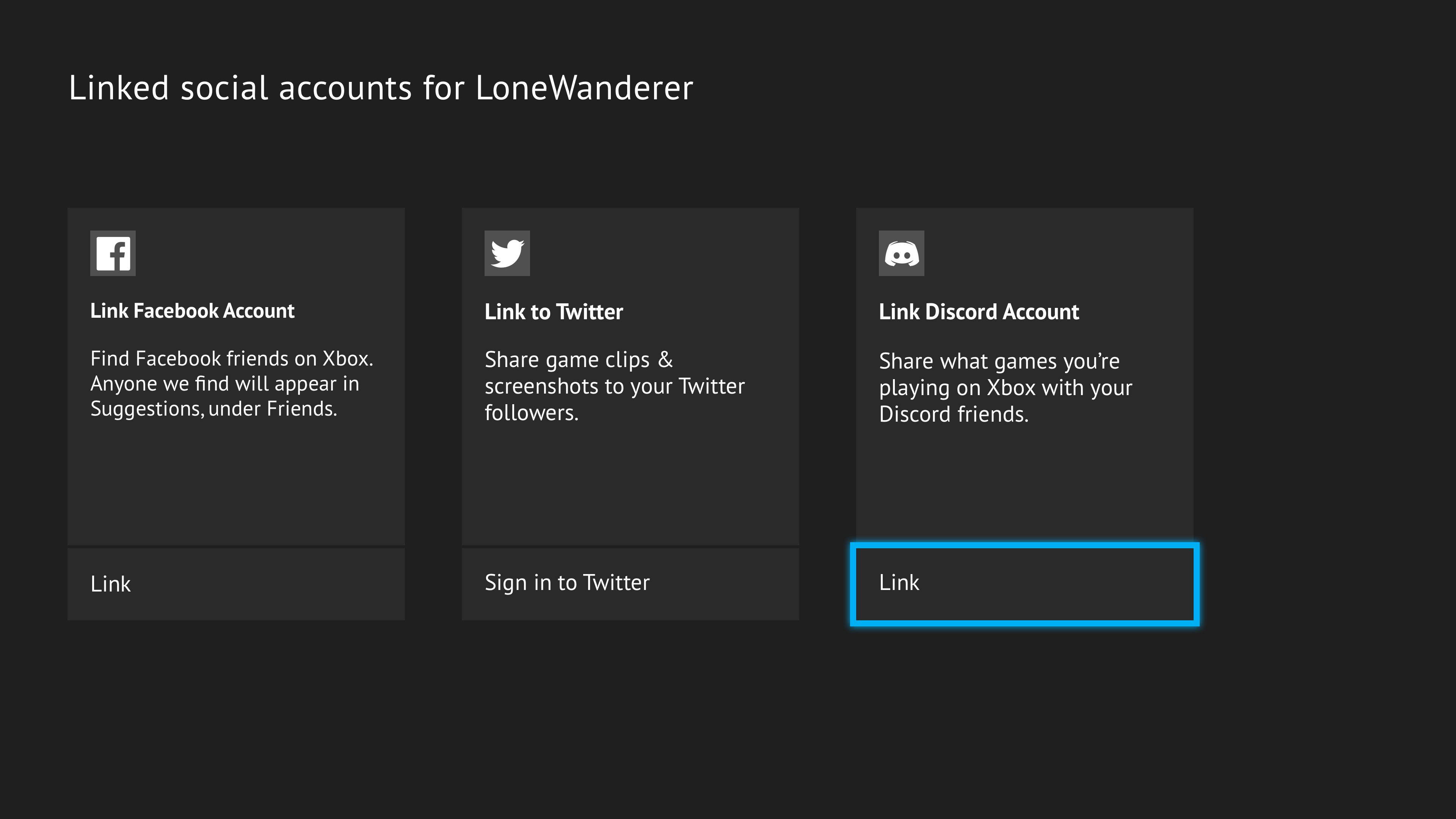
As an Xbox Insider, starting soon in preview, you will also have the added option to link your Xbox Live account to your Discord account directly from your Xbox One, which will become available to the broader Xbox community soon. Open the Account Settings menu on Xbox One, and select “Linked social accounts.” Here, you will see a new option for linking your Discord account. Once you receive your unique code from Xbox, open the Discord app and insert the code within the Connections tab.” 

And from a PC, the process goes like this…

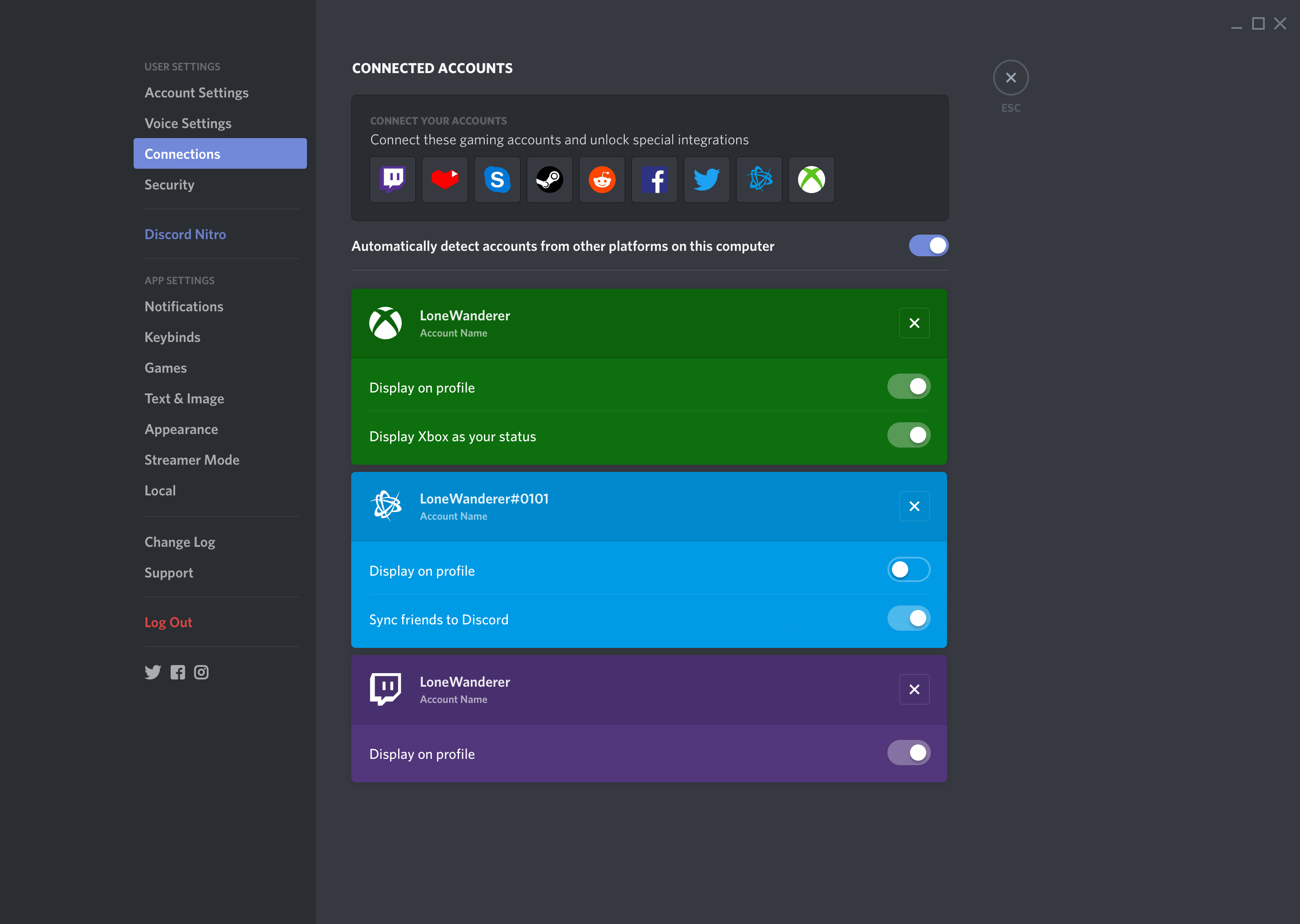
From the Discord app on PC or on a mobile device, in the coming weeks you will see an option to link your Xbox account with your Discord account through the Connections tab under User Settings. Click on the Xbox Live option and sign in to your account. After enabling permission, your accounts will be linked.

With this new connectivity, Microsoft is making it easier to connect with your friends. If you’re jumping on Madden and want your Discord friends to know, this will make it a lot easier.

The Ultimate Fortnite: Battle Royale Starter Guide

So you’ve downloaded Fortnite: Battle Royale, but you’re getting wrecked as soon as you hit the ground. How do you stay alive, stalk your enemies, and blast your way to the top? While we’ve already given you some solid starting advice, there’s always more to discover. Our Softonic Solutions community is a great place to ask and answer questions. Here’s what they recommend as the 10 best ways to go from cannon fodder to king of the battlefield.

Fortnite: Battle Royale Download Fortnite: Battle Royale
10

The Ultimate Fortnite: Battle Royale Starter Guide

1. Become a building beast

Anyone can run and shoot. If you want to improve your chances, you’ve got to be able to build on the fly. Check out this video from YouTuber Ninja. At the 12:29 mark, you’ll watch him create a ramp he runs up, and then a bridge he uses to cross a gap. Throughout the game, he builds and uses existing structures to conceal himself from the other players. You can’t hit what you can’t see. And watch how quickly he defends himself with buildings and uses ramps as shortcuts. If you can build like this, you’ll be a Fortnite force.

2. Follow these 13 tips

Our Solutions community loved these 13 Fortnite beginner tips from Gamespot. In case you’d like to save a few clicks, their tips are…

  • Pick your landing spot and avoid other players
  • The storm is your greatest enemy
  • Gather resources first
  • Practice building (especially under fire)
  • Gear up (with weapons and healing gear)
  • Keep quiet
  • Don’t fight unless you’re pretty sure you can win
  • Be careful in the open
  • Drink shield potions as soon as you find them
  • Watch for player buildings
  • Never trust cover
  • Be careful when looting defeated players
  • Use this time to learn

3. Know the game

Solutions voters highly recommended this guide from PCGamesN. We agree. Not only do they give you great general tips about the importance of wearing headphones and building structures during the final showdown, they also dig into more game detail. Do you know about Fortnite’s vending machines or supply llamas? The guide also breaks down the strengths of each weapon and details about the various landing zones on the island. (Hint: Don’t bother landing in the Wailing Woods or Tomato Town.)

4. The storm is your friend and foe

Yes, everyone’s gotta come in from the storm, but according to this beginner’s guide from EuroGamer.net, the storm has a few advantages. First, if you can position yourself to see the players racing in from the storm, they’re very easy to pick off. Second, ducking into the storm can be a useful tactic late in the game. Most players will stay away, but if you can heal quickly enough, you can hide within the storm and only duck back in to the safe zone to kill and duck back out again. It’s an advanced tactic, but one we’ve seen used to great effect.

5-10. Check out these video tutorials

It’s one thing to watch an incredible gamer destroying the competition. It’s another thing to read tips. But sometimes, the best way to learn is to watch great players while they explain their strategies. These five videos round out our experts’ favorite Fortnite beginner resources:

Have we missed your favorite Fortnite guide or video? Let us know over here at Softonic Solutions. And while you’re there, feel free to ask a question or help someone else with theirs. The expert community is ready to help!


Furious 5: Apps on the rise (Week 16, 2018)

We’re taking a break from getting demolished in Fortnite: Battle Royale to catch up on the week’s hottest downloads from the Softonic catalog. We’ve got some new entries joining the list this week, so consider adding these to your arsenal! (And then you can go back to Fortnite.)

Furious 5: Apps on the rise

1. Hotstar TV Movies Live Cricket (+492%)

Interesting app for our top spot this week. Hotstar is a video streaming app that provides more than 60,000 hours of TV shows and more than 2,000 movies from India. (Have you noticed all the Indian content appearing on Netflix lately?) If you need your Bollywood fix, Hotstar provides it in eight Indian languages: Hindi, Tamil, Telugu, Marathi, Bengali, Punjabi, Kannada, and Malayalam. Plus, live cricket matches! Once you download the app, you’ll pay $9.99/month for all that Indian video goodness.

Hotstar TV Movies Live Cricket Download Free
7
Hotstar offers a free month's subscription to live TV shows and movies. The app itself is free to download and install, and you have to pay for the live streams after your one-month trial is over.

2. Rules of Survival (+84%)

If you love Fortnite: Battle Royale, you’ll probably enjoy Rules of Survival. It’s incredibly similar. You jump out of a plane and land in an area where you have to kill off 119 other players to win the game. What’s cool is that Rules of Survival allows you to team up so you’re not just fighting alone. Will you prefer it to Fortnite? Only one way to know. Download it and give it a shot!

Rules of Survival Download Free
7

3. Adobe Acrobat DC – PDF Reader (+82%)

Sometimes, you don’t want to watch movies or play games. Sometimes, you just want to sit back and read a PDF. With Adobe Acrobat DC, you can print your PDFs, or just read them, or leave comments on them. It’s all the fun of documents in digital form! Okay, so this isn’t the most exciting app, but it’s a workhorse of PDF-juggling goodness. Sometimes, the essentials are essential for a reason. All hail the classics.

Adobe Reader Download Free
7

4. iPadian (+25%)

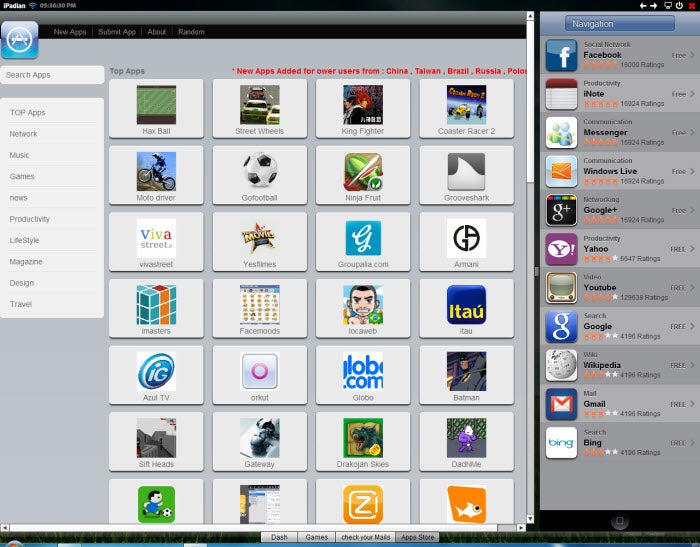
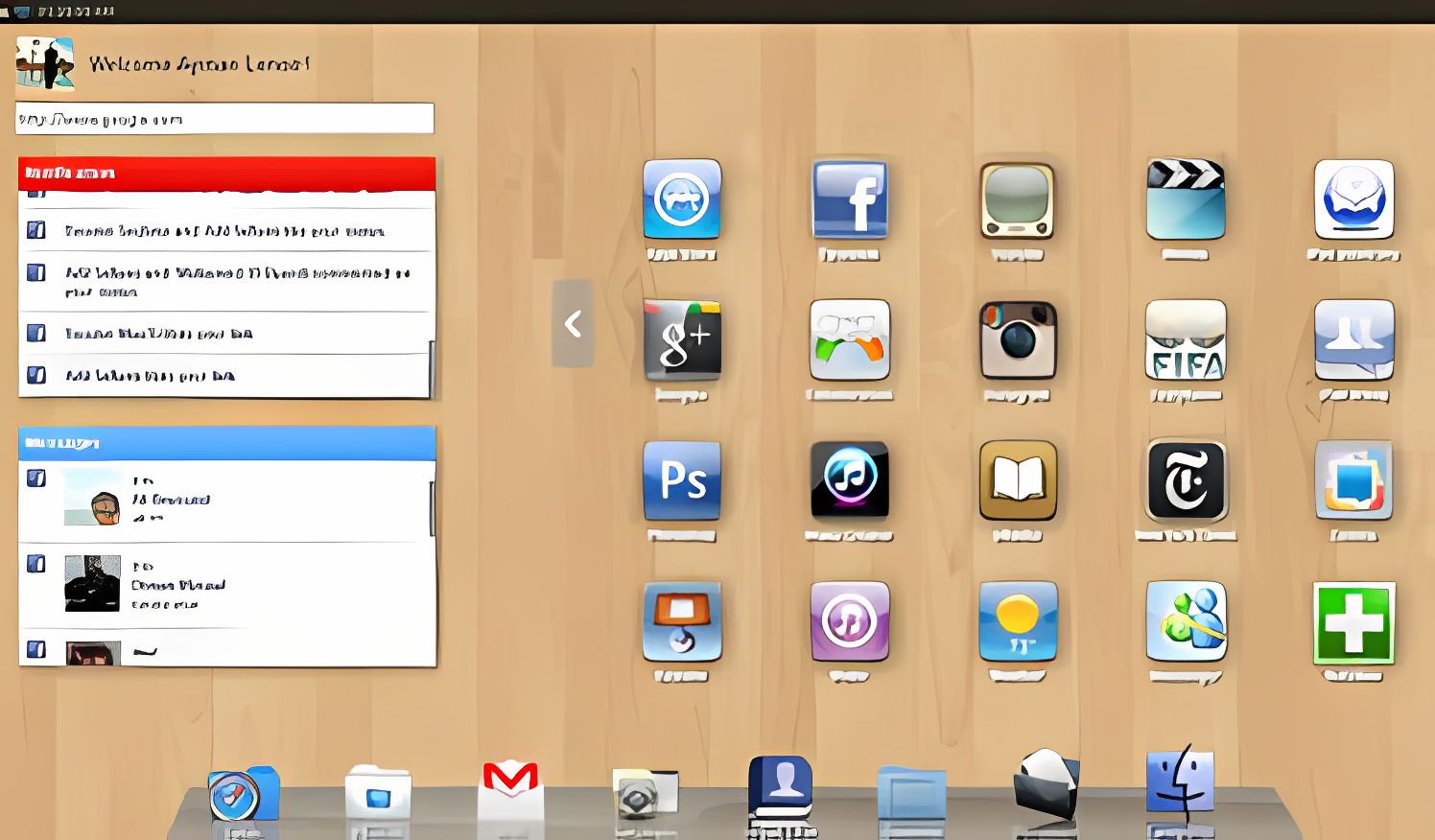
iPadian makes your Windows desktop look like an iPad. That’s a nifty trick. Every time you open a program in iPadian, a browser window will open to show it. On the right side you’ll find another list of applications you can click on as shortcuts. While you browse, you will see your Facebook wall or Wikipedia search, for example. This is iPadian’s second appearance in the Furious 5, so that should tell you our users have found a winner. Give it a try!

iPadian Download Free
6

5. IMVU (+21%)

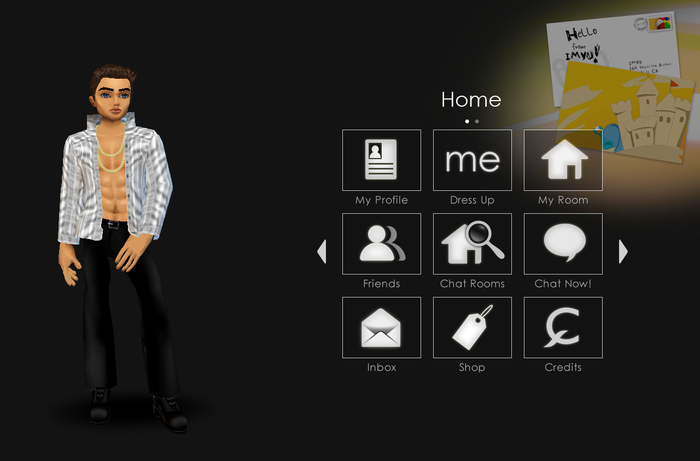
IMVU is an instant messaging tool that lets you chat with people from all over the world in a 3D environment. In IMVU, you get a Sims-style avatar you can customize in many ways: skin color, hairstyle, clothes, pets, actions, animations, etc. Take a leap into the next generation of instant messaging with IMVU and see if it’s up your alley!

5