

Back-to-school season now includes more than backpacks, notebooks, and pencil cases. It also means laptops getting set up, tablets getting charged, phones connecting to school networks, and a whole stack of apps, logins, and online platforms suddenly becoming part of daily class life.
That’s what this guide is for. It walks through the biggest risks children face on their devices at the start of the school year, the protection steps families can take before classes settle into routine, and the way tools like Avast One Free can help.
As the school year begins, students set up new devices, install apps they need for class, create accounts on educational platforms, download textbooks or even video games for breaks, and connect to WiFi networks at schools and high schools.
And that’s where the trouble starts. Fast digital adoption also opens the door to online risks for minors. Malware hidden inside “free” educational resources, weak WiFi networks, exposed credentials, phishing, spyware, even ransomware, these are all common threats. If technology is going to stay useful in school, parents need a protection plan that’s clear, practical, and actually manageable.
Below, you’ll find a step-by-step guide for locking down your children’s devices before the academic routine kicks in this September. If you want one tool to help shoulder part of that job, Avast One Free can be a useful ally.
1. What are the biggest cybersecurity risks for children’s devices at school?
During the first weeks of the school year, students handle a lot of data and move across a growing list of online services. If you want to prevent problems, start by knowing where the weak spots usually are:
- Unverified apps and platforms: When teachers or classmates recommend software, students sometimes download it from unofficial sites instead of trusted sources.
- “Free” educational materials: Hunting for PDF textbooks, worksheet templates, or games on shady websites is one of the most common ways viruses, trojans, and other malware get onto a device.
- Open or shared WiFi networks: School, café, and library connections often don’t have strong encryption. That can make traffic visible to other people on the same network, or easier to intercept.
- Password reuse: Accounts for school platforms often get created in a rush. Kids end up using weak passwords, or repeating the same one across several services, which makes a single breach much more damaging.
2. How can parents protect children’s devices? 5 basic cybersecurity steps
To make device security feel less like a chore, it helps to break the setup into five decisions most families can put in place right away without much fuss.
Step 1: Limit software installs to official stores
The first rule of device safety is simple: pay attention to where apps come from. Teach your children to download apps only from official stores such as Google Play Store, Apple App Store, or Microsoft Store.
Those stores use automated checks and manual review to catch malicious code before it spreads. Staying away from Android .apk files and executable installers from unknown websites cuts the risk of malware infections in a big way.
Step 2: Use strong, unique credentials
A lot of kids use the same password for school email, the game they’re playing this week, and the homework platform. That’s risky.
- Encourage long passwords, ideally phrases with at least 12 to 15 characters that mix letters, numbers, and symbols.
- Turn on two-factor authentication, or 2FA, for all main accounts, especially the email account tied to school services.
Step 3: Be extra careful with “free” downloads
Pirated material, or sites that promise free access to paid content, often serve as bait for adware, which floods a device with intrusive ads, or spyware, which quietly watches what the user does. Make it a family rule to check whether a PDF or executable file is legitimate before opening it.
Step 4: Protect connections on public WiFi networks
When a student connects a phone or laptop to the school network or the public library WiFi, data can be exposed to other users on that same network. This matters even more when they’re signing in to personal services or sending confidential information over an open connection.
Step 5: Keep checking in
Protection doesn’t stop after the first setup. Devices need regular reviews to confirm the operating system is updated, apps still have the right permissions, and family data hasn’t shown up online after a breach.
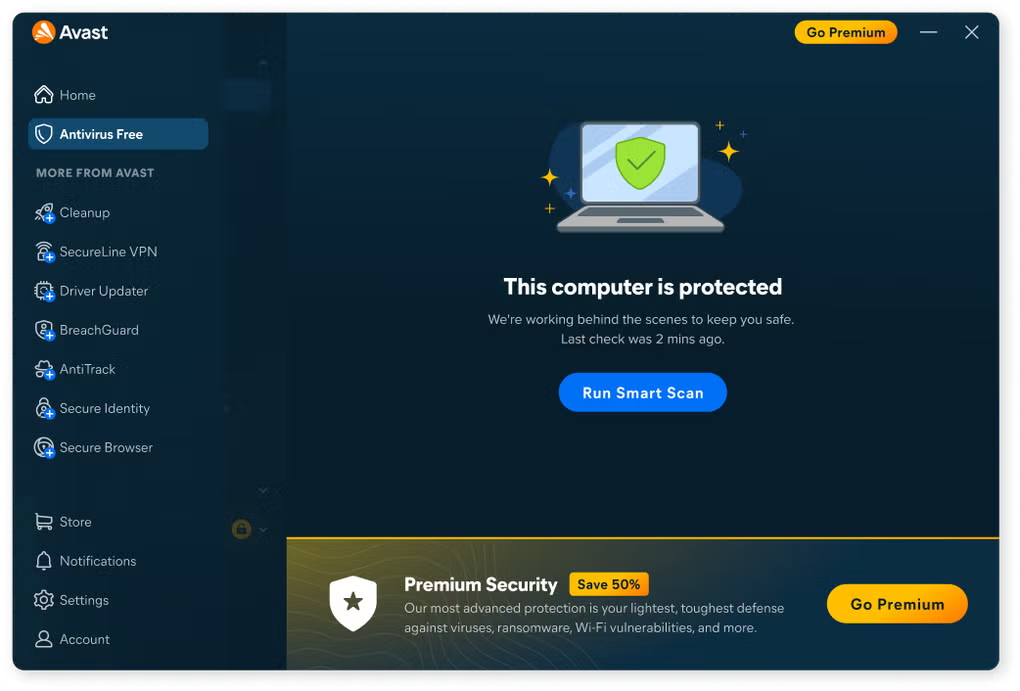
3. Which protection tools help secure children’s devices? The role of Avast One Free
If you want to put this checklist into practice without turning it into a technical project, an all-in-one security tool can make things easier. Avast says Avast One Free brings together several protection features that line up with the weak points listed above.
Here’s how Avast describes the role those features can play in protecting the devices students use every day:
24/7 antivirus protection (Security)
Students often swap files through USB drives or download a lot of material in a short window. Avast says Avast One Free’s antivirus runs in the background around the clock, scanning files, apps, and downloads to catch viruses, trojans, and other malware before malicious code can run or the operating system can be damaged.
Web Guard (Web Guard)
Looking up material for school projects can send students to the wrong place fast. A site may look trustworthy while actually being set up for phishing, or to push a harmful download. Avast says Web Guard checks links and websites in real time, blocks suspicious pages, and helps protect minors from hidden scams while they browse.
Hack Alert (Hack Alert)
If a school platform or any online service your child uses suffers a breach, login credentials can end up exposed on the dark web. Avast says Hack Alert watches linked email addresses and sends an alert if it finds that an associated password has been compromised, giving families time to change it before someone else uses it.
Network Inspector (Network Inspector)
Before a device connects to WiFi at school, in a café, or at the library, Avast says Network Inspector, its solution for Windows, Mac and Android, scans the network for security problems, weak passwords, and suspicious connected devices. That helps you judge whether the connection is safe enough before any sensitive information gets sent over it.
Stronger privacy: Avast SecureLine VPN
Sometimes connecting to a shared or unsecured network can’t be avoided. In those cases, encrypting the connection matters. Avast says Avast SecureLine VPN routes traffic through a private, encrypted tunnel, hides online activity, and helps protect a student’s privacy from anyone snooping on a public network. Remember, Avast SecureLine VPN is available as a trial that requires a payment method and is billed at the end of the trial unless cancelled beforehand.
4. Family cybersecurity checklist for children’s devices
Use the table below as a quick reference before the first day of class, so you can check the status of your children’s devices at a glance:
- App origin. Install apps only from official stores (Google Play, App Store). Tool: operating system settings and parental controls.
- Active protection. Keep 24/7 scanning for viruses and malicious code switched on. Tool: Avast One Free (Security).
- Web browsing. Block phishing sites, scams, and suspicious downloads. Tool: Avast One Free (Web Guard).
- Network security. Check whether the school or public WiFi network is secure. Tool: Avast One Free (Network Inspector).
- Privacy on networks. Encrypt the connection on shared WiFi networks. Tool: Avast SecureLine VPN (registration required).
- Account management. Monitor whether email addresses or passwords have been leaked. Tool: Avast One Free (Hack Alert).
5. Why is digital education the best line of defense?
Security software matters, but it’s still not the strongest protection on its own. Awareness is. The best results come when these tools are paired with regular conversations at home about online risks.
- Explain why the rules exist: Help your children see that download restrictions aren’t punishment. They’re there to protect school projects, family photos, personal files, and the device itself.
- Make it safe to speak up: Children should know they can come to you if they click a strange link, see a threatening message on screen, or receive something suspicious, without worrying that they’ll get scolded first.
- Do short check-ins together: Set aside ten minutes once a month to review antivirus alerts, install operating system updates, and remove apps they no longer use.
Conclusion: How to keep children’s devices safe this school year
Technology gives students a lot: new ways to learn, more room for creativity, and easier collaboration. But none of that works well if the devices they rely on are left exposed. With a little planning, this back-to-school cybersecurity checklist, and the built-in tools included in Avast One Free, families can help create a safer digital environment so students can focus on what actually matters this year, learning, participating, and enjoying the school year with a bit more peace of mind.
