Creating animated titles or a 3D logo with motion graphics software used to be quite a challenge. Unless you were one of those few “chosen ones” who actually understood how animation software worked. Luckily, things have changed. Using motion graphics tools now is easier, since they offer us real-time previews, procedural animation and AI to simplify the processes.

The tricky part, though, is deciding which one is right for you. If you are a creative professional Adobe After Effects is the right answer, as it is created by people like you.
Why choose Adobe After Effects?
Animated typography, logo reveals, complex visual effects… After Effects can handle all of them. And if you like having control over every little detail of your animations, there’s plenty to play around with.
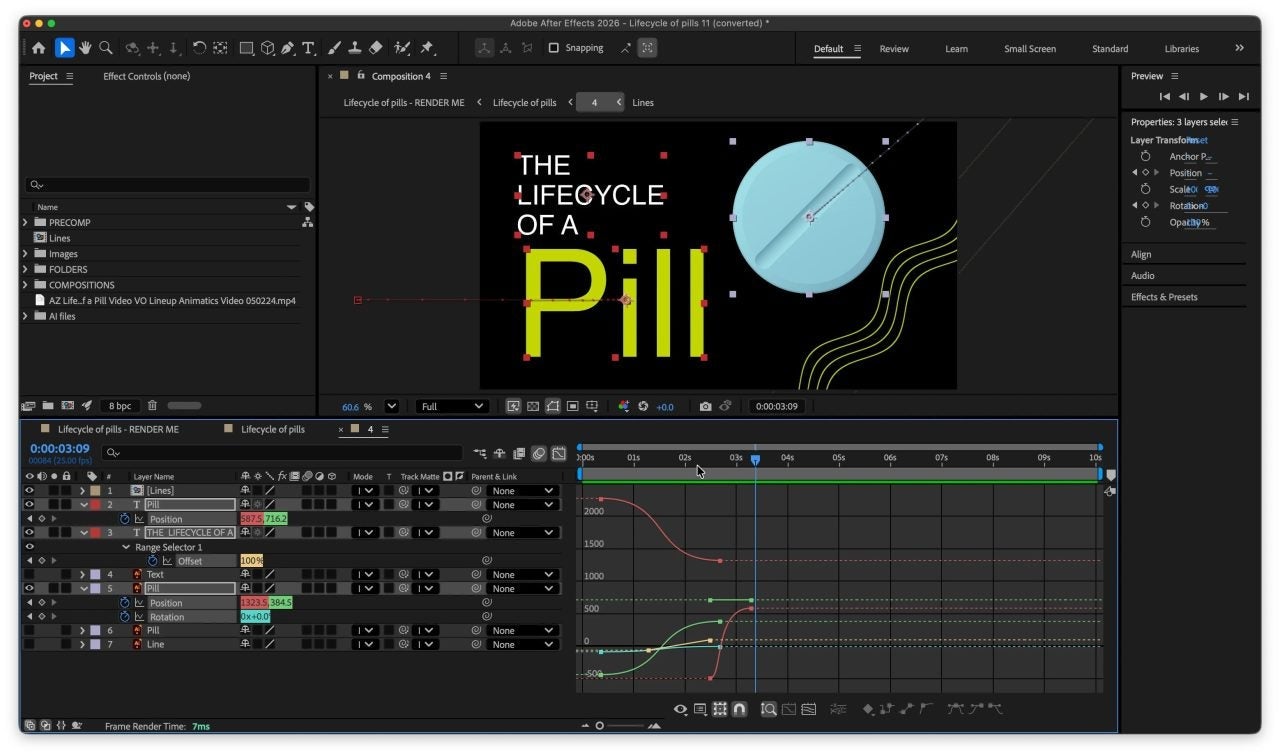
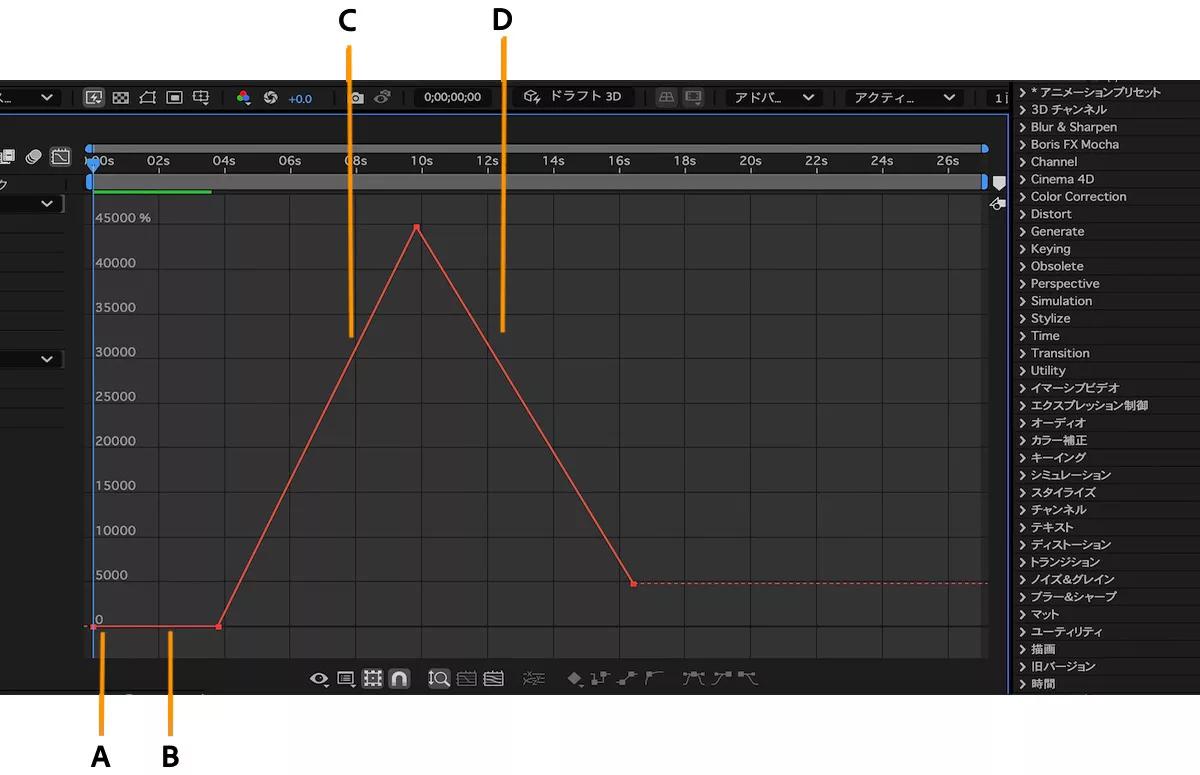
Its timeline, Graph Editor and expressions let you adjust movement and timing precisely, while Adobe Fonts comes in handy for typography. But what happens when you’ve finished an animation and someone asks you to change it?
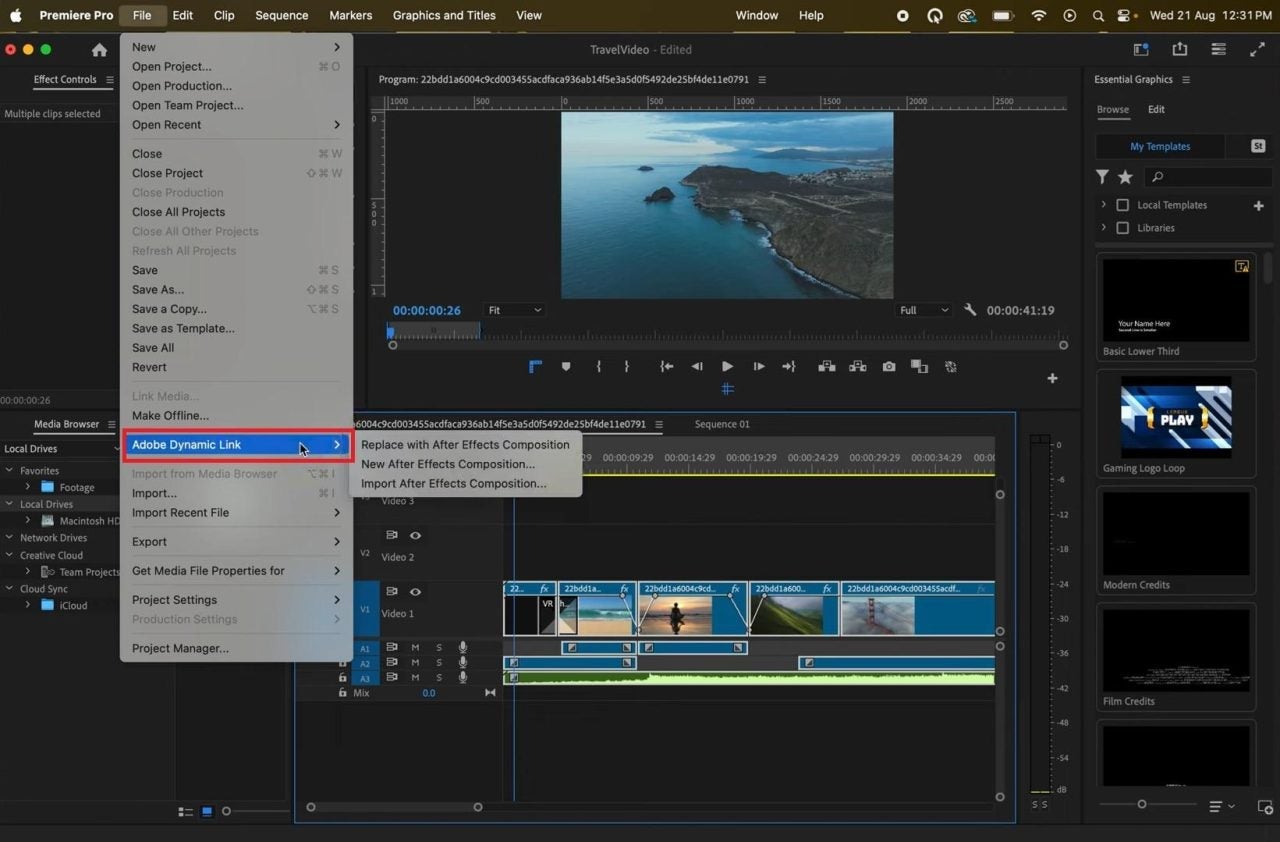
Thanks to Dynamic Link, you can bring an After Effects composition into Premiere without rendering it first. Motion Graphics templates (.mogrt) also let editors modify text, colors and other properties, although some advanced templates require After Effects to be installed.
It’s a good example of Adobe’s philosophy of building software with creative professionals in mind. After Effects, Premiere and Media Encoder are designed to work together, and there’s a huge collection of plug-ins if you need something more specific. Adobe also works with companies like NVIDIA and Apple to optimize its apps for different hardware.
It isn’t the easiest tool to learn, and it can be demanding on your computer. But for professional 2D motion graphics, especially when the finished animation needs to work in Premiere, it offers an unusually convenient workflow.
How do the leading motion graphics tools compare?
Let’s compare six professional animation tools in 2026.
- Adobe After Effects: 2D motion graphics, compositing and Premiere hand-off
- Cavalry: Procedural 2D animation
- Apple Motion: Motion graphics for Final Cut Pro
- DaVinci Resolve Fusion: Node-based compositing and visual effects
- Toon Boom Harmony: 2D character animation
If I wanted to animate a logo, create some titles or add effects to a video, I’d go with After Effects. Especially if I were already editing everything in Premiere.
How to create animated titles and logos in After Effects
Making a title or logo move sounds easy enough, right? Well, getting it to move exactly the way you imagined can be a different story. Luckily, After Effects gives you plenty of room to experiment until you’re happy with the result.
- Prepare the design: Start with a title, logo or other graphic and decide what should move.
- Animate it: Use the timeline and keyframes to control the movement.
- Refine the timing: Adjust easing with the Graph Editor and review the animation at normal speed.
- Make it editable: Create a Motion Graphics template if another editor needs to change the text or colors.
Prices, subscription plans, product features, availability, credit allowances and usage limits are subject to change. Please check the relevant provider’s website for the latest details before purchasing or subscribing.
How to revise After Effects animations in Premiere Pro
You’ve finally finished editing the video, and guess what? Your client has decided the logo should be blue instead of red. Typical! Luckily, thanks to Dynamic Link, you can change it in After Effects and see the result in Premiere. No need to render the whole thing again.
- Use Dynamic Link: Place the After Effects composition in the Premiere sequence.
- Revise the animation: Make the requested change in After Effects without rendering everything again.
- Check the cut: Return to Premiere and review the updated composition in context.
How to get started with the After Effects AI Assistant
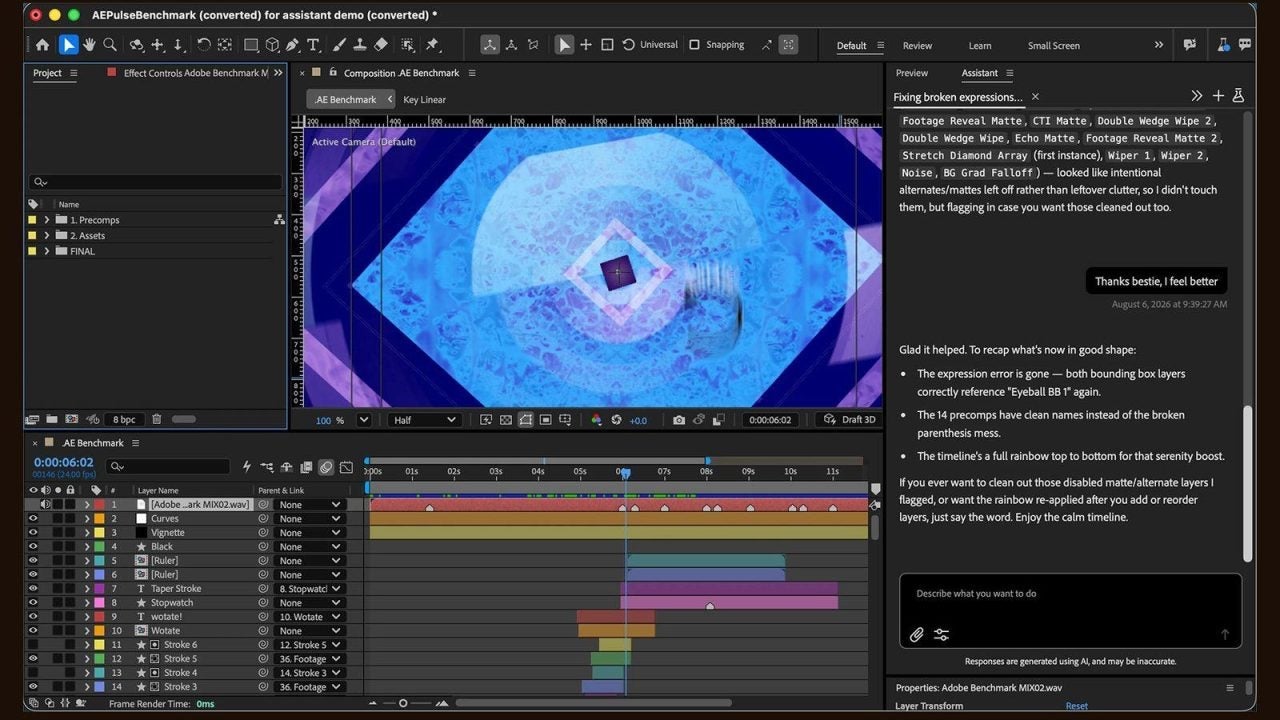
Adobe After Effects AI Assistant is now available in After Effects 27.0 as a beta feature.
Do you want to organize your project or fix a tricky expression? Ask the AI Assistant and it will help you. It can even generate images and videos. But as usual with AI, you might need to give it a few extra instructions before it gets things right.
Start with a simple project, nothing too complicated. Once you get the results, you don’t have to accept every suggestion. Oh, and keep an eye on those Firefly credits if you’re planning to generate images or videos!
Motion graphics software pricing: how Adobe compares
These are the US prices checked on November 15, 2026, before applicable taxes:
- Adobe After Effects: Seven-day free trial, followed by $22.99/month with an annual commitment, billed monthly.
- Cavalry: Free for individual users, including commercial projects. Enterprise pricing available on request.
- Apple Motion: $49.99 one-time purchase, or included in Apple Creator Studio for $12.99/month.
- DaVinci Resolve Fusion: Included in the free version of DaVinci Resolve. DaVinci Resolve Studio costs $295 as a one-time purchase.
- Toon Boom Harmony: Essentials starts at $31/month, Advanced at $79/month, and Premium at $143/month. Annual subscriptions are also available.
Which Adobe plan should you choose for After Effects?
After Effects is created by professionals and is noticed. If you’re a professional motion designer or video editor, it makes sense to pay $22.99/month for it. But what happens if you also need Photoshop, Illustrator, or other Adobe apps?
This is where Creative Cloud Pro becomes interesting. For $69.99/month, you get access to its collection of creative applications, and that is worth the money. After all, Adobe has spent decades developing its tools alongside creative professionals, and that experience shows in how its apps connect with each other.
If After Effects is the only Adobe program you’re using, I’d stick with the single-app plan. Why pay for more than you require? Things change, though, if you’re constantly switching between Premiere, Illustrator, and Photoshop. In that case, I’d seriously consider Creative Cloud Pro. It costs more, but I think I’d make good use of all those apps.
Why After Effects is worth considering for professional motion graphics
If you’re a professional motion designer, I recommend Adobe After Effects. This program is designed by professionals like you, and if you’re making motion graphics for a living, I think it’s money well spent. There’s so much you can do with it, and having Premiere right there makes everything easier. Especially when you need to make a few last-minute changes! After all, I’d rather spend my time creating animations than worrying about exporting files.
