Understanding VoIP: Basics and Benefits of Using in 2024

A key component of running a successful business is maintaining open lines of communication both internally and with outside parties. Traditional landlines, with their tangled wires and excessive phone costs, are a thing of the past. VoIP, or Voice over Internet Protocol, allows you to make phone conversations over your Internet connection. You get access to flexible calls, extensive capabilities and crystal-clear audio.

If you own a business and want a better way to interact with your employees, you should look into this popular business phone service.

This article answers your question of: what is VoIP and how does it work? How can you locate the finest VoIP provider to make calls without using a physical landline?

What is VoIP?

VoIP is becoming the standard for contemporary business communications. Making phone calls using an Internet connection is a well-established technological feature. Since it was first created in 1995, it has become more stable and reliable as the Internet has grown. It has also become the preferred choice for businesses upgrading their phone systems. So, what is VoIP exactly?

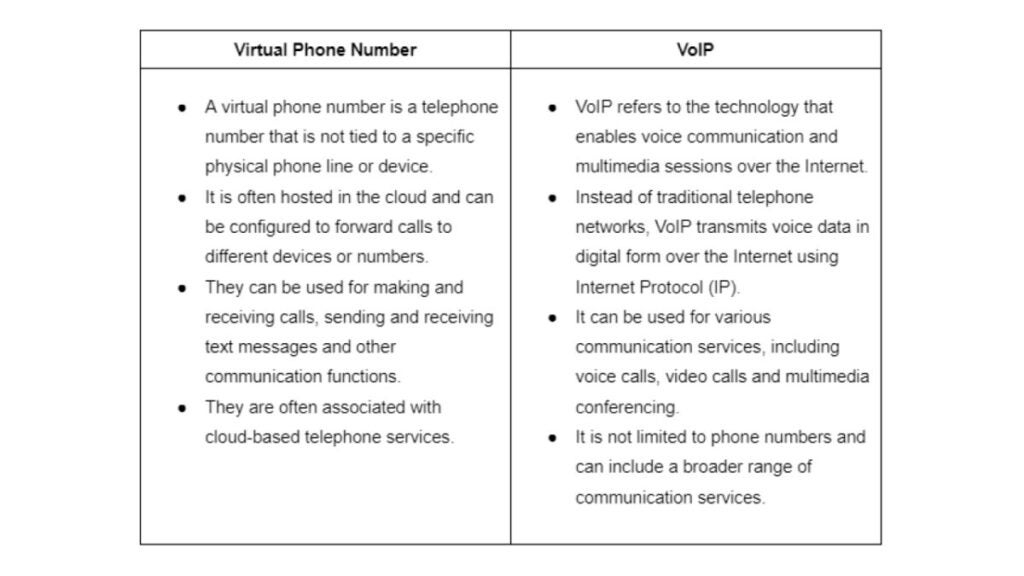
The term “Voice over Internet Protocol” (VoIP) refers to a method of making phone calls that uses your existing local area network (LAN), wide-area network (WAN) or other infrastructure to transmit digital data packets over the Internet instead of the more conventional circuit-switched network.
VoIP utilizes the real-time protocol (RTP) to guarantee the timely delivery of these packets. Connecting to VoIP via an Ethernet wire or a fast WiFi network is possible.

People choose VoIP over traditional phone lines because it allows them to make long-distance calls even when they don’t have a phone service.

No additional copper wiring is required if you have access to the Internet. As a result, people can telecommute to the workplace or work remotely from their homes.

How does VoIP work?

Virtual private networks (VoIP) allow regular phone calls to be converted into data packets and sent over the Internet instead of through mobile networks or landlines. It does its job by digitizing your voice’s analog impulses before sending them over your fast Internet connection. 

VoIP systems allow you to make and receive calls via your existing Internet connection rather than a dedicated phone line. A versatile and reasonably priced business phone solution is the end product.

Small data packets carry the conversation during phone calls. In just a second, these data packets can be transmitted all around the globe through the Internet. When you use Internet telephony, the packets go from your phone to a VoIP provider.

With VoIP, the phone company is completely bypassed. You can use VoIP anywhere with a broadband Internet connection, whether DSL, cable or fiber. Compared to the old analog phone system, it’s a vast improvement.

How does VoIP work? 

Let us explain it to you:

  1. Within your LAN, your phone connects with your router or switch.
  2. Your IP phone will communicate with your VoIP provider to make the call when you dial a number.
  3. With a VoIP service, your IP phone can make calls and send and receive data packets.
  4. The sound you hear on your VoIP phone is a conversion of these digital signals.

If you wanted to use VoIP over twenty years ago, you had to shell out a pretty penny for some proprietary gear. It is now possible for VoIP to work thanks to open standards like Session Initiation Protocol (SIP). SIP ensures compatibility between regular phones, conference phones and VoIP applications.

VoIP vs. Landline — What’s the Difference

Traditional landline phones carry audio signals over separate copper lines using the antiquated Public Switched Telephone Networks (PSTN). 

Despite its lack of bells and whistles, landlines nonetheless provide reliable service thanks to private branch exchange (PBX) technology, even when the power goes out. 

Due to the need for expert installation and specialized infrastructure, traditional phone systems are more expensive than VoIP.

Voice over Internet Protocol (VoIP) uses the current state of the Internet to transport audio data packets dynamically over broadband connections. With VoIP systems, businesses can enjoy substantial cost savings, mobility through remote access and handy calling capabilities.

The dependability and quality of your VoIP calls can change depending on your Internet speed and the provider you choose. Service interruptions can also occur due to power outages and network jitter.

With the correct procedures and a dependable VoIP provider, VoIP issues are simple to resolve.

Despite some problems, Voice over Internet Protocol (VoIP) is still the way to go for telecommunications. VoIP phone systems are far less expensive than comparable mobile phone deployments. In general, enterprise-focused features like analytics, customer relationship management and software integration should be included in modern mobile phones, even though they may have many of the same capabilities as VoIP phone systems.

What is a VoIP service?

The companies that supply VoIP services are known as VoIP service providers. Usually, clients pay a monthly fee to use their VoIP devices and equipment. Businesses and homes alike can use a VoIP system through a service provider.

VoIP is much more than simply a voice call technology; as a result, VoIP service providers provide a wide range of additional communication features, including SMS and instant messaging, emailing, call management, SIP compatibility and more. These days, VoIP companies offer a whole suite of services to meet all business communications needs. In addition, VoIP hosts facilitate the integration of pre-existing software with VoIP services, including customer relationship management (CRM), cloud, help desk and e-commerce platforms.

An all-encompassing VoIP provider becomes your company’s technical partner because VoIP assistance has expanded to encompass all parts of business communications.

Businesses can benefit from starting a VoIP business partnership since it helps them maintain unified communications with their clients and customers. Voice over Internet Protocol (VoIP) calls are substantially cheaper than traditional phone networks. Their advanced features provide infinite call alternatives through a reliable Internet connection. That’s what makes the VoIP alternative better. Companies looking to optimize their communication systems need to understand what is VoIP service.

What are the benefits of VoIP?

What is a VoIP phone used for and what are the real benefits that make it superior to conventional phone systems?

1) Affordable Call Rates and Additional Savings

Reducing communication expenses is a significant motivator for companies to adopt VoIP phones. Virtual private phone systems are inherently more cost-effective than traditional landline phone systems.

To start with, there is a significant decrease in the call rates. A VoIP subscription from most providers will include unlimited local calls and significantly discounted international minutes. Contrast this with the potentially $50+ monthly cost of a PBX line with the $30+ monthly cost of a VoIP subscription. And there is more. If you want to use a landline PBX phone, be aware that you will still be subject to your telecom provider’s usual call fees.

Secondly, compared to wired alternatives, VoIP systems’ installation and maintenance costs are significantly lower. In most cases, VoIP service providers for businesses offer a discount on phones that can use their service. In addition, they handle the technological aspects of the phone.

2) Automated and Optimized Processes

Since VoIP calls take place via the Internet, a great deal of digitization and automation is possible, which, in turn, simplifies things for everyone on the team.

VoIP services do not impose this restriction, unlike landlines, which only allow one phone number per user. Thanks to modern technology, you can now simultaneously process numerous requests from different phone lines.

You may save money, train your staff better and break records for revenue with the help of VoIP telephony software solutions, which offer a wide range of functions.

The most used automation features are intelligent voice response (IVR) flows, ACD (Automated Call Distribution), skill-based call routing, smart power, predictive dialing and business hour settings. 

Keep up a consistent level of service with the support of real-time dashboard analytics, agent reporting and call monitoring. 

Operators may speak with clients more efficiently with scripts and call note-taking, and any CRM or tool you require for your business can be connected with the help of API. 

3) Complete Portability

With VoIP, you can make and receive calls from your device. Your company’s phone lines are no longer limited to landlines when you use VoIP. Desk phones are superfluous.

Your mobile device, computer or tablet may make and receive VoIP calls. Another advantage of VoIP is that national boundaries do not obstruct it. As long as you have access to the Internet, VoIP can be used from anywhere in the globe. This allows you to effortlessly bring your office with you wherever you go.

4) More Call Features

One should not mistake VoIP for a standard phone system. With VoIP, you receive a lot more than with regular phone calls. Voice over Internet Protocol (VoIP) enables users to multitask by allowing them to communicate using multiple tools simultaneously.

Imagine you are answering a phone call. You can learn who called and why by reading a transcript of their message in your inbox while you wait. Meanwhile, you can easily share a critical voicemail with any of your coworkers by tapping a screen or clicking a button. You can connect your VoIP service with essential business communication apps, such as customer relationship management (CRM) systems or even send SMS messages. Unlike conventional phone systems, VoIP comes with a plethora of automation options. These include intelligent call answering, advanced call forwarding and transfer, auto help, conference calling, hot desking and monitoring and logging of calls. VoIP offers the flexibility and scalability necessary for a complete unified communications system.

What are the drawbacks of VoIP?

Now that you know what is a VoIP phone system you need to learn that VoIP phones have their drawbacks:

  • Limitations on performance. Voice over Internet Protocol (VoIP) phones are vulnerable to bandwidth limitations and need a constant Internet connection. Calls may be delayed or even dropped if there isn’t enough bandwidth to prevent latency. People also can’t use VoIP phones to make calls if the company’s power or Internet goes out.
  • Emergency calling. It might be challenging for 911 operators to direct calls from VoIP phones to the correct emergency call center because IP addresses do not provide the precise location of callers. The Federal Communications Commission has mandated that VoIP operators implement Enhanced 911 (e911), and they can turn to third-party suppliers to help them fulfill this obligation.
  • Vulnerable to Cyber attacks. Cyber attacks can compromise it because it is an online service. Eavesdropping and denial-of-service attacks are just two of the many security threats. Nevertheless, safe software and dependable service providers take precautions to prevent these vulnerabilities.
  • The need to re-train your staff. The learning curve for transitioning to a VoIP service will be higher if your team is accustomed to using landlines in-house. You must answer your employees’ question, ”What are VoIP phones used for?” You may easily guide your trainees through the new system using features like warm transfers, real-time dashboards, call whispering and call monitoring. 

How to use VoIP services?

A VoIP business phone provider is required to make a VoIP call. You should also have a high-bandwidth Internet connection. 

How to use VoIP service? You can use any of these devices to make a VoIP call:

  • You can use your current phone handset. An analog telephone adapter (ATA) can link this to the VoIP network and assign it an IP address. The ATA is a convenient alternative to plugging your phone directly into an electrical outlet.
  • An IP phone. As far as the eye can tell, this is just another analog phone. A charging cradle, which features buttons, is compatible with the handset. On the other hand, the IP phone uses an RJ-45 connector rather than an RJ-11 one. This means it is not compatible with phone connectors but with the ethernet ports on your router. Some VoIP companies may provide you with a complimentary phone handset at certain times of the year.
  • Your computer. An app that supports VoIP calls is required. A sound card, headset or microphone/speakers are also needed. Additionally, you’ll require some Internet connection, be it WiFi or an ethernet cable. Apps for Windows and Mac are available from most popular VoIP providers.
  • Your cell phone. As before, you’ll need the correct app and access to wifi. Alternatively, you may use a 4G or faster mobile data plan. You can get VoIP apps for any smartphone, including iOS and Android.

3 Best VoIP providers

Provider 1. Phoner
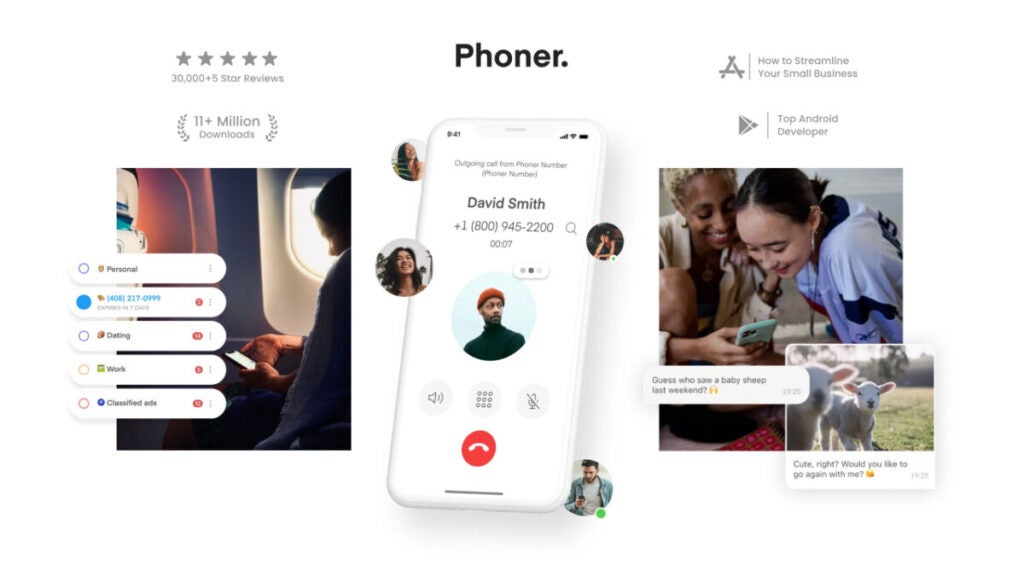
Best pick for: Most people, startups and small companies agree it’s the best VoIP phone service.

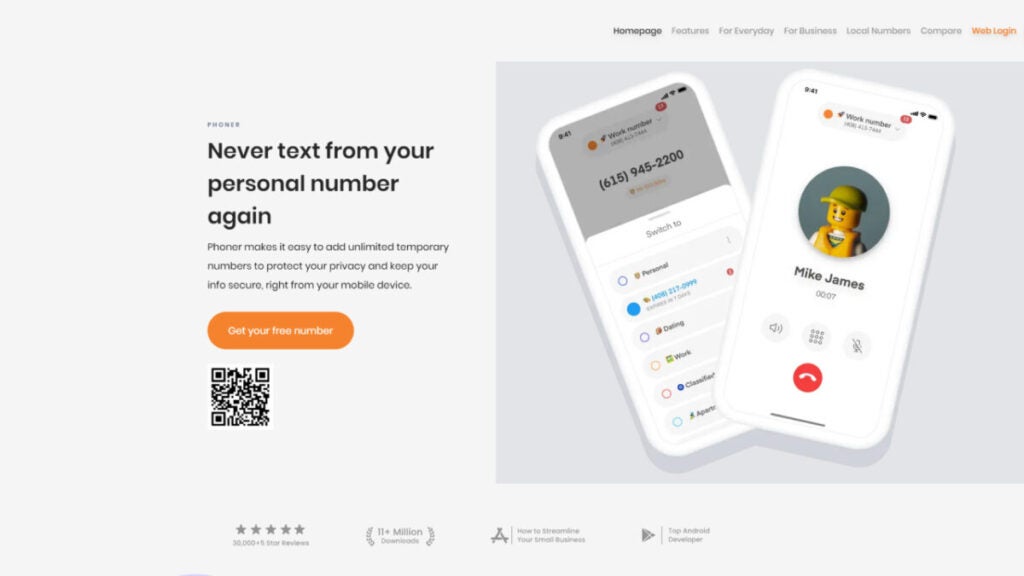
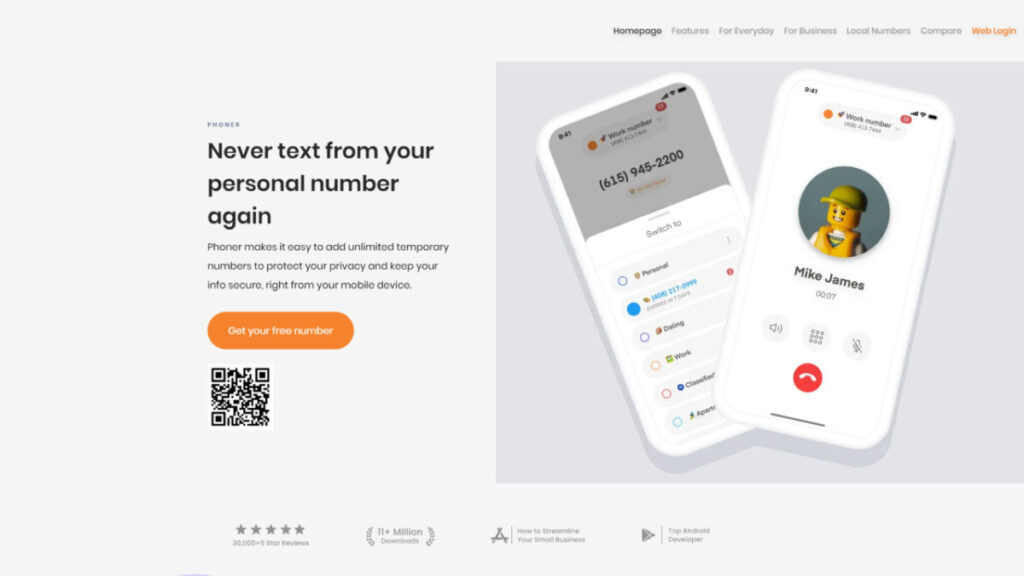
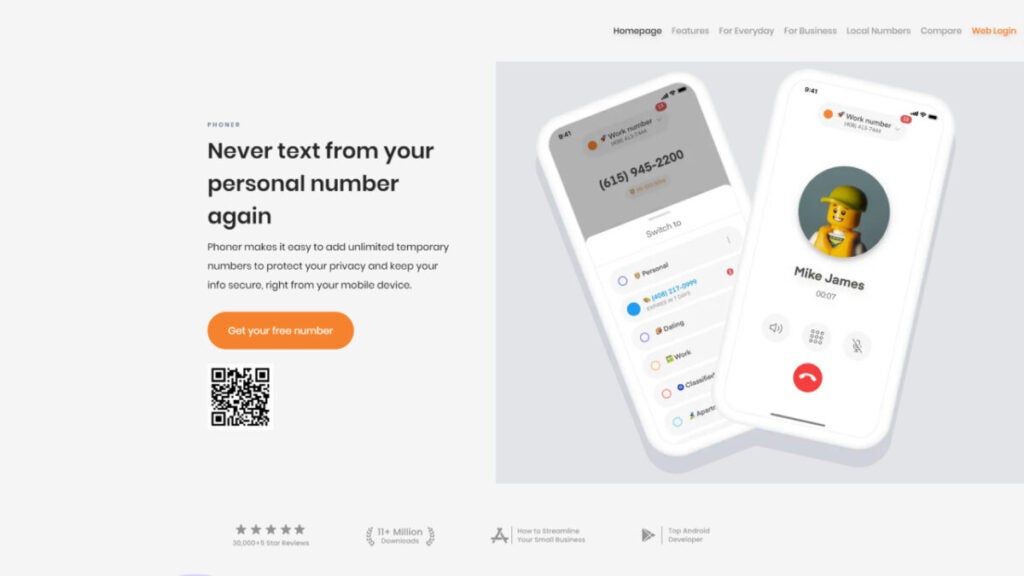
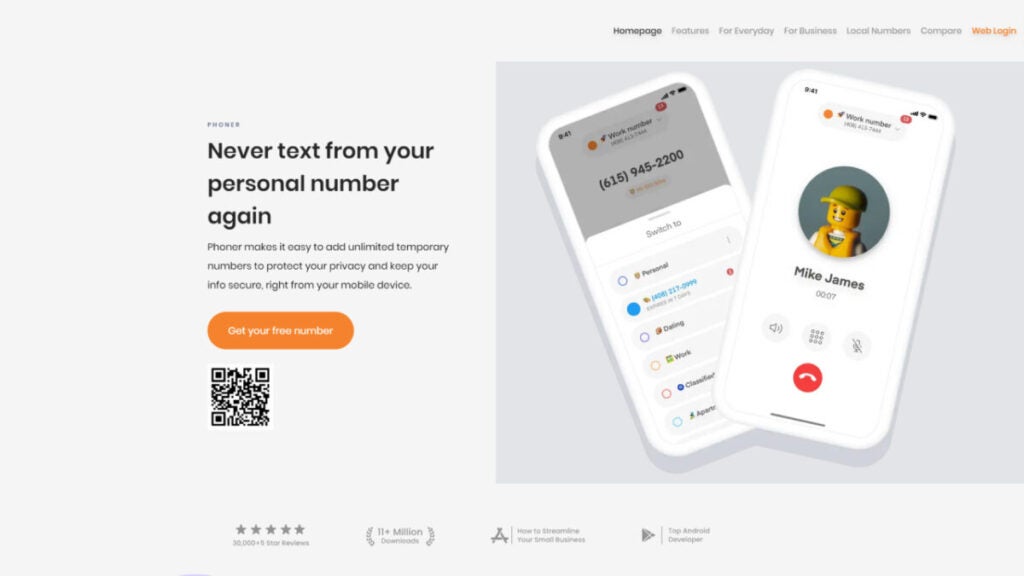
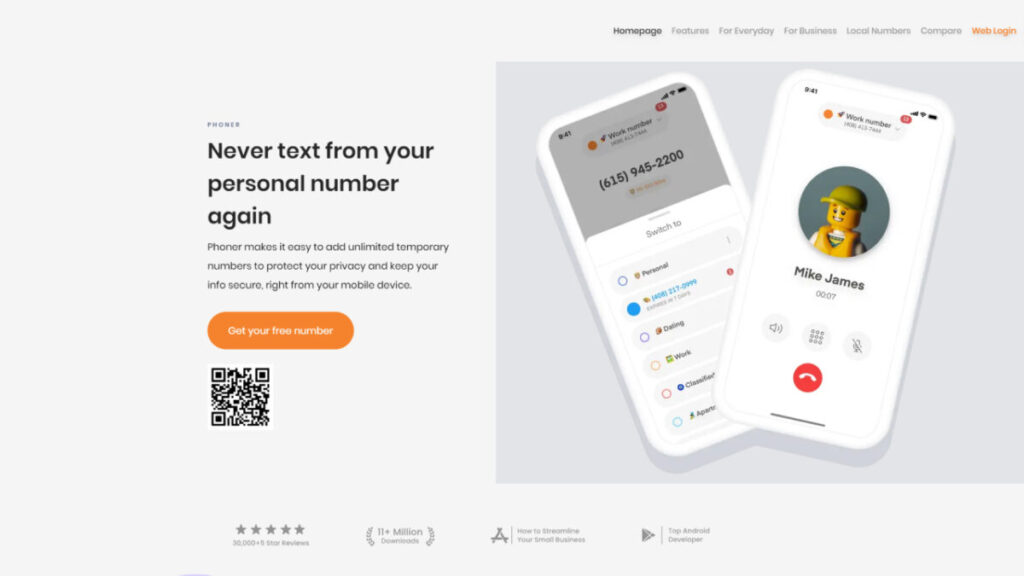
If you use the Phoner VoIP phone system, you can always keep your phone number to yourself, whether for running a business, shopping online or going on dates. Once you add your new number to Phoner, you can start making calls in the US and abroad. This VoIP company doesn’t have any new deals or carriers. Your current desktop and mobile devices can connect and sync with everything. You can make as many foreign calls as you want. The provider offers many virtual phone numbers, each with its own area and country codes.

Users like Phoner because it is easy to set up, doesn’t cost a lot of money and can be used for various personal and business uses. Even though some reviews point out small bugs, most users have had a great experience with it. You can get Phoner here and enjoy all of its perks.

Pricing: 

Phoner VoIP phone service offers two pricing plans: 

  • Monthly – $9.99/month
  • Yearly – $69.99/year

Reviews: 

Trustpilot: 4.7/5 (300+ reviews)

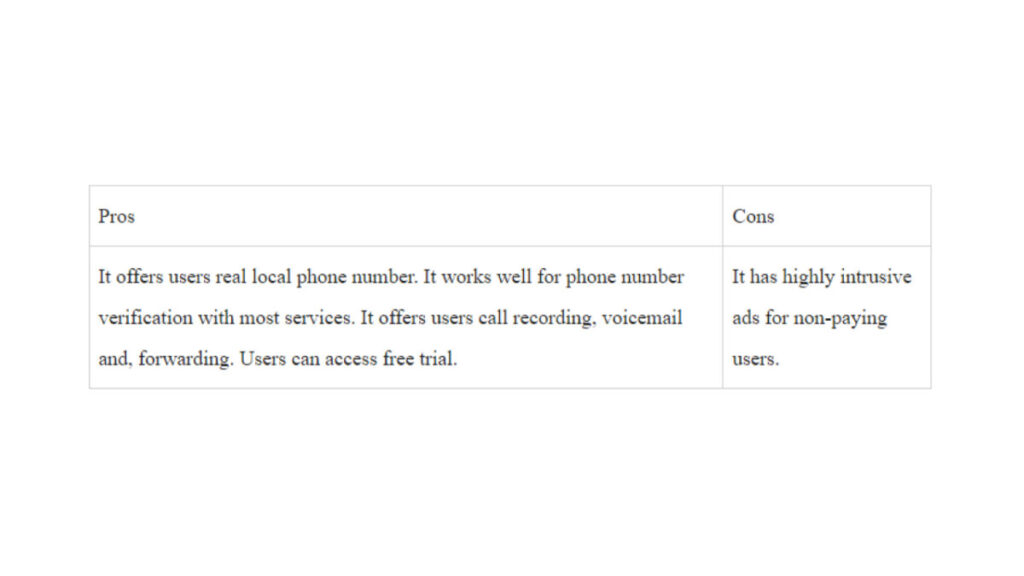
Pros:

  • Pleasant, easy-to-navigate design
  • Reliable quality of phone calls
  • Ad-supported tier
  • Reasonable prices
  • Disposable numbers
  • Voice call recording
  • Message encryption
  • Support on Desktop, Android and iOS

Cons:

  • Not many extra features
  • Best for simple tasks

Provider 2. Squaretalk
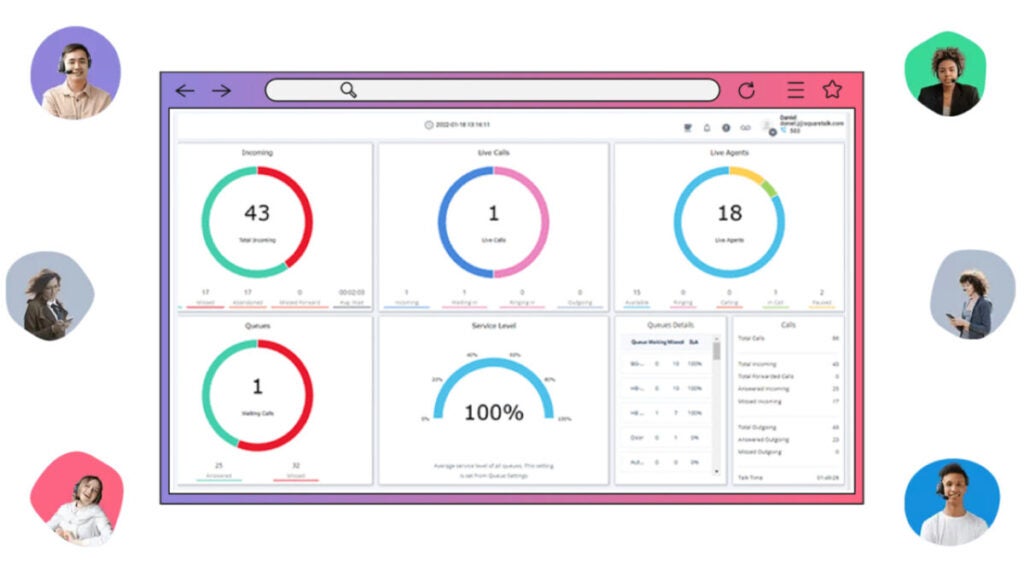
Best pick for: Traders, telemarketers, insurance agents, financial advisers, BPO call centers, proactive sales teams, customer experience and retention teams.

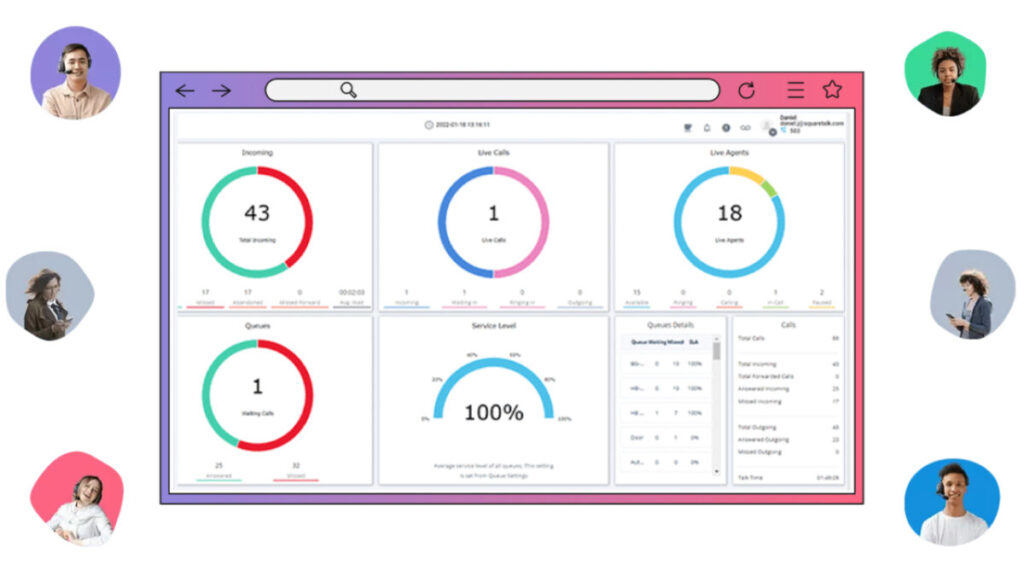
Automating and integrating things is more manageable with Squaretalk, a flexible VoIP company. Because it’s simple to use, you can focus on other parts of running your business.

A cheap, expandable and easy-to-use communications business phone system can give your sales and phone support staff the tools they need to be productive no matter where they are or what route your clients choose. Whether you use Zoho, Salesforce or another well-known CRM, the VoIP phone system’s built-in interfaces and custom API will make the process easy.

Pricing:

  • Standard – $15/user per month, billed annually 
  • Professional – $30/user per month, billed annually

Reviews:

Capterra 4.8 (72)

Pros:

  • Good customer support
  • Cost-effectiveness
  • ​​Fast connection
  • Auto-dialer
  • SMS Messaging
  • Call list management

Cons:

  • Expensive for some users
  • Mobile app issues
  • Learning curve

Provider 3. Talkdesk

Best pick for: The best VoIP service provider for incoming and outbound call centers.

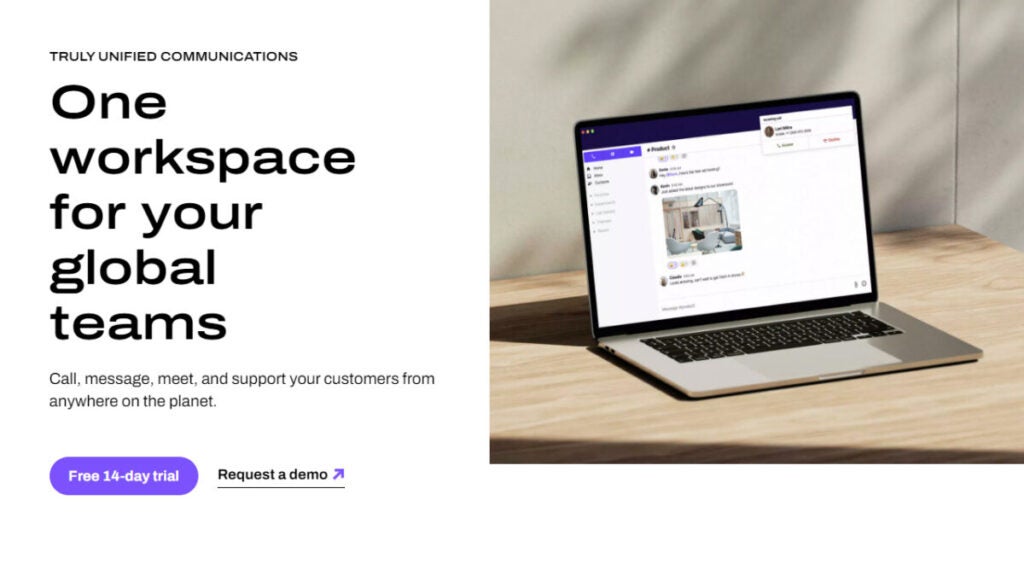
Talkdesk’s business VoIP phone service is flexible and lets you set up almost all the features a contact center needs. Talkdesk helps people in different areas communicate better by putting all its users on one platform. Thanks to the desktop and mobile tools, team members can check their voicemails and call from any device.

Talkdesk’s best feature is the CX Cloud platform, which was made for incoming and outgoing talks. Interactive analytics driven by AI and virtual agents are used to improve customer service to a whole new level. VoIP services enable intelligently routing calls, handling call queues and reporting on agent call metrics.

Pricing:

  • CX Cloud Essentials: $75 per user/month
  • CX Cloud Elevate: $95 per user/month
  • CX Cloud Elite: $125 per user/month
  • Experience Cloud packages: Contact Talkdesk to get info about pricing

Reviews:

Capterra 4.5 (721)

Pros:

  • Excellent quality of calls
  • Easy integration with Salesforce
  • Easy to use
  • Incredible flexibility in IVR
  • Good Support team

Cons:

  • Issues with the reporting functionality
  • Hard to use without a reliable Internet connection
  • Bad data interpreting

Summing up

Picking a VoIP service is a crucial business choice. Now that we’ve answered the question of what is VoIP and how does it work, you have to choose your VoIP provider wisely. Check out several VoIP companies based on their calling plans and prices, how flexible and customizable their service is, how well they work with mobile devices, how well they support their clients, the quality of their voice and video output and whether they integrate with other business tools. Pick the best VoIP provider for your business by considering your needs. Good luck!

How to Get a Business Phone Number: Top 7 Apps for Customer Service and E-commerce Platforms in 2024

Find out the in-depth review of the 7 best apps and learn how to get a business phone number for free in 2024. Click here.

Email, video conferencing, and chatbots may have come a long way, but the phone is still the most effective tool for professional communication.  A survey conducted in 2023 indicated that out of 2,200 enterprises, 13,000 consumers, and 600 decision-makers, voice was the most favored form of communication. If you’re trying to figure out how to get a business phone number that you can use for work only, your options might appear straightforward on paper.

You and your employees can maintain the privacy of your personal phone numbers while yet establishing your company’s legitimacy with a business VoIP service. However, you may be unaware that certain VoIP systems enable you to run your business more efficiently and delight clients more than others. VoIP phones boost consumer trust, set you apart from the competition, and make your contact information more accessible for clients to find and remember.

Here, you will find a comprehensive list of the top business VoIP services, along with information on how to acquire business phone numbers for your company right now.

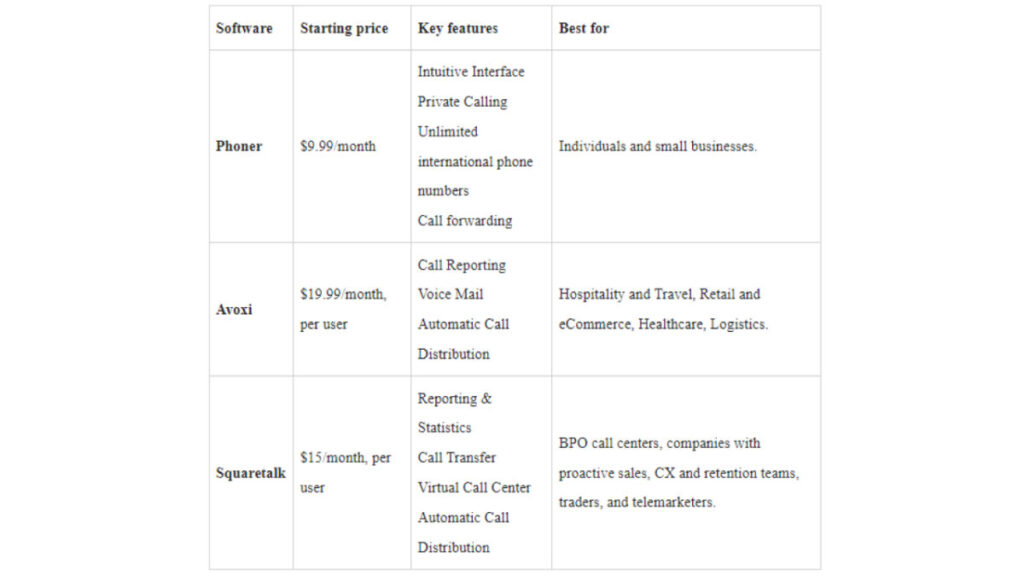
3 Best providers: a quick pick

How to choose a business phone number provider

You should be careful while choosing a VoIP service provider and advertise your business VoIP phone in case it lacks characteristics essential to your company’s success. 

Before deciding on a business phone number from a VoIP service, consider how you will utilize it. Would video conferencing be necessary for you? Do you need a voicemail? What about extensions of the phone system? The options for business VoIP phones available to you may vary depending on the functionality you require.

Here are a few things to look for when choosing a VoIP service provider:

  1. Mobility. VoIP phones that allow you to communicate while moving are essential in a remote world. No matter where they are, employees should be able to use the company’s business phone numbers. With a second-line app, you may answer your call from any device anywhere—including your mobile phone, laptop or tablet.
  2. Voicemail Transcription. Look for a VoIP service provider that would allow you to get notes from any voicemail immediately.
  3. Caller ID. A business VoIP service with a caller ID feature lets you identify the caller before you answer the call. Either the caller’s name and number or only the number can be shown on the caller ID. You can easily return a missed call because you know the name and time. As a business owner, you may better mentally prepare yourself if you know who is on the other line. When a client calls, you can prepare by gathering all the relevant information.
  4. Call Recording. Choose a business VoIP system where you can acquire a physical copy of your voicemail messages via voicemail transcription. When you have all of your outgoing and incoming calls recorded, you won’t miss a thing. Stick to the rules when recording phone calls.
  5. Call forwarding. Call forwarding is another crucial function for your business VoIP service. Here is the process for forwarding incoming calls to a different number. Directing VoIP calls to numerous devices guarantees that someone is available to receive the call, which is extremely important in customer service. The same is true for a second-line app. You can configure your call forwarding settings so that any of your employees can answer the phone.
  6. Call Parking. VoIP phones with this function let you place a caller on hold in the cloud and any employee can return the call. Customers will not have to wait on hold for excessive time because the most qualified individual will handle the call.
  7. Conferencing. Communication technologies that are compatible with distant workers are essential. Audio or video conferencing with remote clients or staff should be possible with your business VoIP service. In addition to saving you time and energy, this will help your company run more smoothly. Because of this, you’ll be able to cooperate easily and flexibly. 
  8. Call waiting. You might want to consider VoIP solutions that offer this feature. While you’re on the phone with someone, this feature on your business phone will let you know if there are any incoming calls. You are now free to choose what to do next: put the caller on hold or answer the phone. You can also put the call on hold and return to it later. A second-line app has all these functions right at your fingertips. A business-like voicemail and automated response are within your reach. When you don’t answer a call, auto-reply will send a pre-written message explaining why you could not take the call and when they can anticipate a response.
  9. Dashboard. In addition to allowing you to control your communication, a decent business phone system will also come with a dashboard. Passwords and other settings can be changed by the administrator remotely. Your company’s phone bill information is also available on the dashboard of your VoIP service. Because you can begin with affordable subscription rates and avoid purchasing a new computer, mobile device or SIM, a business VoIP phone is a budget-friendly option for company phone needs.

How to get a business phone number with Phoner?

Downloading Phoner is a cheap, simple and easy way to get a regular business VoIP system. It’s a perfect small business VoIP phone system for startups, real estate agents, freight delivery services and more. Most companies use it as their primary phone system.

If you need a second number to make calls and send texts, Phoner business VoIP phone service is your best bet. With Phoner, you can get a second phone number for yourself or your company, record your business phone calls, find out who called you anonymously and communicate privately by text or phone call. It offers many VoIP features, including making international calls and sending texts. You only need an internet connection and a mobile device to use your small business VoIP phone number. 

Clients highly regard this business VoIP system and its user-friendly setup process, affordable price and adaptability to various personal and commercial needs.

Plus, Phoner VoIP service has an app for desktop computers. It allows you to make local and international business calls after you link your new number. Not worrying about extra carriers or contracts is a major plus with this VoIP company. In addition, Phoner offers unlimited calling to other countries and syncs all of your existing desktop and mobile devices. Each of the many accessible virtual phone numbers has unique area and country codes.

Key features:

  • Cheaper long-distance calls and free texting amongst Phoner customers.
  • Prevent fake callers by looking up anonymous caller IDs before answering the phone. 
  • Make and receive calls and texts privately without having to worry about giving out your main phone number. 
  • It’s free to switch your phone line whenever you like.
  • Expand your calling and texting options by obtaining additional or foreign phone numbers in the US, UK, Canada and other countries. 
  • Record phone calls for interviews and other purposes.
  • Check the identity of a caller in real-time, block unwanted calls and view their address and other details. 
  • Use built-in call recorder, call forwarding and reverse lookup capabilities.
  • Several foreign phone numbers are supported, including those from the US, UK, CA, ES and many other countries! 
Pricing:

Phoner has two pricing plans, these are: 

  • Monthly: $9.99/month
  • Yearly: $69.99/year

Other Phoner alternatives

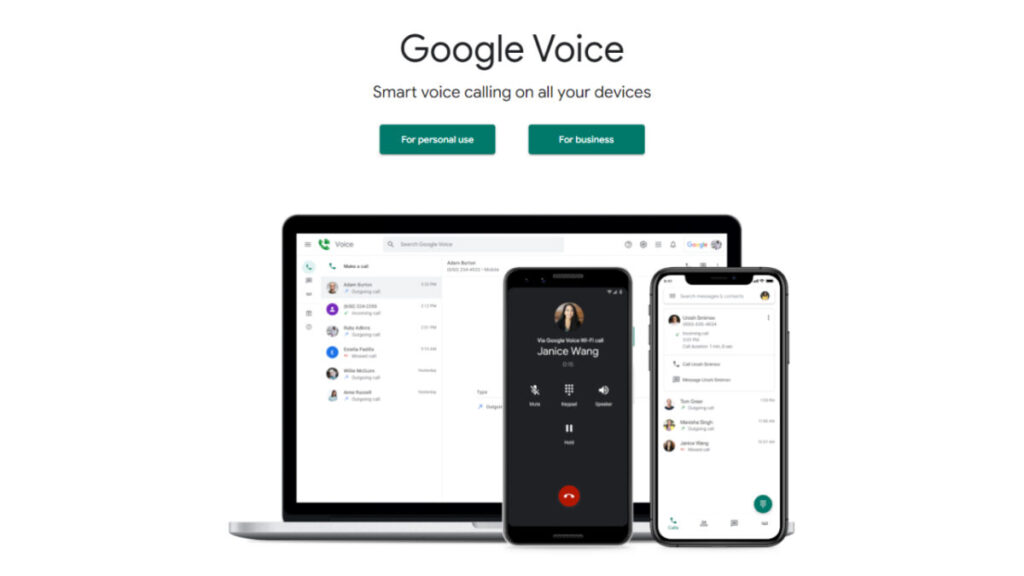
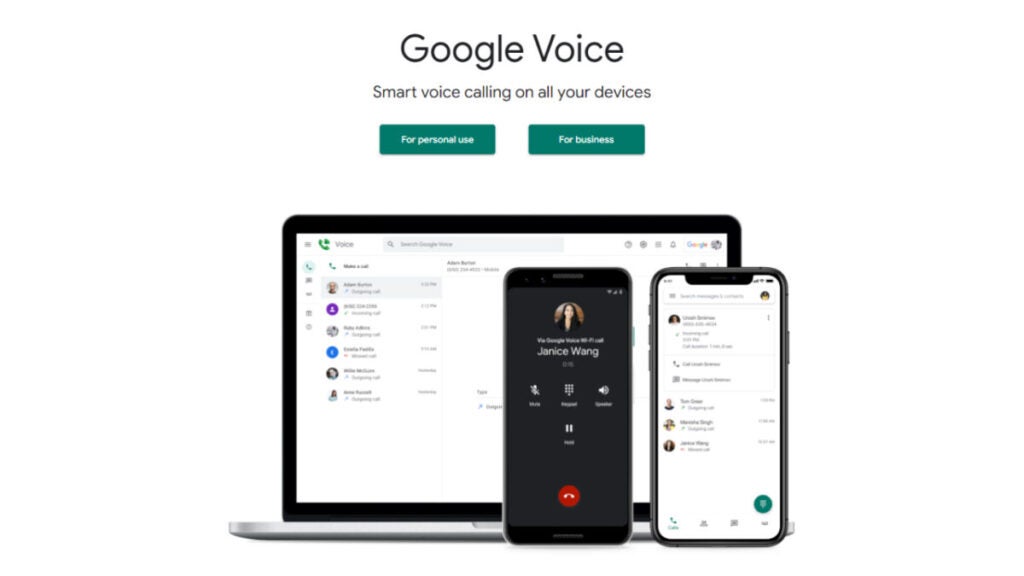
Google Voice

Best for: Teams that use Google Workspace. 


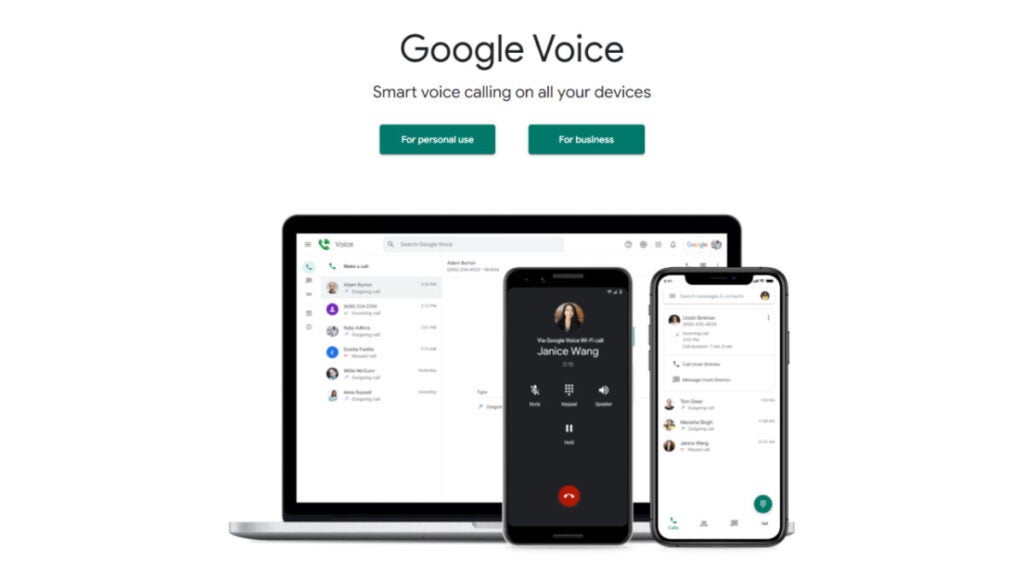
Many companies already use Google Meet, Calendar and other G Suite products. Therefore, they are big fans of Google Voice for Google Workspace. This VoIP phone system offers voicemail messages transcriptions and unlimited calling to the US, which are some of the essential VoIP features it offers to expanding organizations. However, it doesn’t include toll-free numbers, auto-replies or any other techniques to save time texting. 

Due to an increasing reliance on remote collaboration, having an uninterrupted internet connection is of utmost importance when using Google Voice for Google Workspace. Since the Google Voice business phone system stores all outgoing and incoming calls, texts and voice messages in different files, it becomes more challenging to listen to conversations. Additionally, there might be better choices than Google Voice VoIP provider if you and your team want a business number to improve your work/life balance. Because this platform does not differentiate between personal and business calls, it is difficult to know how to answer the phone when it rings.

Key features:

  • Voicemail transcription
  • Call routing
  • Ring groups (upgrade needed)
  • Integration with G Suite
  • Multi-level auto attendants 

Pricing:

  • Starter: $10 per user/month
  • Standard: $20 per user/month
  • Premier: $30 per user/month

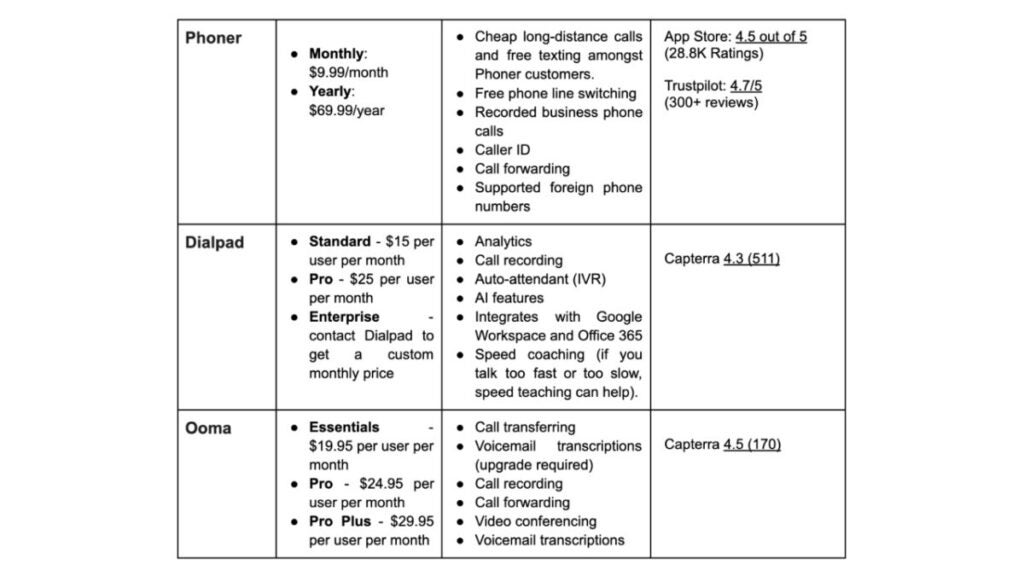
Dialpad

Best for: Companies with sizable call centers use this VoIP phone service.

Dialpad is the best VoIP business phone system for bigger teams or call centers. One helpful aspect for call center agents is the AI-based training it provides. Integrations with other business apps and the ability to provide feedback on team members’ speech rates are two more methods to grow your company.

Dialpad VoIP phone system does offer international and toll-free numbers, but adding them to your plan can quickly increase its monthly cost. Whether you’re texting within your company or to an outside account, like a customer or partner, Dialpad makes integrating all of your text messages easy. You can get transcripts of your phone conversations, meetings and voicemails to improve business communications. And it works with Google Workspace, Microsoft Teams and Microsoft 365. Of course, you’d have to ensure a reliable internet connection when working with the Dialpad VoIP provider.

Dialpad has a lot of capabilities. However, they might not be useful for a startup because of the complexity of their operations. Even the most fundamental operations incur extra fees, such as the fees associated with porting several existing numbers. Another upgrade is required ($25/user/month) if you want access to several numbers per user.

Key features:

  • Analytics
  • Call recording
  • Auto-attendant (IVR)
  • Call and voicemail transcriptions
  • Call routing
  • AI features 
  • Integrates with Google Workspace and Office 365
  • Speed coaching (if you talk too fast or too slow, speed teaching can help).

Pricing:

  • Standard: $15 per user/month 
  • Pro: $25 per user/month 
  • Enterprise: contact Dialpad to get a custom monthly price

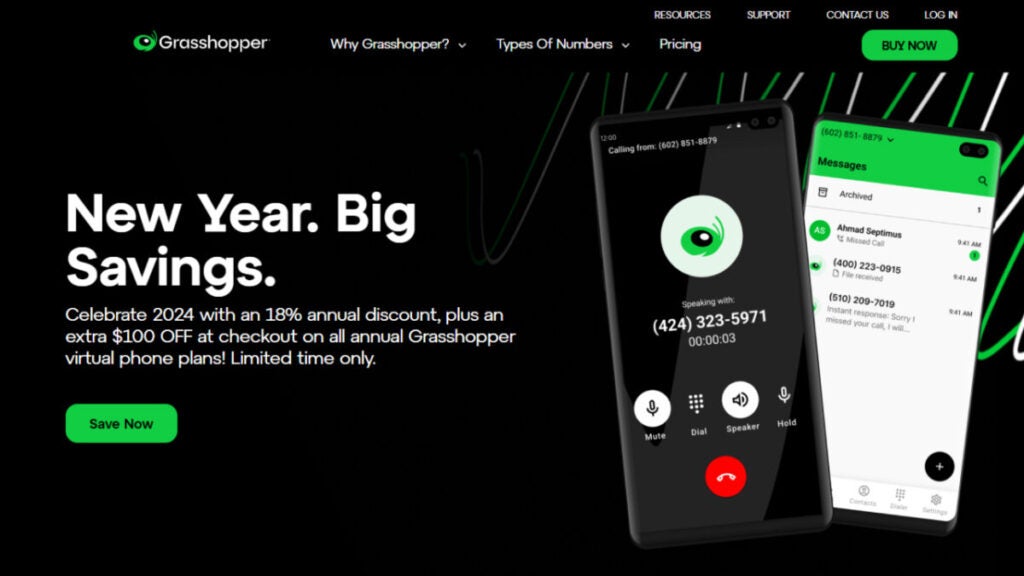
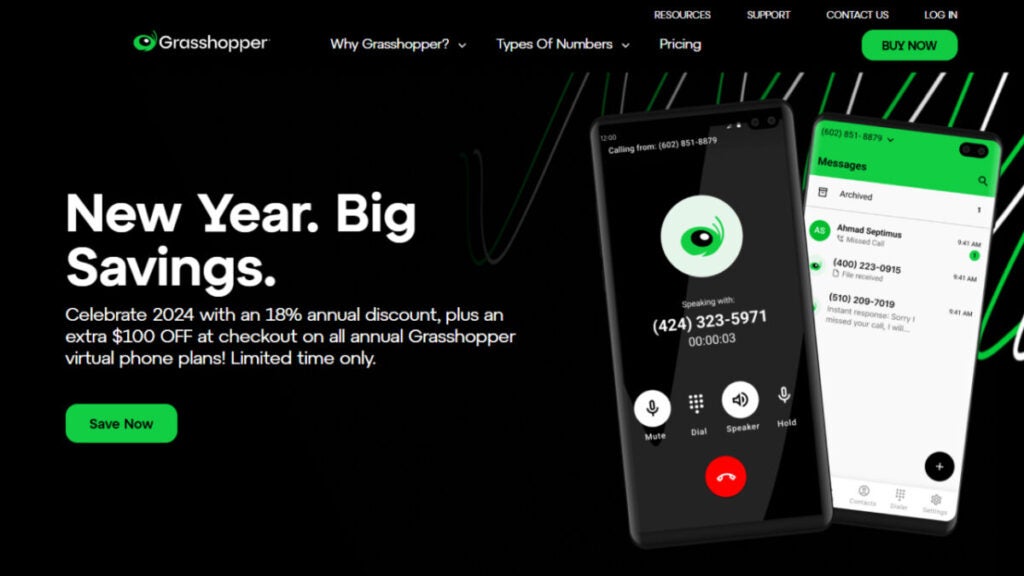
Grasshopper

Best for: Organizations that value numerical extensions for VoIP calls.

Grasshopper business phone system is an affordable and professional-looking virtual phone system that caters to small business owners.

You may keep your personal and professional lives distinct with their options, which include dedicated business numbers.

You can get various business numbers from this VoIP phone service, including those with toll-free number area codes like 800, 833, 844, 855, 866, 877 and 888. Grasshopper also allows you to transfer your current business or virtual number, get a local number, or go with a vanity number. As long as you have a fast internet connection, you can use the Grasshopper business phone system for your company.

The Grasshopper VoIP phone system caters to several small businesses with their prices and options.

However, there are a few drawbacks to consider. One of them is that the higher-tier plan only allows for five phone numbers. Another is that the monthly expenses are expensive and won’t scale as your business grows. Also, this plan is missing essential features like shared numbers and integrations.

Key features:

  • Unlimited users for a fixed monthly fee
  • Call transfers
  • Simultaneous call handling
  • Incoming call control
  • Bundled toll-free numbers
  • Detailed call reporting
  • Free trial
  • Live receptionist and expert phone greeting enhancements

Pricing:

  • True Solo: $14/month 
  • Solo: $28/month 
  • Partner: $46/month
  • Small Business: $80/month

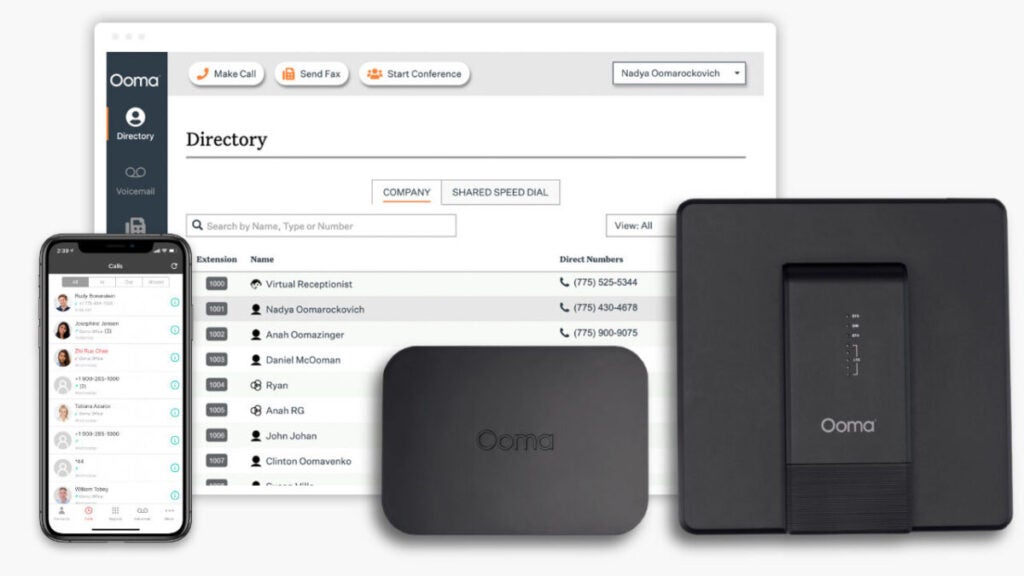
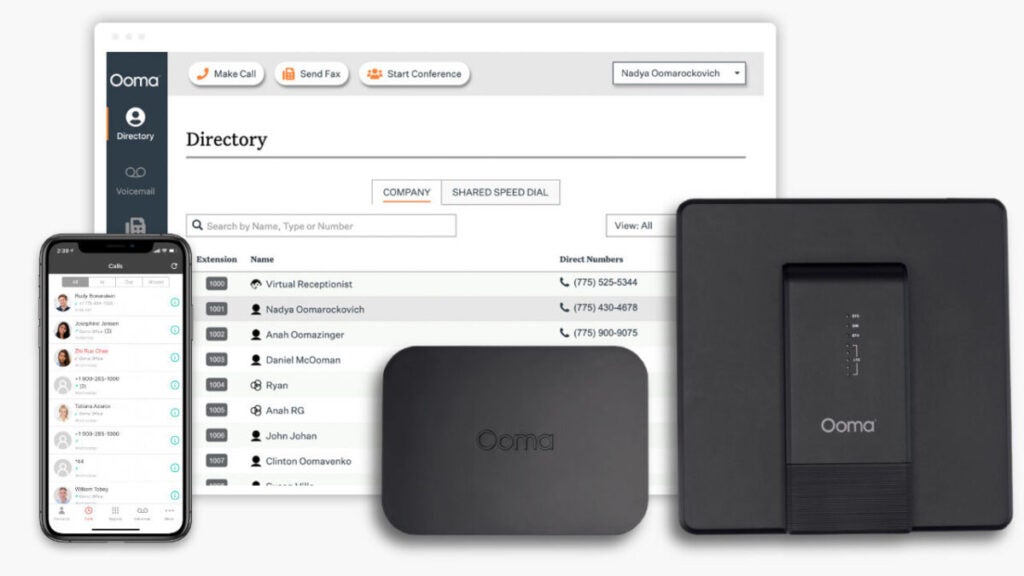
Ooma

Best for: Large retail centers and warehouses.

Residential and commercial phone systems are both offered by the Ooma VoIP phone system. Their paging feature might be useful for teams that work from a store because it lets them quickly reach people in large areas.

Unfortunately, Ooma’s small business VoIP plans include capabilities you might never utilize. Even if you don’t use IP phone paging or have an analog fax machine, the basic plan still charges $19.95/user/month for such features. Note that unlike traditional landlines, a broadband internet connection is of key importance for an effortless experience when using Ooma VoIP provider.

On top of that, you have to pay to get some of Ooma VoIP provider’s most significant advanced features. An upgrade ($24.95/user/month) is required to access essential functions such as texting and voicemail transcriptions. Unfavorable for developing businesses, even their desktop app requires an upgrade before it can be used. 

Unfortunately, this isn’t the sole problem with Ooma’s technology. Additionally, several customers have mentioned that the pricing for add-ons could be clearer. 

Key features:

  • Call transferring
  • Voicemail transcriptions (upgrade required)
  • Call recording
  • Call forwarding
  • Video conferencing
  • Voicemail transcriptions

Pricing:

  • Essentials: From $19.95 per user/month
  • Pro: From $24.95 per user/month
  • Pro Plus: From $29.95 per user/month

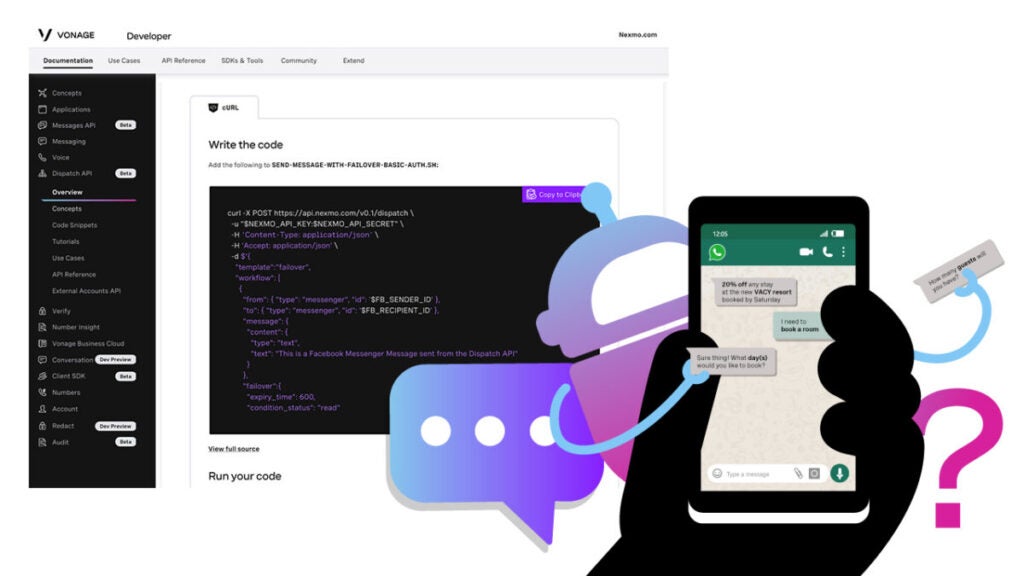
Vonage

Best for: Perfect VoIP phone system for companies looking for services with API.

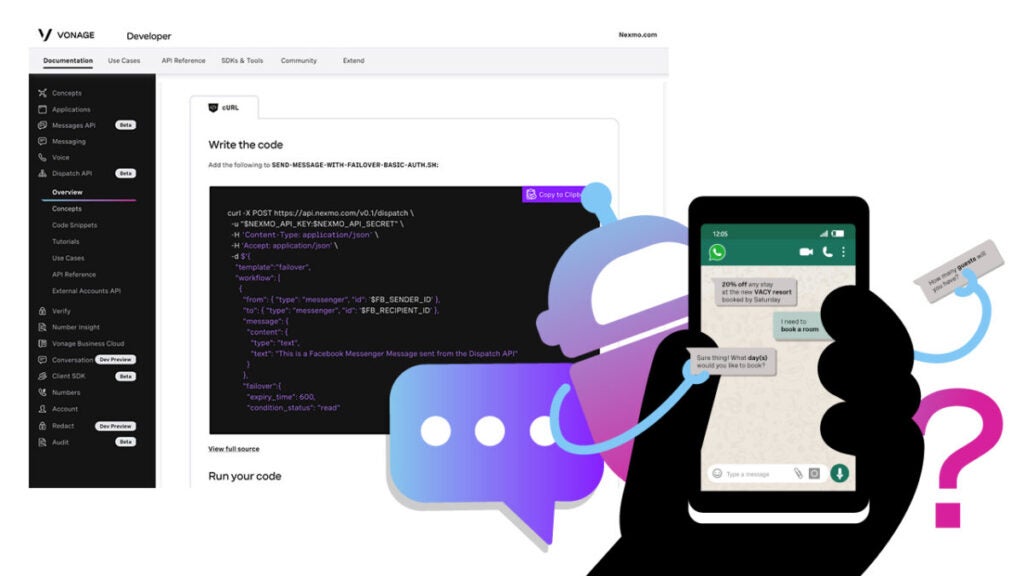
Vonage is an old VoIP service that offers two options: a virtual phone system that works right out of the box and an API that can be customized. 

To keep up with its 100,000+ consumers, Vonage makes conversations more flexible, intelligent and personal. Companies like DHL, Domino’s and Glassdoor are among their notable clientele.

Vonage provides its customers with three distinct bundles. VoIP calls take up a more significant portion of their mobile package. The Premium package lets users add video, messages and voice calls to their communication capabilities.

There is an Advanced plan with more advanced features for IP phones. A business phone number is included with every Vonage service. You can choose between a local and toll-free number when you choose your plan. Remember that as long as you have a fast internet connection on your computer or mobile device, you will enjoy Vonage’s call quality.

There are a lot of hidden costs with Vonage VoIP provider that you might not expect, such as the price of extensions, toll-free lines and advanced features like automated call recording. Growing brands and organizations may see Vonage as one of the expensive VoIP solutions, especially considering that rival VoIP providers offer most of these capabilities as standard. 

Key features:

  • Texts in the US and Canada
  • Unlimited team chat
  • Internal team messaging
  • Mobile and desktop apps
  • Unlimited calling in the US, Canada and Mexico
  • 20 third-party integrations (like Clio or G-Suite)
  • SMS in the US (API required to send MMS messages)

Pricing:

  • Mobile: $13.99 per line/month
  • Premium: $20.99 per line/month
  • Advanced: $27.99 per line/month

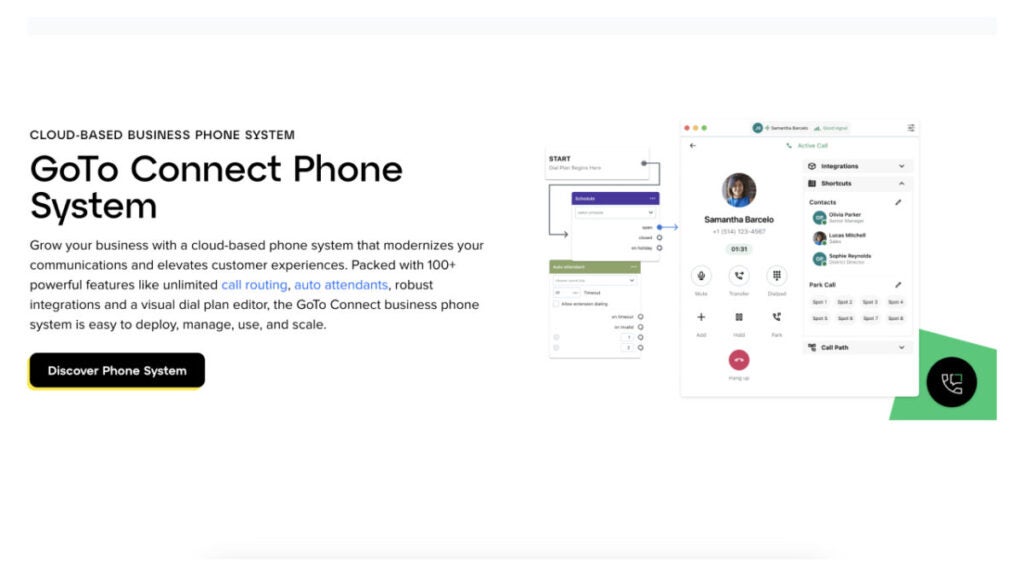
GoTo Connect

Best for: Organizations with a lot of remote workers.

In addition to virtual phone numbers, GoTo Connect is a powerful commercial VoIP provider. For a flat monthly fee, GoTo Connect gives its customers access to 80+ business-grade capabilities, including unlimited calling and call forwarding. 

Getting GoTo Connect up and running is a breeze. VoIP phones pre-programmed by GoTo Connect will be sent to your business. 

GoTo Connect may be too much for certain smaller companies. Companies like Phoner provide virtual phone numbers without the need for any equipment or other necessities.

The GoTo Connect business phone system is ideal for company owners and IT decision-makers who want a feature-rich, all-inclusive solution offering virtual phone numbers.

Key features:

  • Over 80 essential features essential for business operations.
  • Call Management 
  • Custom Schedules
  • Find Me/Follow Me 

Pricing:

  • Basic: Starting at $27.00 per user/month
  • Standard: Starting at $32.00 per user/month

8×8

Best for: Small businesses that need a reliable business phone number provider.

Choosing VoIP systems like 8×8 is much better than using traditional landlines. The business phone VoIP provider has three distinct plans to meet the needs of different types of businesses. You can optimize your business communications with the help of the business numbers offered by each of the three plans.

With every package, 8×8 offers unlimited calling in the US and Canada, basic auto-attendants, team messaging and more for businesses. This business VoIP phone system is superior to traditional phone lines in many ways, including making unlimited international calls, participating in interactive video conferences and streaming live content with an enhanced subscription.

Consider 8×8 voice over internet protocol (VoIP) provider as a reliable service for your organization if you regularly holds webinars, conference calls and sales demos. However, most companies’ crucial phone and messaging features are absent. To receive MMS or SMS messages, you must upgrade.

Key features:

  • Unlimited users (but you must pay for each user)
  • Works across mobile, desktop and web app
  • Encryption for added security
  • 24/7 customer phone support
  • Free unlimited calling in the US and Canada
  • Team messaging
  • SMS, MMS and team chat
  • Voicemail transcriptions 
  • Supervisor analytics 

Pricing: 

  • X2: $28 per user/month
  • X4: $57 per user/month
  • X6: $85 per user/month
  • X7: $110 per user/month
  • X8: $140 per user/month

Bottom line

Considering the advanced features, price, plans, reliability, customer service, security, and compliance of each virtual phone number provider before making a final decision is essential. If you put in the effort to learn about your options and evaluate your requirements, you may choose a service that will meet all of your company’s needs.

The answer to the question of ”how to get a business phone number” is simple – start by choosing the best provider among business VoIP services. Prior to delving into each service, decide which number type is most suited to your calling needs. To get a simple, affordable provider with multiple useful features, we recommend Phoner app.

Unlocking Privacy: How to Get a Second Phone Number for Enhanced Security and Communication

We’ve tested a bunch of apps that allow you to get a second phone number quickly and picked the best 7: learn more about our experience and insights.

Tired of privacy issues and unwanted calls on your main number? Dive into the realm of second phone number apps – the ultimate solution for privacy and efficient communication. Whether you’re online dating, managing a business or simply need a dedicated number, these apps provide a seamless answer. 

Trust us to guide you to apps that not only meet but exceed your expectations in functionality and user experience.

How to Get a Second Phone Number App in Six Steps 

The Phoner app is one of the best second phone number apps for texting and calling. We’ll use it as an example because it gives you a range of features that entails phone call recording, lookup anonymous caller, private texting and calling. 

Here’s how to get another phone number with Phoner app: 

Step 1: Download and Install the Phoner App

Visit the Google Play Store or App Store (iOS) on your smartphone via this link. Search for Phoner app on the app store. Download and install the application on your phone.

Step 2: Create a Phoner Account 

Open the app on your phone and, click on sign-up to create a new account. Type in your email address and create a password for your account. This email will be associated with your numbers.

Step 3: Choose a Personal Phone Number 

Upon creating an account successfully, the application will prompt you to select a new phone number from the list of area codes provided. Go through the on-screen instructions to choose and customize your Phoner number. 

Step 5: Customize your Preferences 

Once your Phoner app is activated, you can set up preferences like notifications, and other customization options provided. 

Step 6: Use your Phoner Number 

You can now use the Phoner number to make calls and receive texts within the mobile app. The phone number is separate from your primary phone, even if they’re on the same phone. 

Download phoner now for a reliable second number that’s tailored to your needs. 

Why You Need Second Phone Number Apps

Let’s delve into the various reasons why individuals and businesses might find it beneficial to acquire multiple phone numbers.

Maintain your privacy 

In certain instances, maintaining privacy is very important. Having a second phone number offers a range of advantages for private individuals that include: 

1. Privacy and Security 

Owning a second phone number helps to safeguard personal information by using separate numbers for social media accounts and online registrations. It also helps to reduce unwanted calls or messages to your primary number. 

2. Online Transactions 

Having a second line provides an extra layer of protection when engaging in online transactions.

3. Temporary Communication

You can use a second phone number for temporary communications, such as buying/selling items, renting accommodation, etc. 

Run your business 

A second phone number can be a valuable tool for communication and organizational purposes.  It helps by improving: 

1. Professional Image 

It helps you maintain a professional image by having a dedicated number for client interactions. 

2. Work-Life Balance 

Separating business-related and personal communication can aid in achieving a better work-life balance.

3. Sales and Marketing

Use a second number for marketing campaigns, allowing you to track the success of specific initiatives.

4. Team Collaboration 

Facilitate team communication by providing employees with business-specific contact details. Additionally, some of them can work on multiple devices. 

Best Apps to Get a Second Phone Number: a Quick Pick

Here’s a succinct list of some of the phone number apps that made it to our list: 

1. Phoner App: Secure, anonymous lookup feature.

2. Google Voice: Free, integrates with Google services. 

3. TextFree: Free US number, make personal calls without a plan.

4. Hushed: Privacy-focused, short-term numbers.

5. Phone Burner: Power dialing, contact management.

But before going further, let’s discuss some top factors to consider before making a choice: 

The Best Second Phone Number: How to Choose 

Selecting the best second phone number app involves considering various factors to ensure that the app meets your specific needs. Here’s what you should consider: 

1. Cost:

Check if the app offers subscription plans and, understand the pricing structure. Some apps may have free options with limitations and premium plans for additional features.

2. Ease of Use

Look for an app with an intuitive and user-friendly interface. The setup process should be straightforward and, accessing features should be easy. 

3. Privacy and Security

Ensure the app has strong privacy measures to protect your personal information. Check the app’s privacy policy to understand how your data is handled.

4. Available Features

Assess the basic features for making calls and sending texts. Some apps may offer additional features like custom voicemail features, private calls, free calling, ability to record calls, temporary number, unlimited texting, call forwarding and, customizable caller ID.

5. Customization Options

Check if the app allows you to choose specific area codes or customize your second phone number. This can be important for personalization.

6. Compatibility

Ensure the app is compatible with your smartphone’s operating system (iOS or Android) and check if it works seamlessly on your device.

7. Call Quality

Consider the call quality provided by the app. Poor voice quality can hinder effective communication.

Now that we’ve discussed the criteria to consider, let’s take a better look at some top second phone number apps to consider. 

App 1: Phoner App 

Best pick for: Those seeking a secure and feature-rich communication solution.

Killer Feature: Anonymous Lookup

This feature may provide users with details associated with an anonymous or private number, offering transparency and additional information when receiving calls from unknown or masked numbers. It enhances user security and helps them make informed decisions about answering or responding to calls from unidentified sources.

Pros and Cons 

Below are the strengths and weaknesses of the Phoner App. 

Pricing 

The subscription price ranges from $4.99-$129.99. It also offers a host of in-app purchases which can drive the overall pricing significantly higher, based on the features you need and, your length of calls. 

Ready to benefit from the possibilities offered by Phoner? Then download Phoner now via this link

App 2: Google Voice 

Best pick for: Individuals looking for a free, versatile second phone number solution with seamless and secure integration with Google services like Google Chrome, Gmail and Google Calendar.

Killer Feature: Integration with Google Services

Google Voice app can integrate with both your business and personal Google account, streamlining communication and productivity.

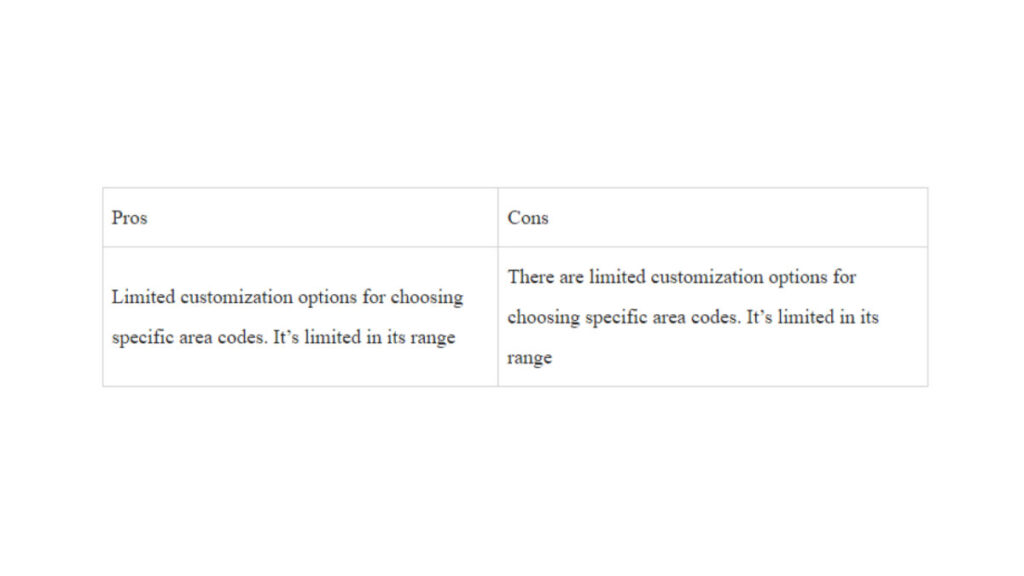
Pros and Cons 

Using Google Voice as a second phone number app has a number of benefits and disadvantages that entail:  

Pricing 

Google Voice has 3 different pricing plans with different range of features and accessibility. These plans are the starter, standard and, premier plans. Let’s help you understand how they differ.

1. Starter: $10/month

  • Calls between Google Voice numbers are included, 
  • Calls to most European countries from within Europe Included, 
  • Calls to the US from any Google Voice number included, 
  • Calls to Canada from a Canadian Google Voice number are included. 

2. Standard: $20/month 

  • Unlimited number of users, 
  • Free second phone number
  • No Geographic restriction. 

3. Premier: $30/month 

  • Unlimited international location
  • Calls between Google Voice numbers are included. 

Reviews 

G2: 4.1 (145 reviews)
Capterra: 4.5 (668 reviews)

Reviews on G2 and Capterra for Google Voice are consistently positive. Many users hailed its ease, simplistic user interface, reliability and, integration with the Google ecosystem. However, many users suggest that the app should expand its reach to many other countries. 

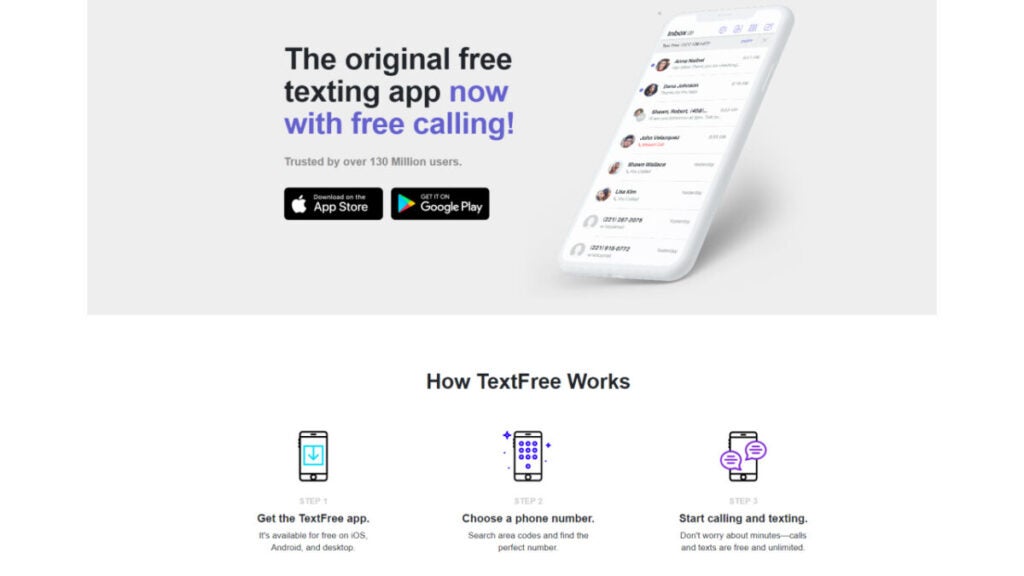
App 3: TextFree 

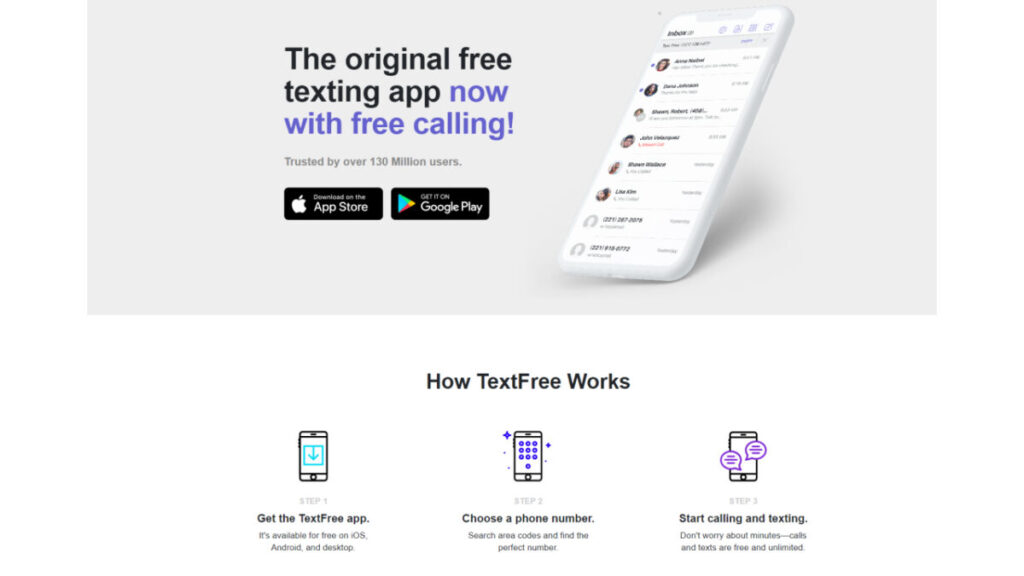
Best pick for: individuals looking for a free texting and calling app. It caters to users who want an additional phone number for communication without the need for a cellular plan. This app is particularly useful for those who want a secondary number for privacy, online transactions, or as a backup.

Killer Feature: Free and real US phone number

This app allows users to send text messages and make calls using a real US secondary number without incurring additional costs.

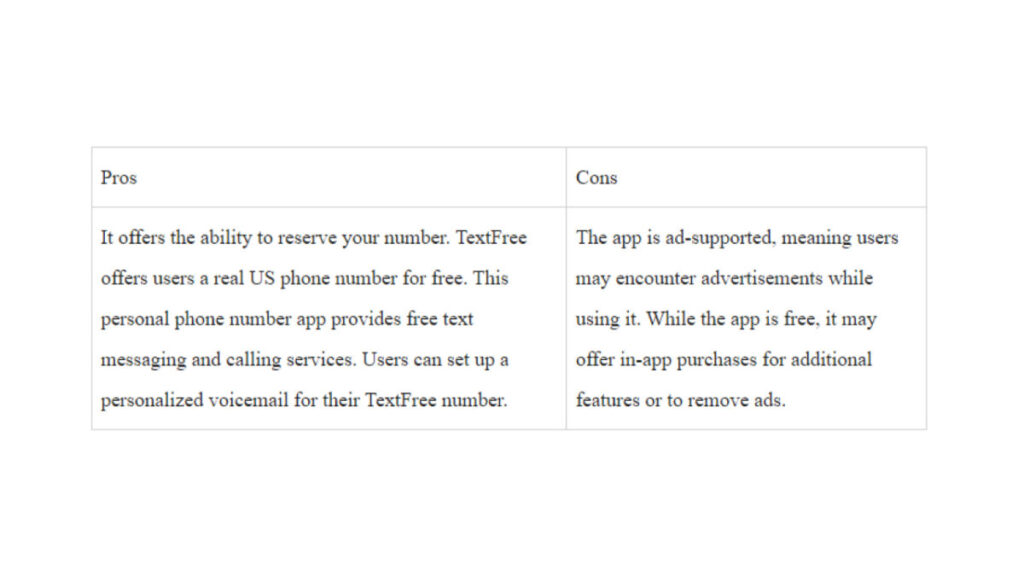
Pros and Cons 

Pricing 

For new customers signing up for a TextFree account and opting for TextFree Plus, the default subscription is set to monthly. Here are the subscription options:

  • Monthly (1 month): $9.99 – This is the default subscription for new iOS and Android accounts, as well as for accounts upgrading to TextFree Plus via Settings.
  • Half Yearly (6 months): $39.99 – Currently available exclusively for iOS customers (see below for details).
  • Yearly (12 months): $69.99 – Also available exclusively for iOS customers at this time.

Note: The half-yearly and yearly subscriptions are limited to iOS customers only.

Reviews

Capterra: 4.0/5 (28 reviews)

Feedback on most platforms consistently emphasizes the app’s positive qualities, applauding its straightforwardness, dependability and, cost-effective international calling options. Users commend the accessibility of the free fundamental services, though a few note the presence of ads is a drawback.

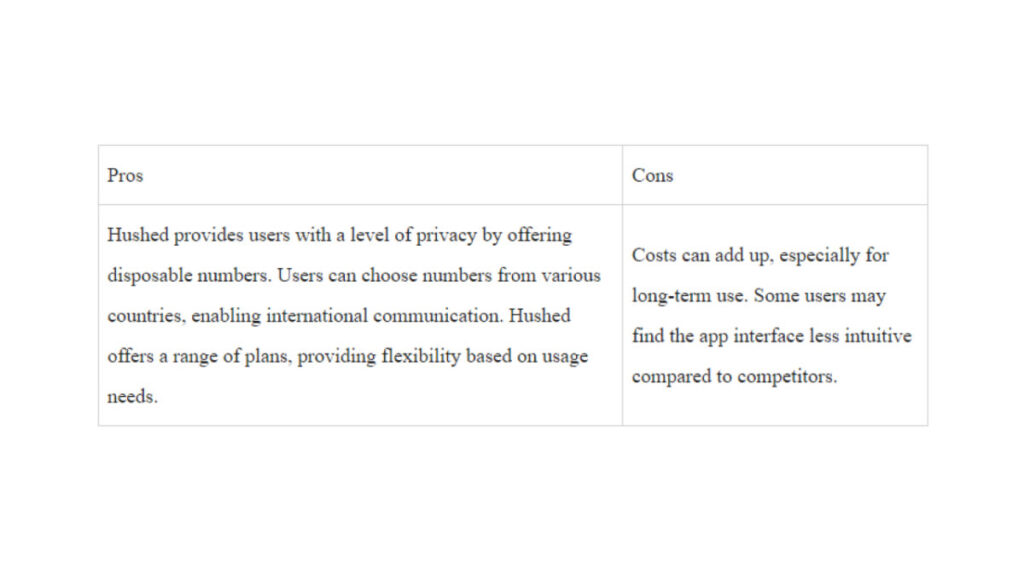
App 4: Hushed

Best pick for: individuals seeking a second phone number for privacy. It caters to those who wish to separate their primary number from specific activities like online dating, business communications, or temporary engagements.

Killer Feature: Short-time Phone Numbers 

This is particularly useful for short-term needs, allowing users to maintain privacy without revealing their primary number. The app’s numbers can be used for calls, texts and, even voicemail.

Pros and Cons 

Pricing 

  1. Prepaid Plans:
  • Flexible plans bundled with local minutes and SMS usage
  • Starting at $2.99
  • 7, 30, 90 and, 365-day plans available
  • Extend your number at any time
  • Perfect for short-term or long-term use cases
  • One-time payment
  1. Unlimited Subscriptions:
  • Unlimited talk and text
  • Auto-renewing subscription plans available on US, Canada and, UK mobile numbers
  • Starting at $4.99/month
  • No expiry date
  • Available in 1 or 3 Line bundles
  • Monthly or yearly plans
  • Sign up yearly and save up to 20%
  1. Pay-As-You-Go International Plans:
  • For international calling capabilities with your Hushed number
  • Starting at $6.99 (includes $1.00 in credits)
  • Call internationally anywhere at great rates.
  • Use Hushed Credits directly from your account balance
  • International texting capabilities available with US/CAN numbers

Reviews 

Hushed doesn’t have any reviews available on both Capterra and G2, however, it has lots of ratings on both Google PlayStore and App Store. 

App Store: 4.6/5 (14,625 reviews)

Google PlayStore: 3.8/5 (50,029 votes)

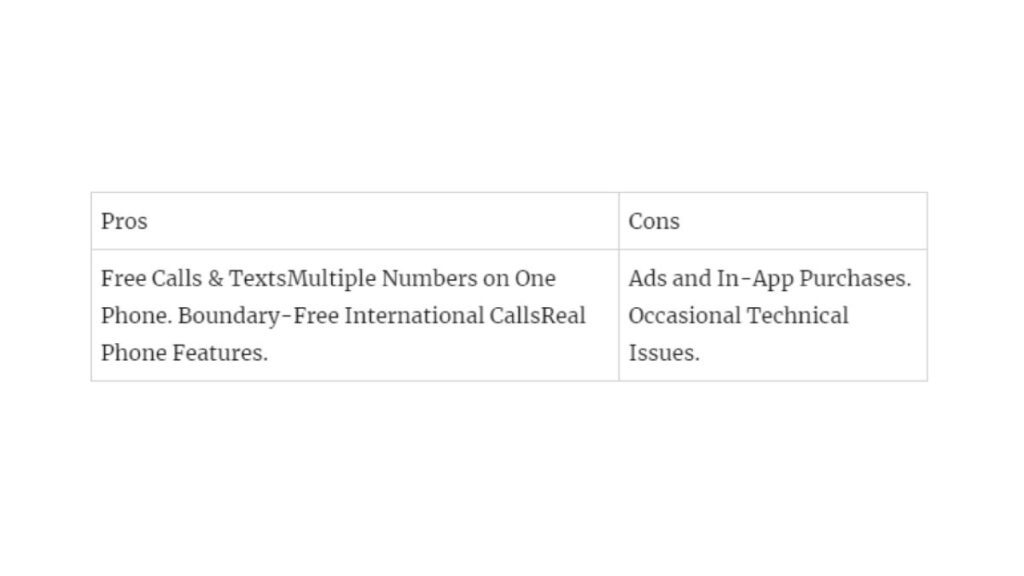
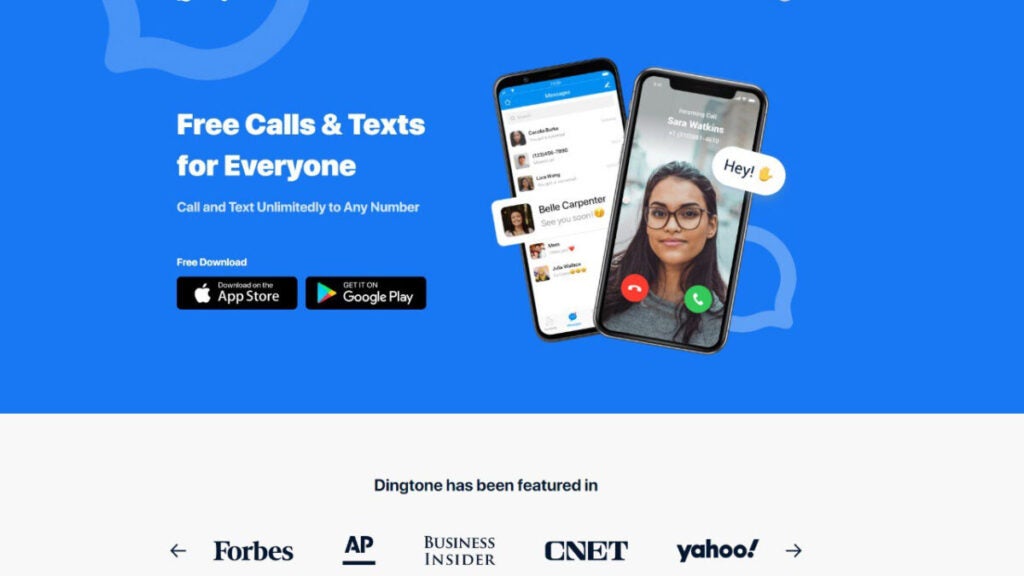
App 5: Dingtone 

Best pick for: Dingtone is the ideal choice for individuals and businesses that want a long-term second phone number for WiFi calling and unlimited texts within the US and Canada.

Killer Feature: Dedicated Second Phone Number 

Dingtone’s killer feature is the provision of a free second phone number that users can use for long-term,  allowing them to protect their privacy and have a dedicated number for personal and business communications. 

Pros and Cons

Pricing 

Dingtone offers both a free and paid plan. 

  • Free Plan 

You can earn credits via: 

  • Daily check-ins 
  • Completing tasks 
  • Inviting friends
  • Playing suggested games
  • Paying for a plan 

Sample Rates

  • US: 0.9 cents/min
  • India: 2.0 cents/min
  • Bangladesh: 2.5 cents/min
  • Mexico: 0.9 cents/min
  • Nigeria: 7.0 cents/min
  • China: 1.2 cents/min
  • UK: 1.0 cents/min
  • France: 0.9 cents/min
  • Italy: 0.9 cents/min
  • Germany: 0.9 cents/min
  • Brazil: 1.35 cents/min
  • Russia: 3.2 cents/min

Reviews 

Capterra: 5.0 (1 Review)

Users highlight Dingtone’s affordability and, international calling capabilities, with satisfaction in its performance.

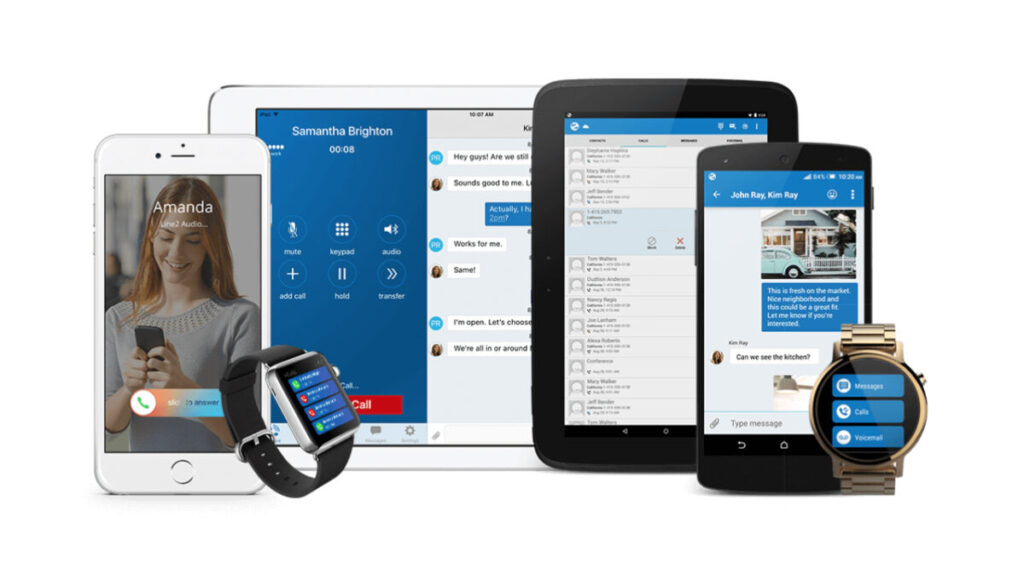
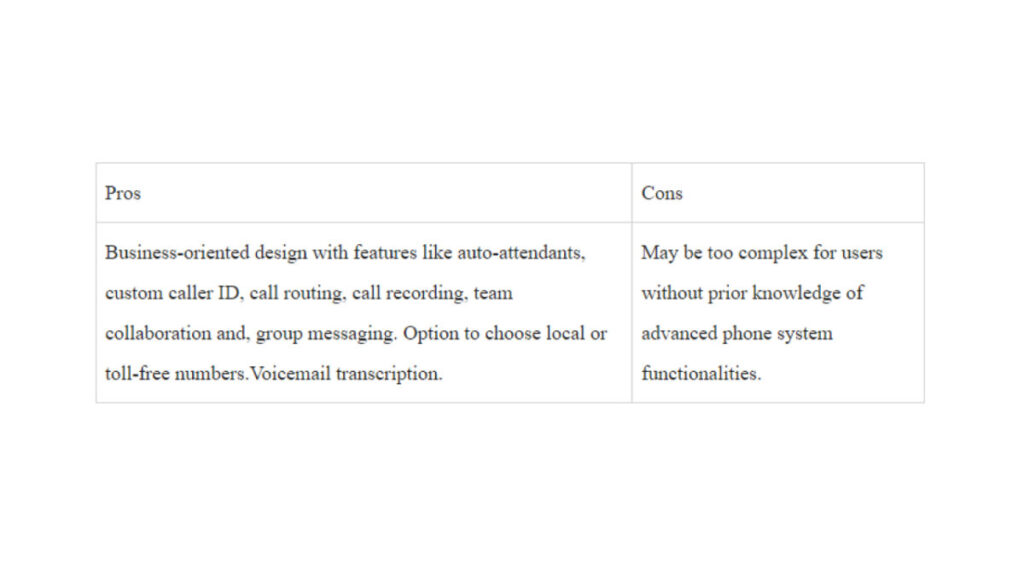
App 6: Line 2

Best pick for: Professionals, entrepreneurs and, small business owners seeking a dedicated second phone number for business communication.

Killer Feature: Business-oriented functionality

It offers an array of features, some of which are tools for call handling, auto-attendants, and team collaboration.

Pros and Cons 

Pricing

Line2 offers one payment package with a discount for annual payments.

  • Monthly: $15/month
  • Annual: $13/month

Reviews

  • G2: 2.7/5 (14 reviews)
  • Capterra: 3.6/5 (35 reviews)

Reviews on both G2 and Capterra align with our opinion that Line2 excels in meeting business communication needs. Users appreciate its professional features, robust call management capabilities and, the flexibility to choose local number, 

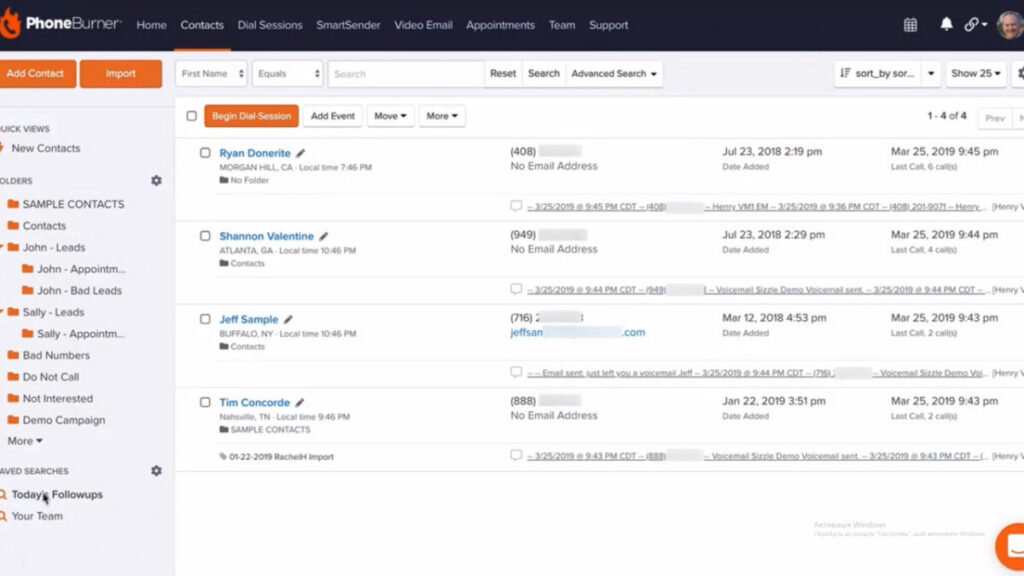
App 7: Phone Burner 

Best pick for: Sales reps and businesses that want a power-packed dialer app that can guarantee improved reach, and analytics. 

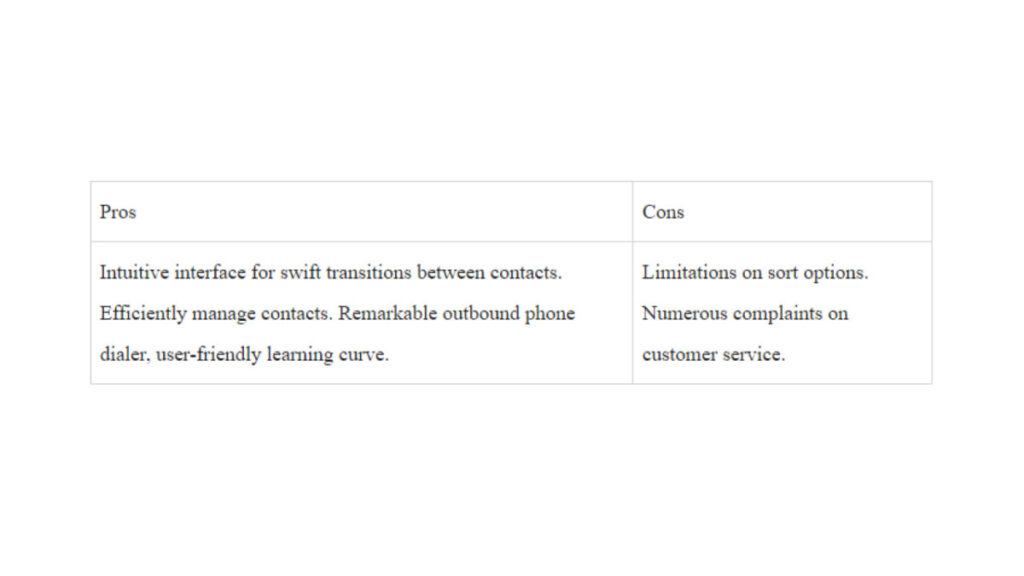
Killer feature: Combines power dialing with contact management

Users benefit from a seamless interface that automates dialing while providing robust contact management tools. This combination enhances productivity during business calls ensuring a smoother experience for reaching and managing contacts within a single, integrated platform.

Pros and Cons 

Below are the strengths and drawbacks of using phone burner: 

Pricing 

Phone burner offers a 7-day free trial. 

Standard:

  • Price: $127 per user/month (billed annually)
  • Features:
    • Unlimited calling minutes
    • 1-click voicemails
    • Email sending and tracking
    • Call tracking and analytics
    • 30-day call recording storage

Professional:

Price: $152 per user/month (billed annually)

Everything in Standard, plus:

Connect via softphone

Open API

Live call monitoring

Live call coaching

2x contact imports (20,000/month)

90-day call recording storage

Premium:

Price: $169 per user/month (billed annually)

Everything in Professional, plus:

  • Dedicated inbound number
  • SMS text messaging
  • Priority phone support
  • 5x contact imports (50,000/month)
  • Unlimited call recording storage

Reviews 

G2: 4.2/5 (183 reviews)

Capterra: 4.8/5 (170 reviews)

Phone Burner offers a top-notch service that can be tailored to both short-term, and long-term business users. It offers a scalable plan to users. And allows users to customize the solution based on the intricate demands of their enterprise. 

Summary 

It’s a great decision to explore top second phone number apps and access diverse features like texting, calling and, voicemail. Whether for personal, business, or specific needs, these apps revolutionize your phone experience. 

Prioritize factors like usability, support, trials, call quality, storage, offline use and, compliance for a tailored selection that aligns with your unique requirements with choosing a second line. The range of second phone number applications here are definitely going to guarantee a unique experience. At Softonic, we recommend Phoner as the top app if you are looking for a second phone number. Download here.

Dialing Success: Top 7 VoIP Providers for Small Businesses

Find out the in-depth review of 7 best VoIP providers for small business in 2024 based on pricing, use cases, pros and cons. Click here.

More than any other form of business, small businesses rely on communication infrastructure. Why? In the beginning, all it takes is a few bad reviews caused by missed calls to ruin a company. 

Your company can benefit significantly from a trustworthy business VoIP system (like Phoner VoIP Business lines) offering steady, high-quality calling and some extra features. But how can you find the one that is just right for you? 

Compared to analog desk phones or traditional phone lines, the top business (VoIP) phone system for small businesses offers many call management options at a cheaper cost. A phone system provides more than just regular mobile phone calls; it also integrates third-party apps that allow video conferencing, instant messaging and electronic faxing—all at no extra cost. Pricing can vary by provider, plan and included features.

We have researched and compared the seven most popular VoIP phone systems for small business providers, their features, prices and customer reviews to help you choose the ideal service for your company’s phone needs.

How to choose the best VoIP provider

If you own a small business, there are a lot of things you will require when selecting a VoIP phone system:

  • A free local phone number. Getting your first local business phone number should be inexpensive, mainly because a business phone system is an investment.
  • Virtual business phone numbers. Having more than one number can be helpful for small enterprises. You can’t reach clients all around the world without them. 
  • iOS and Android applications. Use mobile apps to carry your small company VoIP phone system with you at all times. 
  • Variety of languages. Setting up and receiving welcome messages in several languages is another way a professional small company VoIP phone system may help your customers and employees. When you’re unavailable to answer the phone, you can still leave a greeting for callers to hear on your voicemail or through a VoIP service
  • Voicemail transcripts. When retrieving information from audio messages isn’t practical, there are situations when transcripts are the next best option. Having them transcribed from voicemail makes them more accessible. 
  • Messaging. Verify you can use channels like SMS text messaging for follow-up and cross-use. 
  • Office hours. Calls will be forwarded to voicemail if received outside your specified business hours. 
  • Call forwarding. Effortlessly include other team members in your phone conversations by forwarding business calls to them. 
  • Recording phone calls. Call recording is a great way to keep track of crucial details, enhance call monitoring and make training much more accessible. 
  • Cost. We understand that money is a significant concern for many small company owners and operators. The viability of a VoIP business phone system for your organization can be determined by looking at their pricing and plans.
  • Consistent reliability. One of the most important considerations is the reliability of the VoIP phone system, which refers to the consistency and quality of its calls. Your company will likely hit a wall and remain there if you don’t have stable calls.
  • Customer phone support. If a company strays too far from providing professional, attentive phone support, it should be seen with suspicion.

Provider #1: Phoner App

Best pick for: An easy-to-use and inexpensive VoIP phone service for a standard second business or personal phone number. It’s the top small business VoIP phone solution for startups, small companies, real estate brokers, freight delivery services and more.

Whether conducting business or making online purchases, Phoner is the best phone system to keep your number private. Conveniently share private photos and messages with anyone. Plus, Phoner offers a desktop app. You can start making business calls locally and internationally when you connect your new number. One of the main advantages is that this VoIP service provider does not include any additional carriers or contracts. Also, you can keep all your current desktop and mobile devices in sync and get unlimited calling to international numbers. A wide range of virtual phone numbers are available, each with distinct area and country codes.

Pricing: 

Phoner VoIP phone service offers two pricing plans: 

  • Monthly – $9.99/month
  • Yearly – $69.99/year

Reviews: 

Trustpilot: 4.7/5 (300+ reviews)

Pros:

  • Private VoIP calls
  • Pleasant, easy-to-navigate design
  • Unlimited international phone numbers
  • Reliable quality of phone calls
  • Ad-supported tier
  • Affordable prices
  • Disposable numbers
  • Voice calls recording
  • Message encryption
  • Support on Desktop, Android and iOS

Cons:

  • Not many extra features
  • Best for simple tasks

Overall experience:

Users highly regard the Phoner VoIP phone system for its user-friendly setup process, affordable pricing and adaptability to various personal or commercial needs. Although some reviews indicate minor bugs, the overall user response has been highly positive. Enjoy all the benefits of Phoner by downloading it here.

Provider #2: Dialpad

Best pick for: Small businesses that want to start using VoIP phone systems but don’t know how to do it.

If you own a small business with a tech-savvy staff that wants to optimize customer service delivery through automation, Dialpad VoIP service provider is the way to go. Virtual assistants, live coaches, conversation summaries and sentiment analysis are a few of the intelligent features of the AI-powered business phone system.

You can stay focused on the discussion while Dialpad’s built-in AI transcribes it, tracks action items and takes notes—even if you’re handling a large volume of calls. You may simplify workflows and offer personalized client experiences with artificial intelligence (AI) solutions available on all Dialpad plans.

Pricing: 

  • Standard – $23 per user/month
  • Pro – $35 per user/month
  • Enterprise – Contact Dialpad to get more info

Reviews: 

Capterra 4.3 (511)

Pros:

  • Built-in AI features
  • Offers international SMS
  • Robust messaging tools
  • Real-time analytics and reporting
  • Web and chat support
  • Automatic spam call detection

Cons:

  • Up to 10 meeting participants
  • No phone extensions to Enterprise accounts
  • Limited app integrations

Overall experience:

Companies looking to simplify business communications with AI technology will find Dialpad VoIP provider an outstanding UCaaS and business phone system option. Even individuals without experience with unified communications systems will find the platform’s sleek, user-friendly layout helpful. Having multiple avenues for customer assistance is a huge plus for businesses. 

Provider #3: Vonage

Best pick for: Small businesses or individuals who wish to tailor their business VoIP system plans according to the advanced features and integrations they require.

Using Vonage’s business VoIP system and unified communications platform, you can make and receive voice calls, video calls and text messages from any computer or mobile phone. However, your team will need to switch to one of their more expensive plans to use features like auto-attendant and call recording.

While this small business VoIP system may lack in-app functionality, it provides specific third-party app connectors. In addition to upgrading your plan to gain access to CRM connectors like Salesforce, you will be charged extra each month for most of these features.

Pricing: 

The cost of Vonage is proportional to the number of subscribers. For groups of one to four users: 

  • Mobile – Starts at $19.99 
  • Premium – Starts at $29.99 
  • Advanced – Starts at $39.99 

Reviews: 

Capterra 4.1 (303)

Pros:

  • Intuitive desktop and mobile app
  • Customizable monthly plans
  • US and Canada free unlimited calls 
  • CRM integrations
  • Auto-attendants
  • Call recording 
  • Call button for website
  • Monitoring and recording
  • Reporting

Cons:

  • Only one-year contracts for new accounts
  • Features like extensions and toll-free numbers have monthly charges
  • Access to tech support is not free 

Overall experience:

Users say Vonage is a dependable business phone system with great VoIP and UC advanced features. Companies looking to simplify business communications with a large audience base will find it suitable due to its extensive set of superior call management tools. Teams needing an easy-to-use team messaging solution would appreciate its fundamental cooperation capabilities. 

Provider #4: Grasshopper

Best pick for: One of the most reliable business phone systems for small firms with mobile employees spread across and wanting various phone numbers for unified communications. 

Regarding business VoIP services, Grasshopper is among the most often used ones. Since Grasshopper is a mobile-designed platform, you won’t ever need to buy new hardware because it is compatible with your current devices.

You can have their True Solo plan for as little as $14/month. Unlimited business texting, personalized greetings and call forwarding are all part of that plan and Solo Plus (which is ideal for small enterprises). 

In addition to offering toll-free and vanity numbers, you can port your current number to the phone system. The fact that this small business VoIP phone system provides toll-free vanity numbers is another one of its standout features. When you sign up, you can select a local or toll-free vanity number or even port your existing number. Grasshopper can generate a random number, or you can modify an existing one.

Pricing: 

  • True Solo – $14 per month
  • Solo – $28 per month 
  • Partner – $46 per month 
  • Small Business – $80 per month

Reviews: 

Capterra 4.3 (338)

Pros:

  • Call transfers
  • Simultaneous call handling
  • Incoming call control
  • Detailed call reporting
  • Free trial
  • Unlimited users for a fixed monthly fee
  • Live receptionist and expert phone greeting enhancements
  • Bundled toll-free numbers

Cons:

  • Not enough third-party app integrations
  • No video calling and team chat
  • Lack of advanced calling features like IVR and call recording

Overall experience:

An excellent option for startups and small businesses seeking to establish their reputation, this VoIP provider offers a full business phone line to take you wherever you go.

After reviewing Grasshopper’s functionality and feature set, users come to the conclusion that it provides a full suite of virtual phone services well-suited to home-based enterprises and freelancers.

Provider #5: 8×8

Best pick for: Small businesses in need of a reliable and adaptable business VoIP service.

8×8 is one of the business phone systems with basic auto-attendants and team messaging, plus unlimited calling in the US and Canada with every plan. Unlike traditional phone lines, this business VoIP phone system allows you to access more countries for unlimited international calls, interactive video conferencing and live streaming with an upgraded subscription.

If your company frequently hosts webinars, conference phone calls and sales demos, 8×8 might be the ideal VoIP service for your group. But the calling and texting capabilities that are essential for most businesses are missing. Upgrading is required before you can even receive MMS or SMS messages.

Pricing: 

  • X2 – $28 per user/month
  • X4 – $57 per user/month
  • X6 – $85 per user/month
  • X7 – $110 per user/month
  • X8 – $140 per user/month

Reviews: 

G2 4.0 180 reviews

Pros:

  • Unlimited users (but you’ll pay for each user)
  • Works across mobile, desktop and web app
  • Encryption for added security
  • 24/7 customer phone support
  • Free unlimited calling in the US and Canada
  • Team messaging
  • SMS, MMS and team chat
  • Voicemail transcriptions 
  • Supervisor analytics 

Cons:

  • More expensive the more employees you have
  • You will need to buy your own VoIP hardware in addition to the subscription payment, which only covers software
  • Slow technical support (according to customer reviews)

Overall experience:

Your business can get some of its difficulties fixed with the help of the contact center’s business phone lines. Because you can answer client inquiries through phone, email, chat and social media simultaneously, client interaction is simplified. Users may improve their decision-making and service delivery using its reporting features, which provide vital insights into client interactions and agent efficiency.

The fact that businesses can scale up or down staff without halting operations is another considerable advantage. Additionally, companies can save time and reduce operational errors because of its compatibility with various systems. 

Provider #6: Ooma 

Best pick for: Ooma Office is one of the best business phone systems for companies of all sizes and sectors.

Ooma is a voice-over IP provider that offers a business phone system for improving the administration of incoming calls. A virtual receptionist is available to direct callers and  additional perks include  the ability to have incoming calls forwarded to other phone lines in a “ring group” until an agent picks up.

Plans include unlimited domestic and international calling to the United States, Canada, Mexico and Puerto Rico. However, with Ooma’s regular service, you can only make and receive calls using compatible VoIP desk phones or the Ooma app for Android or iPhone. If you want desktop software that lets you effortlessly navigate to your VoIP phone system while working on your computer, you must upgrade your plan.

Voicemail transcriptions and call recording are two essential capabilities that can be unlocked by upgrading, even though these are standard features offered by other carriers.

Pricing: 

  • Essentials – $19.95 per user/month
  • Pro – $24.95 per user/month
  • Pro Plus – $29.95 per user/month

Reviews: 

Capterra 4.5 (170)

Pros:

  • Base plan with 50+ standard call features
  • Free number porting
  • Affordable toll-free calling plans
  • Unlimited calling in the U.S., Canada, Mexico and Puerto Rico
  • Company directory
  • One conference bridge per user
  • Call blocking
  • Virtual extensions

Cons:

  • The desktop app is limited to Pro and Pro Plus accounts
  • Outdated interface
  • Not the best video conferencing 

Overall experience:

Due to its affordable phone system packages and free residential plan, Ooma is highly recommended for small enterprises and solopreneurs. Its remarkable scalability is a significant plus. Moving business communications to the cloud has never been easier.

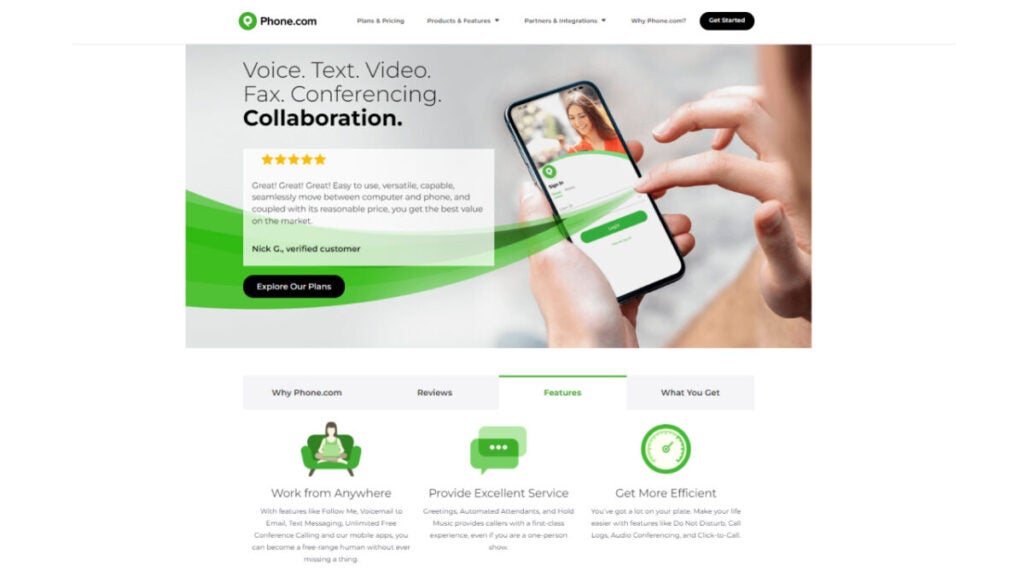
Provider #7: Phone.com

Best pick for: If your small business has low or seasonal call volumes, Phone.com is the perfect VoIP phone solution for you. 

If you’re looking for a simpler communication method, try Phone.com, a simple VoIP service. Although it lacks the functionality offered by some of its rivals, its starting price of $14.99 per user per month makes it a potentially ideal choice for small enterprises just starting out.

This phone system is easy to test because it is HIPAA compliant, integrates with many other services and has a 30-day money-back guarantee.  

Paying annually unlocks 15% off your Phone.com bill, while paying monthly does not save you any money. Phone.com provides round-the-clock help and has an intuitive system perfect for startups as well as  growing companies.  

Pricing: 

  • Basic – $14.99 per user/month
  • Plus – $21.99per user/month
  • Pro – $31.99 per user/month

Reviews: 

Capterra 3.8 (65)

Pros:

  • 500 pooled minutes
  • One number per account
  • Video conferencing with up to 10 participants
  • Mobile and web apps
  • 50 standard voice features
  • Mix metered and unmetered plans
  • All plans include standard voice call features
  • Calls to the U.S., CA, Italy, Israel and the U.K. included in all plans

Cons:

  • Depends on Zapier for app integrations
  • International calling requires a $200 prepayment
  • Basic and Plus users have to pay an extra $8 monthly for call recording

Overall experience:

This small business VoIP phone system’s services and customizable subscription plans make it a budget-friendly option for small enterprises. To save money and meet the needs of each team member, choose between unlimited and metered plans. Reviewers at Phone.com have nothing but praise for the app’s robust feature set and user-friendliness. 

In Summary

Small businesses can significantly benefit from VoIP phone systems because of their scalability, affordability, portability and many enhanced features.

Being the boss of a small firm can be challenging. There is a lot to accomplish with the limited crew you have. Even with a VoIP system, you may only be able to handle some of the calls that come in.  So, to be effective, think about your company’s  structure  before deciding on a provider. Many factors should be considered, such as your number of employees, the devices you use (and whether they are business or personal property) and your preference for phone calls or texts.

When it comes to VoIP for small enterprises, Phoner stands out in a crowded industry. Scaling enterprises needing a comprehensive phone solution can benefit greatly  from its affordable pricing and excellent feature set. 

Top Second Phone Number Apps that Are a Must-Have This Year

We’ve tested a bunch of the second phone number apps to pick up the best 8 and are ready to share our experience and insights in this article. Click here.

Are you struggling with privacy concerns or unwanted calls on your primary phone number? Ever thought about exploring the world of second phone number apps?

Second phone number apps are a game-changer when it comes to maintaining your privacy and managing communication effectively. Whether you’re online dating, running a small business, or simply want a dedicated number for specific purposes, these apps offer a seamless solution.

In our quest to find the top-rated second phone number apps, we meticulously analyzed the market to present you with the cream of the crop. Each app discussed in this article boasts stellar reviews and an impressive track record of user satisfaction. Rest assured, we’ve filtered through the options to bring you apps with minimal user complaints and a high level of functionality.

Best phone number app: Quick Pick 

Here’s a succinct list of phone number apps that made it to our list: 

  1. Phoner
  2. Google Voice
  3. TextFree
  4. Line 2
  5. DialPad 
  6. Sideline
  7. Phone Burner 
  8. Grasshopper

Let’s discuss some factors we considered before choosing the apps that made it to our list: 

The Best Second Phone Number: The Selection Criteria 

When it comes to choosing a second phone number app, there are a range of criteria to consider. These criteria include: 

1. Ease of Use: Consider the app’s ease of use, its compatibility with your device’s operating system and how seamlessly it integrates with your phone app.

2. Customer Support: In case of any issues or queries, it’s essential to have reliable support to ensure a smooth experience with the app.

3. Trial Version: If available, take advantage of any trial periods or free versions to test the app’s features and performance before committing to a subscription.

4. Call Quality and Reliability: Assess the call quality and reliability of the app. Look for user feedback on call connections, clarity and any reported issues with dropped calls.

5. Storage and Backup: Consider whether the app offers storage or backup options for your call logs, messages or voicemails. This can be essential for maintaining a record of important communications. 

6. Offline Functionality: Check if the app allows for offline functionality, especially if you may be in areas with limited or no internet connectivity. 

7. Regulatory Compliance: Verify whether the app complies with relevant telecommunications regulations and privacy laws in your region. Ensuring compliance is crucial for legal and ethical use.

Without further ado, let’s discuss the top second number of applications to try out: 

App 1: Phoner

Best Pick for: Individuals and small businesses seeking an affordable and easy-to-use second phone number solution.

Killer Feature: Intuitive Interface

Phoner stands out with its intuitive and easy-to-use interface, making it simple for anyone to set up and start using a second phone number. Even beginners can master the app in no time.

Pros and Cons 

Pros of Phonerapp: 

  • Intuitive, user-friendly interface
  • Reliable call quality
  • Ad-supported tier
  • Affordable pricing
  • Disposable numbers
  • Call recording
  • Message encryption
  • Support on Desktop, and, Android and iOS

Cons of Phonerapp:

  • Limited advanced features
  • Mostly suited for basic usage

Pricing 

Phoner has two pricing plans, these are: 

  • Monthly: $9.99/month
  • Yearly: $69.99/year

Reviews 

Trustpilot: 4.7/5 (300+ reviews)

Users highlight Phoner’s easy setup process, great value for money and versatility for both personal and business use. Some reviews mention occasional glitches but overall feedback is highly positive. Download your Phonerapp here and enjoy its numerous benefits.

App 2: Google Voice 

Best Pick for: Individuals and small businesses seeking a versatile second phone number app that seamlessly integrates into the Google ecosystem. 

Killer Feature: Unified Communication

Google Voice’s standout feature is its ability to unify communication channels. It provides users with a single phone number that can ring on multiple devices, making it easy to stay connected across smartphones, tablets and computers. This ensures important calls and messages are never missed, offering unparalleled convenience.

Pros and Cons 

Before deciding on a preferred solution, it’s best to consider its pros and cons. 

Pros of Google Voice:  

  • Google Voice seamlessly integrates with personal Google accounts.
  • It offers free domestic calls to users in Canada and the United States.
  • Receive unlimited calls from local phone number
  • Unlimited texting on its premium versions
  • Google Voice automatically transcribes voicemail messages.

Cons of Google Voice:  

  • Google Voice relies on an existing cellular network for calls and messages, which may be a drawback in areas with poor or no data connectivity.
  • It’s not available in many countries.

Pricing 

Google Voice has 3 pricing plans, each with different accessibility to a range of features. Its plans entail: 

1. Starter: $10/ month

  • Calls between Google Voice numbers are included, 
  • Calls to most European countries from within Europe Included, 
  • Calls to the US from any Google Voice number included, 
  • Calls to Canada from a Canadian Google Voice number are included. 

2. Standard: $20/ month 

  • Unlimited number of users, 
  • Free second phone number
  • No Geographic restriction. 

3. Premier: $30/ month 

  • Unlimited international location
  • Calls between Google Voice numbers are included. 

Reviews 

Capterra: 4.5 (668 reviews)

G2: 4.1 (145 reviews)

According to reviews on G2, Capterra and, others, Google Voice consistently receives positive feedback for its user-friendly interface, integration capabilities and, reliability. Users appreciate its versatility for personal and business use, though some mention the need for expanded international features.

App 3: TextFree 

Best pick for: individuals seeking a cost-effective and versatile second phone number solution. It caters to budget-conscious users, including students, freelancers and those looking for an additional number without the commitment of subscription fees.

Killer Feature: Free Functional Number

Users can enjoy essential texting and calling services without any charges, making it an attractive option for those who prioritize pricing. 

Pros and Cons 

Pros of TextFree:  

  • Access to multiple phone numbers 
  • Free phone number for calling and sending text messages, 
  • User-friendly interface, 
  • Cross-platform compatibility. 

Cons of TextFree:  

  • TextFree includes ads in its free version, 
  • Limitation on viewing earlier messages. 

Pricing 

It offers both a free plan and a paid plan. The paid plan costs $10/ month and, offers the following features: 

  • Reserve your number. 
  • Block spam calls 
  • No ads, 
  • Change your TextFree number, 
  • Verification support. 

Reviews 

Capterra: 4.0 (28 reviews)

Reviews on platforms like G2 generally highlight TextFree’s positive attributes, including its simplicity, reliability and access to cheap international calling. 

Users appreciate the accessibility of the free basic services, although some mention the presence of ads as a trade-off.

App 4: Line 2

Best pick for: professionals, entrepreneurs and small business owners who require a dedicated second phone number for business communication. 

Killer Feature: Business-oriented functionality. 

It provides tools for call handling, auto-attendants and team collaboration, making it an ideal choice for those who want to maintain a professional image and efficiently manage business communications.

Pros and Cons 

As with others on this list, Line2 also has its strengths and drawbacks. 

Pros of Line2: 

  • Due to its business-orientated design, it offers features like auto-attendants, custom caller ID, call routing, call recording, team collaboration group messaging and, call handling. 
  • Users can choose local or toll-free numbers, 
  • It provides voicemail transcription, 

Cons of Line2: 

  • It’s too complex for users without prior knowledge of advanced phone system functionalities.

Pricing 

Line2 offers only one payment package, however, you can get a discount when you pay annually. 

  • Monthly: $15/ month
  • Annual: $13/ month

Reviews

G2: 2.7/5 (14 reviews)

Capterra:  3.6/5 (35 Reviews)

Reviews on both G2 and Capterra agree with our opinion that  Line2 is strong in catering to business communication needs. Users appreciate its professional features, call management capabilities and the ability to choose local or toll-free numbers. 

App 5: Dial Pad 

Best pick for: Individuals and organizations that want a cloud and AI-powered second phone number app. 

Killer Feature: Integration of Voice Intelligence Technology 

This advanced feature uses artificial intelligence to analyze and transcribe voice conversations, providing users with valuable insights and facilitating more effective communication. The Voice Intelligence feature sets DialPad apart by offering a smarter and more data-driven approach to communication.

Pros and Cons 

Let’s delve into the strengths and weaknesses of dial pad: 

Pros of DialPad: 

  • It has a range of business-centric features.
  • It offers transcription and voice analysis for proper communication.
  • It integrates video, voice, conferencing and messaging into a single platform. 
  • DialPad offers scalable solutions to meet organizations’ evolving needs. 

Cons of DialPad: 

  • Overall pricing can be expensive to access advanced features. 

Pricing 

DialPad has 3 pricing plans, which are: 

  • Standard: $23/ month
  • Pro: $35/ month 
  • Enterprise: Based on enterprise needs. 

Reviews 

Capterra: 4.3 (503 reviews)

DialPad receives positive feedback for its user-friendly interface, advanced features and scalability. Users appreciate its seamless integration of communication tools, although some note considerations regarding the pricing structure for certain features.

App 6: Sideline 

Best pick for: Enterprises that prioritize text marketing. 

Killer Feature: Business voicemail. 

This feature helps enterprises to efficiently handle incoming calls when employees or representatives are unable to answer. 

Pros and Cons 

Pros of Sideline:  

  • It lets users separate business and personal communication effectively.
  • It facilitates team collaboration. 

Con of Sideline:  

  • High Subscription cost.  

Pricing 

Sideline does not offer a free version; however, it offers a seven-day free trial on iOS and Android. Its paid version cost is as follows: 

  • Monthly: $14.49, 
  • 6 months: $69.99, 
  • 12 months: $129.99

Reviews 

G2: 4.4/5 (7 reviews)

Capterra: 3.9/5 (64 reviews)

Users appreciate its professional features, although some note the higher subscription cost. Sideline’s positive reception emphasizes its utility for small businesses and professionals looking to enhance their communication capabilities.

App 7: PhoneBurner 

Best pick for: Individuals seeking a temporary or disposable phone number for various purposes. 

Killer Feature: Discardable Phone Numbers 

Users can create and use these numbers for specific purposes and discard them when no longer needed. This feature enhances privacy and is particularly useful for scenarios where users want to maintain anonymity or protect their primary phone number.

Pros and Cons 

The benefits and demerits of using PhoneBurner entails: 

Pros of PhoneBurner: 

  • Availability of temporary numbers for short-time use. 
  • Top-notch flexibility for various scenarios. 

Cons of PhoneBurner:  

  • It’s not a good choice for individuals who need long-term phone numbers.

Pricing 

PhoneBurner charges a monthly subscription of $9.99/ month. It also offers a 7-day free trial. 

Reviews 

G2: 4.2/5 (183 reviews)

Capterra: 4.8/5 (170 reviews)

PhoneBurner’s strengths in providing temporary and disposable phone numbers. Users appreciate its privacy features and flexibility for short-term communication needs. 

App 8: Grasshopper

Best pick for: Businesses that want a virtual receptionist

Killer Feature: Auto-attendant Receptionist. 

The virtual receptionist can aid in directing calls, use recorded greetings and take messages.

Pros and Cons 

Pros of Grasshopper:  

  • It helps businesses create toll-free numbers.
  • It transcribes voicemail into texts. 

Cons of Grasshopper: 

  • The free trial has limitations in terms of features you can access. 

Pricing

Grasshopper offers three pricing plans, which are: 

  • Solo-: 1 Number, 3 extensions; $29/month, 
  • Partner-: 3 Numbers, 6 extensions; $49/month, 
  • Small Businesses-: 5 Numbers, extensions, $89/month. 

Reviews

Capterra: 4.4/5 (338 reviews)

G2: 4/5 (143 reviews)

Users appreciate its professional image-enhancing features, virtual phone system capabilities and toll-free number options. 

While the pricing may be a consideration, Grasshopper’s positive reception underscores its effectiveness as a comprehensive communication solution for businesses.

Summary

Second phone number apps provide users with an additional phone number separate from their primary one. These apps are versatile and serve various purposes, offering features like texting, calling, voicemail and more. 

Explore leading second phone number apps for heightened privacy and effective communication. 

Whether for personal use, business, or specialized needs, these apps redefine your phone experience. Consider factors such as ease of use, customer support, trial availability, call quality, storage options, offline functionality and regulatory compliance when selecting the most suitable solution. 

Choose wisely, based on your unique requirements and preferences. At Softonic, we tried and tested all of these apps and we recommend Phoner as the best App to use. Get a quick look at the amazing capacity of the Phoner app here

A Comprehensive Guide: What is a Virtual Phone Number and How Does it Work?

Find out what virtual phone number is, how does it work, why you need one, and the list of top providers. Click here.

Imagine a phone number that isn’t tethered to a physical device or location, providing flexibility, privacy and a host of customizable features.

In this article, we unravel the intricacies of virtual phone numbers, delving into their functionality, how they work, their types and the transformative impact they have on personal and business communications.

Buckle up as we embark on a journey into the realm of virtual telephony, where the traditional phone line takes a back seat to a more dynamic and adaptive mode of connection.

What is a Virtual Phone Number?

A virtual phone number, like one from Phoner, is typically hosted and managed by a service provider in the cloud. It is not directly associated with a physical telephone line or device.

Virtual phone numbers can be used to make and receive calls, send and receive text messages and perform other communication functions, similar to traditional phone numbers. Popular examples of virtual phone number providers are Phoner, Google Voice, etc.

However, it’s a popular misconception to confuse virtual phone numbers with VOIP and cell phone numbers. Thus, we’ll shed more light on these terminologies.

Virtual Phone Number vs VOIP 

Here are the main differences:

Now let’s do a comparison between a virtual phone number and a cell phone number:

Virtual Phone Number vs a Cell Phone Number 

Here’s a tabular representation of the differences between a Virtual Phone Number and a Cell Phone Number:

What’s next? We’ll delve a bit into the technicality of how a virtual line works. 

How Does a Virtual Phone Number Work?

Have you ever wondered how virtual numbers work? Let’s shed more light on that for a more in-depth understanding: 

1. Number Provisioning

Obtain a virtual phone number from a service provider, either via an app or web-based provider. You can then give out this number to prospective callers or make outgoing calls at will. 

2. Call Routing 

When a call is initiated, the call is first directed to a cloud-based or provider-managed system that makes routing decisions. Calls are forwarded to the designated device associated with the virtual phone number, whether it’s a phone, computer or other endpoint.

3. Management

Users manage their virtual phone numbers through a web portal or app, accessing features like voicemail, call recording and text messaging. They can pick up or reject incoming calls via this platform. 

4. Global Accessibility and Security

Virtual phone numbers offer global accessibility and security measures such as encryption to protect user data and communications.

Many virtual phone services employ protocols like Secure Sockets Layer (SSL) or Transport Layer Security (TLS) to encrypt voice and data traffic.

Types of Virtual Phone Numbers

There are so many types of virtual phone numbers, but here are the most prominent ones –  local, toll-free, landline and mobile. 

Type 1: Local

With this type, a virtual phone number provider offers phone digits associated with a specific geographic area or locality but is not tied to a physical line at a specific address. These numbers are assigned with a specific area code, often corresponding to a particular city or region. This allows businesses to create a local identity in that area and connect better with residents.

Businesses and individuals often use local virtual phone numbers to establish a local presence in a particular city or region without having a physical office or phone line in that area.

Type 2: Toll-free 

A toll-free virtual phone number is a telephone number that allows callers to reach a business or individual without incurring any charges for the call. Instead of the caller paying for the call, the business that owns the toll-free number covers the cost. Toll-free numbers typically start with specific area codes such as 800, 888, 877, 866, 855, 844 and 833.

Type 3: Landline 

Virtual landline numbers mimic the appearance of local landline numbers, featuring an area code and an eight-digit sequence. 

This proves particularly advantageous for internal communication within an organization, facilitating the redirection of calls to different devices and enabling seamless workflow across diverse locations. 

Notably, numerous sales organizations and small businesses opt for virtual landline numbers, presenting them as their primary office contact for enhanced professionalism and flexibility.

Type 4: Mobile 

A virtual mobile number has similar digits to a regular mobile number. In business, it’s often given to field agents to call customers. These agents use virtual mobile numbers to make work-related calls from fields, enabling them to have distinct communication lines for work and personal calls. 

These are cloud-based and don’t rely solely on a particular device or SIM card but can be accessed from most internet-enabled gadgets. Many CRMs integrate with virtual mobile numbers. 

Key Features of Virtual Phone Numbers 

Some specific features are general to virtual phone numbers, including: 

1. Text Messaging (SMS) 

This feature enables users to send and receive text messages using the virtual phone number. For businesses, the ability to send text messages can be valuable for customer communication, appointment reminders, order updates or other transactional messages. 

2. Call Routing 

Call routing is a capability that enables the automatic redirection or forwarding of incoming calls based on predefined rules or criteria. 

This feature ensures that calls are directed to the right destination, improving efficiency and providing a better experience for callers. 

Call routing allows users to establish criteria for directing incoming calls. Common criteria include time of day, location and caller’s input. 

3. Interactive Voice Response (IVR)

Interactive Voice Response (IVR) is a technology that enables automated interaction with callers through the use of pre-recorded voice prompts and the recognition of keypad inputs. 

IVR systems are designed to guide callers through a series of options, allowing them to interact with the system and access information or services without the need for human intervention. It’s a salient requirement by businesses with a large consumer base as it reduces the need for in-person customer service agents. 

4. Call Forwarding 

Call forwarding is a feature that allows calls made to a virtual phone number to be redirected or forwarded to another designated phone number or device. The user, who owns the virtual phone number, sets up call forwarding rules through the service provider’s interface. This can often be done via an online dashboard or mobile app.

5. Local Number 

The Local Presence feature allows individuals or businesses to obtain a virtual phone number with a specific local area code, even if they are not physically located in that geographic area. That is, users can choose a virtual phone number with an area code that corresponds to a specific city or region.

For example, if a business is based in New York but wants to establish a local presence in Los Angeles, it can acquire a virtual phone number with a Los Angeles area code (e.g., 213 or 310).

6. Call Screening

Call screening is a feature that allows users to review or “screen” incoming calls before deciding whether to answer, send them to voicemail or take other actions. This feature provides users with additional control over their incoming calls and helps filter unwanted or spam calls.

When a call comes into the virtual phone number, the user’s device or application displays information about the incoming call, such as the caller’s number and, if available, the caller’s name.

7. Analytics and Reporting 

The feature of analytics and reporting in the context of virtual phone numbers involves the collection and presentation of data related to the usage and performance of the phone number. 

Here’s a more detailed explanation. It shows the geographic location of incoming calls, helping businesses understand their customer base.

Benefits of Using a Virtual Phone Number 

There are multiple benefits to using a virtual phone number, these entail: 

1. Professionalism 

Using a virtual phone number enables businesses to project a more professional image to their customers and clients. 

Instead of relying on a personal local phone number for business, organizations can have a dedicated virtual phone number that is specifically associated with their business. This allows consistent branding, reinforcing the business identity whenever customers see or use the provided contact number.

2. Privacy

Individuals often use virtual phone numbers to maintain personal privacy. By using a separate virtual number for business, online services or public communication, individuals can safeguard their personal phone numbers from unwanted solicitations or potential privacy breaches.

For entrepreneurs and small business owners, virtual phone numbers provide a clear separation between business and personal communication. 

3. Cost-Effectiveness

Virtual phone numbers transmit over the internet rather than traditional phone networks. This can lead to significant cost savings, especially for long-distance and international calls. Many VoIP providers offer competitive rates or even include unlimited calling in their plans.

4. Remote Work Enablement 

Remote employees can use virtual phone numbers on their mobile devices or computers, providing flexibility in communication while working from various locations. Remote workers can receive business calls on their mobile phones or home office phones seamlessly. 

5. Business Continuity 

Virtual phone numbers help to maintain seamless operations despite disruptions. Virtual phone numbers enable this by offering a unified, cloud-based communication solution. 

Your workforce, irrespective of location, can access consistent business lines, forward calls to any location and collaborate through features like conference calling. 

This adaptability ensures uninterrupted communication, supports remote collaboration and enhances overall business resilience, mitigating the impact of unforeseen challenges on daily operations.

6. Improved Employee Productivity 

It enhances employee productivity by enabling a workforce to stay connected, collaborate effectively and maintain professionalism while communicating. It provides a centralized location to access voicemail, conduct conference calls and manage messages from anywhere.

How to Get a Virtual Phone Number: Step-by-Step Process with Phoner App

For a realistic example, let’s consider how to get a number from one of the best virtual phone service providers: the Phoner app. Here’s a step-by-step guide to getting started: 

1. Download and Install Phoner 

  • To begin, visit the App Store to download the Phoner app if you’re using an iOS device or the Google Play Store for Android devices. 
  • In the search bar, look for “Phoner” to find the application.
  • Download the Phoner app and follow the on-screen instructions to install it on your mobile device.

This step establishes the initial connection with the Phoner application, allowing you to proceed with creating an account and obtaining a virtual phone number.

2. Open the Phoner App

Once downloaded, locate the Phoner app icon on your smartphone’s home screen or app drawer and tap on the icon to launch the application.

3. Sign up or Log in

If you are a new user, you can immediately get started without having to sign up. However, it is a good idea to add an email and password for account recovery in the future. To do this, tap on Settings -> Set up Account. 

4. Choose a Phone Number 

After signing in to the Phoner app, you will likely be prompted to choose a virtual phone number. The app will present you with a list of available numbers, which may include local numbers, toll-free numbers or even international numbers.

Browse through the options and select the virtual phone number that best suits your needs or preferences. 

5. Customize Settings 

Explore the app’s settings to customize features such as voicemail, call forwarding and text messaging preferences. Phoner offers additional features that you can configure based on your needs.

6. Use Virtual Number 

Once you’ve set up your virtual phone number, you can start using it to make and receive calls, send and receive text messages and use any additional features provided by the Phoner app.

7. Manage Multiple Numbers 

Phoner allows users to manage multiple virtual phone numbers within the app. If needed, you can acquire additional numbers and switch between them as needed. 

Summary 

Having an in-depth understanding of what a virtual phone number is helps you make the right choice. With a range of benefits, virtual numbers provide the possibility your business desires for better communication and a more collaborative workforce. 

Prioritize factors like usability, support, trials, call quality, storage, offline use and compliance for a tailored selection that aligns with your unique requirements for choosing a virtual phone number. The steps to getting a virtual phone number with Phoner that are provided in this article guarantee that you get the best from your purchase.

Different Ways You Can Get Free Phone Numbers

Find out how to get a phone number for free for calling and texting in 2024 in our in-depth review of 8 best virtual phone number apps. Click here.

At some point, you’ve likely wanted to seamless switch phone numbers, if only for a single call. Fortunately, technological advancements have made this quite achievable, offering you more than one method to do so. 

Virtual phone numbers are useful for frequent travelers and businesses, enabling them to place local calls at local rates rather than relying on costly international numbers. 

In this piece, we discuss how to get a phone number for free with Phoner and other alternatives to explore. 

How to Get a Phone Number for Free:  Phoner 

Getting a free number from Phoner can help you own a temporary, secure second line for differentiating your business and personal activities. Here are some general steps for getting a free number with Phoner

Step 1: Download and Install the Phoner App 

  • Visit the Google Play Store (for Android devices) and App Store (for iOS devices) here
  • Search “Phoner” in the search bar. 
  • Download the Phoner app and follow the on-screen instructions to install it on your mobile device.

Step 2: Sign Up or Log In:

  • If you are a new user, you can immediately get started without having to sign up. However it is a good idea to add an email and password for account recovery in the future. To do this, tap on Settings -> Set up Account. 

Step 3: Choose One of the Virtual Phone Numbers 

  • You will be prompted to select an area code. Then, choose from a list of available virtual phone numbers. 

Step 4: Customize Settings 

Explore the app’s settings to customize features like voicemail, call forwarding and text messaging preferences. It provides more encompassing features than an actual phone number if you appropriately customize for a personalized experience. 

Step 5: Use Your Free Number:

Once you’ve set up your virtual phone number, you can use it to make and receive calls, send & receive text messages and explore additional features provided by the Phoner app.

Also, kindly note that while the app itself may be free to download, some features or virtual numbers might come with additional costs. Always check the app’s terms of service, pricing and any potential limitations.

Other Options for Getting a Free Phone Number 

Perhaps you want to compare other alternatives to get free phone numbers and see how they stack in comparison to Phoner. Here are some popular alternatives to try: 

Option 1: TextNow 

TextNow is a mobile application that lets users make and receive text and calls for free. The platform uses a mobile virtual network operator, ensuring it depends on other providers to offer services without extra charges or fees. 

By using TextNow, you can make calls via WiFi or internet connection. However, you’ll have to subscribe to its premium plan to use this feature. 

Key Features of TextNow 

Below are some great features of Text Now:  

1. Voicemail: It lets users receive and listen to voicemail – this is dependent on the app’s settings. 

2. Group Messaging: This feature lets users create and participate in group chats, helping them to communicate with multiple contacts simultaneously. 

3. Caller ID: The app provides a caller ID feature, showing the caller’s information during incoming calls. 

4. Customizable Wallpapers: It lets users personalize their messaging experience by setting wallpapers for their conversations. 

5. Emojis and Stickers: The app supports a range of stickers and emojis to enhance expression in text messages. 

Option 2: Google Voice 

Google Voice is a telecommunications service by Google. This service offers users a free Google voice phone number for calls, texts and voicemail. It enables call forwarding to multiple linked numbers, voicemail transcription and spam filtering. 

Users can send texts, make international calls and integrate with Google Workspace. Custom greetings, conference calling and Do Not Disturb features enhance user control to improve the experience you get from your Google Voice number. 

Google Voice offers a valid phone number that’s accessible on web and mobile apps. It also provides a unified communication experience through group and unlimited calling. 

Let’s discuss some of its key features in details: 

Key Features of Google Voice 

1. Conference Calling: Users can initiate a conference call by dialing one participant and then adding others to the conversation. This is particularly useful for business meetings, collaborative discussions or catching up with friends and family. 

2. Spam Filtering: The spam filtering functionality in Google Voice automatically identifies and separates potential spam or unwanted calls and text messages from legitimate ones. 

3. Do Not disturb: The “Do Not Disturb” (DND) feature in Google Voice is designed to allow users to temporarily silence or mute incoming calls and notifications.

4. Custom Greetings: Instead of a standard, generic voicemail greeting, this feature allows users to create and set their own custom voicemail messages. 

5. Voicemail Transcription: Google Voice transcribes voicemail messages into text, making it easier to read and manage messages without listening to them.

Option 3: Tossable Digits 

Tossable digits is a virtual phone number service that forwards to the customer’s existing home, office phone and cell, anywhere in the world. It allows users to obtain disposable or temporary phone numbers that can be used for various purposes, such as protecting privacy, maintaining anonymity or testing services without revealing a personal phone number.

Each virtual phone number by tossable digits comes with unlimited virtual SMS text messaging (US/ Canada only), unlimited call recording, voicemail, inbound and outbound calling and international calling at low rates. Let’s delve into the key features: 

Key Features of Tossable Digits 

Beyond the catchiness of its 4,078,794 numbers in stock, it also boasts a range of highly impressive features: 

1. Call Recording: It lets you record any or all calls made to your virtual number. 

2. RoboCall Blocking: This feature helps users avoid unwanted or spam calls, enhancing the overall call experience by reducing interruptions from automated messages.

3. Interactive Voice Response: IVR is a technology that allows a computerized system to interact with callers through voice and touch-tone keypad inputs. It is often used for automated call routing and handling various tasks without the need for human intervention

4. Caller ID Control: Caller ID control refers to the ability to customize or manipulate the information displayed on the recipient’s caller ID when making outgoing calls. This feature puts users in control of how their phone number appears to others.

5. Two-Factor Authentication: 2FA sent to the user’s virtual phone number enhances the security of account logins or transactions. It adds an extra layer of protection beyond just a password.

6. Toll-free Numbers: Users can create numbers where prospective callers can call in for free.

Option 4: TextFree by Pinger 

TextFree by Pinger is a mobile application that offers free texting and calling services. It is developed by Pinger, Inc. and provides users with a free phone number, allowing them to send text messages and make calls over Wi-Fi or mobile data without using their cellular plan’s minutes. 

Users can use this app as an alternative to traditional texting and calling services, especially in situations where they want to conserve their cellular plan’s resources or for those who don’t have a regular phone service.

TextFree offers additional features like voicemail, group messaging and the ability to earn credits for calling to non-TextFree numbers.

Let’s breakdown the key features in more details

Key Features of TextFree 

Some of the most prominent features of TextFree are: 

1. MMS (Multimedia Messaging Service): MMS allows users to send multimedia content beyond simple text messages. This can include pictures, videos, audio files and other multimedia elements. With MMS support, TextFree users can enhance their communication by sharing various types of media.

2. Message Personalization: Message personalization typically refers to the ability to customize and personalize your text messages. This can include features such as adding emojis, changing fonts, using different colors or incorporating other elements to make your messages unique and expressive.

3. Online Voice Transmission: This feature refers to the ability to send voice messages or make voice calls using the TextFree app. Users can transmit their voice messages in real-time, allowing for a more dynamic and personal form of communication compared to traditional text messaging.

4. Reporting/Analytics: Reporting and analytics features provide users with insights into their messaging and calling activities. Users may be able to track things like the number of messages sent, call durations and other relevant metrics. 

5. Shortcodes: TextFree offers the ability to send and receive messages using shortcodes, providing users with a quick and easy way to interact with specific services or organizations.

Option 5: Dingtone 

Dingtone is a cost-free calling and messaging application that empowers users to initiate free phone calls and dispatch complimentary text messages. Users can place online calls to any number without requiring a SIM card or committing to any cellular plans.

Likewise, you can send free texts, voice messages and images to actual phone numbers through the app. Dingtone offers millions of authentic phone numbers across various regions, including the US, Canada, UK, India, Bangladesh, Pakistan, Mexico, Philippines, Jamaica, Nepal, Nigeria, Saudi Arabia, Egypt, Brazil, United Arab Emirates and more.

As for its user base, Dingtone is a trusted choice for those seeking dependable free-calling and free-phone number applications. With over 20 million downloads worldwide, it caters to the needs of freelancers, solopreneurs and small businesses alike.

Key Features of Dingtone 

1. Caller ID: Dingtone allows users to choose which of their numbers will be displayed when making calls. This feature provides flexibility and control over the caller identification information that recipients see.

2. Call Block: Dingtone includes a call block feature, enabling users to prevent unwanted calls and fend off potential fraud. By using this feature, users can maintain a more secure and uninterrupted calling experience.

3. Call Forwarding: This allows users to forward calls to any number of their choice using Dingtone. This feature is particularly useful for redirecting calls to another device or number, ensuring that users never miss important calls.

4. Walkie Talkie: Dingtone transforms iPhones into Walkie Talkies with its push-to-talk feature. Users can enjoy instant communication by simply pushing a button, making it a convenient and quick way to exchange messages with others.

5. Instant Messaging: Dingtone supports instant messaging, providing a platform for users to have fun while sharing photos, videos, locations, and contacts with their contacts. This feature enhances the communication experience beyond traditional calls and text messages.

Option 6: CallHippo 

CallHippo provides a diverse selection of numbers from around the world, accompanied by various useful features such as call forwarding and messaging services. What stands out the most is its unique capability to integrate with cloud storage clients and platforms like Zapier, setting it apart from other similar services.

This distinctive feature transforms CallHippo from a mere calling program into a valuable component of your comprehensive office setup. This comprehensive approach is particularly beneficial for business owners seeking a versatile and integrated solution.

Let’s break down its key features further: 

Key Features of CallHippo

1. Call Queuing: Call queueing is a telecommunication feature that organizes and manages incoming calls, particularly in high-volume scenarios like call centers. It places callers in a structured line based on when they’re contacted, assigning positions and placing them on hold. 

2. Automatic Call Distribution (ACD): Automatic Call Distribution is a feature that efficiently distributes incoming calls among a group of agents or specific individuals based on predefined criteria. 

3. Call Monitoring: This feature allows supervisors or managers to listen in on live calls or review recorded conversations. It is important for quality assurance, training and ensuring that calls meet the desired standards of customer service. 

4. Interactive Voice Response (IVR): it allows callers to navigate through a menu system to access specific information or be directed to the appropriate department, enhancing the efficiency of call routing and reducing the need for manual intervention.

5. Number Masking: When making or receiving calls, the actual phone numbers are hidden , displaying a virtual or generic number instead. This helps protect sensitive information and maintains privacy.

6. Post-Call Surveys: Post-Call Surveys involve gathering feedback from customers immediately after a call concludes. This feature helps businesses assess and enhance their customer service based on direct feedback.

Option 7: Hushed

Hushed, which is available on both iPhone and Android devices, provides unique features not commonly found in other apps, including the option to establish a toll-free number. 

While Hushed doesn’t offer a continual free, ad-supported second line, users can enjoy a three-day free trial upon the initial use of the app. It’s worth noting that Hushed doesn’t collect payment information, meaning there’s no need for cancellation after the three-day period — the assigned number naturally expires.

For regular service, Hushed offers plans starting at $1.99 for a week of voice and text services. If you require an extended active period for your number, subscription options include a $3.99 per month plan or an annual plan for $29.99.

Key Features of Hushed 

1. DropBox/Slack Integrations: This functionality allows users to seamlessly connect their Hushed virtual numbers with these services, facilitating efficient communication and data sharing within those platforms.

2. Auto-Reply Messages: The Auto-Reply Messages feature automatically sends predefined messages in response to incoming texts or calls. 

3. Call Routing: Call Routing is a feature that enables users to customize how incoming calls are directed. Users can set up rules to route calls based on specific criteria, such as time of day or caller identity. 

4. Custom Voicemail Greeting: This feature enables users to record and customize voicemail messages to reflect their individual or business identity, providing a professional and personalized touch to callers who reach the voicemail.

Option 8: FlyP

While Flyp does not provide a fully free service tier, you can explore its features at no cost during a seven-day trial period. This might be suitable for individuals with minimal requirements for a free business phone number. 

As opposed to many other second number apps, this phone company allows you to add as many as five additional numbers for $7.99/month; allowing you to have a separate phone number for your other businesses. Each subscribed line offers unlimited text and calling, along with customizable voicemail and various features. Notably, each number can be assigned a distinct area code, providing additional flexibility.

Key Features of FlyP 

Below are the primary characteristics of the virtual phone mobile app: 

1. Call Blocking: This feature lets users create a list of blocked numbers. Calls or messages from those numbers are automatically rejected or diverted to voicemail. This feature is valuable for avoiding unwanted calls or spam. 

2. Do-Not-Disturb: Do Not Disturb is a feature that silences incoming calls, notifications and alerts. DND is useful in situations where users need uninterrupted focus, such as during meetings, while sleeping or in quiet environments.

3. Geo-Sensitive Area Codes: This feature is often used for business or personal reasons, allowing users to choose numbers associated with specific cities or regions.

In Summary

Having detailed knowledge on how to get a phone number for free provides you a way to explore second-phone number options available at no cost. They provide your business with an opportunity to reduce expenses and collaborate more effectively.

Some popular free phone number apps mentioned here are Phoner, Text Now, Google Voice, Tossable Digits, TextFree, Dingtone, CallHippo, Hushed and FlyP. 

A Deep Dive into the 8 Best VoIP Services in 2024

Find out the in-depth review of 8 best VoIP providers based on pricing, use cases, pros and cons. Click here.

Phone calls are still crucial when a company wants to contact its clients and associates. This, however, does not obligate your business to continue using an old-fashioned analog phone system. There are several reasons why modern VoIP systems have mostly supplanted traditional phone systems. Video calling, SMS support, instant messaging and interaction with other business software like your CRM system are just a few of the capabilities that Voice over Internet Protocol (VoIP) offers over analog PBX systems, in addition to lowering expenses for business communications. Unified communications as a service (UCaaS) is sometimes used for solutions that combine various channels in this way.

Research from Global Market Insights, Inc. estimates that the VoIP market will be valued at $55 billion by 2025, making it a significant player in the industry. As a business owner, it’s up to you to carefully compare the different VoIP phone services you can access.

We tested and graded many VoIP service providers from around the industry to assist you in navigating this plethora of possibilities. 

We only recommend trustworthy and easy-to-use VoIP services in this article. Their plans are adaptable to any budget and offer first-rate phone support to get your new VoIP service up and running quickly. 

How to choose the best VoIP provider

In this article, we will go over some of the most crucial factors to think about when comparing VoIP services:

  • Required expenses. Finding the best service for your needs will largely depend on your budget. When choosing a VoIP provider, it’s essential to consider more than just the price. Other variables like service quality, customer phone support and service plan alternatives should also be considered. 
  • Basic VoIP features. The platform you choose should offer all the required VoIP phone system features and capabilities. VoIP features include automated attendant, video conferencing, voicemail-to-text, softphone, business text messaging, call recording, analytics and more.
  • Customer service. You rely on your VoIP providers for crucial contacts with customers and coworkers. Therefore, it is vital to address any issues promptly. To provide round-the-clock help, several VoIP solutions outsource customer service during peak business hours. 
  • Third-party integrations. A VoIP phone service’s built-in third-party connectors are one of its main advantages. Designed to be the backbone of your everyday business voice communications, VoIP services often integrate with other apps you use. 
  • Minimum and maximum call volumes. Before you can even consider selecting a VoIP provider, you must thoroughly understand your company. Are you more used to fielding outgoing VoIP calls or incoming ones? How many employees are taking/making voice calls from business phone numbers at the same time? How long do the calls last? Your responses to these questions will be critical when deciding on a provider and a plan.
  • VoIP safety. VoIP service is vulnerable to specific system vulnerabilities because it runs across the internet. That means there is a technological risk of interception or compromise involving your data. The importance of finding a VoIP phone system that goes above and beyond to safeguard consumer data cannot be overstated.

3 Best VoIP providers: a quick pick

Provider #1: Phoner

Best pick for: A low-cost, user-friendly alternative to a traditional second business phone number. It’s the best VoIP phone service for individuals and small businesses.

With the Phoner VoIP phone system, you can avoid ever sharing your phone number whether running your business, buying online or going on dates. Send private photographs and texts to anyone. You can start making calls locally and abroad with your new number when you add it to Phoner. There are no new carriers or contracts with this VoIP provider. Everything syncs up with your existing desktop and mobile devices. You get a limitless amount of international calling. A wide range of virtual phone numbers are available, each with distinct area and country codes.

Pricing: 

Phoner VoIP phone service offers two pricing plans: 

  • Monthly – $9.99/month
  • Yearly – $69.99/year

Reviews: 

Trustpilot: 4.7/5 (300+ reviews)

Pros:

  • Pleasant, easy-to-navigate design
  • Reliable quality of phone calls
  • Ad-supported tier
  • Reasonable prices
  • Disposable numbers
  • Voice call recording
  • Message encryption
  • Support on Desktop, Android and iOS

Cons:

  • Not many extra features
  • Best for simple tasks

Overall experience:

Users highly regard the Phoner VoIP phone system for its user-friendly setup process, affordable pricing and adaptability to various personal and commercial needs. Although some reviews indicate minor bugs, the overall user response has been highly positive. Enjoy all the benefits of Phoner by downloading it here.

Provider #2: Avoxi

Best pick for: This is a great VoIP provider option for BPO, logistics, healthcare, retail, hospitality and travel.

You can quickly and cheaply build the AVOXI system on the AVOXI Platform. AVOXI is a VoIP phone service with automated call distribution, skills-based routing, personalized call queuing, VIP experiences and queue callback—among many other routing possibilities. Customers can be sure their voice calls will go off without a hitch when they pair their business with AVOXI’s dependable and high-quality VoIP services.  

Pricing:

  • Free plan available 
  • Contact – $19.99 per user
  • Engaged Enterprise – $39.99 per user

Reviews:

Capterra 4.8 (53)

Pros:

  • Customer support
  • IVR/voice recognition
  • Real-time analytics
  • Automatic call distribution
  • Computer telephony integration
  • Easy setup

Cons:

  • No mobile apps or IP desk phones 
  • Limited features
  • Upgrade issues
  • Time constraints

Overall experience:

Avoxi VoIP phone system enables low-cost, real-time cross-border communication with exceptionally high call quality. Undoubtedly, it’s one of the top VoIP providers. All the necessary features for managing your IPBX and DID numbers are at your fingertips!

Provider #3: Squaretalk

Best pick for: Traders, telemarketers, market researchers, insurance agents, financial advisers, BPO call centers, proactive sales teams, customer experience retention teams and more can benefit from using Squaretalk VoIP service.

Squaretalk simplifies automation and integrations and is a flexible VoIP provider. It’s easy to use, allowing you to focus on the other aspects of running your company.

You can give your sales and phone support staff the tools they need to be productive no matter where they are or what channel your clients choose with an affordable, scalable and user-friendly communications business phone system. 

Whether you use Zoho, Salesforce or another popular CRM, the VoIP phone system’s native interfaces and custom API will make the process a breeze.

Pricing:

  • Standard – $15/user per month, billed annually 
  • Professional – $30/user per month, billed annually

Reviews:

Capterra 4.8 (72)

Pros:

  • Good customer support
  • Cost-effectiveness
  • ​​Fast connection
  • Auto-dialer
  • SMS Messaging
  • Call list management

Cons:

  • Expensive for some users
  • Mobile app issues
  • Learning curve

Overall experience:

People love using the interface of this business phone system. It’s easy to understand use and they have excellent customer service. The staff at Squaretalk VoIP are always there to help users whenever they encounter any problems or questions. If you choose to collaborate with Squaretalk VoIP phone system, they will promptly address any issues.

Provider #4: CommPeak VoIP Service

Best pick for: The VoIP telephone service is a perfect option for retailers and service providers with call centers that handle many calls and need more business phone numbers. International companies of all sizes and call targets, from small businesses to substantial IT companies.

CommPeak is one of those VoIP providers that offer an excellent connection for calls made from anywhere in the world. Enjoy features like a global network of 10 points of presence (PoPs), connectivity through regional providers, round-the-clock assistance, and direct dial numbers for local presence worldwide. With scalable bandwidth, teams of any size can maintain high-quality audio even when many calls run simultaneously. You can gain more audience reach, save money on international calls and plan budgets down to the last detail with transparent per-second billing. The software offers exclusive deals for high-volume traffic.

Pricing:

  • Free trial available
  • Contact CommPeak to get info about pricing

Reviews:

Capterra 4.8 (57)

Pros:

  • Simple to use
  • Excellent call quality, reliability
  • Call list management
  • Call recording
  • Mobile access
  • Online voice transmission

Cons: 

  • Customer service
  • Learning curve
  • Does not support many apps

Overall experience:

Reviews from satisfied customers indicate that CommPeak’s VoIP phone service technology consistently displays exceptional clarity and reliability during contact sessions, meeting or exceeding call quality criteria. Users get better experiences because the reliable phone system enables constant and faultless connection. Keeping track of everyone and making sure you’re communicating with the correct people at the right times can be tricky with a vast, ever-growing list of contacts. But when you use CommPeak, you’ll have access to a powerful contact management system.

Provider #5: Talkdesk

Best pick for: For both incoming and outbound call centers, this is the best VoIP service provider.

The flexible commercial VoIP phone service from Talkdesk lets you implement practically every feature required in a contact center. By bringing together users on one platform, Talkdesk improves communication across departments. Thanks to the desktop and mobile apps, team members can access voicemails and make calls from any device.

The CX Cloud platform, developed for both inbound and outbound calls, is Talkdesk’s strongest suit. It relies on virtual agents and AI-powered interactive analytics to take customer service to the next level. Intelligent call routing, call queue management and agent call metrics reporting are all features of VoIP services.

Pricing:

  • CX Cloud Essentials: $75 per user/month
  • CX Cloud Elevate: $95 per user/month
  • CX Cloud Elite: $125 per user/month
  • Experience Cloud packages: Contact Talkdesk to get info about pricing

Reviews:

Capterra 4.5 (721)

Pros:

  • Excellent quality of the calls
  • Easy integration with Salesforce
  • Easy to use
  • Incredible flexibility in IVR
  • Good Support team

Cons:

  • Issues with the reporting functionality
  • Hard to use without a reliable internet connection
  • Bad data interpreting

Overall experience:

Talkdesk VoIP phone service is widespread across several areas, including finance, marketing and sales. It has been used extensively, improving sales response time and activity visibility in many companies. Customer relationship management automation can start immediately if the conversation with a prospect is timed and measured correctly. With TalkDesk VoIP phone provider, your team will have a lot more time to work on different tasks.

Provider #6: Ring Central

Best pick for: It’s an ideal VoIP service provider for businesses of all sizes.

RingCentral VoIP phone service has consolidated many communication channels into one interface, with dashboards that can display all of them simultaneously or independently. When it comes to running your day-to-day operations, the dashboard is really helpful. Companies have been able to eliminate desk phone calls entirely as a result, allowing for more space on workstations.

With incoming virtual numbers in over 105 countries and coverage in over 45 countries, the RingCentral phone system has a vast global reach. Additionally, several speech prompts, including multilingual interactive voice replies (IVRs) (automated, interactive phone menu systems) and VoIP settings, are available to organizations in eighteen languages.

Pricing:

  • Essentials: $32.99 per user/month
  • Standard: $40.99 per user/month
  • Premium: $47.99 per user/month
  • Ultimate: $62.99 per user/month

Reviews:

Capterra 4.3 (1177)

Pros:

  • Inbound virtual numbers in more than 105 countries
  • Multilingual IVRs available in 18 languages
  • More than 300 integrations with business applications
  • User friendly 
  • Easy to set up
  • Auto call recording

Cons:

  • Higher prices than some competitors
  • Inconsistent customer support

Overall experience:

RingCentral VoIP phone service has consolidated many communication channels into one interface, with dashboards that display all of them simultaneously or independently. When it comes to running your day-to-day operations, the dashboard is really helpful. Companies have been able to eliminate desk phone calls entirely as a result of this benefit, allowing for more space on workstations.

With RingCentral MVP, all the essentials for efficient communication are in one convenient app you can use on your PC. You may check and reply to incoming phone calls, business SMS, faxes and IMs from other users, all from one convenient interface.

Provider #7: Nextiva

Best pick for: Nextiva is great for companies needing an advanced VoIP phone service with capabilities like video conferencing, call recording, a mobile app and reliability.

Nextiva is one of the cloud VoIP services with an impressive 99.99% uptime guarantee. Nextiva’s VoIP solutions offer more communication methods, including video conferencing and messaging. You may easily create call routing flows with Nextiva’s Call Flow Builder, a drag-and-drop tool. The ability to record and track calls in real-time makes evaluating agents’ work and spotting trends simple.

If any problems occur, Nextiva’s support team is there 24/7 to help. Remember that there is an extra fee for the contact center and business phone services.

Pricing:

  • Essentials: $25.95 per user/month
  • Professional: $30.95 per user/month
  • Enterprise: $40.95 per user/month

Reviews:

Capterra 4.6 (664)

Pros:

  • Affordable price
  • Reliable call quality and uptime
  • Intuitive interface
  • 99.999% uptime
  • Extensive international calling

Cons:

  • Limited international calling options
  • Learning curve

Overall experience:

Every time you need to change how the calls are routed, Nextiva support is simple to reach. Using the business VoIP service, you may quickly and easily set up call forwarding to voicemail in case of emergencies or bad weather.

Provider #8: Dialpad

Best pick for: Sales organizations of any size can use Dialpad.

Dialpad offers business VoIP phone service that could be a good fit for small and large businesses. The user-friendly desktop and mobile interface of Dialpad VoIP allows you to do more than make phone calls – it also lets you exchange instant messages, host video conferences and more.

With Dialpad’s call forwarding to mobile services, your staff can always stay connected. While the Standard plan does provide integration with Google and Microsoft, more complex features, like single sign-on (SSO) providers, are available in higher-tier plans. You can only get unique business phone numbers as extras, like local or toll-free.

Pricing:

  • Standard: $23 per user/month
  • Pro: $35 per user/month
  • Enterprise: Contact Dialpad

Reviews:

Capterra 4.3 (511)

Pros:

  • Great sound quality
  • Responsive support team
  • Voice AI
  • Easy to use
  • Integration with Google Contacts 

Cons:

  • Pricing
  • Not all Bluetooth or wireless headsets play well with Dialpad

Overall experience:

In addition to letting users make and receive calls, Dialpad Talk IP phone service also allows them to monitor a wide range of key performance indicators, auditing each encounter and ensuring consistent, high-quality service.

Dialpad Talk’s Voice AI is the most impressive feature – it helps to determine the call’s subject and guides users in analyzing every conversation.

In Summary

Many alternatives are now available among VoIP providers, catering to both large and small businesses. There is a solution to suit your needs, whether you’re searching for an affordable alternative like Phoner, a robust and scalable solution for big companies like SquareTalk or a feature-rich communication system like RingCentral.

Before you choose a VoIP service, take stock of your actual requirements. For instance, if you want to have informal conversations with a small group of individuals, you might find that a budget option gives you what you need at the lowest possible price. With more advanced features included, the more expensive plans are worth considering if you want to use your VoIP business phone system for professional or commercial purposes, particularly with many individuals and on a frequent basis.

Virtual phone services will adapt to new technology that comes out. They influence the future of international cooperation and corporate processes while altering how we communicate.

We hope this guide helps you make an informed decision by covering all the essential factors, such as reliability, price, features and customer service.

A Deep Dive into the Top 9 Digital Transformation Challenges

Find out the biggest digital transformation challenges and find out how to overcome them in our in-depth guide. Click here.

We all understand that digital transformation is an ongoing and dynamic process. Consumer expectations and the tech landscape have evolved rapidly over time, and now, there are more new digital technologies than ever.

As all companies recognize the need for digital transformation, each must face some form of obstacles or hurdles when embarking upon their transformation journeys. Here, we highlight several top digital transformation challenges companies encounter while embarking on their digital journey and provide strategies on how to effectively overcome them.

Challenge 1: The organization’s culture isn’t very flexible

Change happens rapidly in society, and this requires companies and brands to adapt quickly as well. Maintaining stability while adapting quickly to new technology is at the core of corporate agility.

Successful brands prioritize business processes that focus on the customer journey and embrace change as an opportunity for business growth rather than holding onto outdated systems that no longer meet these objectives. An innovation culture must also be fostered within organizations so new technologies are utilized across their operations and integrated seamlessly.

Imagine an outsourcing agency used to employing conventional project management methodologies; when client demand shifts toward more flexible and adaptive approaches, however, their processes struggle to adapt rapidly enough in response. An unwillingness to break away from established norms jeopardizes project timelines while hampering responsiveness to client demands in an ever-evolving marketplace.

Launching an adaptable culture transforms an agency into an agile and responsive entity, with projects flowing more smoothly due to efficient workflows and a collaborative mindset. Tailoring solutions specifically to client requests becomes much simpler, as does timely delivery while adhering to agile principles, which helps the team navigate digital transformation challenges seamlessly, becoming industry pioneers along the way.

Challenge 2: Not enough technological capabilities

The adoption of new tools is one of the most common digital transformation challenges. Modern technologies give organizations an invaluable strategic advantage, yet many lack the infrastructure, knowledge, or resources needed to effectively utilize modern technologies. Businesses without technological capabilities often suffer as a result. 

From outdated IT infrastructure and personnel who lack proficiency with emerging technologies to failing to innovate efficiently or meet the evolving demand of the digital marketplace, businesses without new tools and technological capabilities face multiple disadvantages in business operations. This handicap prevents innovation, streamlining operations, and meeting changing customer demands effectively.

At one time, most recruiting agencies developed applications oriented around job vacancies. Now that job candidates are more scarce and receive numerous job offers than before; their needs can no longer be satisfied by these outdated tools; as a result, companies decided to develop systems using modernized tech stacks instead.

Recognizing modern digital technologies is key for business expansion. Equipped with enhanced capabilities, modern tech gives organizations a competitive advantage by streamlining operations and making data-driven decisions with precision when client needs or market trends emerge. Beyond internal improvements, companies expanding service horizons may demonstrate adaptability towards serving various client bases while encouraging innovative thought through technological leaps that spark creative breakthroughs that foster an environment for creativity!

Challenge 3: Evolution of customer needs

Most organizations nowadays need help meeting evolving customer needs. For sure, this happens because of the fast development of the customer service industry. And if our existing systems change and improve all the time, then why wouldn’t customer needs change along the way?

Companies should invest their time and money into digital transformation projects constantly if they want to keep up with customer needs and provide them with modern and high-quality customer journeys.

If you take a look at a marketplace that went through a digital transformation process a few years ago and changed nothing since that time, then most probably, it has some problems keeping its clients today. Why? Because a few years ago, people only cared about a straightforward shopping experience; now, with the continuous evolution of modern technologies, customers expect tailored recommendations, real-time order tracking capabilities, eco-friendly packaging solutions, and much more. Of course, it takes more work to satisfy all those needs with some old-school systems and manual processes. That’s why only those businesses that are constantly trying to keep up with customer needs and new technologies will stay at the top of the industry’s “food chain.”

Challenge 4: Security concerns

If you decide it is time for your company to go digital and embrace remote working arrangements and cloud solutions – get ready for some additional risks. Once you make this decision, you need to take care of additional security measures and protect all your sensitive data from cyberattacks. Those failing to do so often meet various serious consequences. So, take care of the company’s cybersecurity before losing your valuable assets and customer loyalty.

In case you’re still not convinced that security concerns could become a serious challenge, let’s imagine the following: a successful financial organization decides to go digital and transform to cloud-based systems. While increasing its operational efficiencies and improving some digital processes, the company forgets about implementing adequate cybersecurity measures. What happened next? The customer data and financial records became vulnerable, which led to huge damage to the company’s reputation. So, while hopping on your digital transformation journey, it’s essential to take care of all the crucial organizational structures.

Robust cybersecurity is important for an organization’s digital transformation. We won’t tire of repeating that taking care of all these measures and dealing with challenges will protect your data, improve your brand image, and foster client trust.

Challenge 5: Inadequate digital transformation strategy

Do you know why your company should switch from legacy systems to digital ones? Do you have an organization’s digital transformation strategy to introduce complex and advanced systems (or a need for it)? Do you have the right tools to migrate from your old systems to new ones, and have you created a comprehensive financial strategy?

Answering these questions is essential before you implement a digital transformation process. It is not possible to have a successful project in digital transformation without having a clearly defined change management strategy. Avoid false buzzwords or assumptions. Legacy systems play an essential part in the integration of new technologies. You can choose from the many digital transformation models based on where your business needs to improve and which areas need upgrading. 

Imagine that a manufacturing company seeking digital transformation invests in technologies without fully comprehending their individual needs and objectives, leading them down an ineffective path toward implementation of these tools into their daily processes. Employees struggle with adapting, efficiency gains are scarcely seen through, and employee morale suffers due to this disjointment in the digital era and landscape. Due to an incomplete digital and change management strategy, companies’ transformative potential is diminished; therefore, it would be prudent for businesses to reexamine and adapt their digital transformation plan before investing or adapting it.

Creating and bringing to life an effective change management strategy is crucial to business success. By following an organized roadmap, businesses can better align technological investments with organizational digital transformation goals; processes become more streamlined while employees gain essential skills that facilitate an easier transition process. Furthermore, a well-defined strategy creates an atmosphere of intentional transformation where digital initiatives serve a strategic function.

Challenge 6: Lack of employee empowerment and internal involvement

Transformation roadmaps and digital initiatives must both be flexible in order to remain adaptable in response to digital transformation efforts. Although IT/engineering plays an essential part in digital transformation processes, ultimately, all parties involved need to ensure that successful implementation, adaptations, and iterative changes take place smoothly – digital solutions present both people and technology with digital transformation challenges that need addressing simultaneously. The digital transformation initiative can radically change the company’s business model, including workgroups and job titles. It also changes long-established processes. People feel threatened, insecure, and fearful of their job security when these changes occur.

Take, for instance, a retail company undertaking digital transformation programs by adopting an advanced inventory management system. While its IT team excels at the implementation of this new tech, frontline staff who perform daily operations, feel left out as roles and responsibilities change without adequate communication or training, creating resistance among staff.

Early and in-depth involvement by digital transformation leaders and CEOs with all company employees will increase engagement. People will become aware of new digital solutions’ effect on business operations; its digital success relies on cross-functional teamwork requiring leadership and empathy skills as essential ingredients of team success; success will occur more readily if company culture supports and engages in its digital transformation efforts.

Challenge 7: Bad data management

Data challenges impede many firms, even as trustworthy information is crucial for digital transformation. Amalgamating systems may prove challenging when there are siloed structures present.

Before selecting software to manage your data analytics, a blueprint of it should be drawn. This will enable you to identify areas that require cleaning, normalizing, or transfer to ensure its continued value for insights.

Finding new technologies and data sources that could increase software insights becomes much simpler with an organized data blueprint.

Imagine this: a marketing agency goes through a digital transformation process to strengthen campaign analytics. Their client data was previously scattered amongst various platforms and presented challenges when consolidating for campaign optimizations as well as real-time decision-making capabilities or timely performance metrics for clients.

Dealing effectively with data issues is at the core of an agency’s campaign effectiveness. Creating an effective data strategy and integrating client information for real-time analytics and informed decision-making – providing clients with real-time insight, optimizing campaigns in real-time, and demonstrating tangible data-driven results; this not only ensures client satisfaction but also positions them as pioneers within today’s marketing ecosystem.

Challenge 8: Lack of sufficient skill and talent

Your company could experience difficulty hiring enough qualified workers for its digital transformation initiatives due to either insufficient candidates with experience or insufficient knowledge among new hires. Therefore, additional spending might need to go toward training and development initiatives as a means to bridge any digital skill gap between what your staff possesses and your needs.

Digitizing requires numerous skill sets ranging from technical acumen to business acumen; companies may struggle with hiring employees who possess all these capabilities for digital transformation projects or finding qualified applicants for roles like software development and data analysis.

Firms aiming to fully harness digital transformation must address staff and skill shortages effectively if they want to fully take advantage of its promise in order to exploit its full benefits. Doing this ensures long-term viability, competitive position strengthening, and continuous improvement, as well as a productivity boost for the workforce! Having qualified personnel onboard allows companies to boldly adopt cutting-edge technologies while exploring uncharted territories fearlessly, taking full advantage of its promise; winning this talent/skill battle means greater competitiveness and innovation sustainability within a digital transformation context!

Challenge 9: Siloed decision-making 

This is the last digital transformation challenge on our list. Siloed decision-making that limits visibility across an organization and information flow can present businesses with numerous roadblocks to successful digital transformation. To overcome such hurdles, internal barriers should be broken down to facilitate teamwork; additionally, an environment of candor within policymaking processes needs to be fostered for maximum success in digital transformation efforts.

Imagine a tech firm seeking digitization: software engineers focus on expanding platform capabilities while marketers develop engaging strategies, but due to disjointed product launches caused by disparate teams failing to collaborate or communicate properly, customers become disoriented because marketing materials no longer reflect recent software capabilities while siloed decision making prevents stakeholders from working collaboratively towards offering customers an exceptional and seamless customer experience.

Breaking siloed decision-making can change a company’s digital transformation journey, as doing away with silos promotes cross-functional collaboration and ensures decisions reflect all goals within an organization. Successfully dealing with this challenge leads to coordinated efforts between teams, cohesive product launches, and improved internal and external communications, ultimately leading to higher innovation efficiency and customer satisfaction for businesses that cultivate openness and transparency within decision-making – ultimately leading to successful digital transformation efforts.

How to overcome digital transformation challenges?

Digital transformation presents businesses with numerous obstacles; these range from common challenges like aligning company culture with emerging tech gaps and managing complex data intricacies to aligning employee values to emerging digital advancements, among others. Overcoming such organizational challenges requires more than good intentions: successful transformation requires tools designed specifically for its process.

FuseBase (formerly Nimbus) provides an effective software solution to effectively lead digital transformation projects while overcoming potential roadblocks along their journey.

FuseBase provides client-driven businesses with a one centralized system and indispensable collaboration hub designed specifically to simplify client interactions and improve customer engagement by consolidating communication channels, tools, and content into one easy platform they can quickly use to streamline workflows and delight their client base.

If your company’s digital transformation requires and prioritizes customer happiness and adaptation, then you will find this software extremely valuable.

How can  FuseBase (formerly Nimbus) help you deal with all the digital transformation challenges?

Nimbus

FuseBase provides various powerful features, tools, and new systems, making it an invaluable solution for businesses navigating a complex digital transformation journey. Here, we explore some of these features that may assist your scalable business with digital transformation while offering custom-tailored solutions designed specifically to support digitization efforts across its journey and beyond.

  • Client Portals. FuseBase stands out with Client Portal by creating sophisticated yet branded spaces to facilitate efficient project management. These portals eliminate such a significant challenge as siloed decision-making by centralizing updates, approvals, and communication. Once an IT firm went online, its organizational structure improved, marketing materials quickly started featuring updates about software features, launches were no longer confusing or mistimed, teams worked efficiently without data leakage disrupting teamwork processes, and client experiences improved significantly while remaining more transparent than ever.
  • Data Collection. FuseBase provides an essential data collection feature to expedite client information-gathering processes quickly and efficiently by seamlessly embedding forms, surveys, and analytics onto pages for data acquisition purposes. FuseBase’s real-time data collection capability empowers agencies and businesses to improve data security and quickly capture reactions, preferences, and expectations as quickly as they alter strategies to respond to changing target audience requirements in real time, thus helping businesses meet client demands quickly.
  • Knowledge Base. Knowledge base feature can serve as an efficient solution to poor data management by offering an organized platform for creating searchable wikis, documentation, and guides. Institutional knowledge must be protected at all costs to reduce risks of data loss while strengthening overall management practices. Knowledge bases form the cornerstone for informed decision-making and effective collaboration. Imagine an outsourcing agency using multiple platforms for project information storage without a knowledge base solution in place to simplify searching key details and avoid data oversights. Failing to access a central knowledge repository made obtaining essential details time-consuming and inefficient when searching various systems, leading to potential inefficiencies as well as data mistakes. FuseBase makes it simple for businesses to organize all project information into an easily searchable knowledge base for quick retrieval, reduced risks of missing crucial details, and overall improved data management. Employees gain easy access to any details needed, facilitating smooth collaboration and informed decision-making throughout a project’s lifespan.
  • Collaboration and Communication features. FuseBase provides businesses with powerful Collaboration and Communication features to bridge talent and skills gaps with real-time comments and chats, video/audio recording/playback capabilities, and real-time collaboration features that allow employees to meet them head-on. In the workplace setting, FuseBase promotes efficient team communications for maximum productivity while at the same time nurturing a digital world conducive to a collaborative culture for the seamless adoption of digital transformation initiatives by employees.

Summing up

2024 is an essential year for organizations looking to maintain a competitive edge in an increasingly digital economy in terms of digital transformation challenges they must surmount to stay viable. Technological developments and digital transformations continue their rapid ascent while businesses shift online rapidly at increasing rates; having an effective digital presence to reach out to customers has never been more crucial.

Digital transformation enables organizations to increase cost efficiency and effectiveness, leading to increased profits as well as helping develop innovative new business models and revenue streams necessary to remain competitive in today’s environment and digital future. And if you want to get the most out of your business’s digital transformation journey, FuseBase stands ready to support you with a seamless, efficient, and trouble-free experience.

A Comprehensive Dive into Insurance Digital Transformation

Find out how to run insurance digital transformation in the most effective way in our in-depth guide. Click here to learn more.

The insurance market has always had a reputation for conservatism, but that has begun to change. A contract closing without a stack of paperwork was unthinkable to the average person. We could not envision resolving an insurance claim and obtaining compensation in several minutes or hours. The insurance sector, however, has benefited from the spread of insurance digital transformation. Today, the insurance technology industry (InsurTech) is among the most dynamic in the digital economy.

This article highlights the advantages of digital transformation for insurers, the technologies behind its adoption, and examples of successful transformation projects in action.

Understanding digital transformation in insurance 

Digital transformation in insurance involves adopting innovative digital technologies and strategies to enhance customer experiences, operational processes, data analytics, and risk factors evaluation. Digital transformation also includes shifting away from old data processing methods and traditional business practices towards modern technologies like artificial Intelligence (AI), predictive analytics, cloud computing, etc.

Digital transformation can significantly impact the insurance industry as it offers a number of benefits like:

  • Better customer experience. A fast and reliable customer support services is what we all need. Once insurance companies adopt digital channels to communicate with clients, they work more efficiently, offering their clients the necessary convenience. Companies can do almost everything digitally, like selling policies online, streamlining claims processing via mobile apps, and more. And clients love it!
  • Personalized insurance products. It’s that time to use predictive analytics and AI technologies to start creating tailored client experiences to improve customer satisfaction and loyalty and lead to more business opportunities. 
  • Better risk management processes and risk assessment. Digital platforms make customer data analysis and risk assessment more precise, giving insurance companies more accurate rates to set and anticipate losses precisely. This allows them to set rates more efficiently as well as predict losses more precisely in future loss forecasting scenarios.
  • ​​Fighting fraud. Real-time data analytics and machine learning algorithms can identify suspicious activity that indicates fraud; insurance companies can reduce losses through this practice.
  • New products and business model creation. Technologies facilitate the creation of new business models and insurance products, such as cyberattack insurance coverage or pay-as-you-go plans, making new product development possible and meeting consumer expectations.
  • Adapt to rapidly changing market conditions. Insurance industry developments occur constantly due to regulatory, economic, and climate influences; implementing digital transformation enables organizations to respond and adapt more swiftly.

Real-life Use Cases and Success Stories

Streamlining Operations with Technology

Insurance companies process vast amounts of data every day. This increases the amount of time required to perform the daily routine operations. In this case, integrating innovative technologies like cloud platforms, (IoT) sensors, and machine learning can significantly streamline business operations. Adopting new technologies simplifies streamlining operations, automates manual processes, and provides data security.

For instance, besides their traditional benefits, cloud platforms help insurance companies reduce operating costs and increase processing speed, which is already a good reason to shift data to the cloud platform.

Internet of Things (IoT) sensors are a great choice if a company wants to create a more customer-centric model. (IoT) sensors can improve underwriting choices and preventative actions, mitigate risks, and allow individualized pricing based on individual customer behavior.

Enhancing Customer Experience

Digitalization may enhance customer experiences yet also raise customer expectations. Modern customers want instantaneous information and seamless digital customer interaction paired with customized service from insurance executives – something insurers must meet by investing in easy-to-use interfaces, multichannel digital capabilities, and responsive support services that meet these customer demands. Failing to deliver satisfactory digital experiences could result in customer churn.

An effective strategy to attract more clients is using an omnichannel approach. You can create customer groups based on their interests, track behaviors and requests as well as complaints, ensure clients have multiple communication channels available to them for communication purposes and service requests, and finally, ensure customers can quickly get your products or services. Based on all this, you can make more informed decisions, making an omnichannel approach crucial for any insurance company going through digital transformation.

By giving your clients a positive digital experience, your company enhances its brand reputation and position among rivals. 

Innovative Product Development

Innovations and new technologies are precisely what can help an insurance company remain competitive and stay on top. 

Organizations that are not scared of integrating new digital tools and accepting challenges are the market’s leaders because they always prioritize clients’ needs by offering them standout and comfortable solutions. That’s exactly how you increase customer loyalty and make your clients happy with the services a company provides. Isn’t that already enough to take a risk and try a new product? 

The possibilities are endless nowadays everywhere, even in the insurance industry. Your company can benefit from tools that tailor car insurance premiums to each customer or use IoT data to launch parametric insurance for flight delays that will automatically pay out if certain conditions are satisfied.

You can even integrate an AI-powered face recognition used in medical centers to diagnose patients’ conditions to speed up the underwriting process for health insurance and improve the entire client experience. 

You can choose any technology or new tool that will benefit your company; just make sure you do it because other companies will not hesitate when deciding whether to accept the challenge and win or back up and lose clients.

Key Drivers of Digital Transformation in Insurance

Changing Customer Expectations

Many digital transformation initiatives are aimed at enhancing experiences to improve consumer relations. Global insurance consumers place a high value on digital experiences. EY survey results show that only 40 percent of genuine customers decide whether to keep their insurers based on experience quality. The increasing expectations of consumers and their willingness to change providers are forcing insurers into greater accountability, transparency, and effectiveness. These attributes are often the by-products of digital transformations.

The experience is often reliant on the simplicity of the interactions. Insurers can identify customers when they switch channels in the middle of a claim process or while they’re researching new policies. Customers want to interact with insurers through digital channels and other methods. Insurers are expected to have consistent context and information across channels to recognize their customers’ goals and understand where they are on the customer journey. Hand-offs across channels must be seamless. It’s a basic customer expectation.

Competitive Advantage

Insurance is a highly competitive industry, and new players constantly change the traditional business model. The digital transformation gives insurers the flexibility to adapt quickly to changes in market conditions, such as regulatory changes or new customer demands.

Neoinsurers offer an assortment of products and services online 24/7. This makes them particularly appealing to younger customers, such as millennials, who prefer digital services.

As part of an effective response to this new threat of neoinsurers, established players in the insurance industry should provide customers with online access to all products and services offered, in addition to offering new services and becoming sources of advice in customers’ lives. To compete effectively against newcomers like neoinsurers it will also be essential that insurers offer customers full product knowledge as part of an overall offering from established players in this space.

Companies that incorporate digital technology quickly into their core system could enjoy an edge. They can use this advantage to continuously innovate, offering products and services to meet the changing needs of their customers.

Challenges in Digital Transformation

Data Privacy and Security

Cyber attacks have increased exponentially and continue to pose an immense cybersecurity challenge to multiple insurance firms. Given the volume of collected information and its type, insurance providers must remain vigilant if they want to safeguard both customers and online platforms from threats.

Cyberattacks fall into two main categories. First are cyberattacks designed to disable systems for their victims. For instance, a company may find that its website has been temporarily disabled until payment (usually cryptocurrency) has been received from ransom thieves. Second comes malware, which invades systems to steal or modify data stored therein.

Cyber insurance providers face additional responsibilities: they must defend against hackers to manage risk and preserve customer trust. Appropriate protocols like multi-factor authentication or other identity verification technologies must be put in place by insurance firms to keep client information safe.

Personnel and processes capable of handling various risk scenarios must be deployed to respond effectively to threats and privacy issues.

Cybersecurity is one of the primary considerations when selecting an insurer or financial institution, with customers placing great value on data security as one of their criteria for choosing an insurer or bank. Data protection serves as the cornerstone of trust among customers within this sector.

Regulatory Compliance

Insurance is a highly regulated industry that must abide by numerous rules and regulations, which requires them to maintain large amounts of paperwork and data storage – making digitizing processes challenging at best. To remain compliant, insurers need to work in close conjunction with regulators.

Regulators present insurers with an enormous challenge. The insurance sector is heavily regulated, and digital transformation could bring changes that breach current relevant regulations.

Insurance carriers must cooperate closely with regulators to ensure their digital transformation projects comply with all pertinent regulations.

Solution to Run Insurance Digital transformation

Though some businesses fail to fully appreciate the advantages digital transformation brings for the insurance sector, those reading this article know its positive results are indisputable, mainly if using FuseBase (formerly Nimbus) during the transformation journey.

FuseBase is a solution built specifically around meeting client-centric businesses’ needs for digital transformation and can serve as an indispensable asset during and beyond that process. That makes Fuse Base one of the go-to solutions in its class.

FuseBase simplifies interactions between you and clients while streamlining workflows and increasing customer engagement – perfect for an insurance provider looking for a digital transformation tool!

Why FuseBase?

FuseBase

FuseBase (formerly Nimbus) stands out among digital transformation solutions because it goes beyond simple digital transformation tasks; it provides an all-inclusive toolset designed to streamline internal and external processes while supporting teamwork and keeping all employees involved during its transformation journey.

Client-first businesses are at the core of everything the platform does; its primary mission is to assist companies with keeping clients satisfied and loyal to your firm.

FuseBase provides your company with an abundance of incredible features that will enable it to take full advantage of digital transformation efforts while enjoying it as well. Let us describe some of these tools by showing how they can simplify business processes:

  • Client Portals. Remember when we talked about integrating new technologies? Well, this is the case. FuseBase’s client portals feature can revolutionize how your company interacts with clients. You can create branded online portals with custom styling to simply access project details, provide approvals, and collaborate seamlessly. Client Portal also offer a white-label solution and multiple external integrations (Google Docs, Calendly, etc.) So, in case your clients urgently need to update insurance policy details because of a changed address, you don’t have to waste time on countless emails or phone calls. Instead, a person goes into a branded portal, inputs new information through a user-friendly form, attaches new documents, and, after submission, the company gets this request. There are no delays or miscommunication, just a simple and fast process that ends with a great client experience. 
  • Data collection. With the data collection feature, gathering crucial client information is a breeze. You can embed forms, surveys, and analytics into pages without switching to multiple apps. A perfect digital transformation journey is all about the streamlined, user-friendly approach to collecting data and enhancing efficiency. This feature will give you exactly what you need. Imagine an insurance company claims data and feedback from clients about their experiences. How would one do all that? Sending out emails and making phone calls is time-consuming and totally unnecessary. FuseBase’s data collection feature streamlines client feedback within their portal. All clients have to do is submit feedback via an embedded survey and include customer satisfaction levels, suggestions, or complaints. A client-oriented insurance service, in turn, can use real-time notifications to deal with any concerns promptly and use integrated tools to get data about client experiences and use it to improve customer engagement.
  • Project management. Consolidate tasks, timelines, and approvals into clear project boards and workflows with a project management feature if you want to improve transparency and collaboration.  An insurance company can create task self-service, client dashboards, Kanban boards, time-tracking systems, and more to create a space where all clients and companies can track and manage progress efficiently.
    Imagine your company planning a product launch with multiple departments and stakeholders participating. Task coordination may become challenging; with this feature, however, creating an organized project board with tasks to track can become much more straightforward. Communication among project participants is enhanced via an effective project board, and real-time task dashboard updates provide real-time insight. This collaborative approach ensures all members stay on the same page while speeding up approvals and decreasing delays – the insurance company expertly manages each phase of the project lifecycle to deliver client experiences that are both transparent and structured.
  • FuseBase AI. AI capabilities continue to amaze us; FuseBase’s AI assistant is no exception! If you’re looking for a tool that will unburden your team from dealing with the manual processing of tasks and let you concentrate on more important ones, FuseBase AI is what you’ve been looking for. It will help you extract insights from large data sets, will help to generate proposals and briefs, and more!
    Now, let’s get into the details. Sometimes, when developing and marketing new insurance products takes more effort than we expect to create a compelling proposal, content generation features become invaluable tools. FuseBase’s AI assistant knows all the nuances surrounding the insurance industry and can quickly craft tailor-made proposals for each insurer or policyholder. Imagine manually dealing with vast quantities of sensitive customer data: that would be hell on Earth! Instead, FuseBase AI offers a solution: its machine learning algorithm can analyze everything from policy details and claims history, extracting insights that people might miss while making better-informed decisions with already identified patterns, technology trends, and correlations.

Summing up

Insurance digital transformation has already influenced the insurance industry and will continue as technology evolves. That is why there’s no better time than now to start your company’s digital transformation to facilitate interactions with clients and make your company a leader in the insurance sector. 

If you face this challenge and start your digital transformation with FuseBase now, your company will improve its customer-oriented approach and prosper from all the other benefits this journey will bring.