As we near the close of the year, anticipation is building among users eager to unearth insights into their app habits through annual rewind services, like TikTok Wrapped 2023. The trend kicked off with Spotify’s Wrapped feature, a yearly review of users’ musical preferences that sparked a wave of similar features on platforms like Instagram, YouTube, and Snapchat, all aimed at satisfying users’ curiosity about their app activities.
In 2021, TikTok joined the movement, introducing its spin on the Wrapped feature. Unlike others, TikTok’s version not only showcased video consumption statistics but also provided valuable insights into users’ interactions with their own video posts. However, disappointingly, this feature disappeared in 2022, leading creative users to take matters into their own hands by developing their own versions of the Wrapped feature. Now, let’s guide you through the process of accessing your TikTok Wrapped 2023 stats.
In the absence of TikTok’s native Wrapped insights in 2022, users can turn to a third-party website to uncover the mysteries of their TikTok journey. Bennett Hollstein, a savvy developer, has streamlined this process on his new website, Wrapped for TikTok. Follow these straightforward steps to unlock your TikTok Wrapped 2023:
Request Your Data: Head to the Privacy and Settings page on your TikTok account and request to download your profile data—be sure to opt for the JSON version.
Visit Wrapped for TikTok: Once you’ve received the requested documents, navigate to the Wrapped for TikTok website and submit the files.
Explore Your TikTok Year: Wait for the site to load, and embark on an interactive exploration of your TikTok habits for the year.
What is TikTok Wrapped?
So, what exactly is TikTok Wrapped 2023? Bennett Hollstein, the brains behind the Vantezzen development company, has crafted this ingenious tool, offering TikTok users a comprehensive review of their app usage patterns. Wrapped for TikTok goes beyond the basics, allowing you to delve into specific details such as the number of videos viewed, overall time spent on the app, and the duration of your longest binge-watching session.
But the analysis doesn’t stop there—users can scrutinize engagement stats, including the tally of likes and comments. The cherry on top is the ability to identify your unique TikTok persona, offering an exclusive perspective on your interactive patterns within the app. As 2023 approaches, seize the opportunity to uncover the intricacies of your TikTok journey with Wrapped for TikTok.
Pokémon Go just got a dash more fabulous with the addition of Furfrou, the chic poodle-like Pokémon that comes in multiple forms. If you’re on a mission to catch every variant of this stylish creature, you’ve got some traveling to do. Our guide here will walk you through the different looks Furfrou sports and where you can snag them.
You’ll find Furfrou popping up just about everywhere, but keep an eye out for special events – like the glitzy Fashion Week – when Furfrou sightings shoot up. And here’s a little extra sparkle: Furfrou also comes in a Shiny version. They’re rare, but your chances are better during events when Furfrou is out and about more. So, get ready to seize those opportunities to add a Shiny Furfrou to your collection!
In Pokémon Go, transforming your Furfrou into its various fabulous forms is quite the adventure. Caught a Furfrou? Great! Now, you can switch up its look with 10,000 Stardust and 25 Furfrou Candy. Just hit the button on its profile page, and voilà, a selection of stylish Trims, or forms, unfolds before you.
Furfrou’s Trims are a mix of globally available and region-specific styles. Here’s the rundown:
Matron Trim: This one’s up for grabs worldwide.
Dandy Trim: Also available everywhere, for that extra dash of flair.
Debutante Trim: Exclusive to the Americas.
Diamond Trim: Found only in Europe, the Middle East, and Africa.
Star Trim: A special look reserved for the Asia-Pacific region.
La Reine Trim: Only in France, très chic!
Kabuki Trim: Japan’s unique contribution.
Pharaoh Trim: A regal look found solely in Egypt.
Heart Trim: This one’s a Valentine’s Day event special.
And here’s a neat trick: you don’t need to catch Furfrou in a specific region to switch to its regional Trim. Just be in the area, and you can transform any Furfrou you’ve collected. This means you can stockpile Furfrou and switch up their styles whenever you find yourself in these different regions. Happy Furfrou fashion show!
How to get Heart Trim Furfrou in Pokémon Go?
In Pokémon Go, the Heart Trim Furfrou is a unique catch, donning a look that’s exclusively available during special times. Up to now, this romantic trim has shown its face only during the 2022 Valentine’s Day event, which was from February 10th to the 14th. For those keen on this heart-themed style, it’s a good bet that the Heart Trim Furfrou will make its appearance every Valentine’s Day event in the future. However, whether it’ll pop up at other events remains a sweet mystery.
If you’re lucky enough to be playing during the event, changing your Furfrou to the Heart Trim is straightforward. Just like any other trim, it’ll cost you the usual 25 Furfrou Candy and 10,000 Stardust. So, keep those resources handy when February rolls around!
And for those wondering about a Shiny twist, yes, Furfrou does indeed have a Shiny version in Pokémon Go. Catching this elusive Shiny, as with most Shiny Pokémon, requires a mix of persistence, luck, and a whole lot of Furfrou encounters. Keep your eyes peeled and your Pokéballs ready!
This week, Microsoft dropped a bit of a tech bombshell: they’re bringing Copilot, previously a Windows 11 exclusive, to the trusty Windows 10. That’s right, the same OS that’s humming away on a whopping billion devices out there.
Not ready to jump ship to Windows 11 but itching to test drive Microsoft’s latest AI sidekick? You’re in luck. Here’s the lowdown on snagging Copilot for your Windows 10 setup pronto. Big thanks to Albacore @thebookisclosed over on X for the scoop. Or, if you’re the play-it-safe type, you can hang tight and let Microsoft roll it out to your system when it’s good and ready. The update needed for this is on the horizon for the Stable Channel, but keep in mind, Copilot’s not in a rush – its rollout is a slow and steady affair.
Fancy getting Copilot up and running on Windows 10? You’ll need to join the Windows Insiders Program, do a bit of registry editing, and use a third-party app for some OS tweaks. But hey, if the thought of bugs or deep system changes gives you the jitters, maybe sit this one out. Remember, Windows 10 is pretty rock-solid, and updates from the Release Preview rarely cause a stir, but it’s always smart to err on the side of caution. And a friendly reminder: back up your crucial data before diving into any tech experiments!
Ready to unleash Copilot on your Windows 10 system? Follow these steps to get set up:
Update Windows 10: Make sure you’re running build 19045.3754 or newer. As of this guide, it’s available in the Release Preview Channel but should be accessible to all Windows 10 users soon.
Update Microsoft Edge: Head to edge://settings/help in your browser and install any updates waiting there.
Get ViVeTool: Download it from GitHub and extract the files to a folder you can easily access.
Use Command Prompt: Launch Command Prompt as an Administrator and navigate to the ViVeTool folder. For example, if it’s in C:\Vive, you’d type CD C:\Vive.
Enable features: In Command Prompt, type vivetool /enable /id:46686174,47530616,44755019 and hit Enter.
Restart your PC: This ensures the changes take effect.
Access Windows Registry: Press Win + R, type regedit, and hit Enter to open the Registry Editor.
Modify Registry: Go to Computer\HKEY_CURRENT_USER\SOFTWARE\Microsoft\Windows\Shell\Copilot\BingChat. Double-click IsUserEligible and change its value from 0 to 1. Remember, you need to be logged into your Microsoft Account for this to stick.
Restart again: This applies the registry change.
Enable Copilot in taskbar: Right-click your taskbar and select “Show Copilot (preview) button.” The Copilot icon will pop up next to the notification center, provided your taskbar isn’t on the left or right of your screen.
Microsoft has plans to roll out Copilot to computers that are part of the Release Preview Channel and are operating on Windows 10, version 22H2. There’s a catch, though: this rollout is specifically for the Home and Pro editions of the OS. However, if you’re using a Windows 10 Pro machine that’s under the wing of an organization, you might have to wait a bit longer, as these systems aren’t included in the initial wave of the Copilot distribution.
MW3 Zombies introduces players to a vast, open-world map, teeming with survivors. Among these survivors, you’re typically grouped into a trio, randomly allied with other players. However, the thrill of tackling MW3 Zombies solo isn’t just a fantasy.
Indeed, not every player is keen on teaming up in the midst of a zombie outbreak. Perhaps the idea of going rogue and facing the undead in solo combat appeals more to your gaming style. If you’re looking to bypass the squad setup and dive into a solo or duo experience in Modern Warfare 3 Zombies, you’re in the right place. Our guide is tailored to help you navigate this scenario, offering insights on disabling the squad feature for a more personalized zombie-slaying experience.
When initiating a new session of Zombies in Modern Warfare 3, the default setting congregates players into three-member squads. This automatic teaming applies whether you’re flying solo or joining forces with a friend.
While there’s technically no barrier to you going your separate way and leaving your squad behind, it’s worth considering the social etiquette. Venturing alone in MW3 Zombies is undoubtedly more challenging, as the game’s design favors cooperative play. However, for those daring enough to face the hordes alone, the excitement of solo play is unmatched.
Liberating yourself from the confines of team play in ‘MW3 Zombies’ is surprisingly straightforward. Picture yourself in the main Zombies lobby, poised to launch into the undead chaos. Before you press the Start button, cast your eyes to the bottom left corner of your screen. Here, you’ll find a crucial feature labeled “Squad Fill.” This is your gateway to MW3 Zombies solo play.
Disabling Squad Fill is a breeze. Simply click on this option or use the designated key based on your gaming platform – press ‘1’ if you’re on a Windows PC, Left Trigger on Xbox consoles, or L2 on PlayStation 4 or PlayStation 5. This action is your ticket to an unaccompanied adventure in the treacherous world of MW3 Zombies.
With Squad Fill turned off, you’re set to begin on a solo journey, entering the game with only those in your current party. If you’re venturing alone, you’ll drop into the zombie apocalypse as a lone wolf, ready to face the horrors head-on. A pro tip for solo players: activate the third-person view. This strategic move allows you to keep an eye on your surroundings, essential for watching your back in the unpredictable terrain of MW3 Zombies.
Is it possible to play MW3 Zombies privately?
A common query among enthusiasts of MW3 Zombies is whether you can engage in this thrilling experience on a private server, especially when aiming for a solo venture. The allure of navigating the zombie-infested terrains with just your wits and weapons, devoid of other players, is an enticing thought. However, the structure of Modern Warfare 3 Zombies presents a different scenario.
When you plunge into the world of MW3 Zombies, whether alone or accompanied by a friend, you will inevitably encounter other players. These players, each on their missions, battling zombies, or strategizing their escape through exfil, are integral to the game’s design. This constant interaction is a fundamental aspect of MW3 Zombies, making it stand out from other Call of Duty Zombies experiences.
Unfortunately, the option to isolate yourself entirely by playing on a private server isn’t available in Modern Warfare 3 Zombies. This limitation is by design; the game mode is crafted to be an online, multiplayer adventure.
Gamers playing Alan Wake 2 have reported a glitch with the Espresso Express ride in the Bright Falls theme park. This issue, known as the Espresso Express bug, affects how the ride operates within the game. The bug came to wider attention when a Redditor posted a video showing exactly what happens.
How to fix the Espresso Express bug in Alan Wake 2?
The Espresso Express ride, part of Alan Wake 2‘s Bright Falls theme park, is a carousel puzzle critical to progressing in the game. Players must solve the puzzle to reach a circuit board under the red, number 6 car to unlock the next area. However, an infamous glitch, now referred to as the Espresso Express bug, has been causing gameplay disruption.
This bug manifests with the carousel cars detaching from their spinner and clipping through the floor, misaligning them with the access point for the circuit board. Such a glitch prevents players from progressing, leaving them stuck in the theme park.
Potential causes for the Espresso Express bug include game engine errors, outdated or corrupt game files, or conflicts with other software or mods.
In response to this issue, the game’s developers have rolled out patch 1.0.9, addressing the Espresso Express bug alongside other game concerns like audio mishaps and scene alignment. Players are encouraged to download this update, available across all gaming platforms, to ensure a smooth gaming experience. Comprehensive details of the patch are accessible on the game’s official website.
You may try some of the following solutions too.
Update the game
Regularly updating Alan Wake 2 can lead to enhanced performance, stability improvements, and the resolution of various bugs and glitches that may affect gameplay.
Restart the game
Should you encounter any issues, try reloading your save and restarting the game. Often, this can reset the game elements, possibly rectifying the Espresso Express bug.
Change zone
If the problem persists, exit the theme park area and return. This can prompt the game to reload necessary assets and scripts, potentially solving the issue.
Use the flashlight
Using Alan Wake’s iconic flashlight to interact with the ride might activate the required animations and logic to progress.
Apply this trick
Attempt to start and stop the ride at the strategic moment to align the problematic car with the floor opening, allowing you to reach the circuit board.
Contact them
If all else fails, report the issue to customer support. Your feedback can assist the development team in addressing this and other bugs in subsequent updates.
Remember, the solutions range from the simple act of restarting the game to the more strategic approach of exiting and re-entering the game zone. In cases where these steps fall short, directly engaging with the game’s support can provide both immediate assistance and contribute to a smoother experience for the broader gaming community in future updates.
In conclusion, while encountering bugs can be a frustrating detour in the gaming experience, it’s important to acknowledge the dynamic nature of game development. Patches and updates, like the recently released 1.0.9, showcase the developers’ commitment to refining the game post-launch.
Discover the top 8 event planning software in 2023: explore overviews, use cases, key features, and pricing details.
The job of an event planner has its rewards, but it also has its share of stress and strain. If you’re in charge of planning an event, you might have to sacrifice sleep to get everything done. We feel for you and your struggles and applaud your efforts. Having reliable software for event planners on your side can significantly assist in saving time and streamlining operations.
In this article, we have carefully assembled an array of software tools designed specifically to cater to the unique needs and desires of event planners like yourself.
Our choices reflect a careful evaluation of the top business requirements of individual event planners. We searched across the digital landscape to locate software solutions that will assist in making you excel in your craft—everything from Customer Relationship Management (CRM), Project Management tools and Meeting Planner software to 3D drawing apps created explicitly for event planners is covered here!
Whether it involves managing multiple clients at once, overseeing complex event timelines, organizing meetings with pinpoint accuracy or visualizing events in stunning 3D detail, this article serves as your roadmap to finding the best software to make event planning simpler than ever. Let’s dive in and uncover tools that will take event planning to new heights!
Project management software
FuseBase (formerly Nimbus)
FuseBase (formerly Nimbus) is a client collaboration software that fosters effective client interactions while simultaneously unifying teams through seamless team synchronization. It can become an indispensable project management software for event planners. This is because it unlocks strategic event planning through seamless client collaboration and effective project management processes. Businesses hosting conferences regularly for themselves or their clients can benefit significantly from this platform. Organizations that place a premium on quality in event planning will want to use FuseBase (formerly Nimbus) to ensure every aspect of the conference lives up to their expectations.
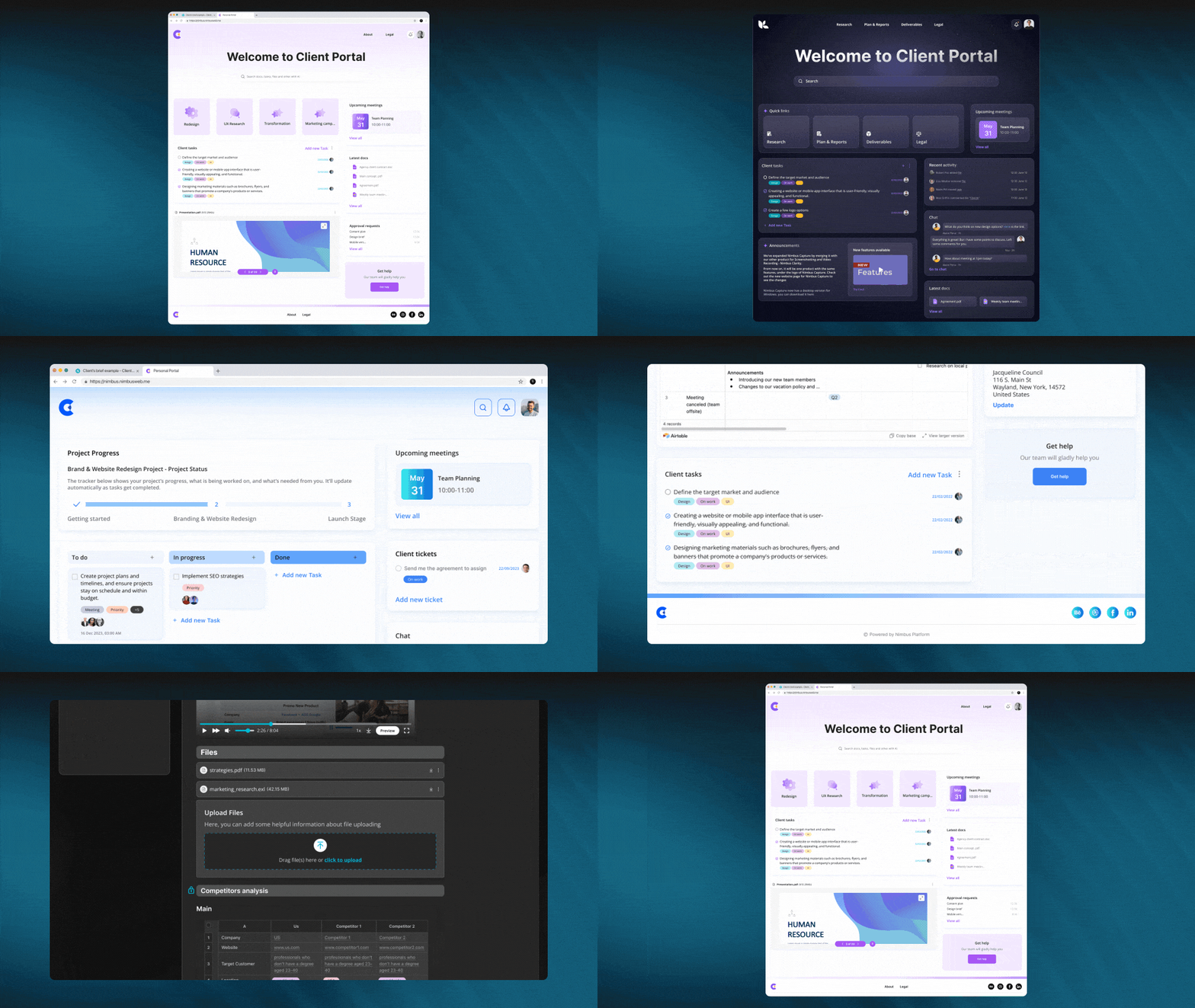
FuseBase (formerly Nimbus) boasts impressive features, such as seamless integration with external sources and robust task management, client portals, billable and non-billable hours and AI-powered features to save valuable time while increasing productivity.
Best features:
Client Portals. If you are planning an event for a client and they need to see how the planning process is progressing, then client portals are the perfect solution. These portals help you create various brochures, track completed tasks and monitor those still in progress. With client portal, you can distribute documents, contracts and keep track of pricing reports in different tabs. Portals greatly simplify the event planning process and enhance communication with clients like knowledge base.
Tasks. Tasks allows you to assign responsibilities, provide detailed descriptions, add comments and attach necessary files as well as set deadlines for completed tasks. The built-in progress bars enable effortless task monitoring while using labels to prioritize tasks effectively. For instance, you could assign someone the task of creating guest lists directly on event pages and report on it seamlessly. This feature helps streamline collaboration and simplify tracking responsibilities across your team.
Billable and non-billable hours. Use this feature in various situations – for instance, when hiring contractors for events and closely tracking both billable and non-billable hours worked by them. This feature allows you to track and manage your budget efficiently, guaranteeing payment for hours worked, making it an indispensable asset in event planning endeavors.
FuseBase AI. Event planning often necessitates creating engaging event invitations and promotional materials. FuseBase AI assistant excels at automating tedious yet time-consuming tasks by producing new material while refining existing ones, guaranteeing your invitations are engaging and well-crafted.
Who uses FuseBase (formerly Nimbus)?
From solo event organizers to full-service agencies, event planning services rely on FuseBase (formerly Nimbus) for client collaboration, project management andefficient workflows with client-centered solutions for greater efficiency.
Pricing:
Free plan is available
Paid plans start from $9/user/month
Asana
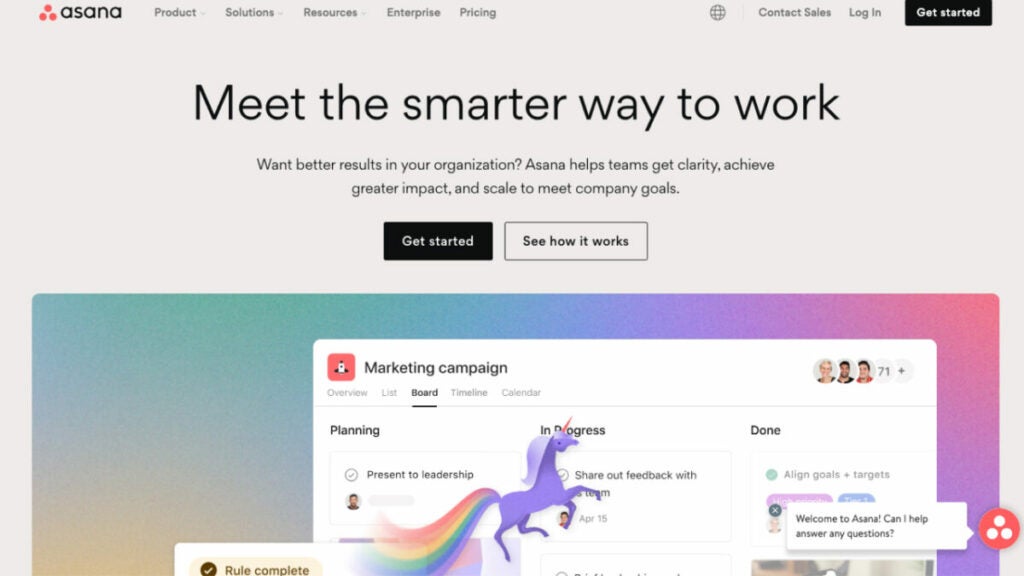
Asana is a project management platform that facilitates the coordination of any collaborative effort, from routine activities to large-scale endeavors. Asana has quickly become one of the go-to tools in event planning due to its user-friendly interface and robust project management features. Offering task management, team collaboration and project tracking functions that facilitate event planner workflows while assigning tasks, setting deadlines and monitoring progress more effectively, Asana is a valuable tool in planning successful events.
Who uses Asana?
Event planners of all scales rely on Asana to streamline their event planning processes, from independent freelancers to event management firms.
Best features:
Project views. Use a list, calendar, timetable, Gantt chart or Kanban board to arrange your tasks.
Boards. Use post-it notes to organize your work and keep tabs on your projects as they progress. You may improve the openness of your operations by using boards.
Time tracking. Track how much time you spend working so you can allocate your resources effectively.
Portfolios. Your hub for managing cross-team collaboration and keeping tabs on interconnected projects.
Pricing:
Basic – $0/ user/month
Premium – $10.99/user/month, billed annually
Business – $24.99/user/month, billed annually
CRM software
EventHub
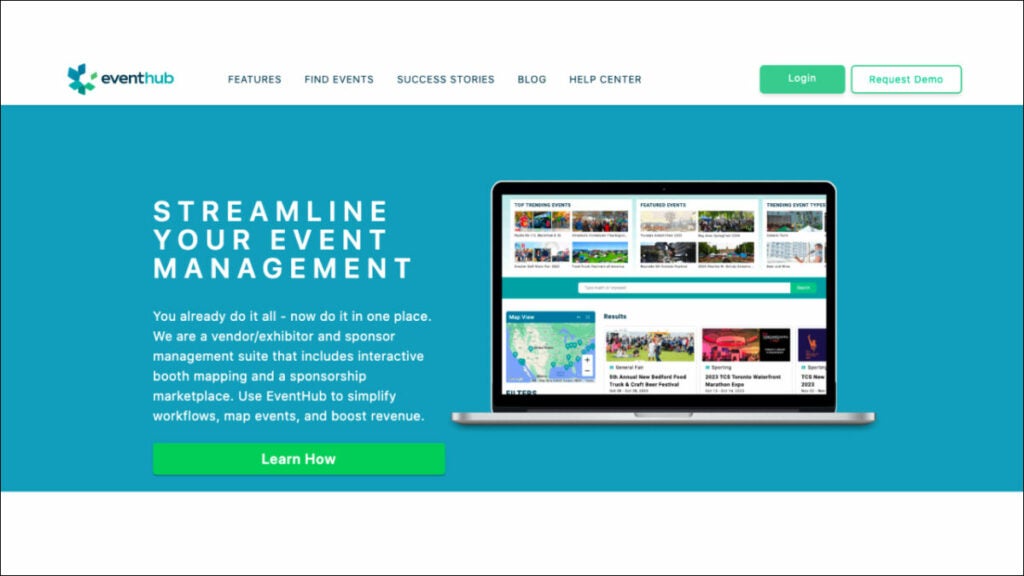
EventHub is a specialized platform made for the sole purpose of simplifying the organization of live events. Whether it’s paperwork, applications, files, payments, logistics or anything else, this cloud-based client management software tool can handle it. You may organize sponsors and games, make new event categories and more. By automating your customer relationship management (CRM), the EventHub platform frees up your time to focus on the event itself while still satisfying your customers. In addition, it can be adjusted to fit your specific requirements.
Who Uses EventHub?
EventHub is an event management platform used by numerous users across the event industry: event organizers, planners, marketing teams, venues, exhibitors and attendees alike.
Best features:
Attendee Profiles. EventHub CRM empowers event organizers to build detailed profiles for event attendees, including information like contact info, preferences, past event participation history and interactions between both attendees and event organizers. These profiles are invaluable for enhancing online event management.
Lead Management. Event organizers utilize CRM features to capture and manage leads effectively. This may involve following potential attendees or sponsors through tracking interactions with the event, nurturing leads to convert into participants or partners, scoring leads accurately or segmenting leads for targeted attention.
Communication and Email Marketing. EventHub’s CRM often includes email marketing and communication features, enabling event organizers to send targeted emails, newsletters, event updates or event alerts directly to specific attendees or partners lists. Automated workflows streamline communication during every phase of an event’s lifespan ensuring engagement throughout.
Interaction History. EventHub CRM systems maintain an in-depth record of interactions between event organizers and attendees or partners—email correspondence, telephone conversations, event registrations or participation at previous events—to facilitate event organization. Keeping such records can enable organizers to understand attendee preferences more fully so they can tailor offerings appropriately.
Pricing:
Contact EventHub to get info about pricing.
Eventmobi
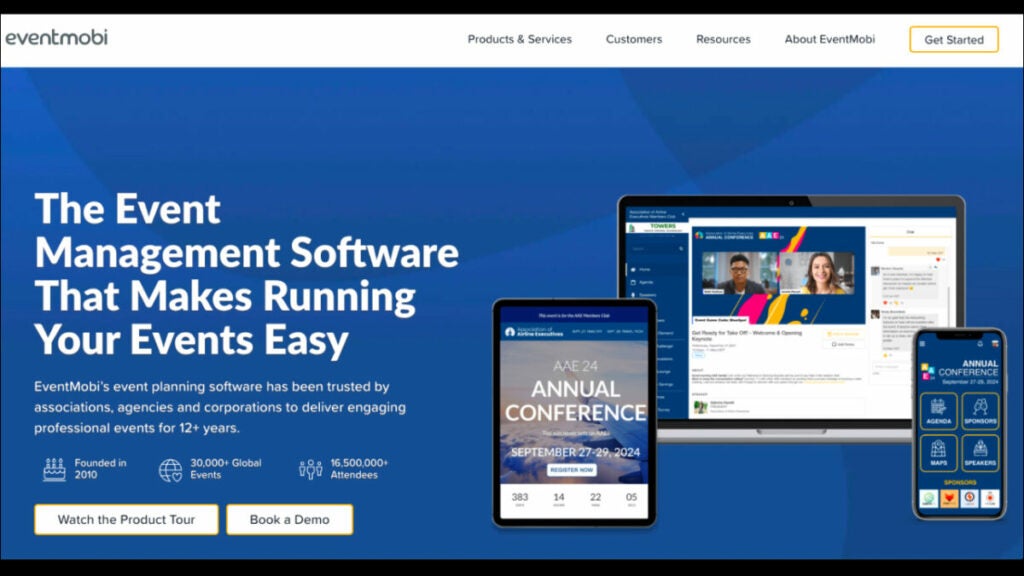
Eventmobi is an all-inclusive event management software that provides virtual, hybrid and in-person event assistance and management services to event planners and organizers. The platform has customizable tools for managing client databases and adaptable features. Easy client and event management, audience segmentation and more.
Eventmobi provides a digital venue, event networking, registration tools and branded mobile applications to let you connect with customers before, during and after your events. Tools for scheduling meetings, conducting surveys and providing comments are also provided.
Eventmobi is committed to providing superior event and client management and it does it by providing extensive analytics and insights that can be used for optimization and more.
Who Uses Eventmobi?
EventMobi is widely utilized by event planners, corporate event management teams, associations, nonprofits and educational institutions as a powerful management and enhancement solution for various events and engagements.
Best Features:
Attendee Segmentation. EventMobi allows event organizers to utilize attendee segmentation by interests, job roles or event registration details. By customizing event content to specific attendee groups while creating networking opportunities and communicating more efficiently between events, EventMobi helps maximize the overall event experience for every attendee!
Personalized Event Content. By analyzing attendee interactions and preferences, EventMobi provides personalized session suggestions, exhibitors and networking opportunities explicitly tailored toward attendees’ interests and goals.
Lead Retrieval and Scanning. EventMobi offers exhibitors and sponsors lead retrieval and scanning features explicitly designed to enhance exhibitor-attendee interactions and ROI. Exhibitors can capture attendee information through the EventMobi app for follow-up and nurturing post-event, increasing ROI for exhibitors and sponsors alike.
Feedback and Surveys. EventMobi’s CRM features tools for collecting feedback and conducting post-event surveys, which enable organizers to collect attendee feedback on sessions, speakers, exhibitors and overall event and customer satisfaction from attendees.
Pricing:
Eventmobi’s single event pricing starts from $3,500 per event. Contact Eventmobi to get more info about pricing.
Meeting planner software
Cvent
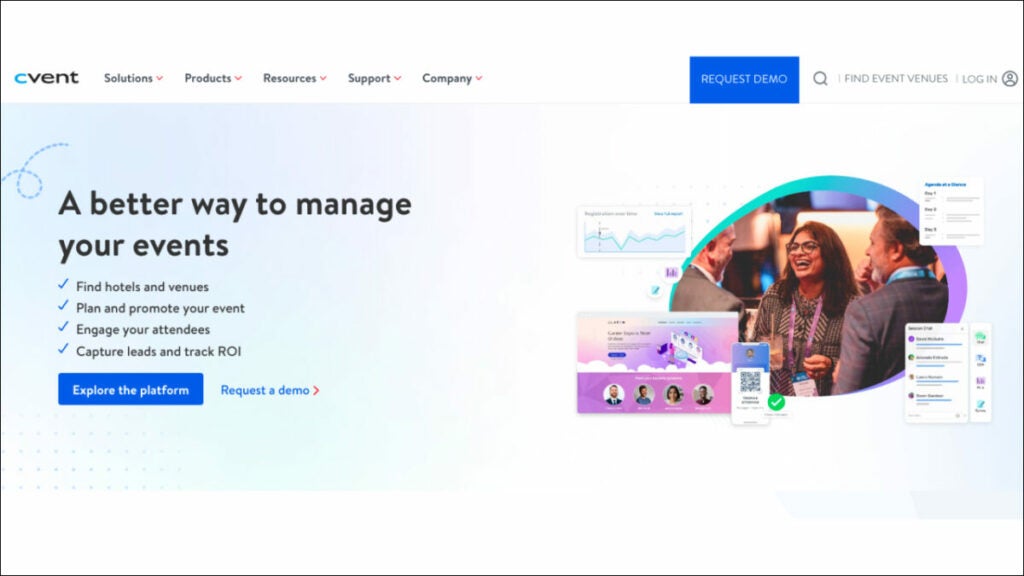
Cvent is an extensive event management system and meeting planning software with features for online registration, event marketing, venue selection, attendee engagement, reporting and much more. Cvent’s flexibility and scalability allow it to cater for events of all sizes from meetings to large conferences; additionally, it features an event-related services marketplace and integrations with other event technology platforms.
Who uses Cvent?
Event Planners, corporations, organizations and professionals across multiple industries trust Cvent as their platform of choice to manage meetings, conferences and other special events.
Best features:
Comprehensive Event Management: Cvent offers comprehensive event management capabilities for meeting room planners. Their services cover everything from initial event planning and registration through on-site check-in and post-event reporting, making their process seamless from beginning to end.
Venue Sourcing and Selection. An efficient solution for quickly searching and comparing venues based on specific criteria such as location, capacity and amenities – simplifying an otherwise cumbersome event venue search process.
Mobile Event Apps. Cvent offers customized mobile event apps to enhance attendee engagement at meetings and conferences, offering attendees access to event agendas, session details, interactive maps and networking features that enable them to stay informed during an event.
Integrated Attendee Engagement. Cvent helps meeting planners engage attendees before, during and after events using email marketing, surveys, attendee feedback tools and attendee experience measurement tools to optimize attendee experiences.
Pricing:
Contact Cvent to get info about pricing.
Whova
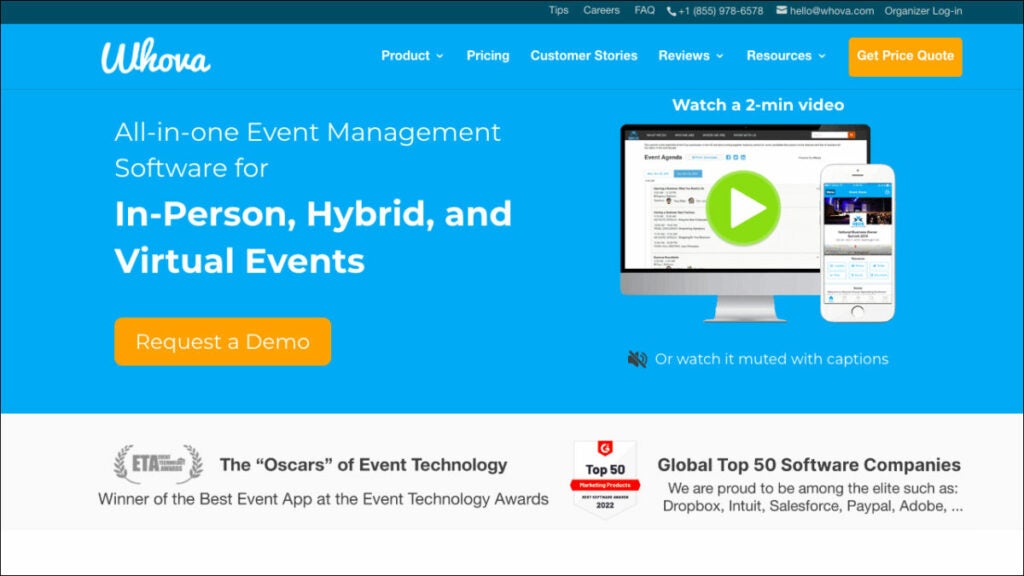
Whova is one of the best event management tools designed to streamline and facilitate any scale meetings, conferences and events. It offers features like event registration, agenda management, speaker management, attendee engagement, tools like live polling/Q&A and mobile event apps designed specifically for participants.
Whova stands out with its robust networking and community-building features, helping attendees meet one another during events and form meaningful interactions. Furthermore, Whova provides event analytics to meet planners so they can assess the success of events as well as make data-driven decisions regarding future planning efforts.
Who uses Whova?
Whova is an all-in-one event management tool used by organizations and professionals from diverse fields – event planners, corporations, universities, associations and conference organizers alike.
Best features:
Event Networking. Through tools such as private social communities, attendee profiles and an intelligent matchmaking algorithm, Whova helps event attendees connect with one another quickly while setting meetings up or engaging in meaningful interactions before, during or after events.
Live Polling and Q&A. Whova provides interactive features for event sessions, including real-time polling and Q&A sessions, to increase audience engagement while making sessions more dynamic. Attendees can participate in real-time polls while also sending questions directly to speakers or panelists in real time, improving engagement levels significantly and making each event session genuinely dynamic!
Mobile Event App. A custom event app empowers organizers with tools for providing attendees with event details on mobile devices, such as event information, agendas, different maps and interactive features.
Data Analytics and Insights. Track attendee engagement levels, session popularity rates and other event metrics so organizers can assess event success as they make data-driven decisions for future planning.
Pricing:
Contact Whova for a price quote request.
3D drawing software for event planners
SketchUp
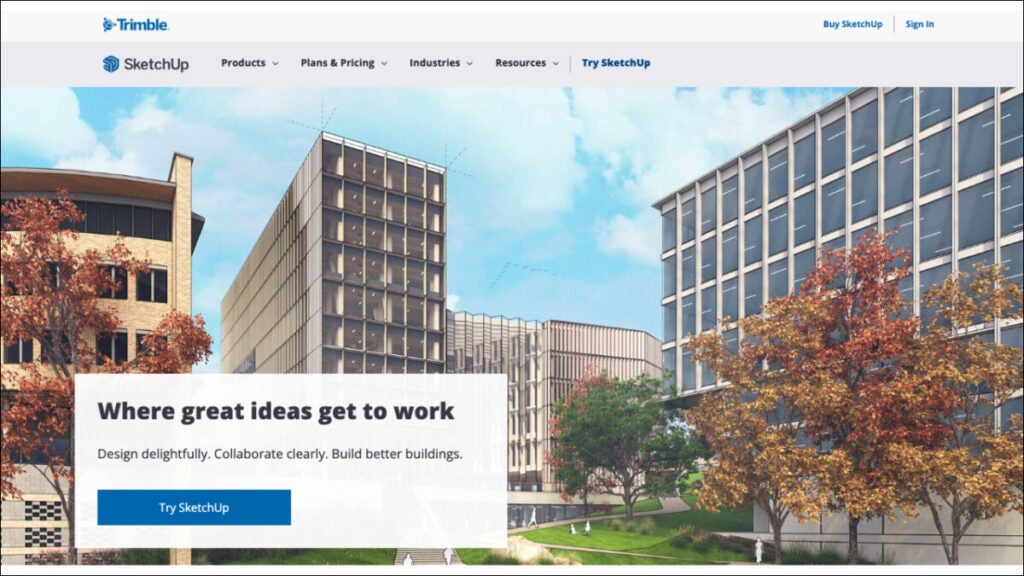
SketchUp users use the world’s most widely used 3D modeling and design software to model everything from treehouses to complex, energy-efficient structures. SketchUp is an easy-to-use and potent 3D modeling program developed by Trimble Inc., an innovative corporation committed to transforming the world through the innovative use of technology.
SketchUp’s intuitive 3D modeling software is used extensively by event planners and designers, featuring tools for building 3D models of event spaces as well as visualizing event layouts, stage setups and booth designs. Event planners frequently rely on SketchUp due to its user-friendly design and active community sharing tips and resources with each other.
Who uses SketchUp?
Event planners and event designers typically utilize SketchUp, an all-in-one 3D drawing application for event planning.
Best features:
User-Friendly 3D Modeling. SketchUp’s intuitive user interface makes it an accessible option for event planners without extensive 3D modeling experience, enabling them to easily create 3D models of event spaces, layouts and setups quickly and without much fuss.
3D Warehouse. SketchUp’s 3D Warehouse provides event planners with access to an abundance of pre-made 3D models for furniture, decor items and architectural components that they can quickly import into their event designs for improved efficiency and time-saving purposes. Event designers can use these models quickly for enhanced event designs thereby saving both time and effort during the design phase.
Realistic Rendering. SketchUp offers realistic rendering capabilities, which enable event planners to create lifelike visualizations of event spaces for clients and stakeholders to gain better insight into event designs and aesthetics.
Integration with Layout. An interactive presentation tool to easily generate professional documents & presentations from 3D models, providing event planners with means for effectively conveying event concepts in terms of floor plans, design boards and presentations.
Pricing:
Go – $119/year
Pro – $349/year
Studio – $749/year
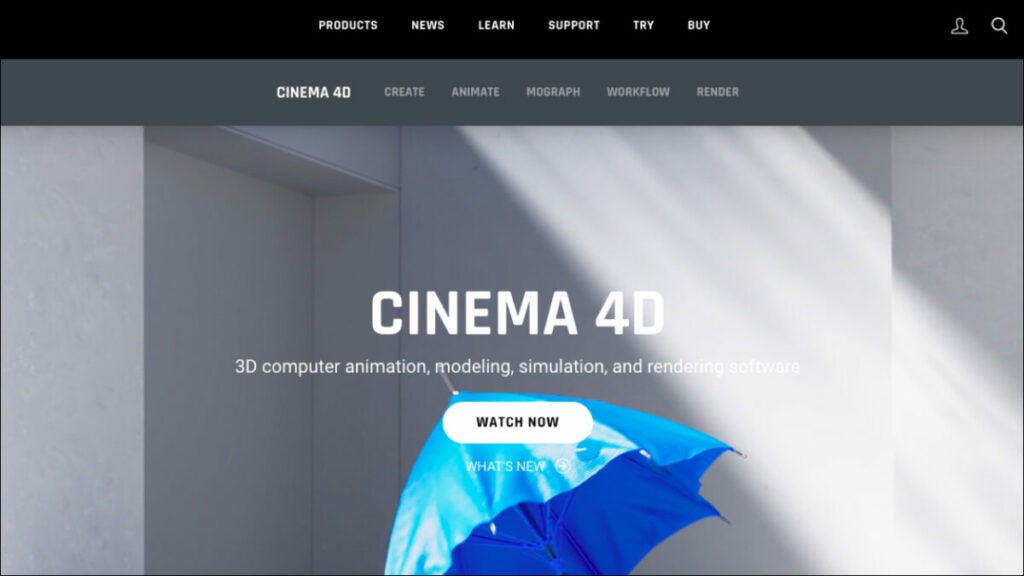
Cinema 4D
With Cinema 4D, anyone can bring their intricate 3D graphical models to life. Cinema 4D is an advanced 3D modeling and animation software offering powerful tools for creating realistic three-dimensional environments. While its learning curve may be steeper compared to SketchUp, Cinema 4D allows more flexibility and creativity—ideal for event planners needing highly detailed 3D visuals or animations for presentations or promotional materials.
Who uses Cinema 4D?
Cinema 4D is a program for making 3D graphics on Mac and PC computers. Anyone can do a lot with animations and textures with this 3D graphics application.
Best features:
Advanced 3D Modeling. Cinema 4D provides users with advanced modeling tools and techniques, including parametric modeling, polygonal modeling and spline-based modeling, giving users access to precise 3D objects, characters and environments they can craft quickly with precision and flexibility.
Dynamic Simulations. It enables users to simulate lifelike cloth, hair and rigid body dynamics for creating realistic animations and visual effects. This tool makes creating stunning, lifelike animations an absolute breeze!
MoGraph Motion Graphics. Cinema 4D’s MoGraph is an unparalleled motion graphics toolkit that enables users to produce complex motion graphics, animations and procedural effects with ease. MoGraph tools have proven themselves popular throughout film, broadcast media and advertising industries alike.
Pricing:
Cinema 4D offers multiple pricing plans from FORGER ($1.24/month) to MAXON ONE + ADOBE SUBSTANCE 3D ($1,399/year)
Bonus: Software powerpack for event planners
FuseBase (formerly Nimbus)
FuseBase (formerly Nimbus) is an outstanding client-management tool that embraces the best project management software features for event planners. FuseBase (formerly Nimbus) is the preferred project management platform among event organizers due to its focus on collaboration and client interaction management—something few other project management solutions provide. Essentially a client collaboration software at heart, FuseBase (formerly Nimbus) redefines client interactions and team synchronization among event organizers. Notably, this software integrates top-tier project management capabilities. This comprehensive solution addresses common collaboration challenges by centralizing updates, approvals and communication within branded client portals for enhanced client experiences. FuseBase (formerly Nimbus) boasts several critical features for event planners of both individuals and agencies to execute event planning successfully: robust task management, client portals, billable and non-billable hours, an AI assistant and AI customer support software known as FuseBase AI Assistant and much more. Event organizers rely on FuseBase (formerly Nimbus) for seamless client collaboration and project management during successful event planning efforts.
Event Hub
Event Hub is a dedicated and simple event management platform built to streamline live event administration. As an intuitive CRM system, Event Hub streamlines paperwork, applications, payments, logistics and vendor management so event planners can focus on running successful events while this cloud-based CRM takes care of administrative duties for them. Scalable and customizable to suit event professional’s individual requirements, Event Hub serves as an indispensable asset in today’s dynamic event industry.
Whova
Whova is an all-in-one event management platform designed for successful meetings, conferences and events. With features like registration, agenda management, virtual event management, attendee engagement tools and mobile access, Whova makes event planning straightforward while its renowned networking capabilities enable attendees to form lasting bonds. Real-time polling/Q&A services, along with detailed analytics make Whova attractive for both event planners as well as corporations/universities looking for efficient yet interactive event management platforms.
Wrapping up
Selecting the ideal software for event planners is critical to success in today’s dynamic and competitive event management market. We’ve explored an assortment of powerful tools tailored specifically for event planners’ unique needs; each option offers versatile features designed to address modern event challenges. In the end, the right choice depends on you and your individual preferences, so explore these solutions until you discover one that meets them all perfectly!
GTA Online’s Short Trips has risen to fame for featuring beloved characters Lamar Davis and Franklin Clinton, with the latest update promising players doubled earnings in cash and RP until November 8, 2023. Yet, not all fans are fully versed in these 2023 missions.
That being said, this article shares everything about GTA Online Short Trips and how one can start doing them after the latest update.
Originating from The Contract update in 2021, GTA Online Short Trips consists of three unique missions. Rockstar Games paints the backstory with characteristic flair:
“It’s been quite some time since Franklin Clinton and his notorious accomplices knocked over the biggest targets in Southern San Andreas. Since then, Franklin’s put down roots in Los Santos — getting married, starting a family, and even wearing a suit to work. Meanwhile, Lamar just got high. But now it’s LD’s time to come up, and he’s laying the groundwork for a legit, above-board business of his own if he can just pull it together…”
Initially, Franklin extends an invite from Dr.Dre to tour Record A Studios, where players are greeted and given a brief tour by DJ Pooh, marking the beginning of the Short Trips adventures.
These missions, featuring both Franklin and Lamar, necessitate the partnership of two players for commencement. Initially gated behind the purchase of an Agency and completion of The Contract: Dr. Dre, as of the Valentine’s Day event in 2022, these missions have been made accessible to all, with no previous requirements needed.
How to play Short Trips in GTA Online?
To dive into the Short Trips missions following the recent GTA Online update, players should follow these detailed steps:
Access the Pause Menu. This is your gateway to all of GTA Online’s content. Simply hit pause to begin.
Navigate to the online tab. Within the pause menu, you’ll find the ‘Online’ tab which is your next stop on the road to starting Short Trips.
Locate jobs: Here, you will find a wide array of activities, but your focus will be on the ‘Jobs’ section.
Opt forPlay Jobs. This option will let you delve into a variety of missions – both Rockstar-created and community-generated.
Select missions. Narrow down your choices to ‘Missions’ to get closer to the Short Trips.
Find and select Short Trips. Scroll through the mission list until you find the ‘Short Trips’ series. They should be listed and ready for you to embark upon.
Rockstar Games has crafted a trio of distinct Short Trips missions, each offering a unique slice of adventure:
Each mission is packed with thrilling scenarios that are not just entertaining but also highly rewarding, particularly now with the opportunity to rake in double cash and RP during the current promotional event.
Explore the Top 8 Sales Software in 2023: Overview, Use Cases, Features, and Pricing
Staying ahead in modern sales is vitally important. From experienced inside sales representatives within companies to independent consultants and outside sales specialists, having access to the right tools makes all the difference. This is why we’ve embarked on our search for software for consultants explicitly tailored to each of your unique requirements.
We have carefully selected four categories of software: CRM, Commission tracking, Accounting and Route planning.
Why did we select these categories? Our decision was determined by a comprehensive examination of the essential requirements sales reps must fulfill. We took great care in investigating each aspect of your challenges. These categories serve as the cornerstones for success in sales.
Join us as we delve deeper into these invaluable tools for sales reps.
CRM software
FuseBase (formerly Nimbus)
FuseBase (formerly Nimbus) goes beyond traditional CRM; it provides dynamic client collaboration software explicitly tailored for client-oriented businesses. FuseBase’s (formerly Nimbus) seamless incorporation of key CRM features within an effective collaborative hub environment sets it apart.
The platform gives sales reps the power to manage deals more efficiently, track sales analytics, and have safe and secure access to important information. Furthermore, users can create databases with lead information, while the FuseBase AI feature facilitates lead data analysis and the generation of personalized email chains based on this analysis. Client portals enable sales teams to keep records of meetings held with clients as well as track fulfillment of commitments, creating more transparent customer interactions while making sales teams’ tasks simpler and more effective.
FuseBase (formerly Nimbus) streamlines teamwork and client collaboration by making all content accessible to everyone, regardless of whether or not they have a FuseBase (formerly Nimbus) account.
Essentially, FuseBase (formerly Nimbus) is more than a CRM; it serves as your partner in elevating client collaboration while streamlining CRM functionalities.
Who uses FuseBase (formerly Nimbus)?
NiFuseBase (formerly Nimbus) has quickly become the go-to solution for consulting firms, independent consultants, sales development reps, and client-oriented businesses looking for a client collaboration platform with integrated CRM platform features.
Best features:
Client Portals. FuseBase (formerly Nimbus) Client Portal offers consultants an effective tool for creating professional yet branded client hubs to consolidate project details while streamlining updates, approvals, and communication between internal work hub pages and client access points. You can even integrate external tools like Google Docs, Calendly, or Figma for enhanced collaboration and project management.
Knowledge Bases. FuseBase (formerly Nimbus) Knowledge Bases is a reliable tool for consultants to store and manage critical data. By establishing a single authoritative source, you can rest assured that your organization’s most valuable assets—its expertise and experience—will be safeguarded while still being easily accessible to current and future team members. This can be accomplished by creating searchable wikis and documentation and using tags and nested folders. Say goodbye to worrying about losing internal expertise when team members change.
Streamlined Task Management. Simply attach tasks with details like descriptions, comments, files, and due dates to provide clarity and accountability. Progress bars allow easy monitoring, while task labels help prioritize workload efficiently. Additionally, you and your clients can view billing and non-billing hour reports at any time, allowing you to track and categorize any time spent, regardless of whether it was billable. This feature facilitates task execution for greater productivity from consultants while remaining organized and staying on target to deliver exceptional results!
FuseBase AI. FuseBase AI uses advanced AI capabilities and AI Customer Support Software to simplify lead data analysis and craft personalized email chains, increasing sales reps’ efficiency. With AI, teams can save a lot of time while still getting a lot done because the technology can speed up manual procedures, reveal insights humans overlook, and adapt material to new situations.
Data Collection. FuseBase (formerly Nimbus) makes data collection for sales reps easier with customized forms, approval processes, and video/audio recordings that improve communication. Collaborate efficiently using comments/chats/briefs and custom notifications, and manage tasks efficiently through the ticketing system; make each interaction count with FuseBase (formerly Nimbus) and elevate your sales process.
Pricing:
A free plan is available
There are multiple pricing plans to suit every need and budget, starting with just $9 a month.
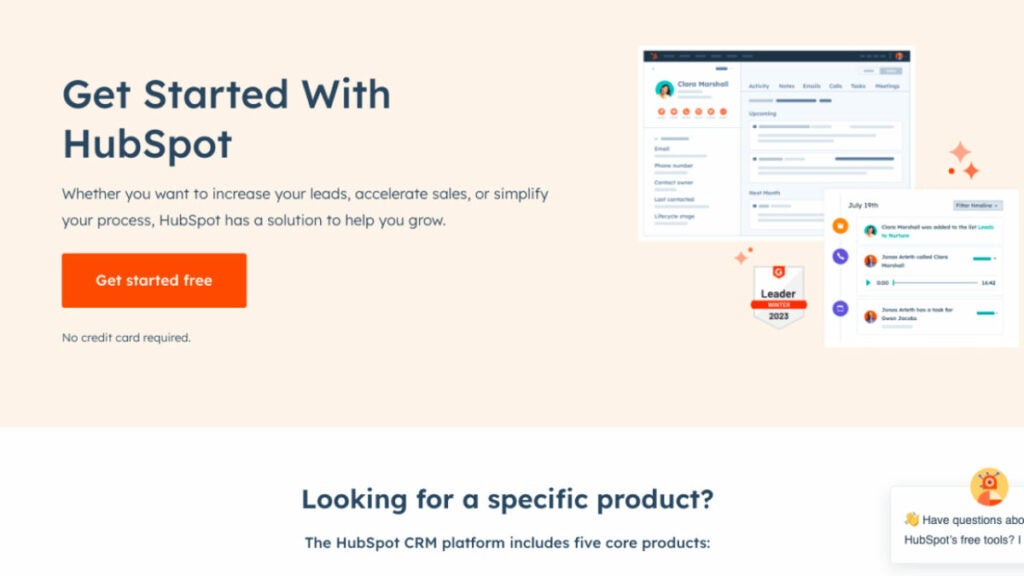
HubSpot CRM
HubSpot provides flexible pricing and packaging based on your team size, from a small group of five to a large, skilled sales force of 500. HubSpot’s customer relationship management (CRM) platform was developed with efficiency in mind. All of your contacts will be stored in one easily editable location. No more searching through emails to get information. It’s all there in one convenient place.
The HubSpot CRM software for sales reps is the backbone of Sales Hub, providing a unified view of customers, sales teams, and the technologies they use. Users can maximize their productivity with the CRM platform’s access to more information, qualified leads, and unified training resources. You can use their extensive network of app and solution partners to create a unique and memorable journey for your customers from start to finish.
Who uses HubSpot CRM?
With HubSpot’s CRM, your team can expand as you do. Today, over 100,000 companies in more than 120 countries use HubSpot’s award-winning software to attract, engage, and delight customers.
Best features:
Prospect Smarter. Use HubSpot’s sales engagement solutions to easily convert leads with meaningful, contextual discussions. No more trying to second-guess what to do. To concentrate on creating a quality, high-converting pipeline and monitor your team’s performance with essential sales KPIs, it is essential to maintain your prospecting representatives well-organized, efficient, and productive throughout the day.
Accelerate Revenue Growth. With the help of HubSpot’s AI-enhanced deal management solutions, you can quickly and easily convert leads into paying customers, closing more deals in less time.
Scale Insightfully. HubSpot’s integrated reporting and analytics tools enable you to efficiently anticipate revenue and gain visibility and predictability in your pipeline, allowing you to set and accomplish realistic revenue objectives.
Document Tracking. Construct a repository of shareable sales information and keep tabs on which products actually result in closed deals.
Pricing:
Free plan and free trial available
Starter – $45/month
Professional – $450/month
Enterprise – $1200/month
Commission tracking software
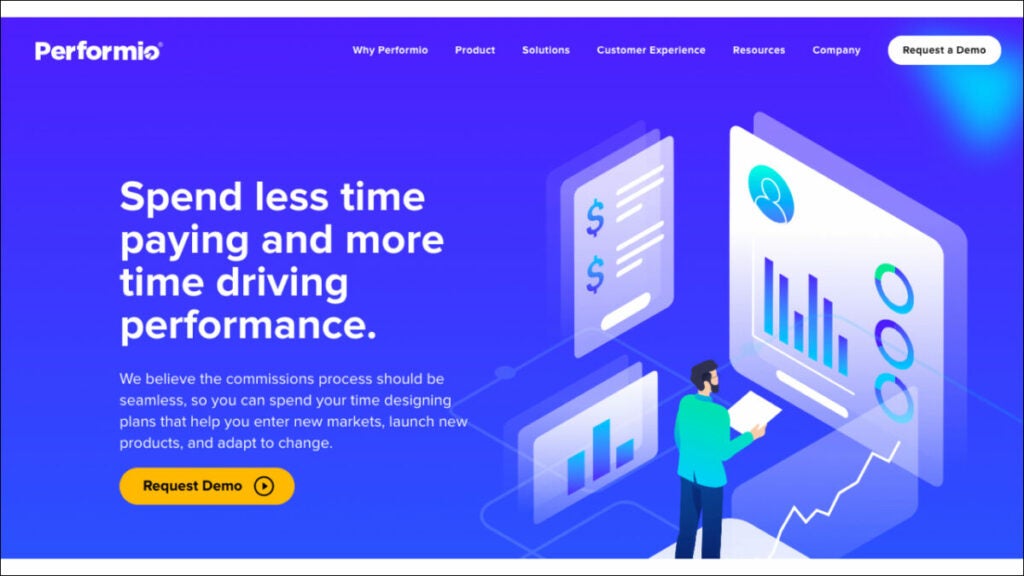
Performio
The commission-based compensation mechanisms provided by Performio are indispensable. It provides flexibility in designing sales commission structures and incentive programs. Moreover, Performio commission tracking software offers a commission table that details all payments made and to whom they were sent. This tool can forecast values, results and achievement percentages related to commission compensation. Performio excelled in support and value and performed admirably in all other categories. However, this platform has a lengthy setup process and few available integrations with other services.
Who uses Performio?
Businesses that have elaborate sales commission structures and procedures use Performio. Performio was developed to provide in-depth insights that fuel robust sales performance for expanding businesses.
Best features:
Easily calculate sales commissions. Leave your spreadsheets behind. Take the guesswork out of sales commissions. Put an end to the hassle and expense of resolving payment mistakes.
Easily share sales commission information. With Performio, your sales representatives can access their own dashboard to see in real-time how much they’re being paid and why.
All your sales comp data in one place. Gain actionable insights into the efficiency of your incentive plan and the productivity of your sales staff thanks to robust reporting tools. Provide firm management with details regarding sales compensation.
Forecasting. Customers can use the What If calculator’s simulation and forecast capabilities to precisely predict commission charges and manage accruals.
Pricing:
Contact Performio to get info about pricing.
QCommission
QCommission can evaluate sales data and calculate commissions based on the performance of sales reps because it connects with numerous customer relationship management and accounting software. This tracking app has 150 reports, including yearly incentive summaries, compensation adjustments and payee incentive commission reports. It also has sophisticated commission calculating options, including splitting commissions or compensating at a variable rate. Additionally, it is the sole platform that explicitly targets compliance with ASC 606 and Sarbanes-Oxley. These features make it the best software for sales reps for commission-based staff compensation.
Who uses QCommission?
Companies that still use Excel to figure out their sales compensation plans and people who are tired of spreadsheet mistakes and how long it takes to change commission reports.
Best Features:
Tracking commissions. Users can customize their commission payout frequency (monthly, quarterly, semiannually, or annually) using the system’s commission processing calendar. The users can set up payees, items, customers, programs, incentives, and sales quotas in the system.
Contract storage. It’s the only commission-tracking software that provides a wide range of commission agreement samples across multiple sectors.
Reports. It has the most reports available (over 150). These include commission payouts, target attainment, salary changes, incentive commissions, commission due statements, and unpaid commissions.
Integrations. More than Performio, NextAgency, or Blitz, it connects with forty of the most widely used third-party programs, including Salesforce, Microsoft Dynamics, SugarCRM, SuiteCRM, QuickBooks, Xero, and PayPal.
Pricing:
Contact to get info about pricing.
Accounting software
FreshBooks
Because of its comprehensive project management and time tracking tools, FreshBooks was a top pick for accounting software for freelancers, offering them the ability to effectively manage their finances and track their earnings, including average commissions. It can assist you in figuring out if you’re over or under budget by comparing projected and actual project costs.
In addition, it enables you to set recurring invoices and accept online payments, both of which are advantageous to your cash flow. FreshBooks automatically calculates late fees and prints a list of invoices that must be paid. In addition to its user-friendliness, FreshBooks’ clean layout and straightforward design make it a breeze to use.
Who uses FreshBooks?
FreshBooks is a cloud-based accounting system made especially for self-employed people. Field sales reps can do the work that brings in the money and less of the paperwork.
Best features:
Invoicing. You may add a logo, write a unique note, set up recurring invoices, and all-powerful customization options in FreshBooks. Estimates can be transformed into projects, and the differences can be analyzed.
Time tracking. Automatic time tracking ensures you don’t miss any billable time and is a feature in FreshBooks. The smartphone app’s time-tracking features are beneficial for those who frequently work from home.
Mobile app. Invoices, expenses, online payments, client communication, and mileage tracking are some features of the FreshBooks mobile app.
Expense tracking. With FreshBooks, you can simply snap a photo of your receipt, upload it, and assign it to the appropriate category. You can also link your bank account so that transactions are imported automatically.
Pricing:
Lite – $17/month
Plus – $30/month
Premium – $55/month
Select – Custom pricing for unlimited billable clients and specialized features
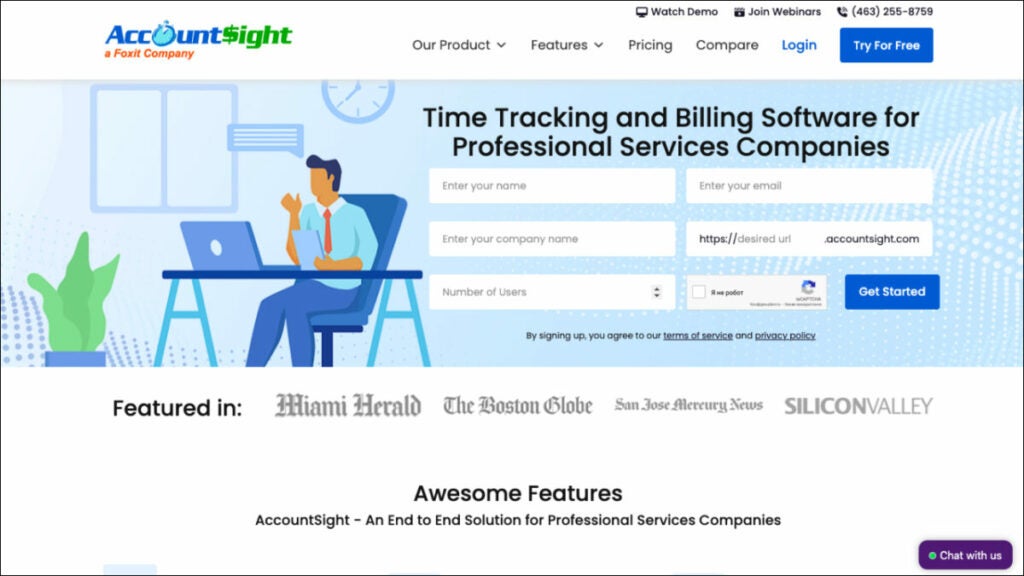
AccountSight
Due to its extensive time tracking and billing features, AccountSight is one of the finest accounting software for outside sales reps. It’s so good that it’s worth being included in a list of the top programs. It also provides many tools that may be used to improve the efficiency of a company’s time and money tracking. You may connect it to QuickBooks Online to gain access to additional accounting tools like bill tracking and individualized invoicing.
Who uses FreshBooks?
Businesses that focus on projects and require time tracking, reporting, analytics tools and consultants need robust accounting and client management resources.
Best Features:
Controlling time sheets. When you upgrade to a subscription plan in AccountSight, your employees can upload timesheets individually and in bulk via Excel. In contrast, the free plan only allows you to produce a timesheet for yourself.
Invoicing. Manual invoices, invoices based on billable hours and expenses, and invoices based on recurring costs are the three types of invoices that can be generated in AccountSight. You can bill at standard rates or make reductions and pricing modifications on the fly, and you can even get notified when payments are overdue.
Reporting. AccountSight’s in-depth reports give you a bird’s-eye view of project performance in real-time, letting you make more precise predictions. All weekly timesheet data is available for inspection and analysis and a comparison of billed and unbilled project expenses.
Keeping tabs on costs. Before filling out online expense sheets, users can keep tabs on and manage all project expenses and assign expense forms with charge rates or per-unit costs.
Pricing:
Free – $0 for one user, five clients, and five projects
Basic – $10/user/month; comes with a 2- to 5-user pack
Small Group – $9/user/month; comes with a 6- to 20-user pack
Enterprise – $8/user/month; comes with a 21- to 100-user pack
Route planning software
Route4Me
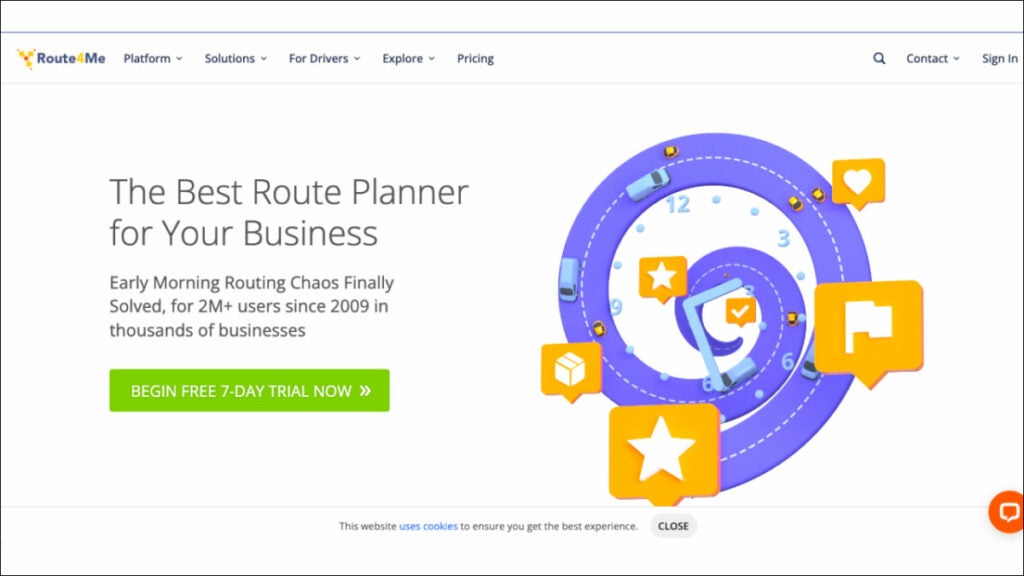
The routing problem has been resolved. Route4Me is a highly user-friendly route planning software that automatically generates routes for your business and sends them to a mobile app with in-built navigation. This is the ideal solution for any organization that needs to optimize its last mile of service, including field service, field sales, field marketing, territory management and more. More than 40,000 businesses and organizations worldwide rely on Route4Me’s route sequencing and optimization software.
Who uses Route4Me?
The Route4Me Web Platform was built to be a flexible, all-purpose platform that can serve as the backbone for various industries, including sales that rely on routing and logistics services and teams.
Best features:
Don’t waste money and time. This tried and true route planning and scheduling software will save you time and help you get more done across the board. Simply enter your desired stops and limits, and you’ll be presented with optimized routes on highly interactive maps.
Maintain Total Control. The Route4Me Operations Matrix provides you with complete, real-time transparency. Scheduled versus real times for each route are presented graphically in an easy-to-read table with arrivals and departures color-coded according to how early, late, or on time they were.
Optimize Order Fulfillment. Add orders manually or automatically sync them. Orders may be quickly sorted, loaded, sent and delivered using the Route4me mobile app.
Maximize Fleet Utilization. Routes can be planned according to the number of parts, the shipment weight or the amount of money the route is expected to generate.
Pricing:
Route Management – $199/month
Route Optimization – $249/month
Route Optimization Plus – $349/month
Badger Maps
Badger Maps is a mapping software that helps outside and field salespeople work more effectively. With Badger, sales reps can better manage their area from their mobile devices or laptops by integrating Google Maps, CRM data, route optimization, schedule planning and lead creation. Additionally, Badger may upload field data to your CRM. The platform provides reporting and insights to help sales managers better manage their teams in the field.
Who uses Badger Maps?
Badger Maps is a perfect software for sales industry professionals.
Best features:
Lasso. Make new paths in record time by tracing a circle around a set of coordinates on a map using your mouse or finger. You can rapidly and regionally reassign accounts for your team.
Optimizing Travel Time. With the push of a single button, you can quickly and easily reach any destination on your list.
Transport Mode. See and control your entire day’s plan with ease. Nothing but the essentials for getting the job done uninterrupted.
Check-ins. Make personalized check-ins with attached images to get the correct information from your field reps. Weekly reports are emailed out automatically and you can also make reports manually if you’d like.
Pricing:
Business – $49/user/month, billed annually
Enterprise – $95/user/month, billed annually
Bonus: Software powerpack for sales reps
FuseBase (formerly Nimbus)
FuseBase (formerly Nimbus) is a client collaboration tool that goes far beyond mere CRM; it provides dynamic client collaboration software tailored to client-oriented businesses. Integrating essential CRM features into an effective teamwork hub, it serves as an all-in-one solution for sales reps.
The platform allows for effortless collaboration among teams and clients by sharing various forms of content, available even for those without FuseBase (formerly Nimbus) accounts! FuseBase (formerly Nimbus) has quickly become the go-to choice of consulting firms, independent consultants and client-oriented businesses alike, providing them with client portals for efficient project communication, a central knowledge base to preserve key insights, effective time management capabilities and task management – helping consultants bridge the gap between ideas and execution. FuseBase (formerly Nimbus) serves as an indispensable tool in client collaboration while streamlining CRM features.
Performio
Performio excels as a commission management solution, giving users all the essential tools to easily customize and calculate sales compensation plans with Performio’s intuitive tools for quick calculation and customization. It provides a detailed commission table outlining payouts to recipients as well as an ingenious forecasting tool capable of forecasting values and achievement percentages. Performio’s comprehensive support and value offerings stand out despite an extended setup process and limited third-party integration capabilities. Organizations with complex sales commission plans and processes can benefit significantly from Performio’s in-depth insights, making it the perfect option for rapidly expanding companies looking to drive strong sales performance. It offers hassle-free commission calculations, user-friendly communications of sales compensation plans, centralized comp data storage capabilities and unique forecasting abilities through its “What If” calculator.
AccountSight
AccountSight stands out as an exceptional accounting software choice for consultants due to its advanced time tracking and billing features, making it one of the market’s best free time tracking solutions. This time and expense management software includes many features to facilitate time and expense administration processes more efficiently, including integration with QuickBooks Online for extended accounting functionality such as custom invoice creation and bill tracking. Consulting firms seeking advanced time-tracking capabilities, project-based businesses needing reports and analytics features and consultants requiring effective client management tools are among its target users.
The platform offers notable features of timesheet management with multiple approval levels and invoicing options, comprehensive project performance reporting for real-time insights and expense tracking with customizable expense types and comments.
Wrapping up
In this article, we looked at a few software choices that are made to meet the specific needs of sales reps. All of these tools provide powerful options for consulting professionals.
You will find solutions that streamline your consultancy, boost productivity, and raise client and customer satisfaction, whether you need efficient route planning or thorough time monitoring. All these software for consultants have advantages and features that make them ideal for industry professionals. The best software for you may vary depending on your specific needs, but these choices are excellent starting points for investigating other programs to see if any of them seem like a good fit.
Explore the top 8 software for consultants in 2023 with comprehensive details on overview, use cases, key features, and pricing.
Technology developments in fields like finance, human resources and marketing have trickled down to the sales floor in recent decades, resulting in a digital transformation makeover for the sales industry. The process of making decisions is made easier for sales directors and managers now that they have access to a variety of snazzy reports, predictions and artificial intelligence data analysis.
A sales representative’s responsibilities extend far beyond simply making transactions. Salespeople also need to be experts in teamwork and leadership.
And this is where they need the help of modern best software for sales reps.
For this matter, we’ve compiled a list of 8 software for consultants to help sales reps win more business and work smarter.
Project management software
FuseBase (formerly Nimbus)
FuseBase (formerly Nimbus) is an efficient client collaboration tool incorporating key project management software features, which makes it the go-to choice for business consultants in search of effective project management tools. This flexible project management software simplifies collaboration by consolidating various content types on one accessible page that can then be shared via a link with anyone. At the same time, our popular project management tool offers customizable no-code client portals to create seamless user experiences and promote your brand. You can integrate professional email addresses, super documents, customizable interactive tables and external content seamlessly—giving business reps everything they need to streamline workflow and boost productivity effectively!
Who uses FuseBase (formerly Nimbus)?
FuseBase (formerly Nimbus) is a client collaboration software that embraces project management software features and is widely utilized by sales teams, managers and professionals seeking to streamline project management, collaborate more closely with multiple clients and enhance overall productivity.
Best Features:
Super documents. FuseBase (formerly Nimbus) project management software lets you consolidate multi-format information onto the same page (a super document), including text, images, audio/video files and PDFs. Various FuseBase (formerly Nimbus) objects like buttons and hints toggles can assist teams & clients in navigating your pages more smoothly while increasing conversion rates as they highlight/sort information while increasing conversion rates overall and beyond!
Client Portals. FuseBase Portals allows you to quickly build no-code websites to enhance client experiences and manage projects, providing your clients with a superior user experience and keeping project info updated.
FuseBase AI. This feature makes your work simpler! Leave all the tedious, menial tasks to our AI assistant—FuseBase AI will assist in writing original and revised content from scratch or editing existing material. One key advantage of choosing FuseBase AI over competing tools like ChatGPT or Claude is its ability to generate and store responses directly in place—no need for switching tools when everything works seamlessly together.
Kanban boards. These boards provide an efficient method for monitoring multiple projects’ workload. By allocating resources efficiently and preventing task overloads, Kanban boards allow you to visualize and track progress while quickly pinpointing bottlenecks effectively; you can customize workflows according to any given project while organizing tasks by assignee, status, or initiative.
Pricing:
Free plan is available
Paid plans start from $9/user/month
Trello
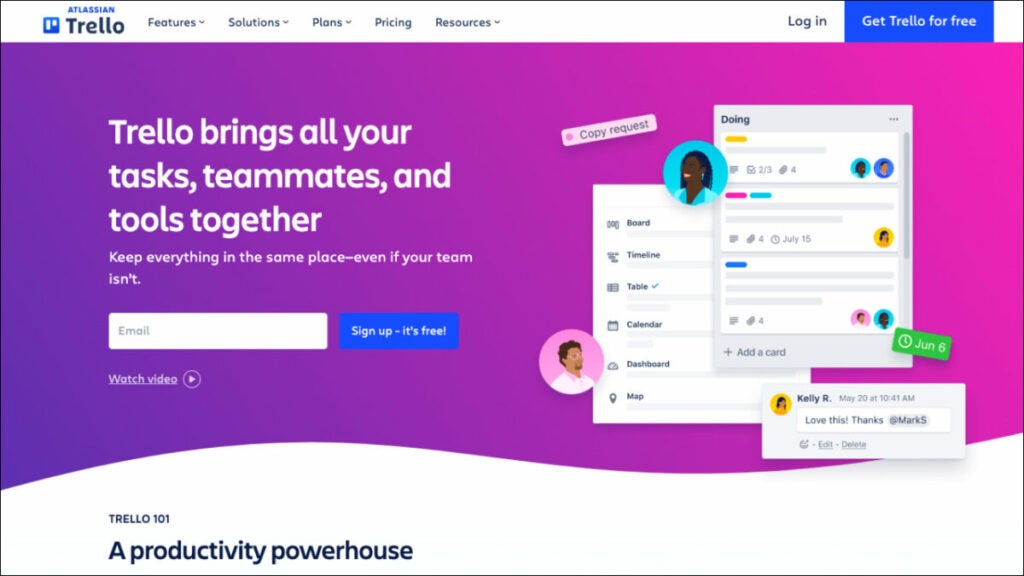
Trello project management software is one of the best consulting tools that facilitates team collaboration by providing a central location for weekly meeting agendas, employee progress plans, document storage and the ability to delegate tasks. This project management tool is the nerve center that links together everything you’re working on and displays deadlines, progress and team comments in one convenient location. You can connect Zoom for video calls, Jira, Slack and Google Drive tickets and files to keep everything in one place and maintain an open line of communication with clear and understandable expectations. Trello stands out for its ease of use and visual elements. Business consultants can create boards, lists and cards to manage projects efficiently, track progress and collaborate with team members—it’s ideal for those who prefer an effortless solution!
Who uses Trello?
Sales managers and consulting business professionals have long used this project management software to effectively organize pipelines, improve team communication, track leads, coordinate sales efforts and oversee sales pipelines.
Best features:
Templates. Give your team an easy roadmap for success with expert-developed and community-sourced Trello templates that you can utilize immediately.
Automation. Butler Automation makes task management and workflow automation simple, helping you efficiently track projects! Use Butler to create tasks and streamline processes.
Integrations. Find mobile apps your team already uses or discover innovative new methods of accomplishing work through Trello.
Power Up Your Teams. Energize your teams’ work processes by linking their favorite tools with Trello plugins.
Pricing:
Free trial available
Standard – $5/user/month
Premium – $10/user/month
Enterprise – $17.50/user/month
Client management software
Salesforce Sales Cloud
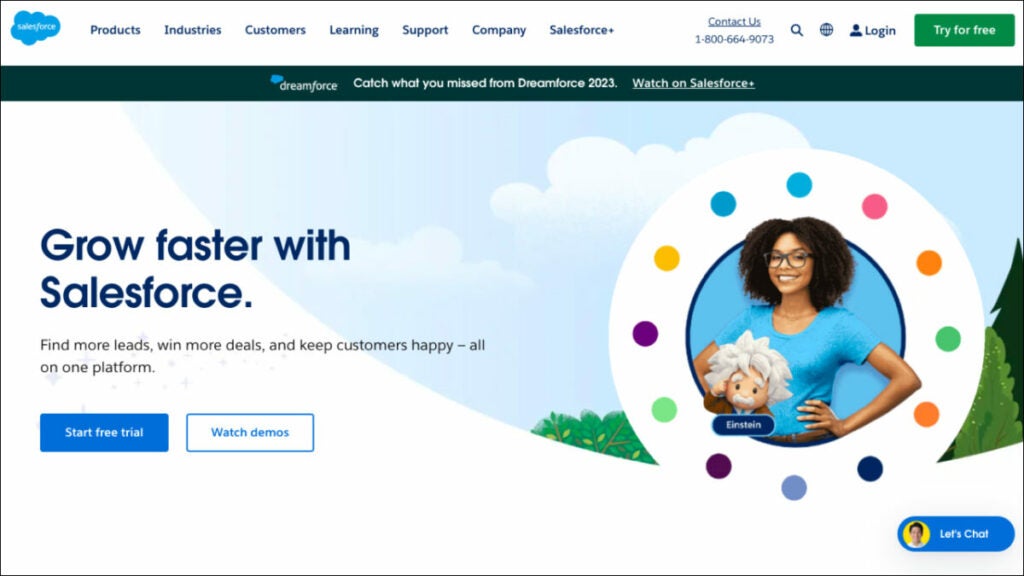
Sales Cloud 360 software for consultants is an industry-leading solution that also offers strong marketing software features. It has powered top sales organizations worldwide with the most popular customer relationship management (CRM) tool. Sales Cloud 360 helps businesses of all shapes, sizes and sectors across the globe to quickly and easily increase their ROI. Boost sales team efficiency through data-driven selling by rolling out industry-specific tools and best practices in record time, including the ability to create comprehensive proposals.
Salesforce is the best CRM software that offers robust client management and collaboration features to assist sales reps in tracking leads, managing contacts and overseeing sales activities.
Who uses Salesforce Sales Cloud?
Salesforce’s multi-tenant cloud-based platform may accommodate the requirements of any business consulting firm operating in sales or any other sector.
Best features:
Activity Management. Get a 360-degree perspective of your customer knowledge base by centralizing your email marketing and other customer engagement operations on a single platform and automating their synchronization.
Forecast Management. Control your projections in a timely manner. Adjust key performance indicators on the fly to maximize precision and modify KPIs so they better reflect your company’s needs.
Workflow & Process Automation. Build processes easily using drag-and-drop simplicity. Streamline time-consuming sales procedures. Control and oversee all territory-related matters.
Lead Management. You can access your to-do list from anywhere in Salesforce, allowing you to stay on top of your day and respond to customers wherever they may be.
Pricing:
Starter – $25/user/month
Professional – $80/user/month
Enterprise – $165/user/month
Insightly
Nowadays, many consultants choose Insightly because it is a cutting-edge CRM software that doesn’t break the bank. It’s user-friendly, flexible and scalable, meaning it can accommodate businesses of all sizes while addressing the problems that traditional CRMs face. Insightly is a software for consultants that improves sales teams’ ability to generate leads, close deals and retain customers while offering robust features for task management and the entire proposal process. It provides customer relationship management (CRM) and project management features, making it an excellent solution for management consultants who must oversee client relationships and projects simultaneously.
Leads, contacts, emails, events, quotations, projects, tasks, opportunities and business reports can all be managed in a single, secure, scalable CRM that is simple to use.
Who uses Insightly?
Good CRM software for any rapidly expanding company needing a scalable, robust and inexpensive cloud-based system.
Best features:
Opportunity and Lead Management for Sales. Gain speed in your sales procedure and get the most out of your pipelines by using them to monitor, handle and cultivate business deals, including the business management and proposal process. Find out what’s driving success and what could go wrong for your company.
Validation Rules & Advanced Permissions. Maintain accurate records, collect useful information and provide satisfying services. Adding validation rules to all of your CRM’s most important fields and objects can greatly increase its usefulness to your company.
Products, Price Books & Quotes. Make it simple for customers to buy from you by keeping detailed records of all the services you offer. Facilitate process enhancement and clarity by ensuring that the appropriate goods are being added to the appropriate opportunities at the appropriate cost. Get direct access to deal velocity, configuration and pricing quotes.
Customizable CRM. Every company is different. Adjust the CRM settings and data to fit your company’s workflow. You can save money by avoiding the need for costly outside developers thanks to Insightly’s straightforward and intuitive customization features.
Pricing:
Plus – $ 29/user /month
Professional – $49/user /month
Enterprise – $ 99/user /month
Time tracking software
Toggl Track
Toggle is an adaptable time-tracking tool suitable for teams of any size. Multiple devices can be tracked simultaneously using a simple and straightforward timer. In order to be more open with your clients, you can generate client-ready time tracking reports, export time logs as spreadsheets, receive reports via email and share saved reports via public links. Toggl Track works with hundreds of other billing and project management apps on the web, desktop (Windows, Mac and Linux) and mobile (iOS and Android).
Toggl is an intuitive time tracking solution designed specifically to assist sales reps in accurately recording time spent on tasks and projects, including an easy-to-use interface that makes time tracking straightforward, as well as comprehensive reporting functionality that provides instantaneous updates on progress made towards various tasks and projects. Plus, it integrates easily with multiple channels and apps.
Who uses Toggl Track?
Sales professionals, consulting firms and sales managers frequently utilize this best software for consultants.
Best features:
Second-nature time tracking for employees. The user is at the center of our employee time-tracking system. Their native calendar integrates with your favorite project management software to make keeping track of time a breeze and the browser extensions allow you to connect with 100+ other apps.
No employee surveillance. And the workers agree with you. Accurate data relies on employee buy-in; therefore, the platform is dedicated to tools that give workers greater autonomy.
Eliminate time-consuming payroll tasks. Get rid of confusing time codes and time cards. Any member of your team can track time and monitor project-wide billable hours from any gadget. With a few clicks, admins can export payroll timesheet information.
Easy payroll calculation. Employees can be paid on time. Assign team members with billable rates and total up their contributions to chargeable work. Keep tabs on the ratio of billable to non-billable hours.
Pricing:
Free plan available
Starter – $9/ per user per month
Premium – $18/ per user per month
Enterprise – contact to get custom pricing
Clockify
Clockify is an easily usable free time tracking and invoicing software ideal for smaller sales teams. Providing time monitoring, reporting and team collaboration features, it’s a valuable tool for tracking project costs. Clockify is a free business consulting software that helps teams monitor the time they spend on different tasks, simplifying the task management process while offering advanced analytics capabilities to generate reports. You may manage billable and non-billable time spent on activities by staff for an unlimited number of users, projects and clients. The information gathered can be utilized for various purposes, including but not limited to payroll and invoicing, employee performance analysis and report generation. Since data is stored and synced in the cloud, Clockify may be used on any device to keep track of time.
Who uses Clockify?
The best business consulting software for freelancers, teams and companies in all fields who want to improve their workflow, boost their productivity and make more money with a productive, stimulating and stress-free work atmosphere.
Best features:
Time tracker. You can either start and stop the timer as needed or manually enter the hours. With a single click, you can keep track of time and then bill for it.
Timesheet. In less than a minute, you can record your weekly actions. Choose an action and choose a duration. You can schedule the week’s events quickly, send and accept timesheets, and send a reminder when timesheets are due.
Calendar. Make a schedule and use time blocks effectively. Check out the schedule for the day; simply click to block off time, change the size of blocks and import schedule items from Gmail/Outlook.
Dashboards. This is the one tool to determine how you spend your time and what your team is up to. Track your time and money to see exactly where it’s going, view the results of your team’s efforts and find out what people are currently working on and who is doing what.
Pricing:
Clockify is free.
Accounting software
Xero
Online accounting and business consulting software for small businesses that have won multiple awards. Accessible from any internet-enabled computer or mobile device, Xero streamlines data gathering by bringing in monetary dealings from several accounts, instantly reflecting cash flow and other financial data for a business, helping users manage resources and supporting a limitless number of registered users.
Xero connects to over a thousand other business programs and accepts various currency types. Its centralized ledger makes it possible for sales reps and their clients to work together on financial matters.
Who uses Xero?
Small businesses and freelancers involved in sales, accounting and bookkeeping.
Best Features:
Collaborate online. If you and your staff, bookkeeper or accountant are spread across the globe, Xero will make it easy to collaborate online.
Customize and integrate to suit your needs. Add features like Xero Expenses to track expenses and Xero Projects to your base subscription and integrate with other services like Stripe and Venmo. The Xero App Store makes it simple to discover, evaluate and acquire third-party apps that work with Xero.
Don’t let your bills pile up. Monitor your company’s cash flow and never miss an invoice again. Review your invoices, costs and purchase orders in one place; look at bills that need work, have been approved or are due, and stay on good terms with your vendors.
Schedule payments. Schedule forthcoming payments and pay vendors in bulk to save on administrative work. Make a single payment to numerous vendors simultaneously; plan ahead to ensure timely payments.
Pricing:
Early – $13/month
Growing – $37/month
Established – $70/month
Wave
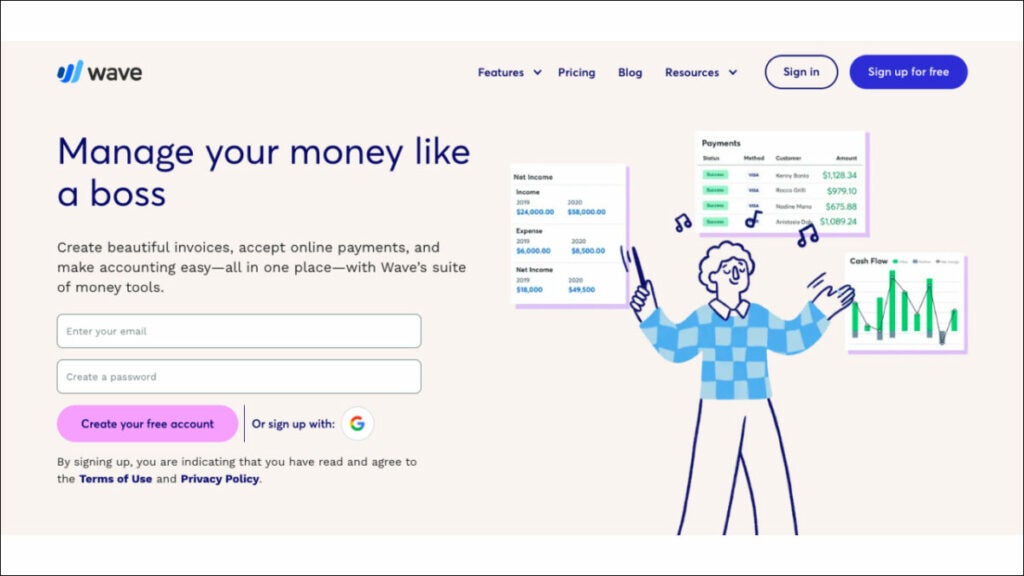
Wave business consulting software stands out for its cost-effective nature, making it an excellent choice for managing your business process, including tracking expenses. You can create and customize professional invoices, use the expense management feature and easily reconcile bank and credit card transactions using Wave. While its core features are free to use, fees associated with payment processing (if accepting online payments via credit cards or bank transfers) need to be considered when accepting online payments through Wave. It provides freelancers, small business owners and self-employed sales reps the basic accounting functionality without incurring subscription costs for basic accounting software solutions.
Who uses Wave?
Wave is the right consulting software for small businesses and freelancers alike.
Best features:
Invoicing. Do not constantly harass your customers for payment. Reduce overdue invoices, monitor cash flow and accelerate payments for zero dollars with this billing and invoicing software.
Payments. Get paid more quickly. Wave consulting software values ease of use above all else. Make it possible for customers to pay with a credit card, bank transfer, or Apple Pay with a single click.
Accounting. Easily keep tabs on your earnings and outgoings. Keep an eye on your finances, be methodical and stop worrying about tax filing.
Payroll. Quickly and easily pay yourself and your employees. This Payroll system was designed with the needs of sole proprietors in mind; it is intuitive and provides on-the-fly training.
Pricing:
Invoicing and Accounting are free
Mobile receipts – $8/month
Payroll – $40/month
Advisors – $149/month
Bonus: Software powerpack for consultants
FuseBase (formerly Nimbus)
FuseBase (formerly Nimbus) is an effective client collaboration tool featuring key project management features. FuseBase (formerly Nimbus) is widely recognized among client-oriented sales representatives who want an efficient project management solution. This client collaboration tool incorporates essential project management features into an accessible platform that streamlines collaboration and increases productivity. FuseBase (formerly Nimbus) stands out by providing multi-format documents, no-code client portals and seamless AI integration—making it the go-to choice for sales teams and managers who wish to manage multiple projects simultaneously and collaborate effectively on client projects.
Insightly
Insightly is a strong contender among businesses seeking an economical, modern CRM system that efficiently unites customer relationship management with project administration. Insightly stands out by providing user-friendliness, scalability and the capability to meet challenges that legacy CRMs cannot. Teams using Insightly can easily centralize and manage customer, sales and business data efficiently. Notable features of Insightly include sales lead tracking, opportunity management, validation rules, advanced permissions management, product and price book management and extensive customization options. As the go-to solution for fast-growing businesses across multiple industries that need an accessible cloud CRM, it enhances productivity while cultivating lasting customer relationships—standing out as an exceptional option!
Toggl Track
The premier time-tracking software, Toggle offers teams of all sizes a practical, user-friendly timekeeping solution that’s both flexible and user-friendly. Offering seamless timekeeping across devices for sales reps and increasing productivity. Toggl Track’s key features include an intuitive interface, robust reporting features and extensive app integrations—making it the ideal way to monitor how much time you spend on tasks or projects. Toggl Track provides businesses looking for an upgrade from traditional timesheets with an effortless solution that monitors work hours and gives insight into productivity and profitability. Its employee empowerment capabilities and efficient payroll administration further solidify its status as the premier time-tracking solution available today.
Wrapping up
With the right software for sales reps, any business owner can significantly boost productivity while optimizing sales process elements and improving overall performance. Start by identifying what benefits you require from a sales management solution, then review our professional services recommendations above to choose one that fits you best.
Remember: the ideal software solution will fit perfectly into your goals and workflow, helping to drive sales management success.
Discover the top 9 financial advisor software in 2023
Every financial advisor knows having a plan for your funds is essential. A complete financial plan may include budgeting, saving, investing, paying off debt and retirement planning. But how do experts handle all this planning, and what platforms do they use?
Well, you have many choices and they all offer a unique set of benefits. As a financial adviser, you have access to various financial planning tools to assist you in managing your customers’ money.
To help streamline your operations and make your services more appealing to today’s wealth management clients, we’ve compiled a list of some of the best software for financial advisors, broken down by category.
Practice management software
FuseBase (formerly Nimbus)
FuseBase (formerly Nimbus) is a client collaboration tool that embraces a few key practice management software features. It stands out among financial planning software programs as an exceptional client collaboration software and Practice Management tool, boasting two functions in one streamlined tool. FuseBase (formerly Nimbus) recognizes the necessity of team collaboration for success in financial advising. We take an integrative, client-centric approach with FuseBase’s (formerly Nimbus) suite of products.
FuseBase (formerly Nimbus) offers advisors efficient means of building strong client relationships by encouraging open dialogue, data sharing and presenting a holistic overview of each client’s financial journey. By prioritizing client needs and interactions, this management software streamlines administrative tasks and enriches client experience—setting it apart as the go-to option for client-oriented businesses.
Who uses FuseBase (formerly Nimbus)? FuseBase (formerly Nimbus) is primarily a platform for client collaboration businesses, which makes it one of the best financial planning software solutions (used by financial advisors, advisory firms and client services teams in financial advisory services) to streamline practice management, enhance client collaboration and maintain brand consistency.
Best features:
Super documents. Even though FuseBase (formerly Nimbus) is not primarily a document management software, it offers great document management features. Converge multiple types of information onto one page—text, photos, audio/video files and PDFs. Organize page content, while buttons/tips/toggles help guide clients through pages and highlight crucial information, helping improve productivity.
Client Portals. FuseBase (formerly Nimbus) offers no-code client portals that improve client experiences while simultaneously helping financial advisors promote services and keep project information current with clients.
Permission management. FuseBase (formerly Nimbus) provides a clearly laid out hierarchy for access control and permission management, so setting workspace and folder editing privileges with fine-grained permissions ranging from complete editing to viewing is simple and enables employees to focus on their work without worrying over critical data security concerns.
Kanban boards to Keep Track of Project Workload. By allocating resources and avoiding task overloads, kanban boards allow you to visualize progress effectively while pinpointing bottlenecks as quickly as possible—customizing workflows per any given project and organizing tasks according to assignee, status or initiative.
Pricing:
Free plan is available
Paid plans start from $9/user/month
Morningstar Office
Morningstar Office is one of the advanced financial planning software programs designed exclusively to serve Registered Investment Advisors (RIAs). Utilizing Morningstar’s vast data, advanced analytics and ratings as a basis for portfolio management software and practice management, Morningstar Office helps RIAs maximize client reporting capabilities by using research analytics in managing portfolios efficiently. Also, Morningstar Office provides powerful document management software with tools for organizing and accessing financial documents as part of its core advanced planning features. Any financial advisor can significantly benefit from having Morningstar Office financial planning software at their disposal!
Who uses Morningstar Office Cloud?
This portfolio management software is excellent for financial advisory firms using specialized practice management software to benefit from account analysis, security screening, tax-aware rebalancing, portfolio development and what-if analysis.
Best features:
Financial goal planner. All clients have financial goals, even if they don’t need complete financial planning services. Morningstar’s Goal Bridge allows you to have conversations about goals with your clients and then connect these goals quickly to a plan that is easy to understand and that clients prefer for portfolio management.
Reduce time spent on back-office tasks. Outsource daily data imports to Morningstar. Automated basic tasks allow you to focus on selecting investments, marketing and relationships.
Accessible Reports. The most popular report for clients shows the impact of taxes on households over a specified period.
Drill-Down Analysis. Look deeper into your models for more details on the tax implications of a proposed open trade. You can view the current, target and post-trade values for each subclass and all the trades necessary to reach your goal.
Pricing:
Contact Morningstar Office to get info about pricing.
CRM software
Creatio
The financial industry can benefit from Creatio’s software for financial advisors solution by improving customer service and retail sales and creating and executing multichannel marketing campaigns. The platform’s adaptability in client segmentation across multiple dimensions enables targeted client communication via the most appropriate channels at optimal times.
You can buy Creatio products alone or as part of a complete Customer Relationship Management (CRM) Software that automates customer-facing and internal business processes with zero programming. This is the right financial planning software for organizations to digitize workflows, enhance customer and employee experiences and increase productivity across all business divisions with the help of Creatio’s products, packed with powerful no-code tools and out-of-the-box capabilities. Non-technical users can make robust business apps using Creatio’s drag-and-drop visual design tools and no-code UI builder.
Who uses Creatio CRM?
Creatio financial planning software applications are highly adaptable and easy to use, allowing businesses of any size and industry to manage client-facing activities better and provide a superior customer experience.
Key features:
Marketing. The platform is one of those digital tools that requires no coding and gives you complete control over automating your marketing campaigns and lead management processes.
Sales. A code-free, fully customizable, end-to-end platform for automating all aspects of the sales process, particularly in personal finance.
Infinite, no-code personalization. CRM Creatio provides a robust collection of no-code tools for UI/UX development, workflow automation, data modeling, integrations with other software and more, allowing users to build their own custom business applications on top of the platform.
End-to-end workflow automation. Create and automate complicated workflows for various customer relationship management (CRM), operational and industry-specific use cases and channels.
Pricing:
Sales Creatio – starts from $25/user/month
Service Creatio – starts from $30/user/month
Marketing Creatio – $916/year
Studio Creatio – starts from $25/user/month
Junxure
You won’t find a better CRM for a young business in the financial services industry. In terms of strengthening ties with customers, it’s hard to beat. Junxure is useful for keeping track of activities and collecting financial data. As a result, automated financial plans and advice are provided in real-time. You can use it to keep track of your tasks and set reminders. Junxure financial planning software provides several personalization possibilities to help users expand their client base. You can customize themes for social media posts and email marketing and easily acquire customer data in a short amount of time.
Who uses Junxure Cloud?
One of the best financial planning software options for Wealth Managers, Financial Advisors and Registered Investment Advisers.
Best features:
Workflow Automation. With these customizable workflows, they can automate routine tasks and processes for greater efficiency by eliminating manual data entry while making sure no key steps in managing client assets and financial plans go overlooked.
Document Management. Junxure provides every financial advisor with excellent document management solutions to securely store and organize client-related documents, accounts, compliance regulations and more. It enables easy document retrieval as well as compliance with record-keeping requirements.
Compliance Tracking and Reporting. Assist advisors with managing compliance-related tasks and reporting, from tracking deadlines and meeting regulatory requirements to creating custom report templates as needed.
Junxure’s Integration Capabilities. Junxure has earned recognition for its seamless integration capabilities, seamlessly interoperating with various third-party financial planning and reporting tools, custodian platforms and other financial advisory industry software applications.
Pricing:
You can schedule a demo
$65/user/month, billed annually
Ugru CRM
It is a CRM system for financial planners. This is one of the financial planning tools that works well with existing sales force automation and forecasting systems. In addition, it manages pipelines effectively. Ugru can help automate your email marketing and bring in more clients. The search and filter functions in the CRM are beneficial. It’s easy to import data in bulk and takes very little time. You can use the available features like lead retrieval and lead referral routing to get more potential customers interested. Pipeline activity and campaign effectiveness data are obtainable. Ugru is one of the best financial planning software that keeps integrating more and more features. Tools for managing personal finances are also included and numerous tools exist to facilitate budgeting and other related calculations.
Who uses UGRU?
With a particular focus on the Financial Services industry, UGRU provides its services to all multi-advisor firms and SMEs.
Best features:
Data Management. All of the client information can be stored in one place, where it can be easily created, retrieved, updated and managed, including information related to client portfolios.
Lead Management. Track potential and new clients from their initial contact to purchase. As a result, the sales staff can follow up with prospects and increase the deals they close.
Territory Management. Accounts can be assigned to specific people, teams, or regions and those people’s responsibilities, calendar events, tasks and status updates can be readily reallocated to other people or groups.
Sales Forecasting and Pipeline. With UGRU CRM for Financial Advisors, it is easy to predict your sales and cash flow with its handy tracking of contacts, their stage in the sales cycle, the amount of opportunity presented by each contact, whether this sale would be one-off or repeatable, etc.
Pricing:
CRM Plus – $59/month, includes three users
Performance – $139/month, includes three users
Professional – $179/month, includes three users
Advisor Pro – $324/month, includes three users
Financial planning software
MoneyGuidePro
MoneyGuidePro is an advanced financial planning software platform used by numerous professional advisors worldwide and trusted by their clients alike, providing access to comprehensive plans developed using different models, scenarios and capital market assumptions—MoneyGuidePro makes creating them effortlessly! In addition, MoneyGuidePro gives advisors tools for goal-based planning that take investment performance as well as risk tolerance into consideration while creating comprehensive plans with ease and accuracy for their clients.
Who uses MoneyGuidePro?
Financial advisors who wish to use this financial planning software for risk management purposes. It allows them to customize portfolios, generate net worth statements, analyze life insurance policies and much more.
Best features:
Advanced Planning. MoneyGuidePro takes an outcome-focused approach to the financial planning process. Advisors work directly with their clients to identify financial goals such as retirement, college savings and significant life events they would like to attain. They then create detailed plans that outline steps necessary to accomplish these objectives, considering the client’s risk tolerance and tax loss harvesting.
Retirement Complex Planning. It helps advisors project and optimize retirement income sources like Social Security, pensions and other investments for optimal retirement planning.
Scenario Analysis. MoneyGuidePro offers advisors the capability to run scenarios to evaluate potential outcomes of various financial decisions and market conditions on clients’ plans, providing advisors and clients alike with more informed decision-making abilities based on potential scenarios.
Tax Planning. The software equips advisors to use various tax strategies to decrease tax liabilities while increasing after-tax returns for their clients.
Pricing:
You can request a demo
Contact MoneyGuidePro to get pricing info.
NaviPlan
NaviPlan by Advicent provides comprehensive financial planning software programs used by financial advisors to create personalized plans for their clients, including in-depth and holistic stress testing.
NaviPlan’s highly accurate calculation engine equips firms to meet client needs, ranging from goal-oriented assessments to complex cash flow planning analyses.
Who uses NaviPlan?
All Sized Registered Investment Advisors and Broker-Dealers Serving Clients of Any Size.
Best Features:
Monte Carlo simulations. Use this to assess the likelihood that clients’ wealth management and financial goals can be reached, helping advisors and clients understand the range of potential outcomes as they make necessary adjustments and adjust as required.
Client Collaboration. NaviPlan offers a client portal designed to facilitate collaboration between advisors and their clients, giving clients access to their plans, tracking progress and uploading relevant documents—increasing transparency and increasing engagement with advisors and clients.
Secure Data Management. With secure storage, monitoring compliance status reports and reporting, advisory firms meet regulatory standards more easily. This solution ensures firms meet compliance obligations effectively.
Integration Capabilities. NaviPlan offers seamless integration capabilities with other financial planning software that make it possible for advisors to work effectively within their existing software stack, increasing both efficiency and data accuracy during planning processes.
Pricing:
Contact NaviPlan to get more info about pricing plans.
Billing software
QuickBooks Online
Intuit’s QuickBooks is an all-encompassing accounting and money management program widely utilized by organizations of all sizes to streamline bookkeeping, accounting and other financial operations. QuickBooks Online financial planning software makes keeping up with small businesses easy whether on the move or sitting behind a desk, offering both intuitive and powerful capabilities such as invoicing customers for services rendered, monitoring stock levels and processing payroll—keeping track of small business finances from any location! It will streamline processes while saving time during expediting payment.
Who uses Quickbooks Online?
This software program stands as one of the top financial planning solutions and serves as the industry standard in small business accounting and financial management.
Best Features:
Invoicing and Payment Processing. QuickBooks cash flow-based software enables professional invoicing and payment processing by creating professional invoices electronically for clients to review and supporting regular billing cycles for recurring billing cycles, helping businesses create efficient financial plans.
Track Expenses. QuickBooks integrates directly with bank and credit card accounts so transactions can be automatically imported for reconciliation purposes.
Financial Reporting. QuickBooks’s various financial reports offer insight into any company’s finances’ health.
Tax Prep and Reporting. QuickBooks makes tax prep simpler by organizing financial data efficiently, offering features such as sales tax tracking and calculation, as well as supporting filing tax reports and returns.
Pricing:
Simple Start – $15/month
Essentials – $30/month
Plus – $45/month
Advanced – $100/month
FreshBooks
The time spent on client projects and the efficiency with which you reconcile your bank and manage your financials may be gauged by using FreshBooks. Advisors can use this system to keep tabs on bills and charge customers correctly.
FreshBooks is a web-based financial planning software specially made for sole proprietors, independent contractors and consultants. Its intuitive design and powerful features make managing customers’ personal finances and communicating with customers much more effortless.
Who uses FreshBooks?
Any company would benefit from using FreshBooks’s great financial planning software because it is a cloud-based solution tailored specifically for small businesses and advisers.
Best features:
FreshBooks can be easily integrated with online transactions. Customers can use the FreshBooks Payments solution to pay directly from their bills, and the service will log the transaction automatically. It’s quick, easy, safe and well-integrated.
Make Instantaneous Payments Online. Credit card payments can be accepted on invoices with the press of a button. After entering a few details, FreshBooks will electronically transfer funds to the designated account. As would be anticipated, the process is quick and easy to understand.
Know Your Metrics. You can check your progress without bothering your accountant. With FreshBooks, you can see at a glance how much it costs to run your business, make educated decisions based on data and track all of your expenses.
Pricing:
Lite – $8.50/month
Plus – $15/month
Premium – $27.50/month
Select – Contact FreshBooks to get a custom quote
Bonus: Software powerpack for financial advisors
FuseBase (formerly Nimbus)
FuseBase (formerly Nimbus) is a client-oriented platform specifically tailored to address the needs of business consultants, including financial advisors. FuseBase (formerly Nimbus) stands out among other tools as an outstanding choice of client collaboration software and practice management tool, prioritizing building stronger client relationships through Client Portals, Super Documents, robust permission management capabilities and Kanban boards that streamline project management—making FuseBase (formerly Nimbus) an exceptional option. This comprehensive set of capabilities makes FuseBase (formerly Nimbus) an outstanding selection when seeking to grow clientele for financial advisors.
Junxure
Junxure stands out as an exceptional CRM solution for small financial services, particularly for strengthening client relationships and streamlining processes. It excels in collecting financial information such as real-time advisor tips and task management reminders; providing customization options for email marketing and data segmentation for more efficient searching; automating workflow processes such as document management with full compliance tracking reporting as well as seamless integration capabilities—not to mention providing a 30-day free trial period making this interactive tool one of the top choices among its category!
MoneyGuidePro
MoneyGuidePro is a top financial planning software tailored specifically for financial advisors. The program excels at goal-based planning for income strategies by optimizing income sources while considering tax efficiency strategies, scenario analysis and robust tax planning tools—helping financial advisors craft customized, comprehensive plans explicitly tailored to client’s goals and objectives, making MoneyGuidePro an undisputed leader among its counterparts in the software landscape.
Wrapping up
Financial advising is rapidly developing and choosing financial planning software tools can make all the difference in its evolution. From comprehensive financial planning to efficient client relationship management, top software for financial advisors offers various features and benefits tailored specifically for them—FuseBase (formerly Nimbus) excels with client collaboration features. At the same time, Junxure Cloud shines at workflow automation and compliance tracking and MoneyGuidePro helps professionals provide goal-based financial strategies explicitly tailored for advisors. These tools demonstrate how technology has revolutionized the financial advisory landscape as it continues transforming into today’s professional landscape.