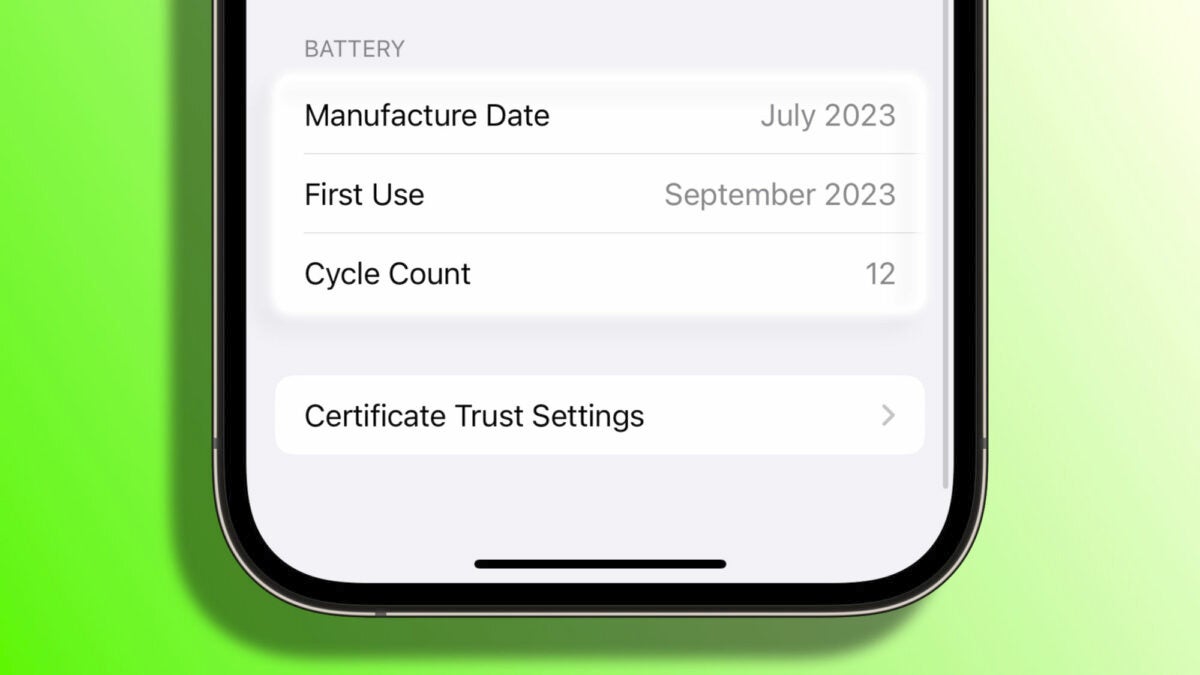
Durability and performance of an iPhone’s battery are essential. That’s why, starting from the iPhone 15, Apple has introduced a feature that allows us to check the number of completed charging cycles. This metric enables us to determine the health status of our device’s battery by simply checking a value. Let’s see how to check iPhone charging cycles and, most importantly, what this metric means.
An interesting number, but not the only indicator of our battery’s health
Apple already provides information about the iPhone battery health through the “Maximum Capacity” percentage, which can be found in Settings > Battery > Battery Health. In iPhone 15, the cycle count is an additional metric.

A charging cycle is recorded every time the battery’s full capacity is depleted. For example, if one day we consume 75% of the battery and charge it fully overnight, and the next day we consume the remaining 25%, we have completed one charging cycle.
With each complete cycle, the capacity of any battery decreases slightly. Typically, an iPhone battery can withstand up to 500 charging cycles while still providing at least 80% of its original capacity. Therefore, the count we see on our phone allows us to gauge the battery’s age and condition to some extent.
Checking this metric is as easy as following these steps:
- Open the Settings app on your iPhone 15.
- Go to General.
- Tap on About.
- Scroll down to the bottom, under the “Battery” section, and look for the value next to Cycle Count.
However, it’s essential to note that not all wear and tear on the battery is directly related to the number of cycles. Heat exposure is one of the main reasons why a device’s battery chemically ages and may hold less charge over time.
Recalling 15 tips for longer battery life on the iPhone 15 and also, what is the best charger for the iPhone? It’s important to note that while this is a metric that provides relevant information, we shouldn’t overemphasize its importance. It’s a value that indicates the overall state of the battery and, when combined with its health measurement, provides more accuracy in evaluating its condition.
