
As an influencer, your ability to captivate and engage your audience hinges on the quality and consistency of your content. Enter Adobe Express, a game-changing tool designed to revolutionize the way you create and share digital content.

Adobe, a pioneer in creative software, has consistently led the charge in empowering creators with powerful tools. With Adobe Express, they’ve distilled decades of expertise into an accessible, user-friendly platform that caters specifically to the dynamic needs of influencers. Whether you’re crafting an eye-catching Instagram post, a captivating TikTok reel, or a professional-looking flyer, Adobe Express makes it possible for anyone to produce polished, professional content with ease.
In today’s article, we’ll explore how Adobe Express can dramatically enhance your reach, boost your creative potential, and streamline your workflow. From its intuitive interface and mobile flexibility to its integration with Adobe’s extensive suite of tools, Adobe Express is poised to become the indispensable ally for influencers aiming to elevate their digital presence. Let’s dive into how this innovative tool can transform your content creation journey.
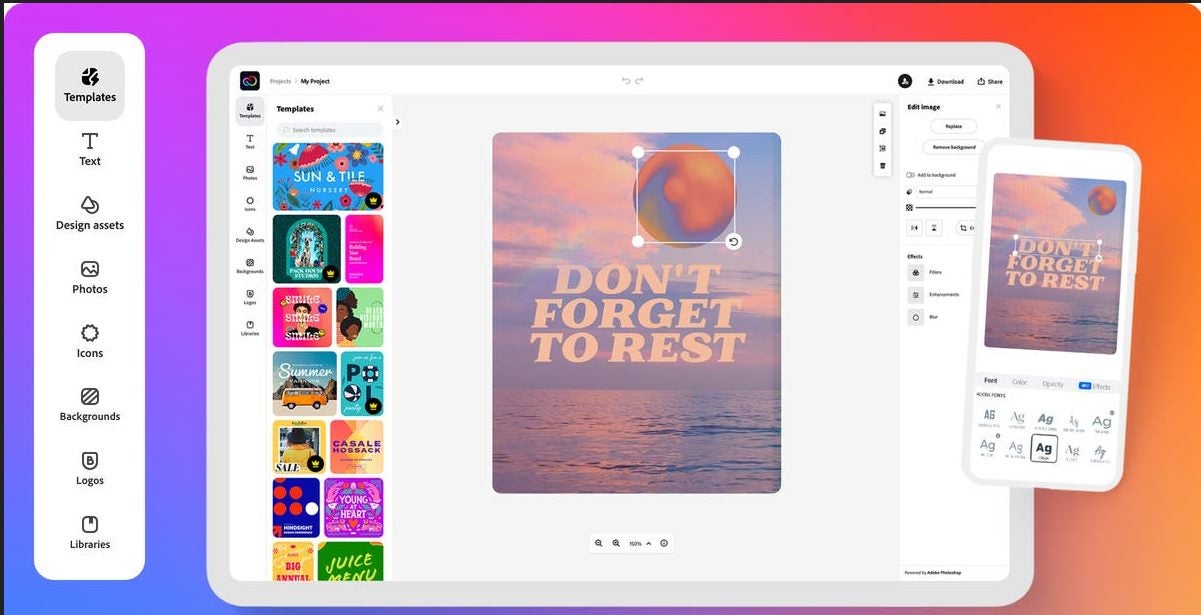
Unveiling Adobe Express: The Future of Content Creation
Adobe’s Legacy in the Creative Industry
For over four decades, Adobe has been synonymous with innovation in the creative industry. From the advent of desktop publishing with Adobe PageMaker to the digital revolution spurred by Photoshop, Illustrator, and Premiere Pro, Adobe’s tools have empowered countless creators to bring their visions to life. By transitioning from selling software licenses to adopting a subscription model, Adobe has continually adapted to meet the evolving needs of its users. Today, Adobe Creative Cloud stands as a comprehensive suite of applications that cater to both seasoned professionals and aspiring creators.
Enter Adobe Express: A Tool for the Modern Influencer
Adobe Express was introduced to address the growing demand for rapid content production across multiple digital channels. Designed for influencers, marketers, and anyone looking to enhance their digital footprint, Adobe Express simplifies content creation. It is available as both a mobile app and a web application, democratizing powerful features of Adobe’s professional tools with a user-friendly interface. This tool bridges the gap between professional-grade software and everyday usability, empowering users to create stunning visuals, engaging videos, and compelling social media posts without needing a design background.
User-Friendly and Accessible for All
Adobe Express stands out for its accessibility, designed for both professional and non-professional designers. It offers a seamless user experience that caters to a wide range of skill levels. For seasoned creators, Adobe Express provides quick access to essential tools and advanced features that expedite the design process. For novices, the intuitive interface, combined with step-by-step guidance and smart AI features, ensures that even those with no design background can produce high-quality content. The tool’s versatility is enhanced by its availability across multiple platforms, allowing users to sync their projects across devices and work from anywhere. This level of flexibility is crucial for influencers who need to create and publish content on the go, ensuring they remain relevant and engaging to their audience.
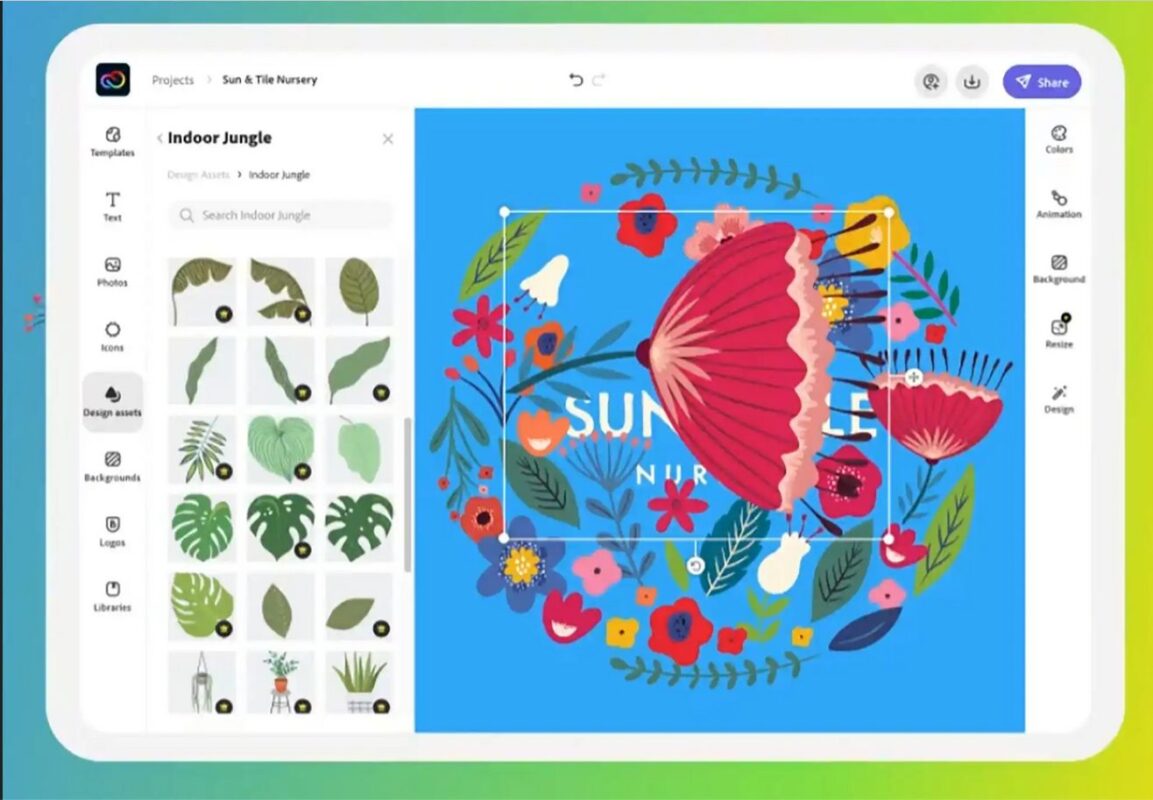
Discover the Power of Adobe Express: Key Features
Effortless Design with a User-Friendly Interface
Adobe Express is crafted to ensure that powerful design tools are accessible to everyone, regardless of their design experience. The interface is designed to be clean, intuitive, and user-friendly, guiding users through the content creation process effortlessly. From the moment you open Adobe Express, every tool and feature is within easy reach. The platform employs drag-and-drop functionality, making it simple to add and arrange elements like photos, text, and graphics. This user-friendly layout ensures even beginners can create professional-quality content quickly and efficiently
Create Anywhere, Anytime with Mobile and Web Applications
Flexibility is key. Adobe Express rises to the occasion by offering both mobile and web applications. Whether you’re at home, in the office, or on the go, you can access Adobe Express from your smartphone, tablet, or desktop. This cross-platform availability means you can start a project on your laptop and finish it on your phone without any hassle. The mobile app is designed to be just as powerful as the web version, ensuring you have all the tools you need to create stunning content no matter where you are. This seamless transition between devices helps influencers and creators maintain a consistent and efficient workflow.
Seamless Integration with Adobe Creative Cloud
One of the standout features of Adobe Express is its seamless integration with Adobe Creative Cloud. For those already familiar with Adobe’s suite of tools, this integration provides a significant advantage. You can easily import assets from Photoshop, Illustrator, and other Creative Cloud applications directly into Adobe Express. This connectivity allows you to leverage the full power of Adobe’s professional-grade tools while enjoying the simplicity of Adobe Express. Whether you’re tweaking a graphic created in Illustrator or incorporating high-quality images from Photoshop, the integration ensures a smooth and efficient creative process.
Smart AI Features for Enhanced Creativity
Adobe Express is packed with smart AI features designed to enhance your creativity and streamline your workflow. The platform offers intelligent font recommendations, helping you choose the perfect typography to match your design’s tone and style. Additionally, Adobe Express provides design suggestions based on the elements you’re working with, ensuring your content always looks polished and professional. These AI-driven aids are particularly beneficial for non-professional designers, offering expert guidance to create visually appealing content with minimal effort.
Furthermore, Adobe Express’s AI capabilities extend to color selection, layout adjustments, and image enhancements, all aimed at making the design process as smooth as possible. By leveraging these smart features, users can achieve high-quality results without needing to master complex design principles.
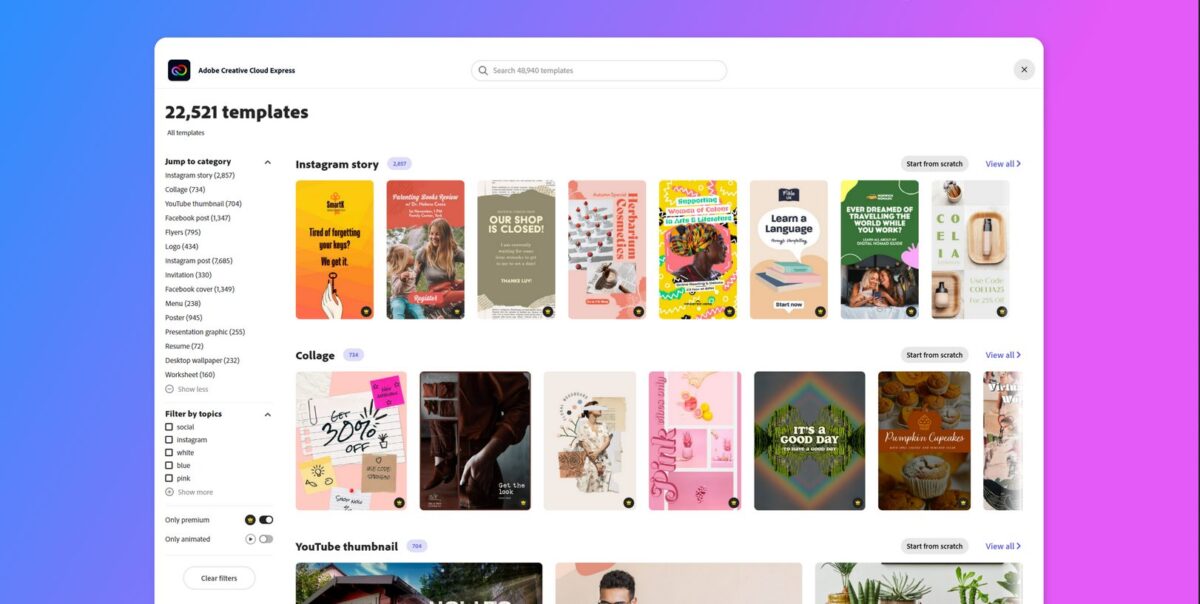
Crafting Stunning Content with Adobe Express: A Step-by-Step Guide
Transform Your Instagram Posts with Ease
Creating eye-catching Instagram posts has never been simpler, thanks to Adobe Express. Here’s a step-by-step guide to help you get started:
- Step 1: Uploading Photos Begin by launching Adobe Express and selecting the option to create a new project. Choose the Instagram post template to ensure your design fits perfectly on the platform. Upload your desired photo by dragging and dropping it into the workspace or selecting it from your device. Adobe Express supports various image formats, ensuring your photos are always ready for creative enhancement.
- Step 2: Adding Logos and Adjusting Opacity Next, add your logo to the post. Adobe Express allows you to access your logo library easily. Drag the logo onto your photo and position it as needed. Adjust the opacity to blend it seamlessly with your image, ensuring it complements rather than overshadows the main content.
- Step 3: Incorporating Text with Adobe’s Font Library Text is a crucial element of any Instagram post. Adobe Express provides access to a vast font library, allowing you to find the perfect typography for your message. Add your text by selecting the text tool and typing your content. Experiment with different fonts, sizes, and styles until you find the perfect fit. Use the alignment tools to position your text precisely.
- Step 4: Utilizing Color Pickers and Context Tools Colors can make or break your design. Adobe Express’s color picker tool allows you to select colors directly from your photo, ensuring harmony and cohesion. Whether you’re matching text to a background hue or creating contrast, the color picker ensures your design is visually appealing.
- Step 5: Leveraging Design Assets and Adobe Stock Enhance your post with additional design assets. Adobe Express offers an extensive library of design elements, including icons, shapes, and illustrations. You can also access Adobe Stock directly from the app, providing millions of high-quality images, videos, and graphics. These assets can be incorporated into your project with a simple drag-and-drop, elevating your content to professional standards.
Quick Actions: Simplifying Everyday Tasks
Adobe Express isn’t just about creating posts; it also simplifies a variety of everyday tasks with its Quick Actions. Here are a few examples:
- QR Code Creation: Need a QR code for your website or promotion? Adobe Express allows you to generate QR codes effortlessly. Simply input the URL, and the tool will create a scannable code that you can incorporate into any design.
- Background Removal: Removing the background from an image can be a tedious task, but not with Adobe Express. Use the background removal tool to isolate subjects from their backgrounds with precision, making it easy to create clean, professional-looking graphics.
- File Format Conversions: Whether you need to convert an image to a different format or transform a video file, Adobe Express has you covered. The tool supports a wide range of file formats, ensuring compatibility with various platforms and applications.
- Video Trimming and Merging: Creating the perfect video content is straightforward with Adobe Express. Trim videos to highlight key moments or merge multiple clips to create a cohesive narrative. These video editing features are designed to be user-friendly, allowing you to produce polished videos without needing advanced skills.
Unlocking Advanced Capabilities with Adobe Express
Crafting Impressive Websites and Landing Pages
Adobe Express isn’t just for social media posts; it also empowers you to create stunning websites and landing pages effortlessly. With a plethora of templates and user-friendly tools, you can build professional web pages without writing a single line of code. Select a template that suits your needs, and customize it by adding text, images, videos, and interactive elements. The drag-and-drop interface makes it easy to arrange content and design a visually appealing layout. Whether you’re promoting a new product, launching a campaign, or creating a personal portfolio, Adobe Express provides all the tools you need to make a lasting impression online.
Streamlined Publishing and Scheduling
Maintaining a consistent social media presence can be challenging, but Adobe Express simplifies this task with its robust publishing and scheduling features. Once you’ve created your content, Adobe Express allows you to publish it directly to multiple social media platforms, including Facebook, Instagram, TikTok, LinkedIn, and Twitter. The integrated scheduling tool helps you manage your posts by setting up an editorial calendar. Plan and schedule posts in advance, ensuring your content is timely and relevant. This feature is particularly valuable for influencers and marketers who need to maintain a steady flow of content without the hassle of manual posting.
Optimizing Enterprise Use and Collaboration
Adobe Express is designed to cater to both individual creators and large marketing teams. For enterprises, it offers a suite of features that streamline collaboration and ensure brand consistency. Marketing teams can create and share templates that adhere to brand guidelines, allowing non-designers to produce on-brand content effortlessly. Professional designers can develop templates using advanced tools like Photoshop and Illustrator, which can then be imported into Adobe Express for use by the broader team. This collaborative workflow not only saves time but also ensures that all content remains consistent with the brand’s visual identity.
Additionally, Adobe Express’s integration with Adobe Experience Manager (AEM) enhances its utility for enterprise users. This integration allows for seamless access to a centralized digital asset management system, providing marketing teams with easy access to approved assets and templates. The combination of Adobe Express and AEM streamlines the creation, management, and distribution of digital content, making it an invaluable tool for large organizations.
Embracing Future Technologies
Adobe Express continues to evolve, incorporating cutting-edge technologies to enhance its capabilities. One such innovation is Adobe Firefly, a generative AI tool that allows users to create photo-realistic images, illustrations, artwork, and textures through text input. Adobe Firefly promises to integrate into Adobe Express, offering users the ability to generate unique, AI-driven content. This forward-thinking approach ensures that Adobe Express remains at the forefront of digital content creation, providing users with the latest tools and technologies to stay ahead of the curve.
Ready to Transform Your Content? Try Adobe Express Today!
Unlock your creative potential and elevate your digital presence by trying Adobe Express. Whether you’re an influencer, marketer, or a creative enthusiast, Adobe Express offers the tools and flexibility you need to produce stunning content effortlessly. Dive into the world of intuitive design, smart AI features, and seamless integration with Adobe’s suite of professional tools. Start your journey with Adobe Express today and see how it can revolutionize your content creation process. Get Adobe Express Free and experience the future of digital design!
Embrace the Future of Content Creation
Adobe Express is a powerful, versatile tool that significantly enhances an influencer’s ability to create high-quality content, streamline their workflow, and expand their reach. With its user-friendly interface, robust mobile and web applications, and seamless integration with Adobe Creative Cloud, Adobe Express makes professional-grade content creation accessible to everyone. Features like smart AI recommendations, quick actions, and direct access to Adobe Stock ensure that even non-professional designers can produce visually stunning and engaging content.
Looking ahead, Adobe remains committed to innovation, continuously integrating cutting-edge technologies like Adobe Firefly’s generative AI to push the boundaries of what’s possible in digital content creation. By choosing Adobe Express, you’re not just adopting a tool; you’re joining a community of creators poised to leverage the latest advancements in design technology. Embrace the future with Adobe Express and take your digital content to new heights.
