With the recent macOS Sonoma update and its 61 reasons to update as soon as possible, we have received a good number of new features. Some are highly visible, while others may go unnoticed, but they all have their own impact on our daily use of the Mac.

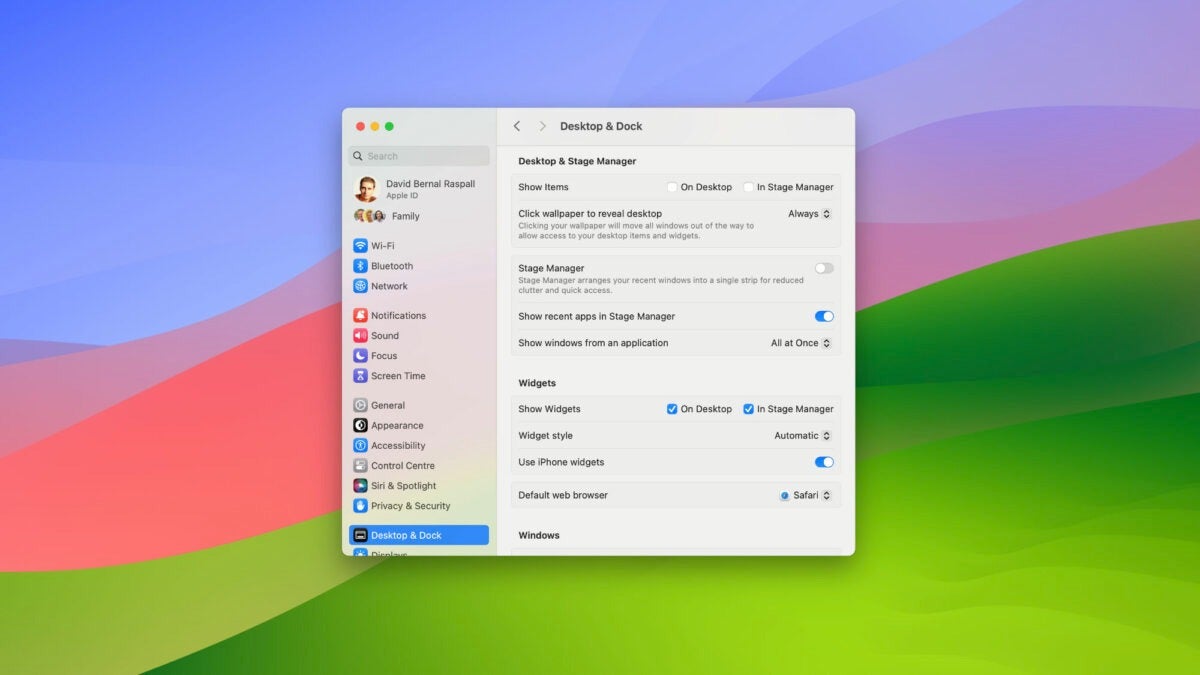
One of these new features is the “click to show desktop” option, which is enabled by default and allows you to view the desktop content only when you click on the wallpaper. It’s a very useful feature for keeping things organized, but you might want to disable it.
The desktop always visible, whether you click or not
Being able to keep icons – sometimes too many – hidden on the desktop can be quite useful. A single click allows us to easily access them, and when we don’t need them, they remain hidden without taking up any space. However, in certain situations, we might want to avoid the extra click. Configuring your Mac to automatically show desktop content is as easy as following these steps:
- Go to the Apple menu and select System Preferences.
- Enter the Desktop & Screen Saver section.
- In the “Desktop & Screen Saver” section, under “Show items,” enable “On the desktop.”
- Additionally, in the “Click to show desktop” section, you can choose “Only on the Screen Saver” to prevent windows in front from disappearing with a single click.
With these simple steps, your Mac will no longer show the desktop by clearing windows when you click on the wallpaper, and it will always display the contents of folders and files, making it easy to quickly access any content.
That way, whether you need more organization or quicker access to your Mac’s desktop, you can configure macOS Sonoma to suit your needs best. This flexibility is something that all users can appreciate, regardless of their preference.
