Spotify could soon have its own extension on Gemini, following the footsteps of the recently announced YouTube Music extension. The extension would be one of the many “Gemini Extensions” of Google’s chatbot, which has been investing significantly in its AI with the aim of better competing with ChatGPT.

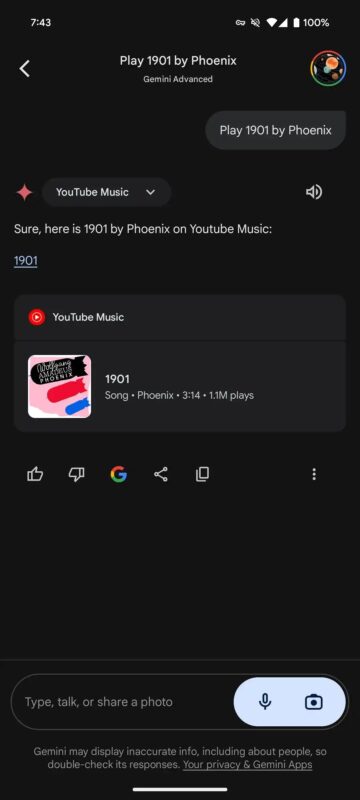
Two weeks ago, Google introduced the YouTube Music extension, which allows Gemini to find, play, and control the app’s music. Now, everything indicates that Spotify could be the next to join this initiative. According to an analysis by Android Authority, the latest version of the Google application (v15.22.29.29.arm64) contains lines of code that suggest the development of a Spotify extension for Gemini. It is important to note that the APK file reveals functionalities in development that may not ultimately reach the public version.
In this case, the references in the code, such as “<code><string =”assistant_robin_action_spotify_tap_snackbar”>Starting to play on Spotify</strings></code>”, leave no doubt about the development of the Spotify integration.
Extensions allow Gemini to access information from various Google apps and services, improving the quality of AI results. The Google Workspace extension, for example, allows for summarized answers from the user’s own content, while the Google Maps extension provides location-based information.
