If you have a Google Pixel, the best thing is to update the software this May

The May 2025 security update for Google Pixel devices has begun rolling out since May 6, and includes a critical patch for a zero-day vulnerability known as CVE-2025-27363. According to the Android security bulletin, there are indications that this exploit may be under limited and targeted exploitation, highlighting the importance of updating devices as soon as possible to avoid potential threats. The May 2025 security patch for Google Pixel is released with 28 updates and fixes The May patch also includes a total of 28 […]

The May 2025 security update for Google Pixel devices has started rolling out since May 6, and includes a critical patch for a zero-day vulnerability known as CVE-2025-27363.

According to the Android security bulletin, there are indications that this exploit may be under limited and targeted exploitation, highlighting the importance of updating devices as soon as possible to avoid potential threats.

The May 2025 security patch for Google Pixel is released with 28 updates and fixes

The May patch also includes a total of 28 security updates and three specific bug fixes affecting Google Pixel 6 devices and newer models. Google strongly recommends that all users install this update as soon as it becomes available, emphasizing that the security of devices could be at risk if not updated in time.

A notable aspect of the update is the increase in the bootloader that implements anti-rollback measures. This means that, after installing this update, users will not be able to revert their devices to previous versions of Android 15, which is an action aimed at mitigating previous vulnerabilities. This move seems to be a direct response to the zero-day exploits addressed in the latest updates.

Google Pixel device owners should check for the availability of this patch through the Settings app, by navigating to System > Software update > System update and pressing “Check for update.” The rollout of the patch may vary depending on the device model and carrier, so some users may not see it immediately.

Improvements in security are crucial today, and this update seems to be a significant step towards protecting Pixel users from emerging threats. More details about the nature of the vulnerability are expected to be revealed in the coming weeks.
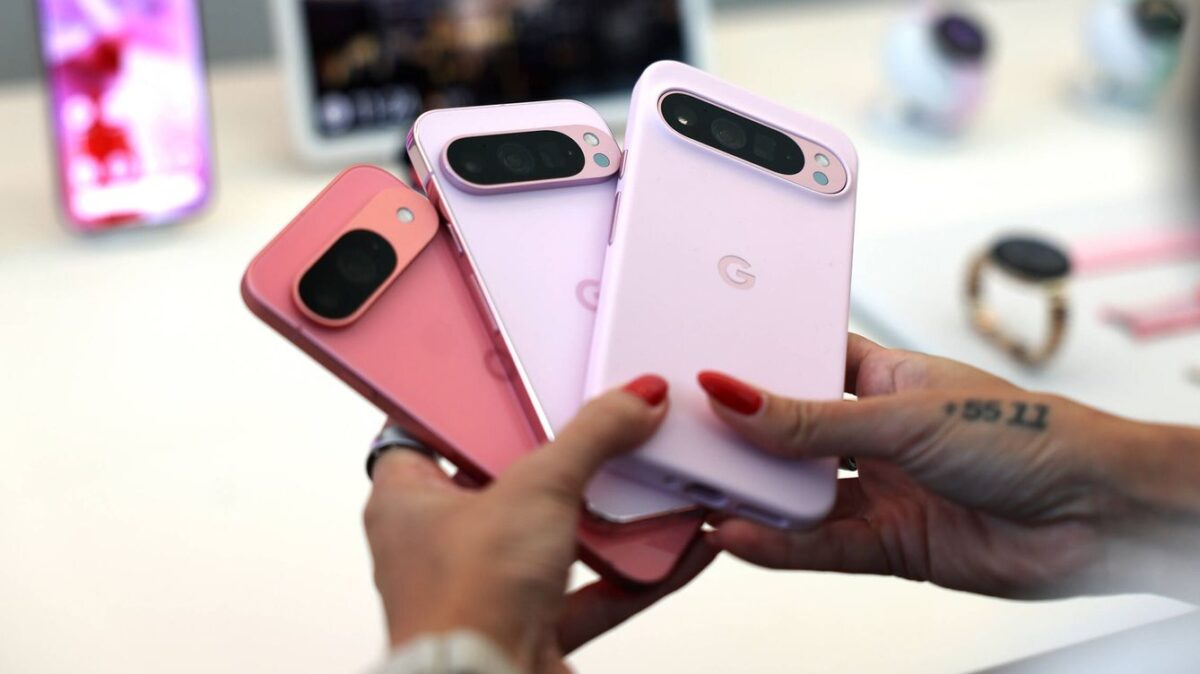

Details of the camera for the Google Pixel 10 and Pixel 11 are leaked: it's hard to believe they are true

Although the Pixel 9 has just been released, many insiders are already thinking about Google’s upcoming models. The Pixel 10 is the main focus of this article, where we discuss the latest rumors regarding the camera of Google’s 2025 phone. This information comes from Android Authority, which claims to have seen credible documents leaked from Google’s chip division (the team working on their chipsets like the Tensor G4 found in the Google Pixel 9) revealing the capabilities of the Tensor G5 in the upcoming Pixel 10. […]

While the Pixel 9 has just been launched, many insiders are thinking about Google’s upcoming models. And the Pixel 10 is the main focus of this article where we discuss the latest rumors regarding the camera of Google’s 2025 phone.

Android 14 DOWNLOAD

This comes via Android Authority which claims to have seen credible documents that have been leaked from Google’s chip division (the team working on their chipsets like the Tensor G4 found in the Google Pixel 9) revealing the capabilities of the Tensor G5 of the upcoming Pixel 10.

Some of the details are still vague, but the two most interesting ones are the so-called “Video Generative ML” feature, described as AI-based video editing post-capture. This should allow you to use AI to edit your videos more easily in the Photos app, and a Speak-to-Tweak tool that sounds like it would let you edit snapshots by describing the changes.

The Pixel 11 will bring the most incredible improvements we’ve heard of in a camera

The leaked documents talk about the improvements to the camera of the Google Pixel 11 that will come through its G6 chip. One of the most notable is that, thanks to machine learning, the Google Pixel 11 could offer a 100x zoom in photos and videos, as well as new “ultra-low light video” processing on the device, instead of relying on the cloud as a version of this feature currently does.

As with all leaks, especially those concerning a phone whose launch is almost two years away, they should be taken with caution.

Even if the leaks represent Google’s current plans for the Pixel 10 and 11, development changes from now until launch could mean that the software we get when the phones are released may not offer all these tools.

These leaks increase the concern that phone camera photos are becoming less real. Obviously, there are the major alterations that would come from the ability to add and alter elements of photos and videos, but even the 100x zoom tool dependent on machine learning will raise concern among purists, assuming there are no significant changes in the camera hardware.

Android 15 will allow you to hide the applications you want to hide

Android 15 continues to advance in its development and continues to reveal new features that will catch the attention of those looking for privacy improvements on their mobile phones. For example, Google has announced that one of the standout features of Android 15 will be the ability to create a “secure folder” in which to hide the applications you want from prying eyes.

Android 14 Download

Android 15 will improve privacy

As Google explains in a recent blog post, Android 15 will continue to prioritize user privacy. With this premise, the next version of Google’s Operating System for mobile phones will allow users to hide certain installed applications and services, giving users greater control over the privacy they can apply on their Android smartphones.

Thanks to this measure, any user who has sensitive, privately interesting applications, or who simply want to keep them hidden, will be able to hide from anyone who does not have permission to access that information. This is a valuable step in privacy that will allow many users to breathe easy when someone else starts looking at their mobile screen or interacting with their available applications.

Other things coming to Android

Android 15 not only thinks about user privacy, although it is one of its priorities. They have also showcased a battery of features they are working on for the release of Android 15 in the fall of 2024. Among other things, Google has emphasized these other functions that will come to Android in general:

  • Anti-theft system. If this function is activated before leaving home, the phone will detect if someone tries to snatch it and if they try to escape with a quick action, it will preemptively lock the phone.
  • Real-time AI to prevent fraud through suspicious apps. The Artificial Intelligence will proactively warn about services that pose a potential risk to the security of the mobile phone.
  • Photos in Google Wallet. Wallet will finally allow linking cards of all types by scanning them with the phone’s camera, just like other wallet services currently do.
Android 14 Download

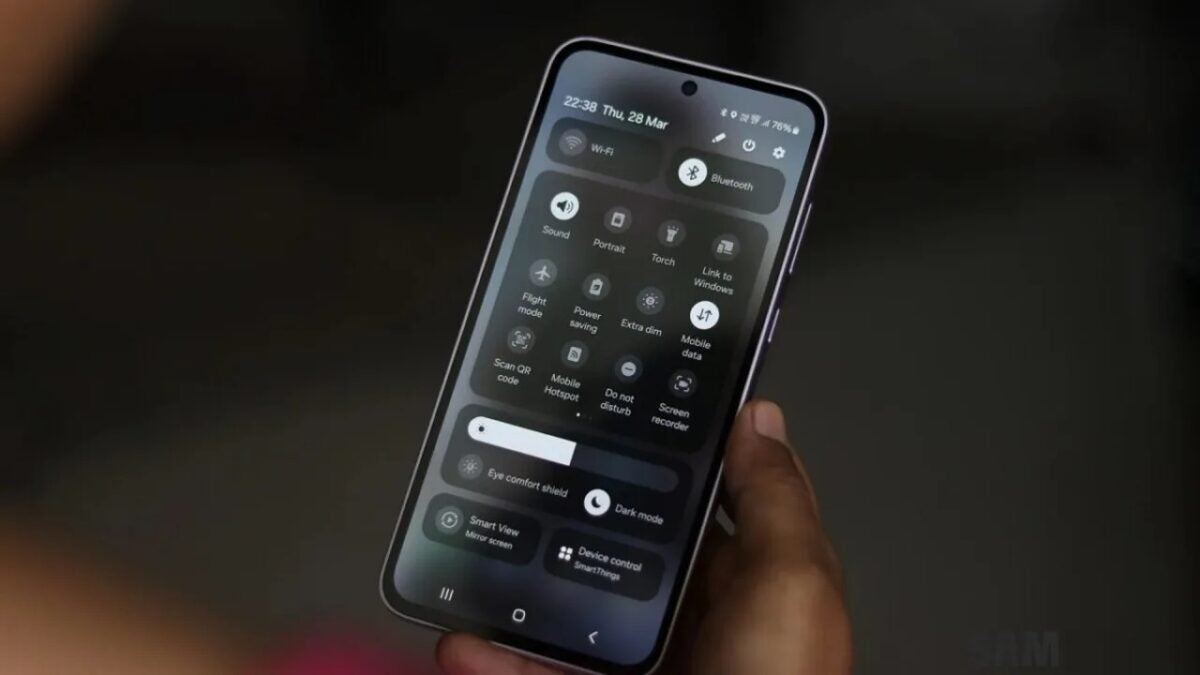
If you are one of those who loves Dark Mode, Android 15 will be your operating system

The eternal struggle between light and darkness may have ended, and darkness has won. At least in Android 15, which is about to be released.

According to several American media outlets, there is a hidden setting in a beta version of Android 15 that was released in January, which allows you to “make all apps dark” even if they don’t have the option.

Android 14 DOWNLOAD

Yes, this means that users should be able to force all apps into dark mode, even those that do not natively support it, thus making the darkening of their Android phones complete.

As a long-time lover of dark mode, I use it whenever I can, and I cringe at any app that blinds me with anything other than a deep black color (which looks so good on OLED panels).

A dark mode to rule them all

The setting, which is located in Settings -> System -> Developer options, is described as follows: “It applies to applications that do not have their own dark theme. Some applications may have display issues, such as inverted colors”.

This is similar to an existing developer option that also applies a dark theme to all applications, but developers can choose not to do so. Similarly, there is an option to invert colors in the accessibility settings, but it often has strange results.

The new adjustment seems to be designed for users, not developers, and has better results, although according to Android Authority, which has a gallery of applications with dark mode applied forcefully, it is still not perfect.

Android 14 DOWNLOAD

The function is not available in the latest beta of Android 15, but it is likely to appear in a future version, possibly during Google I/O 2024, scheduled for May 14th.

Android 15 could turn your phone into a desktop computer

Android 15, the version of Google’s operating system for mobile devices, such as smartphones and tablets, which will arrive this fall of 2024, plans to implement a feature as striking as the possibility of turning your mobile phone into a desktop computer in terms of functionality. A very uncommon novelty in Android that only a few have been able to enjoy.

It would be something similar to what Samsung currently offers through Samsung Dex, which is capable of turning compatible devices into a functional PC. This way, Android users from other brands could have this very useful feature for users who are looking for a more experimental approach on their devices.

An Android 15 acting as a PC

As Androidauthority reports, indications have been found in the Android 15 beta to permanently enable a desktop mode that allows Android phones to become functional computers, with the option of being connected to a keyboard, a mouse, and other peripherals compatible with its system.

It is important to note that this is not something new in itself, since the desktop function was already available for those using Android in its developer function since Android 10. However, the fact that Android 15 is considering the possibility of opening this option for any user who wishes to use it, will mean that it becomes an important novelty for the operating system that Google is currently developing.

A long way ahead

As can be seen from the initial tests being carried out with these features that would come to Android 15, this new operating system promises to be a significant leap in software capabilities. However, it should be noted that Android 14 is currently in the middle of its lifespan, and we will still have to wait six months until we start seeing the operating system that will take over.

In fact, Android 14 still has more than one ace up its sleeve, as software updates are coming quite frequently to mobile phones that have this operating system. One of the great features that are enhancing the performance of this version is the ones based on Artificial Intelligence, which, with aspects such as simultaneous translation in calls, or AI support in photo editing, is allowing many users to already enjoy a strong leap in quality in their user experience.

Android 14 Download

Android 15 roadmap: AI and connectivity are at the core.

With the new step that Android 15 has shown in the latest preview, it is clear that Google wants to make a significant qualitative leap in terms of the functions currently available in Android 14, its most recent official version. And it is that, with Intelligence and connectivity at the center of its plans, Android 15 aims to be the most “open” operating system by Google.

It is important to mention that, although these first builds of Android 15 are being tested, there is still a long time until the Operating System officially lands on smartphones. In fact, it is most common for mobile devices to start enjoying a new version of Android starting in the fall of each year, so Android 15 still has a lot of room for work, improvement, and adaptation to other customization layers.

Android 14 Download

The path of the second preview

After the second preview of Android 15 started to be tested, Google’s interests in improving various connectivity-based functions became evident: satellite communications, similar to the recent iPhone 15, improvements in other services such as NFC payments, and, in addition to all this, Artificial Intelligence to continue enhancing functions such as multilingual audio recognition that began to be used in Android 14.

In this way, as expected from Google year after year, the company continues to work on attractive improvements for users, while also working on keeping Android 14 secure, with valuable features and with a competitive quality increasingly closer to its competition, the idyllic iOS ecosystem.

Great improvements, but fragmented market

One of the advantages of Google constantly updating its operating system is that Android keeps evolving. In fact, if we look back at Android a decade ago, the changes that the system has made have been more than substantial. However, due to the lack of maintenance policy from brands, most phones, in just two years, usually end up with an outdated operating system.

Little by little, many brands are improving in that sense, and an example of this are companies like Pixel or Samsung, whose flagship phones, unlike other brands, have several years of software and security updates. Little by little, especially to prevent software obsolescence, the phone market is giving more priority to this type of after-sales services, which, in addition, always have the approval of the customers.

Android 14 Download