How To Save Adobe Flash Files in Firefox and Chrome

Now that you know Adobe Flash will not be with us much longer, it’s a good time to start migrating all your existing Flash files to your current, or alternative, browser. Flash files are generally embedded in websites, and it can be challenging to save. You can use any preferred browser to find a web page’s source code, and that will show you the Flash file location to save it to your PC.

You’ll typically find two types of Flash files embedded, namely SWF and FLV files. The SWF files typically hold the FLV files. You’ll be surprised once you start looking for it just how many of your favorite apps, music videos, and games are indeed free Flash files. The quickest way to download flash files as and when you find them is to add a free extension to your Google Chrome browser. You can download Flash extensions for Mac and Windows that are free and safe.
How do I save a Flash file in Chrome?

  • Open Google Chrome and go to any Web Store page with a Flash extension, such as Flash Video Downloader, Sothink Flash Downloader for Chrome, or VFD Video Downloader.
  • Select ‘Add to Chrome’ and then press ‘Add.’ Chrome will install the extension. Once the installation is complete, Chrome will add a new icon to the window.
  • Open the Web page with the Flash file and click on the new icon in your Chrome window. All Flash files that can be downloaded will show in the pop-up window. Select the Flash file you want, and it will download to your hard drive.

How do I save a Flash file in Firefox?

Firefox is one of the easier browsers for downloading Flash files because each unique object on the page can be viewed and downloaded.

  • Launch Firefox.
  • Go to the specific page that has the Flash file you want to save.
  • Once you’ve found the Web page, you must right-click on it and choose ‘View Page Info.’ Keep in mind during this step that you shouldn’t right-click directly on the Flash file but rather on the background of the page.
  • Select the ‘Media’ tab to list all the files containing music, videos, and pictures.
  • Select the ‘Type’ tab to find the Flash files easier.
  • Scroll through the files and select the ‘Object’ types where the Flash objects are grouped.
  • Choose the specific Flash file you want to save.
  • Now you can ‘Save As’ the file to your preferred location.
Adobe Flash Player extensions beyond 2021

Many people are concerned about the Flash Player End of Life, as announced by Adobe recently. Even if you don’t use Flash in your regular browsers, such as Internet Explorer or Chrome, the new alternatives are excellent. Apps and videos in WebAssembly or HTML5 are built for the future, and you’ll notice how much easier it is to enjoy all your favorite apps and videos on mobile.

How to Uninstall Adobe Flash Player Now That It’s Leaving

Developers and users worldwide are all speculating about the precise reason why Adobe is considering kicking Flash to the curb. There are a few points worth discussing, which mainly revolve around the software’s overall security and the broad-spectrum attacks happening through it frequently. However,  Flashpoint remains a widely used web browser that enables many of your favorite games.

Some developers can’t help but reminisce about the unexplored and under-utilized potential welled up in Adobe Flash. Whichever way you look at it, the fact remains that, although Adobe Flash Player is still needed to run most of your apps and games, it could be something of the past. It’s time to prepare your online environment and platforms for whatever comes next to uninstall Flash without losing usability or apps.

Why are Flash websites redundant?

  • Flash websites rank very low Google PageRank;
  • Search engines can’t read websites that are 100% Flash creations;
  • You can’t optimize Flash sites for mobile use;
  • Flash websites are more expensive to develop due to the lack in the market of Flash website developers.

What comes next when Adobe Flash Player is no longer supported?

Most developers have already transitioned to platforms such as HTML5, WebAssembly, and WebGL. Adobe will in no way leave users in the dark once they finally discontinue Flash in Explorer, Chrome, or other browsers. There are countless speculations, and according to Forbes, millions of Flash websites will be left unusable, so it might be valuable to migrate your Flash website to a new browser before the Adobe Flash Player End of Life. 

The transition will be much smoother for end-users than for the developers, and you’ll most probably only have to do a software update on your already installed apps to enable other formats.

How to uninstall Adobe Flash Player

Remove flash from your windows PC:

  • Step one is to download the official Adobe uninstaller on your PC
  • Close all your apps, tabs, and browsers
  • Double-click the Uninstaller you downloaded
  • You click ‘Yes” to all the prompts
  • Restart your PC when completed
  • Hold in the Windows key while pressing ‘R’ – it’ll activate the ‘Run’ command
  • When asked what to ‘open’ type in: C:\Windows\system32\Macromed\Flash and press ‘Enter.’
  • Delete all the files in the specific Flash folder, repeat all 3 preceding steps again and this time delete all the content within the folders of:

C:\Windows\SysWOW64\Macromed\Flash
%appdata%\Adobe\Flash Player
%appdata%\Macromedia\Flash Player

Remove Flash from your Mac:

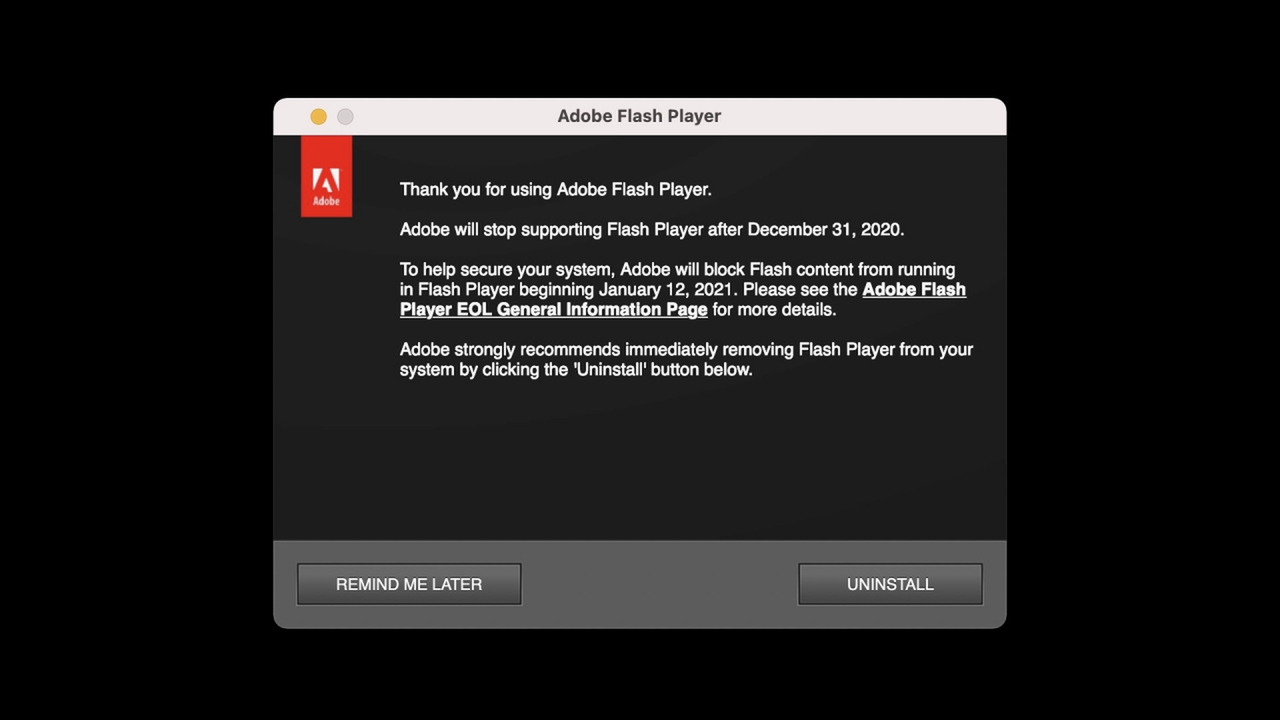
  • Download the official Adobe uninstaller for your Mac version (you can determine it by pressing the Apple icon and then select ‘About this Mac.’
  • Run the uninstaller version that you selected
  • As soon as the uninstaller starts to run, click on ‘Uninstall.’
  • Ensure that all your browsers and apps are closed
  • Once the unistaller finished its process, delete the following folders individually: 

           <home directory>/Library/Preferences/Macromedia/Flash\ Player
           <home directory>/Library/Caches/Adobe/Flash\ Player

Other browsers to consider

The most used web extensions used by web developers and end-users of late include HTML5, WebAssembly, and WebGL. These software platforms allow for seamless mobile optimization, which is vital in today’s day and age as we do most of our business, payments, and even play our games from our phones. Although it may seem like an unnecessary move, it’ll be better in the long run for developers and end-users.