Google Tasks carves out a space in the web version of Google Calendar

I don’t know about you, but I’m unable to live without Google Calendar. For those of us who are naturally forgetful and absent-minded, Google Calendar allows us to keep everything that shapes our lives, both work and personal, well organized. With just a glance, we can see what the month holds for us and set notifications in case we forget something.

Google Tasks DOWNLOAD

As of today, Google Calendar remains highly useful even after the removal of the ability to create reminders, a feature widely used by users. But if it was so widely used, why did Google decide to remove it from the app? It’s as simple as wanting to unify all reminders, including those from Google Assistant, into a separate app known as Google Tasks.

The functionality of Google Tasks is simple: if you have something to do in the future and you don’t want to forget about it, create a task, add it to a list, set when you want to be reminded to do it, and that’s it. Just like Google Calendar, the app allows you to synchronize your tasks across different devices, which is incredibly helpful.
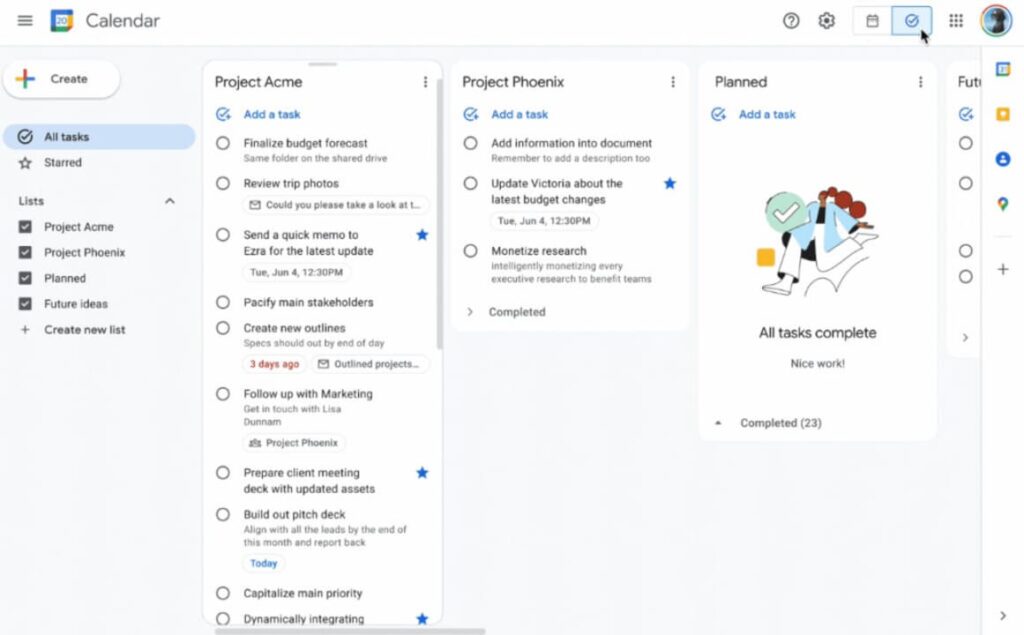
While after this change the web version of Google Calendar lost a dedicated space to view your tasks and reminders, Google has now decided to integrate Tasks into Calendar. To view your tasks in Google Calendar for the web, you just need to go to the tool and click on the checkmark icon located right next to your profile picture in the top right corner.

Once you click this icon, you’ll see the different lists you have with their respective tasks, each of them with its date and a checkbox that allows you to know if you’ve completed it or not. If you want to return to the normal calendar view, simply click on the icon located to the left of the tasks icon.
Google Tasks DOWNLOAD

Google Tasks gets better integration with other Google Workspace apps

Google Tasks is the to-do app of the Google Workspace productivity suite of programs. Whereas the likes of Google Docs, Google Sheets, Google Calendar, and Gmail are all popular programs that we all know about and use regularly, Google Tasks has been a bit of a forgotten affair since it launched in 2018. Google clearly wants this situation to change and is rolling out an update Google Tasks that should see it becoming more prominent in your workflow.

Google Tasks Download Now

Google is rolling out a huge update for Google Tasks that will integrate it into popular apps like the previously mentioned Gmail and Google Calendar as well as also creating Google Assistant integration to provide easier pathways to use the to-do list app.

In the Keyword blog post announcing the move, Ilya Brown Google’s Vice-President of Product Management described the update to Google Tasks like this:

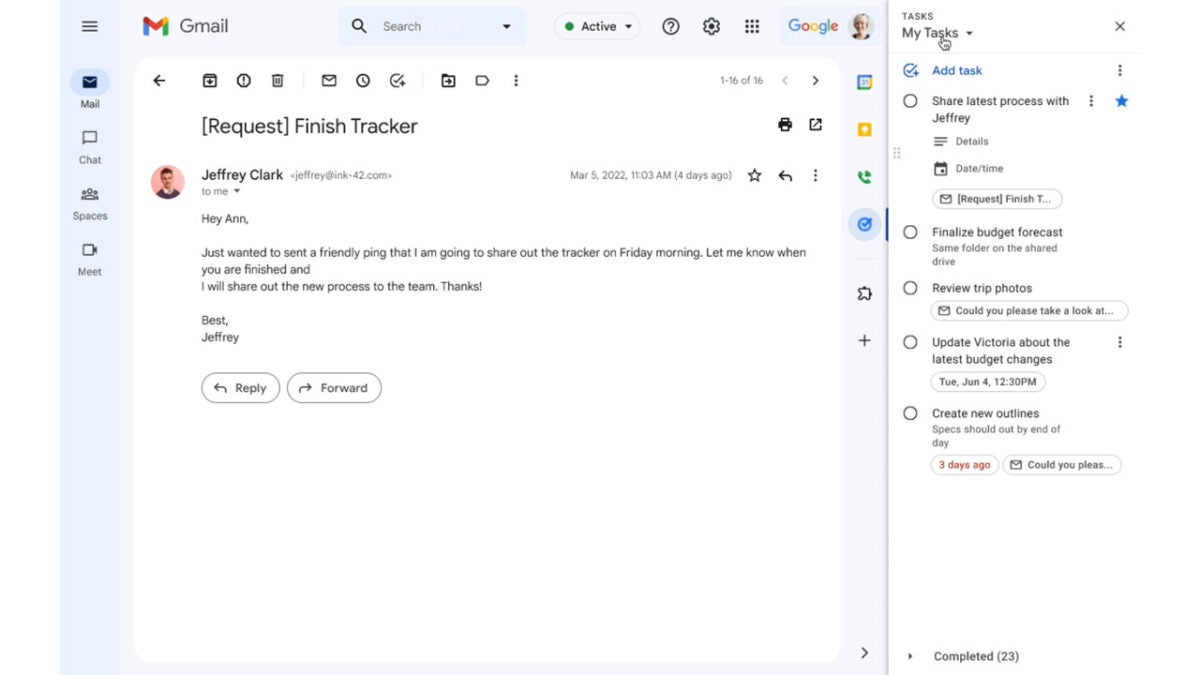
“Google Tasks helps users get stuff done with a simple and productive solution across their personal and professional lives. It can sync across your devices, so your lists and tasks go with you, wherever you are. Plus, you can easily access Tasks from your favorite Google Workspace apps like Gmail, Calendar and Chat.”

There will be a simple Add Task button present in these apps, which will enable users to quickly and efficiently built out their to-do lists from across the Workspace suite of apps. Google Tasks will then give users the ability to prioritize their tasks and tick them off once they are done.

In a further bid to boost the popularity of Google Tasks, the search giant is also going to prompt all users who set reminders for themselves using either Google Calendar or Google Assistant to try out the to-do list app. Google claims that the added utility offered by Google Tasks will make users’ lives much easier if they make the switch.

In other recent news, did you know that Google Maps just received an eco-friendly upgrade?