Apple collects your location and searches in OS X Yosemite (updated)

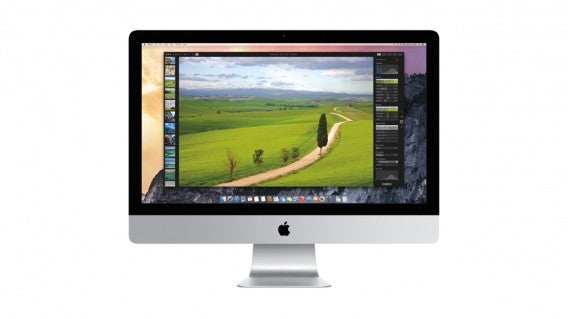
Apple’s OS X Yosemite is a great update for Mac users, bringing a ton of new features and a new look. There’s also a new, smarter Spotlight search which gives you results as you type. You can get movie times, information from Wikipedia and quickly convert measurements. However, some enterprising users noticed that Apple is collecting all of your search data.

The data collection doesn’t stop at Spotlight, but extends to Safari as well. This means you’re sending searches not only to your default search provider like Google or Yahoo, but also to Apple. This means even if you use an anonymous search engine like DuckDuckGo, your searches will still be sent to Apple.

Is this legal?

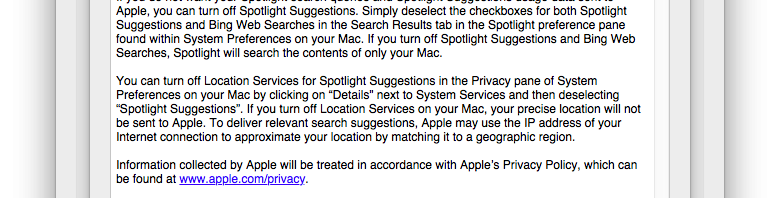
Yes, Apple is collecting your search data legally because of its terms of service. The terms state, “When you use Spotlight, your search queries, the Spotlight Suggestions you select, and related usage data will be sent to Apple.”
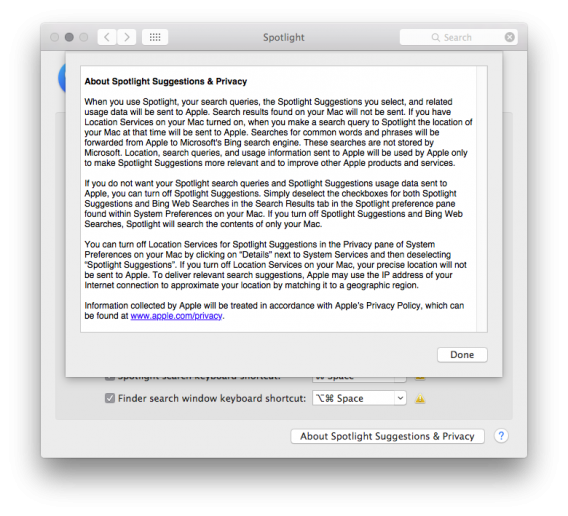
Apple Spotlight Suggestions TOS

However, some users may find it a little unsettling that Apple doesn’t make this fact more transparent after installing and setting up OS X Yosemite.

Can I stop Apple from collecting my searches?

Apple does in fact let you turn this tracking off. To do so, you’ll have to disable Spotlight suggestions in two locations. Here’s where you can find the settings:

– Launch the System Preferences app and the click on Spotlight. Click on Search Results and uncheck both Spotlight Suggestions and Bing Web Searches.
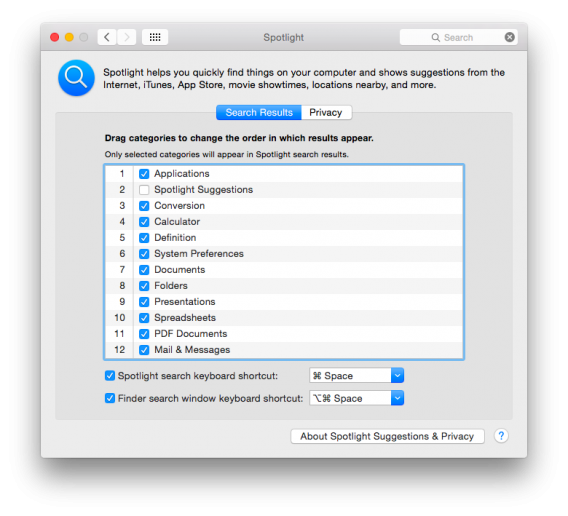
OS X Yosemite Spotlight options

– Launch Safari and access the app’s preferences. Click Search and uncheck Spotlight Suggestions.
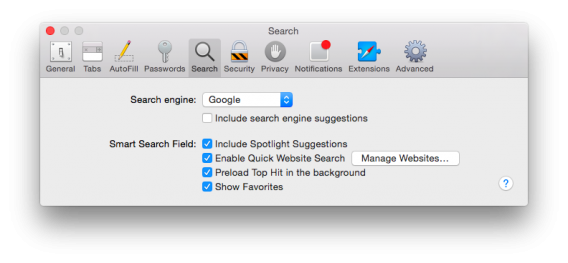
Safari Spotlight suggestions

There are other OS X Yosemite processes that are phoning home to Apple, but it’s unclear why Apple is collecting this data. It could be using it to get a better idea of how users are using Yosemite but it seems strange that Apple is opting everyone in. Apple doesn’t rely on selling advertising unlike Google and Microsoft, so its data collection isn’t for targeted advertising.

This move seems contradictory to the pro-security stance. The company vowed to make iCloud safer by adding two-factor authentication. Apple also made it more difficult for the government to surveil citizens by enabling encryption by default in iOS 8.

UPDATE: Apple responded to allegations of tracking user location and searches by clarifying that the data is not tied to specific user IDs. The user changes every 15 minutes to help obscure usernames.

UPDATE 2: In a statement to site iMore, Apple said:

“We are absolutely committed to protecting our users’ privacy and have built privacy right into our products. For Spotlight Suggestions we minimize the amount of information sent to Apple. Apple doesn’t retain IP addresses from users’ devices. Spotlight blurs the location on the device so it never sends an exact location to Apple. Spotlight doesn’t use a persistent identifier, so a user’s search history can’t be created by Apple or anyone else. Apple devices only use a temporary anonymous session ID for a 15-minute period before the ID is discarded.

“We also worked closely with Microsoft to protect our users’ privacy. Apple forwards only commonly searched terms and only city-level location information to Bing. Microsoft does not store search queries or receive users’ IP addresses.

“You can also easily opt out of Spotlight Suggestions, Bing or Location Services for Spotlight.”

Source: GitHub | The Washington Post | iMore

Via: Lifehacker

Related Stories

New iTunes design upsets some users

iTunes 12.01 released with new design and Family Sharing

OS X Yosemite, updated iWork available today for free (updated)

Google researchers discover unfixable ‘POODLE’ web traffic encryption flaw

Follow me on Twitter: @lewisleong

OS X Yosemite, updated iWork available today for free (updated)

Apple’s much anticipated desktop operating system, OS X Yosemite, is available today for free. Yosemite adds a ton of new features and a new design. There’s translucency around the entire operating system, giving more context of where your content is. Buttons are flatter and everything just look much more like iOS 8.

Speaking of iOS 8, Apple will be releasing iOS 8.1 on Monday to enable the Continuity feature in Yosemite. This feature allows you to jump between using any Mac and iOS device with a simple swipe from the lock screen or a click from the dock. For example, you could be editing a spreadsheet on your iPhone and transition seamlessly to your iPad with just a swipe.

OS X Yosemite includes a slew of improvements to Apple’s core suite of apps, including iWork and iTunes. The updated iWork is available for free to Mac users today.

Wondering if your Mac will run OS X Yosemite? Check out the official supported list below:

– iMac (Mid-2007 or later)

– MacBook (13-inch Aluminum, Late 2008), (13-inch, Early 2009 or later)

– MacBook Pro (13-inch, Mid-2009 or later), (15-inch, Mid/Late 2007 or later), (17-inch, Late 2007 or later)

– MacBook Air (Late 2008 or later)

– Mac Mini (Early 2009 or later)

– Mac Pro (Early 2008 or later)

– Xserve (Early 2009)

OS X Yosemite and the updated iWork will be available to download now at the links below.

For more on OS X Yosemite, check out our review of the operating system.

Download OS X Yosemite

Download iWork: Pages | Numbers | Keynote

Related Stories

Sick of stickers? Remove them from Facebook with this extension

Mailbox for Mac helps tame your inbox, now open to everyone

Apple redesigns iTunes Store before OS X Yosemite launch

Skype redesigns Mac app just in time for OS X Yosemite

Follow me on Twitter: @lewisleong

Apple redesigns iTunes Store before OS X Yosemite launch

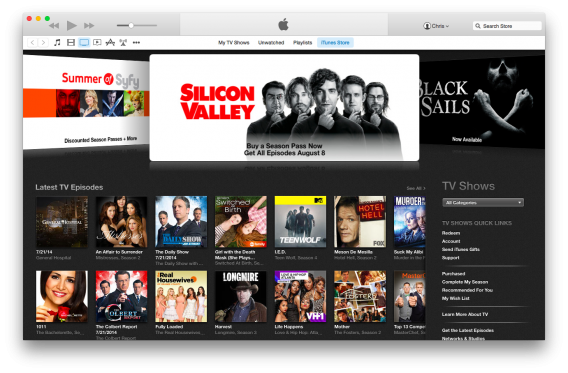
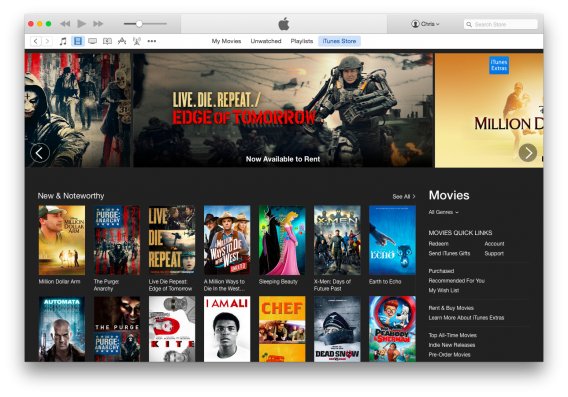
Apple has rolled out a flatter, more minimalist looking iTunes Store for users testing out OS X Yosemite. iTunes 12 features a flatter looking store and icons have dropped the use of drop shadows. Apple also drops the card-style carousel at the top for a flat, scrollable banner.

iTunes 12 TV showsOld layout with card-style banner.

iTunes 12 Movies redesignNew layout with flat design.

Download buttons for apps, movies, and other content have been flattened as well, getting rid of the drop shadow and slight gradient around the buttons.

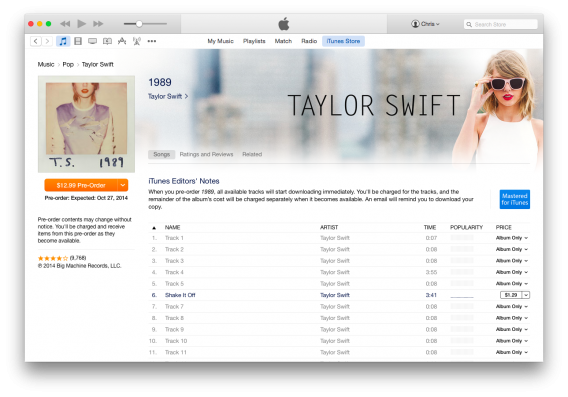
iTunes Store Taylor Swift

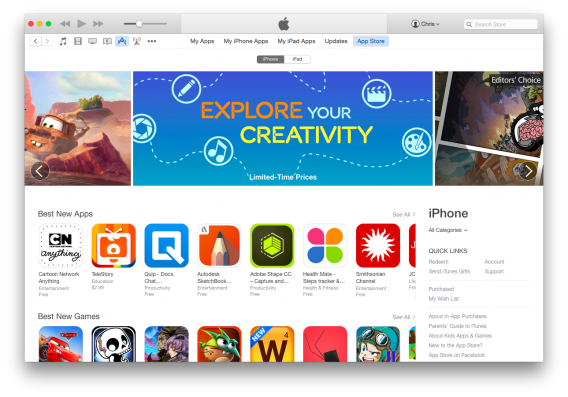
The redesign is apparent in most iTunes Store sections, including Movies, TV, and Music. Some pages have yet to be redesigned but they should be done by the time OS X Yosemite is released.

The redesign of the iTunes store isn’t groundbreaking, but it does complete the flat, colorful redesign we were introduced to with iOS 7. Now Apple has a consistent user experience among all its products.

iTunes 12 App Store redesign

We shouldn’t have to wait long for Apple to release the next version of OS X. The company has a mystery announcement this Thursday, October 16th where it is expected to reveal new iPads, Mac hardware, and of course Yosemite.

For more, check out what’s new in iTunes 12.

Related Stories

3 useful Continuity features in OS X Yosemite

Skype redesigns Mac app just in time for OS X Yosemite

Apple hosting event on Oct 16, possibly launching OS X Yosemite

Adobe releases new mobile apps and tightens Creative Cloud integration

Follow me on Twitter: @lewisleong

3 useful Continuity features in OS X Yosemite

Continuity is a feature that links OS X Yosemite and iOS 8, letting you start an action on one device (like writing an email) and then completing it on the other. Continuity syncs things you do between the different operating systems.

Requirements for Continuity

Unfortunately Continuity is a feature that’s only supported in OS X Yosemite and iOS 8. You will need to make sure your Apple devices support the new operating systems. Continuity also requires Bluetooth 4.0 Low Energy (LE), which connects devices without impacting battery life.

Continuity requires you to log onto the same account and connect to the same Wi-Fi network on each Apple device in your home.

Use Handoff to answer calls on your Mac

One of the uses of Continuity is to answer phone calls on your Mac. Apple calls it Handoff. Your phone will ring like normal, but you’ll see a notification on your Mac and you can answer or reject a call. You can answer and talk normally using the Mac’s microphone and speakers.

Handsoff Continuity Mac iPhone

Handoff in Continuity

Send SMS from your Mac

Apple now allows messages to show in the Messages app for Mac. Previously, Messages only supported iMessages sent from Apple devices but now it supports SMS from your friends who aren’t using Apple products. Continuity solves that problem by extending the ability to send SMS and MMS messages from any Apple device.

SMS messageSend SMS from your Mac

While syncing all SMS through Messages isn’t really revolutionary, it makes it easier to continue conversations on any of your Apple devices.

Start a document on your Mac and finish on iOS

Perhaps the most useful feature of Continuity is the ability to start documents on one platform and continue to work on them on the other.

Apple’s iWork suite fully supports this function, letting you start a document in Pages on your Mac and have it sync automatically to your iOS device. An icon will show up on your iOS device that you can drag upward to continue working, without losing any changes.

Unfortunately, the iWork suite isn’t as popular like the Google Docs suite or Microsoft Office, but this new feature may bring more users to use the apps.

Mac and iOS KeynoteSync on multiple devices

Unifying OS X and iOS 8

Continuity is not a huge revolution in communication between platforms, but does add more functionality to Apple’s ecosystem.

Related Articles

How to send disappearing messages in iOS 8

Which is safest: Android, iOS or Windows Phone?

Should I be afraid of the Shellshock bug?

Originally published in French on Softonic FR.

Follow me on Twitter: @bbrassart

Apple hosting event on Oct 16, possibly launching OS X Yosemite

Apple just sent out invitations for a press event on October 16th at the company’s campus in Cupertino, California. The invite is as mysterious as ever, only saying “It’s been way too long.”

Yesterday, Apple released a second Golden Master of its upcoming OS X Yosemite operating system to developers. A Golden Master is basically nearly finalized version of a piece of software, hinting that Apple may release Yosemite at this event.

Apple promised to launch OS X Yosemite this fall, and it looks like their promise is on track. OS X Yosemite is an important piece of Apple’s software ecosystem as it offers tight integration with iOS 8. Users can look forward to Apple’s Continuity and Handoff features, which lets you transition seamlessly between working on your iOS devices and the Mac.

You’ll be able to answer phone calls on your Mac and pick up what you were doing from different Mac and iOS devices. For example, if you’re typing an email on your Mac but have to catch a train, your work will be synced automatically to your iPhone. An icon with show up on the lock screen, letting you slide up to continue your email.

To prepare, you should make a backup of your Mac’s files just in case anything goes wrong. You can use Apple’s own Time Machine utility or one of these alternatives.

Tune in on October 16th at 10AM Pacific to see what Apple has to announce.

Related Stories

Apple prepares OS X Yosemite for launch

Adobe releases new mobile apps and tightens Creative Cloud integration

Should I be afraid of the Shellshock bug?

Twitter for Mac finally receives updated photo features

Follow me on Twitter: @lewisleong

Apple prepares OS X Yosemite for launch

The next version of OS X is right around the corner. Apple promised to release OS X Yosemite this fall and it looks like the company is about to make good on its promise.

Today, Apple released the “Golden Master” to developers to start playing around with. A Golden Master is a nearly finalized version of a piece of software that’s traditionally given to developers before its release. This allows developers a little bit of time to update their apps to work with the new operating system.

Many users are anxious to get their hands on OS X Yosemite for its Continuity feature, which allows you to pick up what you were doing from different Mac and iOS devices. For example, if you begin typing an email on your iPhone but want to finish typing on a full sized keyboard, you can switch to your Mac immediately and have all your work seamlessly synced between devices.

OS X Yosemite will also allow Mac users access to the all new iCloud Drive, which works much more like a traditional cloud storage service. Ironically, Windows users got to use this feature first.

Apple is rumored to announce the availability of OS X Yosemite at a special event in October. In the meantime, you can prepare your Mac for the upgrade by making sure your operating system and apps are all up to date. Then make a backup of your computer using Time Machine or another backup app just in case anything goes wrong during the upgrade.

Source: TechCrunch

Related Stories

3 free alternatives to Office for iPad

Apple releases OS X Shellshock bug patch

iOS 8 ‘Reset All Settings’ bug erases iCloud Drive

Apple releases iOS 8.0.2 to fix Touch ID and connectivity problems

Follow me on Twitter: @lewisleong

OS X Yosemite public beta available tomorrow, July 24

The next version of OS X will be available tomorrow for you to try. The finished version of OS X Yosemite will launch some time this fall, but you can get a preview of all its new features tomorrow.

I’ve been playing around with a developer version of OS X Yosemite and found it to be a great improvement over OS X Mavericks. The interface looks more cohesive than ever, with tons of translucency around the operating system.

My favorite updated feature is Spotlight. You can now search for anything in Spotlight and it’ll give you an answer. Beyond looking for apps and files, Spotlight can now look up movie times and pulls information from Wikipedia.

The most interesting update in OS X Yosemite is Continuity, a new feature that makes it easier than ever to use multiple Apple devices. The feature detects when your iOS and OS X devices are on the same network, and lets you transition from using one to the other seamlessly. Unfortunately Continuity will not be available in the Yosemite beta. For more information about Continuity, check out Apple’s site.

iPhoto is getting the ax in OS X Yosemite, favoring the recently announced Photos app instead. I won’t miss iPhoto as it was always buggy and slow.

Photos OS X Yosemite header

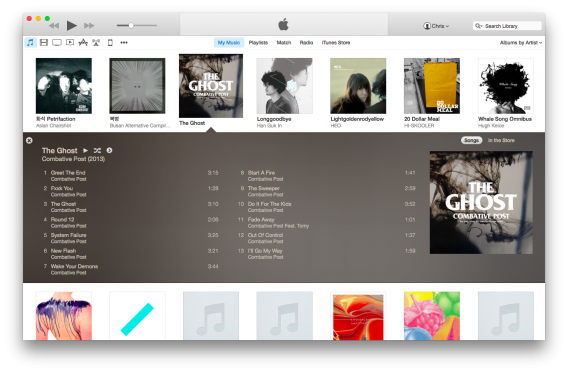
iTunes is also getting an upgrade. The changes are subtle but you can read more about it in my hands-on.

iTunes 12 expanded music

If you want to give OS X Yosemite a try before it’s released, sign up at Apple’s beta program page. Be warned: this is pre-release software so there are plenty of bugs. Don’t install this on your only Mac and always back up your data before installing.

The program is opened to the first million sign-ups so hurry before all the spots are taken.

RELATED STORIES

What’s new in iTunes 12

New Tips app makes iOS 8 less confusing for newbies

iTunes 11.3 expands Extras content to Mac and Apple TV

Apple Maps in iOS 8 includes option to use other mapping apps

iOS 7.1.2 out now with bug fixes and security updates

Follow Lewis on Twitter: @lewisleong

OS X Yosemite announced, coming fall 2014

With over 40,000,000 installs, OS X Mavericks has the fastest operating system adoption rate ever. The next version will be called OS X Yosemite. It’s got a new, refined design, that brings it closer to what we saw with iOS 7.

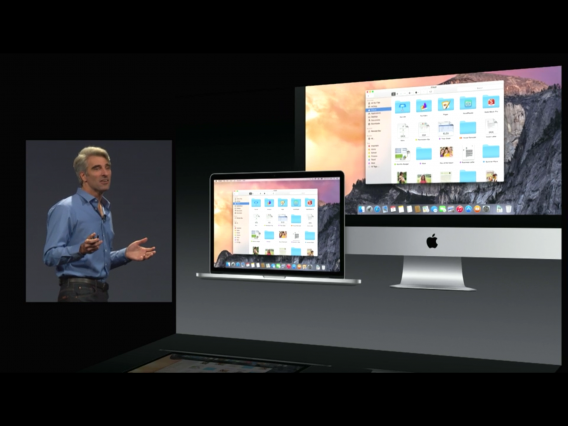
The OS X Yosemite windows have translucency, so they fit with whatever your background is. There are all new icons for the doc, all with a neat, flat and modern look. There’s also a new ‘Dark Mode‘, with a dark look, which is still translucent. The new app designs maximize window space for content, by doing away with borders.

The Notification Center is interactive, and allows you to add and edit widgets, so you can customize it to your needs.

Spotlight, the OS X search tool, is all new, with a big search bar that appears in the middle of the screen, and a fast preview of search results that appears as you type. When you search for an app, as well as that app you’ll also see your recent documents, and be able to jump right into them, instead of opening an app and then opening a document. Searching for other things will bring up maps, Wikipedia entries and more. It’s similar to what Windows 8 did with Bing search, but with Apple’s typically slick design.

iCloud Drive now automatically syncs all your documents on OS X, iOS and even Windows, so you have your documents everywhere.

Even Mail gets an update, which includes a new service called ‘MailDrive‘, which allows you to send attachments to anyone up to 5GB in size. If the recipient can’t receive attachments that large, they will get a link to directly download the attachment instead.

Safari does away with showing your favorites, instead integrating them into the search bar, which also works just like Spotlight. Apple also claims that Safari’s optimization gives you much longer battery life – up to two hours more for playing video, for example. There’s also a new tab view, and you can also mail content from the web to your contacts in a single click.

With OS X Yosemite, you’ll be able to work between your Mac and iOS devices seamlessly, with Continuity. Your devices will be aware they are near other devices, and can work together. You can pick up work from your mac on an iPad immediately, with a little icon that appears on the device.

OS X can now open a hotspot on your phone, with no setup, and receive text messages from non-iOS devices too. Most surprisingly, OS X is now able to take and receive calls – as we were shown on stage with a phone call to Dr Dre.

OS X Yosemite will be released for free in fall this year, and there will be a public beta over the summer. It’s available for developers from today.