
It’s getting hot here, so we are looking for something to keep us busy while we laze around trying to stay cool. Luckily, we found five apps to keep us entertained as we hide in the shade.
We kick off with Running Circles. This is a simple one touch game manages that pulls off that elusive mix of punishingly challenging but addictive as you try to add just a few more points to your best score.
Second this week is something to awaken your creative side, Adobe Sketch. This little app allows you to draw and sketch with its huge selection of tools. You can then share these through your social networks and open them in Photoshop.
Our third choice this week is the Tour de France 2015 (Android|iOS). This app offers comprehensive coverage of the cross nation cycling event, complete with: computer information, summaries of the stages, and videos to ensure you do not miss anything.
The fourth app this week is Vainglory. This is a fast paced multiplayer strategy game that has been out on iOS for a while, but which has finally made its way to Android. Vainglory keeps its action simple, fun, and fast paced – plus it looks fantastic.
Finally this week we have Fallout Shelter. This brilliant social management game has you controlling the lives of survivors of a nuclear attack as they hide in a bomb shelter. This game will have you hooked as you try to bring little light to the lives of your vaults dwellers and rebuild humanity.
That’s it for this week. Leave a comment if you tried and enjoyed any of our recommendations, and subscribe to make sure you never miss an episode.
Related Stories
Five Apps to Try This Weekend: essential holiday apps
App of the Week: Fallout Shelter
Follow me on Twitter: @DoFuss
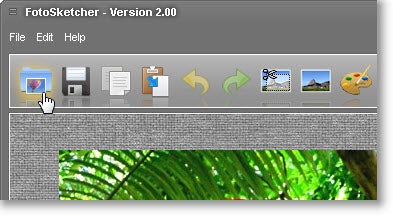

 I’ve never been a dab hand with a paintbrush – I had more fun flicking paint at kids in my class than being the next Picasso. For people like me, there’s only one thing for it and that’s to either kick me out of the classroom or give me a sketching application on the PC. There are so many sketch applications nowadays that it’s hard to know where to start, especially with an increasing number of online applications on offer. However, there are definite differences in the amount of options and control that some offline apps give you over others. One very common use for sketch apps is to turn your photos into sketches which you can then modify as Elena illustrates