 If you were to fix up the heavyweight P2P TV battle of the World and then watch them smash each other’s brains out, then you’d surely have to go for Sopcast and TVAnts – two monsters of the P2P ring. I’ve probably come to rely on both of these two applications more than my TV for sports viewing over the past few years because of the wide access they offer to English football streamed on foreign channels.
What they offer though is two quite different P2P TV applications. While TVAnts is purely about broadcasting and is heavily dominated by Chinese channels, Sopcast not only broadcasts but allows you to create your own channels as well. How many people actually do bother to set up their own channel on Sopcast is another question since the vast majority in the West probably use it for sports viewing like myself.
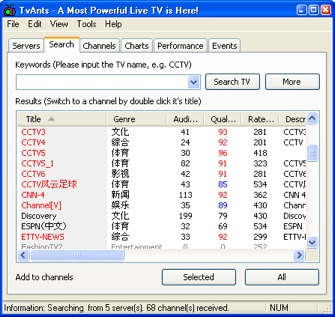
Added to the fact that setting up your own channel is not particularly well explained, it’s not a big edge over TVAnts but at least it’s there if you want it. The existence of this option however does mean that Sopcast always prompts you if you want to log in on start-up which is a bit annoying. While also heavily influenced by Chinese channels, Sopcast however definitely has a broader range of channels from all over the world.
The important thing to consider with any P2P TV app though is does it stream content well and are the channel names and listings decipherable? In the case of TVAnts it’s a definite yes to the former and a resounding no to the latter. TVAnts offers some of the most stable P2P TV streams around but unfortunately, most of the channels are in listed in Chinese and there’s virtually no way of navigating what’s on unless you know the language. Sopcast on the other hand is mainly dominated by channels that are at least labelled in English (albeit badly such as the intriguingly titled “Man & Woman Romance Epic”!!). The annoying thing however is that it seems not many of the channels are ever streaming (including the aforementioned epic I might add). Click on any channel on TVAnts and you’re at least guaranteed something will appear even if you don’t understand it. Continue reading “Sopcast v TVAnts”
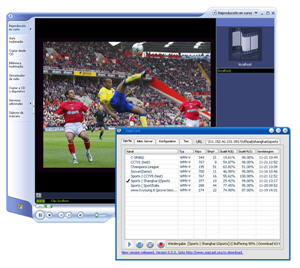 There are a handful of P2P TV streaming apps out there but only a few available with interfaces in languages other than Chinese. These two monsters of the P2P TV streaming world offer exactly that with excellent streaming stability and good image quality to boot.
 As we wrote in reviews for