New Chrome Beta includes hands free voice search

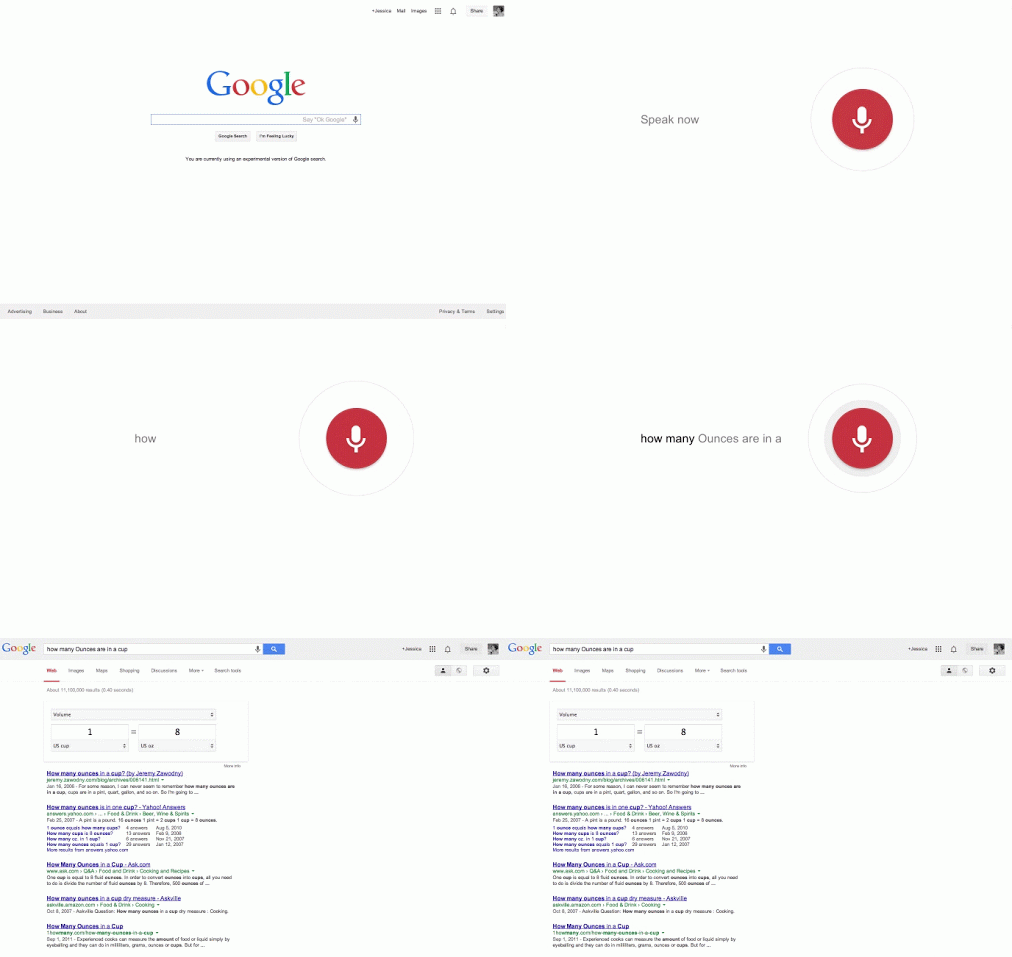
The latest Chrome Beta has hands free voice search, activated by saying ‘OK Google…’ It is available in US English now, and will be brought to other languages soon.

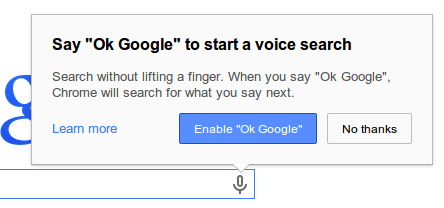
To enable the feature, you first need to click the small microphone symbol in the search bar, and click ‘Enable OK Google‘. Then, you just have to say ‘OK Google’ to activate voice search, and say what you are looking for. The official Chrome development blog explains how you can ask questions like ‘Ok Google, how many ounces are in a cup?’ or even create a Google Now reminder with ‘OK Google, remind me to pick up dessert at 6pm tonight.’
This means you can search in Chrome while doing the washing up or cooking, without having to clean your hands, or get your keyboard wet.

The Chrome beta also updates the ‘Supervised User‘ feature introduced last October. This feature lets you add family members and others to Chrome in a ‘managed environment’, where each user has certain permissions to control what they can see and do on the web. In the new beta, you can import any user to Chrome on any device, and their permissions will be synced.

Download Google Chrome Beta for Windows, Mac and Android.

RELATED STORIES

Google Voice Search extension for Chrome out now (video)

If you want to use voice commands with your computer, now you can. Google has released their Google Voice Search extension for Chrome, which allows users to dictate Google searches and commands.

Android and Google Search for iOS both have this functionality for smartphones but now it’s finally available for your computer. The extension uses your microphone to detect the hotword, “OK Google,” to perform searches and other commands. The hotword is only detected if you’re at Chrome’s new tab page or on the Google Search site. If you don’t want to say, “OK Google,” you can just click on the microphone icon to activate Voice Search.

The extension is in beta, as it doesn’t have all the functionality that Google Now provides. For example, you cannot yet dictate an email and have it sent using the Google Voice Search extension. However, things like reminders do work and are pushed to Google Now on your device.

To give the Google Voice Search extension beta a try, click on the download link below. The extension will only work with Chrome so make sure you have it installed first.

Download Google Voice Search beta for Chrome

Source: Google (Google+)

RELATED STORIES

Chrome for iOS updated with better voice search and data savings

Google’s popular Chrome browser for iOS has been updated to version 29.0.1547.11. It brings improvements to search, bandwidth management and voice search too.

The change with search results is a good one. Now when you search, after you click on a link you can tap back to see your search results instantly. They don’t have to be reloaded, which is more efficient in terms of time and data.

There are new Bandwidth Management settings too, to allow you to see how much data you are saving in Chrome. However, this is ‘being rolled out and will be available to all users over time’, so you may not see it yet.

Voice search has been improved by adding ‘pronoun support’. That’s not just geeky grammar: it means you can now search saying things like “Who is Kim Kardashian?” and “Who is her husband?”.

Download Chrome for iOS.

Yahoo! for iPhone adds voice search

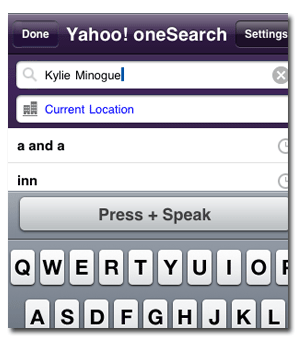
Speak up…Fans of speech recognition will be interested to hear that Yahoo! has added a voice search facility to its popular iPhone client. Disappointingly though, the new feature, which works in a similar way to the speech input within the Google Mobile App, seems to be hard of hearing.

Keen to further my knowledge of Australian music, I started by politely requesting “Kylie Minogue”. The program immediately returned an error saying it hadn’t understood me. I asked again, this time speaking louder and slower. Still nothing. After five attempts that returned errors, Yahoo! finally produced the results – for “a and aa”. Not only was this a million miles away from what I’d requested but I now looked a fool in front of the whole office. So, I thought I’d make things a bit easier for the voice recognition engine (and for my reputation) and said “hello”. Yahoo! thought I’d said “inn”. I tried “software” and it thought I said “cotton”.

I’m not sure whether it’s a general weakness in the functionality, or if it’s my refined English accent that’s causing the problem, but something’s definitely not right here. It annoys me that a company with a reputation such as Yahoo! would take the trouble to introduce such a potentially revolutionary function, and make it so poor as to be completely unusable. The voice search in Google isn’t much better, and that’s after having apparently added special support for English and Australian accents.

If you’ve managed to get the voice search in Yahoo! for iPhone working I’d be very interested to hear from you to find out what accent you have. And while you’re at it, could you find out Kylie Minogue’s tour dates for me?