Just like any machine, computers need maintenance. More specifically, the drivers that power your computer’s hardware and game components have to be kept up-to-date or you could experience sound and display glitches, slow downs, crashes, or even the complete disabling of certain components such as your mouse or monitor. Yet, keeping up with the dozens and dozens of drivers your PC needs to function correctly is a practically impossible task for a human. Fortunately, IObit – leaders in PC health solutions – have just released a new version of its Drive Booster software to get the job done for you.
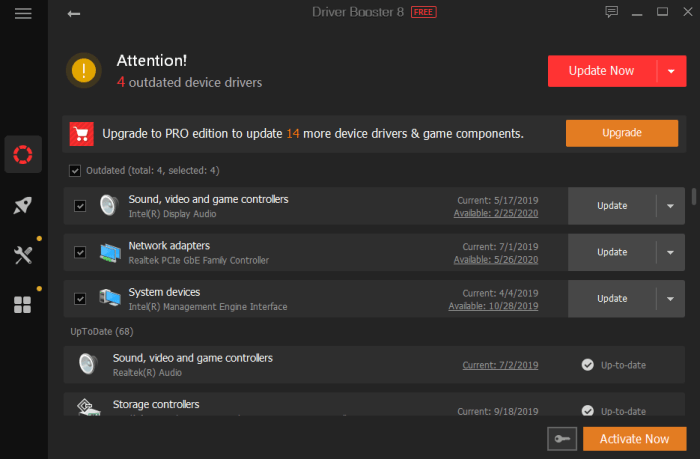 Driver Booster 8
Now in its eighth release, Driver Booster continues to improve the way in which it keeps PCs humming along with the right driver updates as soon as they are released.

Get Driver Booster 8 Free!
Download NowFor this version of the software, IObit has once again upped Driver Booster’s database. It now monitors over a whopping 4.5 million drivers and game components. Once updates are identified, they can be installed quickly and safely, thanks to the fact that all updates come from the official manufacturer’s website, and have passed both IOBit testing as well as Microsoft’s Windows Hardware Quality Lab (WHQL) tests, which gives the stamp of approval to drivers made by companies other than Microsoft.
The updates can fix problems with a simple click that might otherwise take hours of searching and experimenting to solve.
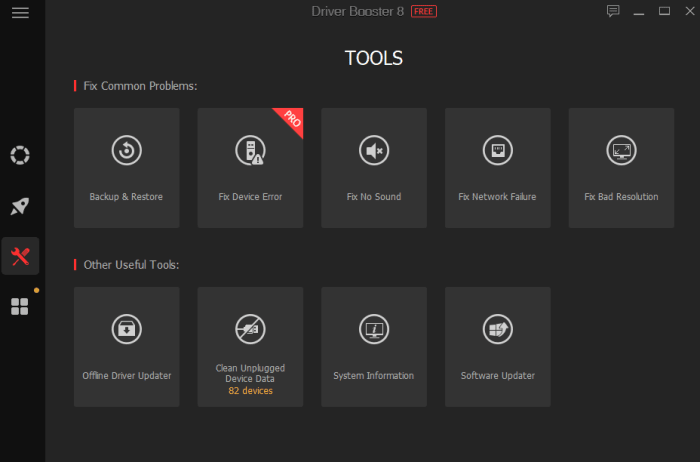 “According to TechRadar ’s article: Windows 10 has killed off driver updates via Device Manager“ said Bing Wang, Product Director at IObit, “So now it could be harder for common users to get the latest device drivers. Driver Booster 8 is a great choice for all PC users, as it includes fresh but safe drivers in its database, is easy to use, and it can help users solve common driver issues like no sound and network failure problems.”
Offline Update Now Included
Keeping your drivers up-to-date is hard enough when you are connected to the internet, but what happens when the drivers that get you online (like your wireless adapter) fail and your computer has no way to connect? Driver Booster 8 now has a solution.
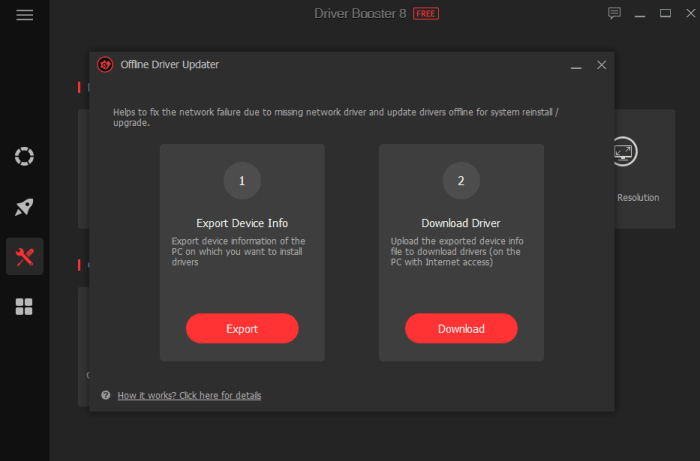 Thanks to its Offline Driver Update, the software can get your unconnected computer back online in a few short steps. You simply download the drivers to a computer that can connect and transfer them over to the non-functioning machine. The software walks you through every step of the process and fills in a vital gap that was missing in the driver-update landscape.
Driver Booster 8 is now available on IObit and Softonic. It can fully support Windows 10, 8/8.1, 7, XP and Vista.
Get Driver Booster 8 Free!
Download Now