

How to connect your Pokémon Go account to Pokémon Let’s Go: Pikachu and Eevee

Move your Pokémon between games!

Pokémon Let's Go

With the recent release of Pokémon Let’s Go: Pikachu and Let’s Go: Eevee, fans of the popular mobile app Pokémon Go have been excited to connect their account to the new game. You can receive a variety of perks by doing this, which are invaluable for both games. However, you may find it a bit complicated to connect the games and transfer Pokémon, even after the Go Park employee’s explanation in Fuschia City. Here is a step-by-step guide on how to connect the two games, and how to transfer Pokémon once you’ve done so.

How to connect your Pokémon Go account to Pokémon Let’s Go: Pikachu and Eevee

How to connect your accounts

Step 1: On Pokémon Go, click the Poké Ball in the center of the screen, then press settings in the upper right corner and scroll down until you see where it says “Nintendo Switch”.
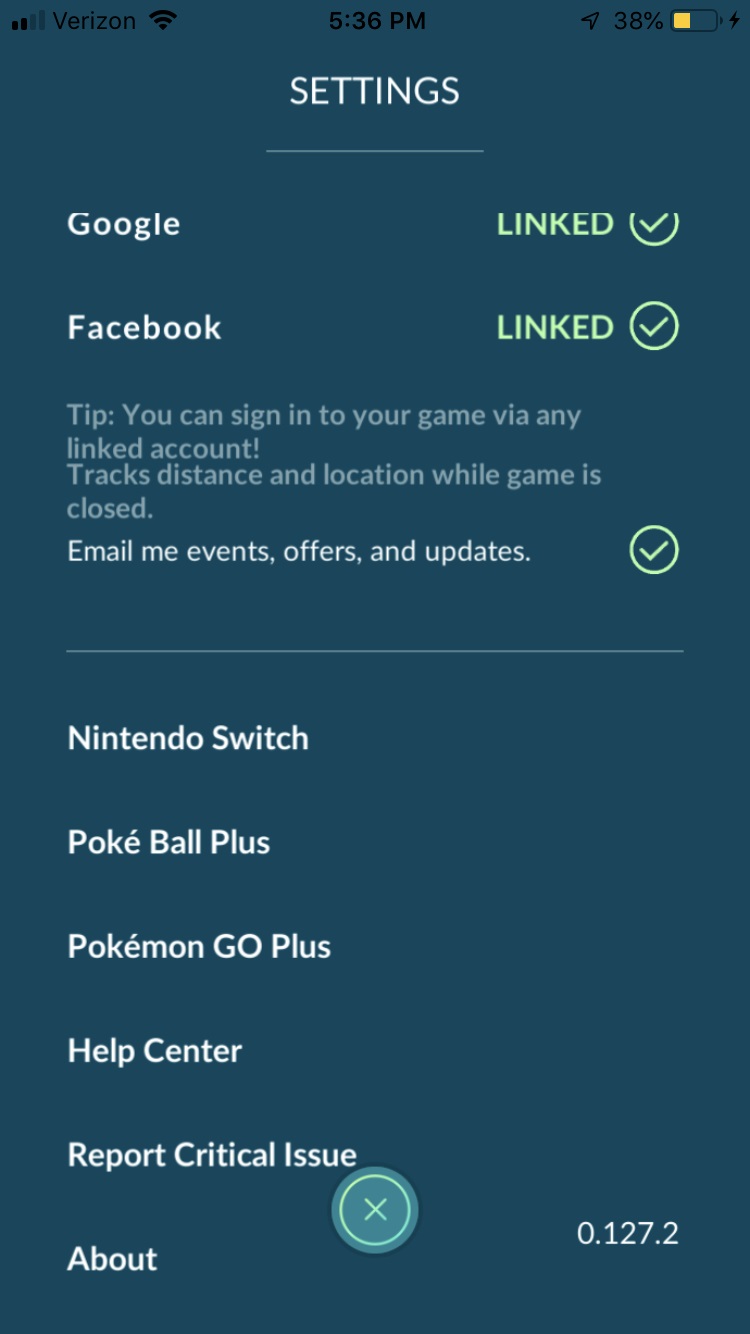
Pokemon Go

Step 2: From this menu, simply press “connect to Nintendo Switch”
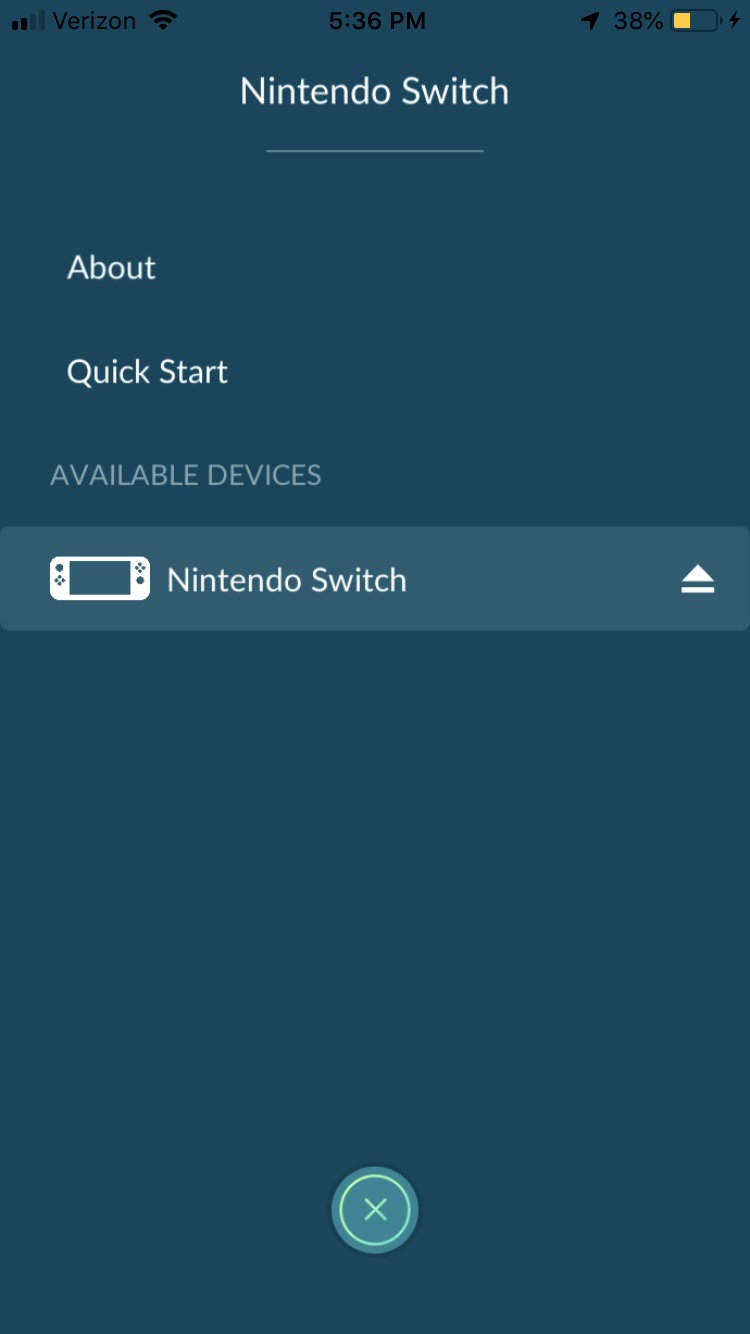
Pokemon Go

Step 3: On Pokémon Let’s Go, from the main menu (that you get to from pressing X), press Y. This should open up the options tab. Then press “Open Pokémon Go Settings”
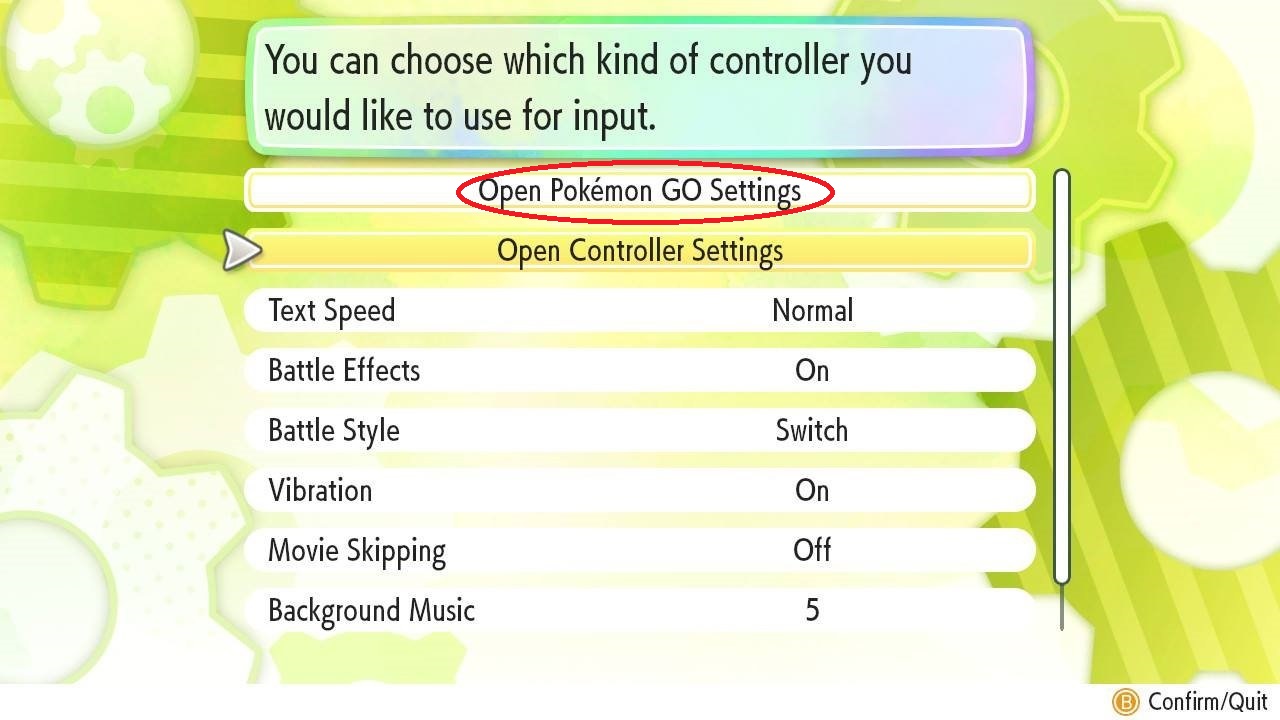
Pokemon Go Settings

Step 4: From here you simply have to press “yes” when the game prompts to connect to your Go account.

How to transfer Pokémon

Once you’ve connected your devices, you may find it a little confusing as to how you can actually transfer your Pokémon.

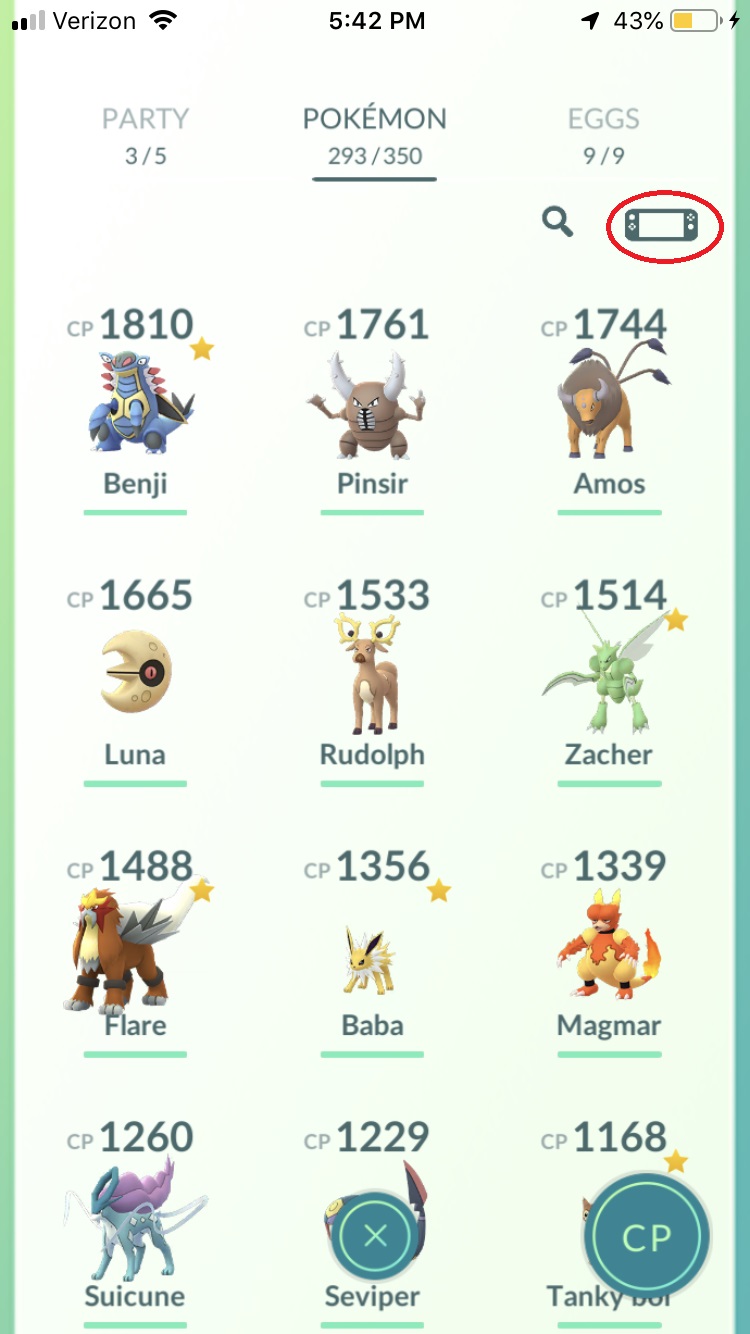
Step 1: On Pokémon Go, you’ll need to press the main menu Poké Ball, then press “Pokémon”.
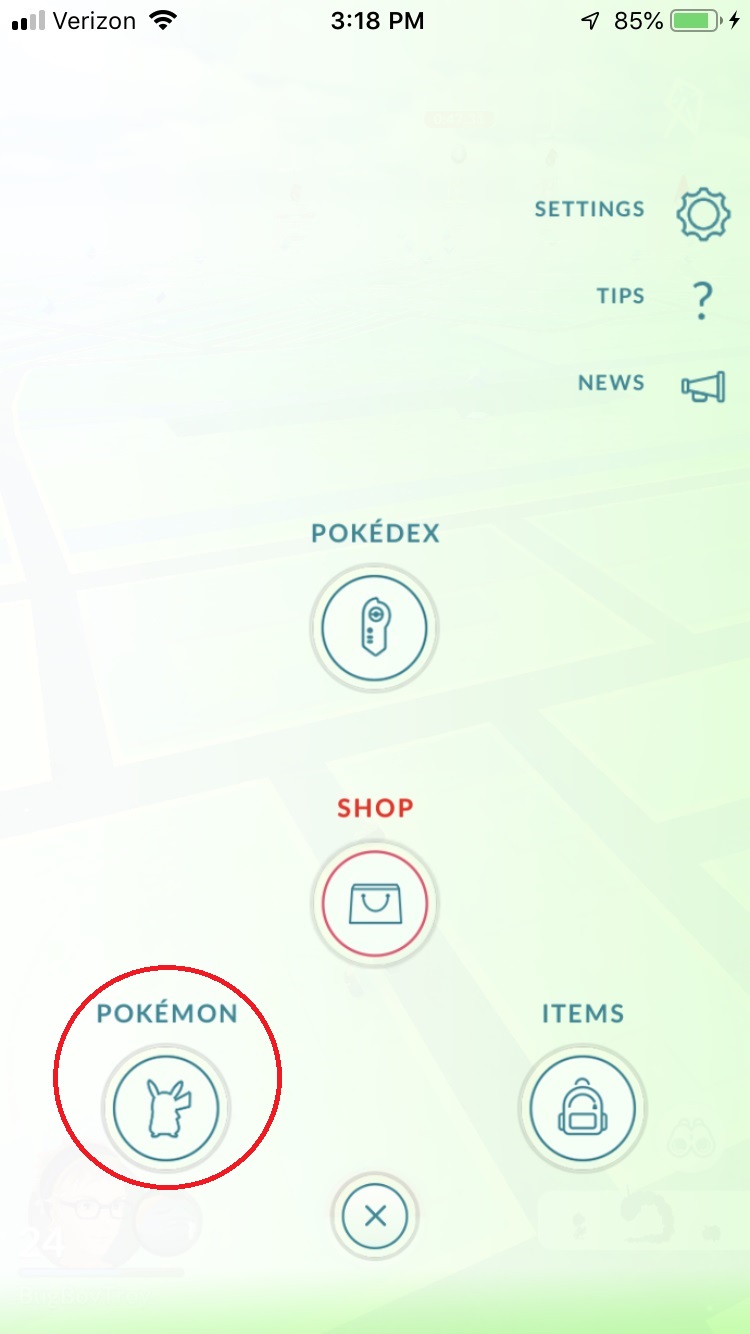
Pokemon Go

Step 2: From here, you should see a Nintendo Switch icon in the top right corner next to the search bar. If you press this, you’ll be able to select the Pokémon you want to transfer over.
Pokemon Go

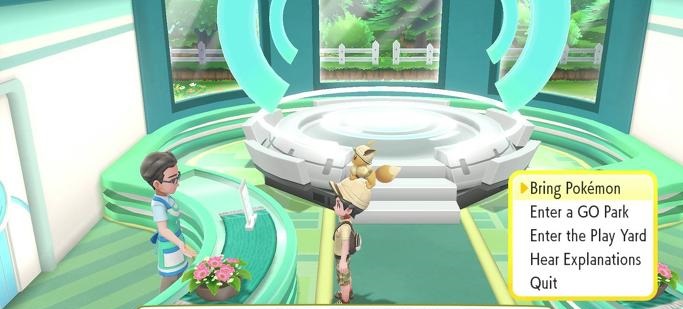
Step 3: On Pokémon Let’s Go, you’ll have to go to the Go Park in Fuschia City, and select “Bring Pokémon” when talking to the desk attendant.
Pokemon Let's Go

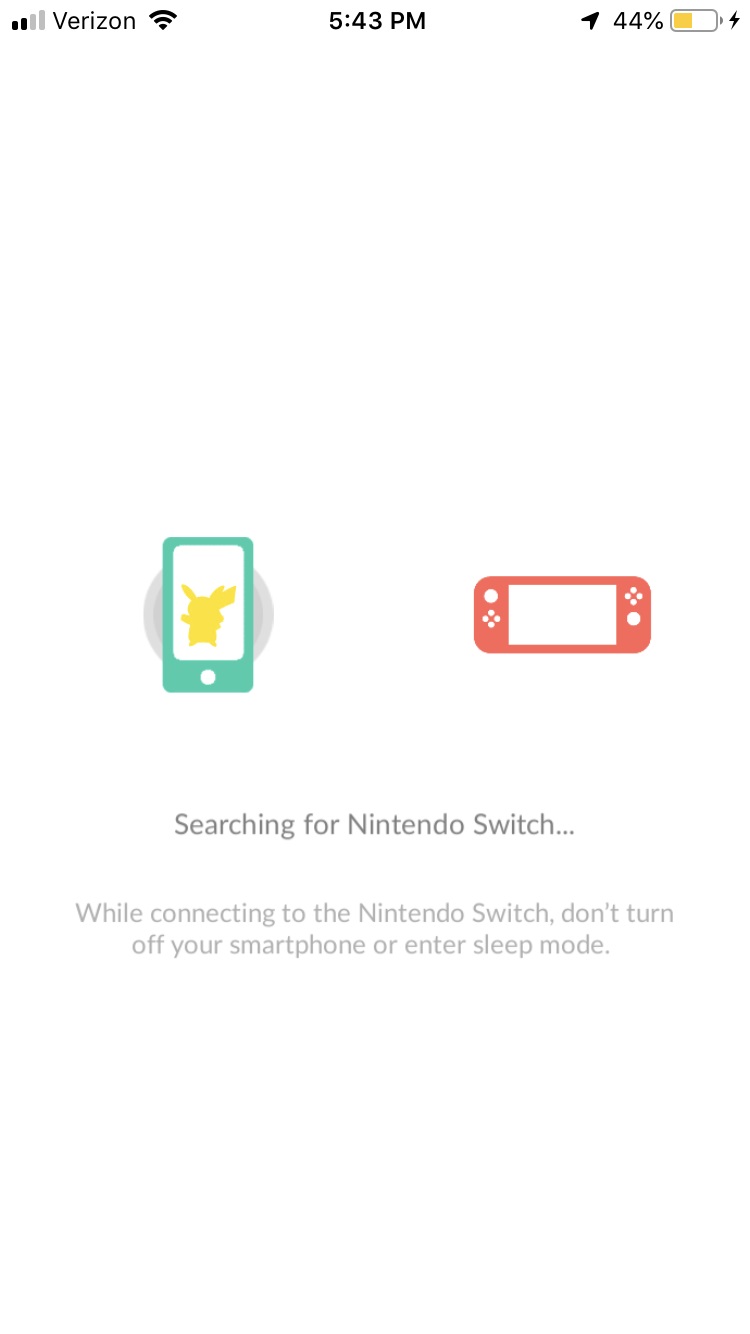
Step 4: Once you’ve selected a place for the Pokémon to go to, you just have to press “yes” to continue the communication.
Pokemon Let's Go

Note: Transferring is one-way from Go to Let’s Go. Once a Pokémon is transferred to Let’s Go, there is no way for it to return to Go.

What is the Pokémon GO Park Play Yard
Pokemon Go Park Yard

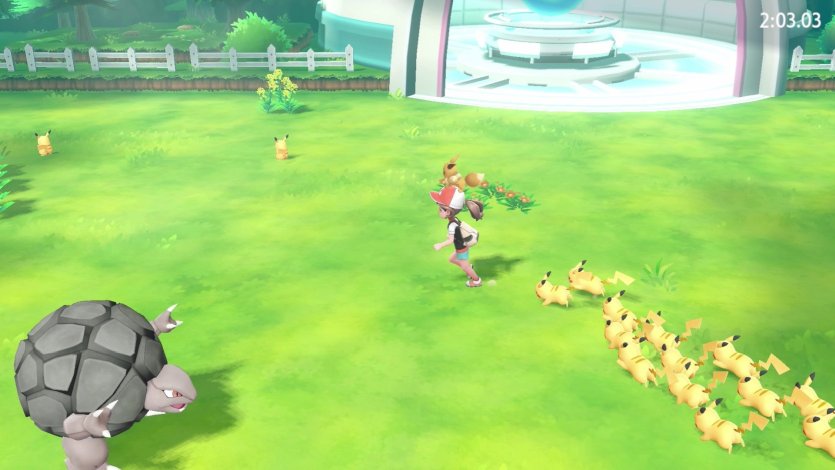
You’ll notice another option in the Pokémon Go Park, then just transferring and catching Pokémon, called the Play Yard. In case you’re curious as to how this works, if you have 25 of the same species of Pokémon in the Go Park, then you can play a minigame with them. This minigame is one of the only ways to get unique Pokémon candy, so it’s worth doing if you want to make a particular Pokémon more powerful.

While this is the main connectivity between Pokémon Go and Let’s Go, you may also want to note that transferring Pokémon lets you use a Mystery Box once a week. Since this is the only way to get Meltan and Melmetal, it’s worth transferring Pokémon to Let’s Go at least once a week.


Pokémon Let’s Go! New details emerge

What’s new with Pokémon Let’s Go? Take a look.

New Details Emerge on Pokemon Let's Go

Over the past few weeks, Gamefreak has slowly released details about the upcoming Pokémon Let’s Go Pikachu/Eevee games. In case you haven’t been closely keeping up, we’ve kept track of the most interesting details below.

Your rival isn’t a jerk anymore

Say goodbye to that jerk Blue, and say hello to your new “friendly rival” Trace. Instead of constantly taunting you and telling you to smell him later, Trace offers friendly advice on where to go and how to raise your Pokémon. If Twitter reactions are anything to go by, most fans are not happy with this chipper new character, preferring the cocky rivals of old. (Extremely NSFW Twitter reaction here.)

Gamefreak has not made the rival character a jerk in years, and fans clearly miss rivals that they love to hate. Game director Junichi Masuda stated that the reason the rival is much nicer than in Pokémon Red/Blue/Yellow is that back then, the simple pixel graphics did not allow for much personality. To make up for that, the writers had to emphasize how much of a jerk the rival was through their words. Now that the series has HD graphics, Masuda felt the need to tune the cockiness down for fear of it becoming overwhelming or intimidating.

The developers are working on a way to let you upload your Pokémon from Let’s Go! to Pokémon Bank

Masuda confirmed that he and his team are working on a way for players to be able to transfer their Pokémon caught in Let’s Go! to future entries in the series, including next year’s core Pokémon game. It has already been confirmed that players can transfer Pokémon caught in Pokémon Go to the Let’s Go games through a feature called the Go Park. If players are able to transfer Pokémon from Let’s Go! to the Pokémon Bank, that theoretically means that players will theoretically be able to use Pokémon caught in Go in future core titles.

The game is being designed to be simpler and “less scary”

Masuda has stated in interviews that he wants the game to be a starting point for kids and new players introduced to the series through Pokémon Go. As such, the gameplay has been simplified, including but not limited to:

  1. Removing held items and abilities
  2. Removing the need to battle wild Pokémon in order to catch them
  3. Removing the breeding mechanic

Masuda has described modern video game players as having different tastes than they did 20 years ago. According to him, gamers today prefer simpler games that can be played in short bursts, mostly due to the influence and popularity of mobile gaming. This has led to the removal of features he considers too time-consuming or tedious for modern players, such as Strength puzzles.

The game features a never before seen “Master Trainer” mechanic as part of the postgame

When questioned on whether there would be challenging content in the game to please longtime fans, Masuda revealed the existence of the “Master Trainer” mechanic. Basically, there exists a Master Trainer for each of the 151 Pokémon featured in the game. These trainers are considered the best at using their respective Pokémon. If you’d like to become the Master Trainer for your favorite Pokémon, let’s say Charizard, then you’d have to find and challenge that Master Trainer in order to gain their title. Masuda said that dedicated players can become the Master Trainer of every Pokémon in the game.

Watch 8 minutes of Pokémon Let’s Go! gameplay below:

If all of those words mean nothing to you and you’d rather see the game in action, Nintendo World Report TV recently released footage of 8 minutes of gameplay.

How do you feel about these changes made to the Pokémon formula? Will you be picking up Pokémon Let’s Go? Which version? Let us know below!