This is how automatic message categorization works in Mail on iOS 18.2
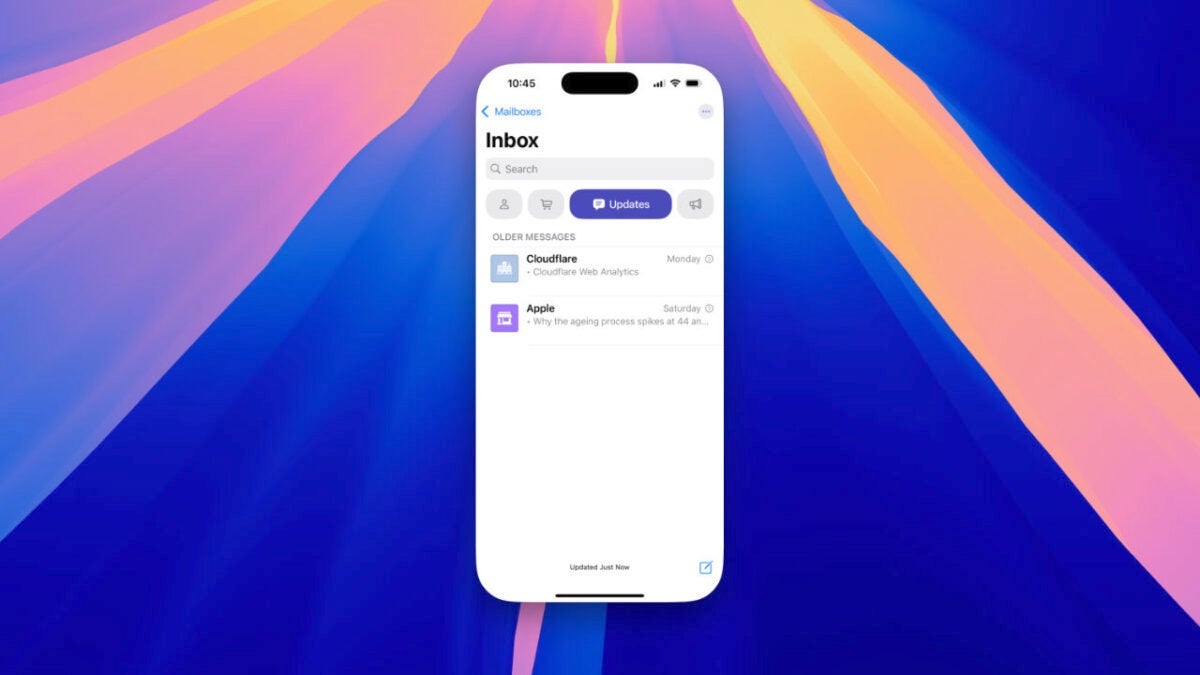
With the arrival of the iOS 18.2 and iPadOS 18.2 beta comes a highly anticipated new feature in the Mail app: automatic email organization. This organizes our messages into different sections, making it easier to access the most important ones and keeping our inbox more orderly. Each message is placed in the corresponding category. The categories we now find in Mail are: “Primary,” “Transactions,” “Updates,” and “Promotions.” Each has a classification system that we can check by clicking the three-dot button at the top of the app. In a simplified way, it works like this: […]
With the arrival of the iOS 18.2 and iPadOS 18.2 beta comes a highly anticipated new feature in the Mail app: automatic email organization. This organizes our messages into different sections, making it easier to access the most important ones and keeping our inbox more orderly.
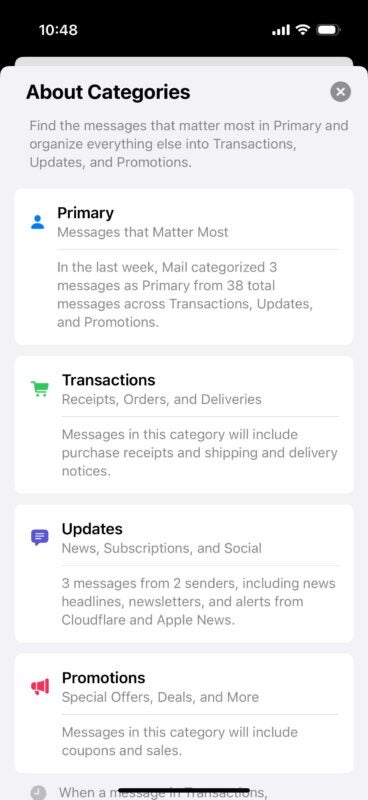
The categories we now find in Mail are: “Primary”, “Transactions”, “Updates”, and “Promotions”. Each one has a classification system that we can consult in the three-dot button that appears at the top of the app. In a simplified way, it works like this:
Primary: Here we will find the most important emails, such as personal or professional messages. Apple uses Apple Intelligence to ensure that priority emails appear first, helping us focus on what is essential. Additionally, if an email in other categories is urgent or time-sensitive, it will also be displayed in this section.
Transactions: This section groups receipts, order confirmations, and shipping notifications, helping us easily locate our purchases and delivery information.
Updates: Here newsletters, appointment reminders, or subscription emails are included, allowing us to check this information without it mixing with other messages.
Promotions: It is responsible for organizing advertising emails, offers, and promotions, keeping the main inbox clear.
Although this categorization is automatic, we can manually modify the classification of emails (even if it is not available in this first beta). If we do so, we always have the option to restore this manual classification to revert to the automatic one.
Finally, if we tap again on the active category, we deactivate it, allowing us to see all our mail. This is useful when we need a complete list of the inbox.
The ability of Mail to accurately detect which category a message belongs to is simply amazing. A change that will make a big difference in how we manage emails in Mail.
Author: David Bernal Raspall
{
"de-DE": "Architekt | Gründer von hanaringo.com | Trainer für Apple-Technologien | Autor bei Softonic und iDoo_tech, zuvor bei Applesfera",
"en-US": "Architect | Founder of hanaringo.com | Apple Technologies Trainer | Writer at Softonic and iDoo_tech, formerly at Applesfera",
"es-ES": "Arquitecto | Creador de hanaringo.com | Formador en tecnologías Apple | Redactor en Softonic y iDoo_tech y anteriormente en Applesfera",
"fr-FR": "Architecte | Créateur de hanaringo.com | Formateur en technologies Apple | Rédacteur chez Softonic et iDoo_tech, précédemment chez Applesfera",
"it-IT": "Architetto | Fondatore di hanaringo.com | Formatore in tecnologie Apple | Scrittore per Softonic e iDoo_tech, precedentemente su Applesfera",
"ja-JP": "建築家 | hanaringo.comの創設者 | アップル技術のトレーナー | SoftonicおよびiDoo_techのライター、以前はApplesferaで",
"nl-NL": "Architect | Oprichter van hanaringo.com | Trainer in Apple-technologieën | Schrijver bij Softonic en iDoo_tech, voorheen bij Applesfera",
"pl-PL": "Architekt | Założyciel hanaringo.com | Trener technologii Apple | Pisarz w Softonic i iDoo_tech, wcześniej w Applesfera",
"pt-BR": "Arquiteto | Fundador do hanaringo.com | Instrutor em tecnologias Apple | Escritor na Softonic e iDoo_tech, anteriormente na Applesfera",
"social": {
"email": "races_provost0x@icloud.com",
"facebook": "",
"twitter": "https://twitter.com/david_br8",
"linkedin": "https://www.linkedin.com/in/davidbernalraspall/"
}
}
View all posts by David Bernal Raspall