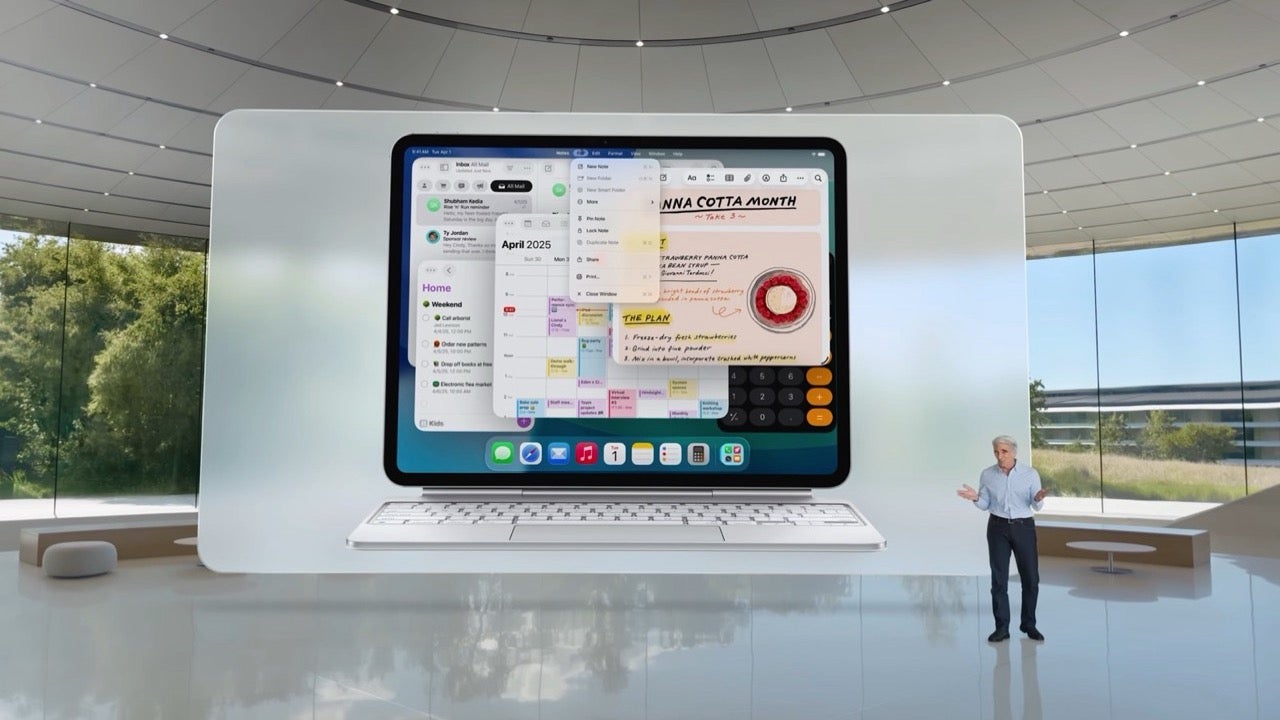
Apple has finally unveiled iPadOS 26, and for those of us who regularly work from an iPad, this update feels like a breakthrough. The biggest highlight is the completely redesigned windowing system, which makes the iPad feel less like a tablet and more like a full-fledged MacBook alternative.
The iPad finally becomes a multitasking powerhouse
With iPadOS 26, we can now resize app windows freely using a drag handle in the lower-right corner. This simple change unlocks a new level of flexibility, allowing us to arrange apps however we want—two, three or even four apps on screen at once, each with its own size and position.
The interface becomes even more familiar with the addition of red, yellow and green window controls, just like on macOS. These new controls help keep windows organized, and when reopened, apps return to exactly the same position and size, reducing workflow interruptions.
Another major addition is the menu bar that slides down from the top of each app, offering quick access to functions like File, Edit or View. It’s a small tweak that makes a huge difference for those of us who edit documents, images or code on a daily basis.
While Stage Manager remains an option, many users will find this new windowing system faster, more intuitive and far more productive. And with the option to toggle it on or off via Control Center, the iPad can now suit casual users and power users alike.
For the first time in years, it finally feels like we can leave the laptop at home and trust our iPads to do the job.