
PHP2Shell took over cybersecurity headlines last week. Researchers disclosed a set of critical vulnerabilities in PHP, the server-side language behind a huge share of the web, and the story quickly folded into a broader run of digital incidents that some analysts are already calling “Black October,” a reference to the Black Friday rush that’s right around the corner.

If you’re not a developer, news like that can feel far away. Server code, runtime environments, architecture-level flaws, none of it sounds like it has much to do with your day. So the obvious question is: what does PHP2Shell actually mean for me?
Here’s the part that matters. The first hit lands on infrastructure and the companies running it, but the fallout usually rolls downhill to regular people.
When a platform or web service gets hit, your passwords, your inbox, and your bank account can all end up in the blast radius. If you know what’s going on behind the scenes, it’s a lot easier to take a few practical steps without spiraling, especially in those first few days after disclosure, when things tend to move fast. And if you already use a cybersecurity tool like Avast One, that can help you stay safer while all of this plays out.
What is PHP2Shell and why do these new PHP vulnerabilities matter?
To make sense of the news without drowning in technical jargon, start with the basics: PHP is one of the main languages used to run the back end of websites, online stores, and all kinds of digital services people use every day.
Researchers recently disclosed critical flaws in the PHP runtime environment and grouped them under the PHP2Shell label. Put plainly, a serious weakness in code used across a large chunk of the internet triggered a burst of attack attempts within days of becoming public.
The flaw sits low in the stack, in the way servers handle data requests. That made it perfect for automated scanning. Attackers’ tools started sweeping the internet almost immediately, looking for sites that hadn’t been patched yet.
Engineers and hosting providers are now racing to roll out emergency fixes. What this episode showed, again, is how fast automated attacks can spread, especially when AI is part of the mix. Faster than a lot of organizations can react.
How can an attack on a website end up affecting your passwords, your email, and your bank account?
A lot of people assume that if an online store, social network, or cloud service has a security incident, the damage stays inside that company. It usually doesn’t. Companies hold a lot more of your personal information than most people realize.
When a database gets exposed, attackers often walk away with huge batches of records that include things like:
- Full names, postal addresses, and phone numbers.
- Birth dates and login credentials, including usernames and passwords.
- Purchase histories and related billing or payment information.
That kind of leaked data can be used for identity theft, account takeovers, highly targeted phishing, and straight-up banking fraud.
And then there’s password reuse. Automated scripts can test massive numbers of username and password combinations across hundreds of services in very little time. If you use the same password in more than one place, a breach on some random secondary site can turn into access to your email or even your online banking without much effort.
Change reused passwords first and activate passkeys or two-step verification
The best way to protect yourself from the aftershocks of a large breach starts with basic account hygiene. If you’ve got ten minutes to spend on security this week, spend them here: stop reusing passwords.
- Audit your key accounts. Start with your main email account, online banking, the shopping sites you use regularly, and your password manager. If the same password shows up in multiple places, and one of those services has had a security issue, change it right away and make the replacement unique.
- Turn on passkeys or two-step authentication (2FA). Passwords alone don’t cut it anymore. A second step, like a code from an authenticator app or an approval prompt on your phone, can block access even if someone gets your password. When passkeys are available, use them. They rely on your device’s built-in biometrics, such as a fingerprint or facial recognition, instead of a traditional password.
- Don’t share access codes with anyone. A legitimate company, bank, or support team isn’t going to call, text, or email you asking for the SMS security code or the code from your verification app.
How to spot fake “security alert” emails, cloned websites, and other phishing scams
Whenever news of a major cyberattack breaks, scammers move in fast. In the days that follow, it’s common to see a flood of fake “security alert” emails saying your account has been compromised and urging you to click a link to “verify your identity” or “reset your password.”
That’s where an all-in-one protection tool can help. Avast says Avast One is built to help you stay ahead of suspicious links, browser-based threats, phishing attempts, and scam messages that land in your inbox.
According to Avast, Avast One can warn you about suspicious links before you click and help filter scams out of your browser and email, which can keep a fake security notice from turning into a real problem. Avast also includes a feature called Avast Assistant in Avast One, described as an AI-based tool that helps you quickly check whether an alert message or email looks legitimate or fake.
One more thing, because people still get tripped up by this: the little padlock icon in your browser doesn’t mean a site is trustworthy. It only means the connection between your browser and that site is encrypted. It says nothing about who’s running the page or whether the page itself is legitimate. Scam sites use encryption too, so “https” by itself isn’t much reassurance anymore.
How to review which apps and AI agents have access to your accounts
A lot of people connect third-party apps, browser extensions, or AI tools to their main accounts without thinking twice about it. It happens every time you hit “Sign in with Google” or “Sign in with Microsoft.”
Over time, those permissions pile up. You forget what you connected, what still has access, and what no longer needs it. Attackers know that. They’ll often go after those integrations or secondary API keys because it can be easier than trying to crack the main password. Take a few minutes and check:
- Open the security settings for your email or cloud storage account and find the section labeled “Linked apps” or “Third-party access.”
- Remove access for any app, extension, or AI agent you don’t use anymore or don’t recognize at all.
- Tighten permissions where you can, so each tool only sees the data it actually needs.
How to update your devices safely and monitor your banking activity
Software updates are annoying. They’re still one of the best defenses you’ve got. When flaws like these PHP vulnerabilities, or bugs in apps and operating systems, come to light, developers release patches to close the hole.
- Update only from official sources. Check directly through the settings menu on your computer, phone, or browser. Don’t install a “patch” from a pop-up while you’re browsing, and don’t click random update alerts that appear on a webpage.
- Turn on alerts for your bank accounts. Set your banking app to send instant notifications for every charge or transfer. If you think your personal data may have been exposed in a major leak, it may also be worth asking for a temporary credit freeze so nobody can open accounts in your name.
How can Avast One help you stay one step ahead of digital threats?
Keeping up with nonstop vulnerability news, fake emails, and all the other traps online doesn’t have to turn into a full-time job.
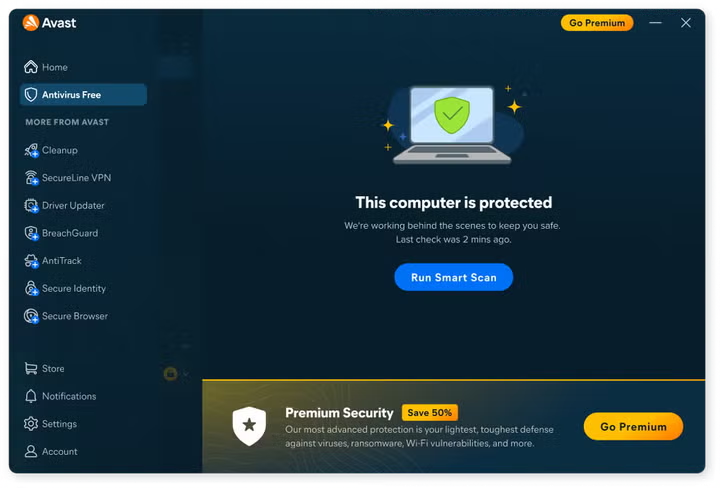
Avast says Avast One gives people a practical way to put this advice into practice without making security feel complicated. And if you just want a basic layer of protection to start with, trying a free tool like Avast Free Antivirus can make sense. Avast positions Avast One as its broader, more complete option for ongoing protection in everyday digital life.
According to Avast, Avast One is meant to make this easier even if you’re not especially technical:
- Scam and dangerous link detection. Avast says Avast One can spot potential threats in your browser and inbox before they become a bigger issue.
- Avast Assistant. According to Avast, this AI-assisted feature gives you a quick way to follow a simple rule: don’t click first, verify first. You can use it to check suspicious messages on the spot.
Stories about new vulnerabilities aren’t going away. What you can control is the boring stuff that works: update your devices, stop reusing passwords, turn on two-step verification, and use tools that help catch trouble before you walk into it.
If you want broader protection and a little more peace of mind while you browse, you can try downloading Avast One and start adding another layer of security to your accounts and your computer. You won’t regret it.
