Despite how simple it may seem at first glance, the iPhone hides a multitude of features and functionality that only the most curious know. This is the case of this TikTok, where a user (@ambre_skye) shows us a good trick to change the color of our emojis.

Did you think it could not be done? Well, yes: Apple hides in its famous phone a feature with which we can change the hue of the iPhone completely. Of course, this also affects our beloved emojis. If you want to find out how you can change the colors of the emojis, keep reading below.
How do I change the color of the emojis?
The process to follow is quite simple and before you know it, you will be done. To get started, you will need to open your iPhone’s Settings and then select Accessibility.
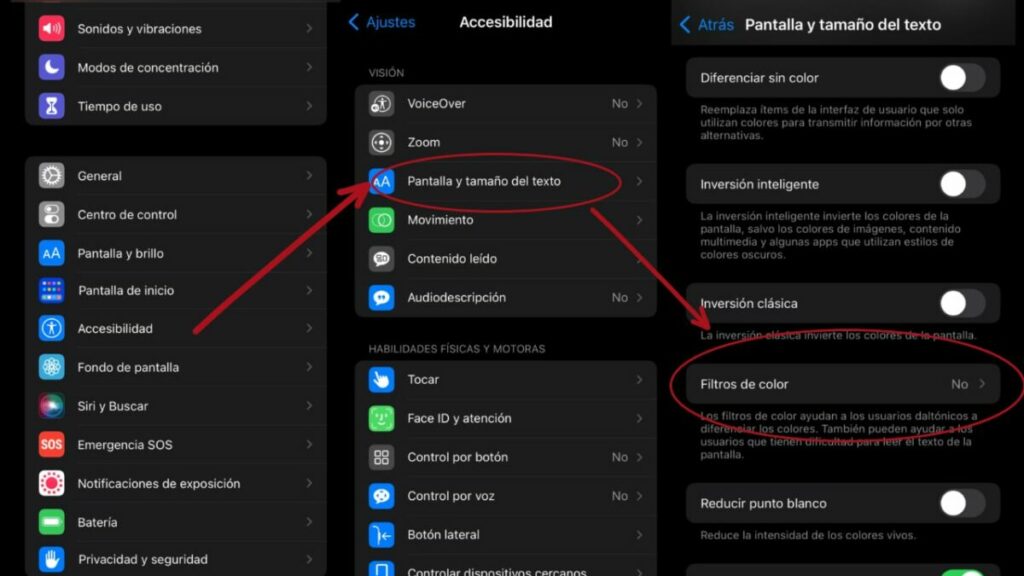
Next, click on Display and Text Size and then activate the Color Filters below. Finally, select the filter you want to use. This will completely change the colors displayed on your iPhone screen. Keep in mind that these changes will only be seen by you and no one else.
What is the iPhone color filter for?
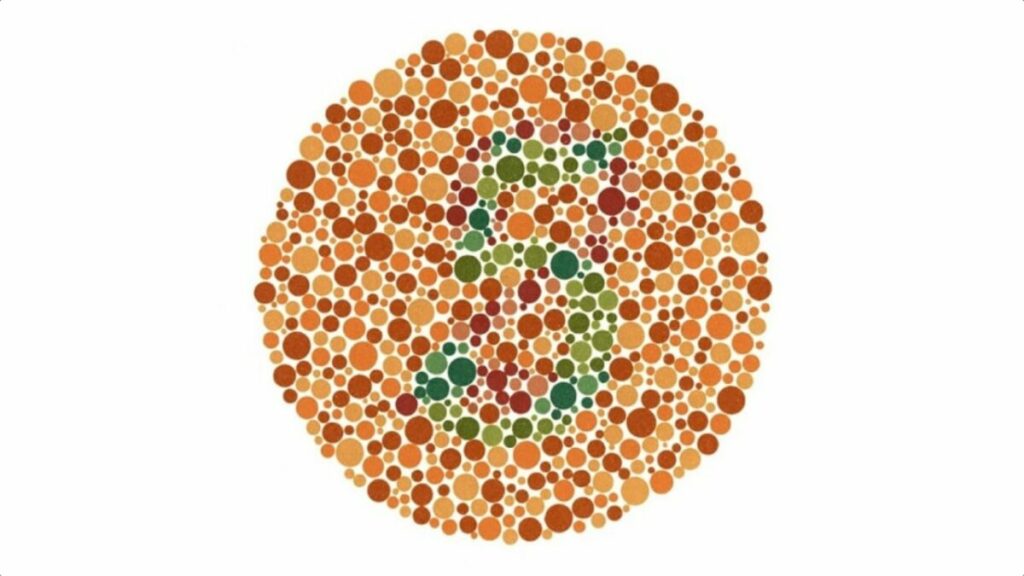
This option may seem a bit strange to the average user, but it does more than you think. Thanks to color filters, color blind people can better appreciate the elements displayed on the screen. Color blindness is a condition that disables sufferers from some colors in a normal way. However, with these accessibility features (such as color filters), colorblind users can use their iPhone without major complications.
The iPhone is one of today’s smartphones with the most accessibility features: they are able to adjust to various visual, physical or motor needs, for example. In fact, you can even use voice commands or integrate external peripherals to use it. If you want to delve deeper into this topic, here we leave you the official Apple website to learn everything the device can do to adapt to your needs.
