 A week ahead of schedule, Mozilla have announced the release of Firefox 3 Alpha 4. The project, codenamed Gran Paradiso, features several important improvements that focus on extensions. Principally, these include better integration of FUEL (Firefox User Extension Library) and a JavaScipt library designed to facilitate extension development.
Firefox 3 now also supports as standard the popular global notification system ‘Growl’ on Macs although an extension for this was already available. To embrace Web 2.0, Firefox 3 will also offer better support for offline web applications.
Some developments haven’t reached completion, however. The Mozilla team are still working on an integrated history and bookmarks system as well as enabling ‘Breakpad’ – a new crash reporting tool. These developments are expected to be included in the Alpha 5 release due at the end of May.
Please remember that this version is for testing purposes only and mainly aimed at web developers and alpha testers. You will probably find that most of the extensions you have in Firefox 2 don’t work with Firefox 3 although some can be forced to work using the potentially unstable ‘Nightly‘ extension. The actual look of this release is not much different from Firefox 2 so if you’re just a general user, you’d be best to wait until the official release.
 Do you download torrent files? Is Firefox your default browser? If so, then this program is for you. FoxTorrent is an extension for Firefox that allows you to download and share torrents from your own browser window. Its streaming feature will also enable you to play audio and video as it’s downloaded. FoxTorrent doesn’t hog your system resources nor bandwidth and requires no configuration at all. Not convinced yet? Give it a try and see for yourself!
 Anyone who owns a Windows Mobile phone or Pocket PC should know about
  After browsing blogs for a while you may have noticed that most of them display a little orange logo linked to something called RSS feed. But do you really know what RSS is?
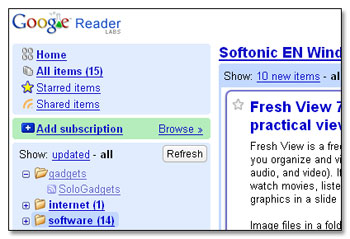 Softonic features a
  Adobe has revealed that it plans to
  When it comes to dealing with compressed archive files, there’s a wide range of applications available. But if what you need is a file compressor with security features, then your best choice is SecureZIP. This free tool can manage compressed data in a variety of formats and also create self-executable archives. Plus it adds encryption capabilites and support for digital certificates so that your files not only take less space, but are also protected from prying eyes.
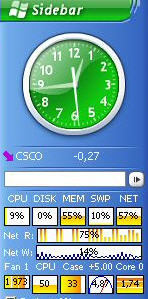 If you’ve ever thought there must be a better way to organise Windows, then you might find Desktop Sidebar the answer you’ve been waiting for. Desktop Sidebar is a simple but powerful toolbar that integrates with Windows main features, Outlook and offers a whole lot more. If you’ve not been impressed by
  Hit or fold? There’s an incredible number of card games for your PC, from playground favorites Marvel or Magic, to casino classics, like Poker, Rummy or Craps. Even though a lot of these can be played online in private games rooms, you can still enjoy a good card game without betting away your savings or spending a week in Las Vegas though.
 Want to watch your whole Internet video collection on TV and don’t know how? The answer is Sothink Movie DVD Maker. This free application enables you to easily convert video files and burn them to DVD. It supports the most popular video formats and features also advanced video editing tools. Probably the cheapest and easiest way to enjoy your favorite videos on your home DVD player!
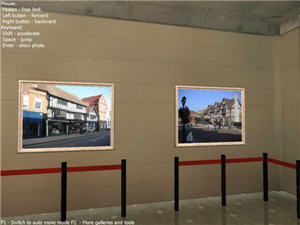 There are many ways to spice up your photo collection but perhaps one of the most impressive is to make them 3 Dimensional. Giving your photos a 3D look can be useful for a number of reasons. Maybe you’d like to breathe new life into an old photo collection or maybe you’re working on a presentation and want to give it an original touch? Whatever your reasons, there are several programs out there that can bring a new dimension to your photos in a few clicks.