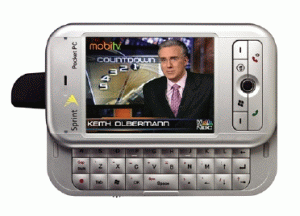
 Enjoying movies is no longer limited to sitting in your front room in front of a VCR or DVD player. Nowadays, most new mobile phones have the capacity for handling video, meaning that you can watch your favourite Simpsons episodes or the latest Bond film on the bus. With phone manufacturers getting even more generous with storage space, mobile video is now very much a reality.
But how to playback those movies? One of the most downloaded media players to date is the Nokia Multimedia Player, though it’s likely the program’s popularity owes more to the strength of the Finnish firm’s brand rather than a reflection of the quality of the software. The player is basic to say the least (there’s not even a fast-forward function) and the interface is pretty ugly. The application can handle the playback of MMS messages though and it supports a wide range of file formats. Or at least that what the developer claims – many of those ‘supported’ didn’t work with the player during out tests.
A more accomplished alternative for playing video on your Symbian phone is SmartMovie. The playback functions are much more advanced than those of its Nokia rival. Opening and running video is a much smoother process with SmartMovie, and it contains a wealth of tools for converting and scaling video so that it matches your phone’s specifications perfectly. Unfortunately, the program does have problems with certain formats, such as .mov, and you need to faff about with third-party codecs.
If your phone runs the Windows Mobile OS then get hold of the rather wonderful TCPMP, a free DivX player with a whole bunch of cool features. The program’s main screen is reminiscent of the multimedia programs that you’d find on your desktop computer, with options to change aspect ratio, zoom and volume as well as more advanced controls such as video speed (10% – 200%), video driver, audio preamp and more. Of course, all of these solutions are only as good at handling video as your current handset, so if you’re looking for a portable video player make sure you choose carefully when buying a new phone.
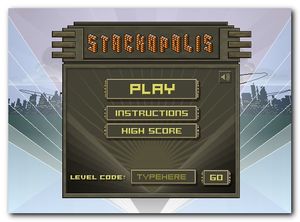 Here we are, Friday and another long, sweet weekend ahead to enjoy. Whatever your plans are, let me recommend you a great Flash online game that will challenge your logical skills, concentration, mouse speed and spatial coordination.
 Finally decided to take a crack a that novel you’ve always promised yourself you’d write? Hope you’ve got some goods ideas and a lot of inspiration. That’s really what counts, not the pen or paper you’re going to use. After all, didn’t Jack Kerouac write On the Road on rolls of toilet paper?
 spodtronic brings streaming radio to Series 60 phones, giving you access to podcasts from stations around the world. In addition to simply allowing you to play music, the service sparkles visually too, offering information such as lyrics and sleeve artwork on your display. It’s a long way from the days when everyone used to huddle around the wireless at home.
 Sometimes you need to boot Windows in a completely new way – and I’m not talking about with a pair of steel toe-capped Doc Martins – although God help me, I’ve been close. There are various little tweaks and customisations you can make to Windows boot sequence from creating your own images to loading entirely new operating systems on the same PC. Here’s 5 top Windows boot sequence customizers.
 Tired of calendars, postcards and slideshows? If you want to make something different with your photos, try Andreamosaic and generate a beautiful mosaic in a few minutes. Simply select the photo you want to turn into a mosaic and change settings accordingly. The program includes a detailed user manual and a pack of 500 images to use as mosaic tiles
 BusySync lets you sync up multiple iCals to keep everybody up to date on upcoming events. From the BusySync interface, you’ll be able to select the calendars you want to share and the rights you want to give to other users (read, read or read & write). You can monitor when calendars have been synced and, if you’ve been disconnected for some time, BusySync can automatically sync calendars as soon as you reconnect to your network.
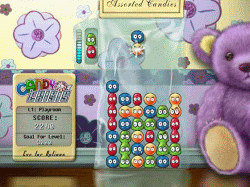 Call me a big baby, but I don’t really enjoy being scared stupid by playing
 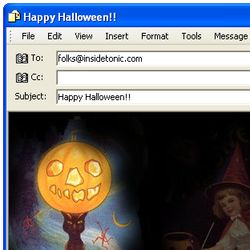 If you use Microsoft Outlook or Outlook Express as your email client, you’ll be glad to know you can create customized email messages with Halloween decoration. You just need to download the
  There’s only one day to go until the official release of Apple’s shiny new operating system, Mac OS X 10.5, also known as Leopard. This will also officially mark the end of Boot Camp as a separate application, as you can see from a