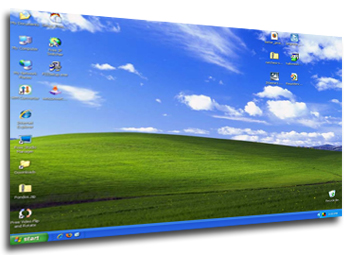
 Wallpapers are more than just the image you use as background for your Windows desktop. They often express your personality and current mood, as well as your particular interest in something: an animal, a movie, a famous singer or actress. Also, not all photographs are suitable to be used as wallpapers. They must have some blank areas to place shortcut icons without distorting the original design.
Here at Softonic you’ll find a good bunch of wallpapers, along with software tools that have been specifically designed for them. You can download individual wallpapers – like two of our current Top ranked, Adriana Lima and David Beckham – or packs of images, so that you have a wider choice. VistaMizer Windows Vista Wallpaper Pack is one of them.
If you haven’t found anything to suite your taste yet, then you should probably look for more wallpapers on the web. Fortunately there are apps that can do this job for you, like Webshots and Magentic, both of which offer complete wallpaper galleries organized by categories. Another option is Pic-a-POD, with which you can get the Picture of the Day from various websites.
Once you have a good, varied collection of wallpapers, it’s time to show them off. Download any of our wallpaper managers, such as Walyk Wallpaper Changer or Wallpaper Master Pro, which will take care of organizing wallpapers and automatically changing them for you.
 For those on the move, the advent of webmail – such as Gmail and Hotmail – has meant that standalone desktop clients have become increasingly unnecessary. However, if you’re a professional on the move, using a webmail account is not ideal particularly when it comes to questions of security. Fortunately, there are now several e-mail clients that can be taken anywhere on a USB stick. These usually require no installation – just plug-in and go. Here’s 5 of the best portable e-mail clients:
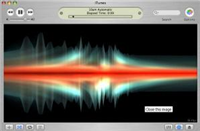 GasLight is a highly customizable and beautiful visualizer for iTunes. We were really impressed by the range of colors, movements and shapes that it produced. Furthermore the application is simple to set up and works right inside your iTunes, syncing its movements and effects with your music. We recommend trying out the Autopilot function to run the visualizer.
 I’ve just been reading that viynl may be the
 If you spent many hours of youth in games arcades or sat behind a games console, you’ll probably occasionally long for those days of poor graphics but great playability. I trashed my Amiga a long time ago but I sometimes get wistful for games such as Kick Off 2, Speedball and Sensible Soccer. When I do, I use an emulator which basically allows you to play old skool games based on their ROM files. Here’s a selection of Softonic’s top 10.
 If you need to take a screenshot of a webpage in Firefox, there’s no need to use third-party applications. Get this extension and you’ll be able to capture any webpage with a single click. What’s more, Fireshot features a basic editor to add text, shapes, arrows and many other effects to your captured web images, plus sending them by e-mail directly from its interface.
 Ever get worried about all that information stored on your Palm device? Resco Backup creates a safety copy of your handheld and lets you restore it in case of problems. The application includes reliable verification of the backup results, enhanced tools for back-up set analysis and powerful backup set management.
 In my opinion,