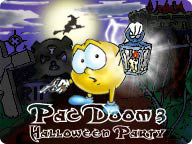
 Halloween is round the corner and every one’s getting involved, including Pacman. The aim in the fantastic PacDoom III is to guide your brave Pacman to the Halloween Party through a series of mazes that are full of tricks and treats. Test your wits against ghouls and ghosts and battle the monsters in your quest to reach the party on time. This game has been enhanced by a fun and easy to use game editor which allows you to create your own levels and scenarios for Pacman.
This is a strategic game for all the family which combines all the addictive elements of the original Pacman with a creepy twist. However, it’s a quirky mix of an arcade classic and a strategy based challenge so it’s not just like the original, requiring a little more thought about how you tackle the maze and obstacles that stand in your way. Creepy hands, ghosts, vampires, skulls, Jack-o-lanterns, wicked brains and spiders await you as you make your way through the depths of the forest, shadowlands plus ancient castles and caves. Can you destroy the dark side and get Pacman to the party on time?
 Capturing screenshots is useful for all kinds of reasons from building tutorials to illustrating game and software graphics like we do everyday here at Softonic. Most operate on the same point-and-shoot principle but differ in the number of features they have and how powerful they are. Here’s a handy selection of my top ten screen-capture utilities:
 Ever wished you could access your tasks and appointments more quickly on your phone? Well, now you can do so instantly, from your Today screen using this impressive Windows Mobile add-on. Facade adds several new icons to your home screen that provide you with quicker access to your applications and system information.
 They say that two heads are better than one, but then they (whoever ‘they’ are) also say that too many cooks spoil the broth. When it comes to building web sites both of these statements can be true. When designing web sites it’s good to get input from a range of designers or content editors in order to hone the finished product into something that is accessible and usable for all. However, it’s also true to say that several people working on the same site at the same time is a recipe for disaster.
 GimmeSomeTune may just be the ultimate complement to iTunes. This program automatically shows album covers and track lyrics for your songs playing in iTunes. Fully customizable, GimmeSomeTune can be activated with hotkeys and includes Last.fm support.
 iColorFolder enables you to change the color and appearance of folders in Windows XP in a very easy way. Simply right click on the folder you want to customize and select the new skin or color from the context menu. Colourful folders not only give a nicer aspect to Windows File Explorer, but also allow you to categorize data more efficiently and find folders more easily.
 It’s only a week to Halloween and here at Softonic we’re all preparing our costumes and treat bags for that magical night. Although this holiday has been traditionally dedicated to children, there’s also a dark side to it. In fact, Halloween is considered as one of the days along the year when spirits are more likely to make contact with the physical world.
 If you were a child in the 80s and didn’t have a ZX Spectrum, then quite frankly you were a bit of a dork. The Sinclair computer is often credited as being the father of videogames and I’m sure most of us can remember a handful of classic games that helped to waste large chunks of our formative years. Revisiting some of these old titles makes you realise just how addictive they were, and here are some of my favourite PC remakes:
 There’s a ton of Flash content now out there on the net with everything from YouTube to Google Video using it as the player of choice. However, Flash is not the easiest format to edit in and certainly no good if you want to watch the film on your DVD player. Therefore, here’s a list of the top 5 Flash converters so that you can convert files into the format of your choice: