iOS 7 is on the way! It’ll be presented on June 10 at the WWDC 2013 in San Francisco, along with the new version of OS X 10.9 and most likely, some slick new hardware. We might even get a peek at the new iPhone 5S, which has already been on iPhone fans’ wish lists for months.
The thirst for novelty is particularly acute this year. On May 15, core Google apps took the stage at Google I/O. The improvements to Google Maps and messaging integration with Hangouts impressed a lot of people because Google recognized that the services people used consistently needed improvements. Now it’s Apple’s chance to impress.
People certainly know what they want from iOS 7. The net is awash with rumors, but it’s hard to sort the wild speculation from informed deduction. Here we’ve rounded up all the reliable news we’ve heard about how iOS 7 will look (possibly), and what software it will rock (probably). Want to find out what the newest iPhones are likely to boast? Read on!
New features, new look
 At the beginning of May, Bloomberg pointed to a possible delay in the development of iOS 7. It seemed that the development team were delayed making significant changes to 2 of the operating system’s main areas – Mail and Calendar. A delay is not looking likely any more, but given recent history, it is likely that we’ll see some surprises in terms of functionality and tools.
Another possibility that’s being discussed is the deep integration of two important services: Flickr and Vimeo, as reported in 9to5Mac. The article also claims that users will be able to register for the two services directly from iOS and share photos and videos in a single click.
The biggest coup, however, is the rumor that this time around, style is going to come before function.
Aesthetically, it seems that Cupertino design guru Jony Ive has pushed for a lighter, more elegant and, above all, 2D interface.
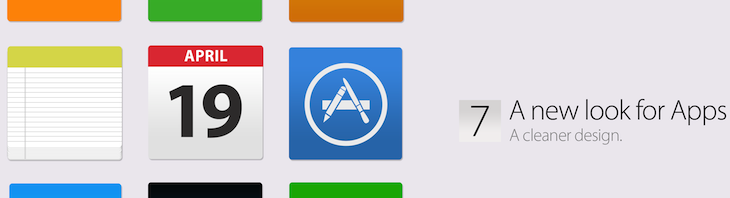
thenextweb.com is betting on new, tile-style icons
The appearance of iOS has changed very little since it was presented at the Macworld Conference and Expo way back in 2007. Time has taken its toll, and while the design looked innovative back then, it’s not looking so slick these days, with some even claiming it looks chunky and clunky to modern eyes.
In particular, the texture of some default iOS programs is to be finished to Ive’s specifications, like the green of the Game Center background. 9to5Mac reports a leaked statement from Apple’s Vice President of Design, who is meant to have commented that software designs filled with physical metaphors do not stand the test of time. The new design, it seems, will be black and white, with no 3D effects.
Farewell to the old green cloth
This means a redesign is in store for all apps that mimic real surfaces, like the leather-effect iCal for iPad (reputedly one of Steve Jobs’ favorites). They’ll be purged to leave space for the new minimalist black and white design. Even the slide lock screen will be minimalized – so goodbye to transparency and corners.
When it comes to farewells, many will regret the passing of the revolutionary slide to unlock mechanism. When it comes to the texture of the gray cloth-like Notification Center, though, we don’t think many people will be bidding a fond farewell.
The new lockscreen according to thenextweb.com
Improvements
While we’re on the subject of notifications, though, it’s worth bearing in mind that there’s talk of widgets and a dedicated control panel where you’ll be able to manage Bluetooth, Wifi and the handy airplane mode.
We’ve also heard that the weather app, following in the footsteps of other next generation classmates like YoWindow, will include animations. We have our doubts, though, because that doesn’t seem very in line with the new emphasis on minimalism. We’ll see.
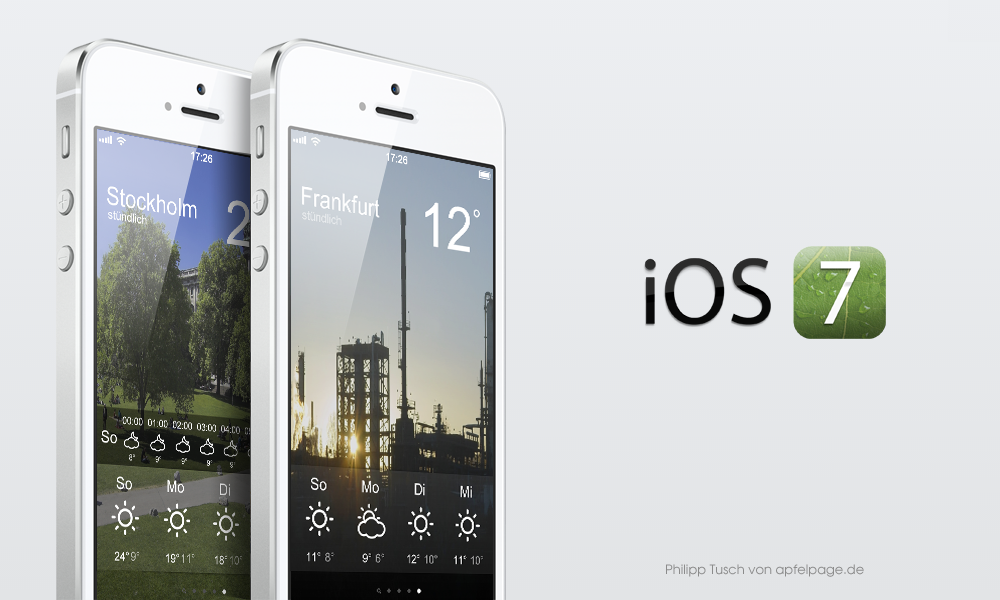
Philipp Tusch of apfelpage.de: the new weather app? Yahoo! might have something to say!
Siri‘s another feature that deserves some attention. Hopefully, Apple has indulged Christian Lue and Ran Avni, who published a well-received video about what they wanted to see for iOS 7. Nothing’s official, but that doesn’t mean we’re not hoping!
Finally, it seems reasonable to assume that Apple has taken a hard line with the problems that plagued Maps, hopefully employing serious troubleshooting techniques to solve them once and for all.
Still thinking differently?
 Whether or nor these rumors come to pass, there’s likely to be lots of reflection on the changes. If they do turn out to be true, we’d bet that some will maintain that Apple is no longer the trailblazer it was when it comes to OS design, specifically with the launch of the first iPhone and the move from Mac OS9 to OS X.
In fact, the rumored iOS 7 interface would actually seem to follow the line set by Microsoft with Windows 8, and Google Maps and Keep.
Either way, it seems that words spoken by Tim Cook not so long ago are indeed true: the emblematic motto Apple, Think Different, is a suggestion, not an obligation.