Build 2013: The Start Button through the years

When operating systems were in their infancy, no one thought about the need for extra options. In the days of DOS, key commands were the path to opening and executing commands. Large floppy discs were inserted into drives and instructions like “dir” or “run” were standard for running programs.

Then the graphic user interface (GUI) appeared and with it came the ubiquitous Start Button. Microsoft added the Start Button in Windows 95, and continued to include it in every version of the operating system until the release of Windows 8, where the Modern UI focused on Live Tiles rather than the once-standard Start menu.

Windows 8.1 is bringing the Start Button back, but not in a way most users will recognize.

The Start Button celebrates its 18th anniversary this year, so here’s a look at the evolution of one of Windows’ most iconic features.

Windows 95
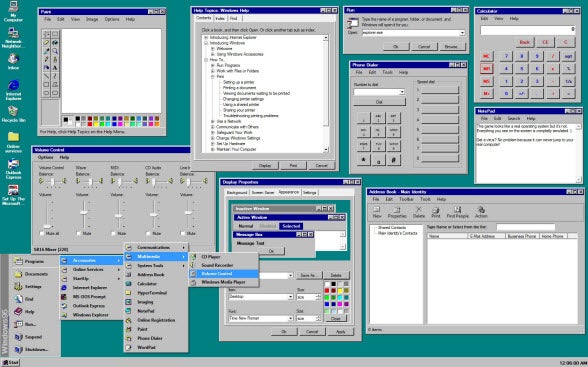
Introduced on August 24, 1995, the original Start Button contained access to specific categories. Essentially a visual drop-down menu, you could see Programs, Recent Documents, and Settings like Control Panel. It was a simple but direct way to access programs and feature options without having tons of shortcuts on the desktop.

Windows 98
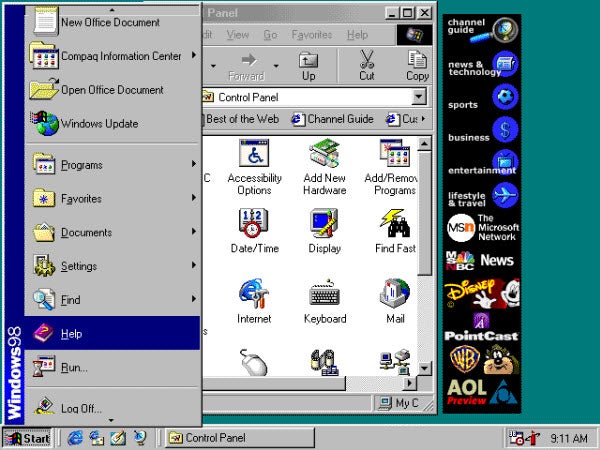
when it was updated in Windows 98, the Start Button added features like the Favorites folder and quick actions.

Windows XP
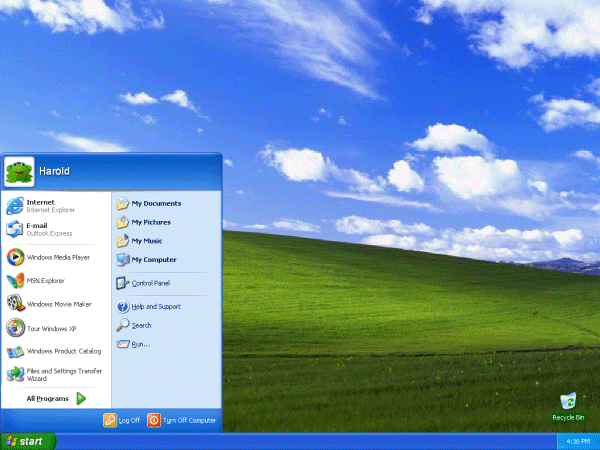
Windows XP was the first major overhaul of the Windows operating system. Adding a greatly improved user experience while keeping the core of the OS the same, the Start Button became more visual. It also increased functionality by including direct access to default folders like My Pictures and My Music, as well as a direct link to Control Panel.

Unfortunately, the stock Windows XP design with default hills and cloud wallpaper was one of the worst introductions to an operating system ever. Microsoft was smart to allow users to customize the desktop and remove the default OS theme – even on the newest desktops at the time, the visual design required too much computing power.

Windows Vista
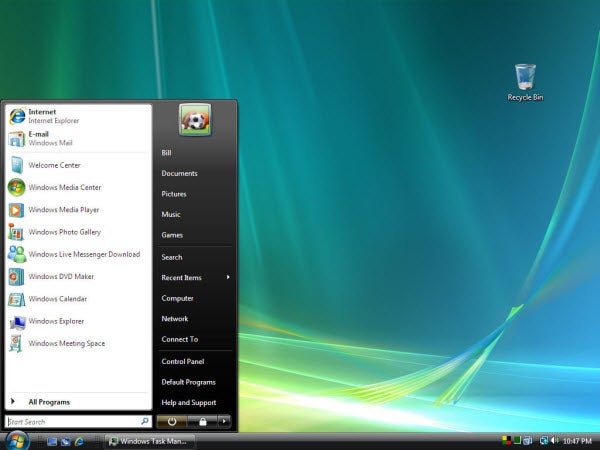
Honestly, Windows Vista was a huge misstep for Microsoft. Compared to XP, Vista never felt stable and the visual flair that Microsoft thought necessary only made programs slow down because of the processing power required to display the Aero transparencies.

Microsoft also moved away from text and replaced the “Start” text with the Windows logo. It also updated the options in the Start menu by adding shortcuts to areas that many power users never needed. Like XP, however, you could still customize Vista with a simpler user interface and disable Aero to save CPU power.

Windows 7
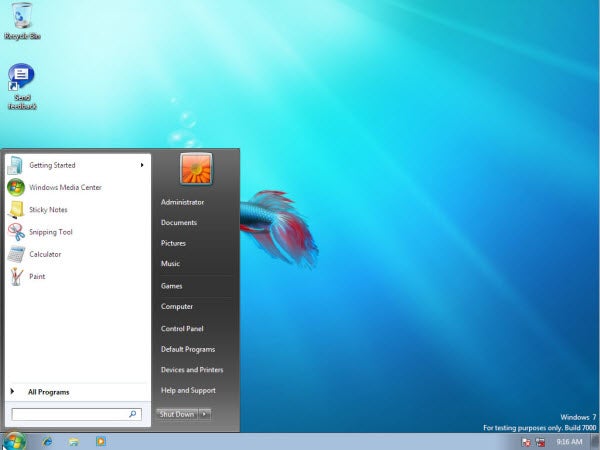
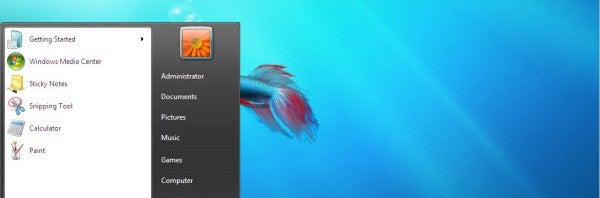
Windows 7 was what Vista should have been. The overall UI of Windows 7 focuses on simplicity and visuals in the Taskbar rather than text. It also simplified the Start Menu by removing unnecessary borders.

Search was also improved by the implementation of a Search bar that would scan the computer for relevant files, apps, and settings.

Windows 8
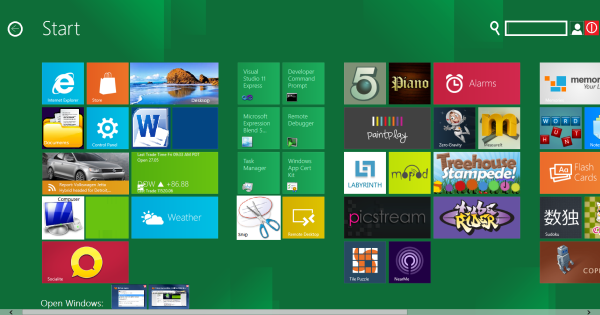
The launch of Windows Phone 7 brought another mobile operating system to the battle between Android and iOS. Introducing Live Tiles, Microsoft sought to unify their operating systems much as Apple had done.

Windows 8 is a cross-platform operating system that can scale from desktop to tablet. Built for touch controls, the mouse and keyboard crowd suffered with some commands that were intuitive only for touchscreens. The problem with Windows 8 is that the Start Button existed behind the Modern UI in the Desktop app. This was a shortcut to a Windows 7-style Start menu, but it wasn’t nearly as visible.

Microsoft wanted users to live fully in the Modern UI, but decided to be careful to allow users access to a Start button – even if it was hidden in a corner.

Windows 8.1
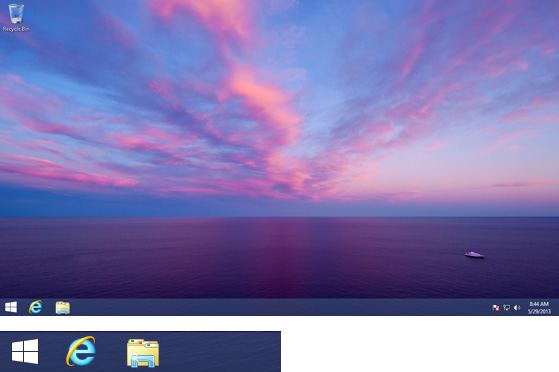

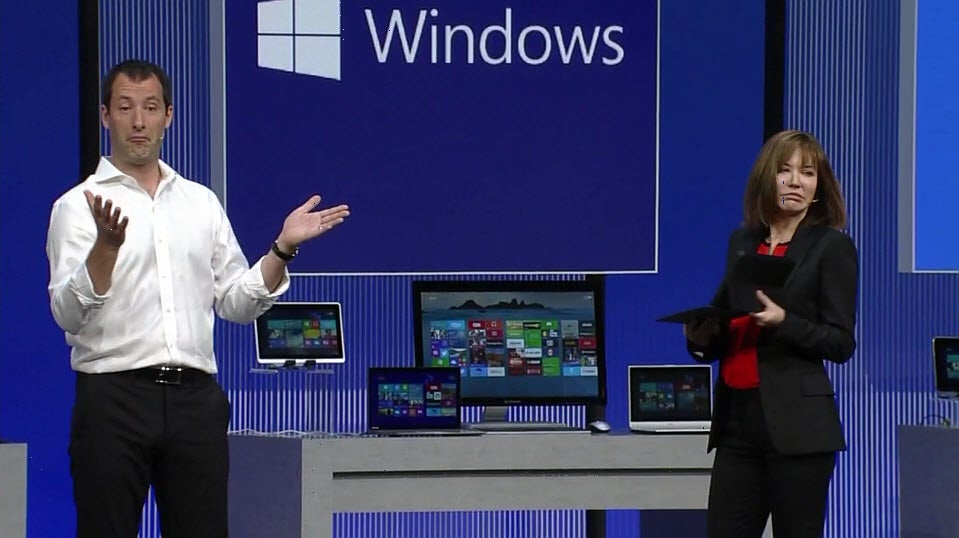
Microsoft formally announced the return of the Start Button at Build 2013. While it doesn’t function like it did in the past, it does offer greater usability. Along with being able to boot directly to the desktop to avoid Modern UI, Microsoft is listening to the community.

Maybe Microsoft tried to be a little too much like Apple by introducing features it considered to be the future. Unfortunately, Microsoft lacks the polish Apple gives to its product line, so the whole idea never quite worked.

Either way, Windows 8.1 marks the return of a second generation Start Button.
All the news from Microsoft’s Build 2013 conference

Microsoft’s annual Build developers conference just wrapped up and there’s a ton of news about Windows, app, Bing, and more. The company showed off the new Windows 8.1 operating system, which you can download as a preview today. We reported that Windows 8.1 would bring back the Start button as well as allowing users the choice to boot directly to the desktop. These features have now been confirmed.

Developers can also look forward to new tools and APIs to easily integrate Bing search and Microsoft’s Azure cloud service into their apps. Bing Maps is getting 3D features to match what Google and Apple are doing.

Microsoft finally has a cohesive strategy to link all of their platforms like Windows 8, Windows Phone 8, and the Xbox One. Apps developers can write once and distribute to multiple platforms. It’s now a battle of ecosystems between Microsoft, Google, and Apple.

Official Facebook and Flipboard apps coming to Windows 8

facebook flipboard windows 8

A lack of apps has always been one of the biggest issues with Windows 8 but Microsoft can cross two major apps off their list. Facebook and Flipboard are reportedly bringing official apps to the Windows 8.1 operating system. Microsoft CEO Steve Ballmer has confirmed that both Facebook and Flipboard apps will be coming to Windows 8.1. Ballmer also announced a slew of other apps coming to Windows 8, touting that developers are not just making an app for Windows 8 but the best app possible for Windows 8.

Read more.

Windows 8.1 will allow users to boot to desktop

not bad

Microsoft showed that the company is still taking desktop computing seriously. Microsoft CEO, Steve Ballmer, announced on stage at Build 2013 that Windows 8.1 will allow users to choose whether to boot into the Start UI or to the desktop. This has been a feature that has been long requested since the release of Windows 8 in October last year. There have been tons of third-party applications that provided this feature, going so far as disabling the new Start UI entirely.

Read more.

Outlook for Windows 8.1 lets you “sweep” away annoying emails

outlook update

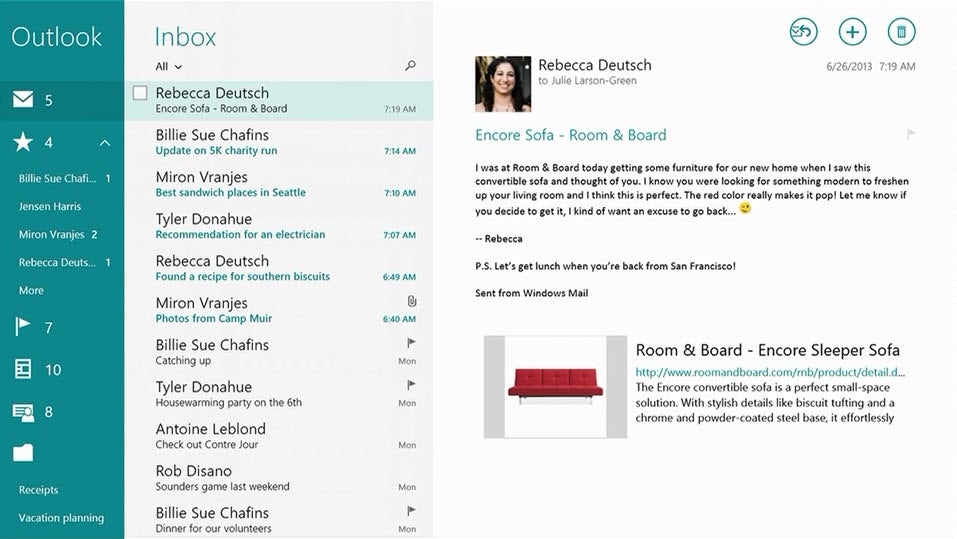
We’re getting a look at all the new features of Windows 8.1 today at Microsoft’s Build 2013 conference and one that stuck out is Outlook’s new ability to “sweep” away annoying emails. Email hasn’t evolved in quite a while and companies like Microsoft and Google have taken notice. Google recently released an updated version of Gmail, which allows users to categorize emails by type. There are sections for forums, daily deals, and newsletters. Microsoft is taking a different approach by allow users to “sweep” away these annoying messages. Daily deal emails usually fill up your inbox since you read them once and forget about it. Now you can set it to delete the last 10 or every email except for the latest.

Read more.

Microsoft brings motion controls to Windows

Microsoft has taken a page out of Samsung’s playbook by integrating motion gesture controls to Windows. Samsung first introduced this feature during its awkward Galaxy S4 keynote that showed off housewives swiping between photos as they waited for their nails to dry.

Read more.

Microsoft gives developers easy tools to integrate its cloud services

visual studio 2013

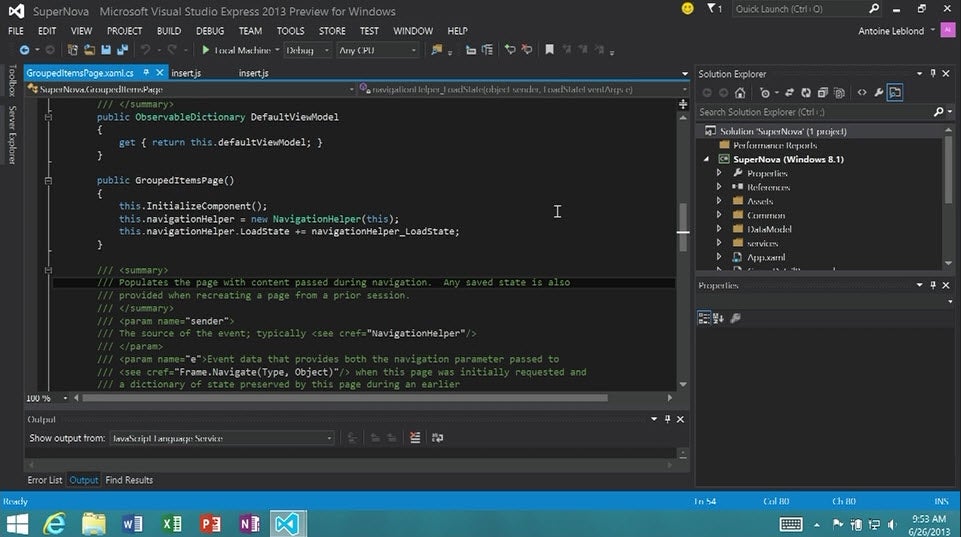
Microsoft’s Build 2013 developer conference is in full swing and the company has shown off a few new tools that developers can get excited about. First of all, there are a whole suite of testing features in Visual Studio 2013 that will allow app developers to test the performance and stability of their applications.

Read more.

3D imagery coming to Windows 8.1 Maps

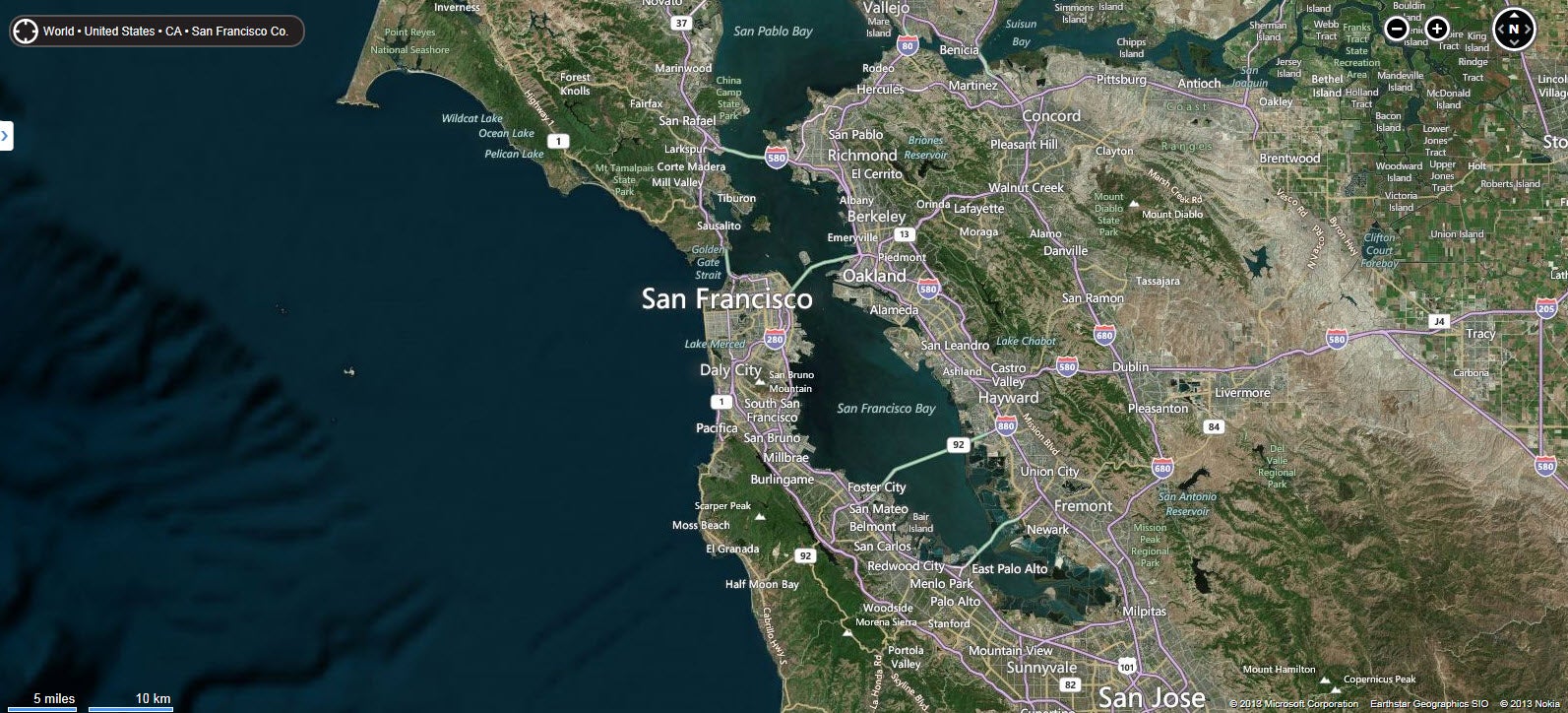
The big three tech companies, Microsoft, Google, and Apple, are all getting serious about their mapping services. Microsoft has announced that 3D imagery is coming to its Windows 8.1 mapping application. The new 3D mode looks similar to Apple’s “Flyover” mode, which shows 3D rendered images. From the short demo we saw, it looks a lot more impressive than Apple’s implementation with more detail and better performance.

Read more.

Microsoft introduces Bing platform for developers

bing platform

Microsoft is hedging its bets on Bing by integrating it more tightly into Windows products. The company envisions its search engine and services as being integral to apps for the Windows platform.

Read more.

Build 2013: Microsoft introduces Bing platform for developers

Microsoft is hedging its bets on Bing by integrating it more tightly into Windows products. The company envisions its search engine and services as being integral to apps for the Windows platform.

Developers now have access to the search engine’s knowledge to provide information about different search queries and even translations. Microsoft showed off their new Bing translation app that can use your webcam to scan for text, translating it on the fly.

We also saw some of Bing’s integration into the new Maps for Windows 8.1, which pulls information from Bing to for points of interest. The maps application even showed off pulling information about historical figures.

The new Bing platform will work across Windows 8.1 and Windows Phone 8 so developers won’t be required to do extra work if they want to build a cross-platform app experience.

You can find all our Build 2013 news here.

Build 2013: 3D imagery coming to Windows 8.1 Maps

The big three tech companies, Microsoft, Google, and Apple, are all getting serious about their mapping services. Microsoft has announced that 3D imagery is coming to its Windows 8.1 mapping application. The new 3D mode looks similar to Apple’s “Flyover” mode, which shows 3D rendered images. From the short demo we saw, it looks a lot more impressive than Apple’s implementation with more detail and better performance.

Maps will also have Bing services built in to give users information about points of interest. There’s also voice support in maps, which lets users ask questions while exploring the world with Maps.

You can find all our Build 2013 news here.

Build 2013: Microsoft gives developers easy tools to integrate its cloud services

Microsoft’s Build 2013 developer conference is in full swing and the company has shown off a few new tools that developers can get excited about. First of all, there are a whole suite of testing features in Visual Studio 2013 that will allow app developers to test the performance and stability of their applications.

Microsoft also took time to show off “async” improvements, which makes it easier to integrate the Azure mobile services into apps. This means that app developers can easily tap into Microsoft’s cloud backbone.

There’s also WebGL support in Internet Explorer 11 and other native apps, which should improve graphics performance across the board in the operating system. IE11 will also support MPEG dash.

Perhaps the most exciting developer news is that apps will update automatically. Google first introduced this with Android but Apple, and now Microsoft, are integrating this feature into their mobile operating systems as well.

You can find all our Build 2013 news here.

Build 2013: Microsoft brings motion controls to Windows

Microsoft has taken a page out of Samsung’s playbook by integrating motion gesture controls to Windows. Samsung first introduced this feature during its awkward Galaxy S4 keynote that showed off housewives swiping between photos as they waited for their nails to dry.

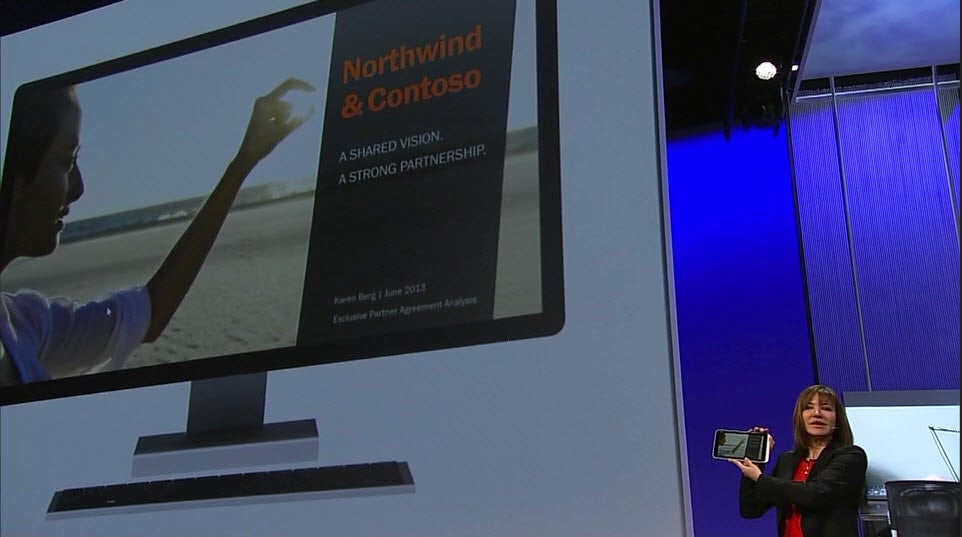
Windows will feature a similar set of gesture controls that will allow users to swipe backwards and forwards simply by waiving a hand. This works like the Kinect sensor for the Xbox but the new gesture controls only require a web camera.

The gesture controls seem simple but could be useful for those using Windows 8 tablets for looking at recipes while cooking. You can find all our Build 2013 news here.

Build 2013: Outlook for Windows 8.1 lets you “sweep” away annoying emails

We’re getting a look at all the new features of Windows 8.1 today at Microsoft’s Build 2013 conference and one that stuck out is Outlook’s new ability to “sweep” away annoying emails. Email hasn’t evolved in quite a while and companies like Microsoft and Google have taken notice. Google recently released an updated version of Gmail, which allows users to categorize emails by type. There are sections for forums, daily deals, and newsletters.

Microsoft is taking a different approach by allow users to “sweep” away these annoying messages. Daily deal emails usually fill up your inbox since you read them once and forget about it. Now you can set it to delete the last 10 or every email except for the latest.

This feature will make organizing your daily emails much easier and will help de-clutter your inbox. You can find all our Build 2013 news here.

Build 2013: Windows 8.1 will allow users to boot to desktop

Microsoft showed that the company is still taking desktop computing seriously. Microsoft CEO, Steve Ballmer, announced on stage at Build 2013 that Windows 8.1 will allow users to choose whether to boot into the Start UI or to the desktop. This has been a feature that has been long requested since the release of Windows 8 in October last year.

There have been tons of third-party applications that provided this feature, going so far as disabling the new Start UI entirely.

You can find all our Build 2013 news here.

Build 2013: Official Facebook and Flipboard apps coming to Windows 8

A lack of apps has always been one of the biggest issues with Windows 8 but Microsoft can cross two major apps off their list. Facebook and Flipboard are reportedly bringing official apps to the Windows 8.1 operating system. Microsoft CEO Steve Ballmer has confirmed that both Facebook and Flipboard apps will be coming to Windows 8.1.

Ballmer also announced a slew of other apps coming to Windows 8, touting that developers are not just making an app for Windows 8 but the best app possible for Windows 8.

You can find all our Build 2013 news here.

BitTorrent Inc. attempts to distance itself from piracy

bittorrent headerWhen people read or hear the name, BitTorrent, their first thought is most likely about downloading pirated content. BitTorrent Inc, the company that is responsible for the development of the peer-to-peer file sharing protocol is lashing out against this negative impression but specifically calling out reports of record breaking piracy numbers for HBO’s Game of Thrones TV show. Matt Mason, VP of marketing for BitTorrenting, wrote a blog post about how BitTorrent doesn’t equate to piracy. Here’s a snippet:

“The idea of a ‘BitTorrent Piracy Record’ is a complete fabrication. Because there’s actually no such thing as a “BitTorrent piracy record”. Because piracy happens outside the BitTorrent ecosystem…These so-called ‘records’ are presumably based on numbers from pirate websites that have no affiliation with BitTorrent, Inc. If they’re corroborated using data from pirate websites, they’re ‘Internet Piracy Records’. They’re not ‘BitTorrent Piracy Records’.”

Over the years, BitTorrent Inc has been trying hard to show that the protocol can be used for legitimate purposes. At the beginning of the year, the company released the BitTorrent Sync app that keeps your files synced across your computers, essentially creating your own cloud sync service using the BitTorrent protocol. They company also created the BitTorrent Surf extension that helps users find legitimate content to download.

Still, Mason’s arguments are incomplete. Yes, BitTorrent is simply a protocol for transferring files but its undoubtedly one of the most popular methods for pirates to distribute media. So while the company’s practices are legitimate, its technology’s reputation is still very much intertwined with piracy for shows like Game of Thrones. BitTorrent Inc has a long way to go to disassociate itself from piracy.

[Source: BitTorrent Blog]