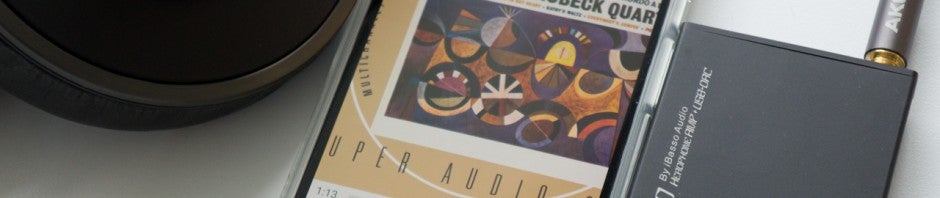
Our phones can do much more than just call people. They’re now used for everything from searching the internet or entertaining ourselves with some free games. Our phones also replaced our iPods, letting us listen to music on the go without another device. If you have music on your phone, you’re going to need an app to play it back but which ones are the best?
Here are my picks for the best free Android music players.
Google Play Music
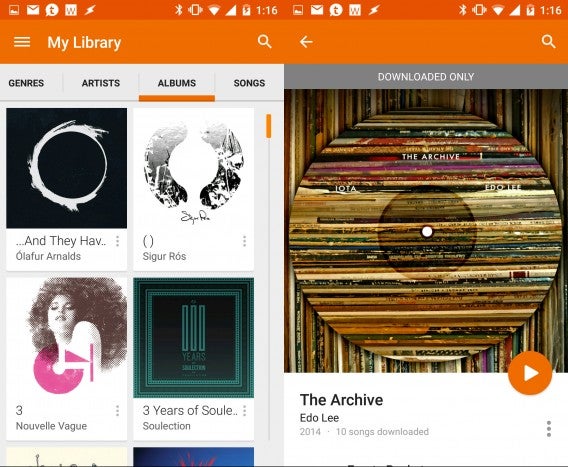
This one is pretty obvious since Google hopes Android users will use it. Google Play Music isn’t just a subscription service like Spotify. Sure you can sign up for an all-you-can-listen subscription, but the free version of Google Play Music is actually very powerful.
Android users don’t have a desktop media player like iTunes, and that’s actually good news. Google Play Music lets you upload all your music to the cloud so you can access your music library on any device at any time. You’re limited to uploading 20,000 songs but that’s more than enough for most people. If you don’t want to suck up your cellular data, you can download tracks for offline listening too.
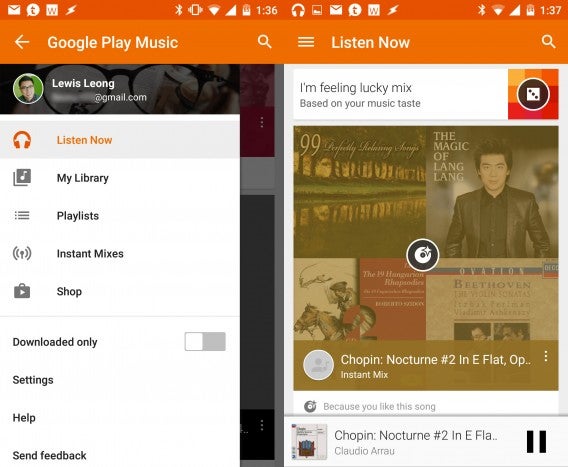
In terms of file support, Google Play Music plays most of the major formats including MP3, AAC, WMA, FLAC, OGG, and even ALAC (Apple Lossless). Audiophiles will be disappointed by Play Music as lossless formats like ALAC and FLAC will be automatically converted to 320 kbps MP3 files when uploaded. However, Play Music can play back FLAC files without issue if you copy tracks directly to your phone or tablet.
The interface of Google Play Music is simple but functional. It struggles to find some artist pictures and album art, but works well for mainstream music. There’s also basic playlist management so you can sort your music on your phone. If you don’t want to make a full playlist, you can just queue up songs.
One of the best features about Play Music is that you can use it with a Chromecast to stream your music to your television. This is great for parties and lets your guests queue up songs.
Download Google Play Music for Android
Amazon Music
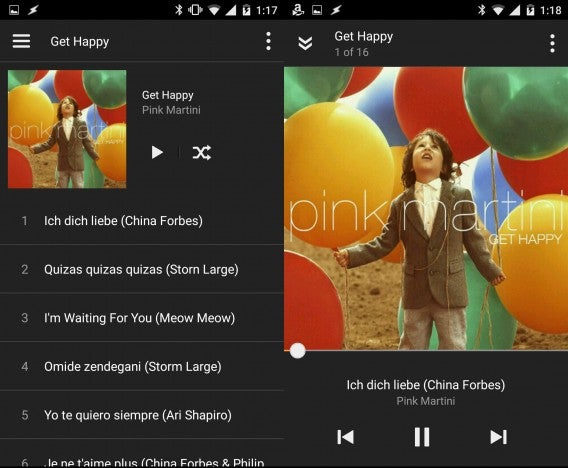
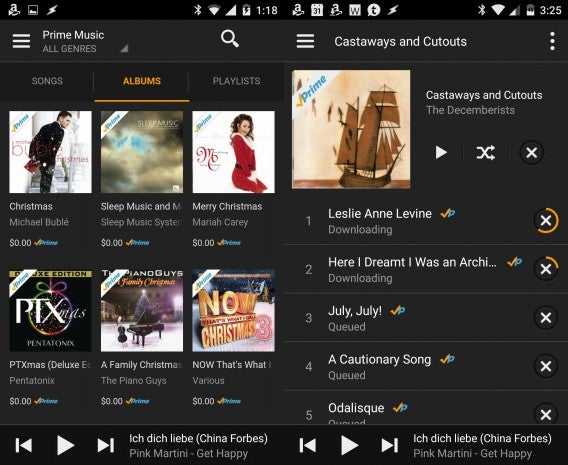
If you’ve purchased music from Amazon, either physical or digital versions, the Amazon Music app is a great choice. Digital tracks purchased from the Amazon MP3 store can be automatically downloaded to your device. If you buy CDs or vinyl records, Amazon usually offers a digital version for free, which can also be downloaded automatically. Prime subscribers will get the best out of the app as it includes Prime includes a subscription to Amazon’s massive music library. It’s not as big as Google Play or Spotify but there’s enough mainstream music to keep you entertained.
Like Google Play Music, Amazon Music lets you download music to listen offline. Prime Music members can search for albums or tracks and add them to their libraries, and download them for offline listening.
While Amazon Music is simple, it’s interface is a little confusing to use at first and the app uses a lot of resources. If you don’t want the app to run constantly in the background, disable automatic downloads. Users also complain that Amazon Music is more focused on purchasing music than listening. However, you can completely ignore the music store by switching the player to only look for music on your device. You’ll want to use this mode if you like transferring music manually on your phone.
One neat feature I like a lot about Amazon Music is its X-ray Lyrics. This feature syncs lyrics with music you’re playing so you can sing along. X-ray Lyrics works with both your own music and tracks downloaded from Amazon’s store. You’ll need an internet connection for this feature to work.
Amazon Music also lets you upload your own music library to the cloud but only offers space for 250 songs, even if you have a Prime Membership. You’ll have to pay $25 per year to upgrade to a Amazon Music subscription that lets you upload up to 250,000 tracks.
For file support, Amazon Music supports WMA, OGG, WAV, ALAC, AIFF, and FLAC but will down-convert files to 256 kbps MP3 files for streaming and saving offline. However, if you copyyour own lossless tracks to your phone, Amazon Music can play them without a problem.
Download Amazon Music for Android
musiXmatch
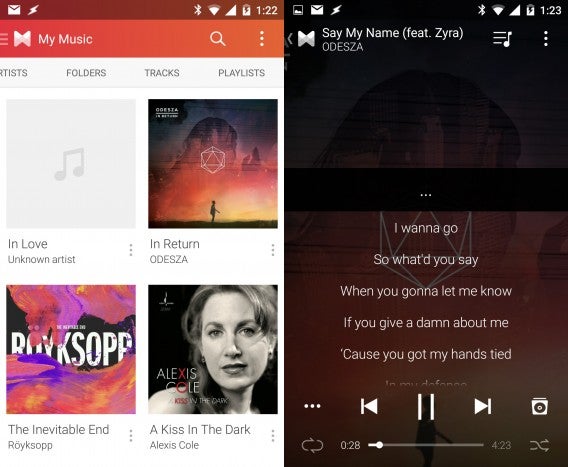
If you love memorizing and singing along to lyrics, musiXmatch is hard to beat. The music player integrates with other music players and offers a floating lyrics windows on top. You can pin the window or even minimize it into a Facebook Messenger-like “Chat head.” It works flawlessly with Google Play Music and a handful of other players I tried. If you’re using musiXmatch as your music player, the lyrics will display on top of the album art, shown above.
While the lyrics feature of musiXmatch stands out, it’s also an awesome audio player. You get the standard artist, album, playlists, tracks and folders view so you can browse your music library. The now playing screen is simple with large playback buttons and a progress bar at the bottom.
You’ll also notice musiXmatch’s ads on the now playing screen. The ads are quite intrusive, taking over your album art and one of the most annoying aspects. They do eventually go away but it’s quite distracting, especially when driving. You can get rid of the ads by paying a subscription fee of $2 per month or $5 for a year. The yearly subscription fee isn’t bad at all and something to seriously consider if you like using musiXmatch.
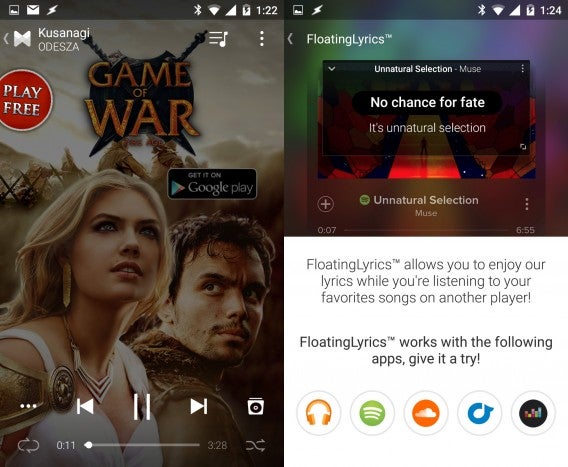
musiXmatch also throws in a few nice features that won’t make or break using the app. You can log in with your Facebook, Google, or Twitter accounts so you can easily share what you’re listening to with your friends. The app also lets you discover music by tapping on the album icon from the now playing screen. The app lists an artist’s discography with links to watch YouTube music videos or listen to in Spotify. It’s a bit jarring to go between Spotify and musiXmatch but it’s an understandable compromise.
Last but not least, there’s a MusicID feature which works like Shazam to identify songs using your phone’s microphone. It works well and features a history so you can look up artists and songs later.
Download musiXmatch for Android
doubleTwist
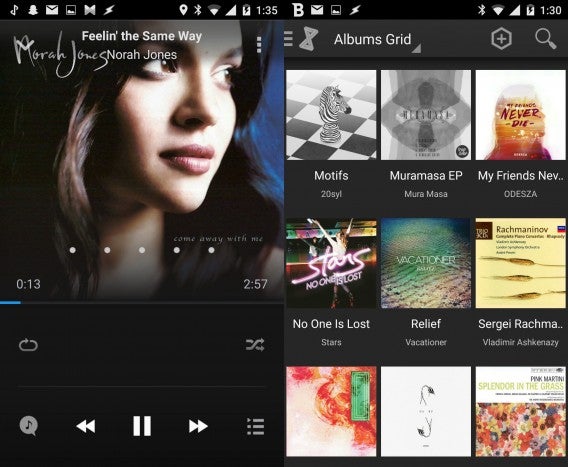
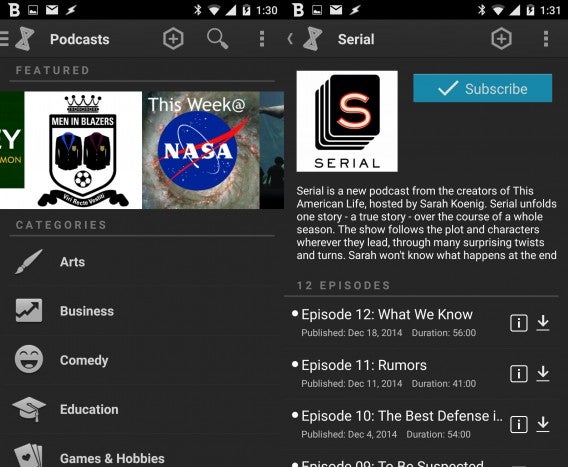
doubleTwist has been around for a long time and offers the most features out of the players in this list. It’s also the media player for Android users living in Apple’s ecosystem. Instead of simplicity, doubleTwist decided to jam in as many features as possible. I say “media player” because the app also supports video playback. There’s even a podcast section that lets you download and manage all your favorite podcasts. You can even browse podcasts by type. Whether you’ll need or use these features is up to you.
One of the standout features of doubleTwist is its ability to play nicely with iTunes. You’ll need to download the desktop version of doubleTwist (PC | Mac) to transfer your iTunes music to your Android phone but it works well. The interface of the desktop app leaves a lot to be desired but it’s a good option for people who don’t want to manually create folders and drag music onto their phone or tablet. You can go completely wireless by purchasing the AirSync app which allows you transfer music to your phone over Wi-Fi. There’s also a separate MagicPlay app that brings Apple AirPlay and game console streaming support. Other music players in this list only support Chromecast.
The music player itself is pretty basic. You can swipe left and right to switch tracks and there’s a sharing button to the bottom left. While the player looks good, there’s a huge blank space between the album art and the playback controls. This is where the AirPlay icon will show up but it just looks bizarrely barren when there’s no Apple TV available.
doubleTwist is free but you’ll have to pay to use the app’s more powerful customization options. For $9, you can unlock everything, including wireless sync and AirPlay support. But even if you don’t pay for the pro version, doubleTwist is an excellent, feature rich music player for Android.
Download doubleTwist for Android
Shuttle Music Player
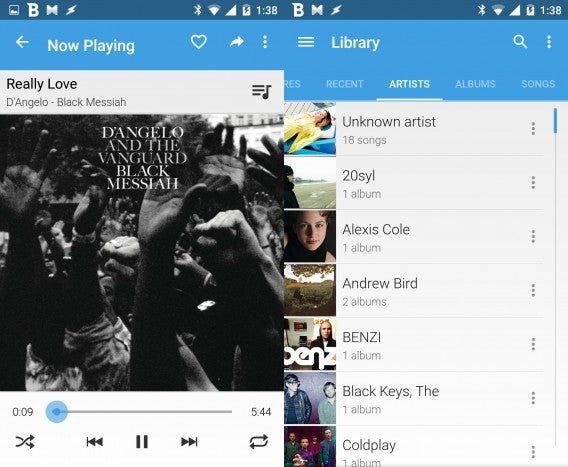
If you like Google Play Music but just want to play music, give Shuttle a try. Shuttle is a very basic music player that looks like Google Play Music. You can browse your library by recently added, artists, albums, songs, and playlists. Playing back music works just fine and features all the playback controls at the bottom like you’d expect. There’s buttons for liking and sharing at the top right.
The two bonus features in Shuttle are the five-band equalizer and the sleep timer. You can tweak your sound a bit with the equalizer and there are a few presets for you to try. The sleep timer lets you set a specific number of hours and minutes instead of giving you presets for 10, 20, or 30 minutes.
If you just want to play music and don’t care about other features, check out Shuttle.
Download Shuttle Music Player for Android
jetAudio Music Player Basic
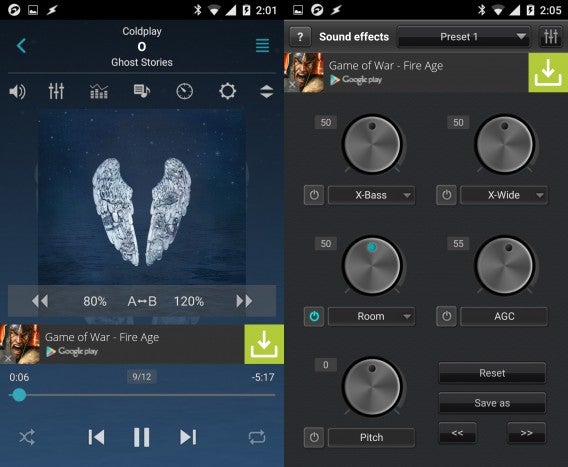
If you like to tweak your sound with equalizers and effects, check out jetAudio Music Player Basic. The free version includes a good sampling of what the much more powerful paid version can do. The free version includes a 10-band equalizer to help you really tailor the sound to your liking. If you don’t want to mess with a complicated equalizer, you can simply crank up the bass with the X-Bass knob in the sound effects section. There are equalizer presets that actually sound pretty good.
Under the sound effects section, there are options to control the soundstage, replay gain, and pitch of your music. The replay gain option is really handy as not all tracks and albums are mastered at the same volume. With replay gain on, the app scans how loud your tracks are and makes sure to play them at the same relative volume. The soundstage tweaks do make a major difference but will distort the sound quite a lot from the original recording so I recommend leaving that off.
jetAudio Music Player Basic provides one of the most customizable interfaces of the music players in this list. You’ll have to step up to the paid version to get all the features like lyrics support and additional effects but the free version will be enough for most users.
Download jetAudio Music Player Basic for Android
Rocket Player
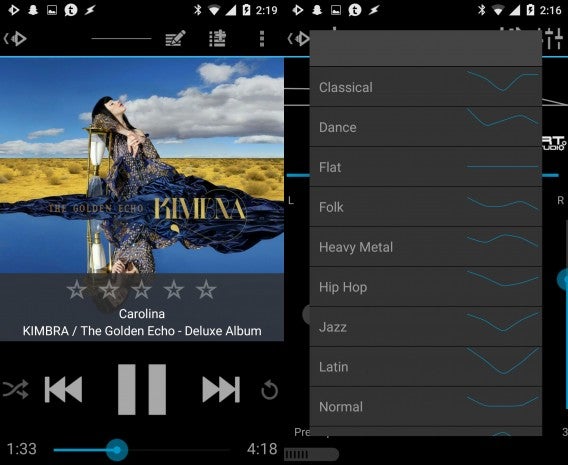
Another simple music player is Rocket Player. Simplicity is found with its basic features and minimalistic interface. The UI looks admittedly dated with Android 4.0’s Holo design theme instead of Android 5.0’s Material Design. However, the app is being worked on continuously and now features Android Wear support for controlling your music on your smartwatch.
Browsing your music library is straightforward and the now playing screen features large buttons, making it easy to use in the car. Rocket Player also supports Chromecast streaming so you can stream your music to your television. There’s also quick access to equalizer presets at the top but I found the presets to be pretty terrible sounding. I would tweak the five-band EQ manually to get the best sounds. You can save your settings as a custom preset.
Rocket Player also supports over 30 different themes so you can get the player to look the way you want.
In terms of file support, Rocket Player’s free version is pretty basic. However, if you step up to the paid version, you’ll get support for ALAC, APE, WAV, FLAC, WMA and a few more formats.
Download Rocket Player for Android
Conclusion: Stick with Google Play Music or pay for Poweramp/PlayerPro
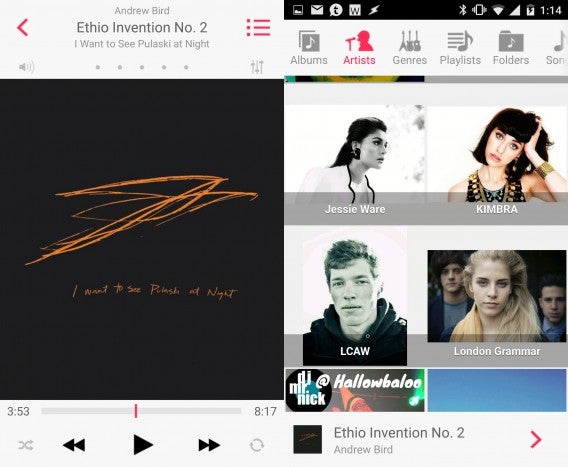 PlayerPro with eyeOS 7 skin
After testing a handful of the most popular Android music players, I’ve come to the conclusion that most Android users should stick to the free Google Play Music app. The app is great for playing your music stored on your device or in the cloud. Being able to access your music library anywhere you have an internet connection is awesome. You don’t need a bloated app like iTunes to manage your music since you do it on the web and on your phone. If you don’t want to suck up your data, you can download your songs for offline listening. This is by far the easiest way to manage your music collection.
For those who want more features and customization options, download either Poweramp or PlayerPro, two of my favorite Android Music Players. They both feature trial versions but they’re not free. They’re my picks because of their endless customization options, excellent file support and they just sound great. Audiophiles will want to go with Poweramp since it has an option to see the sampling rate of the track you’re playing. I like PlayerPro for its interface and the fact that it fades music during notifications instead of pausing like Poweramp.
Why do I recommend paying for Poweramp or PlayerPro instead of the paid options in this list? Simply because none of the other options are very good. Sure doubleTwist has more features than you can shake a stick at but it’s a resource hog and you may not use all of its features. The other options on this list are good but just aren’t as good at Poweramp or PlayerPro. Effects and EQs are great but I want my music to sound as accurate as possible.
If you listen to music all the time on your phone, spending several dollars on these Android music players will be worth it. You won’t have to deal with annoying ads and you’ll get a full featured player with all features unlocked instead of feeling like you’re missing half the app.
Follow me on Twitter: @lewisleong



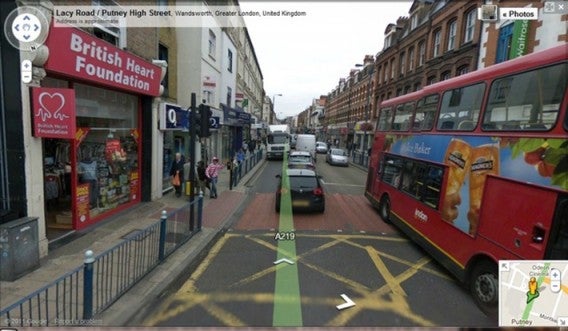

 7. You’ve gotta love these guys…
 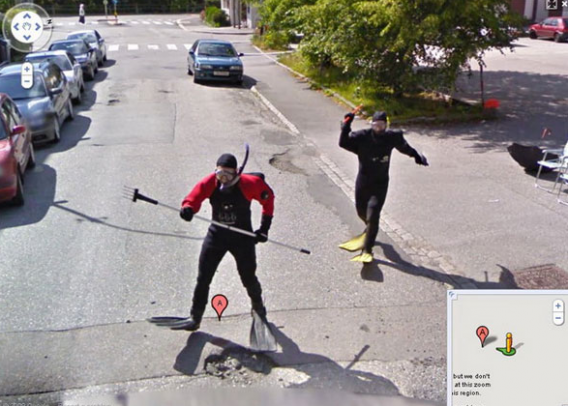 8. “The Stig” from British motoring TV show Top Gear, casually standing by the road next to Loch Ness, Scotland.
 9. The guy on right is clearly sickened by the whole situation.
  10. As if his day couldn’t get any worse, they had to go and get it on camera.
  11. Casual bike ride around the block with your ridiculously-dated bicycle and your stuffed penguin.
 12. You couldn’t have planned the timing any better.
  13. Wait – did we go back in time?