Tencent bringing Player Unknown’s Battlegrounds to mobile in China

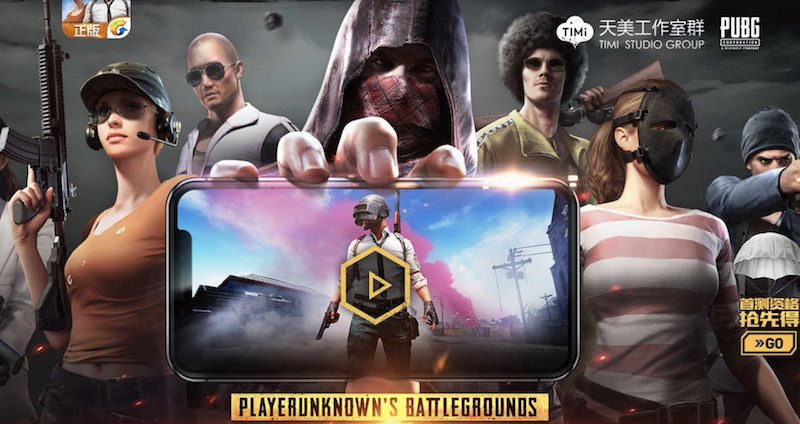
Player Unknown’s Battlegrounds, or PUBG for short, is going mobile in China and will be published by Tencent games. Tencent is currently one of the world’s biggest mobile game publishers, and they will get even bigger with PUBG. Kim Changhan, CEO of PUBG and Ma Xiaoyi, Senior Vice President of Tencent Group, said:

“Thanks to the excellent accumulation of” PUBG “on the PC terminal and the teamwork between the two teams, the progress of the mobile game preparation is very smooth and in the near future, Chinese players can enjoy the genuine game anytime, anywhere on the mobile phone. “

Before the deal was agreed, the Chinese government wanted the game to be adapted to the Chinese people. The main issue they outlined was the concern for socialist core values. They have felt that the game doesn’t comply with traditional Chinese culture but those issues have been resolved and the game is ready to go in China.

A trailer for the game has already been released.

Some recent news indicates that PUBG won’t be the only battle-royale game coming to mobile. Tencent is ready to publish one more title that will be more similar to Battlefield but will have the battle-royale structure. Lightspeed and Quantum Studio are developing the game and the things setting the game apart from PUBG are naval warfare and helicopter fights. Something we haven’t see so far in PUBG.

This is really big news for the Chinese gaming market but there is no release date set so far. Western releases haven’t been discussed at this point and we still have no confirmation that the game will ever come to western audiences.

PUBG is one of the biggest titles in the West. The game sold over 20 million copies in November and that number has been rising ever since. There is no doubt that the mobile version would be more than welcome outside of China.

Would you play a battle-royale title on your phone? Let us know in the comments.
Top 10 naval battle games for PC

New WhatsApp update makes it easier to ignore your friends

Looks like WhatsApp is ramping up performance with its new update. The messaging app has never been so functional, as evidenced by its new update, which now lets you ignore your friends more easily.

Perhaps the most important part of the update is the “unsend” option, which lets you take back what you said as long as your friend didn’t see the message. If you’ve ever sent out an angry message and instantly regretted it, you’ll love this feature, which lets you delete a sent message with one relieved click. Of course, this will only work if your friend hasn’t already read it, so you’d better be quick on the trigger after you fly off the handle.

Another interesting feature coming with this update is the ability to watch YouTube videos inside WhatsApp. If someone sends you a video, you can instantly play it inside the app and still be able to switch between conversations with a picture-in-picture display.

It’s unclear how people will be able to maintain a meaningful conversation and watch videos at the same time, but let’s give it some time and see how it works out.

All of these features are available in the 2.17.81 update, which has already been released for iOS. What do you think? Let us know in the comments.
A Facebook bug put your photos at risk

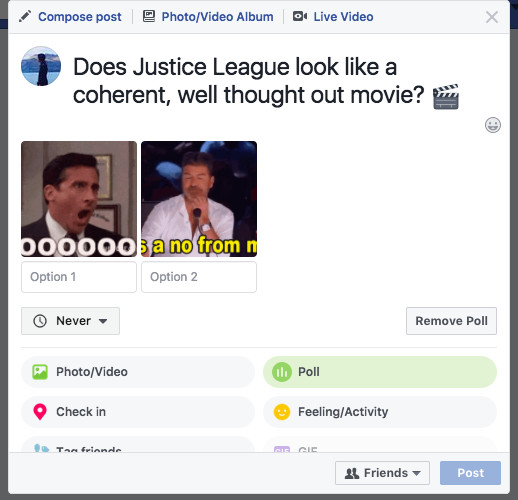
After Instagram polls came out, Facebook decided to give their users a polling service as well. This new feature rolled out about a month ago, and it gave users the ability to use GIF images as poll reactions. What Facebook didn’t know was that this feature had a loophole that allowed a malicious actor to delete your photos from Facebook. Oops!

Facebook videos are about to become more annoying

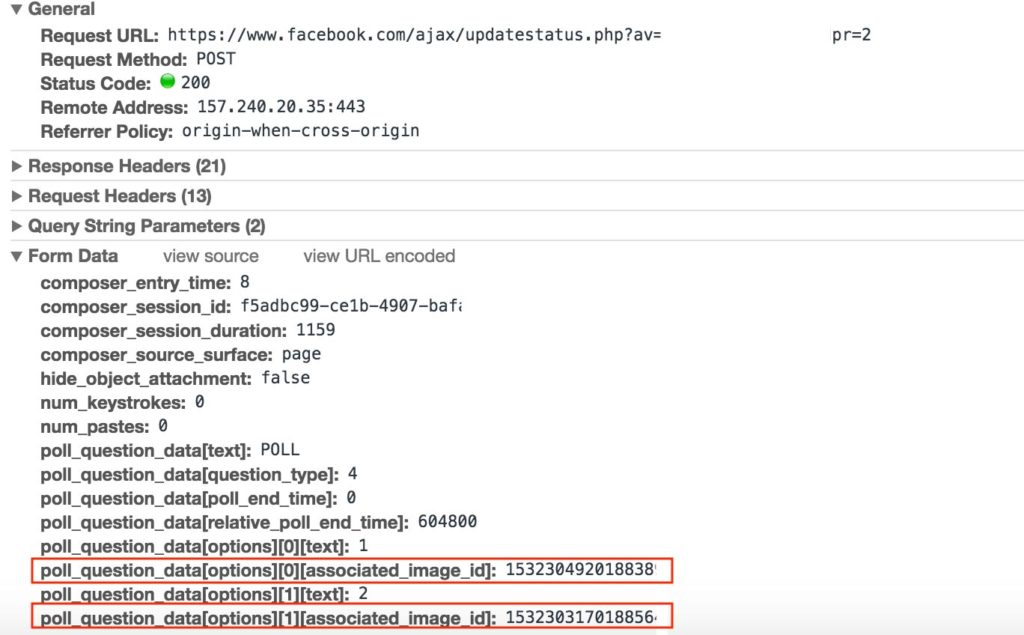
The person who discovered this exploit is Pouya Darabi, and Facebook gave him a $10,000 reward for reporting this issue. Darabi explained in his blog post how someone could use this exploit to delete images.

“Whenever a user tries to create a poll, a request containing gif URL or image id will be sent, poll_question_data[options][][associated_image_id] contains the uploaded image id.”

“When this field value changes to any other images ID, that image will be shown in the poll. After sending the request with another user image ID, a poll containing that image would be created.”

Facebook will help you find out if you’ve liked or shared Russian content

This just shows how easy it would be to replace the poll image with any image from any Facebook profile. But that’s not all. Once a malicious actor replaces his image with the victim’s image all he has to do is to delete the poll. That would remove the poll along with the victim’s image from Facebook without them even knowing what happened.

The whole process takes about a minute and is shown in the video below

Delete any image on facebook

Image removal vulnerability in Facebook polling featurehttps://blog.darabi.me/2017/11/image-removal-vulnerability-in-facebook.html

Posted by Dynamic World on Tuesday, November 21, 2017

The good news is that this exploit no longer works. Facebook was fast to fix the bug and everything is safe again, for now.

If you think that you’ve discovered an exploit that would be worth checking out consider reporting it here. Facebook offers a minimum reward of $500 for bug reports that are worthy of their attention.

Ubisoft are giving away Assassin’s Creed IV and World in Conflict

In an effort to get people to sign up to their online gaming portal, Uplay, Ubisoft are giving away two excellent games. If you create a Ubisoft account, you’ll be able to get your hands the 2007 real-time strategy game World in Conflict and 2013’s Assassin’s Creed IV.

First up is World in Conflict, which will be available free until December 11th. World in Conflict was developed by Massive Entertainment and brought some really fresh elements into the RTS genre. The game did away with base-building and forced players to concentrate on micro-tactical maneuvers, which fostered coherent and fast-paced gameplay. On top of that the introduction of the cover dynamic and an engrossing storyline make World in Conflict a game that is still worthy of your attention 10 years after it was released. If you want to play World in Conflict, you can get the Complete Edition for free until December 11th.

Top 10 naval battle games for PC

Assassin’s Creed IV: Black Flag will be free on Uplay from December 11th until December 18th. ACIV is one of the best Assassin’s Creed games, which seamlessly blended the familiar elements of freedom, exploration and assassination with the swashbuckling life of a pirate. Exhilarating elements like sea battles, sharks, shipwrecks and hidden treasure make Black Flag many people’s favorite Assassin’s Creed game. There is a lot of action packed into the game and you can get it all free from December 11th to December 18th.

World in Conflict free December 4th – December 11th

Assassin’s Creed IV: Black Flag Free December 11th – December 18th

Follow me on Twitter: @PatrickDevaney_

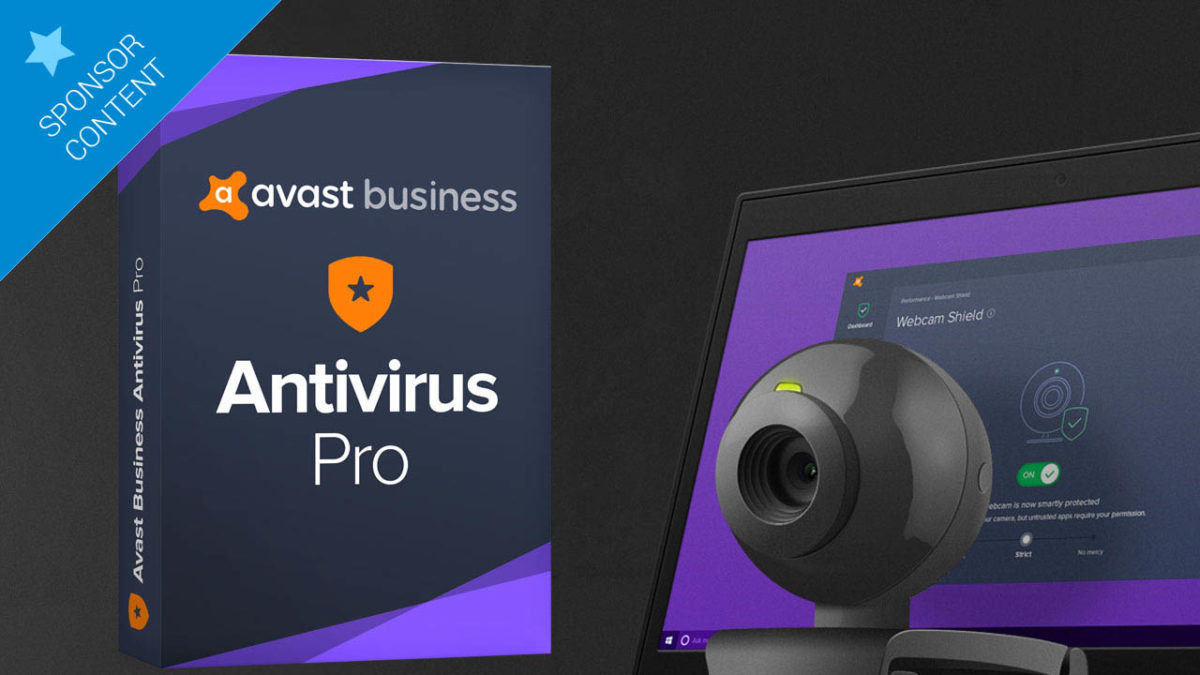
Introducing the Webcam Shield for Avast Business Antivirus

Once again, Avast is one step ahead of cyber threats, protecting you in all areas of life. This time, the cybersecurity company is introducing the Webcam Shield, a new feature for Avast Business.

Webcams can easily be hacked and there have been numerous hacking cases in recent years. Antivirus companies have focused their efforts on protecting our home computers so they don’t fall prey to any intruders. But there’s one area that, until now, has been overlooked.

In the business world, it’s common to have your own laptop. And it’s also typical for this laptop to have a built-in webcam. Although built-in webcams are harder to hack than those that come separately, effective hacking of these cameras is more threatening than you think. When a cybercriminal has the power to control a computer’s built-in webcam, he controls everything, including the power to disable the camera’s LED light.

Bottom line: you’ll never know if your work computer’s camera has been hacked.

Think about the risks that this uncertainty could involve. You bring your work laptop everywhere. For example, important meetings where you go over company numbers, where key decisions are made and where information is discussed, all of which in the wrong hands could result in a lot of damage to your company, job and reputation.

Aware of this new problem, Avast has updated the Avast Business Antivirus Pro Plus, its antivirus for companies, to include the Webcam Shield, a feature that recently launched for its Business Antivirus.

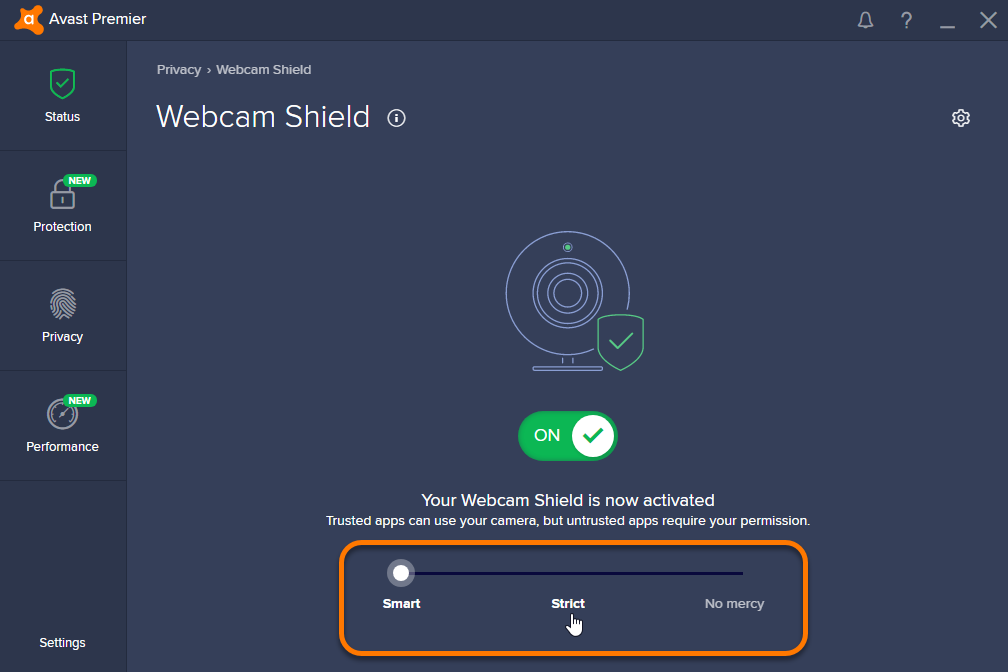
As its name suggests, the Webcam Shield protects your webcam so nobody can spy on you at work. No matter how silent, or whether the LED light is disabled, Avast won’t let in a single hacker. If any suspicious activity is detected, it will block applications or related components, and notify you of what’s going on.

Like the home version, the Webcam Shield for Avast Business Antivirus Pro Plus has a central setting that disables the camera’s drivers so that nobody, not even you, can use it. This option can be disabled at any time. So, if you’re on an important business trip, or have a crucial company meeting, you can always enable the central setting and put your mind at ease.

The Webcam Shield also lets you decide which applications to give open permissions and which should have completely forbidden access.

The Webcam Shield is only one of the many features of Avast Business Antivirus Pro Plus, so that your security and privacy are guaranteed at work. You can find out more about Avast Business in another one of our sponsored articles. Like all their products, Business Antivirus is constantly updated to face new cyber threats.

A good example was last month’s discovery that there had been a security breach in the WPA2 protocol, affecting the vast majority of WiFi connections. Avast updated all its Business products so this breach was a thing of the past.

If you’re part of your company’s technical team, an employee concerned about security at work or the director of your own company, Avast Business products are what you need to enjoy a stress-free 2018.

Download now Avast Business Antivirus Pro Plus

Should I switch from Windows to Mac?

I want to buy a Mac but I’m not sure if I’ll be able to use a Mac as easily as I use my Windows PC. Macs are very different to Windows PCs and I’m used to my Windows PC, will it take me a long time to learn all the new Mac controls? Can I do everything I can do on a Windows PC on a Mac? What are the benefits for picking a Mac over a Windows PC? Macs are a lot more expensive than Windows PCs, are Macs worth it?

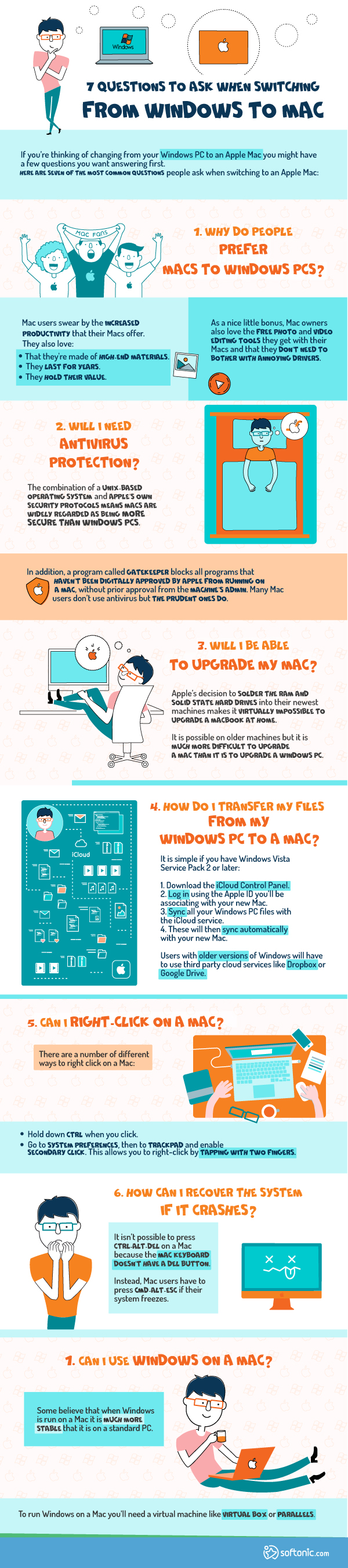
There are plenty of questions you should be asking if you’re thinking of switching from Windows to Mac. Let’s have a look at the answers to some of the most common.


Why do people prefer Macs to Windows PCs?

Mac users swear by the increased productivity that their Macs offer.

They also love:

  • That they’re made of high-end materials.
  • They last for years.
  • They hold their value.

As a nice little bonus, Mac owners also love the free photo and video editing tools they get with their Macs and that they don’t need to bother with annoying drivers.

Will I need Antivirus protection?

The combination of a Unix-based operating system and Apple’s own security protocols means Macs are widely regarded as being more secure than Windows PCs.

In addition, a program called Gatekeeper blocks all programs that haven’t been digitally approved by Apple from running on a Mac, without prior approval from the machine’s admin.

Many Mac users don’t use antivirus but the prudent ones do.

Will I be able to upgrade my Mac?

Apple’s decision to solder the RAM and Solid State Hard Drives into their newest machines makes it virtually impossible to upgrade a Macbook at home.

It is possible on older machines but it is much more difficult to upgrade a Mac than it is to upgrade a Windows PC.

How do I transfer my files from my Windows PC to a Mac?

It is simple if you have Windows Vista Service Pack 2 or later:

  1. Download the iCloud Control Panel.
  2. Log in using the Apple ID you’ll be associating with your new Mac.
  3. Sync all your Windows PC files with the iCloud service.
  4. These will then sync automatically with your new Mac.

Users with older versions of Windows will have to use third party cloud services like Dropbox or Google Drive.

Can I right-click on a Mac?

There are a number of different ways to right click on a Mac:

  • Hold down CTRL when you click.
  • Go to System Preferences, then to Trackpad and enable Secondary Click. This allows you to right-click by tapping with two fingers.

How can I recover the system if it crashes?

It isn’t possible to press CTRL-ALT-DEL on a Mac because the Mac keyboard doesn’t have a DEL button.

Instead, Mac users have to press CMD-ALT-ESC if their system freezes.

Can I use Windows on a Mac?

Some believe that when Windows is run on a Mac it is much more stable that it is on a standard PC.

To run Windows on a Mac you’ll need a virtual machine like Virtual Box or Parallels.

3 reasons why you should be using OpenOffice

Still paying for Microsoft Office? It might be time to stop.

Apache’s OpenOffice isn’t just powerful, it’s free. You can use it much the same way you do Microsoft Office – without forking out a few hundred bucks for the pleasure – and is much easier to use offline than Google’s free productivity apps.

Whether you’re writing blogs, doing your accounts, or preparing that important presentation for Monday morning, you can do it all with OpenOffice. Even governments and companies are using it.

But is it really better than paid software? Let’s take a look.

Download OpenOffice

3 reasons why you should be using OpenOffice

1. You can do almost anything with OpenOffice

OpenOffice comes with these applications:

  • Writer (word processor – similar to Word)
  • Calc (spreadsheet engine – similar to Excel)
  • Impress (presentations – similar to PowerPoint)
  • Draw (vector graphics editor)
  • Math (equations and formulae editor)
  • Base (databases)

This gives you ultimate flexibility, all in one handy program.

All OpenOffice apps read Microsoft file types – even those from ten to fifteen years ago (some of which Microsoft Office 2016 can’t!). This is particularly useful if you own or work with organizations that might possess older file types than Microsoft Office can support. You might get the occasional formatting issue, but for most users, this won’t be a problem – especially if you’re only working with single files.

2. It’s very easy to use

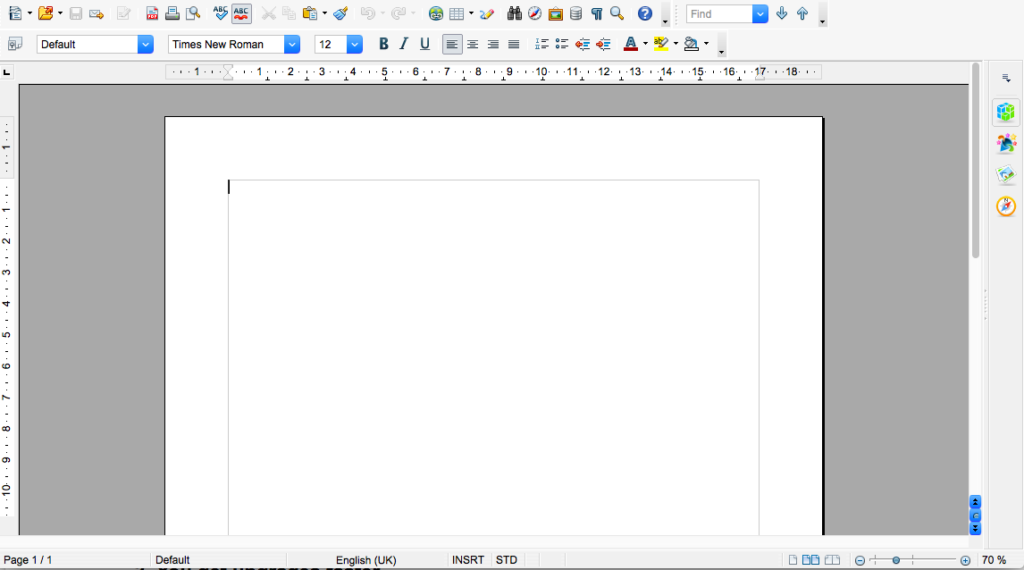
OpenOffice has a simple user interface that is similar to Office 2003, and it is constantly improved with user feedback. If you’re familiar with Microsoft Office applications, you’ll recognize similar buttons and toolbars, making it very easy to use. And if you hated the ribbon toolbar Microsoft introduced in 2007, you’ll be glad to know it doesn’t exist in OpenOffice.

There’s also a large, helpful community behind OpenOffice – as is typical for open-source projects like this one. So if you get stuck, there’s usually some kind person available to help. They might even have worked on some of the code behind OpenOffice, too, which makes them far more useful.

3. You get upgrades faster

OpenOffice is open-source software, meaning anyone can review and upgrade the code it’s written in. This means bugs are found quicker, and you don’t have to wait too long for upgrades.

Better yet, upgrades are free, and because development is collaborative and democratic, you have a say in which features you’d like to see. You can even develop OpenOffice code yourself if you have the skills, and introduce your own features into the community.

And have I said this is free software? I don’t mean to harp on about it, but as most paid software is going down the subscription route – such as Adobe’s Creative Suite and Microsoft’s Office 365 – this is a pretty big deal.

Of course, OpenOffice won’t be for everyone. It lacks some of the more advanced features of its paid competitors, and if you’re used to working in the cloud, there are better options. But with 231.9 million downloads so far, it’s a serious contender – especially if you’re on a budget.

Download OpenOffice.

SMS text messaging is now 25 years old!

Season’s Greetings.

No, I’m not offering you season’s greetings just yet. Although I’m four doors into my cheese advent calendar and I’ve already watched Die Hard, I still have far too much work to do before I’ll allow myself to feel all Christmassy.

What I’m referring to is the Season’s Greetings that were sent via the first ever SMS text message on December 3, 1992. Telecommunications engineer Neil Papworth sent “Merry Christmas” to Vodafone Director, Richard Jarvis’ phone and the SMS was born. Although, in my eyes at least, Papworth might’ve been a little early in his festive cheer he sparked off what can accurately be described as a revolution in the way that people communicate and interact with each other.

Although SMS adoption was slow at first, by 1995 the average American was only sending 0.4 messages a month, growth slowly continued to grow. Before long the technology began to adapt to better accommodate the sending of SMS text messages and in 1999 the networks opened up to allow users from competitive networks to communicate with their own users via SMS. This led to the average US user sending 35 SMS messages every day by the year 2000.

Once SMS had established itself, it became almost second nature and in many ways, the preferred form of communication. It became the social norm to send people SMS messages rather than calling them. The number of messages being sent each year just kept growing and growing with a whopping 12.5 billion being sent every month in 2006, which grew to 45 billion a month being sent just a year later in 2007. By June 2017, there were 781 billion SMS messages flying around.

SMS provided a brand new way to communicate with your friends and family. The 160-character limit for each message in turn spurred the creation of a brand new vernacular that allowed for text-based representations of physical actions like laughing out loud or even certain facial expressions and emotions.

The SMS revolution has also left a wave of social good in its wake by bringing effective communication to previously cut-off regions. Even today, 25 years after the first ever SMS message was sent, new initiatives are still being created that utilize SMS to help people in remote regions. Huge strides have been made in the fight against malaria and other important social battles all through the power of that little beep beep – beep beep.

With such a huge history behind it, what future lies ahead for the SMS text message? Well unfortunately, it looks like its days may be numbered. As more and more regions become connected to the world wide web, internet messaging services like WhatsApp and Facebook Messenger will take over from the humble SMS. With no comparable charge or character limit users in the western world have already begun to migrate to the new internet-based messaging platforms.

Even if SMS does end up going the same way as Adobe Flash and MS Paint, it’ll take a long long time before the messaging platform no longer exists and even after it has gone it’s more modern messaging cousins will always owe a huge debt of gratitude to SMS.

What started off as “Merry Christmas” has become much more, and will keep changing and evolving the way we communicate with each other for many holidays to come.

Happy Birthday, SMS.

Follow me on Twitter: @PatrickDevaney_

Do you have any of the most popular Android apps from 2017?

As we roll into advent and rocket towards Christmas, it is guaranteed that we’re going to be bombarded by two things in the next few weeks. The first is Mariah Carey and the second is best of 2017 lists.

If January is the month to look forward then December is the month to look back, which Google have indeed been doing recently and they’ve just released a list of the most popular Android apps of 2017, according to the Google Play store. Let’s check them out now:

Best Android apps of 2017

FaceApp

FaceApp is a photo app from Russia that uses AI to change your face and make you look older, younger. It also makes it possible to transform yourself into another gender. FaceApp is a both fun and effective, which has made it very popular.

Messenger Lite

Since Facebook decided to strip the ability to send and receive messages from the mobile version of its site people were forced to download the Messenger app. This then in turn, hogged the phones resources and ate up data allowances. Messenger Lite addresses this problem by stripping the app down to 10mb and going easy on the power and data it needs to run.

Sticker Photo Editor

Another photo app sneaks into the top 3 showing that cameras are still one of the most loved tools found on modern smartphones. Sticker Photo Editor allows users to add stickers to their photos and then blend them in so that they appear like seamless parts of the photos themselves. Think tattoos, abs, and fancy hairstyles and you’ll get the idea of what to expect with this one.

JokesPhone – Prank Calls

We all love a good laugh. Especially if that laugh is at the expense of one of our friends. The popularity of JokesPhone proves exactly that. JokesPhone lets you set up excellent prank calls on your friends and then share the hilarious results via WhatsApp. You can even do all of this for free if you can get your friends signed up to the service.

As well as the most popular apps Google have also put together a list of the best apps and games and also the most popular songs, films and books of 2017. To check them all out click the link below.

Via: Google

Follow me on Twitter: @PatrickDevaney_

Facebook’s improved AI uses pattern recognition to help prevent suicides

Facebook isn’t just a simple social networking website, as they’ve shown before with previous projects and are showing again with their new suicide prevention AI. Using pattern recognition on posts and live video streams, the AI should be able to recognize if a Facebook user is having suicidal thoughts.

Guy Rosen, VP of Product Management, explained in a blog post how it is going to work.

“Using pattern recognition to detect posts or live videos where someone might be expressing thoughts of suicide, and to help respond to reports faster

Improving how we identify appropriate first responders

Dedicating more reviewers from our Community Operations team to review reports of suicide or self harm”

Pattern recognition isn’t a new feature. It is already used in Facebook’s “first responders” program. This program has resulted in over 100 wellness checks, based on reports Facebook received via their proactive detection efforts.

The suicide prevention AI will start to roll out very soon outside of the US. After that, it will be available worldwide except in the European Union. The pattern recognition will look into comments like “Are you ok?” and “Do you need help?” This will then send a signal to the AI that the Facebook staff should investigate a certain post or live stream.

Until the AI rolls out, you can help with suicide prevention as well. One way would be to reach out to the person you think is at risk of suicide or report the post to Facebook. Their teams work worldwide and are available 24/7. Reports are sorted by priority so if you report a possible case it will be attended to as soon as possible.

Pattern recognition will add more value to Facebook’s current efforts toward suicide prevention. This is great news for Facebook and one more big victory for AI. As technology advances, we expect to see more tools like this one that will help people worldwide.

What are your thoughts on this tool from Facebook? Let us know in the comments below.


Via: Facebook