How to play Poppy Playtime – Chapter 1

Poppy Playtime is a horror, puzzle, adventure game set inside an abandoned toy factory. You’ll spend most of your time uncovering what happened in the building and then trying to escape the monster at the end.

Have no fear! If you’re stuck trying to work out what to do, we’ll show you how to play Poppy Playtime – Chapter 1. You can expect spoilers ahead as we present as much detail as possible to help you survive the game.

Tips for playing Poppy Playtime – Chapter 1

When you enter the abandoned building, you’ll notice some items lying around while there are keypads on locked doors. Before you can proceed into the main part of Poppy Playtime, you’ll need to get your GrabPack hands. Here’s how you go about it.

How to Get The Blue GrabPack Hand in Poppy Playtime 

The first blue GrabPack hand is easy to locate. When you enter the abandoned toy manufacturing facility, you’ll see a security desk. Look to the left, and you’ll see a bag with the blue hand in it. You’ll need this to proceed with the rest of the game.

How to play Poppy Playtime - chapter 1

How To Find The Red GrabPack Hand in Poppy Playtime

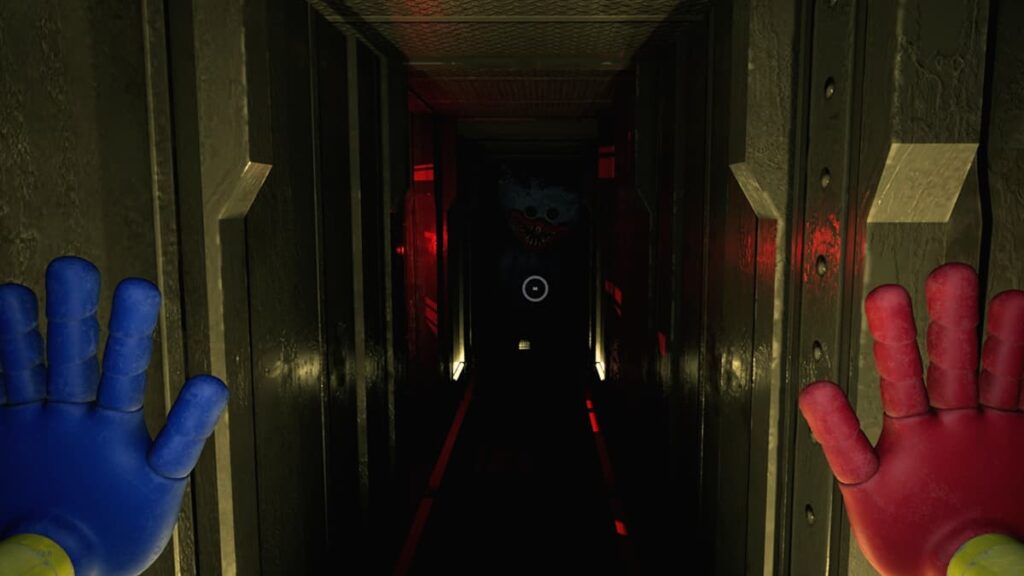
The second red hand is more challenging to find and will introduce most of the gameplay mechanics. You’ll need to enter the main facility, where you’ll see Huggy Wuggy. He’s stationary for now, but that won’t last forever.

When you look around, you’ll see two rooms with scanners. While the one needs both hands, the other only needs the blue hand. As soon as you try to open that door, the power cuts out and everything goes dark.

It’s time to investigate Huggy Wuggy again. You’ll now see a key in his hand that wasn’t there before. Head to the power room and use the key to return the electricity. When you go back to the main room, you can open the blue-hand door, but Huggy Wuggy is….gone….

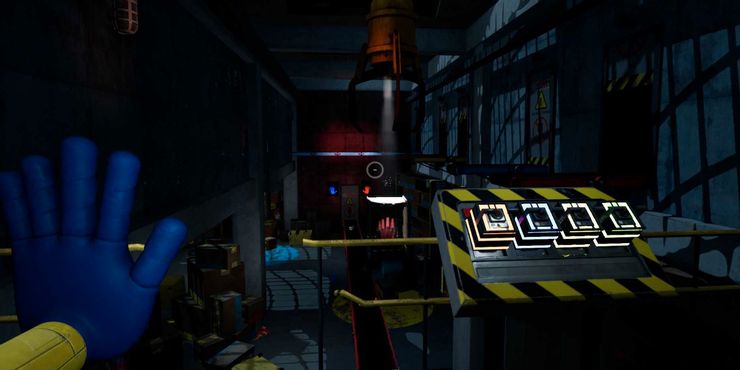
Go down the hall until you see a room with the number “05” on it. This area requires you to head up the stairs where you’ll see a crane with a control panel to operate it. The only issue is that the fuses are gone. (dun-dun-duuuuuuhhhh *spooky music*)

If it isn’t obvious, you need to find those fuses. You’ll see the blue one next to the control panel. If you look down below the catwalk by a set of shelves, you’ll find the red one. The yellow and green ones are playing hide-n-go seek by some boxes further in the area. 

Once you have all four fuses, head back and power the control panel. You can now use the crane to pull a glass box onto the conveyor belt. Congratulations, you now have the red Grabpack hand. 

How to play Poppy Playtime - chapter 1

All VHS Tapes Locations in Poppy Playtime

One of the achievements in Poppy Playtime is to find all the VHS tapes. Some of these are easy to locate, while others are more challenging. If you’ve spent more than a few hours looking for all five, we’re more than happy to help with the locations:

  • Green VHS tape: on the security desk at the start, on the right-hand side of the computer monitor.
  • Blue VHS tape: After you complete the first puzzle, head into the next room and look for an office table on the left.
  • Yellow VHS tape: You’ll see a room filled with shelves. Head to the wall with the yellow poster, and pass the first set of shelves. The second set will have the tape.
  • Pink VHS tape: After you have both hands, you’ll need to make a toy. You’ll end up on top of stairs where there’s a gap. Look to the right of the gap, and use your blue hand to retrieve it.
  • Grey VHS Tape: You’ll locate this tape at the end of the chapter, and the VHS player is on the right nearby.
How to play Poppy Playtime - chapter 1

Poppy Playtime Chapter 1 boss: How to escape Huggy Wuggy

As soon as you’re done making the toy, Poppy Playtime tells you that you may now exit. However, Huggy Wuggy isn’t going to let you go so easily. You won’t be able to fight him, so here’s how you can escape instead.

Turn and run for the conveyor belt where you found the red hand. You’ll see an entrance you can head through. Run down the passage until you hit a crossroads. As Huggy Wuggy will be coming for you from the other end, you need to turn right.

You’ll soon find a conveyor belt that’s impossible to climb. On your left is a hole you can drop down into. You’ll end up in a new part of the factory, but broken machinery will block your way. Turn right, head straight, and find a small entrance on the left.

After you crouch into the entrance, run until you find a door. Give it a moment, and you’ll see the door lifting up. Now’s the time to sprint as fast as you can to some cardboard boxes. 

When you turn around, look up. There’s a block with some hands painted in various colors. Use both hands to quickly slap it so it falls onto the catwalk. When it does, it will knock out Huggy Wuggy, leaving you free to escape.

How to play Poppy Playtime - chapter 1

Make it out alive!

If you think reading this guide on how to play Poppy Playtime -Chapter 1 is intense, wait until you play the game. The final escape requires some perfect timing and running on your part. It will be exciting to see what Chapter 2 will bring, and we’ll be sure to add a guide for that one too. 

See you on the other side!

Disney Plus Day: Premieres and Offers

Walt Disney is going out of its way to make sure you celebrate Disney Plus Day with them on November 12, 2021. To entice new members to subscribe to its elite membership deals, it’s lowering the premium for one month. There’s also a host of new premiere movies and shows coming to the streaming platform.

Stick with us as we explain what Disney Plus Day is and what you can expect! There’ll be a special presentation by the Walt Disney company. While it’s mentioned which shows we can expect, there aren’t official release dates for all of them as yet.

What is Disney Plus Day? 

It’s the first time in history that we’re celebrating Disney Plus Day. In essence, it’s the second anniversary of the popular streaming service that’s brought us movies and shows from collections like Star Wars and Marvel, to name a few. 

Here are some words from the CEO of Walt Disney, Bob Chapek:

“The inaugural Disney+ Day will be a grand-scale celebration of our subscribers across the entire company. This day of appreciation brings to life our mission to entertain, inform, and inspire fans and families around the globe through the power of unparalleled storytelling, and will become an annual tentpole event to be amplified across our global businesses.”

Disney Plus Day offer

Well, the usual subscriptions go for about $7.99/mo in the United States. If you want to take part in the celebration, you’ll have one month of paying $1.99 in the US! As you can see, it’s a massive reduction in rates so you can get a taste of what the streaming service is all about.

Subscribe for only $1.99

From: Disney+ Day

$1,99 $7,99

The offer is only valid from November 8th to November 14th, 2021, so you’ll need to act quickly if you don’t want to miss out! As soon as the month expires, you’ll revert to the standard prices unless you choose to cancel your membership by then.

If you remain a member, you’ll be treated to all the latest shows from iconic brands. Some popular names include Disney, Pixar, Marvel, Star Wars, National Geographic, and Star. 

Disney Plus Day Premiers: What to expect?

Together with that statement, Walt Disney released an official list of shows you can expect to appear in the new few weeks. You’ll even see the Simpsons hosting a short to celebrate Disney Plus Day with us. Here’s what you can look forward to.

Shang-Chi and The Legend of The Ten Rings

The long-awaited Marvel movie is now available on Dinsey+. The story revolves around a valet in San Fransisco who uncovers new powers and must face his past if he wants to save everyone. Those who are members of the streaming service can watch this show at no additional cost.

Shang-Chi and The Legend of The Ten Rings

Jungle Cruise

If you’re looking for a family adventure based on one of Disneyland’s rides, check out this movie with Dwayne Johnson and Emily Blunt. There’s a touch of the supernatural while they have to face wild animals and reptiles in this fantasy action tale. 

Jungle Cruise

Home Sweet Home Alone

You may remember the Home Alone movies that always played around Christmas and the New Year celebrations. Well, Max Mercer is the new protagonist in this reimagining of the original tale. When his family head to Japan without him, he needs to defend himself and his home against trespassers. Imagine more hilarity and chaos in this version.

Home Sweet Home Alone

Olaf Presents

Remember that adorable snowman Olaf from the Frozen movies? Well, he wants to present some short stories of a few favorite tales where he takes center stage. You may recognize the Lion King, Aladdin, and The Little Mermaid, but with a fresh spin.

Olaf Presents

Ciao Alberto

If you saw the hit animated show called Luca, you’ll want to see this short sequel called Ciao Alberto. It features many of the same characters, with Alberto Scorfano trying to impress his mentor. Of course, he faces some challenges along the way that makes his mission difficult to achieve.

Ciao Alberto

Dopesick

Michael Keaton fans will enjoy this new series that’s based on the book “Dopesick: Dealers, Doctors and the Drug Company that Addicted America.” It will appear on international markets, but you can enjoy it on Disney Plus as part of the menu. Eight episodes are expected for now.

Dopesick

The World According to Jeff Goldblum Season 2

If you’ve seen the first season of one of Disney’s originals, “The World According To Jeff Goldblum”, you’ll be happy to know that Season 2 will soon be available. He’s sure to take us on more entertaining journeys as he meets with influencers and random people on various topics.

The World According to Jeff Goldblum Season 2

A few special features

As if the above entertainment isn’t enough, there are a few other small features expected. We’ll see the legacy of Boba Fett, the renowned bounty hunter from the Star Wars series. You can also expect to see some shorts from the Marvel Cinematic Universe, telling us what’s planned for fans. The other announced features include “Frozen Fever,” Oscar-winning shorts “Feast” and ”Paperman,” and Oscar-nominated Mickey Mouse short, “Get A Horse!”

 Walt Disney is going out of its way to make sure you celebrate Disney Plus Day with them. To entice new members to subscribe to its elite membership deals, it’s lowering the premium for one month. There’s also a host of new premiere movies and shows coming to the streaming platform.  Stick with us as we explain what Disney Plus Day is, when it begins, and what you can expect! When is Disney Plus Day? The official date for Disney Plus Day is November 12, 2021, and there’ll be a special presentation by the Walt Disney company. While it’s mentioned which shows we can expect, there aren’t official release dates for all of them as yet. What is Disney Plus Day?  It’s the first time in history that we’re celebrating Disney Plus Day. In essence, it’s the second anniversary of the popular streaming service that’s brought us movies and shows from collections like Star Wars and Marvel, to name a few.   Here are some words from the CEO of Walt Disney, Bob Chapek:  “The inaugural Disney+ Day will be a grand-scale celebration of our subscribers across the entire company. This day of appreciation brings to life our mission to entertain, inform, and inspire fans and families around the globe through the power of unparalleled storytelling, and will become an annual tentpole event to be amplified across our global businesses.” Disney Plus Day Premiers: What to expect? Together with that statement, Walt Disney released an official list of shows you can expect to appear in the new few weeks. You’ll even see the Simpsons hosting a short to celebrate Disney Plus Day with us. Here’s what you can look forward to:  The streaming premiere of Marvel Studios’ “Shang-Chi and The Legend of The Ten Rings”  The beloved Disney family-friendly adventure film “Jungle Cruise,” available to all subscribers The new Disney+ Original movie “Home Sweet Home Alone,” a reimagining of the popular holiday franchise An all-new original series of shorts from Walt Disney Animation Studios called “Olaf Presents,” which sees Frozen’s beloved snowman retelling several classic Disney tales as only he can  The domestic Disney+ streaming debut of fan favorite shorts from Walt Disney Animation Studios including “Frozen Fever,” Oscar®-winning shorts “Feast” and ''Paperman,” Oscar-nominated Mickey Mouse short, “Get A Horse!” and more An animated short film “Ciao Alberto” from Pixar, featuring characters from this summer’s animated hit breakout film “Luca”  A new short from The Simpsons that pays tribute to Disney+’s marquee brands The first five episodes from season 2 of “The World According to Jeff Goldblum” from National Geographic A special celebrating the origins and legacy of Star Wars’ legendary bounty hunter, Boba Fett A special celebrating the Marvel Cinematic Universe on Disney+ with an exciting look towards the future “Dopesick,” an original series starring Michael Keaton, which will be released in international markets as part of the Star general entertainment content offering Disney Plus Day offer So, what is the Disney Plus Day offer? Well, the usual subscriptions go for about $7.99/mo in the United States and 8.99€ in Spain. If you want to take part in the celebration, you’ll have one month of paying $1.99 in the US and 1.99€ in Spain! As you can see, it’s a massive reduction in rates so you can get a taste of what the streaming service is all about.  As soon as the month expires, you’ll revert to the standard prices unless you choose to cancel your membership by then. The offer is only valid from November 8th to November 14th, 2021, so you’ll need to act quickly if you don’t want to miss out!  If you remain a member, you’ll be treated to all the latest shows from iconic brands. Some popular names include Disney, Pixar, Marvel, Star Wars, National Geographic, and Star.  Disney Plus tips and tricks! Before you leave we have some Disney Plus guides you’ll want to take a look at to make the most use of this offer above:  10 incredible series you can watch now on Disney+ Top 10 National Geographic documentaries you can watch on Disney+ Top 10 animated Disney movies The Best Content on Disney+ in 2020 Long-Lost Disney Classics Available Now on Disney+ How to watch Black Widow, Marvel’s latest movie on Disney+  Join in the streaming fun! Now that you know what Disney Plus Day is all about, why not join us in the celebrations? We’re looking forward to seeing as many of the shows available, specifically in the Marvel and Star Wars universes. It’s going to be an incredible ride!

Join in the streaming fun!

Now that you know what Disney Plus Day is all about, why not join us in the celebrations? We’re looking forward to seeing as many of the shows available, specifically in the Marvel and Star Wars universes. It’s going to be an incredible ride!

Subscribe for only $1.99 GET THE OFFER
9
Disney+ Day

What is DISCORD and how it works

Discord is a popular chat platform for keeping up with friends and communities. It combines the features of a chat lobby, chatting system, streaming service, and a message board. Used initially mainly by groups of gamers to chat about whatever they were playing, it’s now also used by groups of friends just to hang out together online.

Discord has grown so much that it now has more than 250 million registered users. If you’re looking to get a group together to play any popular online game or just to chat about whatever interests you, keep reading to learn what Discord is and how it works.

What is Discord?

If you’re an online gamer, you’ve heard of, and possibly used Discord. Like Skype, it lets people talk to their friends online by voice or video. But there’s a big difference between them: Discord’s servers. Every Discord server has text and voice channels where you can chat with other members. You can share links, images, music, videos, and play games. Discord servers usually have several channels with different topics and rules.

What is DISCORD and how it works

Setting up Discord

You can download Discord on a computer or mobile device. You can access Discord’s servers using a web browser, but it’s best to use the Discord app. When you start, Discord will prompt you to create an account. You can use Discord without an account, but you won’t be able to access your chats after you close the browser. 

After download, you’ll go through the setup process before seeing details of Discord’s latest updates and features. You then just need to become familiar with the app and what it offers. 

Create a Discord server

It’s easy to set up your own Discord server. Just click on the plus symbol, and it will bring up a screen where you can set up your server, use a template, or join another server. For a business, you could start with the Artists & Creators option. Then you can choose For a club or community. After that, you can customize your server with a name and an icon. Then, just click Create, and you’ll have your own server.

What is in a server?

Now that you have a Discord server, there are some features for you to look at. Here are some top items you need to take note of.

Personalize your server

To personalize your server, go to the settings. There are many settings that will help you make your server unique. On the left of the screen, there are the following options: Server Overview, Roles, Emojis, Stickers, Moderation, Audit Log, Integrations, Widgets, Server Templates, Enable Community, Server Boost Status, Members, Invites, Bans, Delete Server. Exploring each of these will help you learn how to modify your own special server.

Server permissions and user roles

To set up admin and moderator roles or any other roles you want to offer members, click on the arrow to the right of your server name. This is near the top on the left of the screen. Then choose Server Settings. It’s not recommended to give everyone a role as soon as they join your server. Use server verification to keep raiders and spammers off your server. Be fussy about who you assign roles to on your server.

Start a Discord Channel

Discord servers consist of different channels. You can specify which channels are for text or voice and decide on a name for each of your channels. You can also group your channels into categories. One possible category could be Entertainment, where you could have channels for TV and movies, games, podcasts, and books. To start a channel, right-click in the channel panel, where you’ll be able to set up a new channel or category.

Why gamers use Discord

Many gamers use Discord as their primary communication with gamer friends because Discord has special overlays for game clients. These allow you to manage your Discord settings without having to ALT-Tab out of your game. Discord allows you to socialize on the internet better than any other program. It’s a handy tool for hanging out with your friends while you’re gaming, making it much more fun.

How does Discord work?

Discord lets you communicate with others and share files, while there are also voice functions. If it’s your first time, it can become confusing. Here’s how Discord works and some features you should plan on using.

Navigating Discord

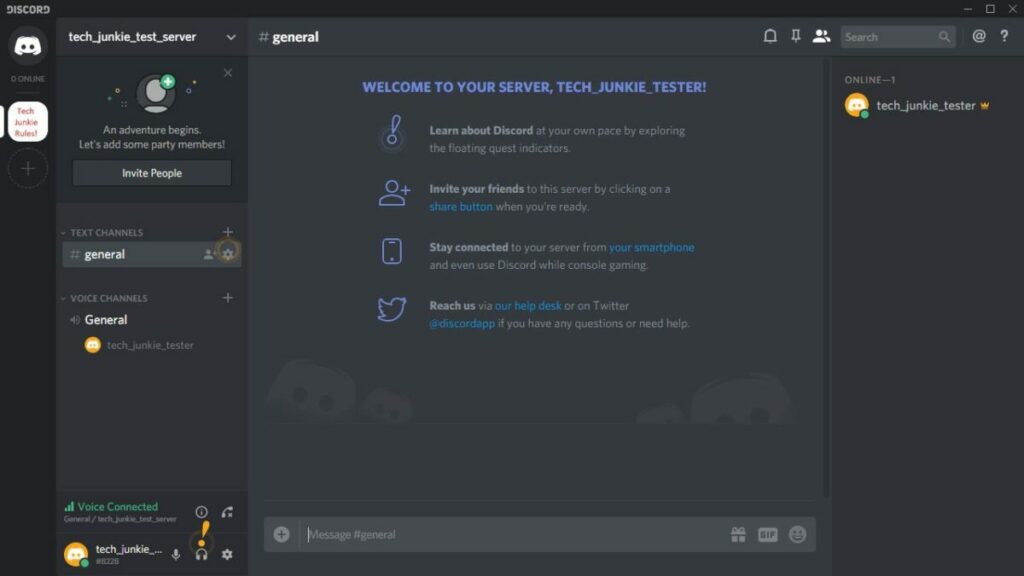
On the far left of your screen, when you open Discord, you’ll see a list of servers. Next to it on the right, you’ll see if any friends are online, friend requests and messages. Below your list of Discord servers, there’s a button with a plus symbol you can use to set up your own server or join another one. 

There’s also a button with a compass symbol. You can use it to look at public servers. Once you’re in a Discord server, you’ll see a list of the channels within that server. Go into a channel, and messages will come up in the center of the screen. You’ll be able to see a list of the people participating.

Those handy bots

Discord bots are like features and plugins that can improve your Discord experience. Bots can automate tasks on your servers, filter out spam, play games and music and kick or ban certain users. You’ll have to find the bot you want before you add it to your server.

There are lots of Discord bots and discussions about what they do. There are websites with lists of Discord bots, like discordbotlist.com. They even publish lists of bots the community has found most helpful. Once you’ve found the bot, just invite it to your server! It’s that easy.

Discord notifications

If you belong to lots of Discord servers, you might be getting too many notifications for comfort! But Discord gives you excellent control over the number of notifications you want to receive. To control your notifications, go to User Settings and hit Notifications, where you’ll find many controls, including muting channels and servers.

What is DISCORD and how it works

Discord Tips and Tricks

Here are some sites to visit with guides that cover all aspects of what you need to know about Discord:

Join other gamers!

Discord is growing by leaps and bounds because it offers a unique set of attributes useful to gamers, businesses, creative people, and those just wanting to hang out with their friends. If you want to get a group together to play online games or just to chat about whatever interests you, this amazing platform can offer you exactly what you need.

What is INSTAGRAM and how it works

Before you download Instagram, you may want to discover what it is and how to use it to feature your attractive images. There are many ways you can engage with your followers, and some methods include branding and monetization. 

So let’s get started with our guide on what Instagram is and how it works.

What is INSTAGRAM and how it works

What is Instagram?

Instagram is an extremely popular free social media platform that emphasizes mobile use and the visual sharing of photos and videos. It even hosts live streaming. 

More than a billion users interact with others on the app by following and being followed, liking, tagging, commenting, and private messaging them. You can connect with brands, thought leaders, celebrities, friends, and family, to name a few.

Anyone can easily create attractive images on Instagram. You can enhance your photos by using additions like filters and stickers. Before Instagram, it was not easy to share stunning photos. So it’s easy to see why it has become such a huge success.

Who uses Instagram?

Facebook bought Instagram in 2012. Unlike Facebook, Instagram focuses more on images than on words. Everyone is on Instagram, from celebrities, musicians and photographers, small and big businesses, cultural institutions, to news organizations.

There are also millions of influencers worldwide who sway people’s opinions on just about everything. It’s so much part of popular culture that ‘Instagramming’ is now officially a verb in English language dictionaries.

Downloading Instagram

Before you can use Instagram, you must download the app onto your device. You can get it for free on iOS, Android, and Windows devices. You can also use Instagram on your iPad by changing your App Store settings. Instagram is primarily designed for smartphones, but using it on your desktop computer, which was once unsatisfactory, has improved dramatically. 

What is INSTAGRAM and how it works

How to use Instagram

With a better understanding of what this photo platform is, it’s time to reveal how Instagram works. We’ll show you some of the finer points of using the app before giving you a few tips.

Opening an account

After downloading the app, you’ll have to open an account. The first time that you open the Instagram app, it will prompt you to create one. Alternatively, you can log in via Facebook.

To open a new account, you’ll be asked to give your phone number or email address, name, username, and password. You will be able to create several Instagram accounts without logging out. This is helpful if you want to have, say, a personal as well as a business or professional account. 

Setting up your profile

There’s a page on Instagram where you can set up your profile. On the profile page, you can also see who you’re following and who’s following you. It’s often the first place people visit, so you should keep your biography, profile picture and user name up to date.

You can add a link to your own or another website. You can change your settings, like your profile picture, your biography and your user name by clicking ‘Edit Profile’ at any time. If your Instagram account is for your business, you can add your location too.

Notifications

Instagram allows you to choose which notifications you want to receive. You might want to know when you get a new follower, or when you receive a comment on one of your posts. Or you can turn your notifications off completely if you don’t want to be interrupted to be told what’s happening on your active account and prefer to see for yourself. 

How does Instagram work?

Instagram is a highly visual social network. When you open the app, you’ll get a feed containing posts from the accounts you follow. There’s a menu bar at the bottom that you can go to wherever you are on the app. There’s a row of buttons on the menu. This is what they do: 

  • Home: Where you can see the photos and videos posted by your contacts.
  • Search and explore: Here you can look at content from accounts you don’t follow.
  • Upload: You can upload and edit photos and videos here.
  • Activity: The icon takes you to a page where you can see likes and comments on your posts. 
  • Profile: Your profile page shows your bio and posts, and it’s where you can change your settings. 

Uploading, editing, and posting photos

To share a photo or video, tap the large plus button, then choose photos or videos from your phone’s camera roll to post. You can select up to 10 photos and videos and post them all at once. You can apply a filter to enhance your pictures. 

Lighting and color can change your pictures from bland to dazzling, and Instagram filters allow you to play around with them and enhance your photos in seconds. Once you’re happy with your photo, you can add a few more things before you post:

  • A caption: Use words, emojis, or hashtags. You can alert friends by placing @ in front of their username. You can edit or delete captions whenever you like.
  • Tag other users: Tag someone, and they’ll get a notification. You can also hide tags. 
  • Add location: this lets people know where your photo was taken. 
  • Post to other accounts: You can send your post to Facebook, Twitter, and Tumblr.

You can also post short Instagram stories that only appear for 24 hours. You can save them as highlights on your profile if you want them to last forever. One other feature you can use in the story settings is creating a poll for followers to vote on.

Finding people to follow

To find people to follow, you can click on the magnifying glass icon at the bottom of the app. This opens the Explore page. There you’ll find suggested posts. The choice is based on what Instagram thinks you might be interested in.

You can organize the Explore page by topic or search for other users by name. Unlike Facebook, you don’t have to send a friend request and wait for someone to answer it. There’s also an option to repost a post you like from someone else.

Here’s a quick tip on how to get more followers on Instagram. One of the top methods is improving your photos so others can like them. There are also ways to see who’s watching your IG profile the most.

What is INSTAGRAM and how it works

Instagram tips and tricks

Before you leave, you may want to check out some of our Instagram tips and tricks in these guides:

Unleash your inner photographer

Instagram is what you decide to make it. It’s a great way to express yourself. For businesses, influencers and brands, it’s a terrific marketing tool. The idea behind Instagram is straightforward. You follow accounts you find interesting, and people follow you.

You can like each others’ posts and comment on them too. You can be low-key or collect a following. How active you want to be on Instagram is entirely up to you.

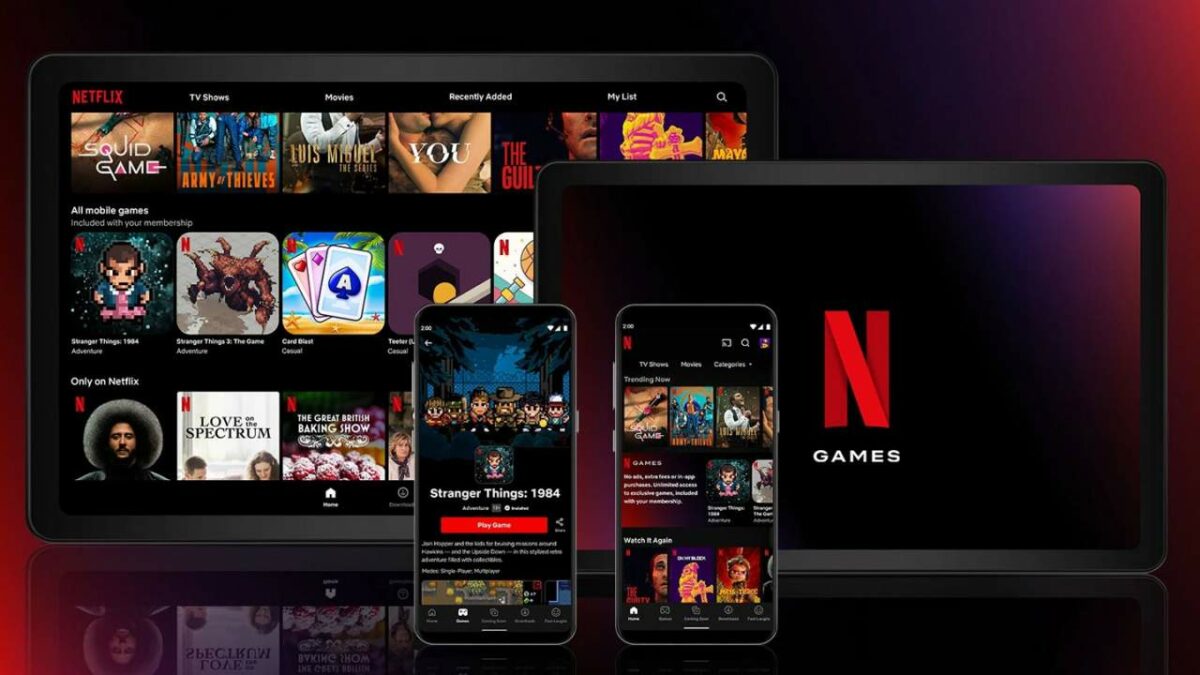
Netflix Games to rollout out on Android globally with iOS coming soon

Gaming has been a massive industry for several decades now, raking in the cash alongside sister entertainment entities like movies and TV shows. It comes as no surprise that Netflix has joined the mix and started offering its own games on Android. 

Today, you’ll see a few selections you can download from your favorite app store. Let’s take a closer look at what you can expect.

What are Netflix games?

As a new division under the popular label, Netflix Games will be outsourcing developers so that it can publish games on various devices. You may have seen a rise in some interactive shows on the streaming platform, such as trying to Escape the Undertaker as a fun WWE game. You play as three well-known wrestlers in a real environment, making choices with your TV remote control.

Well, Netflix has taken it a step further and introduced mobile games. For now, you can download them from any Android app store, but there are plans to include them in the Netflix app in the future.

netflix games coming to android

Which titles will Netflix Games host?

At the moment, there are five games you can play. When they become available on the mobile app, you’ll see a new row specifically for gaming. You’ll be able to play it directly in the application without needing to download a separate file.

Here are the titles you can try:

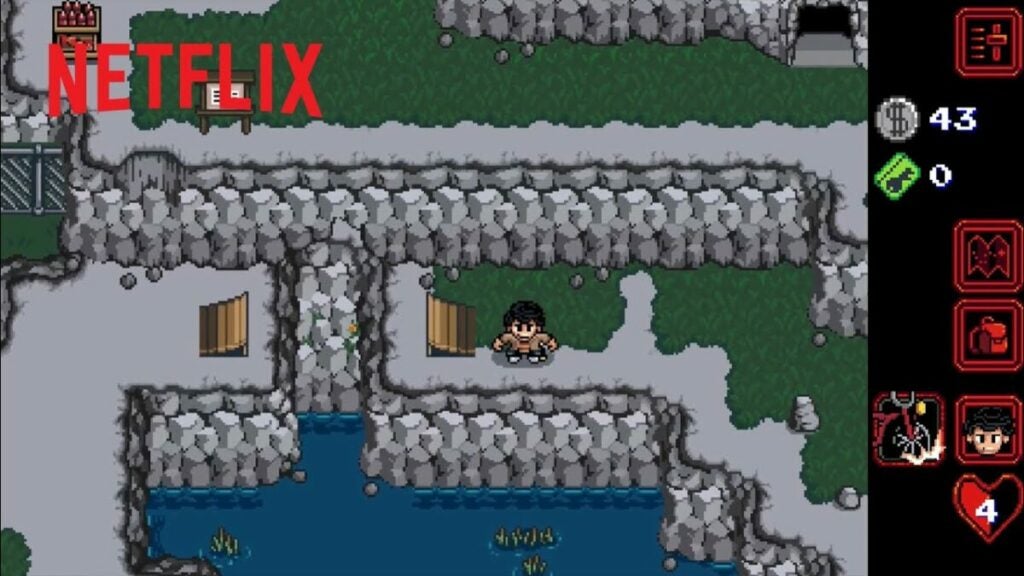
  • Stranger Things: 1984 
  • Stranger Things 3: The Game
  • Shoot hoops
  • Card explosion
  • Rocking up

To be able to play Netflix Games, you’ll need to have a monthly paid subscription. So, if you’ve canceled your account at some point, it may be worthwhile signing up for Netflix again.

Limitations on devices

Netflix Games is only available on Android for now, but we’ll be seeing an iOS update soon. The company has also announced that you’ll be able to play on different platforms when the functionality arrives, but there’ll be a limit to how many devices you can use. 

It will be fascinating to see if Netflix Games will be going multiplayer at some point in the future. They already have Netflix Party/Teleparty available, which allows people to watch shows together. It’s not a far leap to imagine they could use a similar system for gamers to join in co-op or competitive titles.

Parental control

You may know that Netflix has some strict parental control features in place for the movies and shows. When you set up profiles for children, they’re limited in what they can watch. You can even establish a pin so that they can’t access your content.

Well, it seems like Netflix Games is going the same way. Child profiles won’t see any of the games on their lists or on their mobile devices. If you have a pin set up, they’ll need to use the same code to access the titles. In this way, you’ll protect them from gore and violence in any of these games (as if that ever stopped them).

netflix games coming to android

Welcome to a new gaming platform

It’s interesting to see Netflix make such a massive move to games when their movies and shows are doing so well. If you’re been paying attention, you may have seen many actors and producers move from popular film publishers to Netflix. We’re even seeing old series appear, such as Friends, Seinfeld, and more.

It makes us wonder how long before top titles like Call of Duty and Fortnite move to Netflix as a new option. They can reach a wider market, while the profit may be more lucrative for indie developers. Remember, you heard it here first and we called it.

How to play GENSHIN IMPACT with Tips!

Genshin Impact is a game that’s risen to popularity over the last year. It has fantasy and adventure elements that are exciting to engage in, but you’ll also find several challenges that are hard to complete.

Never fear! We’ll show you how to play Genshin Impact the best way and what tactics you can use.

What is Genshin Impact?

Genshin Impact is an RPG (role-playing game). It’s set in Teyvat, a fantasy world that’s home to seven nations. Each nation is ruled by its own god and is also bound to an element. You are a traveler, who has a twin, but you become separated in Teyvat after jumping into a new dimension. A Goddess appears, fights with you, and wins.

You wake up on a beach with a new partner, Paimon, who becomes your guide as you search for your sibling. Paimon will then give you a tutorial on the game’s basics like menu navigation, movement, and combat. You’ll have to choose which sibling you will play as. They look different but behave very much the same. Your ultimate goal in the game is to find your separated sibling.

The game, created by miHoYo, took almost four years to develop, from 2017 to 2020. Genshin Impact has been a huge success, grossing more than $2 billion in the first year after its release.

How to play GENSHIN IMPACT

Downloading Genshin Impact

Genshin Impact is available on desktops, consoles, and mobile devices. You can download it on Microsoft Windows PC, Android and iOS mobile devices, Nintendo Switch, X box, PlayStation 4, and PlayStation 5.

Wherever you download Genshin Impact, it will take time because it’s big. All the resources are around 10GB. Don’t use Mobile Data.

How to play GENSHIN IMPACT

How to play Genshin Impact

After you’ve met up with Paimon, you can follow his guidance or explore Tayvat on your own. Neither way is right or wrong. If you follow the story quests, you‘ll end up in Mondstadt, ‘The City of Freedom’, where you can learn more about Teyvat and about playing the game.

Gameplay Elements

If you wander off into the world, you can explore, fight enemies and complete puzzles, and progress in the game. A map shows the countries of Teyvat. Each holds secrets to discover. You control your characters using a controller, mouse, keyboard, or touch screen, depending on the device.

You can collect inventory from NPCs (non-player characters) who sell items to players for coins. Your ultimate goal is to find your separated sibling.

Your Adventure Rank

You have to improve your Adventure Rank to progress in the game. It determines what things are available to you and the difficulties you encounter. You’ll get Adventure Exp by completing quests and opening chests. In his tutorial, Paimon tells you how to interact with Teleport Waypoints and the Statue of Seven, which also give you Adventure Exp.

In Mondstadt, you’ll be able to interact with the Adventurers’ Guild by speaking to Katherine. This will improve your Adventure Rank.

At AR 12, you’ll be able to Access the Daily Commissions system. You’ll be given four quests, each bringing a reward which includes Adventure Exp. There’s also a bonus reward for completing all four and reporting back to Katherine. Completing dailies also increases your AR.

How to play GENSHIN IMPACT

Genshin Impact Tips and Tricks

Now that you know how to play Genshin Impact and you’re ready to set off into the world, here are some pearls of wisdom for you.

Your World Level

In Genshin Impact, the quality of the enemies and bosses you will face is set by your World Level. Your World Level will increase as your Adventure Rank goes up. Teyvat will start at World Level 0 and go up to WL 1 at AR 20.

After that, every five Adventure Ranks you gain will push up your World Level by one. This greater difficulty may not seem good, but boosting your World Level is essential to playing the game.

Various modes

You play the game in a beautiful world that features amazing graphics and sounds. Each country or territory has a unique atmosphere. The characters respond to your controls.

Genshin Impact is a single-player game, but you can get into a multiplayer mode when you reach adventure level16 after about 15 hours of play. Three players can then join your world. You don’t have to stick together so that they can roam around freely.

Paying your way

You can acquire in-game currencies while you play. Primogems are the main currency. There are about 15 others you can earn: crystals, gems, gold, resin, tokens, stardust, and more. Genshin Impact is a free game, so you don’t have to spend your own money to play. But you can make purchases if you want to.

You can get characters, weapons, and materials from Wish packs, which hold powerful characters and objects. You can open one by making in-game or real money payments. But using real money to pay to open a Wish box will make your risk of losing that money very high.

How to play GENSHIN IMPACT

What’s next?

Genshin Impact is not standing still. The developers are working all the time to make the game experience even better than it already is. New storylines and features are still being built in to make it even more exciting to play. Keep an eye on the Genshin Impact website for updates to make sure you join millions of fans worldwide who enjoy this game.

How to play GTA The Trilogy

When Grand Theft Auto moved from a top-down, 2D experience to the 3D world, it caused massive hype among gamers. Players could run around and see buildings and cars from new perspectives, dawning a new age in the GTA franchise.

Rockstar Games decided to bank on that nostalgia with GTA The Trilogy – The Definitive Edition. While you’ll be able to play three titles again in one game, there are also some enhanced features to look out for. 

Let’s see how to play GTA The Trilogy and what to expect.

GTA The Trilogy

What is Grand Theft Auto: The Trilogy – The Definitive Edition?

GTA The Trilogy consists of three games in the franchise:

The game will launch on November 11, 2021, for PC, Nintendo Switch, PS4/PS5, XBO/Xbox Series X/S, and there’s an expected release for mobile devices in 2022. You’ll be able to relive the same stories from the original titles, while there are new features available for all of them.

How to play GTA The Trilogy

With the finer details out of the way, it’s time to see how to play GTA The Trilogy. Of course, each one is a different game with separate plots and missions, but the gameplay is similar.

Getting Started

To play the intense open-world crime game, you’ll need to purchase it on your platform of choice. Each one presents a different experience, but you’ll have the same plot, characters, and vehicles. Once you download GTA The Trilogy, you’ll be able to select which one of the games you want to play.

How many GB is GTA Trilogy?

The storage space you need for GTA The Trilogy depends on which platform you intend on using. Here are the allocations for the first-day launch:

  • PC: 45 GB
  • Nintendo Switch: 25.4 GB
  • PlayStation and Xbox: 49 GB

Main characters and locations

The signature protagonists return in GTA The Trilogy, but you won’t be able to change characters like in GTA 5. You’ll have Claude in Liberty City for GTA 3, Tommy Vercetti in Vice City, and Carl Johnson in San Andreas. 

As you proceed through the games in launch order, you’ll see better vehicles and larger maps. You’ll even get to pilot planes in GTA: SA, which was an element we all enjoyed as gamers.

How to play GTA The Trilogy in chronological order

While the games were launched in a specific order, the timelines in GTA The Trilogy are slightly different. You’ll need to start with Vice City, then play San Andreas, and finally GTA 3. The last two games were actually before the first one, as they went back in time to set the scene and atmosphere for the titles.

GTA The Trilogy

Key Features of GTA The Trilogy

With the knowledge of how to play GTA The Trilogy firmly grasped in your mind, we can now look at some specific features you can expect. We’ll show you how the remastered versions differ from the originals, which is what has us excited.

Enhanced experience

You won’t have to struggle with old control layouts and movements. Controller and keyboard designs match GTA V, so you’ll have an easier time running around and shooting. You can aim better now, and you can perform improved drive-by shootings in San Andreas.

The maps are enhanced to match GTA V, specifically with navigation and tagging locations. You can also now immediately restart any mission you failed instead of riding all the way back to the starting point. Rockstar’s popular Social Club achievements also make an appearance, which was absent before.

Improved graphics

Your eyes will have more visual details to feast on in GTA The Trilogy. There’s an improved lighting system that brings more value to the shadows and reflections. Even small details like trees and roads look much better. 

To add to the above, the weather and water look more realistic. You’ll also notice that the draw distance has increased, so you can see further into the city without objects vanishing when they’re too far away. Of course, you can imagine how gorgeous the vehicles will look.

Platform features

Each platform will also receive an enhanced feature. It’s not just about providing an extra touch to GTA The Trilogy. There are specific aspects that Rockstar Games had to cater for to deliver the best experience. Here’s what you can expect:

  • PlayStation and Xbox consoles: 4K resolution with support for 60 FPS
  • PC: support for NVIDIA DLSS
  • Nintendo Switch: Touch-screen capabilities for zooming, panning, menu controls, and Gyro aiming with side action buttons.
GTA The Trilogy

Retrogaming at its best

While we enjoy GTA 5 online and wait for any sign GTA 6, Rockstar is giving us a chance to relive the old day. Now that you know how to play GTA The Trilogy, we hope you love every title in the bundle when it launches. Are you ready for what’s bound to be an incredible experience? Let us know your thoughts.

How to play GTA 5 with Tips

It felt like just yesterday when we provided a GTA V preview on the missions, characters, and multiplayer mode. In 2018, we were so excited to celebrate the action game’s five-year anniversary. It has come a long way since then, with plenty more online modes available.

If you’re new to the scene, we’ll show you how to play GTA 5 online and offline. You’ll see info on installing mods, while we’ll also provide some valuable tips and tricks.

What is GTA 5?

GTA 5 is an action, role-playing crime game where you shift between three main characters: Franklyn, Trevor, and Michael. Each one has troubles of his own, and you’ll need to complete missions for each of them to finish the main storyline. 

It also contains several sidequests to help you build up rep and make money. GTA V is the sequel to GTA IV that only featured one main character, namely, Nico Bellic. The campaign mode is complemented with a fully-featured online multiplayer section that receives regular updates and new events.

How to play GTA 5

How to play GTA 5 offline

While it can be tempting to jump directly into the online experience, we want to show you how to play the GTA 5 campaign mode. You’ll learn how the controls and gameplay mechanics work without interference from other players. You can also have some fun with the cops and maxing out that wanted level before vanishing like a ghost in the night.

Getting Started

Firstly, you’ll need to buy and download GTA 5 on your preferred platform. You can obtain it for PC, Mac, PS3/PS4/PS5, and Xbox 360/XBO/Xbox Series X. If you have Xbox Games Pass and a phone that can handle the game, you can use remote play to try it on your mobile device.

Changing characters

With the game in hand, you can start playing GTA 5. It takes a while to load, so you’ll want to make a cup of coffee while you wait (or something stronger for what’s to come). When it finally does load, you’ll notice that you have control of one of the characters named Michael.

There’s a long introduction to the story that will help you learn the controls. When that’s over, you’ll head back to Michael’s hometown. Over the course of the next hour or so, you’ll get to change characters between him, Franklin, and Trevor, each of which has unique personalities, abilities, and troubles in their personal lives.

Completing missions

Every character has a specific set of missions you need to complete. Sometimes, you’ll only have one available, and other times will see you busy with all three of them. The main quests progress the storyline, while there are sidequests to improve your skill and receive money. 

While you can just do the story missions, we recommend you complete as many sidequests as possible. They’ll unlock new modes, vehicles, or properties, and some may even give you new leads on your current task. 

If you need some help, you can check out our top tips for completing missions in GTA 5.

An array of weapons and vehicles

One aspect that made the first GTA popular was stealing cars, hence the name Grand Theft Auto. As the franchise developed, newer models and weapons became available. GTA 5 is packed with cars, helicopters, boats, and guns to cause chaos all over Los Santos. 

One of the newer features is being able to customize and store your vehicles. For cars and bikes, you can place them in any of the warehouses or garages you purchase. There are also hangars for the planes and harbors for the boats. 

Making money

There may be times when you are strapped for cash and you really want that rocket launcher or sniper. Besides the main missions that consist of heists, there are plenty of other things you can do to obtain money. Some consist of killing random strangers, while others will raise the wanted level in GTA 5 when you rob an armored truck filled with dough.

You can check our guide for how to make money in GTA 5 to help you along.

Perfecting your aim

If you want to survive in Los Santos, you need to perfect your aim. Sure, the game sometimes locks onto enemies, but that may not help you when you’re pinned down in an abandoned skyscraper surrounded by cops and gangs. Fortunately, RockStar improved how shooting worked in GTA 5, but we still recommend you head to the closest gun store and practice in the shooting range.

GTA 5 100% completion

If you’re a completionist like so many of us GTA 5 gamers, you’ll want to aim for 100% completion of the campaign mode. When you head into your settings, you can see what you still need to do to reach this milestone. 

You’ll need to find secret items with your vehicles and also undertake some races. If you haven’t done any stranger side missions yet, it’s time you get to it. It’s best if you assess this checklist before it’s too late, as you might miss a small task.

How to play GTA 5

How to play GTA 5 online

Now that you know how the campaign mode works, we’ll show you how to play GTA 5 online. While the gameplay mechanics may work the same in some scenarios, the multiplayer version is completely different. Once you enter this world, you won’t want to go back to single-player mode.

Creating a character

Firstly, you’ll need to create a character you’ll play within GTA V online. The game will ask you to create a RockStar account, and you can also be part of the Social Club. There are only basic items for your character at the start, but you’ll unlock more as you play with and against others.

Participating in events

With your character ready, you can now see which events are available. You might only see a few that are appropriate for your level, which will change as you become stronger and better. Make sure you read through each description of the events to see which ones will suit you best in the beginning.

How to sell property in GTA 5

Once you have a handle on things and make enough money, you can start buying property. It can be anything from houses, garages, nightclubs, to apartments, to name a few. However, there’s a limit to how much you can own of each type.

If you see another house or building you want but your inventory is full, you’ll need to sell property in GTA 5 to acquire the new one. Just head to the real estate section on your phone and select the new option. The game will ask you which one you want to exchange it for. If the new listing is worth less than the old one, you’ll receive the rest of the cash in your bank as profit.

How to sell cars in GTA 5 online

Another way you can make money is by selling cars in GTA 5 online. This method consists of pure profit, as you can steal any low-end vehicles and sell them at your local paint shop. It’s one of the easiest ways to make some bucks in Grand Theft Auto, and it’s helpful when you’re starting out and have nothing.

Registering as a CEO

One feature you may enjoy is registering as a CEO in GTA V. You’ll be the boss of a company while hiring friends as bodyguards. There are some requirements for doing so, such as buying an office, customizing it, and then registering it in your name. You’ll also need some starter funds to cover the overhead costs. 

Making a crew

Remember that Social Club we mentioned earlier? Well, you’ll need to be a member if you want to create your own crew in GTA 5. Having a gang makes completing events so much easier. However, you’ll be going up against other crews who may be stronger than you. Make sure you have mics equipped so you can discuss strategy when going into a fight.

How to play GTA 5

How to install mods on GTA 5

If you want to change a few things in GTA 5, you use a mod manager and install some modification files on your PC. You can change your appearance in unique ways or obtain weapons and skins unavailable in the original game.

Here are some guides on how to use mods in GTA V:

GTA V cheat codes

While Rockstar attempts to keep most games clean, there are plenty of cheat codes for PS4, PC, and XBO. We don’t recommend using them in the online version, as you may incur penalties. However, you can use them in the campaign mode if you’ve already obtained all your achievements.

Here are a few examples of GTA 5 cheats that have appeared over the years:

  • GTA 5 Money Cheat
  • Invincibility Cheat Gta 5
  • GTA 5 Helicopter Cheat
  • GTA 5 Car Cheats
  • GTA 5 Money Glitch
  • GTA 5 Weapons Cheat
  • Buzzard Cheat Gta 5

Dealing with errors and glitches in GTA 5

One element you won’t enjoy when playing GTA 5 is dealing with errors that appear. While Rockstar has fixed most of them with patches, you’ll always find the stray bug reappearing. You can find a list of the most helpful articles here below:

How to play GTA 5

GTA 5 Online Tips and Tricks

Before we go, we did promise you some tips and tricks for GTA 5. Here are some hints on how you can improve your gaming experience for the multiplayer mode.

Complete the tutorial

Before you can start your criminal career in GTA V online, you’ll need to complete the tutorial. It begins after you create your character and will show you the ropes of how the lobbies work. Don’t get frustrated; there’s some useful information here that may save your virtual life.

Get a fast car and garage quickly

You’ll need to put your Grand Theft Auto skills to good use as soon as you can. Many other players are already riding around in their top-notch cars, and you’ll want a fast one to compete in races and outrun opponents or cops in the streets. You can steal one that you find and then make money to supe it up. 

Save your money at ATMs

It’s easy to get killed in GTA 5 online, which is when you’ll lose your money. To prevent other gangs or players from robbing you, make sure you head to ATMs and store your cash there. You can still use your balance to buy items from your phone.

Purchase an underground facility

When you begin rolling in the cash and you are CEO of a company, you can start organizing some heists. Underground facilities are incredibly expensive, so you’ll need to make sure you’re ready for this investment. If you succeed in your missions, you’ll make it back in no time.

Find a helicopter

Traveling around Blain County from one location to another can be tedious. However, choppers aren’t exactly cheap. As soon as you have a storage location, steal a chopper and make it your own. In that way, you can cruise around as much as you want without wasting time.

Check for weekly events

Rockstar enjoys rewarding its players for participating in events. Keep an eye for missions that provide double experience or rewards, which will help you save up cash quicker. It also helps if you subscribe to the GTA 5 online newsletter.

How to play GTA 5

Get to blasting and stealing!

There’s no end in sight for this game, so you better learn how to play GTA 5 quickly. While there’s loads of crime, swearing, and violence, you can have plenty of fun with your friends in this online world.

How to play LOL with tips and tricks!

League of Legends is an exhilarating online game where you take on online opponents to become champion. Not only did it take the gaming world by storm, but there are LOL esports competitions, too.

Of course, you can’t just jump into the game and expect to win against the veterans. You’ll need to learn how to play LOL and the top features that will help you gain an advantage

What is LOL?

League of Legends is a game in which two teams of five strong champions battle to destroy the other team’s base, also known as the nexus. You choose your champions, who will do the PvP (Player vs Player) fighting for you, from more than 140 candidates. They’ll do battle on your behalf and hopefully secure your victory if they use the right strategy, which is what the game’s all about.

Riot Games launched League of Legends as a free MOBA (multiplayer online battle arena) game in 2009. It was updated 13 times before the latest update that took place on September 16, 2021. The game has developed a large fan base over the years as its popularity has grown to make it one of the top games in esports.

how to play LOL

First pick your champion

In LOL, 5 players per side, or 10 players in total, fight on Summoners’ Rift across 3 lanes (top, mid and bottom), with jungle between them. Each player controls one character or champion.

There are different types of champions: assassins (potential killers), bruisers (good melee fighters), mages (who use magic), tanks (who do a lot of damage),  ADC (physical damage champions), and support (a mix of mage and tank). Each type of champion is best suited to one or two of the lanes.

How to play LOL

To win LOL, you have to push down your lanes, demolish the enemies’ towers and overcome their nexus. You’llYou’ll have to kill champions and fight monsters and minions. You can play inside the jungle, from where you can dictate and control the game. You have to learn the art of ganking to attack lanes, which will get your team ahead of the rest.

In League of Legends, you’ll be able to access summoner spells to help you win your fights on the Rift. There are many spells, including heals, teleports, shields, and one to make you move faster. You can also use runes to alter your playing style.

how to play LOL

Tips and Tricks

With a better understanding of how to play LOL, here are some tips and tricks to improve your game and become the ultimate champion.

How to communicate

There are two ways to communicate with your team: By typing (pressing enter) or using the ping system. The ping wheel (use it by holding the ‘G’ key and then dragging your mouse over the ping) is used to tell your team what’s going on quickly. The pings are:

? – tell your team someone’s missing.

! – warning of danger.

Flag – Ask for help.

Here/coming – tell your team you’re on your way.

Be sure to check our guide on some of the League of Legends apps that may help.

Learn the game’s modes

Blind pick: With this 5v5 mode, you pick the champion you like, but you don’t know the enemy team’s composition until the game starts. You’ll also have to name your lane or role in the chat before you play.

Draft pick: This is LOL’s standard mode, in which teams take turns to ban champions and then make their pick among them. Each side bars one champion per player before they choose their champions.

Ranked: Sometimes called Solo Q, pits you against people with similar skills after you’ve played five placement matches. You choose champions in the same way as draft pick. You can play ranked solo or with a partner, who must be just one rank away from you. The ranks start with Iron, go on to Bronze, Silver, Gold, Platinum and Diamond, all the way up to Master, then Grand Master, and Challenger.

Ranked flex: This works the same way as Solo Q and Ranked, but you play in groups of 1, 2, 3, and 5.

Riot Games sometimes updates League of Legends with other modes. Among the latest is Teamfight Tactics (TFT), in which opponents challenge one another on a board like chess.

Is League of Legends free?

League of Legends is free to play, but you can spend real money if you want to. Two currencies are part of the game, Influence Points (IP) and Riot Points (RP). You get IP in battles. Then you can use them to get useful items like runes to boost your skills.

You can buy RP with funds you get when you make conquests and then get items like champion skins. But with cash, it’s faster to claim skins, abilities, and other items.

how to play LOL

Why is LOL popular?

To sum up its appeal, League of Legends is one of the most popular MOBA games by far because it’s fun to fight opponents in bloody fantasy matches.

One benefit gamers like is that LOL gets updated regularly. There are even new champions with different abilities. While the PC version has had the most attention, the game is now available on smartphones and tablets as League of Legends: Wild Rift. 

League of Legends is not that easy for beginners to master, and not everyone is prepared to put in the time to do so, but once you’ve become battle-hardened, you’ll think the effort was well worth it.