While the FIFA World Cup had many fans around the world excited, it looks like the younger generation has been losing interest in Football. With Gerard Piqué now in retirement, he’s looking to change the way soccer is played and revolutionize the sport and esports. He’s joining forces with others like Ibai Llanos to change the rules of Kings League.
The premise is simple: make football faster, more attractive, out in the open, and more accessible via streams. The official Twitch account for the Kings League has already streamed the matches, and you can watch the previous games now already. The official site has all the scheduled dates for the first games leading up to the playoffs.
What’s interesting is the changes brought to Kings League by Gerard Piqué, other former football players, and streamers. There are only twenty minutes a side, which means a match will last as long as 40 minutes. That means fast-paced games leave you on the edge of your seat. There are also unlimited changes, so you won’t see tired players conserving energy all the time.
The kickoff will look like a water polo game. In other words, the ball goes up in the air, and the first foot to touch that ball owns possession. There are also changes to the cards. If you get a yellow, you’re off for two minutes. As usual, a red means you’re off the field, but a substitute can come on five minutes later.
So, why the sudden change in rules? With the younger generation seemingly losing interest in football, the Kings League is looking to reconnect them with the sport again. With shorter games, it might hold their interest. Also, streaming on a popular gaming platform like Twitch might also convince them to watch more matches.
Evidence of the popularity can be seen in the numbers. The Saiyans – Porcinos match on Kings League saw an online audience of 600,000, which is bigger than the current supporters of La Liga in Spain. It will be interesting to see if these numbers grow and how it will affect soccer and esports.
Gerard Piqué, one of the top Spanish football players, is easing into retirement with a new hobby. He’s joining a league of streamers in an event called the Kings League. Not only is he bringing his football experience to the team, but he and a few others are changing some of the rules.
Let’s take a detailed look at this footballer’s contribution to the Kings League and how you can participate. We’ll also look at the innovative changes that may influence the sport in 2023 and reconnect with a younger audience.
Who is Gerard Piqué?
For those of you who don’t follow football, specifically Spanish football, you may not know who Gerard Piqué. He’s a professional football player who recently retired from the sport. With several titles behind his name, he was a defending player for FC Barcelona.
Piqué wasn’t only well-known for playing football. He had a reputation for speaking his mind during interviews, answering questions straight to the point. He held nothing back, and the fans ate it up like a Sunday night dessert. If he didn’t agree with something, he made sure everyone knew about it.
Did you know he also owned a football club? He acquired FC Andorra, a Spanish club that he led to greatness. He also bought the Davis Cup tournament, which he helped organize better with vast improvements. With all this talent and innovation, he’s definitely not been sitting still after retirement. Besides discussing how football can be changed, he’s now also involved with the Kings League.
What is the Kings League?
After giving it some thought, Gerard Piqué decided to take the lead in a tournament called the Kings League. Basically, it consists of 12 teams with former football players, streamers, and people from the public. Drafting took place on December 27, 2022, where Piqué and others chose who would take part in the specialized clubs.
Every Sunday will host matches in Barcelona until the playoffs. The streaming will take place on the official Twitch channel, which is where you’ll be able to see and support all of the action. At the moment, the commentary will mostly be in Spanish.
What are the new rules?
As mentioned, Piqué wasn’t happy with current football rules, so he decided to make some changes to the Kings League. He wanted to make sure viewers were more engaged with the viewing content. Some might see these changes are drastic, while others will say they’re revolutionary.
Here’s a summary of the new Kings League rules:
Two halves of 20 minutes each, making a total of 40 minutes per match.
A water polo type kickoff
Numbers available from 0 to 99
Yellow card means two minutes out of the game
Red card means expulsion; after five minutes, a substitute may enter
Unlimited substitutions
Penalty shootout from the middle of the field when there’s a tie
When and where to watch the King’s League
The Kings League website hosts all the match schedules and details if you want to follow the tournament. There is also an official Twitter account that shows any changes to the dates, so make sure you follow the account. The matches start in January and will be played over a few weeks before the playoffs.
If you want to watch any of the action, you’ll need to head over to the main Kings League Twitch account, where matches will be streamed. Clubs might also host their own streams on the platform or on YouTube, so make sure you get all the details of your top teams before the games air online.
How you can participate in the Kings League
One way to register to be part of the Kings League tournament is to register on the official website. Drafting will take place at a specific time before the matches begin, but they might look at others in case players drop out. Remember, anyone from the public can participate, as long as they undergo physical training.
If you can meet the physical requirements and show what skill you have, you might be able to join one of the 12 teams.
Garena Free Fire has new reward codes that allow you to have fabulous free rewards to use within the game. Once you have redeemed the codes, the items you receive will be bound to your account forever. Without further ado, here is the list of Free Fire codes (valid for January 2, 2023):
Free Fire: January 2, 2023 Codes for Free Rewards
FFCMCPSJ99S3
MCPW3D28VZD6
MCPW2D1U3XA3
FFCMCPSEN5MX
HNC95435FAGJ
6KWMFJVMQQYG
FFCMCPSUYUY7
EEYH2W3XK8UP
GUVX9PYZV54A
CBR43FMAPYEZ
ZNPYFATT3HGS
QFFCMCPSGC9X
ZMCPW2D2WKWF
2ZZZ76NT3PDS
HXZJZE25WEFJ
JV427K98RUCH
3IBBMSL7AK8G
J3ZKQ57Z2P2P
B3G7A22TWDR7
XFF7MUY4ME6S
C8F3QZKNTLWB
ZWEYVGQC3CT8
QGCNVA2PDRGR
Z4ST1ZTBE2RP
9X99TK56XDJ4
How to redeem Garena Free Fire codes?
If you do not know how to redeem these codes, do not worry as the process is quite simple. First, you will need to go to the official Garena Free Fire page where these codes are redeemed.
Log in with your Facebook, VK, Google, Huawei, Twitter or Apple ID account (remember that you will not be able to claim the prizes with a guest account).
Enter the codes shown above and select the Confirm button to continue.
Once you confirm the redemption of the codes, check the game’s mail, as you will receive confirmation of the gifts there.
Do not despair if you do not see the gifts within your account, they can take up to 24 hours to appear. When you already have them, you only have to enjoy the received gifts.
Battery life is one of the most important features of Android devices. The better the device’s battery usage, the longer it is possible to use the device without having to charge it.
Battery and power usage depends on several factors. The battery that is included in the device plays a key role, but so do other factors, for example: installed applications, screen brightness, or use. Playing Android games on full brightness drains battery faster than listening to Spotify in the background.
Data saving, also called data saver by some manufacturers, restricts mobile background data use on Android. Applications may act in the background when they run on Android; this is desired in some cases. Mail and messaging apps may check for new messages, and music apps may continue to play music.
Google separates mobile data from Wi-Fi data.
Background data activity costs power on the other hand, and may not be desirable for all applications. Good news is that it is relatively easy to resolve.
Android includes options to enable data saver in the preferences. Once activated, apps can’t use mobile background data anymore, unless allowed by the user. Power use drops as a consequence, so that the device may be used for longer periods without charging.
The feature blocks mobile data access only. When the device is connected to a wireless hotspot, background data continues to be used by apps.
Enable Data Saver on Android
Data Saver on Samsung devices
Background data saving is not enabled by default. All Android devices support the feature and it is easy to activate.
Open the Settings on the Android device.
The next step depends on the manufacturer:
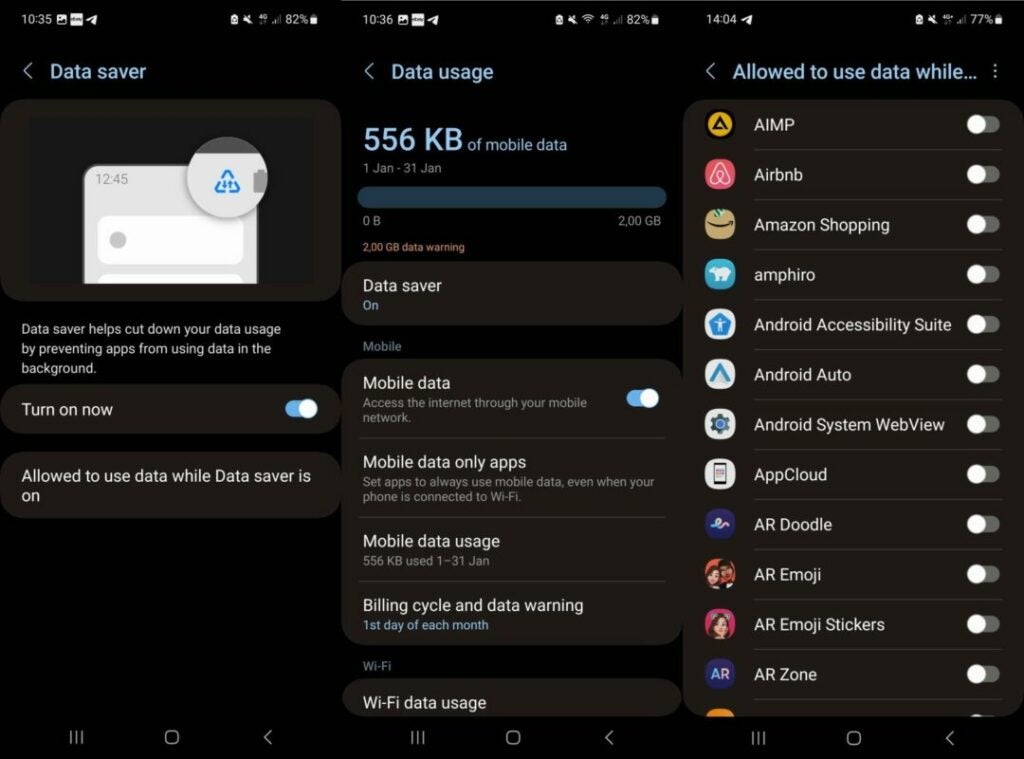
On Samsung devices, select Connections > Data usage.
On stock Android devices, like those made by Google, select Network and Internet > Data Saver.
Activate Data Saver so that it is set to the On state.
Setting the feature to on prevents Android apps from using data while in the background. While that is desirable for most apps, some apps may not function properly without background data access.
Android includes an option to exclude those apps from the restriction. Here is how that is done:
Go back to the Data Saver preference in Settings.
On Samsung devices, select “Allowed to use data while Data saver is on”.
On Google Pixel and other stock Android devices, select “Unrestricted data”.
The list of installed apps is displayed on the next page. Select the apps that may use background data.
Note that you may come back to the setting at any time to add more apps to the list of exclusions or remove them again.
Enabling data saver on Android devices may improve battery life, but it also may have an effect on bandwidth usage. Android devices with data plans benefit from this setting as well, as it reduces data usages while using mobile data.
Getting rid of clutter from your home can be a challenge. Most people hoard the leather jacket they wore just the one time. Some even look to get rid of their old CDs or cassettes but can’t seem to find any takers. What about those gifts you never really liked?
Thankfully, there are some amazing apps that can help you sell unwanted gifts and items from your home in no time.
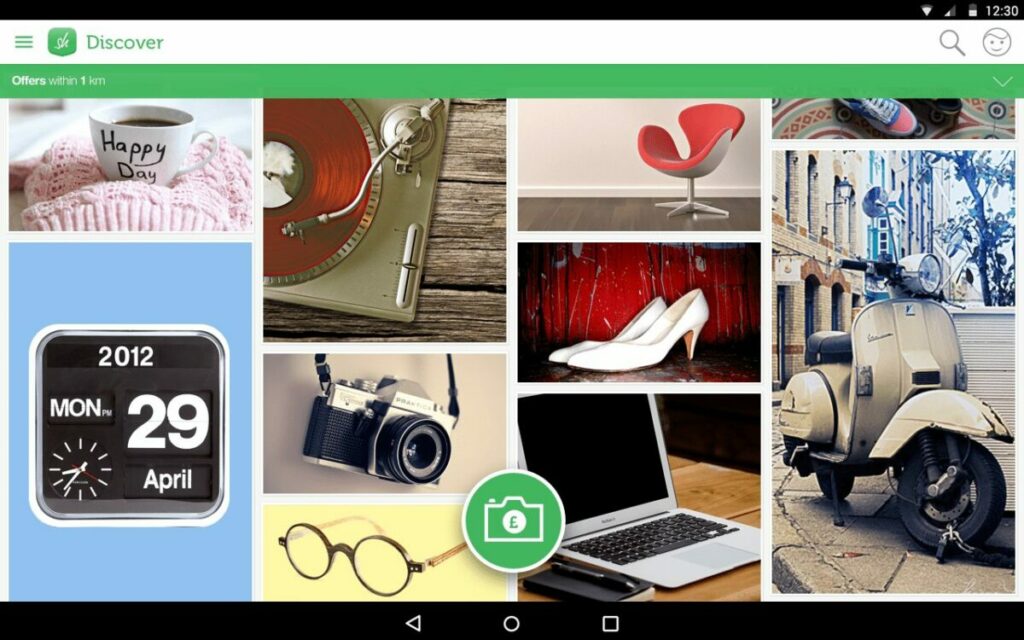
Shpock is an amazing free app you can use to sell things you don’t need anymore. It has been popular for years, and people sell all kinds of things here. The app is a good alternative to many other selling apps. Download Shpock today to sell your unwanted things right away.
Poshmark is one of the top apps if you’re looking to sell women’s accessories and clothes. You can also find kids’ and men’s wear. Users can create a virtual closet and display everything they’re looking to sell. You can add multiple (up to four) photos for each item.
Once you make a sale, you need a pay a certain commission to the app. They will then provide you with a prepaid shipping label to send your package, and the payment is made to you via direct transfer.
Mercari is the equivalent of a flea market app. Users can buy and sell various new and used items. Mercari has been popular since its launch in 2014.
Sellers can write their product descriptions and add up to four photos for each product. Mercari also asks sellers to indicate the shipping costs so buyers are aware of what they can expect. Mercari also provides sellers with a USPS or FedEx label once a product is sold.
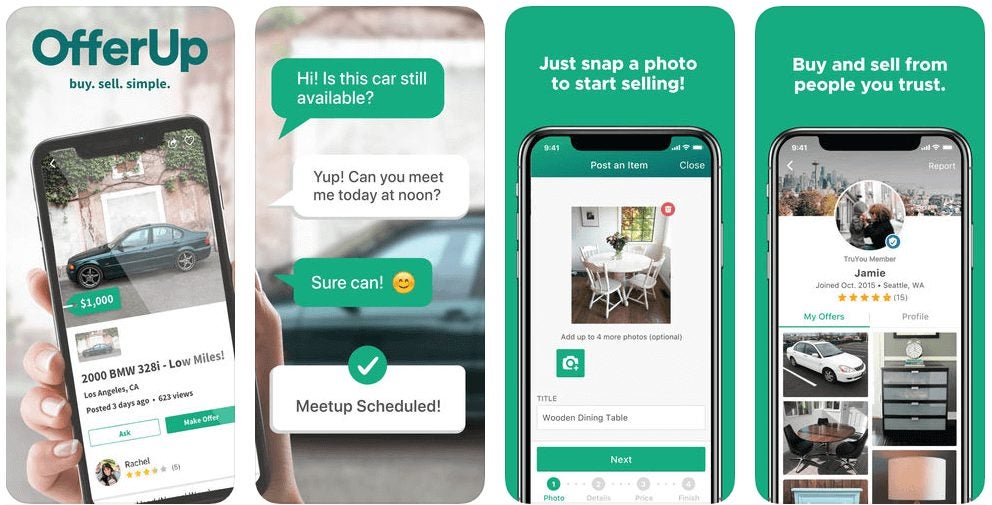
OfferUp is the perfect app if you’re looking to sell large items. Some compare this app to Craigslist for buying and selling things. Unlike other apps, however, OfferUp does not provide shipping options. They encourage sellers to chat with buyers on their app and meet in person before completing their transaction.
The one advantage of OfferUp is the TruYou program. This allows sellers and buyers to verify their identities. This increases confidence among everyone.
eBay is one of the oldest marketplaces where you can buy and sell just about everything. eBay has no restrictions on what you can sell. You can create your listings within minutes and set your asking price.
The only downside to eBay is the app is not that efficient, unlike other apps listed here. eBay is a trusted site, and it is very rare to see anyone getting cheated on this site.
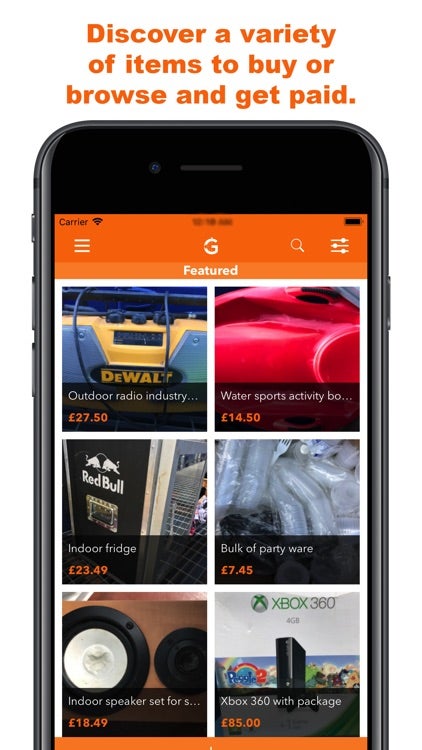
Gone is the right app if you’re looking to sell electronics. You can list all your electronic products, and Gone does the rest for you. The unique thing about this app is they make an offer for your products, and you have the option of accepting or rejecting the offer.
Once you accept, Gone will arrange for the pickup or send you a prepaid label. Gone will then list the product and look for buyers for it. If Gone manages to sell the item within 30 days, you will receive your payment. If not, you will be asked to reduce your sale price. You even have the option of receiving your item back.
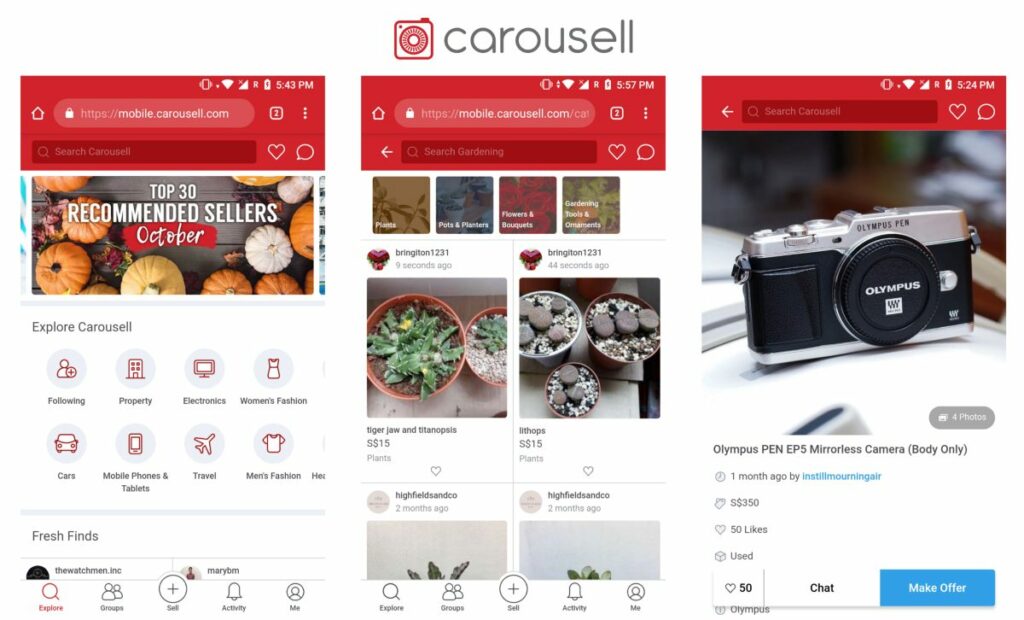
Carousell is another top free app that helps you buy and sell just about anything. All you need to do is click a picture of the product and list it on the app. You can then chat with sellers interested in your listing. Once you’re satisfied, you can finalize the deal.
The only downside to Carousell is you can only sell locally, and this restricts your customer base. It is, however, a dependable app, and you can sell your products in no time.
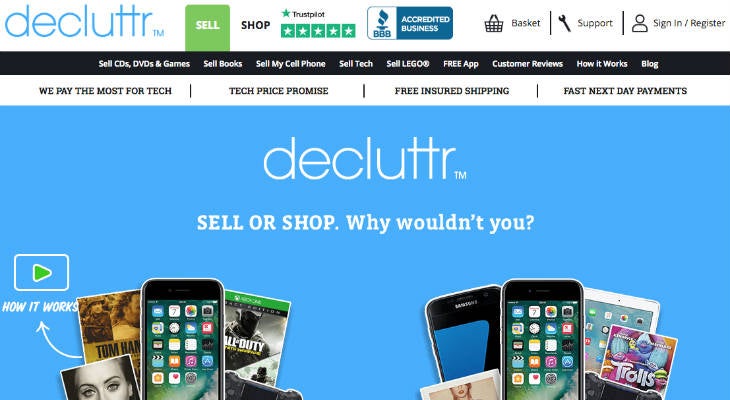
Decluttr is another top app for selling old electronics. Since 2014, the app has helped over 2 million sellers. The best part is Decluttr will help quote a price for your product based on the kind of product and its condition.
Decluttr provides a prepaid shipping label and pays you as soon as the product arrives. This app is ideal if you’re looking to sell something quickly and not wait for the right buyers.
5Miles is the right app for you if you’re looking to sell large items. The app has many users (over 14 million), so the customer base is very high. 5Miles also verifies the identity of sellers and buyers so no one can be cheated. 5Miles also arranges for a safe meeting location so the buyer and seller can make a transaction.
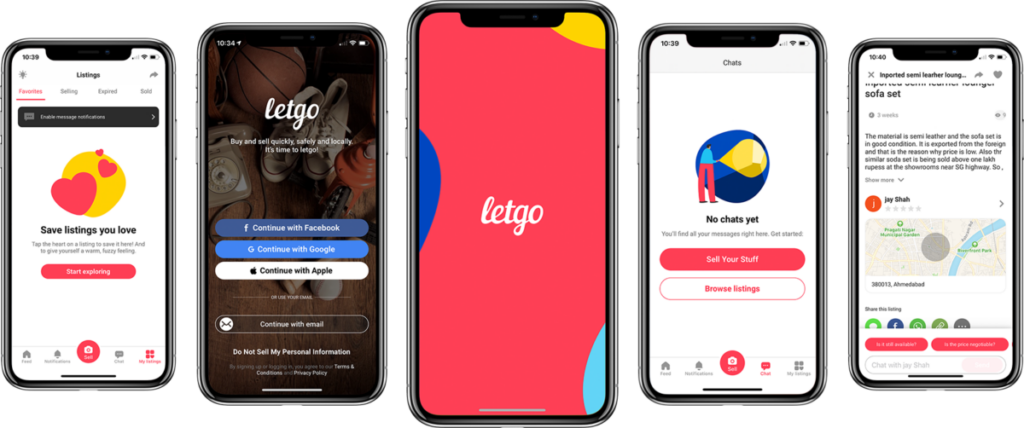
Letgo allows you to sell anything and everything under the sun. The special feature of Letgo is it encourages sellers to chat with buyers through their app and discourages them to ship directly. Letgo asks sellers to meet buyers in person to facilitate the sale.
Users can add up to five photographs per listing, and they can even create a commercial that allows them to advertise their product. The best part is you don’t any knowledge of video editing. There are several templates available, and sellers can create their commercials within minutes.
Start Selling With Ease
There’s an old saying, “One man’s garbage is another man’s gold.” These apps believe in you and your apps and give you a chance to get the right price for them. All you need is the right picture of the product and a short description, and you’re good to go.
One of our biggest fears when using the internet is that someone could access our private information or listen to everything that we’re saying. Recently Mark Kunze, a security researcher, discovered that your Google Home speakers could be posing such a threat by acting as a bug.
Kunze’s discovery got him a sum of $107 500 from Google. Stay with us and discover what this technical issue could mean for the security of your internet and Google home speaker. According to his technical summary, this means that an attacker can install a ‘backdoor account’ on your Google home speaker as long as they’re within wireless proximity.
While Khunze was doing his research using his mini Google Home speaker, he discovered the following:
If a backdoor account is installed: it can be used to control your device by sending remote commands. This means your device can be turned into a spying device by accessing its microphone feed.
A snooper could also access a victim’s Wi-Fi password and other devices on a similar network. With the victim’s device, the attacker could call a specific phone number and mess with the device’s volume
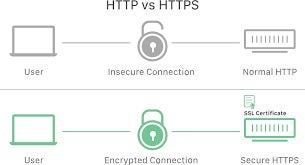
Using the Nmap scan, Kunze found the port for the local HTTP API of Google home. This helped to set up a proxy to capture any encrypted HTTPS traffic with the hope of snatching the authorization token.
The researcher Kunze says the only thing that alerts the victim is the blue LED light on the device that turns solid blue when the speaker is on call. If the victim isn’t familiar with this, they are likely to think the device is updating or performing another important task.
Another piece of great news is that there is no evidence of this security loophole being misused by anyone. All thanks to Kunze and his amazing research skills. He also has a detailed report on the research work done if you need to know more.
When we talk about discoveries and accomplishments in the world of technology in 2022, there is no doubt that the top answer will be artificial intelligence (AI). Joseph Semrai and Silas Alberti gave us an amazing gift by developing ChatBCG, which is the world’s first Text-to-PowerPoint AI.
All that hustle about making a perfect and attractive PowerPoint Presentation is gone, and our precious time is saved for something more important. Let’s look at the pros and cons of AI.
ChatBCG is very easy to use, even for those encountering AI for the very first time.
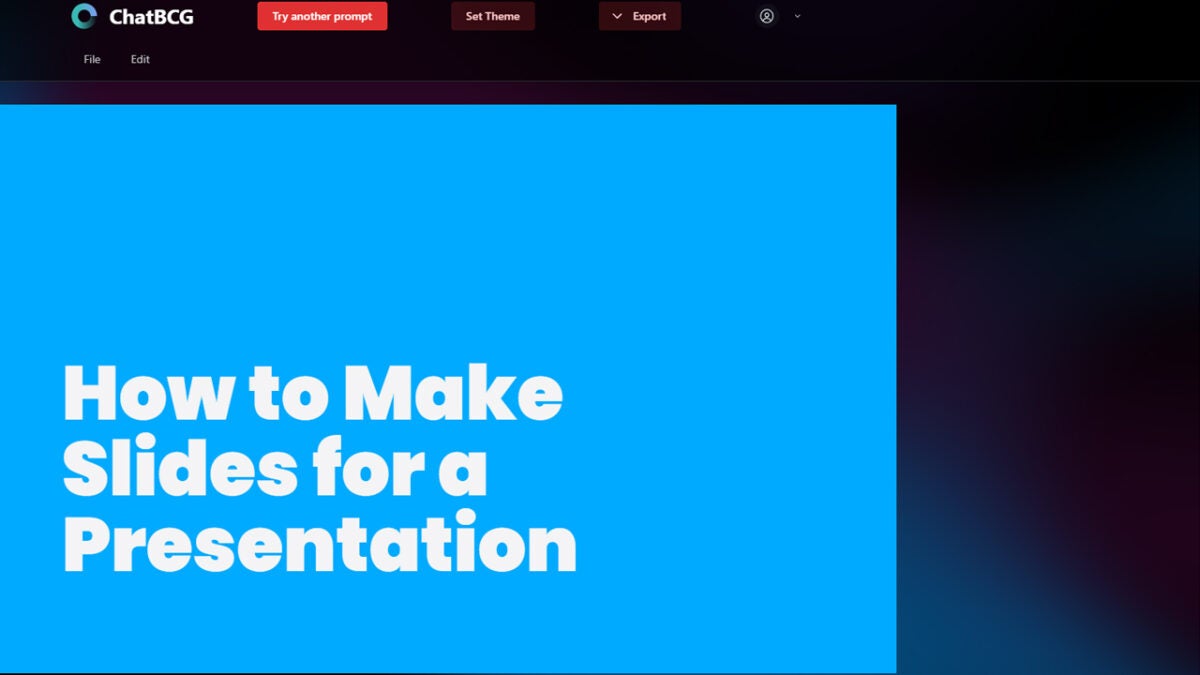
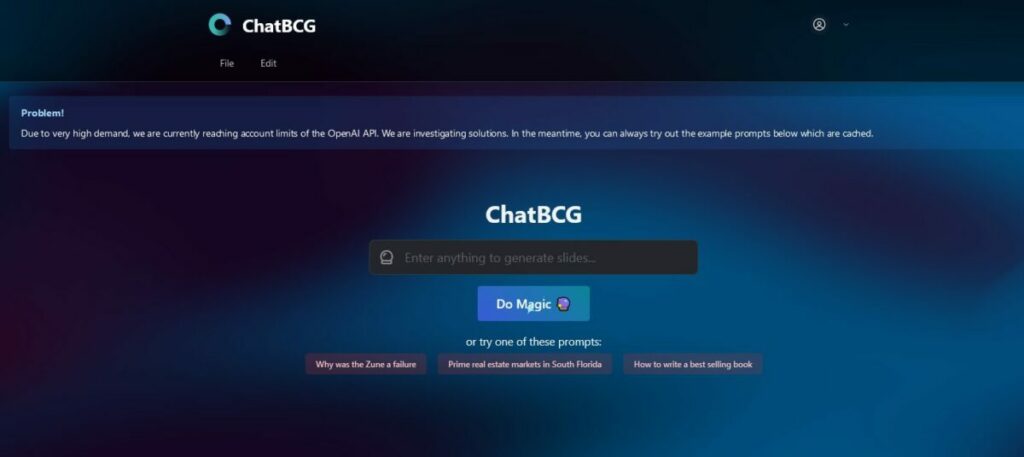
In the search box, we write the desired topic, and we will get generated text. The AI includes even images on the slides. Then, we can set the theme of our slides, i.e.choosing fonts, colors, and all the perks to adjust it to our needs. The last thing that is to be done is to click on the ‘’Export’’ button and choose the PowerPoint format.
Another great thing is that you can sign in and have all your slides saved in one place and search for them whenever you need. We are just a few clicks away from a perfect PowerPoint presentation, especially when we don’t have enough time to make it on our own. This is really a great gift from Joseph and Silas.
On the other hand, we are all aware that we make presentations when we need to present a topic to an audience. This means that a PowerPoint presentation is just a bunch of notes that guide us during our presentation. We, as presenters, will have to go through all the slides created by this AI to prepare our speech, because we won’t read the slides, but rather glance at them to know what we will talk about.
Also, there is a probability that AI will use various images and graphics available online when creating slides. This raises the problem of the author’s rights. We should check whether those images are available for free use. This problem can also occur when we need to insert some citations. AI still cannot write sources of information as we do, yet.
Many of us tend to write presentations at the last minute. This isn’t a good idea, especially if you want to rely on AI. While writing this article, we wanted to test it, and we couldn’t do it, because ChatBCG was reaching its limits due to high demand. As is always the case, we should rely 100% on technology.
All in all, having an AI that can help us with making PowerPoint presentations is surely a great thing. It needs just a few seconds to create it, unlike us, and it saves us from hours of boring work. However, we need to keep in mind that we’re still those who will present the idea in presentation, not AI. Also, we mustn’t forget about the copyrights on the internet.
Whether it’s for Christmas or New Year, there’s nothing like sending a digital gift for free. While you can do so with a simple Paint program, there are plenty of apps that let you send stunning online presents. That’s why I decided to narrow down the list so you have some idea of which ones will suit you best.
Now, I’m not going to follow the trend of just looking at apps for basic digital creation and sending. I made sure to include some interesting twists along the way, especially for the gamers and video editors out there. Let’s jump right into the best apps to create digital gifts for free.
For a start, let me introduce you to Amazon gift e-cards. These are digital gifts you can buy directly from the Amazon Shopping app. They include shopping vouchers, Robux for Roblox, virtual gift boxes, and more!
With the customizable e-cards, you can include a personal message for the recipient. While the app is free to use, you’ll still have to pay for the actual gift that you want to send. It may not be the best option if you want to send something that will cost you nothing.
Here’s an app if you want to focus specifically on making digital cards. Gift Card Pro has many design templates to get you started, and you can edit them as you please to make them personal. You can even upload your own design if you don’t find something you like.
There’s a free trial to test the app, which means you can get your Christmas and New Year e-cards out of the way before the trial ends. From there, it requires a monthly subscription if you want to continue using it. The trick is to use it for what you want and get out before the first payment appears.
This electronic card maker is free to use and comes with plenty of stunning effects. You can animate the digital cards, which brings them to life on the screen. What’s lovely is that you can add monetary values that are linked to various online stores.
Now, once again, you’ll actually have to pay for those gift cards so the recipient can use them. It doesn’t have to be like that, though. It’s easy to customize e-cards in a way that just carries a lovely sentiment instead of any real money to spend.
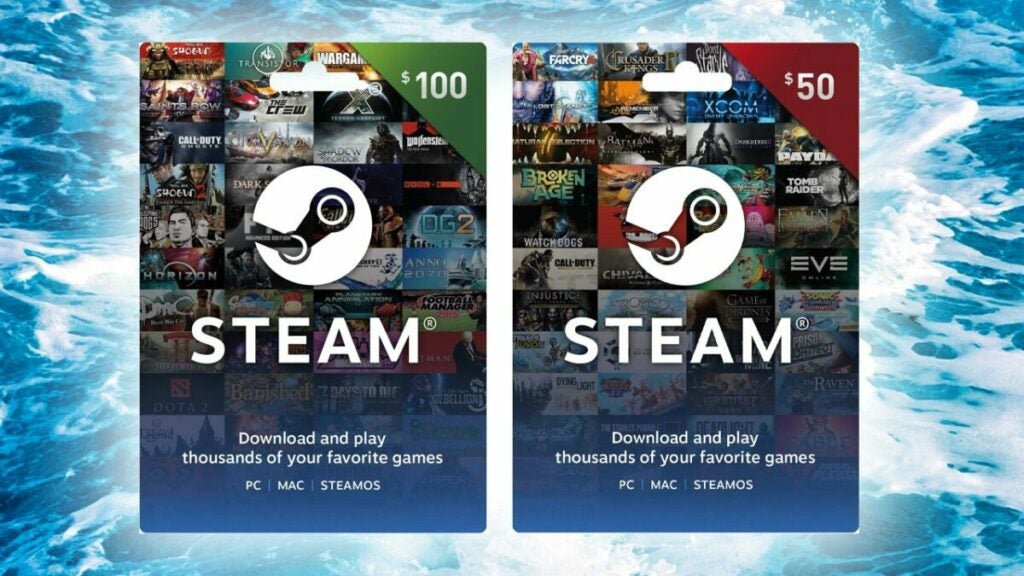
I promised my gaming readers a way for them to share digital gifts with gaming friends and family. Steam has an excellent mechanism for sending e-cards on the platform, which usually consists of gift vouchers. Yes, you’ll have to pay for the actual value of the card, but you’ll put a smile on someone’s face.
Also, you can send inventory and avatar items if you have any you’re willing to share. The best part is that you can buy games for them as gifts, making sure to select them as gifts for someone at the checkout. It’s ideal if you’ve heard someone speaking about how much they want a specific game.
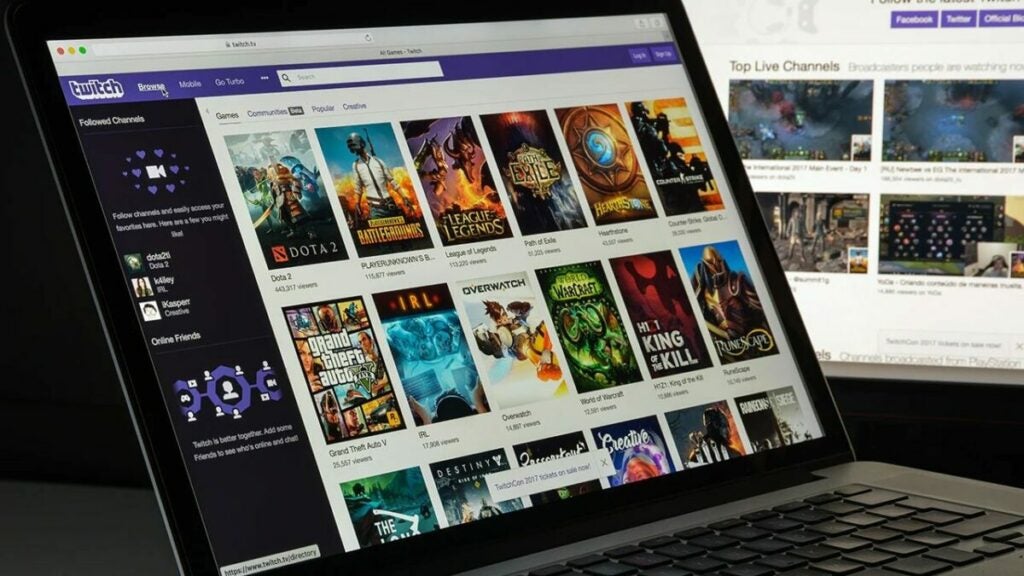
This section is for all the Twitch streamers! You have a free way to send your followers gifts all at the same time. As you may well know already, we call them Drops. It’s when you play a specific game for item drops when the game publisher makes them available. Not only do you get to spend time with your followers and play games, but they’ll receive awesome skins and items!
If you’re new to Twitch, you won’t be able to add Drops to your streams just yet. There are several requirements to being a Twitch affiliate and enabling drops. Therefore, this method is more for our experienced streamers looking for a way to gift followers.
I’m in no way encouraging anyone to open a TikTok account. It has a long way to go before it becomes a less toxic environment. If you’re already on the platform, though, there are many ways you can send someone a digital gift with a video.
The world is your oyster as far as video-creation is concerned. On TikTok, you can add several images with festive music in the background, adding someone’s name to personalize it. Also, you can feature in it yourself, and then share and tag your friends on any other social media platform. Just be creative and use the free app to make someone feel really special.
Smart phone with TIK TOK logo, which is a popular social network on the internet.
Alright, let’s take a look at two free ways you can manually make digital cards and gifts for free. While Canva has a paid version, you can still use the free version with some limited features. There are some templates for you to look at, making the designing easier.
Canva is more for those really creative types who want to make something special. Once you’re done with your design and text message, you can save or print it. From there, it’s so easy to share with anyone. You may want to check our Canva tutorials to see what’s possible.
If you want a fun app that focuses on avatars and emojis, you should try Bitmoji. Not only can you make your own avatar, but you can include it on gift cards and other digital media. It includes stickers and other fun icons to plaster on the screen.
You can even send a standard text message with your avatar on New Year or Christmas, making the festive season more delightful. It’s entertaining for both you and the recipient.
Now you can also make digital gifts!
As you can see, there are many free and fun ways to send digital gifts to your friends and family at any time of the year. Sure, some of the gifts actually involve paying for vouchers, but they’ll still love it. Also, gamers and video creators have plenty of ways to express their creativity. So, it’s time to get started!
ChatGPT has been a high point of discussion on both sides of the camp. On the one hand, it can help companies generate written content and grow their businesses. On the other, it threatens the integrity of search engine results and the jobs of human writers. Fortunately, AI Safety is here to save the day with a new watermark technique. The problem is that it’s not flawless.
Meet Scott Aaronson, a computer scientist that OpenAI hired to work on AI Safe and Alignment. The goal of this division is to deal with the fears that so many of us have about AI. While it’s meant to benefit humans, it should not threaten us in any way. That means not replacing human writers or beating our SEO content for search engine ranking.
In other words, search engines should still show human content at the top and not simply AI works. But what if the AI content is actually better and more informative? I’ll get to my own thoughts on that in a moment.
Back to Scott, he’s found a way to include a watermark in ChatGPT content that marks it as produced by AI. It’s not a logo or image you’ll be able to see. Instead, the watermark will consist of random patterns, code, or words that look natural, but actually encrypt it as a mark for AI content. In that way, we can more easily detect AI with detection and decryption tools.
I suspect that the watermark will also help Google and other search engines detect AI content to prioritize human work; which brings me back to my thought. If I was involved in work with Google or search engine infrastructure, I would have made it so that we can see both human and AI content in different panels.
So, if we searched for a topic, there could be an identifier showing if a human or AI wrote it. Even better, you can switch between tabs to see human and AI content separately. In this way, we can still support human writing without completely disregarding AI.
Scott says that they’re still testing the ChatGPT watermark, but there are some issues. For one, there are ways the encryption can be overcome or removed. That means that, in its current state, we might not be able to tell if humans or AI wrote the articles. We’ll have to wait and see how things progress.