Do You Know How AutoCAD Is Adding You in Your Life?

Movies like Pinocchio or Avatar: The Way of Water made good use of tools such as ShotGrid and Maya to bring characters and scenes to life.

For over two decades, Hollywood has made good use of Autodesk technology. Some of the movies have gone to win awards and international recognition. Examples of such movies include Pinocchio and Avatar: The Way of Water. These movies have made good use of tools such as ShotGrid and Maya to bring characters and scenes to life.

Subscribing now you can save up to 33% with the yearly Autocad Suscription

How Does Autodesk Help? 

Autodesk has been used as a secret weapon by various Hollywood artists for several years. Autodesk designs amazing movies that inspire and entertain millions. ShadowMachine is another stop-motion production company that brought Pinocchio to life. The movie was directed by Guillermo del Toro and was reimagined by Mark Gustafson.

ShadowMachine created the motion retelling from Portland and used Autodesk ShotGrid before production to help with project management. There were 99 different sets for Pinocchio and ShadowMachine used ShotGrid to keep track of all the assets used. This also included tiny objects like wood shavings or glasses. ShotGrid helped track the entire process and made it easy for over 250 artists that were working on the movie.
Construction Cloud

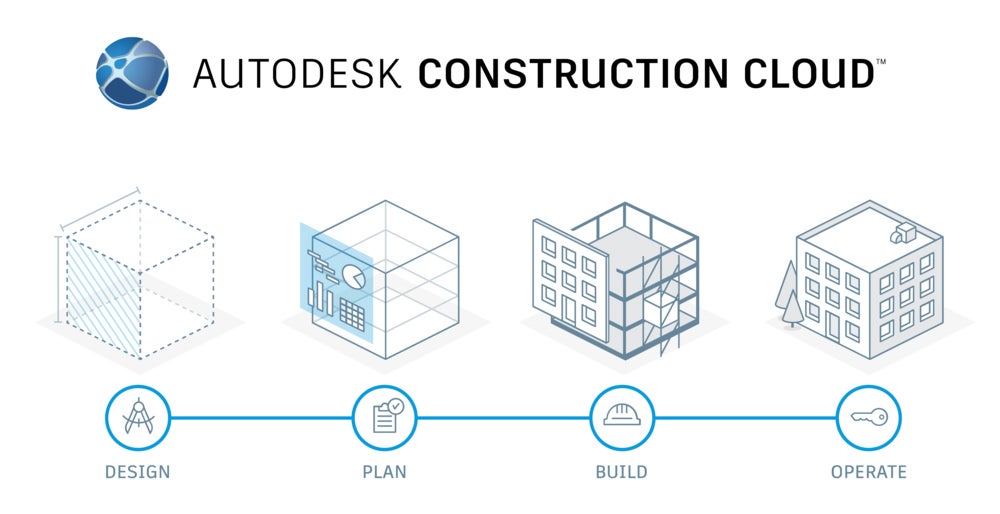
Ever since Autodesk Build was launched in 2021, Autodesk has been working on improving the construction experience. This brought about the creation of Autodesk Construction Cloud (ACC). The ACC helped bring digital buildings to life. The ACC constantly adds new capabilities and connects critical workflows to help the ever growing demand for infrastructure.
AutoSpecs

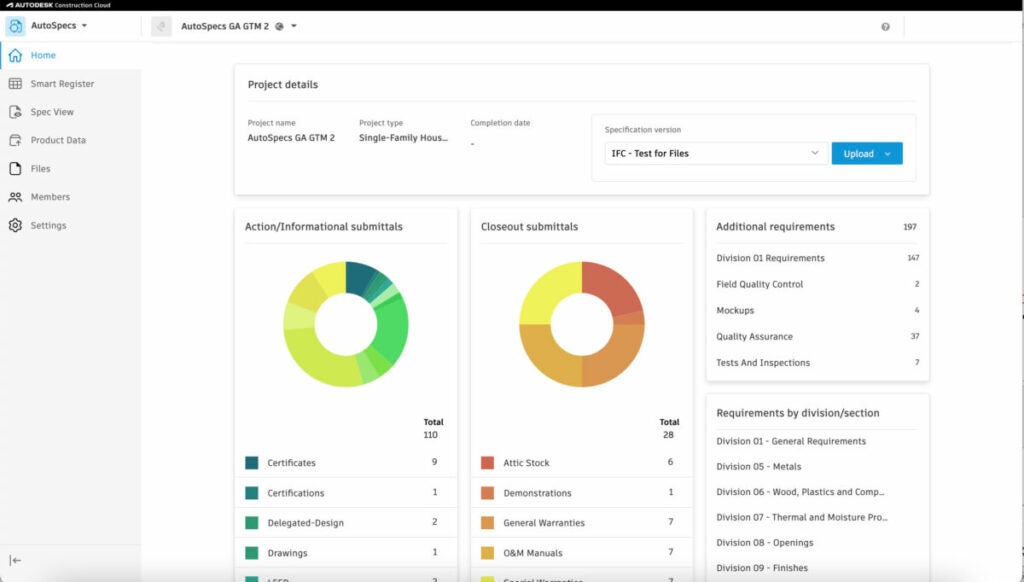
AutoSpecs is the latest addition to ACC. It gives users a connected and cohesive submittal experience. With AutoSpecs, customers can generate submittal logs within minutes. It helps automates this process that takes weeks to complete and is usually error-prone. With this automation by AutoSpecs, teams can spend more time understanding the specifications of the project. They can also focus on tasks that are more important, while ensuring the submittal log is robust and accurate.

The construction team can also use AI to identify any submittal items that are missing before they turn into costly errors. AutoSpecs analyzes the project specification against historical data. It then suggests potential submittals that are missing from the specifications.

Users can also push the submittal log directly into Autodesk Build with the help of direct integration. This enables users to track the status of submittals. They can also create review processes, mark up and annotate submittals, and save closed submittals.

With the help of Autodesk Build and AutoSpecs working together in ACC, many teams will see an increase in efficiency as far as the submittal process is concerned. This reduces the risk of missing submittals. All users that purchased ACC for automating their construction operations can access AutoSpecs once it is released on 21st March, 2023.
Mobile and Web Experience

With the help of ACC, teams can now focus on connecting workflows and data across different project phases. Autodesk is making connections stronger each day. It is helping streamline data across various project stakeholders. Another part of successful project execution is staying connected at all times and staying mobile is the key.

With this in mind, the mobile app is now called Autodesk Construction Cloud. The ACC app offers access to all project information in one place. Users can access information from Autodesk Docs, Autodesk Build, PlanGrid, and Autodesk BIM Collaborate. The best part is everything can be accessed even when users are offline.

Teams can also use the app to navigate BIM models and drawings. They can also create markups and annotations, collaborate on checklists and various issues, and do a lot more.

Connected Experience

With these updates, more functionality is now available to users. It also presents a cohesive experience and enables them to enhance and customize their experience with the help of ACC. It also gives customers a chance to revisit their clients’ needs as they innovate, run, and grow their business.

Autodesk is committed to building trust with customers. It listens to their pain points and adds value where it is most needed. Autodesk is committed to helping customers discover a predictable and safer jobsite with the help of ACC.

Introduction to AutoCAD: A Brief Overview of What AutoCAD Is and How It Works

AutoCAD provides teams with collaboration, automation and machine learning tools

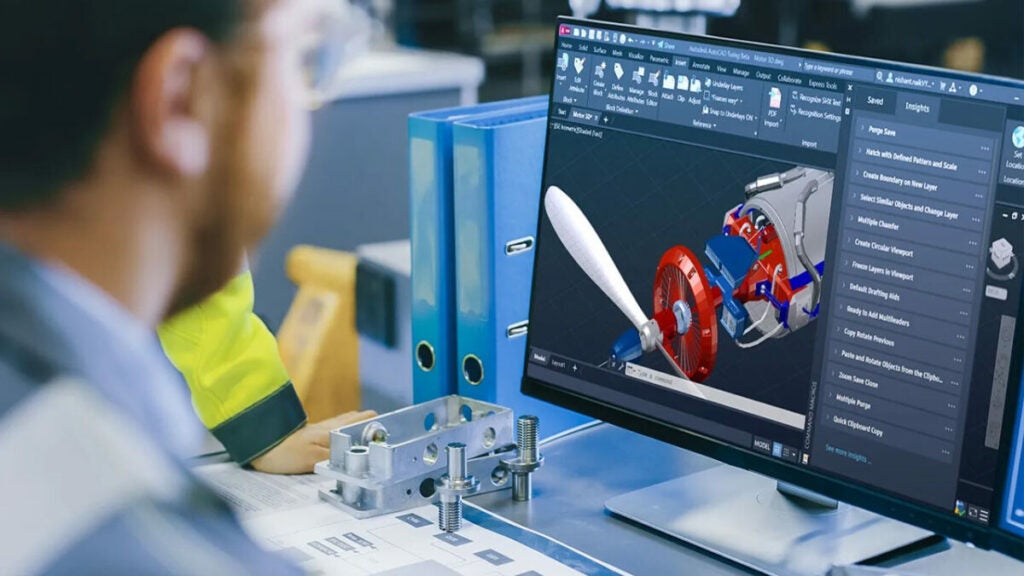
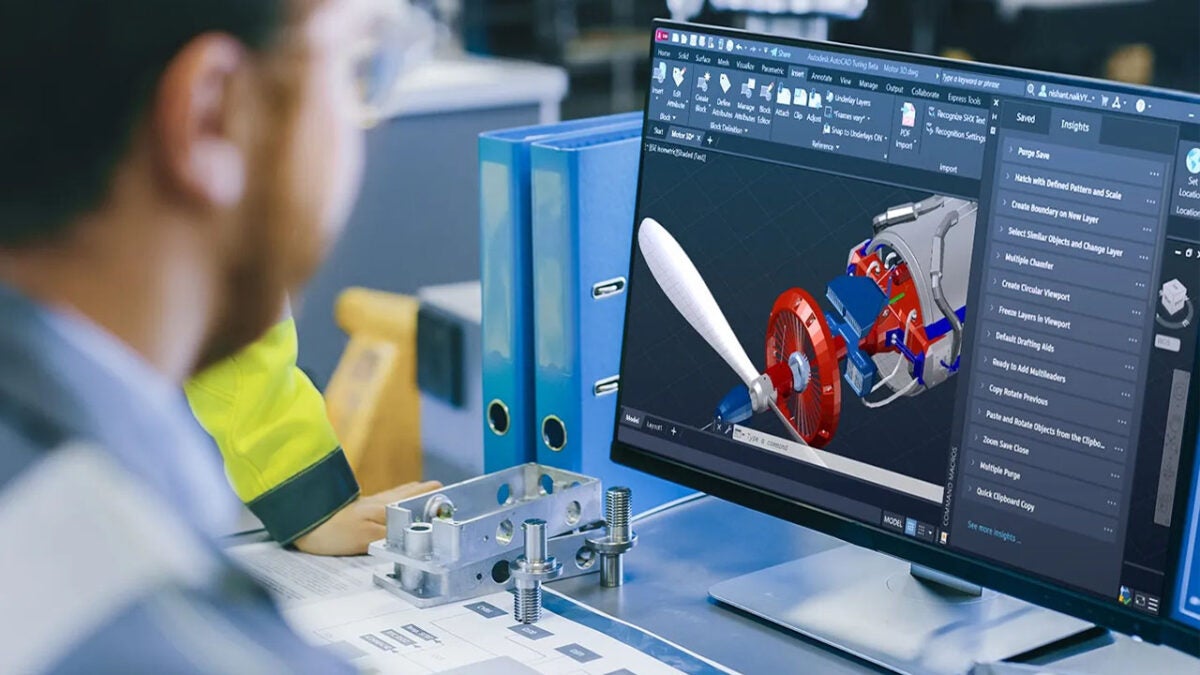
AutoCAD is the perfect way to power your creativity. AutoCAD provides teams with collaboration, automation and machine learning tools. Most professionals such as engineers and architects use AutoCAD to help with various functions. Some of them include:

-Designing and annotating 3D models and 2D geometry with mesh objects, surfaces, and solids.

-Automating various tasks including counting objects, drawing, creating schedules, and adding blocks.

-Customizing the workplace with apps and APIs to improve productivity.

Introduction to AutoCAD: A Brief Overview of What AutoCAD Is and How It Works

Why Use AutoCAD?

AutoCAD has various uses, including:

-Accelerating designs in 2D or 3D. You can now complete your projects with AutoCAD’s customizations and automations.

-Collaborating across devices and multiple teams. You can now share drawings securely and annotate across the web, desktops, and mobile devices.

-Ensuring compatibility and fidelity for your DWGs with AutoCAD’s TrustedDWG technology.

Tools Included With AutoCAD

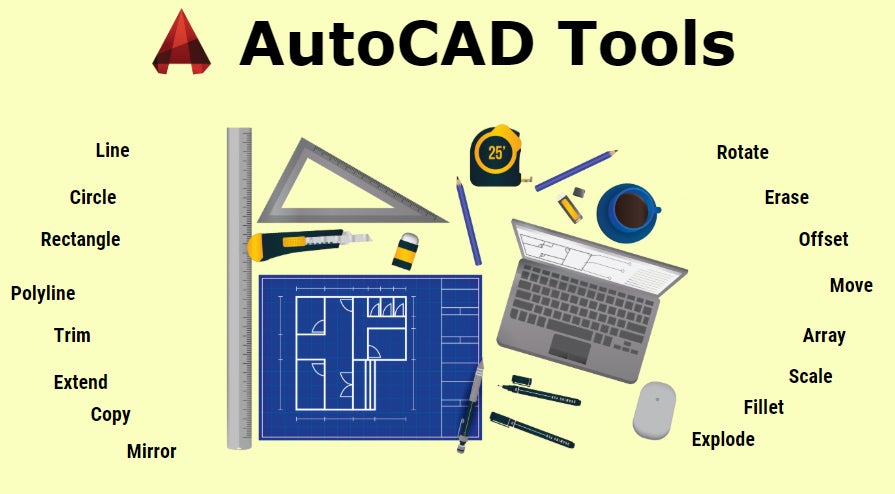
AutoCAD has several tools to help improve productivity. The tools include:

Architecture toolset – This toolset gives you the tools to scale your project pipeline and finish projects faster. With this toolset, you can access a library of over 8500 architectural components. You can also generate elevations, floor plans, ceiling grids, and sections. The toolset also allows you to place doors, walls, and windows through real-world construction.

Mechanical toolset – This toolset includes over 700,000 intelligent parts and specific mechanical engineering tools. With this toolset, you can access AutoCAD’s library of tools, parts, and custom content. You can also customize object type properties. The toolset also allows you to create BOMs (bills of materials).

Map 3D toolset – This model-based mapping software gives you access to GIS and CAD data. It supports planning, management, and designing. With this toolset, you can access spatial data with the help of FDO (Feature Data Objects) technology. You can also edit the geospatial data directly and manage infrastructure systems with the help of Enterprise Industry Models.

MEP toolset – This MEP (mechanical, electrical, plumbing) toolset allows you to improve productivity. You can access over 10,500 MEP objects, optimize your workflow with domain-specific ribbons and palettes. You can also automatically update your sheets, drawings, and schedules as per any changes.

Electrical toolset – This toolset comes with electrical design features allowing you to create and document electric controls systems. You get access to over 65,000 electrical symbols. You can also automate generation of component tags and wire numbering. This toolset also allows you to update customized reports automatically.

Plant 3D toolset – With this toolset, you can edit CD models and P&IDs. You also receive industry-specific tools for plant designing. You can collaborate in a cloud-based environment. You can also automate 3D modeling and P&ID drafting through the use of in-text commands. This toolset also allows you to create isometric drawings from the 3D model.

Raster Design toolset – This toolset allows you to edit scanned drawings. You can also convert raster images to DMG objects. You get access to tools for cleaning up and editing images. You can also edit REM objects with the help of AutoCAD commands. In addition, your workflows can be simplified with vectorization tools.

Uses of AutoCAD

With AutoCAD, you can unlock efficient workflows. With the latest AutoCAD updates, you can collaborate with team members. You can also gather drawing data quicker and export your designs to other products. AutoCAD has also been updated with new features that help with seamless connections across Autodesk products and devices.

My Insights

With this feature, you can now get helpful tips to complete your project quicker.

Markup Import and Assist

This feature allows you to import feedback from PDFs or paper. You can then add changes without changing the existing drawing.

Sharing

This feature allows you to share controlled copies of your drawings to colleagues and team members. They can edit these drawings from anywhere.

Counting

You can also automate blocks or geometry counting with this command.

Floating Windows

This feature allows you to display windows next to each other or on different monitors in one instance of AutoCAD.

Anytime, Anywhere

You can now create and edit CAD drawings with any browser using the AutoCAD mobile app or web app.

Drawing History

This feature allows you to compare all versions of your drawing, so you can view the evolution.

Push to Docs

You can now convert your CAD drawing sheets to PDFS and push them directly to Autodesk Docs using AutoCAD.

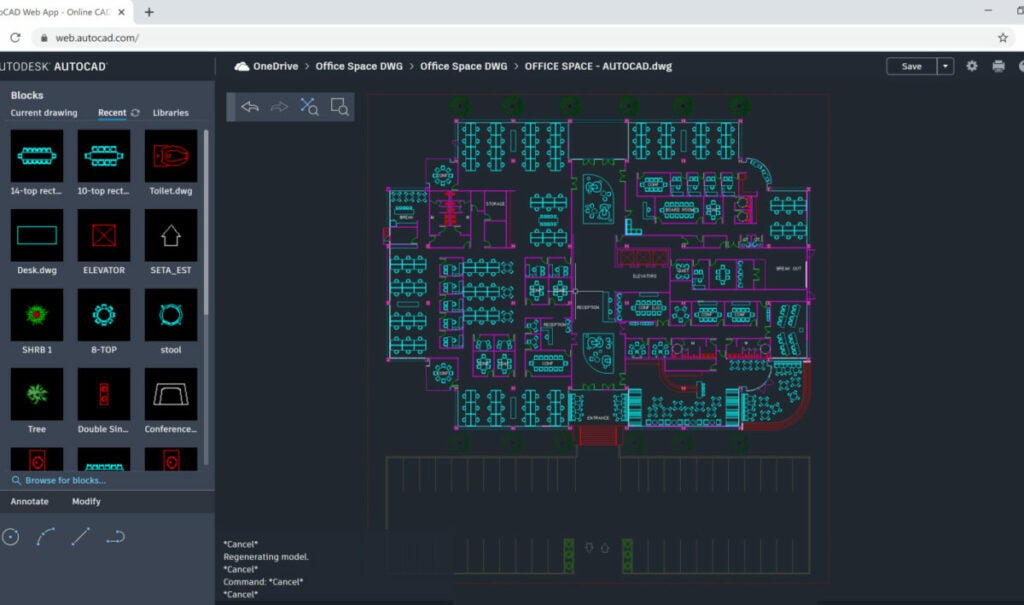
Blocks Palette

You can view and access blocks using AutoCAD’s desktop or web app.

Work Anywhere

You can now get a connected experience with AutoCAD, irrespective of the device you’re using. You can view, create, or annotate drawings with the help of the AutoCAD mobile app or from any desktop with the help of the AutoCAD web app.

Workspace Customization

You can now complete your work quicker and get access to toolsets, APIs for automation of common processes and over a 1000 third-party apps.

Subscribe Today

With a one year subscription of AutoCAD, you can save up to 34% as compared with paying monthly. You also get a money back guarantee and if you purchase now, you can lock in the same price for up to three years.

FAQs

What Is the Use Of AutoCAD?

AutoCAD is a software used for 2D and 3D precise drafting, modeling, and designing. It is done with surfaces, solids, mesh objects, and more. AutoCAD includes features to improve productivity and automate tasks. Users can compare drawings, add objects, count, and create tables. As we have already seen, AutoCAD also comes with toolsets to help with plant design, electrical design, mechanical design, architecture drawings, converting raster images, and more.

Who Can Use AutoCAD?

AutoCAD is used by architects, students, engineers, designers, construction professionals, project managers, and real estate developers. They can use AutoCAD to create 2D and 3D drawings.

Identity Theft – Take the right measures

You need the tool that provides an efficient and effective way for you to protect your personal information.

Identity theft is a growing problem. With multiple databases available online, it’s easy for someone to use your personally identifiable information and take over your identity. When you use the internet, you use these databases to make purchases and find information. The problem with this is that as an end user, you are not even aware this is happening to you. 

Norton Identity Advisor Plus is an easy-to-use tool for online security. It provides an efficient and effective way for you to protect your personal information. It shows you the threats that are trying to access your online accounts and reports them, so you can keep your data safe.

What is identity theft?

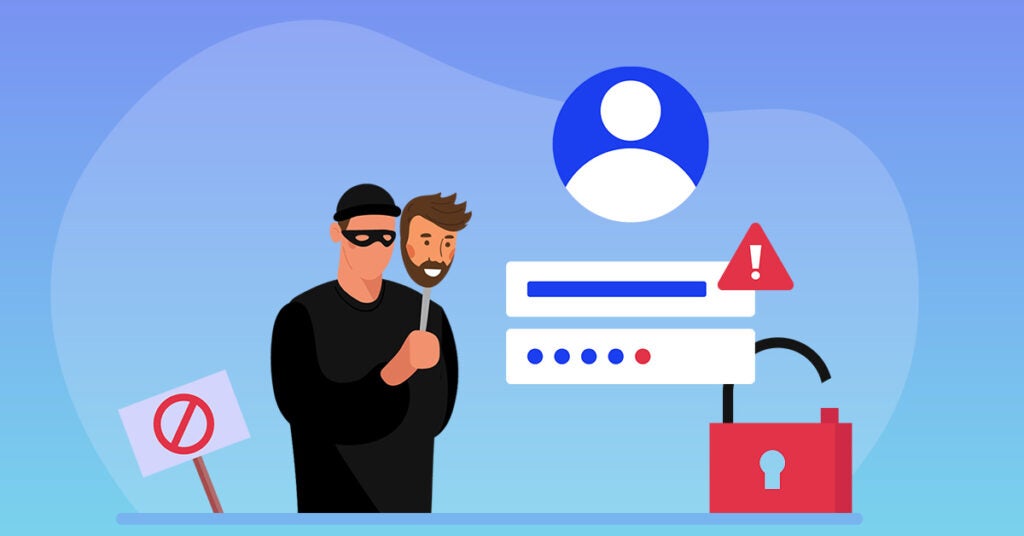
Identity theft is the act of using someone else’s personal information to commit fraud or other crimes. Identity theft most often occurs when a person’s identity is stolen using their credit card number, Social Security number, or other identifying information. This can happen when you give your personal information online and someone steals it. It can also happen when someone uses your information to open new accounts in your name and steals all the money from those accounts before you realize what has happened.

Identity Theft

The different types of identity theft

Identity theft is a growing problem, and it’s not just people using banks or checking accounts to commit fraud. Identity theft has many faces, and so does the way that it can be prevented. The following list will explain what identity theft is, how it happens, and its real-life effects on the victim.

Medical

Medical identity theft is a kind of identity theft that occurs when someone uses your medical information to obtain medical services or prescription drugs. The problem is that there are no laws in place to prevent this type of crime, so it’s important to be aware of your personal information and how it might be used by others.

Criminal

This is a type of fraud that involves the misuse of another person’s personal information to commit crimes. Criminal identity theft can be committed by stealing someone’s social security number, credit card details or birth certificate to make purchases or obtain services. This type of fraud may also involve using someone else’s name or other identifying information to open accounts, such as bank accounts and mortgages and defaulting on them.

Financial 

Financial identity theft involves the theft of your personal information, such as your name, social security number, and other personal information. Financial identity theft can happen when someone uses your stolen identity to open accounts in your name or steal money from your accounts.

Theft can occur when you’re not careful about protecting your personal information. For example, if someone steals your credit card number and uses it to buy something from your bank account or make purchases online.

Child identity theft

Child identity theft is a kind of identity theft that occurs when a child’s personal information is stolen, used, or sold by someone else. The child’s information can be used for financial gain or for personal identity fraud.

In some cases, children are targeted by criminals who want to access their parents’ bank accounts. In other cases, children are targeted by pedophiles who use their social media accounts to find out more about them. In still other cases, children are targeted by kidnappers who would like to take control of their lives.

How to prevent your identity from being stolen?

Identity theft is a serious issue, and we wanted to take a moment to help you protect yourself from the dangers of identity theft. If you’re worried about your identity being stolen, there are several things you can do. First, keep all documents in a safe place at home. Second, don’t use credit cards when making purchases on unknown websites. Third, make sure that if you do get notified about suspicious activity on your accounts or bank statements, you report it immediately.

Lastly, remember that even if your identity hasn’t been stolen yet, there are still ways for someone else to steal it. So, don’t give out any information about yourself. If something does happen and someone manages to steal your identity, don’t panic! You’ll need to contact law enforcement immediately and work together with them so they can help figure out what went wrong with your personal information.

What should I do if my identity has been stolen?

If your identity has been stolen, there are steps you can take to protect yourself. First, report the theft to the police. If you’re out of state, contact your local police department and file an insurance claim with your insurance company. Second, change your passwords to something that is not easy for others to guess. You can also change email addresses and phone numbers, and keep certain numbers and IDs only for online transactions. You should also make use of Norton’s antivirus software to ensure your data is secure and no one can misuse your information.

Conclusion

With Norton Identity Advisor Plus, everyone can easily secure their personal information online. With our comprehensive suite of identity protection tools, users can set up customized alerts to monitor bank and credit card accounts, safeguard social media accounts from impersonation, and access a list of tips designed to help you avoid the pains of identity theft after their information has been compromised. If you’re unsure about your current defense against identity theft, we urge you to give Norton Identity Advisor Plus a try!

$2 Billion Powerball Winner Buys $25 Million Mansion

In November 2022, Powerball awarded a $2 billion jackpot to one lucky person from California. Edwin Castro was the lucky person and he has recently caused quite a stir by making use of his new-found fortune. Edwin ended up pocketing almost $997.5 million after deduction of taxes.

As per reports, Edwin has invested part of his fortune to make his first big purchase, a mansion in Hollywood Hills. Edwin purchased the mansion for a massive $25.5 million.

As per reposts, the mansion was constructed in 2022. It has three floors and a large roof garden. It also has five bedrooms, a sauna, six bathrooms, a gym, a steam room, a games room, a pool, a spa, and two kitchens. The house also has two garages and can hold up to six cars.

When Did Edwin With The Powerball?

Edwin purchased his ticket on November 5th and waited till February 14th to claim his prize. He wished to remain anonymous however California law requires that all winner names have to be made public. All eyes are on Edwin for his next big move now.

powerball

State of Cybercrime

Cybercrime continue to be a threat in 2023, but we need to be aware of how big is this threat

As technology advances, cybercrimes are increasing rapidly these days. To prevent damage caused by it, it’s vital to keep your data secure. A lot of people lose their sensitive files due to cybercrime activities every day.

We’ll tell you how to protect yourself from cybercrimes with the help of Norton Identity Advisor Plus, which protects everything on your computer or smartphone and helps you deal with identity theft and credit card fraud.

How do you protect your online accounts?

One of the most common ways to protect your online accounts from cybercrimes is by using passwords that are hard to guess. Most people choose passwords that are easy to remember, but this isn’t always a good idea. If you use the same password for every account you create, you’re leaving yourself open to attacks.

You should also avoid using your date of birth or phone number as a password. You can also enable two-factor authentication on your account. This will make it harder for someone to access your account without your knowledge.

What information can hackers get?

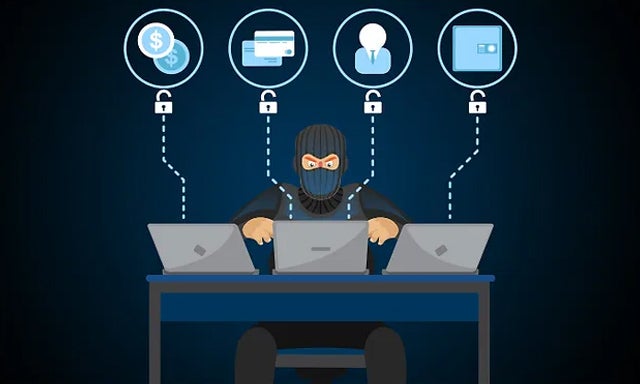
Hackers can get a lot of information about you and your habits. They can get names and addresses, credit card numbers, bank account information, and more. They can also find out where you live and where you work. This can be done by using your computer to access your email or social media accounts.

It may even be possible for hackers to obtain information from your phone if it’s connected to the Internet. If someone hacks into your credit card account without your permission, they could steal money and even misuse your information.

What can they do with that information?

Hackers can use your information to access other accounts, steal money or personal information, or even commit cybercrimes under your name.

Is your identity as secure from cybercrime as it seems?

The answer to that question depends on many factors, including whether you use a password manager, how often you change that password, and how much effort you put into making sure your online accounts are protected.

If you’re not using a password manager, then it’s important to make sure your passwords are unique and long enough. If they aren’t, you are vulnerable. Also, if you use a password manager but don’t have very long passwords set up within that app itself, there’s still a chance someone could hack into your account by doing some digging around.

What are the signs that your identity is at risk?

There are a number of signs that your identity is at risk. The first sign is when you notice that your email address has been compromised. This can happen when the cybercriminals gain access to your account and start sending emails from it, which will look like they come from you.

Another sign that your identity is at risk is if you receive emails from people who have not contacted you before, asking for personal information such as your social security number or bank account number. This could be because someone has hacked into their account and used it to make these requests.

How can Norton help you stop fraud before it happens?

Norton Identity Advisor Plus is a suite of products that helps you stop fraud and cybercrime before it happens. It is a solution that protects your computer from malware, phishing attacks, and other online threats. It also helps protect your identity by locking down your accounts with two-factor authentication (2FA).

Norton monitors all aspects of your computer’s security and detects suspicious activity on any device connected to them. This can include viruses, malware, phishing attacks, spyware, and much more! 

How to protect yourself from cybercrimes?

Cybercrimes are on the rise, and it’s important to know how to protect yourself against these crimes.

Use strong passwords

Strong passwords are important to protect against a cybercrime. A strong password is one that is at least 8 characters long and contains at least 1 number and 1 capital letter. The more complex your password, the more difficult it will be for someone to guess it.

Avoid phishing scams

Phishing scams are a growing threat to your online security, and they can get downright dangerous if you don’t know how to avoid them.

Here are some tips on how to avoid getting phished:

  • Never click on links in emails from unknown senders. 
  • Don’t enter any personal or banking information on any untrusted website or app.

Be careful what you click

Cybercriminals use a variety of methods to steal information, including phishing emails and malware that can infect your computer or mobile device. To prevent these types of attacks, you should make sure you’re using caution when clicking links in emails or other online content. 

Keep your software updated

When you update your software, you’re helping prevent new security vulnerabilities from being discovered and exploited by criminals. Now that you know how important updating your software is, you can begin making the process easier by using automated tools like Norton. We will do all the hard work for you and keep you secure.

Browse the web safely

The internet is a powerful tool for many people, but it can also be a dangerous place. If you want to keep your personal information safe and secure, there are plenty of ways to browse the web safely! Here are some tips on how to avoid getting hacked:

1) Use a good password manager. Password managers can store all of your passwords in one place so that they’re easier to access when needed (and they’re less likely to be stolen).

2) Don’t use public Wi-Fi networks like those at coffee shops or hotels. You don’t want anyone else getting into your personal information.

3) Always make sure your antivirus software is up-to-date before connecting any new device or downloading new software updates from the internet.

Check privacy settings on social media sites

The best way to protect yourself from cybercrime is to check your privacy settings on social media sites. Social media sites like Facebook and Twitter can be an easy way for criminals to steal your personal information or even commit crimes like identity theft. By checking your privacy settings, you can ensure that only people who are authorized by you have access to those pages.

Look for secure payment options when you’re shopping online

The first step is to check the website’s security rating. The rating will tell you if there have been any complaints about security issues, and if so, how many and what type of issues they were.

You can also look at the company’s privacy policy before making a purchase from them. This will let you know what information they collect from customers and how they use it. 


Cybercrime

Be safe from cybercrime

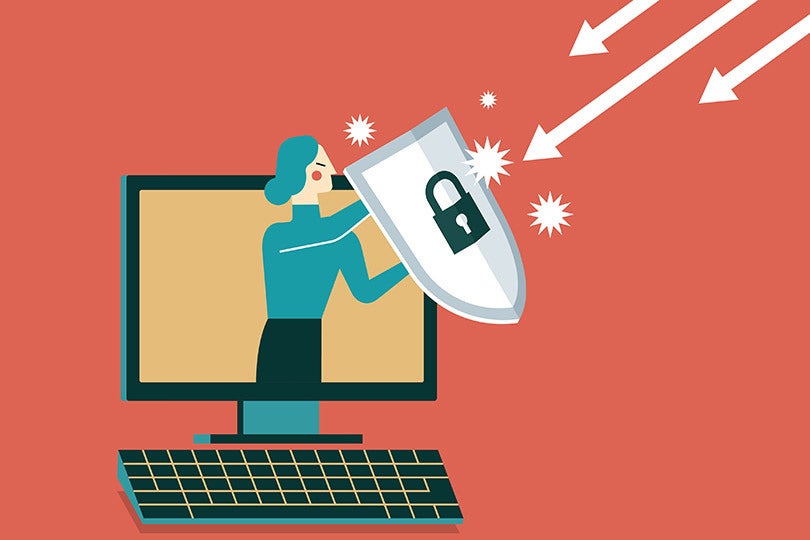
As the internet has become more prevalent in our daily lives, cybercriminals have followed suit and made it their full-time jobs to try to take advantage of online users. The personal information that you give out online makes you vulnerable, but there are plenty of ways to safeguard yourself against this possibility. Norton can help by discovering and removing the identity protection threats that could be lurking on your computer. 

Internet for Children – Protect Your Kids

We’re here to tell you why it’s so important to create a safe space for kids on the web and how to do that.

When you think of the internet, what comes to mind? A vast expanse of possibilities, right? Wrong. There is actually no place on the internet where children can be safe from predators, perverts and sexual abusers. Most online spaces leave children at risk of abuse and harassment. We’re here to tell you why it’s so important to create a safe space for kids on the web and how to do that.

Norton 360 Antivirus (with Parental Control feature) provides parents with a simple way to reduce the impact of online abuse. Children are prime targets for predators and fraudsters, so it’s important for parents to help their kids steer clear of fraudulent websites.

Advise your kids on how to deal with strangers online

If you’re a parent who wants to make sure your kids are safe on the internet, there are a number of tools available to help. The most important thing you can do is to have a conversation with your kids about what happens online and how it relates to real life. You can also look into other tools that can help keep them safe online, like Norton 360 Deluxe and Norton 360 Premium
which comes with the Parental Control feature.

Teach them about cyberbullying

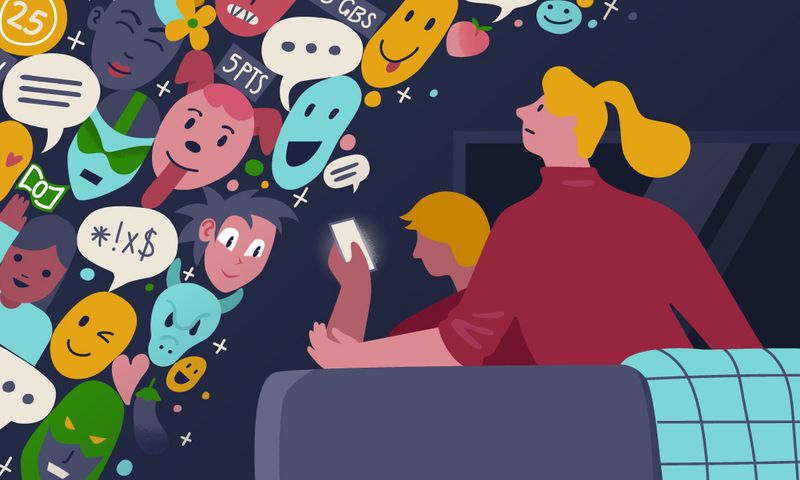
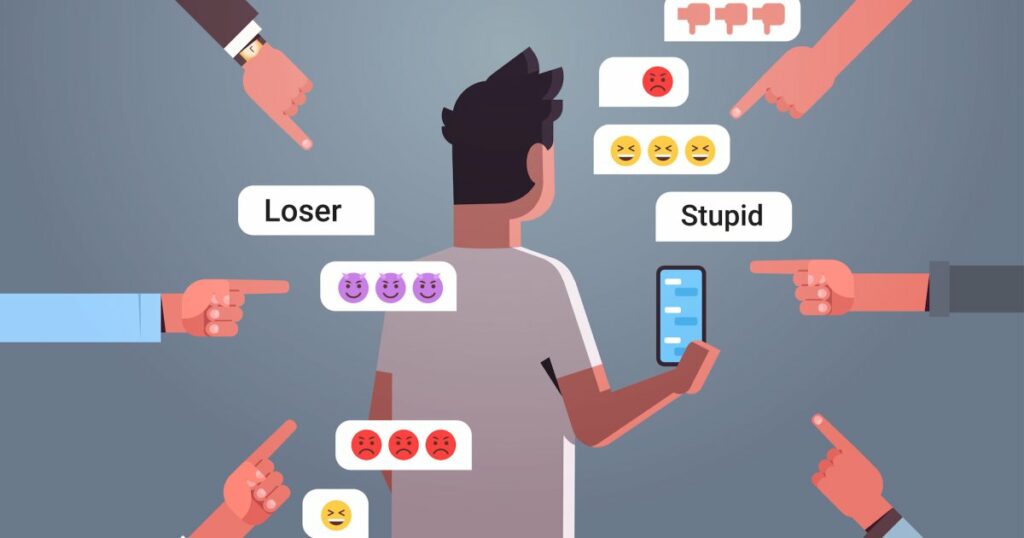
The internet is a place full of opportunities, but it can also be an unsafe place where bullying and harassment can occur. There are a lot of different ways people can get bullied on the internet – from impersonating someone else or sending mean messages to hurting someone physically or sexually but cyberbullying is one of the most common forms of bullying.

We’re here because we want to give you tools to protect your children from cyberbullying so you can be calm and assured when your loved ones are online. You no longer have to worry about them encountering any predators or people out to hurt them.

Let your kids know what’s appropriate to share online

The internet is a great place to learn, but it can also be a dangerous place. It’s important to make sure your children are using the internet safely and responsibly. Kids are naturally curious, and the internet is no different. However, when they’re on the Internet, they should be aware of their surroundings and the surrounding people. Parents can help keep their kids safe by teaching them how to use the web safely.

For starters, parents should talk to their children about what’s appropriate to share online. Kids need to know that posting personal information such as names and addresses online is not okay because it could put them at risk for identity theft or other types of fraud. Parents should also teach kids about how to protect themselves from cyberbullying by recognizing that words written in text form don’t always mean what they appear to mean online. For instance, a person might write something mean-spirited about someone else but not actually mean it – and vice versa!

Set time limits and expectations for their internet use

It’s important for parents to set limits and expectations for their children when they’re on the internet. If you don’t, it’s easy for kids to get into trouble, and it can be hard to tell if they’ve actually learned anything from their time on the internet. Norton 360’s Parental Control feature makes it easy to set limits and expectations for your child’s use of the internet. You can set time limits, block certain websites or applications, and even block all communication with strangers online.

Monitor their digital footprint

Today, it’s more important than ever to make sure your kids are using the internet in an appropriate way. You know that they’re exploring their world through the web, but you may not be aware of how much time they spend online or what they’re doing when they’re there. The amount of time spent on digital platforms has increased, and with so many distractions and social media sites, parents need to monitor their children’s digital footprint.

Norton 360 antivirus provides parental controls that let you set time limits and block access to specific websites or apps. It also gives you granular control over your child’s online activity, allowing you to limit access to specific sites and apps, like social media platforms or video games.

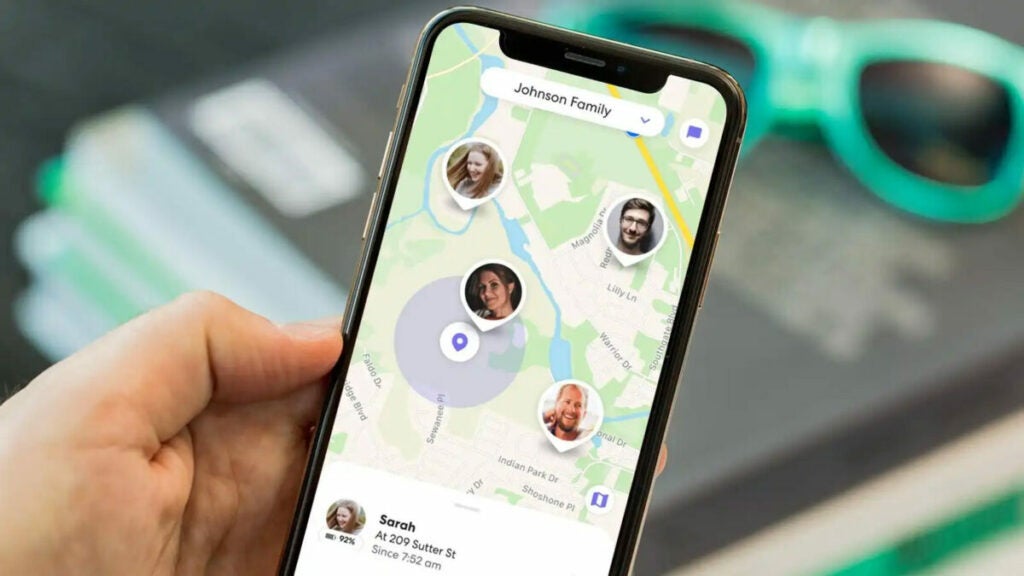
Track their locations on the internet

Whether it’s a Facebook account, an email address, or even a password, you want to make sure that your kids are protected from online dangers. If they’re using a school-issued laptop, you can help them keep track of their location by using Norton.

With Norton, you can set up a filter that will log every website they visit and show you where they are. You can also choose to block specific websites, which means your kids won’t be able to access questionable content. If they have another computer at home or in school and don’t want to use Norton on that device, you can use the log-in feature on their smartphone app or on their computer browser to see where they’ve been online.

Limit their internet access to inappropriate content

The internet is a great place to learn, connect, and be entertained. The trouble comes when kids get access to inappropriate content. For example, they could be looking at a picture of a naked person or watching videos that show others being hurt or killed. The best way to keep your kids safe online is by installing Norton. It blocks all sorts of harmful websites, including those that contain violence, drugs, or other inappropriate content.

Internet for Children

Conclusion

Protect your family from cyber-criminals, trolls, and predators that can cause major problems for you and your family. Be sure to keep your computer and devices up to date with Norton 360 security software which includes Parental Control feature, use the internet safely and responsibly, and ensure you only personalize your computer with reputable sites.

Get Your Popcorn Ready: Here’s How to Watch the Grammys 2023 Online in the US

The Grammys 2023, or Grammy Awards, will be held on February 5th. The event will take place at the Crypto Arena located in Los Angeles. This ceremony will celebrate all the top musical works that were released between October 2021 and September 2022. 

Popular star Beyoncé is expecting to pick most of the awards at the Grammys, having been nominated for nine. This includes a nomination for ‘Album of the Year’ for her work in Renaissance. Harry Styles, Kendrick Lamar, and Adele are also expected to pick up the top prize. This article will give you all the information for this mega event.

Grammys 2023

When Is the 2023 Grammy Awards Taking Place?

The 2023 Grammy Awards will be held on February 5th and will be telecast live on Paramount+ streaming service and CBS Television Network. The ceremony is scheduled to take place between 8 pm and 11.30 pm (ET).

Who Is Hosting the Grammy Awards?

South African comedian, Trevor Noah, will be hosting this year’s show. Trevor is known for his funny take on world news that is telecast on The Daily Show. Some of the guest presenters include Megan Thee Stallion, Joni Mitchell, and Dua Lipa. Harry Styles is also scheduled to perform at the show.

Grammys 2023

List of 2023 Grammy Award Nominees

Album of the Year

  • Voyage, Abba
  • 30, Adele
  • Un verano sin ti, Bad Bunny
  • Renaissance, Beyoncé
  • Good Morning Gorgeous (Deluxe), Mary J. Blige
  • In These Silent Days, Brandi Carlile
  • Music of the Spheres, Coldplay
  • Mr. Morale & the Big Steppers, Kendrick Lamar
  • Special, Lizzo
  • Harry’s House, Harry Styles

Record of the Year

  • Don’t Shut Me Down, Abba
  • Easy on Me, Adele
  • Break My Soul, Beyoncé
  • Good Morning Gorgeous, Mary J. Blige
  • You and Me on the Rock, Brandi Carlile ft. Lucius
  • Woman, Doja Cat
  • Bad Habit, Steve Lacy
  • The Heart Part 5, Kendrick Lamar
  • About Damn Time, Lizzo
  • As It Was, Harry Styles

Song of the Year

  • Abcdefu, Gayle
  • About Damn Time, Lizzo
  • All Too Well: The Short Film, Taylor Swift
  • As It Was, Harry Styles
  • Bad Habit, Steve Lacy
  • Break My Soul, Beyoncé
  • Easy on Me, Adele
  • God Did, DJ Khaled ft. Rick Ross, Lil Wayne, Jay-Z, John Legend and Fridayy 
  • The Heart Part 5, Kendrick Lamar 
  • Just Like That, Bonnie Raitt 

Best New Artist

  • Anitta
  • Omar Apollo
  • DOMi and JD Beck
  • Muni Long
  • Samara Joy
  • Latto
  • Måneskin
  • Tobe Nwigwe
  • Molly Tuttle
  • Wet Leg

Best Music Video

  • Easy on Me, Adele
  • Yet to Come, BTS
  • Woman, Doja Cat
  • The Heart Part 5, Kendrick Lamar
  • As It Was, Harry Styles 
  • All Too Well: The Short Film, Taylor Swift 

Best Pop Solo Performance

  • Easy on Me, Adele
  • Moscow Mule, Bad Bunny
  • Woman, Doja Cat
  • Bad Habit, Steve Lacy
  • About Damn Time, Lizzo
  • As It Was, Harry Styles

Best Pop Duo/Group Performance

  • Don’t Shut Me Down, Abba
  • Bam Bam, Camila Cabello ft. Ed Sheeran
  • My Universe, Coldplay and BTS 
  • I Like You (A Happier Song), Post Malone and Doja Cat 
  • Unholy, Sam Smith ft. Kim Petras 

Best Traditional Pop Vocal Album

  • Higher, Michael Bublé
  • When Christmas Comes Around…, Kelly Clarkson 
  • I Dream of Christmas (Extended), Norah Jones 
  • Evergreen, Pentatonix 
  • Thank You, Diana Ross 

Best Pop Vocal Album 

  • Voyage, Abba 
  • 30, Adele 
  • Music of the Spheres, Coldplay 
  • Special, Lizzo 
  • Harry’s House, Harry Styles 

Best Dance/Electronic Recording

  • Break My Soul, Beyoncé
  • Rosewood, Bonobo
  • Don’t Forget My Love, Diplo ft. Miguel
  • I’m Good (Blue), David Guetta and Bebe Rexha
  • Intimidated, Kaytranada ft. H.E.R. 
  • On My Knees, Rüfüs du Sol 

Best Dance/Electronic Music Album

  • Renaissance, Beyoncé
  • Fragments, Bonobo
  • Diplo, Diplo
  • The Last Goodbye, Odesza
  • Surrender, Rüfüs du Sol

Best Alternative Music Performance

  • There’d Better Be a Mirrorball, Arctic Monkeys
  • Certainty, Big Thief
  • King, Florence and the Machine
  • Chaise Longue, Wet Leg
  • Spitting Off the Edge of the World, Yeah Yeah Yeahs ft. Perfume Genius

Best Alternative Music Album

  • WE, Arcade Fire
  • Dragon New Warm Mountain I Believe in You, Big Thief 
  • Fossora, Björk 
  • Wet Leg, Wet Leg 
  • Cool It Down, Yeah Yeah Yeahs 

Best R&B Performance

  • Virgos Groove, Beyoncé
  • Here With Me, Mary J. Blige featuring Anderson Paak
  • Hrs & Hrs, Muni Long
  • Over, Lucky Daye
  • Hurt Me So Good, Jazmine Sullivan 

Best Traditional R&B Performance

  • Do 4 Love, Snoh Aalegra
  • Keeps on Fallin, Babyface ft. Ella Mai
  • Plastic Off the Sofa, Beyoncé
  • Round Midnight, Adam Blackstone ft. Jazmine Sullivan
  • Good Morning Gorgeous, Mary J. Blige

Best R&B Song

  • Cuff It, Beyoncé
  • Good Morning Gorgeous, Mary J. Blige
  • Hrs & Hrs, Muni Long
  • Hurt Me So Good, Jazmine Sullivan 
  • Please Dont Walk Away, PJ Morton 

Best Progressive R&B Album 

  • Operation Funk, Cory Henry
  • Gemini Rights, Steve Lacy
  • Drones, Terrace Martin
  • Starfruit, Moonchild
  • Red Balloon, Tank and the Bangas

Best R&B Album

  • Good Morning Gorgeous (Deluxe), Mary J. Blige
  • Breezy (Deluxe), Chris Brown
  • Black Radio III, Robert Glasper
  • Candydrip, Lucky Daye
  • Watch the Sun, PJ Morton

Best Rap Performance

  • God Did, DJ Khaled ft. Rick Ross Lil Wayne Jay-Z John Legend and Fridayy
  • Vegas, Doja Cat
  • Pushin P, Gunna and Future ft. Young Thug
  • F.N.F. (Lets Go), Hitkidd y Glorilla
  • The Heart Part 5, Kendrick Lamar 

Best Melodic Rap Performance

  • Beautiful, DJ Khaled ft. Future and SZA
  • Wait for U, Future ft. Drake and Tems
  • First Class, Jack Harlow
  • Die Hard, Kendrick Lamar ft. Blxst and Amanda Reifer
  • Big Energy (Live), Latto

Best Rap Song

  • Churchill Downs, Jack Harlow ft. Drake
  • God Did, DJ Khaled ft. Rick Ross Lil Wayne Jay-Z John Legend y Fridayy
  • The Heart Part 5, Kendrick Lamar
  • Pushin P, Gunna and Future ft. Young Thug
  • Wait for U, Future ft. Drake and Tems 

Best Rap Album

  • God Did, DJ Khaled
  • I Never Liked You, Future
  • Come Home the Kids Miss You, Jack Harlow
  • Mr. Morale & the Big Steppers, Kendrick Lamar
  • It’s Almost Dry, Pusha T

Best Latin Pop Album

  • Aguilera, Christina Aguilera
  • Pasieros, Rubén Blades ft. Boca Livre
  • De adentro pa afuera, Camilo
  • Viajante, Fonseca
  • Dharma+, Sebastián Yatra

Best Música Urbana Album

  • Trap Cake, Vol. 2, Rauw Alejandro
  • Un verano sin ti, Bad Bunny
  • Legendaddy, Daddy Yankee
  • La 167, Farruko
  • The Love & Sex Tape, Maluma

Best Latin Rock or Alternative Album

  • El Alimento, Cimafunk
  • Tinta y Tiempo, Jorge Drexler
  • 1940 Carmen, Mon Laferte
  • Alegoría, Gaby Moreno
  • Los Años Salvajes, Fito Paez
  • Motomami, Rosalía 

Best Regional Mexican Music Album

  • Abeja, Reina Chiquis
  • Un Canto por México – El Musical, Natalia Lafourcade
  • La Reunión (Deluxe), Los Tigres Del Norte
  • Foragido EP #1, Christian Nodal
  • Qué ganas de verte (Deluxe), Marco Antonio Solís

Best Tropical Latin Album

  • Palla voy, Marc Anthony
  • Quiero verte feliz, La Santa Cecilia
  • Lado A, lado B, Víctor Manuelle 
  • Legendario, Tito Nieves 
  • Imágenes latinas, Spanish Harlem Orchestra 
  • Cumbiana II, Carlos Vives 

Best Compilation Soundtrack For Visual Media

  • Elvis, Various artistas
  • Encanto, Various artistas
  • Stranger Things: Soundtrack from the Netflix Series, Season 4 (Vol 2), Various artistas 
  • Top Gun: Maverick, Harold Faltermeyer, Lady Gaga, Hans Zimmer and Lorne Balfe 
  • West Side Story, Various artistas 

Best Score Soundtrack For Visual Media

  • The Batman, Michael Giacchino 
  • Encanto, Germaine Franco 
  • No Time to Die, Hans Zimmer 
  • The Power of the Dog, Jonny Greenwood 
  • Succession: Season 3, Nicholas Britell 

Best Song Written For Visual Media 

  • Be Alive from King Richard, Beyoncé 
  • Carolina from Where the Crawdads Sing, Taylor Swift 
  • Hold My Hand from Top Gun: Maverick, Lady Gaga 
  • Keep Rising (The Woman King) from The Woman King, Jessy Wilson ft. Angelique Kidjo 
  • Nobody Like U from Turning Red, 4*Town, Jordan Fisher, Finneas OConnell, Josh Levi, Topher Ngo and Grayson Villanueva 
  • We Dont Talk About Bruno from Encanto, Carolina Gaitán, La Gaita, Mauro Castillo, Adassa, Rhenzy Feliz, Diane Guerrero and Stephanie Beatriz 

Best Historical Album

  • Against the Odds: 1974-1982, Blondie 
  • The Goldberg Variations: The Complete Unreleased 1981 Studio Sessions, Glenn Gould
  • Life’s Work: A Retrospective, Doc Watson
  • To Whom It May Concern…, Freestyle Fellowship
  • Yankee Hotel Foxtrot (20th Anniversary Super Deluxe Edition), Wilco 

Songwriter of the Year, Non-Classical

  • Amy Allen
  • Nija Charles
  • Tobias Jesso Jr.
  • The-Dream
  • Laura Veltz 

Bring Out the Popcorn

Sit back and enjoy a night of glitz and glamor from the comfort of your living room. See the biggest music stars get recognised for their work.

Ready for Twitter Blue? 6 More Countries Can Now Access the Premium Features.

As many know by now, Twitter is trying desperately to make money. As part of this effort, Twitter Blue has now expanded its reach and is available in six more countries. You can now purchase paid plans in France, Saudi Arabia, Italy, Germany, Spain, and Portugal. The total regions where Twitter Blue is available now add up to 12.

Twitter DOWNLOAD
Elon Musk Twitter Blue Subscription

Spaces

Twitter also launched a new feature called Spaces tab. This initiative curates stations for recorded and live spaces. Users that don’t have a Twitter Blue subscription can also access the Spaces tab, and it will show them which live sessions are in progress.

In addition, Twitter is relaunching themed stations. It will list all Spaces stations by topic. August was when the testing began before Musk took over. The last few months saw no curation on Spaces because of the massive layoffs. The company may now rely on algorithms that will help group live audio conversations.

Podcasts

Twitter is also enabling podcasts only to Blue subscribers. It will also be available to a “few people” on iOS and Android devices. Podcasts, like Spaces, were an initiative already underway before the Elon Musk era began. The company has now resumed work on these projects. Twitter had also mentioned that since there is no search option for podcasts, you will have to be content with what the algorithm serves up.

Revenue Initiatives

The expansion of the Blue initiative has not come as a surprise. Last month, Twitter enabled people using Android devices to get a subscription. This week, Twitter also announced that it would end free API access and will introduce a basic paid plan soon. This plan is expected to be in the range of about $100 a month, which may be quite steep for students and small developers.

What Happens Next?

It remains to be seen if Twitter will continue finding new ways to make money. Its subscriber base is getting anxious, and it’s only a matter of time before the frustration boils over. Watch this space for more such developments.

Bill Gates Says He’ll Buy Vaccines, but Not Pay to Visit Mars

Microsoft co-founder Bill Gates, recently stated that he would prefer paying for vaccines than sitting in a spaceship destined for Mars. He believes that the journey to Mars is a waste of money. According to him, the expense of traveling to Mars can be quite expensive. He would prefer buying measles vaccines for $1000 and saving lives.

Bill Gates Mars Travel Measles Vaccines

Space Bandwagon

Fellow billionaires, Jeff Bezos and Elon Musk have been preparing for life on Mars. Mr. Musk has plans of colonizing Mars to make it habitable. This brought about the foundation of the rocket company, SpaceX, in 2002. Mr. Musk has been trying to send crews to Mars to help colonize the planet. 

Mr. Bezos is also the head of Blue Origin, an aerospace company and has made a brief journey into space in 2021. Sir Richard Branson has also hopped on the space bandwagon and come up with the Virgin Galactic rocket.

Artificial Intelligence

Mr. Gates also touched on the idea of artificial intelligence (AI) and how it can transform the world. He said AI would help solve various scientific and medical questions. Apart from robotics, it will also help teach reading and writing in various languages. Mr. Gates also claimed that there has been progress in terms of robotics as well.

COVID Controversy

During the pandemic, Mr. Gates found himself at the center of controversy when reports suggested he tried profiting from vaccines. He claimed that millions of people messaged him and accused him of causing the pandemic to profit from it.

He said that people needed someone to blame for the pandemic. It’s easier to blame people than see them for the good that they do, said Mr. Gates.

Contributing to the World

Mr. Gates has spent the last few years fighting climate change and eradicating diseases like malaria and polio, along with malnutrition. He has contributed over a billion pounds to various philanthropic causes.

Simple Life

Mr. Gates claims he leads a very simple life. He hates wearing jewelry. He saves the packing from any gift he receives and has most of the habits that his grandmother had.

Stargazers, unite! The green comet is here and it’s breathtaking.

February 1st marks an important event for stargazers and astronomers. The comet C/2022 E3 (ZTF), more commonly known as Green Comet, will be visible in the sky as it will be closest to Earth.

Here’s what you need to know about the Green Comet, with some stunning photos taken this morning.

Why Is It Called the Green Comet?

The comet has a tadpole-like tail, and its nucleus has a greenish tinge. Its tail extends almost millions of kilometers. The comet had completed its orbit around the sun in the first few weeks of January 2023. It is right now exiting the orbit and is towards the solar system’s edge.

How Close Will the Comet Come to Earth?

It is estimated that the Green comet would be just about 42 million kilometers from the surface of the Earth. This may seem like a lot; however, it is a small distance when measured on the cosmic scale. 

So, what makes February 1st so unique? The Green Comet takes about 50,000 years to complete its orbit around the sun. The last time the comet came so close to Earth’s surface was when modern-day humans were yet to evolve. 

Some of the best images taken of the comet today

Green Comet Sighting

What Is the Best Way to Watch the Green Comet?

To see the Green Comet clearly, you should pick a spot with clear skies. If you don’t, it will be difficult to see the comet’s movement and its legendary green tail. Since the comet is not as bright, one would need binoculars to see it clearly.

While the comet was visible in January 2023 as well, the glow was not much, as it was still far from Earth’s surface. Astronomers even captured images of the comet in all its glory. Today, February 1st, marks an important day as millions of stargazers will see this comet in the sky for the first time in their life.

It will be visible in the Northern hemisphere, just below the Plough constellation handle. Sometime next week, the comet will fly past the pole star, the brightest Ursa Minor star. As the comet slowly goes back to the Oort cloud in the solar system, February 1st and 2nd are said to be the days when it would be at its brightest.