What’s new in PUBG Mobile 2.2?

PUBG Mobile is easily one of the most popular games around. Brendan Green and his company, PlayerUnknown, have cemented themselves in the gaming hall of fame with this entry. There are so many reasons that PUBG has garnered such intense public interest, but the key factor is likely that you get to compete against players the world over. 

PUBG Mobile 60 UC BUY NOW

Update 2.2 of PUBG Mobile is finally here, and we’re going to break down the most important items on the laundry list of patch notes that recently saw the light. Be prepared, though; there are so many changes in this new version it might as well be a brand-new game! Let’s jump into that laundry list, shall we?

Nusa comes to PUBG Mobile

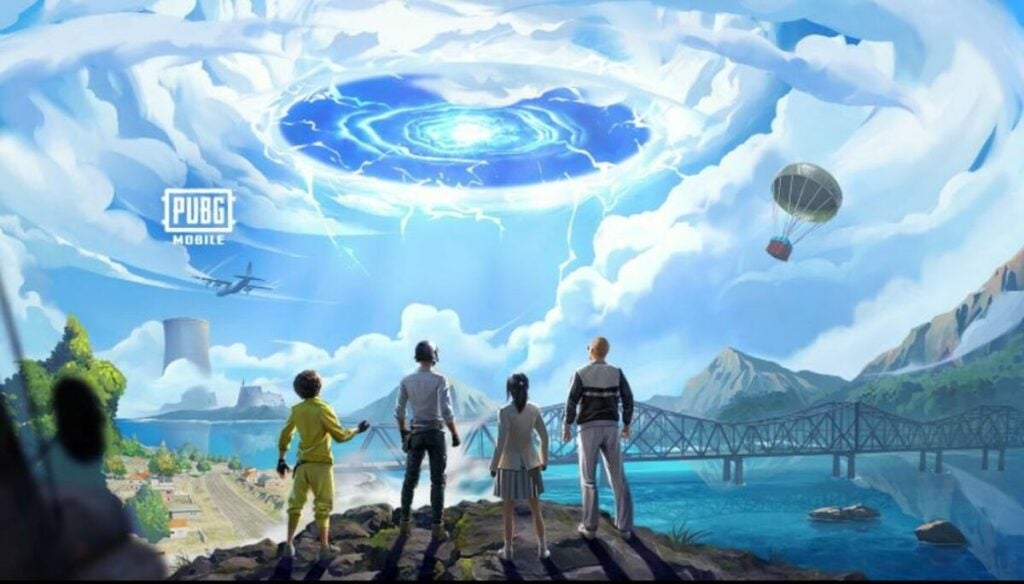
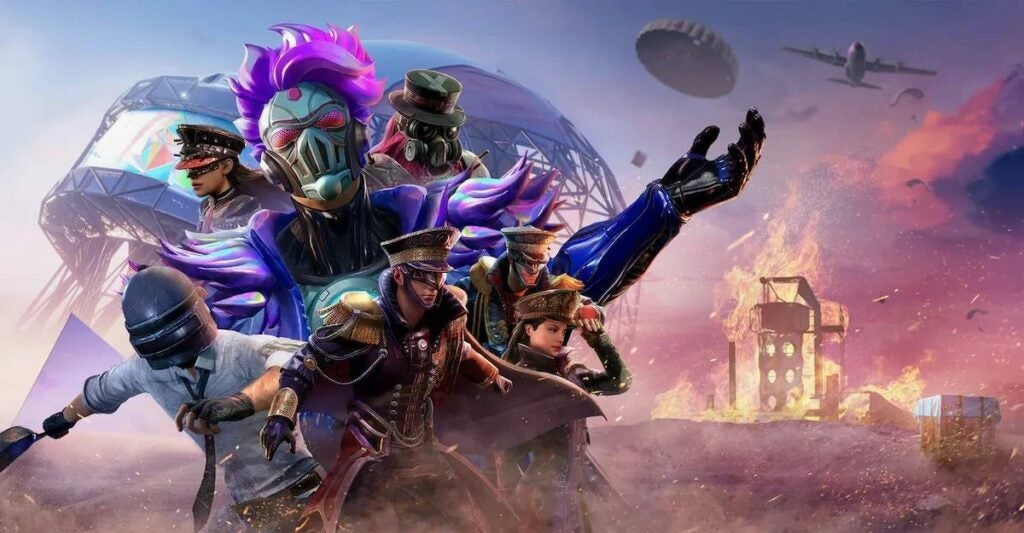
The biggest change to come in PUBG Mobile 2.2 is the launch of a brand new map. You may have heard about this already – you may even have played on the new map by the time you read this – but just in case this is the first you’re hearing about a new map, here’s a short description. Nusa is a brand-new 1×1 km map that has some of the most beautiful vistas and landscapes of any battle royale map. 1×1 km does mean that the map is relatively small compared to others, though.

This makes Nusa a little more challenging than other PUBG maps, but the devs say it also makes for faster matches. You’ll be able to play on the new map in Ranked and Unranked game modes, so it’s relatively unrestricted. The map is also incredibly abundant in supplies, which makes it super easy to get set up with everything that you might need. 
PUBG Mobile 2.2

New mechanics

Along with Nusa, which became available on the 15th of September, we’ve also got a whole lot of new mechanics. The first of these is called Special Recall and it essentially means that if you die in the first four minutes of gameplay, you’ll be automatically respawned with a random weapon – provided that you have teammates that are still battling. You’ll only be able to respawn once, though. 

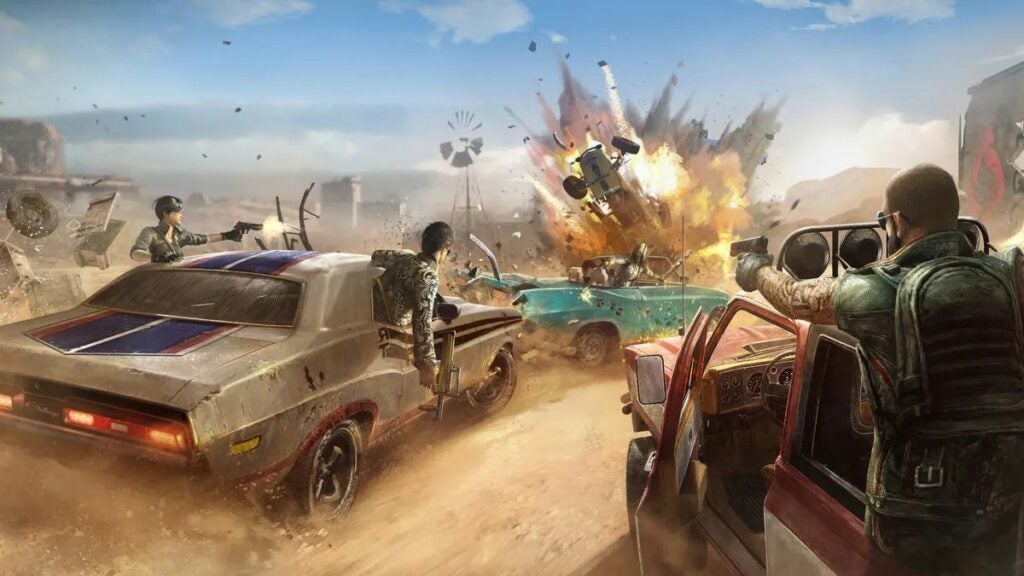
We’ve also got ziplines that we can now use to get across Nusa faster. Simply walk up to a zipline and you’ll be whisked across the picturesque landscape. There’s a caveat with the zipline mechanic though; Ziplines damage quite easily, so use them at your own peril. You can also carry one of the new Tactical Crossbows with you, which you can use to repair ziplines on the go. 

Another cool mechanic is the elevator. These are already installed all over Telepak Town – look for them inside any hotel. You can use elevators to move between floors a lot quicker than a flight of stairs, and this will also help you save up energy for when you really need it most. 
PUBG Mobile 2.2

New weapons in PUBG Mobile

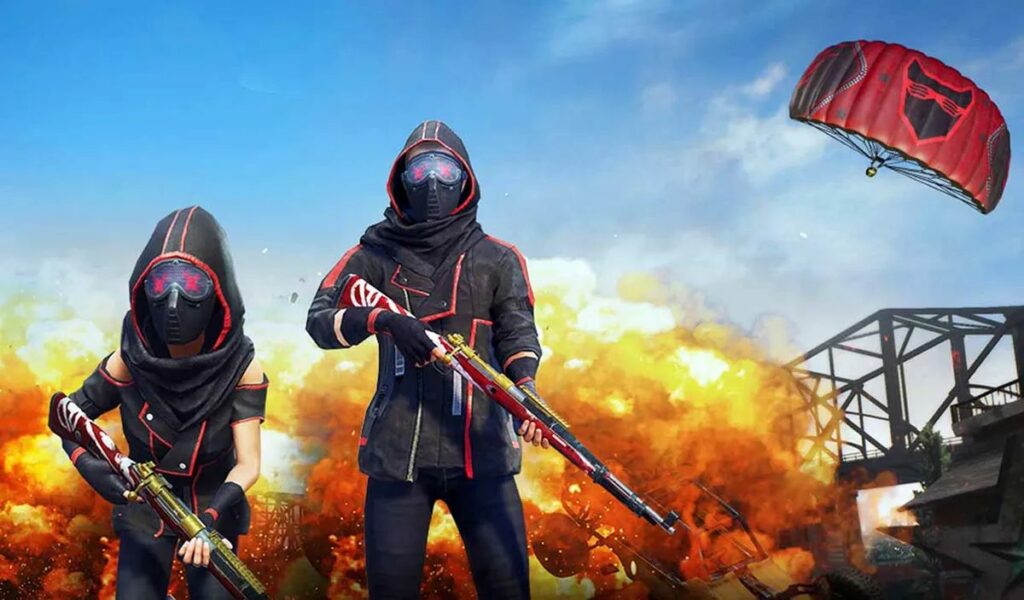
It wouldn’t be a major PUBG Mobile update without new weapons. We only get two this time around, but they’re absolute brutes. First off we have the Tactical Crossbow that we mentioned above. Apart from repairing ziplines, this baby is also useful for sending buildings up in flames with flaming bolts.

The second new weapon is the NS2000 Shotgun. If you were looking for a high-powered weapon, this new update has you covered. This gun gives you an accurate shot, whether you’re at short or medium range in relation to your target. If you aim down sights, you’ll be firing 12 gauge slugs, and if you shoot from the hip, you’ll be piercing your enemy with 12 gauge shells. 
PUBG Mobile 2.2

Erangel

The devs aren’t just adding a new map and leaving the current maps to rot. As the first, and likely favorite map, it would be odd not to give Erangel a little bit of a spruce too. To that end, both the hospital structure and that of Mylta Power have undergone updates. These will make combat and searching for supplies more streamlined. 

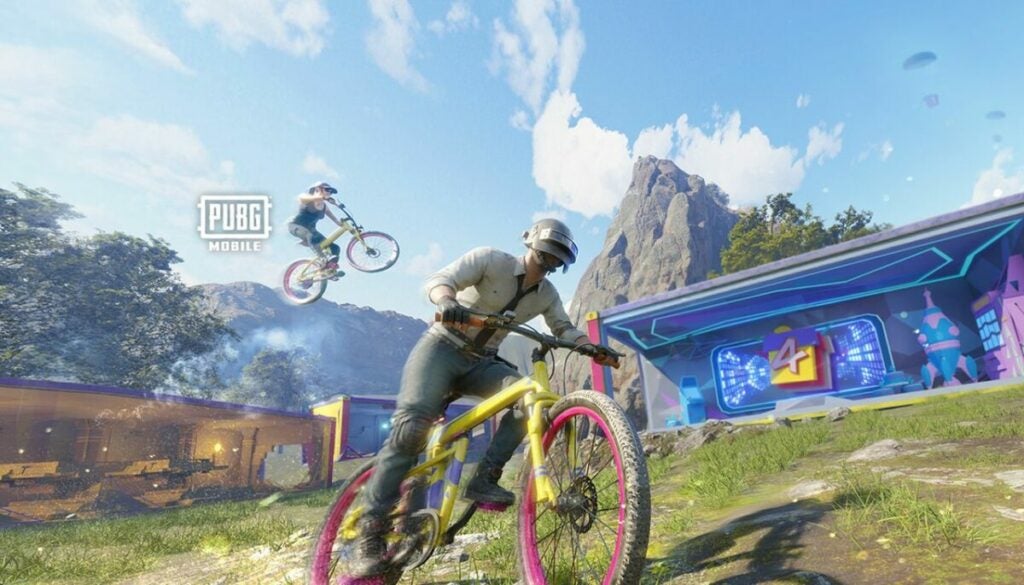
The devs have also added bicycle sheds to the edges of Erangel. If you like to gear up, don’t miss the chance to explore Erangel annew on two wheels. 

Erangel also gets a new weather condition in this update; a rainbow. The devs have stated that this was done to make the map more visually appealaing – likely in light of how beautiful Nusa is – and to give you a more suitable battleground experience. 
PUBG Mobile 2.2

Strange Town

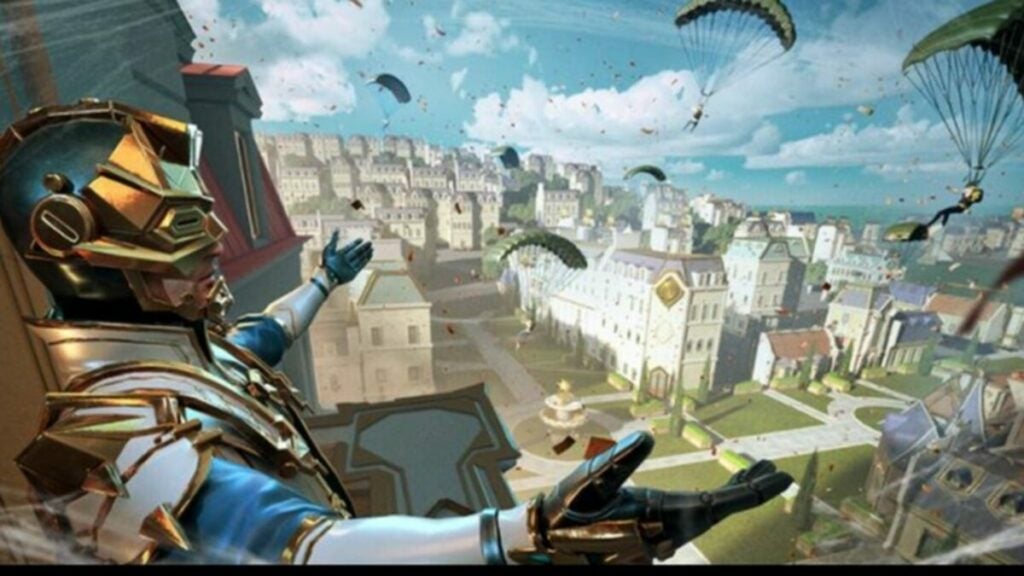
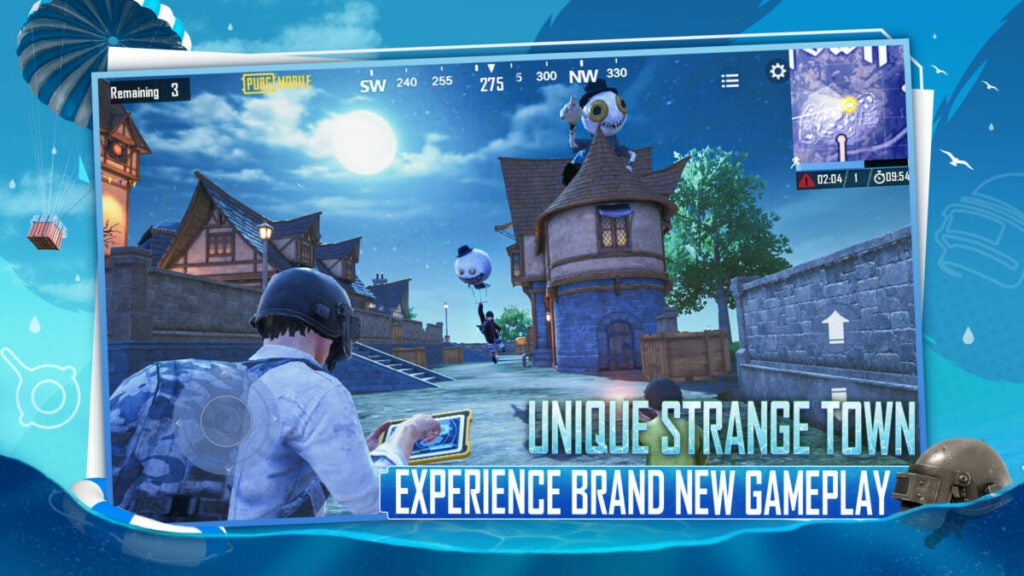
No, you’re not reading about The Sims 2; Strange Town is indeed a planned map in a soon-to-be released update of PUBG Mobile. This update is expected to drop on the 29th of September and will essentially be a European-style medieval town. You’ll be able to pilot two hot air balloons from here to quickly travel to other locations. 
PUBG Mobile 2.2

Halloweeks

This is an upcoming update planned to hit on the 13th of October. This particular update will only apply to Strange Town, but it will be interesting to see what kind of gear and game mechanics Halloweeks will bring this year. 

If you’re struggling with winning matches even with these new updates, you may want to check our guide on how to improve at PUBG Mobile. You’ll quickly master the art of eliminating others.
PUBG Mobile 2.2

The best new additions in the PUBG Mobile 2.0 update

After a long wait, the PUBG 2.0 release date is finally here, and the update we’ve all been waiting for has rolled out to mobile devices around the world. This PUBG update gives players a new map, new themed items, new tiers, improved game experience, mechanics, and control, and unexpected collaboration.

PUBG Mobile DOWNLOAD

PUBG Mobile is a smartphone spinoff of the bestselling battle royale game, PlayerUnknown’s Battlegrounds. On May 19, 2022, the freshly updated game launched its latest Royale Pass Month, which will be the game’s second cycle of its sixth season. Read on to find out what exciting new challenges and rewards are in store.

The best PUBG Mobile 2.0 updates

Explore the new Livik map

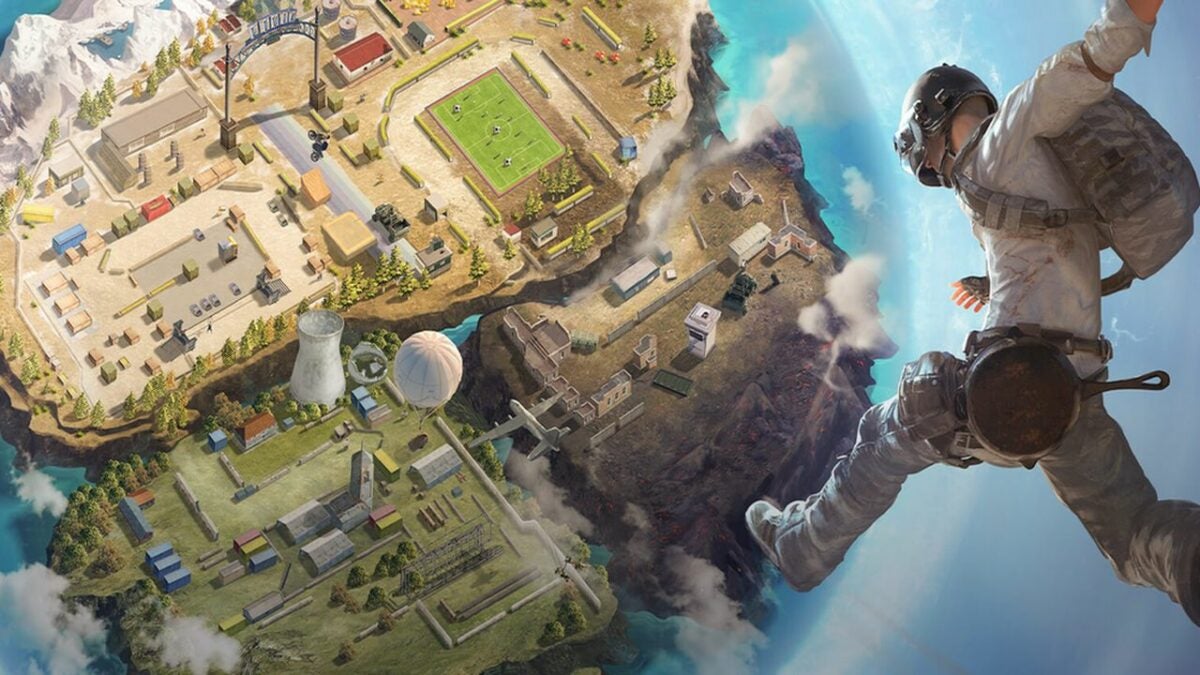
The new map included with this update is called Livik. It’s more playful than previous territories, featuring more vibrant colors. Livik is mostly made of urban environments, but its standout feature is an erupting volcano overlooking the cities and villages.

This map represents a massive game overhaul. You’ll get more supplies and plenty of stations where you can find weapons upgrades to make your arsenal more lethal than ever. Livik is also filled with fun minigames, including a soccer challenge, zip lines, and vehicle ramp competitions.

Stock up in the Advanced Supply Zone

In PUBG 2.0’s Livik map, when you start a match, the game will spawn an Advanced Supply Zone at a random location. You’ll find it sprinkled heavily with a wealth of supplies and shop tokens, as well as more enemies competing for the resources.

If you need some loot and don’t mind getting into a few fights, find the Advanced Supply Zone and slug it out for the supply crates and treasure maps that will help you locate special rewards.

Navigate difficult terrain with the new Utility Task Vehicle

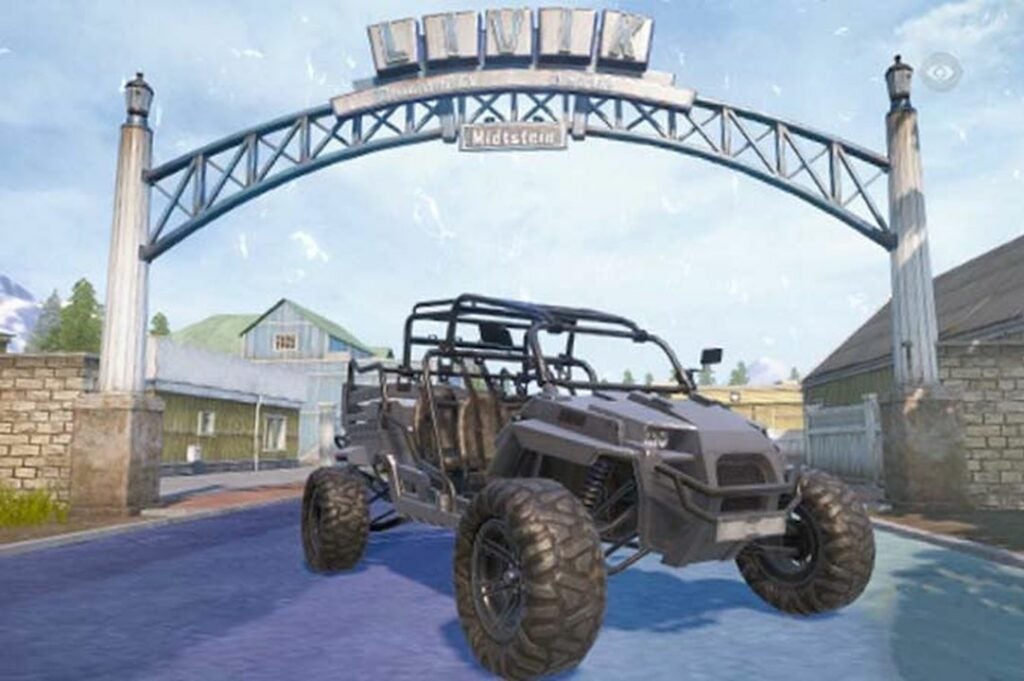
The new release also comes with a brand new all-terrain vehicle. The Utility Task Vehicle (UTV) seats four players and can easily master even the most complex terrain. Whether you want to explore a bumpy forest or climb the foothills of the treacherous volcano, the UTV can handle it. This vehicle has also been added to PUBG’s Aftermath map.

Utility Task Vehicle (UTV), a new all-terrain vehicle

Get out of tight spots with the Emergency Pickup

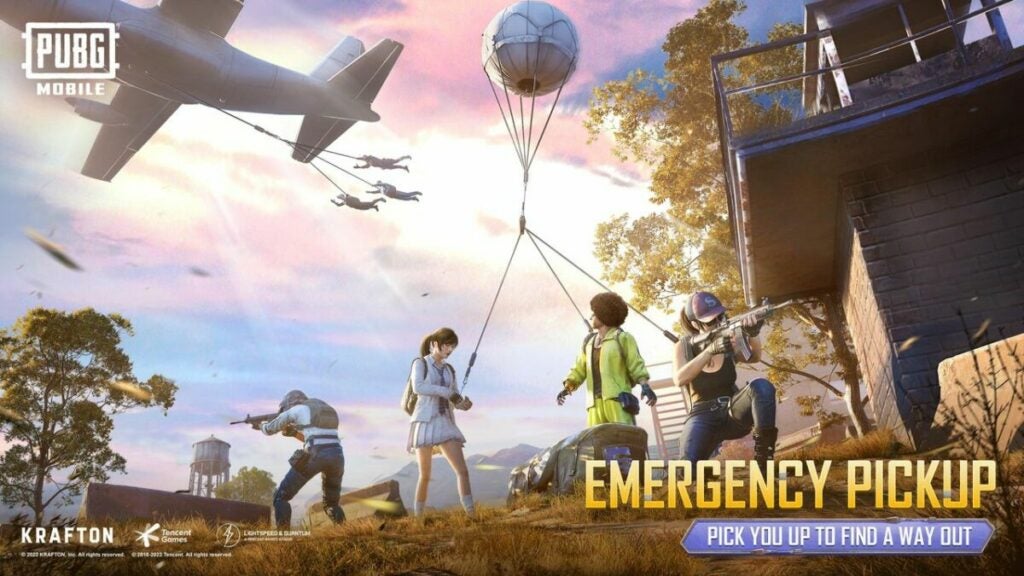
Another fun and helpful update is the Emergency Pickup item available in the Erangle and Miramar maps. When you first lay eyes on it in the world, it looks like a small, unthreatening duffle bag that you can pick up and later use from your Quick Items stash.

Once you deploy it, the Emergency Pickup bag automatically inflates a giant hot air balloon, which levitates high into the sky to signal to your airborne friends that you need a rescue. It takes a while, but if you attach yourself to the balloon’s tether and wait long enough, eventually a rescue plane will swing by and snag the balloon to lift you and up to three more of your squadmates into the air together.

The plane will head toward the center of the play area, but you can let go and leap off whenever you like. Be careful, though, the balloon, plane, and any airborne players can be seen by everyone on the ground. If your enemies spot you and open fire, you’ll still be able to take damage while aboard the Emergency Pickup.

Emergency pickup allows your friends to rescue you

Enjoy the Evangelion-themed collaboration

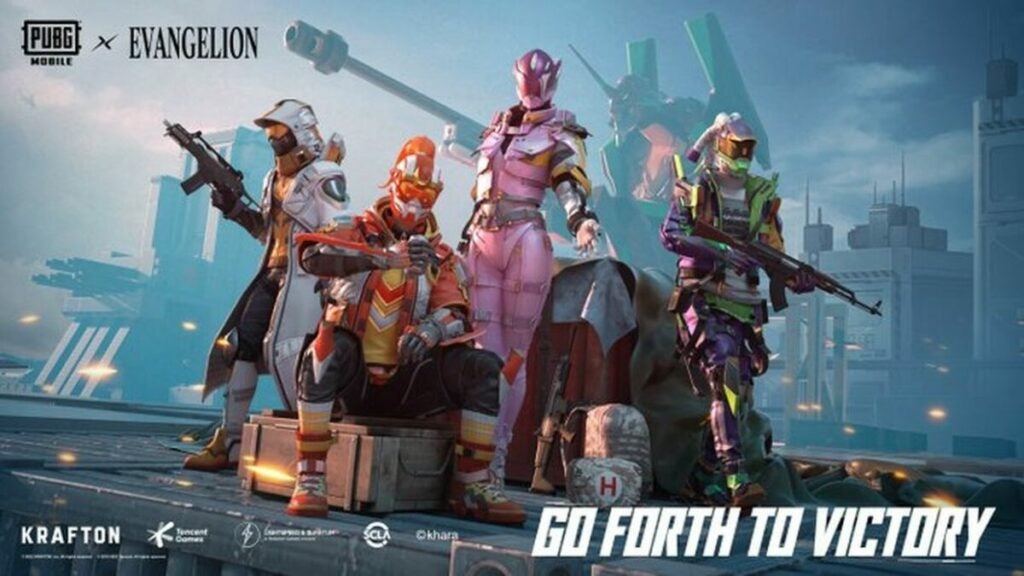
If you’re an anime fan, you’ll be thrilled to hear that the new PUBG release comes with a collaboration with Neon Genesis Evangelion. It includes Evangelion-themed armor and weapons that you can use.

The Evangelion-themed mode will take place in a special blue zone that’s a bit smaller than usual to make combat snappier and more action-packed. In the middle of this shrunken blue zone, you’ll be able to watch or participate in a massive shootout between the Sixth Angel and Evangelion’s EVA Unit 01.

New weapons and armor based on the anime Evangelion

Progress faster through the tier system

PUBG Mobile uses a tier system to keep gameplay more exciting for experts and less overwhelming for newbies. Before this update, the lower Bronze and Silver ranks had five levels each. The 2.0 overhaul cuts this number down to three Bronze levels and four Silver levels. This will help new players get to the most exciting action as fast as possible.

As you progress through the tiers, this update will also give you more commemorative titles, new Core Circle achievements and missions, and exclusive rewards that you can unlock if you collect the right crates.

More improvements to the gameplay, mechanics, and control

Here are a few of the other top upgrades you’ll find in the PUBG Mobile 2.0 update:

  • Improved recall feature with automatic respawn and clearer battleground view from the plane
  • Haptic feedback system allows you to enable real-time vibrations and additional haptic feedback for weapons, vehicles, footsteps, gunshots, and other triggers for a more immersive experience
  • Now you can collapse the backpack’s Item Bar to maximize the gameplay view
  • Merged Graffiti and Emotes buttons with even more Emotes available to use in matches
  • Mark and elimination messages as well as tips are a bit easier to see
  • Certain player actions now trigger automatic in-match notices
  • Quick voice messages can now be used to mark enemies hidden behind obstacles
  • Bigger chat area
  • Shotgun has higher range damage and hit damage ratio
  • Smoother smoke grenade animation

The PUBG Mobile 2.0 update is full of brighter colors, faster gameplay, and more goodies

This impressive update gives PUBG Mobile fans more of the colorful chaos they’ve grown to love. If you have an Android device, you’ll need at least 785 megabytes of space to install the update. If you have an iOS device, you’ll need about two gigabytes free.

Still developing your battle royal strategies? Check out our guide on the best tactics to survive PUBG Mobile.

PUBG Mobile is having a crossover event with Neon Genesis Evangelion

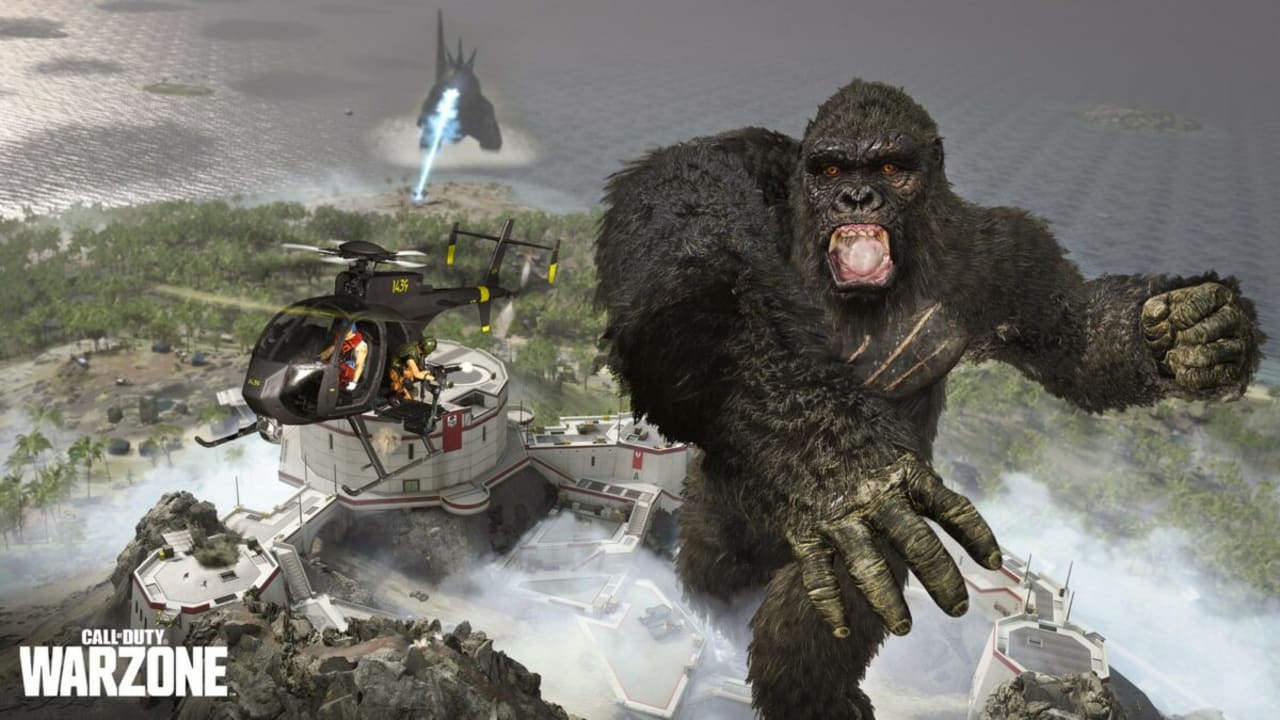
Known for having rather unique and weird crossovers, PUBG Mobile just launched a new crossover event. Where other competitors like Fortnite pair up with big western brands such as Marvel and DC, even Call of Duty recently paired with the Monsterverse and introduced Kong and Godzilla in a unique event.

PUBG Mobile DOWNLOAD

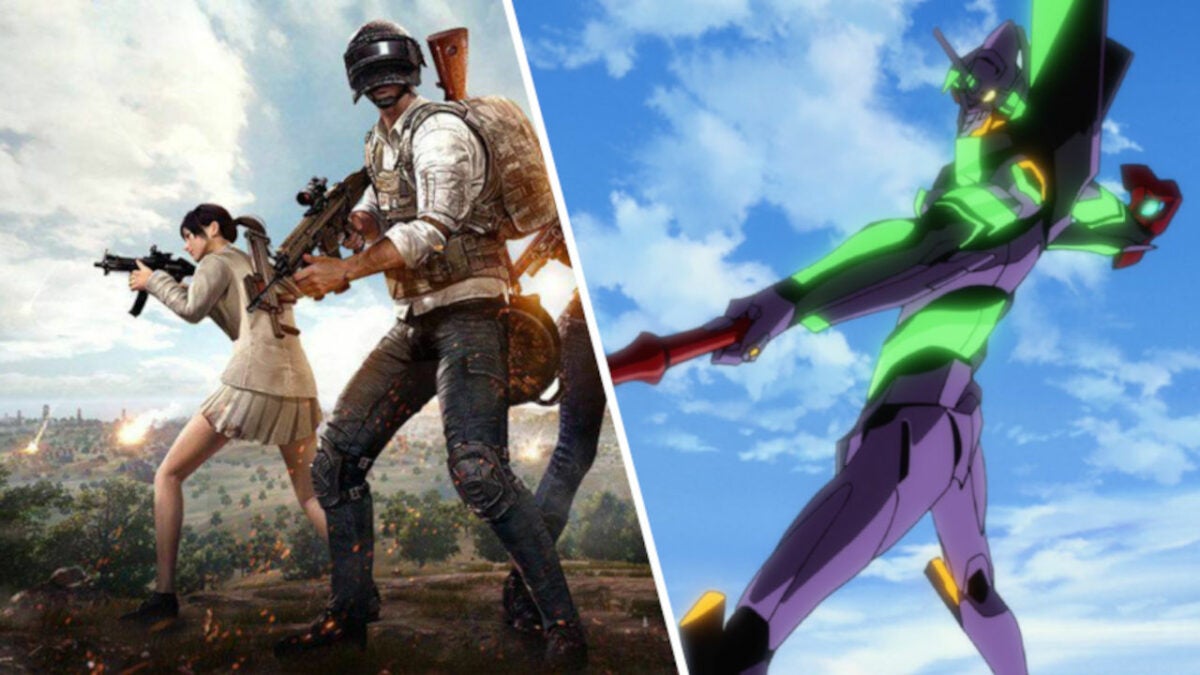
PUBG Mobile is looking to the east and has collaborated with the popular 90s mecha anime developers Neon Genesis Evangelion. This collaboration introduces a new game mode known as Core Circle, which is available from May 19th to June 19th in Erangel. 

This new game mode works very similarly to Call of Duty: Warzone’s Operation Monarch event, where players are thrown into a raging battle between Kong and Godzilla. In Core Circle, players are tossed into a world where they watch EVA-01’s battle against Evangelion’s Sixth Angel.

During the event, players will be able to obtain limited-time themed items, like the iconic plug suits worn by the main characters from the anime. There are also many other unique items such as armor, parachutes, backpacks, and even a buddy.

The publishers of PUBG Mobile, Tencent Games, announced that they are very excited about this collaboration since Neon Genesis Evangelion is one of the most famous and recognizable anime. This collaboration, along with the introduction of the Core Circle game mode, is their way of upholding their promise of unique and exciting gameplay experiences to their fans.

PUBG Mobile isn’t new to creating seemingly odd collaborations, such as the shooter’s collaboration with the toddlers’ favorite Baby Shark anthem and Warframe. However, we have to admit that an anime crossover does sound exciting. You can read more about the new game mode, Core Circle, and the anime crossover, here.

Be sure to check the Call of Duty: Warzone’s Operation Monarch event we mentioned earlier for some exciting gameplay features!

Godzilla and Kong are invading Call of Duty: Warzone READ MORE

Five tactics to survive at all costs in PUBG Mobile

PlayerUnknown’s Battlegrounds, aka PUBG, is an addictive free-to-play game that comes down to survival of the fittest. In this battle royal game, players parachute onto a large battlefield and must employ a number of tactics to be the last one standing. However, winning is not always as simple as finding the weapons and getting the upper hand quickly.

When PUBG was first released on Steam in 2017, its multiplayer premise of pitting dozens of players against each other became a hit almost immediately. Whether you are crawling or jogging, there’s no argument that PUBG is a pure adrenaline program. But it can be tricky to survive against more experienced players if you’re new to the game. Here are five tactics to last in PUBG mobile.

Look to higher ground or lower properties

The game starts with your character’s choice parachuting onto a cliff or into a small group of buildings. A strong tactic is to explore your surroundings as your enemies are under your feet. Grab as many supplies as you see necessary before beginning your battle. The crouch feature allows you to look over hills to see active wars between players.
From here, you can decide whether you want to jump into an active free-for-all battle or wait until the action dies down. Keep in mind that other players can join at any moment, so timing is key. This tactic depends on your preferred gaming technique if you choose to be aggressive or strategic.

Take your time as a character

Avoid getting into early battles when you are just starting off. You’ll need to arm yourself with weapons to advance in the game and not go straight into hand-to-hand combat. If you stall for too long then your enemies have time to arm themselves with advanced guns and ammo.

You also have the option of staying in the area to complete a fight or moving to a different battleground. When you’re feeling overwhelmed with too many players, this is a good tactic to find a different area to explore and learn new fighting techniques. You can choose to take cover when you’re not ready for a big fight and get back into the game whenever you’re comfortable.

Stay away from open areas and windows

Lack of cover is bad in any situation. But even while moving it’s important to always know where you can get cover from enemies. Plan routes out ahead of time to try to make sure you are out of the open as much as possible.

Windows are very dangerous when an enemy knows that you’re in a building. They will also know that the only place that you can attack from is a window or opening. There are a limited number of windows that enemies need to take over in a fight. If you need to use sniper tactics in your fight, move to other windows to throw off your opponents.

Plan your battles before you attack

A great thing about PUBG is the option to plot your route and map out your conquests. This survival game will test your patience and tease you to create the wrong moves. You will have to get creative with tactics and use techniques such as setting traps to eliminate other players.

Look to special tutorials on YouTube and Steam that showcase what the experts are talking about. They can tell you to change positions from sitting to crouching to save your energy for a battle. If all fails, you can run away from fights to stand your ground. With this technique, you can conserve your energy for a big battle.

Use your advantages whenever you can

It’s no secret to established gamers that scoping out your surroundings from a higher ground gives you a better perspective of the game. When you’re cautious going into PUBG you might want to explore the lands before going right into battle. If you’re feeling brave, test out your level and skills as you can always restart PUBG on the mobile app.

Getting a kill from a fair fistfight that ends at 1% health and getting a kill from a single headshot are both equally valued towards progressing the game in active combat. You need to use your skills and strategies wisely if winning is important to you. Keep in mind that this is a free-for-all battle royal.

Use your strengths to the fullest while playing PUBG Mobile

PUBG Mobile can be approached with caution or played as an exciting game where you face combat right from the beginning. The trick is to collect weapons and stand your ground in order to become the lone survivor at the end of your mission. You can do this by fighting or hiding, as well as joining alliances.

Gamers interested in an action game within their mobile device will appreciate the high-quality graphics and intense gameplay of PUBG. If you’re new to the game, be prepared to learn by trial and error. Patience is a virtue, and remember not to rush into an active battle unless you’re truly ready to win.

How to get PUBG New State free codes

PUBG: New State was released in November 2021, and apart from a few bugs and glitches, it’s been smooth sailing so far. The game is fairly well established as a battle royale titan in a saturated market, but for any new players looking to diversify their gaming experience, now is definitely the time to get into PUBG Mobile. Krafton has sweetened the deal by releasing a bunch of new codes that you can enter for free loot, gear, and gadgets this February, and we’re about to show you how to get your hands on them. 

How to Redeem PUBG: New State Codes

The codes themselves are easy to redeem, and you only need to follow a few simple steps listed below:

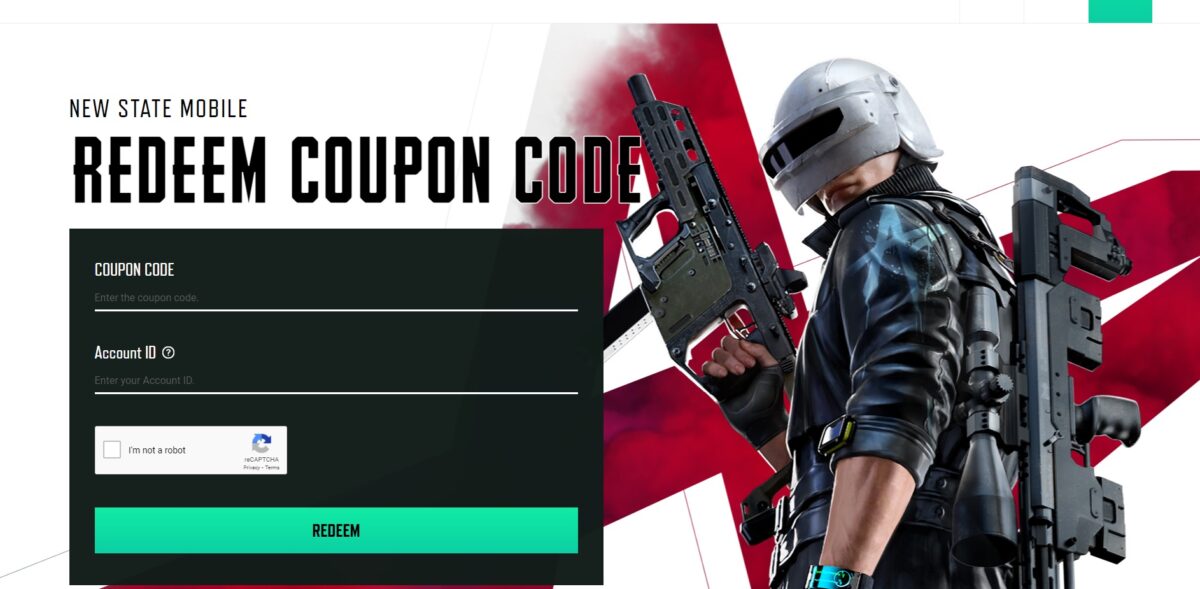
  1. Visit the PUBG: New State Web Portal

    How to get PUBG New State free codes

    You can open the PUBG: New State code redeem page here.

  2. Enter the code you want to redeem and your account credentials

  3. Solve the Captcha and click Redeem

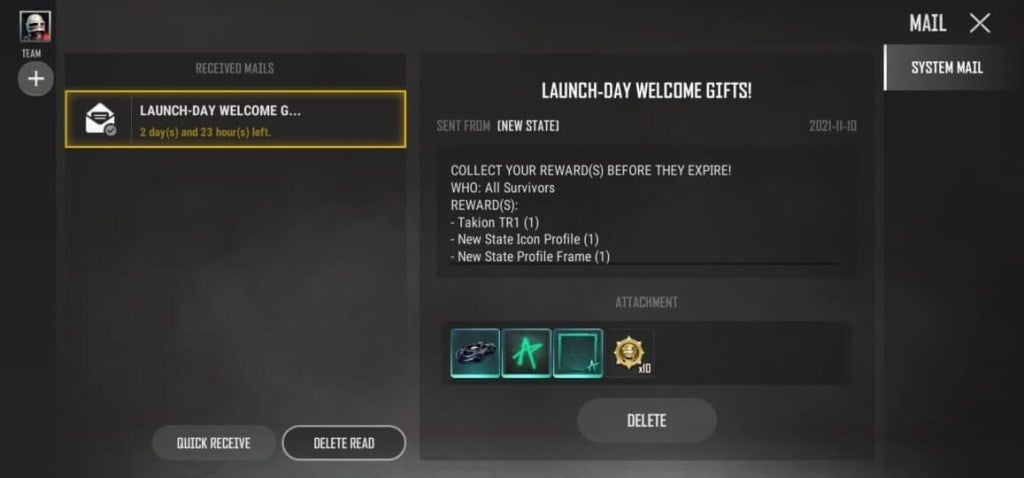
  4. Your rewards will be loaded up in the in-game mail system

    How to get PUBG New State free codes

PUBG: New State coupon codes for February 2022

  • DDSJJCZCDZ9U – An AKM gun skin
  • HTDS78FTU2XJ – An M416 gun skin
  • BDGRAAZBZJGS – Gives you the latest skin for the M416
  • P8HZDBTFZ95U – Gives you a new Sniper skin
  • Q12KARZBZYTR – New parachute or crates full of loot
  • Y12KARBYD2ER – BP coins and loot crates
  • 7TREMIK6YERU – A new AKM gun skin
  • INUTRE97YU3N – Free loot crates
  • 12JUNN7GTRER – New skins for cars
  • OJI87YUHITEE2 – A new parachute

An active and regularly updated player reward system is an integral tool for modern gaming. Specifically, on mobile gaming and within the battle royale class games, this provides new players with ample incentive to sign up and begin playing, leading to an increase in loyal PUBG: New State players.

Now that you know how to get the most out of PUBG: New State, why not check out some of our PUBG Mobile guides?

PUBG Mobile’s newest mode, React: Survival Mode

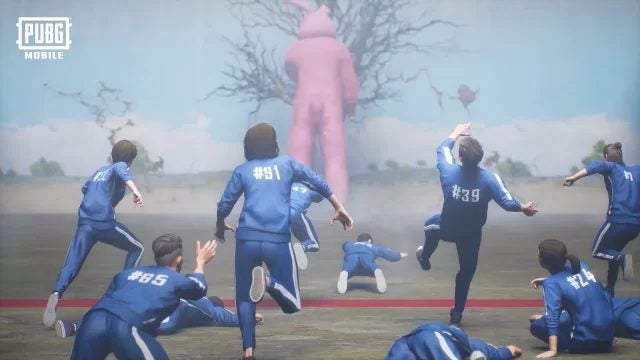
Ever since the TV series Squid Games hit Netflix, game developers have run rampant creating titles with the same features. Tencent Games is the latest to join this frenzy with their latest PUBG Mobile React: Survival Mode. It’s an additional feature added to the Arcade Mode.

If you’re not familiar with the premise, the Squid Games TV Show had an arena where unwilling players needed to run across to a red line. The challenge was that they had to stop when there was a red light, and sprint again for the green light. If the mechanical doll caught them moving during a red light, they were shot.

The PUBG Mobile React: Survival Mode has the same mechanic. You even have uniforms similar to the TV series. However, there’s a colossal pink bunny that turns to see who’s moving during the red light. The trick is to learn the patterns of the demonic rabbit if you want to make it to the other side.

There are also some other factors to consider. You only have a specific amount of time to accomplish your goal, which means patiently watching the bunny while timing your steps. The other players will do anything to make sure they win and you don’t, so keep an eye out for shunting or other bad behavior.

A few other goodies are coming your way from December 24, 2021. You’ll receive an Avalanche X-Suit, and you may want to look out for the Spawn Island easter eggs for other surprises. We’ll be keeping a close eye on YouTube and Twitch channels to see how players are doing with the new PUBG Mobile React: Survival Mode, and we may even try it ourselves.

How to Get Better at PUBG Mobile in 3 Steps

Do you play the Battle Royale that’s PUBG Mobile? If so, you’re part of a hub that connects players worldwide. You have learned to survive, scavenge for supplies and weapons and eliminate opponents.

Are you winning? If not, here’s how to improve your chances of getting better at PUBG Mobile.

  1. Make Sure You Land in a Good Place

    How to Get Better at PUBG Mobile

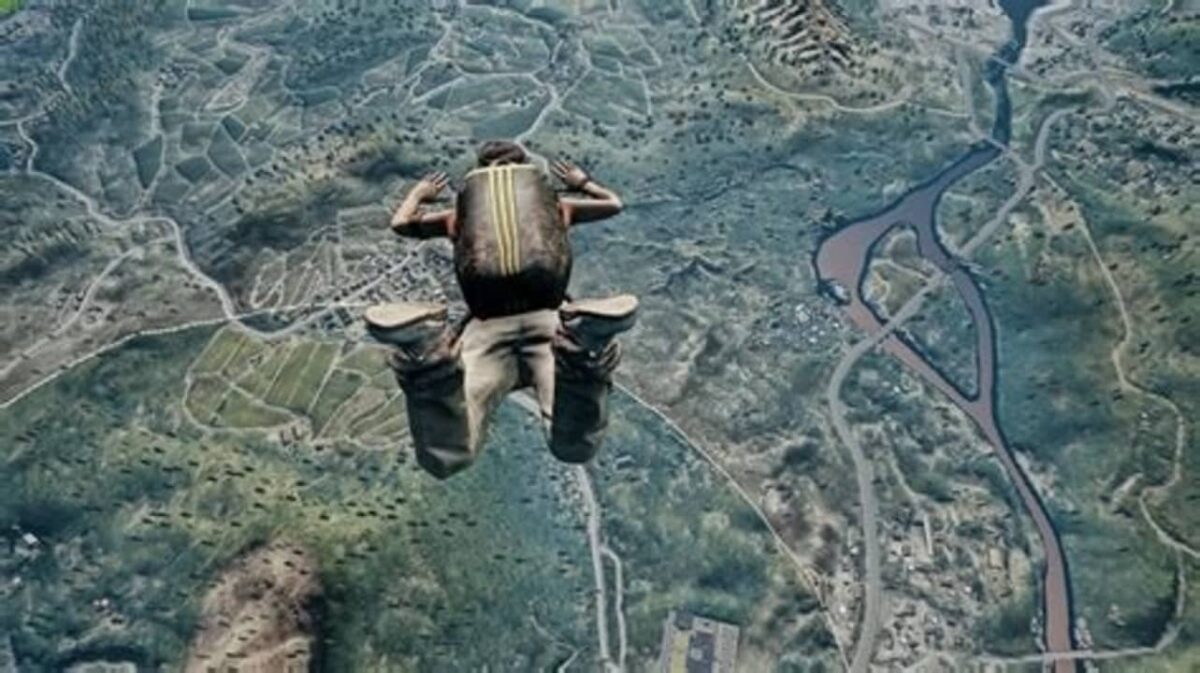
    You can fall fast when you jump out of the plane to start the game but think about landing away from other players. You’ll have a better chance of getting supplies and a vehicle. On a PC, tap the W key, or on Xbox One, push the left stick forward to do a “swim” movement horizontally. Opening your chute higher will also let you move sideways and land wisely.

  2. Use Vehicles Smartly Early in The Game

    How to Get Better at PUBG Mobile

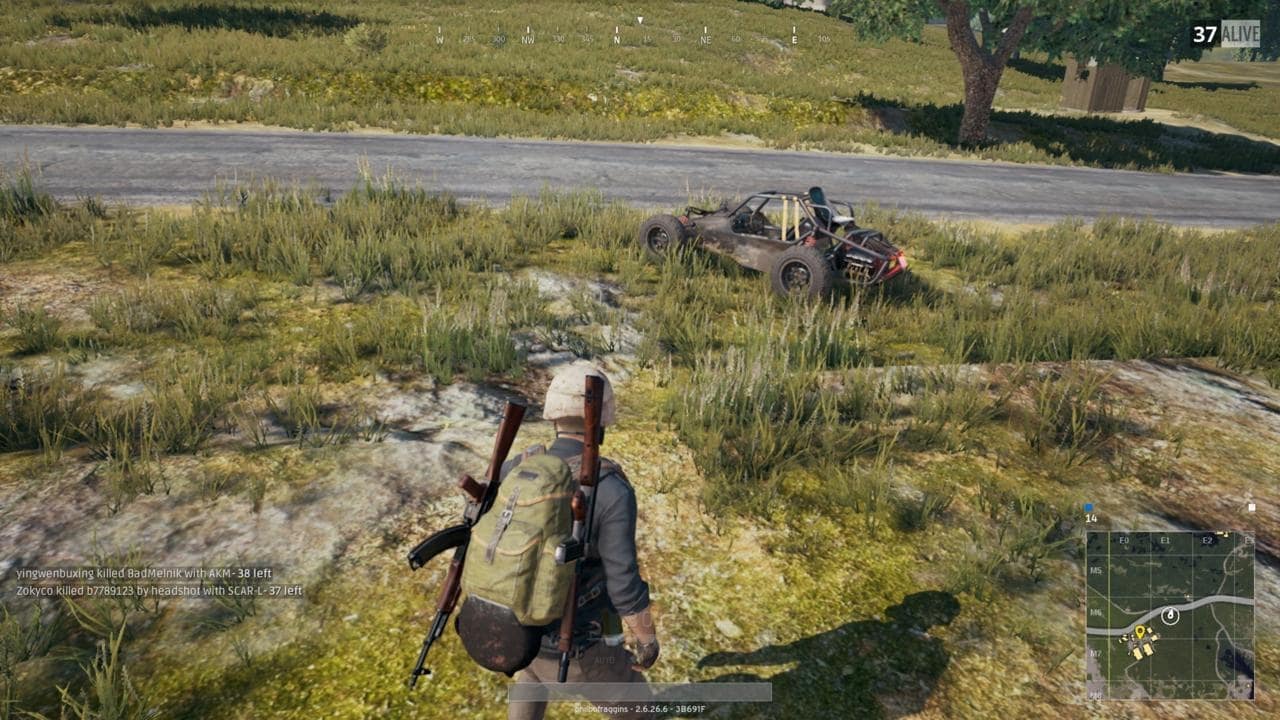
    Don’t avoid cars because they’re noisy. A vehicle can get you into a good position for the whole game. Get to know the places where cars spawn and land near one. Early in the game, players are further apart, and driving isn’t that dangerous. But when the circle starts getting smaller, drop the car or use it to trap other players.

  3. Learn How to Kill Opponents

    How to Get Better at PUBG Mobile

    At some point, you will have to kill someone if you want to win PUBG Mobile. So a good strategy is to become familiar with your weapons and get into fights to gain some combat experience. Learn how to shoot and what to expect from your weapons by jumping into areas where lots of players congregate.

    This will avoid getting panicky near the end of the game when you want to be the last player standing.

Why Learn to Get Better at Playing PUBG Mobile?

More than 50 million play the game every day. One of the most popular mobile games is leading a trend towards mobile e-Sports. It’s exciting to play against people from around the world.

Learning how to get better at the game can only enhance the experience.

How to Stream PUBG Mobile in 6 Steps

PUGB is a battle royale game that has taken the smartphone gaming world by storm. If you want to show your family and friends or just brag about how good you are, then stream your next session to YouTube and let everyone enjoy the game with you. 

Let’s show you how you can stream your next session in PUGB to the world. 

  1. Download and install Everycord

    How to Stream PUBG Mobile

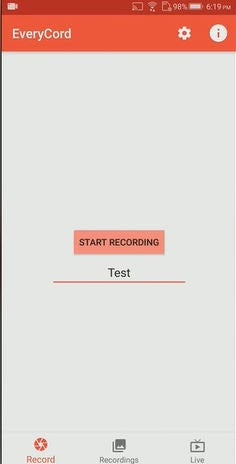
    Everycord is software that runs on an Android device and will record and store what appears on your phone screen. To do this:

    – Open the Google Play Store

    – In the search box, type Everycord

    – Select Everycord and install the software.

    – Give Everycord permission to access photos, media and files and also to record audio.

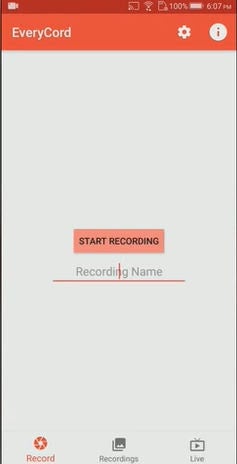
    • When you see a screen like this, you have successfully installed Everycord and are ready for the next step.
  2. Check the settings on Everycord

    How to Stream PUBG Mobile

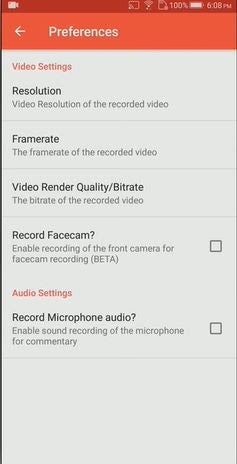
    You can check and adjust the settings to ensure that your recording or streaming will work satisfactorily on your phone, especially if it is not a particularly powerful device.

    Let’s look at the settings and see what you can adjust:

    Resolution: 

    – For recording, the recommendation is 1080p

    – For Streaming: the advice is 720p

    – Using 480p will degrade the quality to the point where the viewer will not enjoy the stream or vid.

    Framerate:

    – If you have a powerful device, use 60 fps (frames per second)

    – Use 30 fps for streaming to keep your battery alive, or if you try to go higher, make sure your phone is plugged in!

    – Using 20 or 15 fps will make a very poor quality vid.

    Video Render Quality/Bitrate: 

    – Leave this at high.

    Record Facecam: 

    – Check the box if you want to have your face recorded alongside the game.

    Record Microphone: 

    – If you want to give a commentary on your game, then check the box.

    Now you have prepared your mobile to capture whatever is on the screen of your mobile, and at this point, if you wanted to record the screen, you would enter the name of the file and press record (bottom left of screen). This would record until you tell it to stop.

  3. But we want to stream?

    How to Stream PUBG Mobile

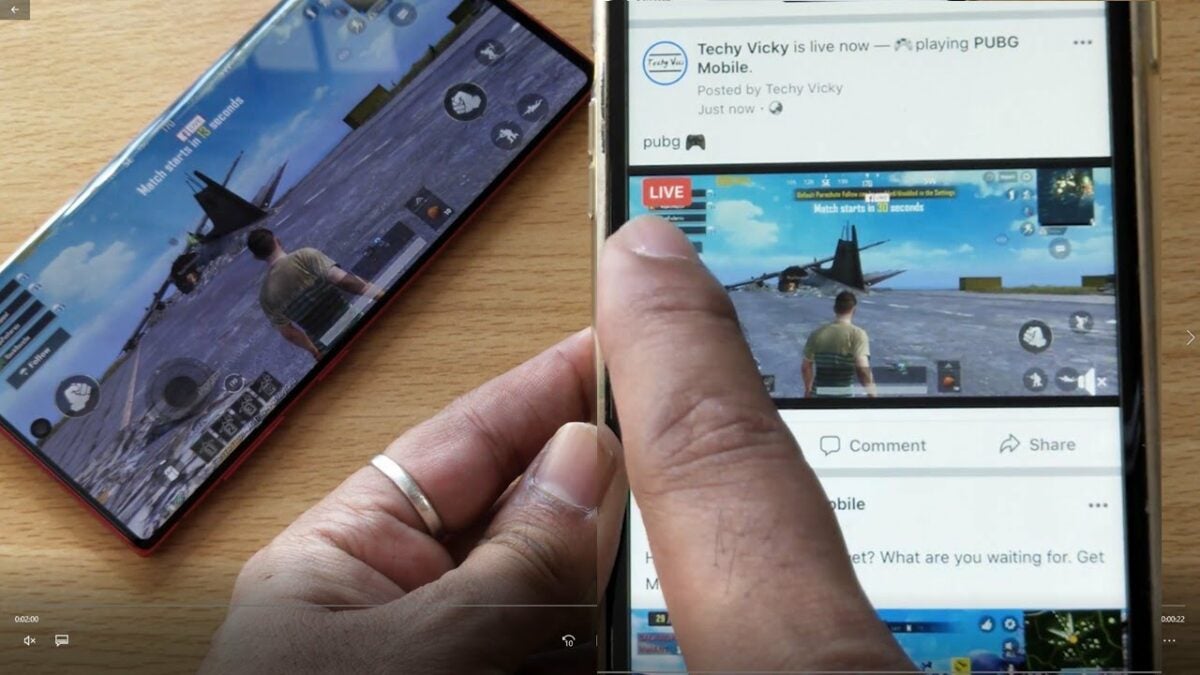
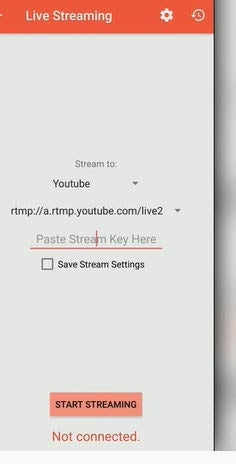
    The step above will allow you to record a session and then upload your vid to YouTube, Facebook, Instagram, or any other social media you use. Live streaming is effortless. You need to click on the Live button in the bottom right-hand corner of the Everycord screen.

  4. Set up the RTMP URL

    How to Stream PUBG Mobile

    Next, we need to establish the RTMP URL. 

    RTMP is a protocol that allows for the transmission across the internet of data, audio, and video between a source, or encoder, and a server. 

    Everycord will automatically set up the RTMP URL for YouTube, but if you are live streaming to Facebook or any other server, you will need to locate the URL and paste it into the app.

  5. Log in to Your Channel

    How to Stream PUBG Mobile

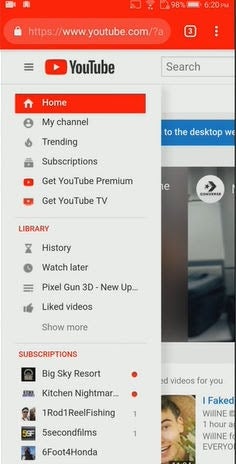
    You will have to find the Screen Key from YouTube. To do this, go to YouTube and click on My Channel. 

    Please note that the YouTube app (where you watch videos) cannot give you the Stream Key; you have to log into the desktop application of YouTube by going to your channel.

    When your Channel loads, look at the top of the screen and click on Video Manager.

    When Video Manager loads, look on the left hand side of the screen and click on Live Streaming.

  6. Find the Stream Key and Plug it in

    How to Stream PUBG Mobile

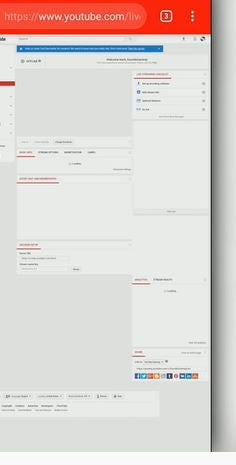
    Once you have the Live Streaming screen up, look at the bottom of the screen to find the Live streaming details.

    Look for Encoder Set Up to find the URL (which Everycord already set up for you) and click on reveal to see the Stream Key,

    Copy the Stream Key and return to the Everycord screen and paste it into the screen.

    You have now connected your Android phone directly to YouTube and can start playing your game. As you play, the action will be available on Your Channel on YouTube.

    Never share your stream key. If you do, anyone could stream video to your channel, which could cause you embarrassment.

    If you want to stream live to Facebook or any other social media platform, you will have to establish the Stream Key and RTMP URL at that location.

Head into battle!

Well, now you should have PUBG locked and loaded alongside Everycord. You can now show the world your PUBG skills, so go out and knock ‘em dead!

How to Play PUBG Mobile on the PC in 3 Steps

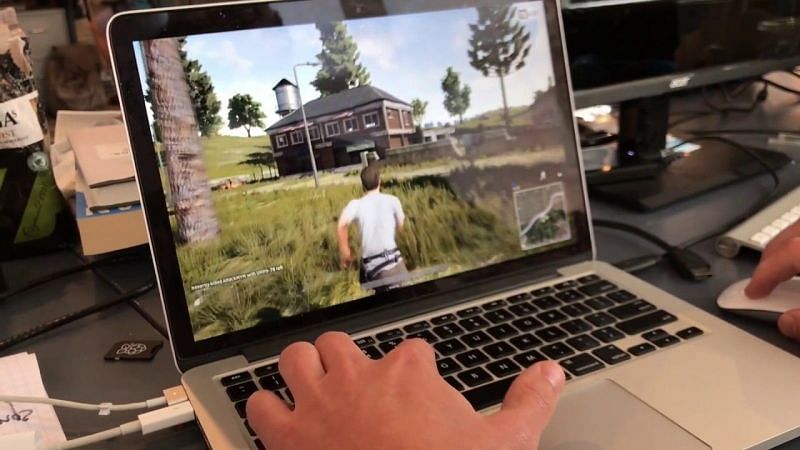
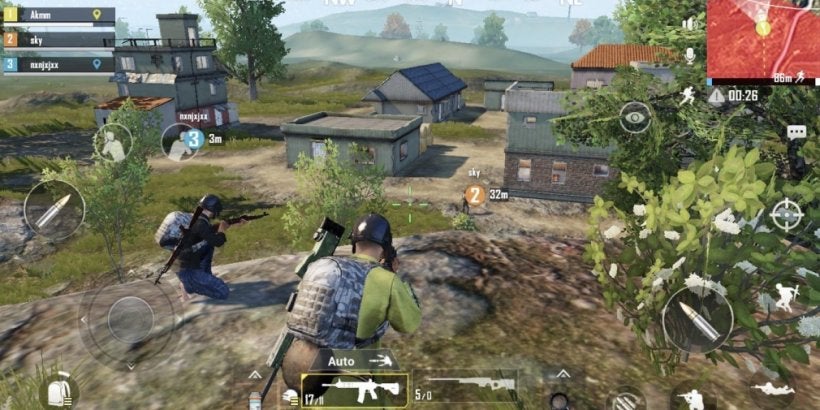
A game that has entertained the smartphone community is PUGB. Playing PUGB for the PC will cost you, so playing the mobile version will be free and give you a taste of the game without shelling out your hard-earned dime. You can even get free UC in PUBG Mobile.

Here is how you can play the mobile version on your PC. 

  1. Check the specifications

    How to Play PUBG Mobile on the PC

    To run PUGB Mobile on your PC you must have this minimum configuration:

    – CPU: Dual-core from Intel or AMD at 1.8 GHz.

    – GPU: NVIDIA GeForce 8600/9600GT, ATI/AMD Radeon HD2600/3600 or similar

    – Storage: 1GB of free storage

    – OS: Windows 10, 8.1, 8 and 7

    – Memory: at least 3GB of RAM

    • DirectX: Version 9.0c
  2. Download an Android Emulator

    How to Play PUBG Mobile on the PC

    Obviously this version of the game has been designed for the Android operating system. To enable it to work on your PC you will need an Android Emulator.

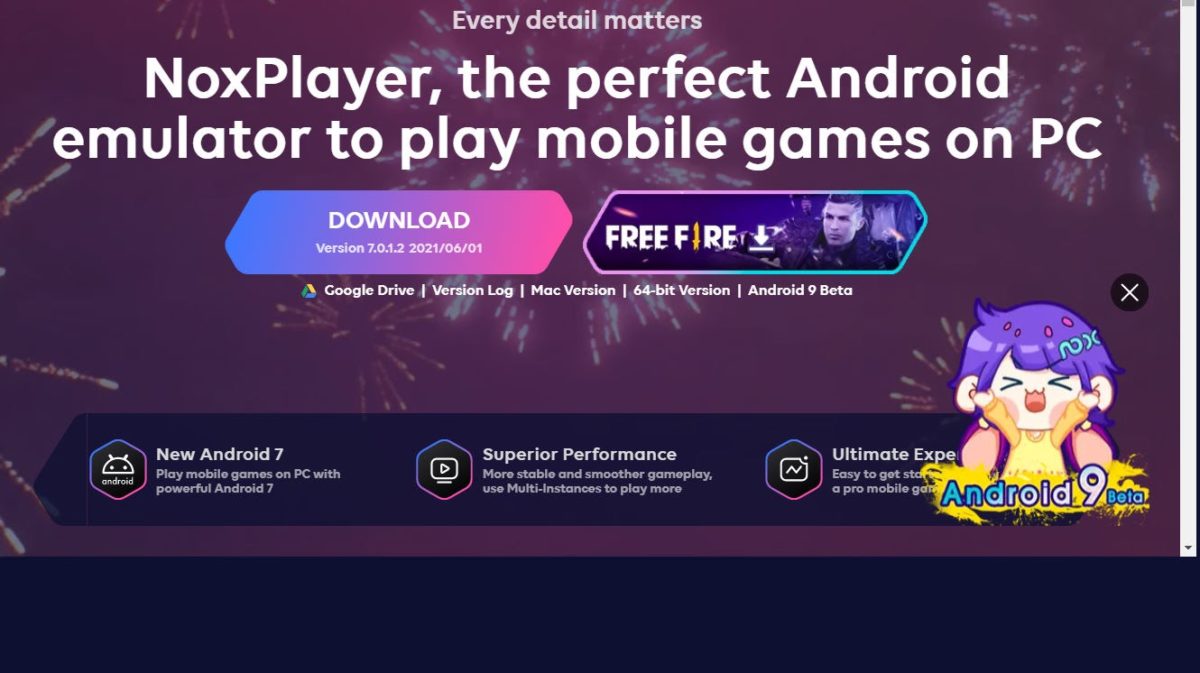
    Here are a selection of Android Emulators. You will have to download the software and install it on your PC before continuing to Step 3. All of these emulators are pretty much the same, so the choice of which one to use is personal.

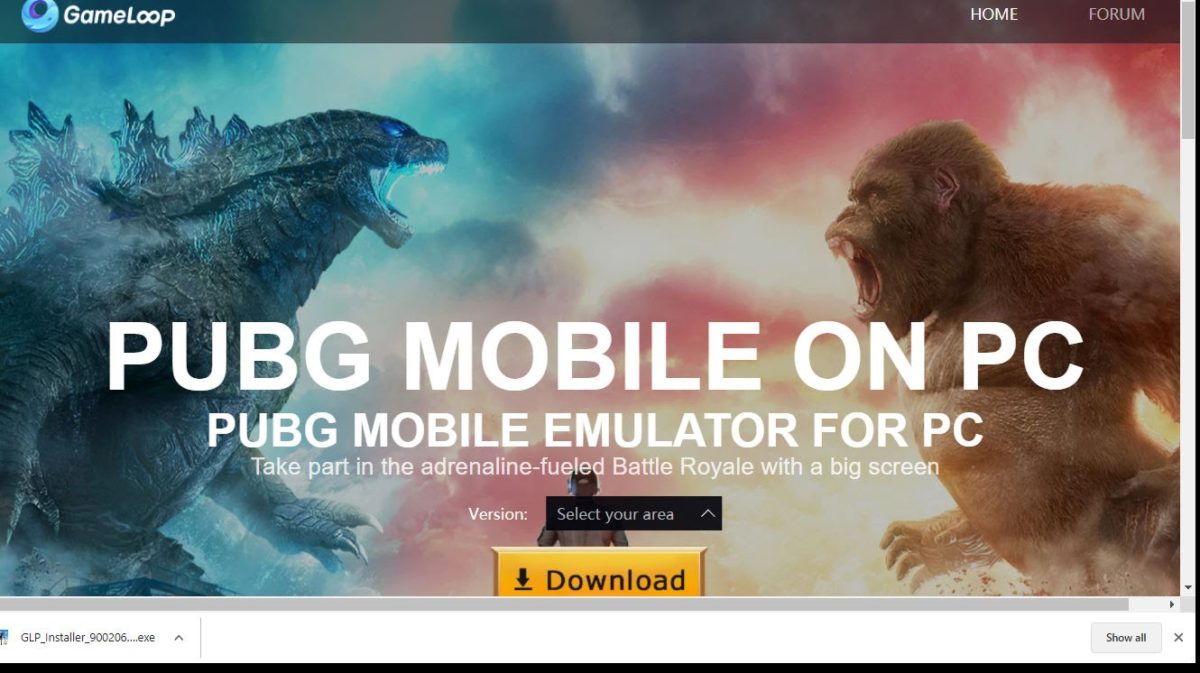
    Gameloop
    Bluestacks
    – LD Net
    Nox Player

  3. Download and Install The PUGB Game

    How to Play PUBG Mobile on the PC

    Having downloaded and installed your Android emulator software, you need to download the game. 

    – Go to https://www.gameloop.com/en/game/fps/play-pubg-mobile-on-pc

    – Click on “Select Your Area” to choose the language you want to use.

    – Click Download and an install executable will be downloaded to your PC

    – Click on the executable file and follow the instructions so that the game will be downloaded and installed on your PC.

    • Open the game and enjoy!

Enjoy your mobile shooting on PC!

Now that you have PUBG Mobile on your PC, you can enjoy the same shooting experience on your computer. Remember to set up your button assignment, even if you’re using a controller.

How to Get Free UC in PUBG Mobile in 3 Methods

PUBG or Player Unknown’s Battleground is an online multiplayer battle royale style game. In PUBG, the goal is to survive until the end and kill as many enemies as possible. All players start off the game with nothing.

However, you can use UC (Unknown Currency), the in-game currency, to buy premium items and help your player have an edge on the battleground. You can purchase this currency using real money or earned during the game.

But, if you want to save yourself cash, we’ll show you how you can earn free UC in PUBG Mobile. While hacks and tricks are possible to get free UC, these methods are considered illegal. The methods we share below are all legitimate ways of getting free UC in PUBG mobile.

How to Get UC Free in PUBG Mobile

Method 1: Use Google Opinion Rewards

You can download the Google Opinions Reward App on your android phone from the Play Store. You can then use this app to answer survey questions in exchange for rewards. The rewards are usually in decent sums of Google Play Balance, which is exchangeable for UC once you have enough. 

You can exchange your Google Play Balance in-game as well. You just need to purchase UC and then select your Google Play Balance as the form of payment.

Method 2: Get an Elite Pass

This method is not technically 100% free. You’ll still need to buy the Elite Pass. But, once you have it, you can win different prizes for completing seasonal tasks, one of which is UC.

Method 3: Check out AppKarma

AppKarma rewards users with free Google Play gift cards when they complete the tasks set out in the app.

You will need to download AppKarma and register yourself on the app. Once done, you will have to complete specific tasks on the app to earn points.

You can redeem these points for Google Play Gift Cards and use the gift cards to buy UC in-game. This means you won’t have to spend your own money.

Simple enough?

As you can see, there are a few legitimate ways to earn free UC to spend later in PUBG mobile. Just try one of these methods now, so you can get enough UC to enhance your gaming experience further.

Who knows? Maybe you can get a big sum of UC and leave the battlegrounds scorned.

If you enjoyed playing PUBG, try out Freefire or Call of Duty Mobile.