OpenAI presents ChatGPT Edu, bringing AI to students, teachers, and more

At this point, there are many students who have wanted to take advantage of the advantages offered by ChatGPT when it comes to carrying out some tasks and other common tasks in the school or university environment. Seeing that this can be an interesting aspect, it seems that OpenAI wants its AI chatbot to be used in a more responsible way and that teachers themselves can use it as an additional tool.

ChatGPT Download

So, the company has recently announced ChatGPT Edu, “a version of ChatGPT created for universities to responsibly implement AI for students, teachers, researchers, and campus operations,” as stated in the announcement itself. They also claim that this version is affordable and responsible, and that it will be ready for use starting from the next school year.

ChatGPT Edu arrives as one of the great novelties for the next university course

OpenAI has also confirmed that this new version will run on the latest language model GPT-4o, which was released in May. Therefore, users will be able to input images and text for the artificial intelligence to work on. Additionally, it is stated that ChatGPT Edu offers enterprise-level controls and security.

It is often said that universities are not very happy with the use of ChatGPT, but they assure that several of them already use it in its Enterprise version, and among them there are several top-level universities, such as the University of Oxford or Columbia University in New York, for example. Some of its uses have also been indicated, with personalized tutoring and curriculum reviews to help students secure job positions being some of its utilities.

Correction of papers and writing grant applications would also be some of its uses. Among the features of this new version, in addition to the use of GPT-4o, OpenAI indicates that it has advanced capabilities such as data analysis, web browsing, and document summarization; the ability to create customized versions of the chatbot and share them in university workspaces, higher message limits than the free version, improved language capabilities, and stronger administrative, privacy, and security controls.

That’s not all, and the company also wanted to mention that the conversations and data from this new version will not be used to train OpenAI’s own AI models. What they haven’t clarified is the exact price of this ChatGPT Edu, although they have indicated that all learning centers interested in using it can contact OpenAI’s team for more information.

ChatGPT Download

Certainly, this is a big step towards implementing the use of AI in the school and university environment, and above all, for its use to be somewhat more controlled and more guiding, instead of giving us everything already done. We will see how all this is implemented and what results it gives to those who decide to use this new ChatGPT Edu.

Threads updates its desktop interface and now you can make it look like TweetDeck

Perhaps it’s not the great alternative to Twitter that many indicated, but Threads is definitely one of the best options out there. A good proof of this is that they continue to bet on this social network from Meta with new updates, both for its app and for the desktop version. In fact, it is the latter that has received a patch that has changed its image, although this new look is very familiar to us.

Threads Download

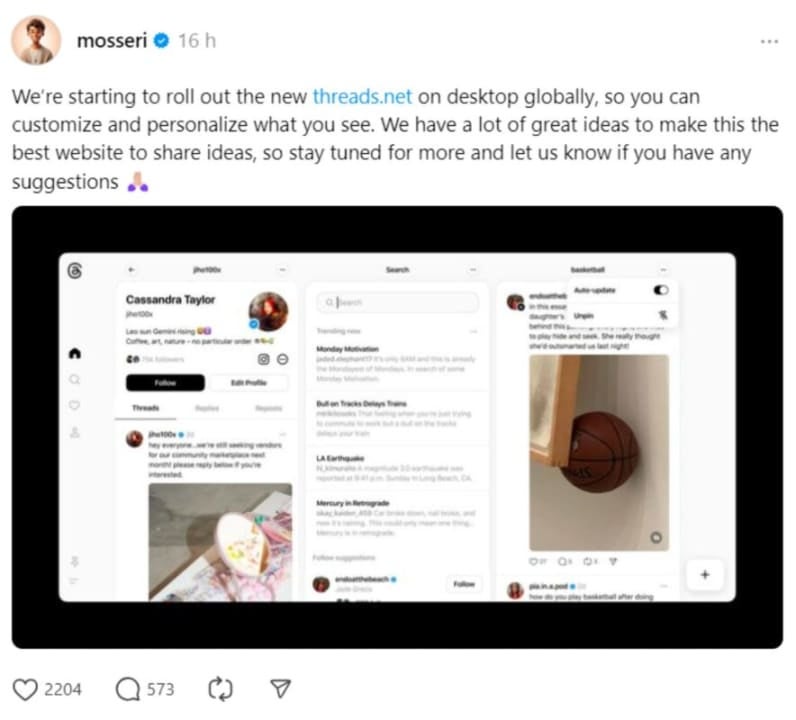
The social network that serves as an extension of Instagram has started implementing a new user interface globally, and with this, we can customize the view by fixing multiple columns on the screen, allowing us to see them side by side. This may sound familiar to you, and it’s not surprising, as it is quite similar to TweetDeck (currently known as X Pro, with Elon Musk leading the platform).

Threads can now look a lot like TweetDeck

“We are starting to implement the new threads.net on desktop computers worldwide, so you can customize what you see. We have many great ideas to make this the best website for sharing ideas, so stay tuned for more and more. Let us know if you have any suggestions,” recently stated Adam Mosseri, director of Instagram, to announce the arrival of this new functionality.

Beyond its more than reasonable resemblance to TweetDeck, it is worth mentioning that this update to the Threads user interface is very practical for those who want to organize everything they see on the social network and thus see everything that interests them at the same time. This new view can be activated by clicking on the pin icon at the bottom left of the screen and selecting the columns that interest us.

To be exact, we can choose between ‘For you’, ‘Following’, ‘Liked’, ‘Saved’, ‘Search’, ‘Profile’ and ‘Activity’ (within this option you can configure if you want to see mentions, replies or everything, for example). In fact, you can also, using the ‘Search’ column, pin a specific topic or hashtag in one of these columns, and for that you just have to search for the keyword in the search bar and access the desired result. It is worth mentioning that, in addition, each column has three dots at the top right and in them we can find several options such as ‘Save’, ‘Not interested’ and more.

Threads Download

This new functionality has been in development for some time and apparently, all Threads users on their desktop version can already enjoy it. As we mentioned, activating it is very simple and it offers us many options to customize our interface.

If you haven’t tried the Windows 11 24H2 update in its preview version yet, this is how you can install it

It has been a few days since Microsoft has been rolling out the Windows 11 24H2 update in its preview version for Windows Insider users in the preview channel, so many users have already been able to test the new features that this version will bring in its final release. To make that happen, it seems that we will have to wait until the end of this year, almost certainly.

Windows 11 Download

However, the news we are here to talk about is not about its possibly definitive release. Rather, we come to talk about how many Windows Insider users have not been able to enjoy the new features that the new version of Windows 11 has to offer, as it seems to be rolling out gradually, which is not at all strange. However, those from Redmond have wanted to clarify this situation and offer an alternative solution, as they have reported from the Neowin media.

“We are aware that some Windows Insider users in the preview version do not see Windows 11, version 24H2 offered yet. We have just started the rollout and will gradually increase it over time so that everyone sees it immediately,” recently stated by Microsoft.

If you don’t want to wait and you are a Windows Insider user, this is how you can try the latest version of Windows 11

If you are a Windows Insider user and do not want to wait to enjoy what this new 24H2 version of the mentioned operating system has to offer, you can also go to the Windows Insider Preview downloads page and get the latest ISO, which has the build number 26100.560. After that, you will be able to perform a local update to access build 26100.712 in the preview channel of the new Windows 11 version, 24H2.

Windows 11 Download

If, on the other hand, you decide to perform a clean installation of Windows 11 24H2, you may not enjoy some of its new features, such as the one that allows you to remove Microsoft Edge, which is also being gradually implemented for the Release Preview. Going back to the topic at hand, Windows 11 24H2 has several interesting new features such as background HDR support, improved power saving, and much more that we tell you about in the linked news article.

Microsoft solves several issues on the Surface Pro 9 5G through a new update

If you are users of Surface Pro 9 5G, specifically the models that have ARM processors, you will surely like to know that Microsoft has released a new update for these devices. With this new update, the folks at Redmond hope to fix a series of issues that are present in these devices, as reported by Neowin.

Microsoft 365 Download

Getting this new update is quite simple, as you can get it from the Settings menu of the Surface Pro 9 itself. As we mentioned, this is only available for models with ARM processors, so those with Intel processors will not be able to download this new patch. Specifically, this new update is available for all those with Windows 11, version 22H2 or higher.

With this new update, Microsoft aims to solve several issues on their devices

The objective of this new update is to solve a series of issues ranging from video playback failures when enjoying your games, screen flickering when connecting to Surface Dock 2, and other failures, such as one that causes the device to fail unexpectedly. At least that’s what the official changelog indicates that have been implemented with this patch.

Microsoft 365 Download

Therefore, if you are users of the Surface Pro 9 5G that meet the mentioned features and characteristics, you can carry out this update from the Settings menu by activating Windows Update. Keep in mind that these firmware updates are one-way, so it is always recommended to back up all important data before installing a new version, just in case.

Google Photos could soon have a new feature to hide some faces from the Memories section

While it may not be the most used photo app by Android users, Google Photos seeks to continue improving with each new update and now we have learned about some new features that could be coming soon to the app. For example, those in Mountain View would be working on new video editing options to enhance them, although this would not be the only one.

Google Photos Download

As pointed out by Android Authority, Google is reportedly working on a new feature for its Photos app, which would give us more control over the faces of people we see or don’t see in its Memories section. Apparently, this feature, called “Show less,” has been discovered in the code of version 6.81.0.628906483 of the mentioned app, and it is indicated that it is still in the testing phase, so not all users of the app can enjoy it yet. In fact, there is no estimate of when it could be launched globally.

Google Photos could soon let us see less of the faces of those people we don’t want in our Memories

According to reports, this new feature of Google Photos would be able to identify the specific person’s face that we want to block, so to speak, and it will limit the frequency with which we will see that person in the Memories section. That person we don’t want to know too much about would only appear in group photos. As you may have imagined, this seems like a somewhat softer alternative to the “Block face” feature, which serves to make faces completely disappear from Memories and group photos.

The discovery made by Assemble Debug, who is a contributor to the aforementioned media, can be seen thanks to the screenshots shared by the user, and these seem to indicate that the new “Show less” feature would be displayed in the hide faces section of memories, within the “People and pets” section. By adding the face of the person we want to see less in Memories, the app will indicate that, although that person will still appear in group photos, we will no longer see memories that include that person.

Google Photos Download

Beyond this, it seems that the path to access this new feature will be as follows: Settings > Preferences > Memories > Hide people and pets. At least that’s what Android Authority indicates. On the other hand, we remind you that this feature, like the one intended to improve videos, is not currently available in the app, but it is expected to arrive in the future. However, there is no estimated date for its arrival and, furthermore, there is the possibility that it will not be launched in Google Photos definitively.

Google Chrome updates and improves its address bar with machine learning.

Google Chrome has received a new update and among its improvements, we have found one that may be of great interest to users of this browser. To be exact, the main improvement brought by this update (M124) is the one that affects its address bar, called Omnibox by the Mountain View company, and therefore, to all of us who use it in our daily lives.

Google Chrome Download

The way this is going to experience a substantial improvement is by making its users receive better recommendations through machine learning. In this way, we should start receiving more appropriate recommendations for what we need and search for. This novelty replaces the algorithms that the mentioned Chrome address bar used until now to offer its recommendations.

Google Chrome’s address bar suggestions are about to change forever

The previous operation of this Omnibox to display its recommendations was to use algorithms, which assigned scores to each recommendation, but this method is outdated for modern needs, according to the developers themselves. Therefore, this is the reason why the recommendations themselves have not changed for quite some time and what has led to the implementation of these machine learning models.

However, the scoring system remains, but with this new update, the score is reduced or increased based on the user’s actions, which will make Omnibox offer us more accurate and appropriate recommendations. In other words, now Google can “collect more recent signals, retrain, evaluate, and implement new models periodically over time,” as they indicate in their statement on the official Chromium blog.

The operation of this new method can be explained simply with this example: if we type in the address bar and enter a recommended address, but then immediately click on the bar again, Chrome will be aware that this page was not the one we were looking for and will lower its score. Therefore, that suggestion will appear further down in the recommendations, reaching a point where it may not even appear if its score is very low.

They have also talked about the future and the potential that this new method of machine learning has. For example, Chrome developers indicate that, possibly, in the future they will be able to “potentially incorporate new signals, such as differentiating between the time of day to improve relevance” so that we can have even more accurate recommendations. In addition, it is also indicated that they want to “explore training specialized versions of the model for particular environments: for example, mobile, business or academic users, or perhaps different locations”.

Google Chrome Download

This new machine learning system for the Google Chrome address bar should already be active, as long as you have the latest version of the browser from Mountain View. If you don’t see any changes, we assume it’s just a matter of time before you start noticing the changes in your recommendations.

OpenAI partners with Financial Times to enhance ChatGPT

Undoubtedly, we come to talk about news that is more than interesting in the field of artificial intelligence, and more specifically in the case of ChatGPT. As some of you may already know, OpenAI, the creators of the aforementioned chat, has signed a strategic partnership agreement with the well-known media outlet Financial Times, and the objective of this is what we are going to tell you now.

ChatGPT Download

As announced in the official statement shared by OpenAI, with this agreement, the two companies will work together to improve ChatGPT and provide it with attributed content. They also indicate that this collaboration will serve to incorporate Financial Times journalism into ChatGPT and develop new artificial intelligence products and features for the readers of the mentioned media, as stated in the press release.

OpenAI and Financial Times partner with this great deal

Therefore, “ChatGPT users will be able to see selected attributed summaries, quotes, and enriched links to FT journalism in response to relevant queries,” they indicate. The news doesn’t end there, as it has also been revealed that Financial Times employees use ChatGPT Enterprises, the enterprise version of OpenAI’s conversational AI chat. They use it to “benefit from the gains in creativity and productivity” provided by AI.

“The Financial Times is committed to human journalism, produced by our unparalleled newsroom, and this agreement will expand the reach of that work while deepening our understanding of readers’ demands and interests,” said John Ridding, CEO of the FT Group, in the statement.

“Apart from the benefits for the Financial Times, there are broader implications for the industry. It is correct, of course, that artificial intelligence platforms pay publishers for the use of their material. OpenAI understands the importance of transparency, attribution, and compensation, all of which are essential to us. At the same time, users clearly want these products to contain reliable sources,” he adds.

“Our partnership and ongoing dialogue with the Financial Times aims to find creative and productive ways for AI to empower news organizations and journalists, and enrich the ChatGPT experience with real-time world-class journalism for millions of people worldwide,” adds Brad Lightcap, COO of OpenAI.

In any case, this is a great advancement for ChatGPT to be able to offer more accurate information to its users, obtaining the most recent information and news through sources that are restricted for other competitors. That is, this type of agreements allows the mentioned chat to increasingly leave behind the practice of obtaining information from the web without any verified sources.

ChatGPT Download

In fact, it is worth mentioning that OpenAI has reached content agreements with several news groups, such as the Spanish group Prisa Media or the French Le Monde. If this continues, it could ensure that the information is reliable and that the content creators (the corresponding media) are paid for their work, since without these types of agreements, the AI associated with Microsoft would continue to collect a large amount of data without any attribution or compensation.

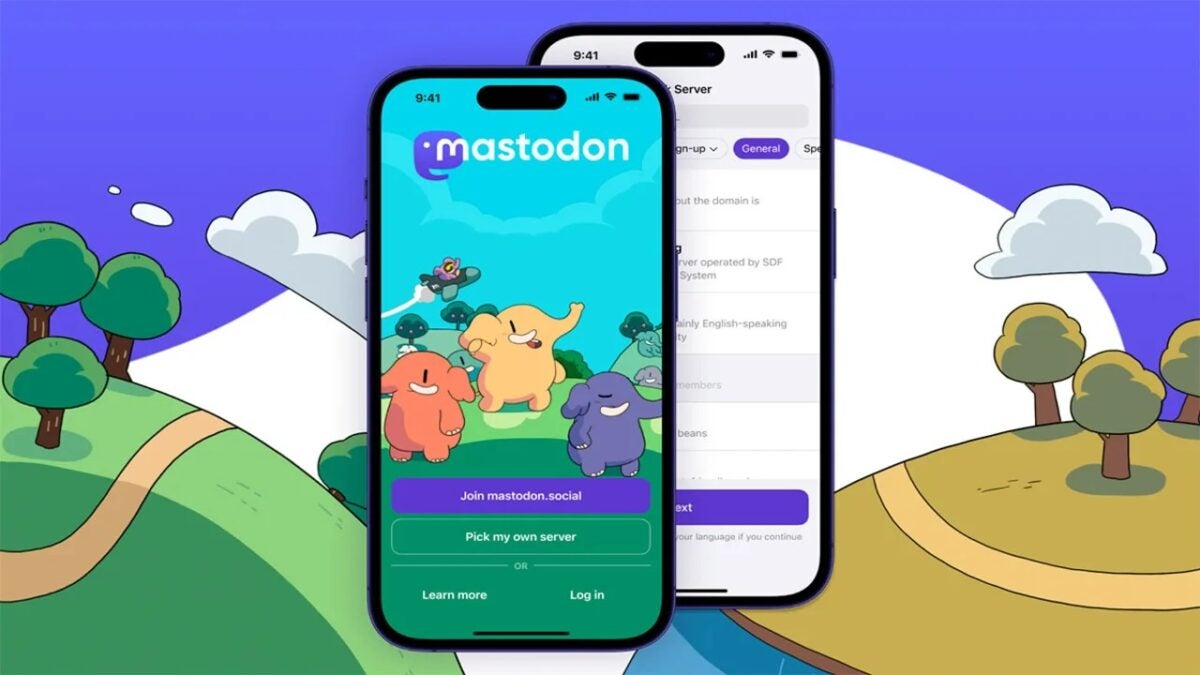
Mastodon forms a non-profit organization in the United States and has the co-founder of Twitter on its board of directors.

Since 2021, Mastodon has had non-profit status in Germany, or at least it did until now. Apparently, the German tax office has revoked the company’s non-profit status and their response has been to appeal this decision, although they have not yet received a response. Well, it seems that Mastodon has not wanted to sit idly by and they have recently announced it.

Mastodon Download

Mastodon’s CEO and founder, Eugen Rochko, has announced the formation of a 501(c)(3) non-profit entity in the United States “with the goal of facilitating our efforts, including the possibility of receiving tax-deductible donations and in-kind support from the United States,” stated Rochko. And pay attention, because the most striking thing about this announcement is the board of directors that has been presented for this new organization.

To be exact, the council is composed of Esra’a Al Shafei, Karien Bezuidenhout, Amir Ghavi, Mastodon’s CFO Felix Hlatsky, and Twitter co-founder Biz Stone. In the statement shared by Mastodon’s CEO, you can discover who the members of this new council are, but undoubtedly, the name that has caught our attention the most is that of the co-founder of Twitter.

Mastodon forms a new non-profit organization and announces its board of directors

The selection of the aforementioned board of directors seems to have been based on the values of these personalities, as stated in the declaration, “they coincide with those of Mastodon”. In addition, they add that “with the additional guidance of this board and the incredible support of our growing communities, Mastodon will continue steadfast in its mission to provide a decentralized, free and open-source social network”.

The creation of this non-profit organization makes a lot of sense for Mastodon, as it is sustained (to pay its employees, developers, and designers, among other expenses) with donations received from the community through Patreon, which are subject to taxes. Therefore, with this new organization, the company will be able to receive tax-deductible donations and other types of financial support.

Regarding the withdrawal of its non-profit status in Germany, the CEO of Mastodon wanted to clarify that “our daily operations are not significantly affected by this event, as Patreon does not have non-profit status and Patreon’s income is not considered as donations. In fact, we haven’t had to issue a single donation receipt since 2021. The importance of non-profit status lies in communicating our commitment to the cause of creating social networks that serve the interests of their users rather than those of their shareholders.”

“Now we have the 501(c)(3) in the United States to fill the void. However, it is also important for us that Mastodon remains one of the few, if not the only, social media platforms that operates outside the EU, and we would like it to remain that way,” adds Eugen Rochko in the statement.

Mastodon Download

In conclusion, Rochko wanted to thank Jeff Atwood and Mozilla for their donations to support this non-profit organization, as they contributed $100,000 each. Additionally, it has also been highlighted that with these contributions, they have allowed the main development team, composed of two people, to continue their work and have facilitated the hiring of a third full-time developer.

Now you can download two applications at the same time from Google Play Store

As you Android users know, until now the way to download apps on our phones from the Google Play Store was to go one by one or, alternatively, wait for one download and installation to complete before the other application we want starts installing on our device. Now, this has changed and the folks at Mountain View have implemented a new feature, which is one of the most anticipated by its users.

Google Play Download

As recently reported by 9to5Google, with the latest update of Google Play Store (version 40.6.31), the Android app platform now allows the simultaneous download of two apps. With this new addition, Android users undoubtedly benefit from this improvement in the download and installation process of a program we want on our Android smartphone, as it will now be faster when we want to install multiple apps.

One of the most anticipated features arrives at Google Play Store

Therefore, now, while two applications are being downloaded at the same time from the Google Play Store, and in case you want to install more, the rest will remain on hold until the first ones finish installing on the device. In addition, their progress can be tracked from the store itself as well as from the home screen. You also have to keep in mind that, although you can download two apps at the same time from the mentioned store, you cannot update two applications at once.

Google Play Download

On the other hand, it is worth mentioning that if you want to use this new feature, you have to make sure you have the latest version of Android and the Google Play Store itself. If you don’t have this feature yet, but you meet the mentioned requirements, it will probably be a matter of time before you can enjoy it on your device, as there are already many phones that can enjoy it. However, you can still choose to install only one app if you prefer.

The new update of the Reddit mobile app makes navigating through comments easier

As announced through the official Reddit blog, the iOS and Android mobile app has received a new update aimed at “removing obstacles and reducing friction points”. Among the changes implemented to achieve this goal, we must highlight the improvement that has been made in navigating between comments.

Reddit Download

To be exact, this navigation between comments in the Reddit mobile app has improved in terms of instant loading of comments, once the user has clicked on the comments button in the app, and the context of the post in question remains accessible while reading the comments. In addition, general navigation between different conversations in the posts has been improved.

Reddit improves comment navigation and overall usability

Going into more detail, it should be noted that, in addition to comments loading much faster now; if we click on the comments button of a post in the Reddit smartphone app, this action will take us directly to the top of the comments themselves, so we will always have the ability to review what has caused the conversation taking place in the comments.

As we mentioned, the context will be kept in view thanks to the implementation of a “context bar” (a dropdown bar, that is), which will allow us to review that post, whether it is a text content, compressed image or video. Simply, when we are reading comments and this bar appears at the top of the screen, we will have to click on it to be able to see the original post or an image or video in an enlarged way. With these changes and the improvement that has been added for this purpose, conversations on Reddit are now much more consistent, regardless of the type of post it is.

Being more specific, Reddit conversations are now more consistent, in addition to what has already been mentioned, because a unified media player, immersive transitions, and consistent gestures have been added, as indicated by the social network. “Simply swipe up to view conversations and swipe left to view new content,” they add.

Reddit Download

We will have to see if with these changes in the Reddit app for iOS and Android the points of friction between users and the network end up disappearing. Certainly, these changes should put an end to it, since these improvements have been tested by other users prior to their final implementation.