Watch: Halo 2 soundtrack recording session revealed!

Martin O’Donnell is to the Halo franchise as John Williams is to Star Wars: His masterful understanding of narrative music added scope, energy, depth, and an exotic eeriness that played a critical – and largely underrated – role in making Halo one of the most memorable games on the market.

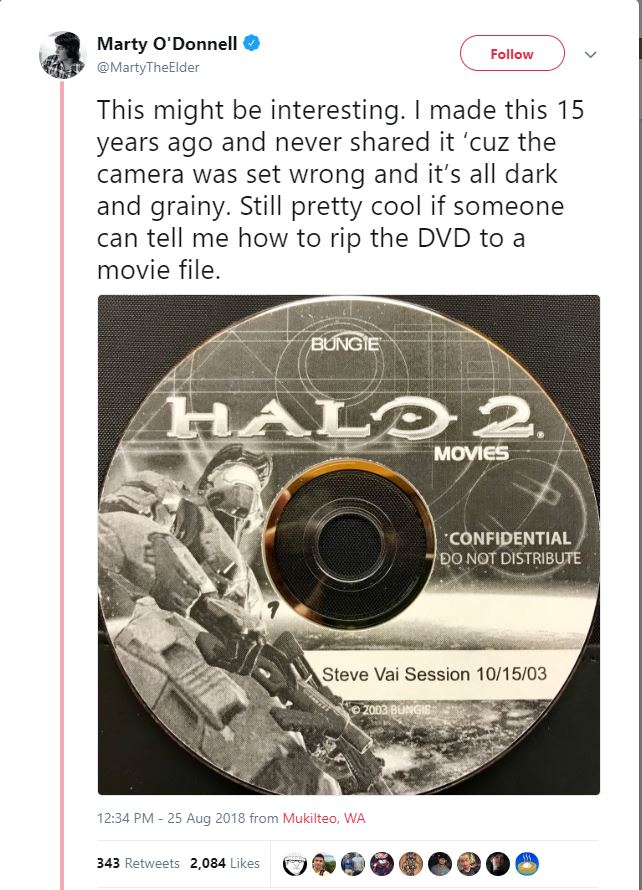
In an unexpected tweet three days ago, O’Donnell remarked that he unearthed footage of Bungie’s recording session with Steve Vai – in which the two collaborated to create the opening theme for Halo 2.

Recorded on October 15, 2003, this behind-the-scenes footage gives a thrilling insight into the professionalism and camaraderie that went on during this stage of the game’s development. The epic orchestral backing had already been completed, and Vai graced the studio with his trademark shredding and improvisational virtuosity. That’s right – Vai’s part was improvised in-studio on the day of recording. They played him what was already there, and asked him to layer on an awesome guitar solo.

So he did.

“The original thing is so well-known,” we see record producer and fellow guitarist Nile Rodgers explain to Vai. “Just play along, let’s just vibe. I just want to see what the sound is feeling like.” At the 8:55 mark we get chills as Vai leads into the famous melody that makes it to the final cut. The piercing whine of the electric guitar creates broad smiles and nodding heads around the room, and O’Donnell looks on beaming from behind him. It’s magical getting to witness such a historic moment in gaming.

If you’ve forgotten what the Halo 2 opening ended up sounding like, it went a little something like this:

“For all you youngsters out there, did you notice how much of Steve’s first take I used?” remarks O’Donnell. “And how much work it took to get the rest?”

Halo

There’s no questioning the legacy that O’Donnell helped to create in the Halo franchise, and we’ve got our eye on him, Bungie, and Halo, and are excited to see what they give us next! In the meantime, check out O’Donnell’s twitter feed here to see and support more of his awesome work.

How to make your own games for free with GameMaker 2

Ever wanted to create your own game? It’s easier than you think. Check out our tutorial to get started for free!

Ever wanted to create a video game but have no earthly idea where to even start? Maybe you’re an amateur programmer on a budget looking to make the next Undertale or Nidhogg, or maybe this is your very first foray into designing and coding games.

The process is challenging and requires patience just as much as it requires a strong intuitive interface. That’s exactly what GameMaker 2 is – an interface that makes the experience of creating your own game as simple and streamlined as possible. It’s an excellent tool for both beginners and experienced coders alike. You can download it for FREE right here:

GameMaker 2 Download Free
8

What is GameMaker 2?

GameMaker 2 is a freely downloadable program in which users can make their own games. What kind of games?

Any, really, but you’ll mostly see platformers, adventure games, and shooters. For examples of games that were created using GameMaker, you can check out this list!

Do I need to know how to code?

Coding is advised and would certainly help speed along the process but no, it isn’t 100% necessary. GameMaker 2 has two different ways for you to design what happens: Traditional coding, or Drag and Drop.

Coding allows for tighter, more adjustable control over what happens to the objects and characters you create, but it is not wholly required. Upon creating an asset in your game, you can choose from a wide variety of features that you’d like your asset to do, as well as the contextual action that triggers it.

Do I need to know how to draw or animate? What about audio?

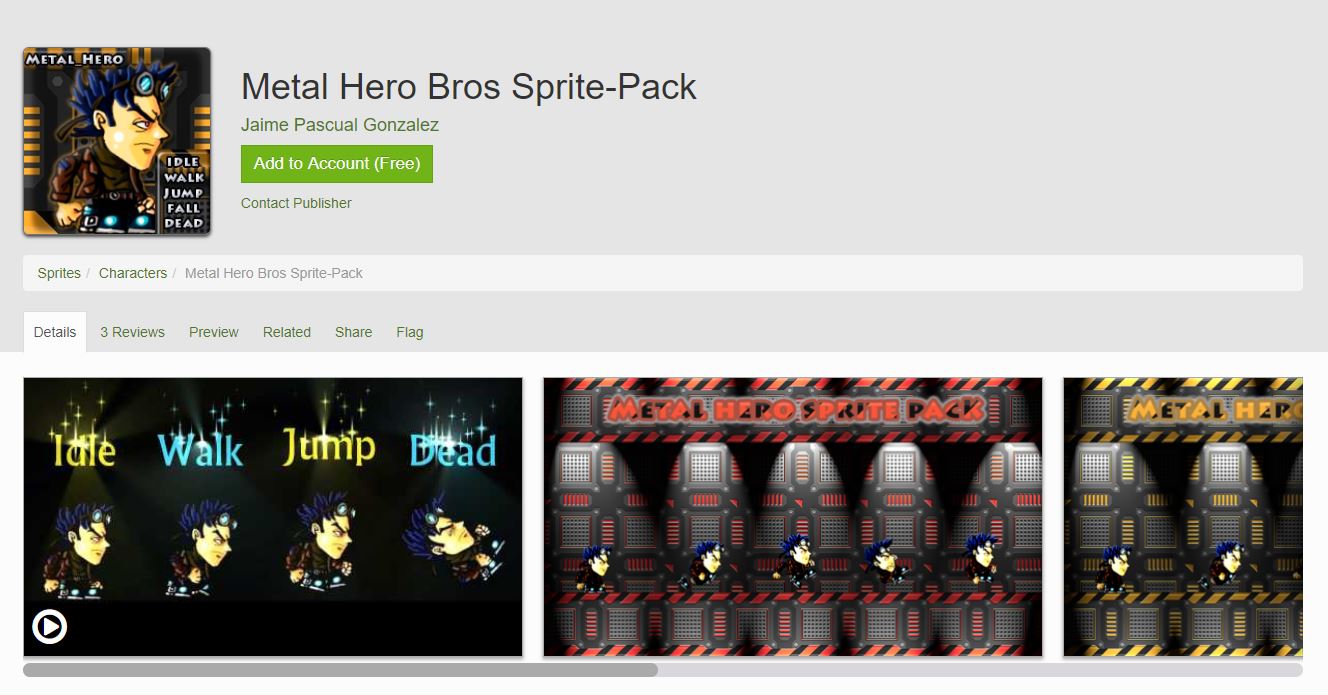
https://marketplace.yoyogames.com/assets/1178/metal-hero-bros-sprite-pack

Again, knowing how to make your own images and audio is certainly helpful, and will give your game a unique individuality, but it is not needed to make a game. There’s a variety of mostly free images and animations that you can use without worry regarding copyright infringement. You can check out the catalogs both here and here. As for sound, anything you download from Freesound is always 100% legal and completely free of charge.

Remember, too, that your game doesn’t have to look like a AAA masterpiece – it just needs to be wicked fun! Check out Nidhogg, for example:

What are the basics?

While there are crash courses for beginners out there, we’ll cover some of the most basic terminology here and now:

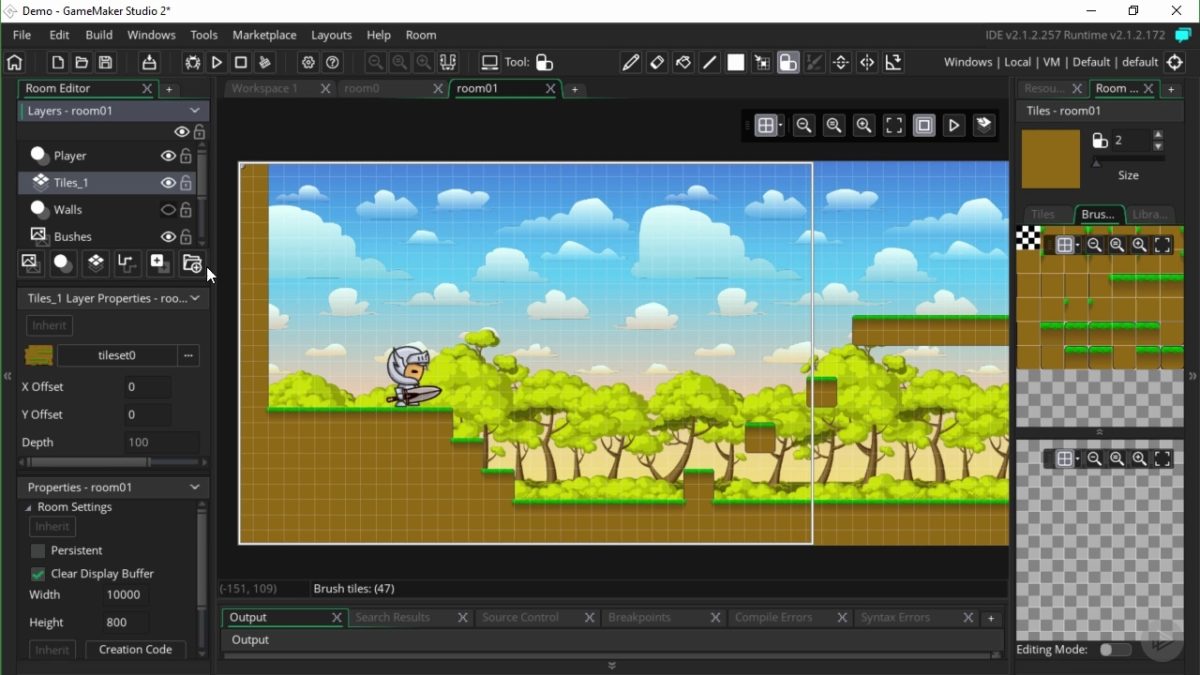
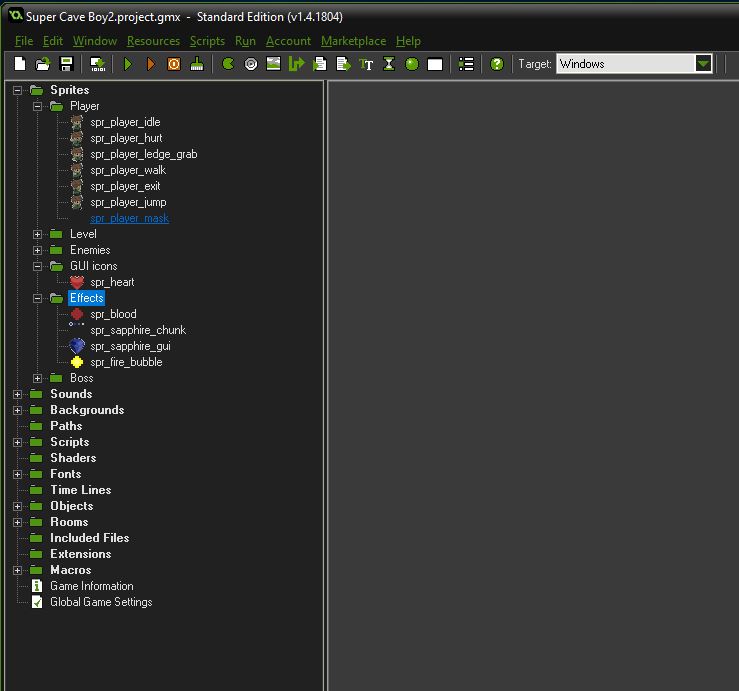
Open up GameMaker 2 and you’ll see a column of game elements on the left. Click these to start creating and adding these elements to your game.

What’s some of this terminology?

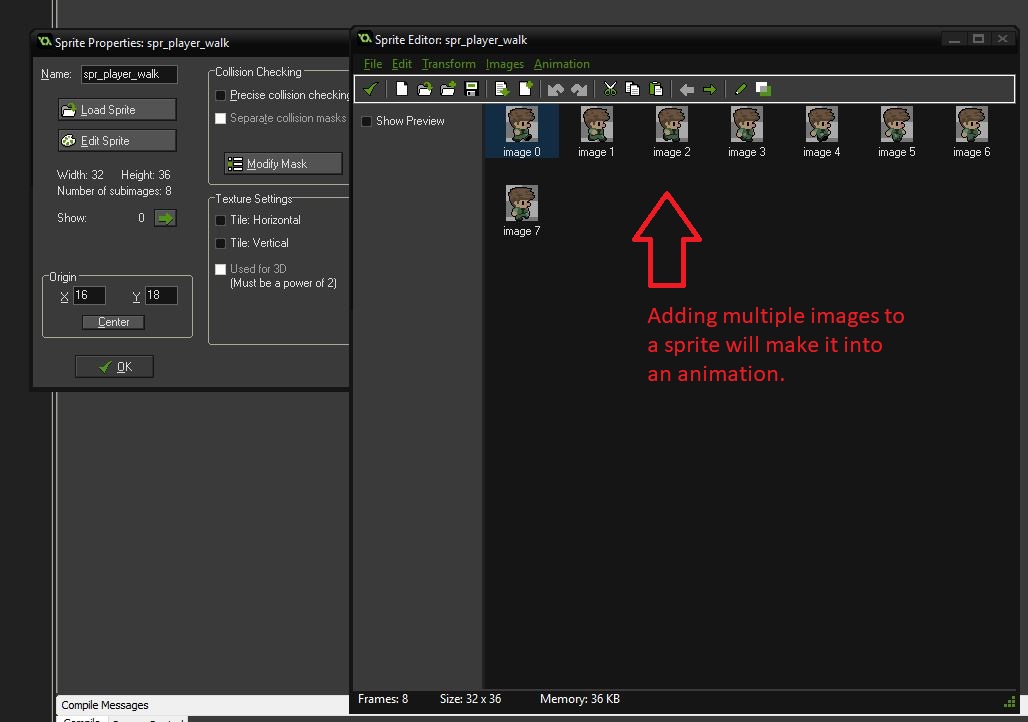
Sprite: A sprite is any kind of image in your project. This can also be an animation if it has multiple frames. It has a point of origin that determines where its center will be, and that will be referred to later on during the coding.


Like we said, you do not have to have any artistic skill to make a sprite; you can easily import them from external .pngs, .jpgs, or plug-ins. Take some from the library we linked to above! Once you have a sprite uploaded you can use GameMaker’s own image editor to tweak and change the image files.

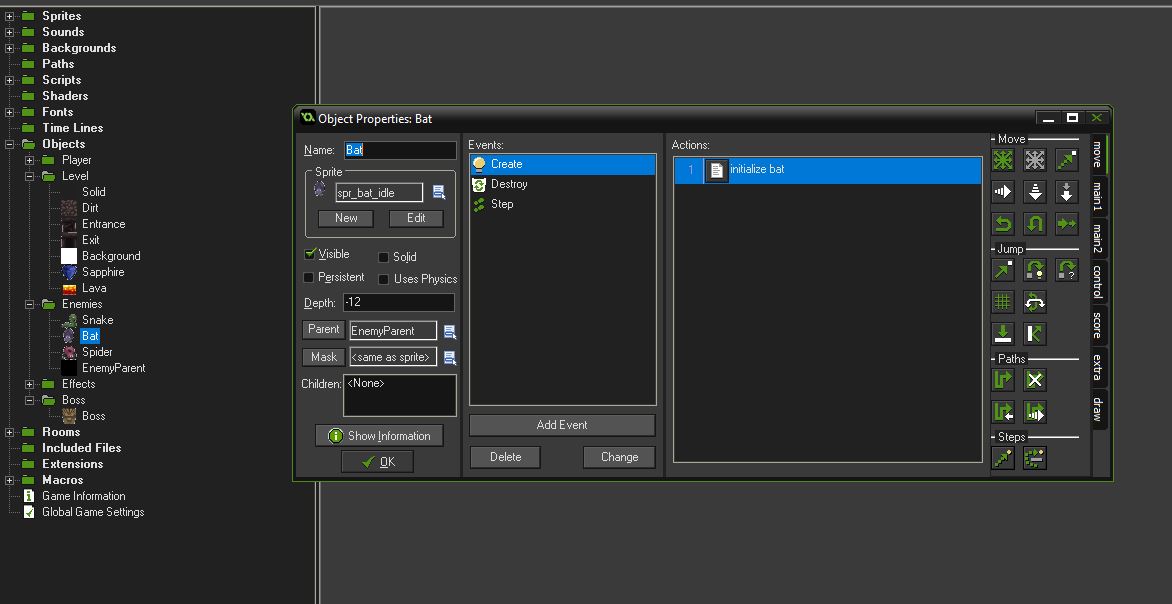
Object: While the sprite is the image of any given asset in your game, the actual asset itself is the object.

This refers to the code pertaining to the specific characters, bullets, or platforms, anything really. Objects also extend to elements such as simple game logic and interactivity.

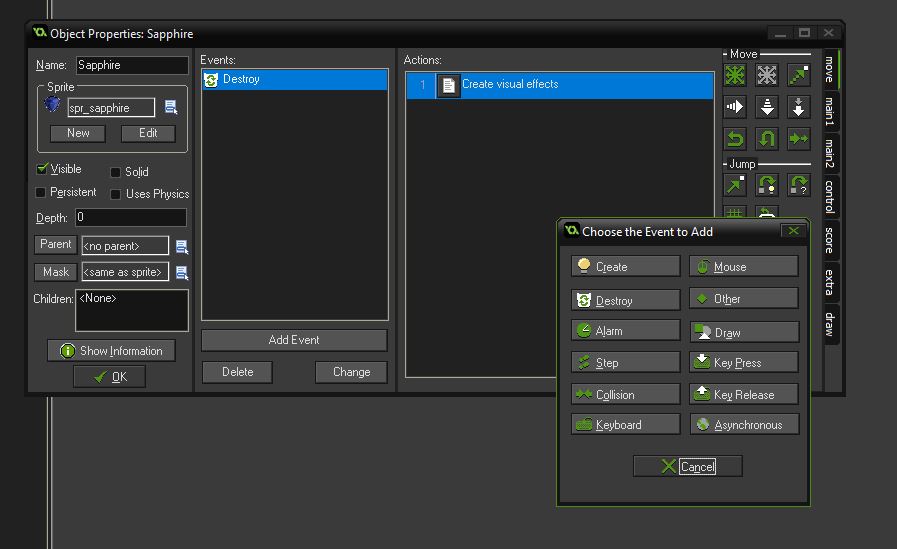
Event: Events are actions that exist within an object in the game. Simply put, it’s anything that triggers the object to carry out with specific lines of its coding.

Events largely happen contextually, such as jumping when the player presses the assigned key, or dying when a certain parameter is met.

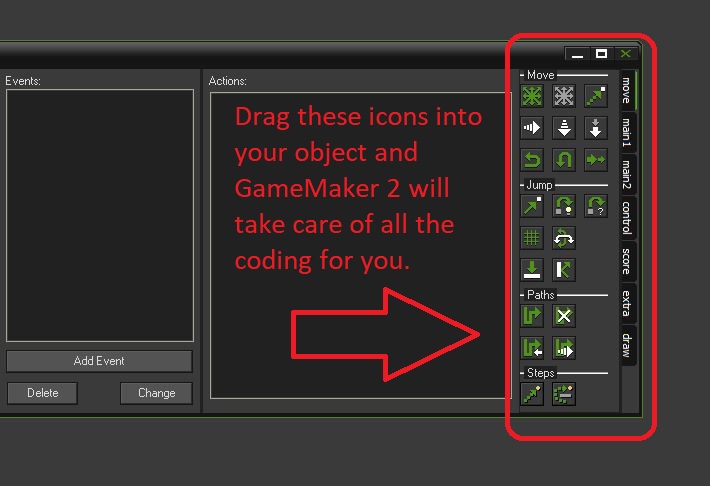
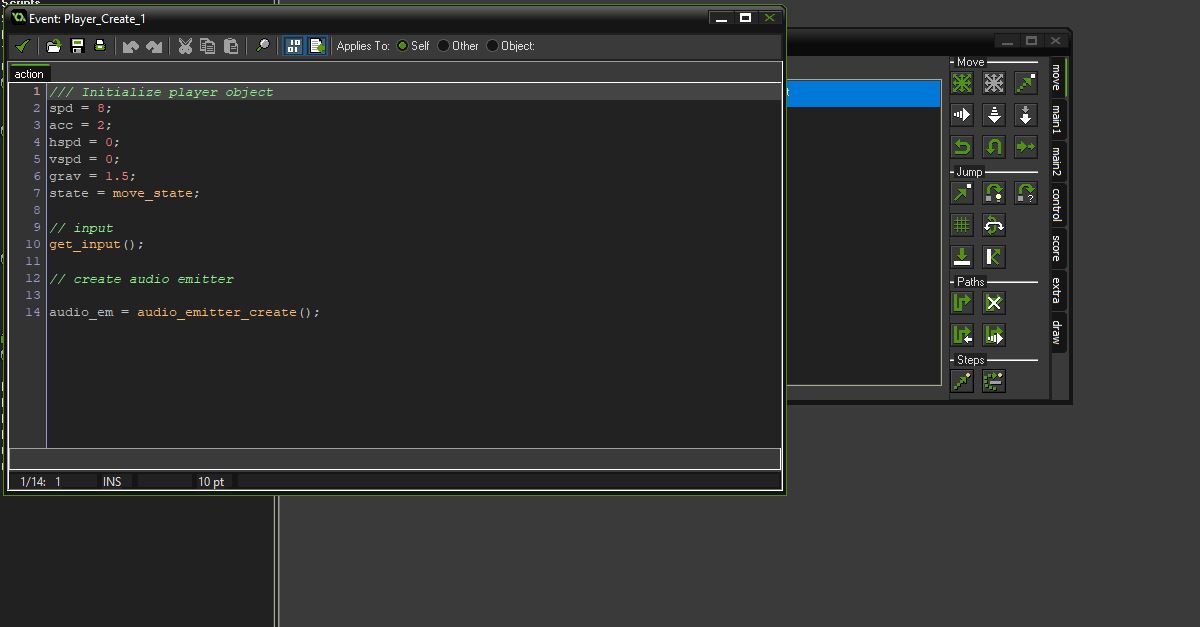
Action: The real meat of your design, actions refer to the code describing what should occur when a particular Event comes to pass. “When a certain event happens, actions can be carried out,” explains Sean Spalding from YoYoGames.

Actions can easily be implemented via GameMaker’s default drag and drop mechanics. We recommend foregoing this, however, and instead writing in your own code using GML (GameMaker Language). This will allow you far more control over the objects, events, and scripts that you’ll be working with.

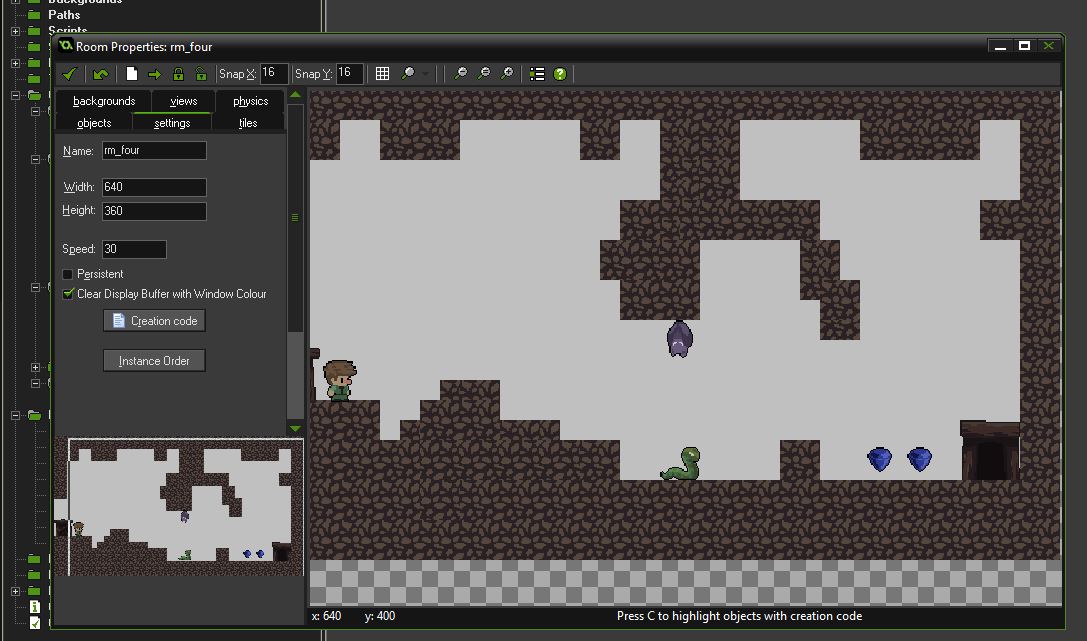
Rooms: Lastly, rooms are where your game will take place. The illusion you’re trying to create is that players are traveling across a linear map, but the reality is that, upon hitting a certain trigger event or object, the code will transfer the player character to the next room you put in the queue.

Rooms are where you bring together all of your objects and resources into a cohesive, playable level.

If you’re brand new to game design, there’s a lot to learn at first. Our recommendation is to first check out this tutorial video series to get you off on the right track.

Follow along, but don’t try to do it all in one day. Rather, pace yourself through two or three videos at a time, taking notes and work alongside them. The information will stick better that way, and you’ll be able to more clearly recall the lessons in order.

Best of luck writing your first game. We can’t wait to see what you come up with!


How to improve friendships in Harry Potter: Hogwarts Mystery

Portkey Games’ Harry Potter: Hogwarts Mystery takes you through the seven years of schooling at the titular school of witchcraft and wizardry. You’ll be going to classes, studying spells, brewing potions, and flying on broomsticks while trying to unravel the secrets of the cursed vaults and their connection to your mysterious brother Jacob.

Like the book series, however, the heart of the Hogwarts experience lies not in books, quills, and wand-waving (though expect plenty of that!), but rather in forging new friendships and helping others when they need it – even if they may not deserve it!

Don’t have Hogwarts Mystery yet? Download it free right here:

Harry Potter: Hogwarts Mystery Accio free game!
10

As you progress through the story, you’ll meet new classmates like Penny Haywood, Ben Copper, and even Bill Weasley and Tonks. Each character has a distinct personality, and skill set. Aside from getting to enjoy new dialogue and interactions with the characters, there are three major reasons you should invest time in bolstering friendships:

1. More interactions with this character

The best reason to improve your friendships in Hogwarts Mystery is to see these characters play a bigger role in your own adventures. A good friend will come to your defense when you’re in trouble, be it with a bullying professor (Snape) or a quarrelsome student (Merula). They’ll speak their part in defending you and will try to help get you out of trouble.

Build up a strong enough rapport and that friend may accompany you on the various quests you’ll find yourself on in the game, such as investigating the cursed vaults. If you ever see a friend’s level number on a dialogue choice you have, it means that that choice is locked unless you’re at least at that trust level in your relationship.

2. Gems and energy

Your more immediate reward for boosting friendships will come in the form of energy or gems. Once you earn enough points to raise a friendship (see below) to the next level, you get a reward of either five gems or between five and 15 energy, depending on what friendship level you reach with them.

Energy is how you’ll do pretty much everything in Hogwarts Mystery, so the boost is helpful. Don’t worry if your energy points are capped out when the level up triggers; you’ll be awarded excess points so you’ll see something like 30/25. Gems are the game’s currency for unlocking quick energy, and receiving them through friendship boosts is a whole lot better than having to spend actual money just to regain energy. It’s definitely worth saving up on these too.

For more tips on how to save energy in Hogwarts Mystery, you can check out our guide here:

3. New clothes, accessories, and hairstyles

Lastly, there are some character customization options that can only be unlocked by maxing out your friendships with various characters. All characters will cap at level ten. You’ll unlock a pair of stylish glasses from Rowan, for example, or a hairstyle from Tonks. If you’d like to see all the rewards you can get, you can check them out here.

Strengthen your friendships

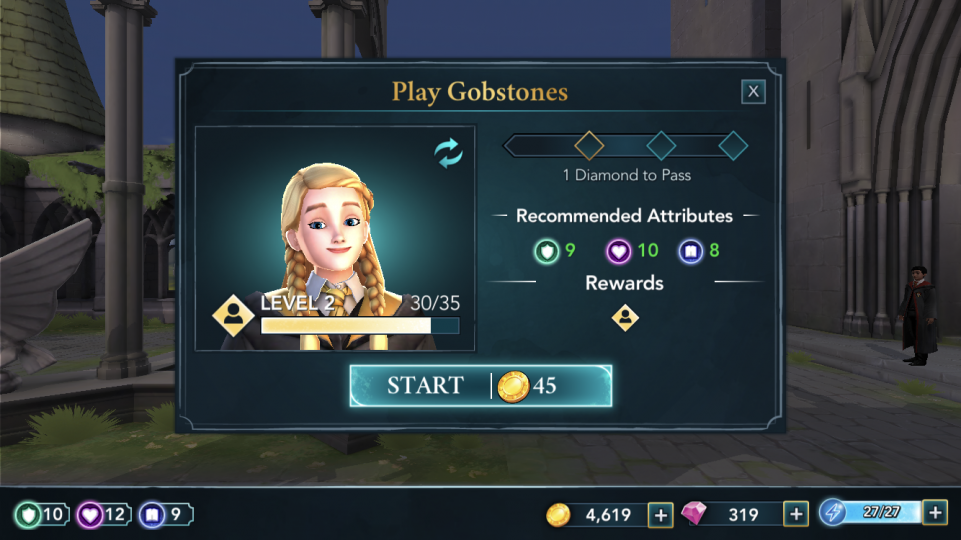
The best way to improve your relationship with a given character is to spend more time with them. The best places to do this are meals within the Great Hall or Gobstones out in the Courtyard. Both of these can be done an unlimited amount of times, and will refresh every few hours or so.

When you elect to do one of these activities, the game will ask you with whom you’d like to spend your time. Select your choice and a mini-game will initiate. Both encounters are a series of multiple choice questions that will vary depending on who you’re playing or eating with.

With Gobstones, for example, your goal is to win the game – usually by distracting your friend (cheap shot, right?). Cater your responses to best suit their distractions (Penny loves to talk about potions) and you’ll get the maximum points to level up your friendship fastest.

One word of caution, however – all of your responses in these mini-games are governed by the game’s three attributes: Courage, Empathy, and Knowledge. Before you start the mini-game make sure your stats are at least matching the recommended level. If you’re above the threshold you’ll receive a bonus for every answer you give, but if you’re too far below the recommended level you receive a penalty – even if you picked the best response. If you find these mini-games to be overly difficult you might consider taking more classes to up your attribute levels.


Get ready for a new Tomb Raider board game

With the new “Tomb Raider” movie that came out in March 2018 and the upcoming Shadow of the Tomb Raider set to release September 14, this has already been a big year for Square Enix and their titular character, Lara Croft. As if that wasn’t enough, Square Enix recently announced that they’ve also got a new board game in the works.

Shadow of the Tomb Raider Pre-order here
8

Set to release early in 2019, Tomb Raider Legends is not the first tabletop game to be designed by the company, nor is it the first Tomb Raider tabletop game to be based on the franchise, but it is the first time Square Enix will be giving us a board game set in the Tomb Raider universe.


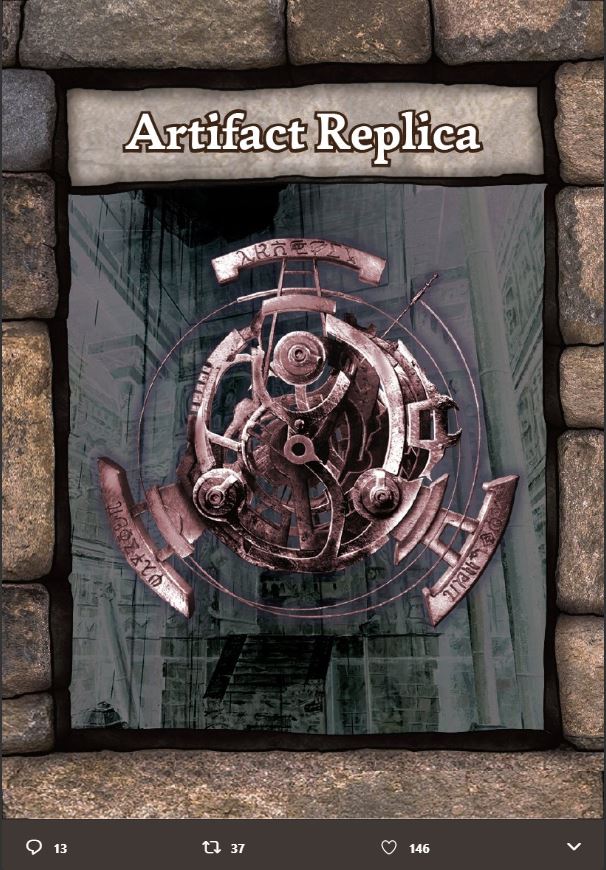
Though Square Enix has been elusive regarding the details of the game, they have (in true Tomb Raider fashion) shared this picture of a “familiar relic.”

Fans were challenged to unearth further clues upon studying it. Square Enix recently dropped a picture of the game board and box, and some of the pieces that come along with the game.

From this we can see that the game is set on a circular board with varying area tiles: Goal, Start, Native Village, Pest Nest, Dinosaur, Deadly Waters, and Climax. Various cards can be played by up to four players, varying between Rush, Assault, Action, Rest, Steal, and Explore.

Balancing speed and eliminating enemies seems to be a key factor in winning the game, as the Action card removes two threat levels but will not move the player whereas the Rush card will advance players a tile, but eliminates only one enemy. Multiple “Laras” will be controlled by different players, and will use a variety of art from the video game series up to and including Rise of the Tomb Raider.

Check out Square Enix’s twitter feed to follow any news regarding Tomb Raider Legends, as more will undoubtedly be revealed as we draw closer to iits2019 release. Until then, we’ll have to settle for digging into Shadow of the Tomb Raider next month!

5 games that scratch our Avatar Last Airbender itch

If you’re a gamer and are a fan of “Avatar: The Last Airbender” or “Legend of Korra,” you should try these 5 games!

If you’re a gamer and are a fan of “Avatar: The Last Airbender” or “Legend of Korra,” the lack of games based on the franchise has probably been largely disappointing for you. For a world so steeped in lore, magic, spirituality, and combat, it’s a bummer we didn’t see more breakthrough games spurred by the series’ success.

That’s not to say that there never were any games based on Avatar; there were a handful but were sadly a mixed bag at best. The most recent Legend of Korra was released by Activision and PlatinumGames in 2014 (that right there should give an indication of how rarely we get one), and while it did manage to meet fans’ visual expectations, it still didn’t match up with the kind of Avatar experience many players were craving.

Bending elements in Korra pretty much amounted to slight changes in combat style and animations, with fire and water being fast and flashy while air or earth were typically more AoE. There was never an abundance of player choice regarding strategy or leveling abilities, and there certainly wasn’t any great character development like in the show.

For more on Legend of Korra and for some great ideas for games that could happen within the Avatar franchise, you can check out Kotaku’s thoughts on the subject here.

So where can gamers look if they want an experience most like Avatar? Since games based in the franchise won’t offer you too much to choose from, your best bet is to look for games that feature a solid magic system, and then narrow it down to whether it heavily focuses on the four classical elements: Earth, air, water, and fire.

While there’s still no game that feels quite like the awesome TV series, we have put together a list of five games with magic systems that do a decent job in recreating the facets of Avatar that of we love:

5. Quest for Glory 2: Trial by Fire

https://www.sierraclassicgaming.com/game/quest-for-glory-ii/qfg2_defeatairelemental/

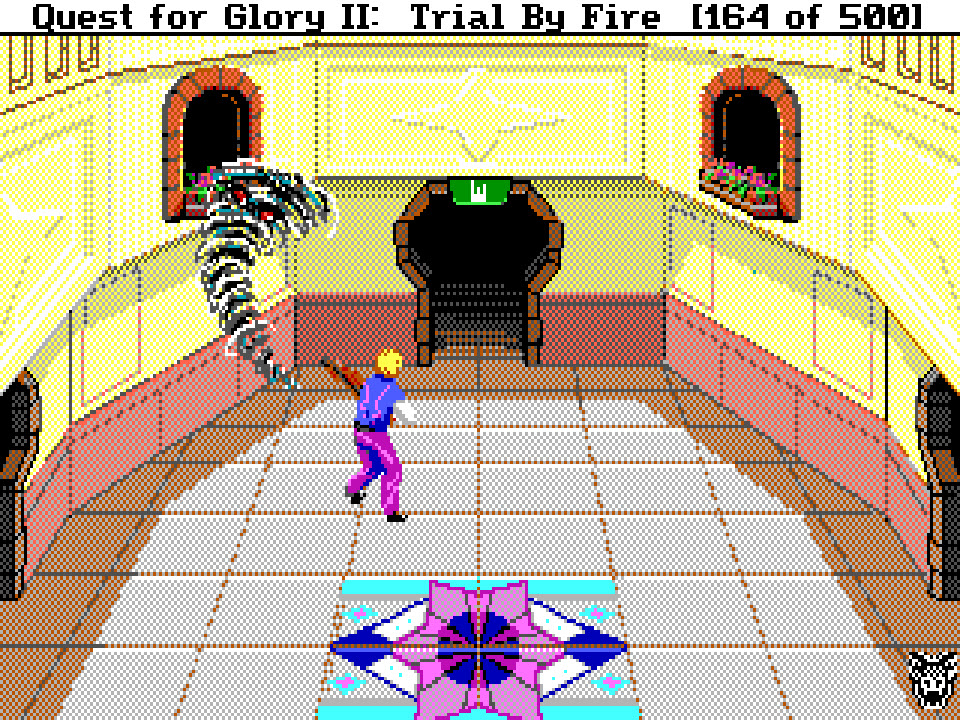
We were surprised to see this game on our list, and it’s largely because you yourself do not get to harness the powers of the four elements … at least not in the sense you might hope. A point-and-click puzzle adventure game by Sierra, you play as a nameless hero on his adventure through the bustling (and often hilarious) streets and bazaars of the desert city Shapeir. Players may choose to role-play as a fighter, mage, or a thief, each skilled in different ways, and each with a unique approach to the game’s many puzzles.

https://www.youtube.com/watch?v=8fX5gc5lxk0

This game made our list not because of the way the game is played, but because of how frequently and heavily the game focused on the four elements. The plot of the game is that elementals – powerful creatures comprised of fire, air, earth, and water – threaten to destroy Shapeir if the Hero cannot stop them in time.

Additionally, various characters serve as representations of the four elements throughout the story: The elegant yet stern enchantress Aziza coaches water, or the jovial prankster Keapon Laughin sells air spells. Choose to play as a mage and the game takes on still more similarities to Avatar.

“Magic Users” in Quest for Glory are not full-fledged Wizards until they pass their initiation. The test itself challenges the player to surpass the four elements by using their accrued spells in clever ways. In AGD’s VGA remake of the game (free below), achieving the title of Wizard also earned you the right to play “Sim Siddhi” with Aziza (above). “Sim Siddhi” is a clever mini-game where the goal is to reach the center of the board. This is only accomplished by switching between earth, water, fire, and air to move and change the board. A little tricky to pick up, but a really great little game.

You can download AGD’s free remake of Trial by Fire here.

4. Dragon’s Dogma

https://www.vg247.com/2013/04/23/dragons-dogma-dark-arisen-launch-trailer-and-character-renders-released/

Another game where the player had the choice to play a class other than a mage, Capcom’s 2012 Dragon’s Dogma: Dark Arisen is a free-roam fantasy RPG where you play as the Arisen, a nameless hero who’s trying to free a dragon’s hold on his heart. While the game’s story and writing certainly don’t match up to Last Airbender, the gameplay and exploration are worth a look.

https://vegivo.wordpress.com/2011/07/15/new-screens-for-dragons-dogma-show-off-the-warriorarcher-and-mage-character-classes/

The reason Dark Arisen made our list was because of the Sorcerer class, unlocked once you reach level ten. The magic at the sorcerer’s disposal is frightening indeed. Instead of approaching magic as many other games did, the focus in Dragon’s Dogma was to make mage characters feel like specialists. The more potent spells in this game were not only difficult to unlock, but also took a long time to cast in-game. It’s why you can play with up to three followers in solo mode.

The spells took a long time to charge for good reason, however; they’re some of the most powerful spells we’ve ever seen in a game, featuring spiraling cyclones, mighty earthquakes, devastating meteor showers, and whips made of coalescing lighting. There were some moments during our playthrough where we well and truly felt like the Avatar, raining unparalleled destruction upon our opponents with the full wrath of the four elements. If you want to walk the fields and canyons of a fantasy RPG world feeling like the Avatar, you’ve got to check out Dark Arisen’s sorcerer class.

Dragon's Dogma: Dark Arisen Download now ►
8

3. Two Worlds II

https://steambucks.com/goods/two-worlds-ii/

Like Dragon’s Dogma: Dark Arisen, Topware and Reality Pump Studios’ Two Worlds II is another free-roam fantasy RPG. Like the previous two games on our list, role-playing as a mage is not required. Choose to do so, however, and you’ll get to experience one of the most in-depth magic systems of all time.

https://en.softonic.com/articles/two-worlds-ii-a-hidden-gem

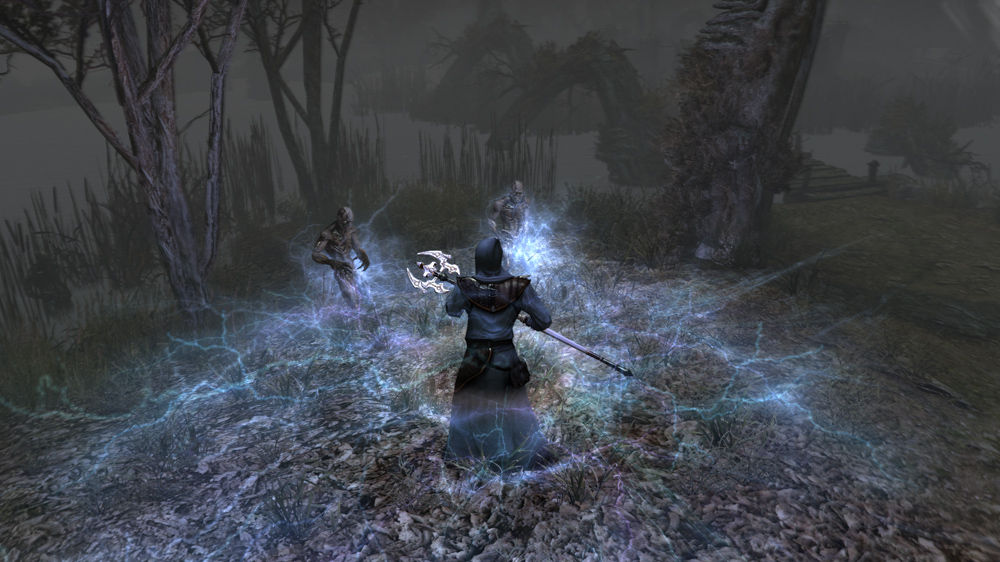
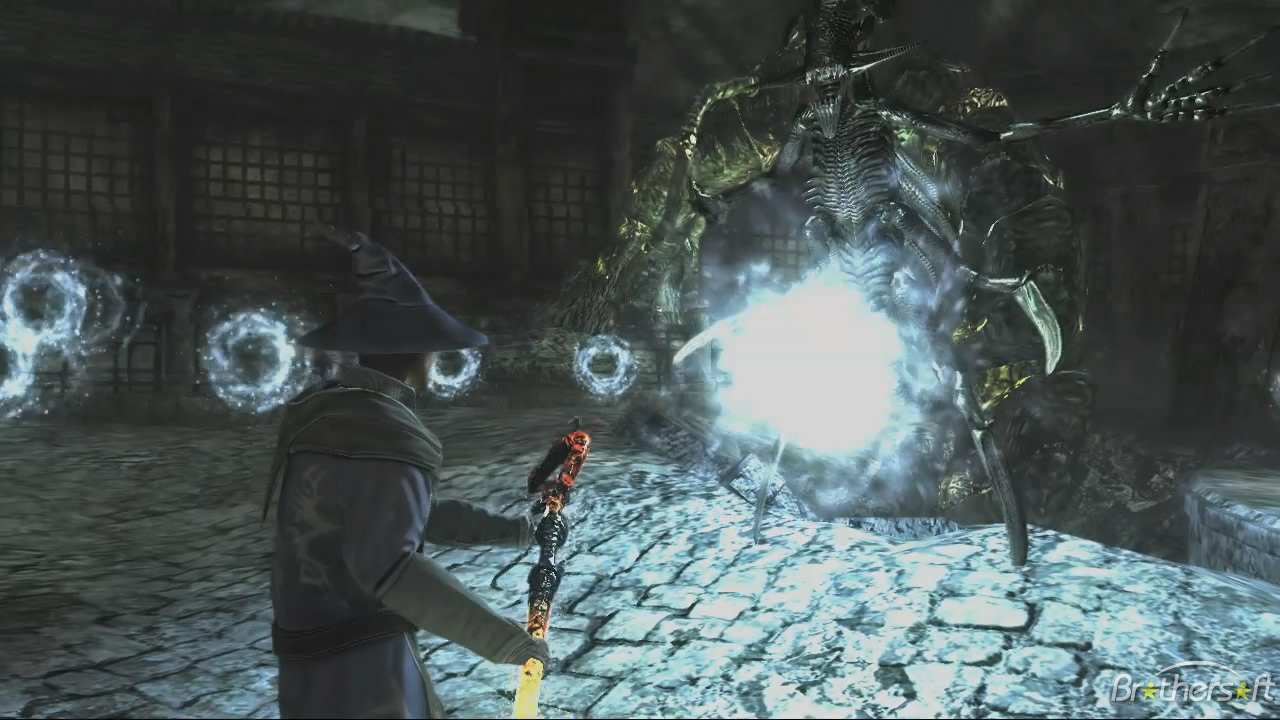
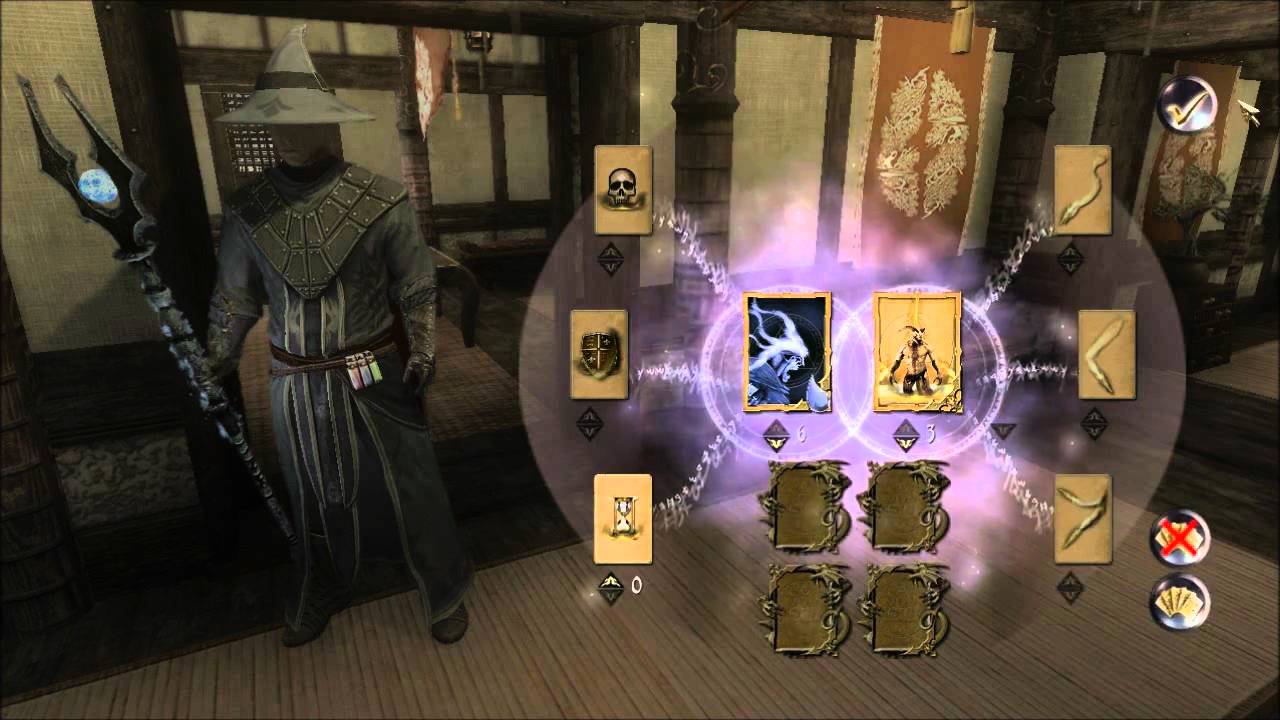
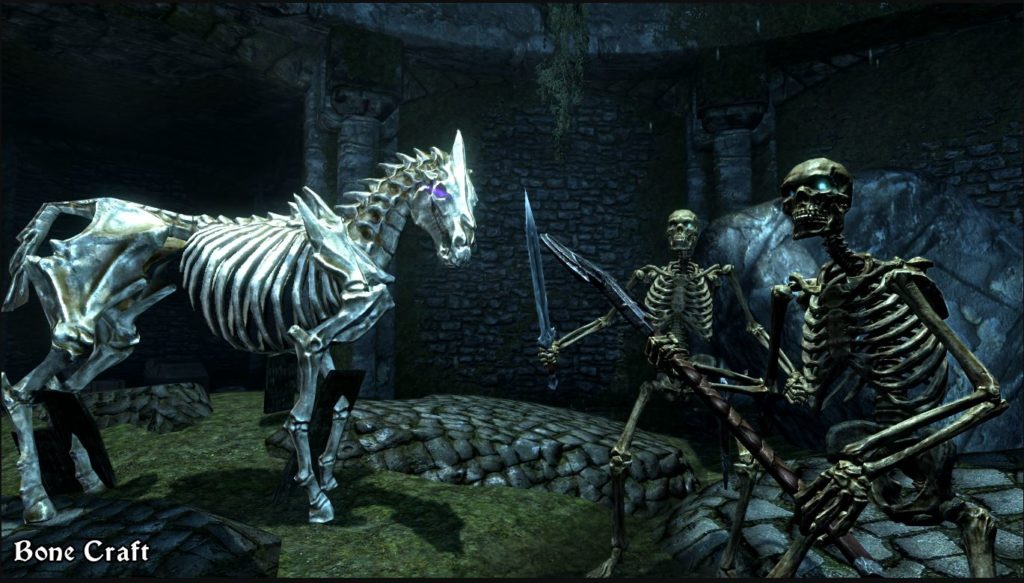
Players have access to all four elements (with the addition of necromancy) in the form of cards that can be collected throughout the game from various merchants, quests, and chests. Each element has three subcategories and a huge variety of modifications, add-ons, and effects.

Air, for example, encompassed air, lighting, and life. Fire allowed for fire, force, and power. Earth lent earth, stone, and ivy. Lastly water gave water, ice, and psyche. The cards were placed in amulets and could be outfitted with carriers that gave the changed how the spells combined or manifested. You could have all number of creative and unique spells that ranged from rock missiles to obscuring fog to lightning storms.

https://www.youtube.com/watch?v=Ui-gbdLoD5U

The depth at which characters could combine the elements together coupled with the long journey of a campaign the game takes you through really did harken back to some of our favorite aspects of Last Airbender, and the game is definitely worth a look if you like exploring a game’s huge arsenal of magic spells and skills. For more on Two Worlds II, you can check out this article.

Two Worlds II Download now ►
5

2. Magicka 2

https://www.instant-gaming.com/en/482-buy-key-steam-magicka-2/

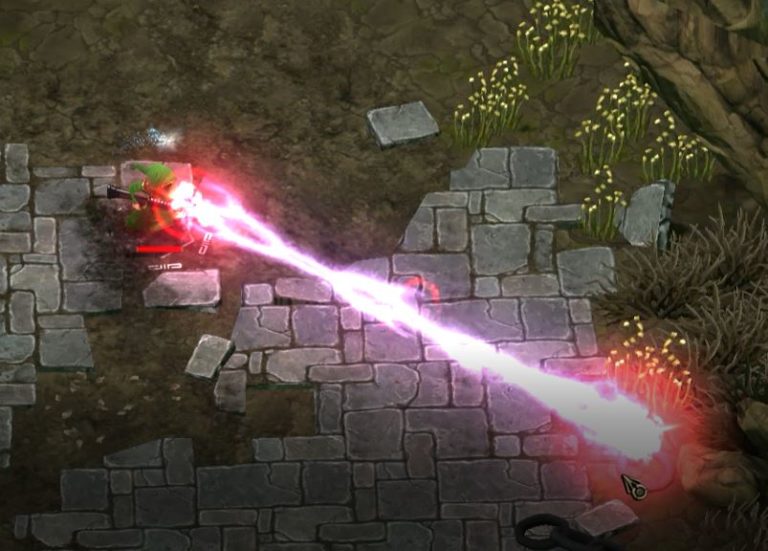
A madcap four-player romp through a zany campaign, Magicka 2 made our list for its massive variety of spells and spell combinations. One of the things that made the Avatar so enticing was his/her ability to wield all the elements together to do things other benders could not. Magicka takes this concept and makes an entire game based around it, encouraging all manner of creative spell combinations and powerful tandem effects.

Combine water and fire and make steam, combine ice and earth to create a freezing earthquake, or combine ice and lightning to send forth a furious volley of ice shards laced with sparks. Play with friends and the combos go even further.

https://www.gamespot.com/reviews/magicka-2-review/1900-6416156/

All the spells in Magicka are available as soon as the tutorial is complete, so if you’re looking for an immediate way to dive into the role of the Avatar, this is probably your best choice on this list.

Magicka 2 Download now ►
7

1. Elder Scrolls V: Skyrim (with the Elemental Destruction mod)

https://www.nexusmods.com/skyrim/mods/69474/

Skyrim has such a plethora of mods that you can argue it can be re-skinned as any game you want by now, but this mod, in particular, is great for role-playing as the Avatar. Created by reaperix, Elemental Destruction adds an assortment of water, wind, and earth spells to vendors and loot chests you can find around Skyrim.

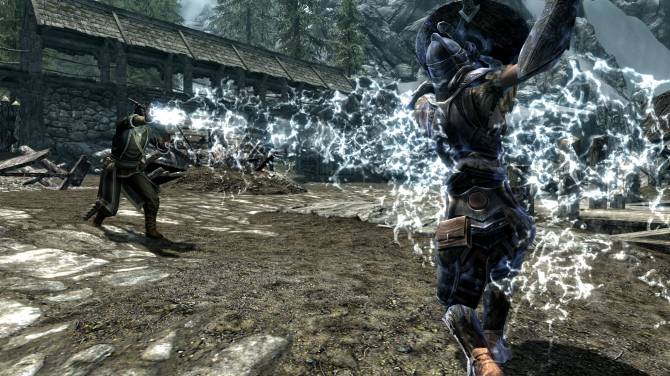
Fire, lightning, and ice are already present in Skyrim, so this mod fills out the only areas missing for people to play as the Avatar. What we love most about this mod is that the spells scale with the vanilla destruction magic perks, meaning that for the base fireball there’s the equivalent geyser spell for water, stalagmite spell for earth, or whirlwind spell for air.

Each element also carries a specific debuff, meaning that it finally requires some strategy when picking the best element to fight with. Electricity will weaken an enemy’s magic, air has a chance to knock back, and rock will stagger targets. Couple that with Skyrim’s numerous hours of gameplay, and you’ve just stepped into the boots of the Avatar. As with all others, this Skyrim mod is free. Be sure to endorse any content you like.

Elder Scrolls V: Skyrim Download now ►
8

Let us know if you agree with our choices, or if there are any games out there that made you feel like Aang or Korra!


Top 5 anti-malware tools

Looking to defend your PC from viruses and malware? Here are your best 5 options.

Using a computer without antivirus protection is like jumping out of a plane without a parachute – you’re operating without a safety net. You risk losing data and private information, and potentially money as well. Malware is constantly evolving, and so too must the anti-malware software you use.

We’ve compiled a list of our top 5 most recommended antivirus tools, based on their detected threats, removal process, reaction speed, taxation of your PC’s systems, and lastly how overall intuitive their design is. Bear in mind that there are dozens of reputable brands out there, and that to be in our top five implies that any of the following are effective, very comparable choices.

Top 5 anti-malware tools

5. Malwarebytes Anti-Malware Professional 2018

By and large an excellent choice for users who do light work on their PCs, Malwarebytes has been a reliable security platform since 2008. Malwarebytes 3.0 acquired its fame by catching threats that more frequently slipped through the net for many other anti-malware choices, more carefully scrutinizing numerous forms of worms, trojan horses, and spyware.

Malwarebytes Anti-Malware Download now ►
8

It also has a minimal effect on your CPU’s processing speed, and can be set to scan regularly to whatever schedule best suits your preference. Malwarebytes has a very intuitive interface, and lists infected files, scanned items, and the most recent updates all on a single screen. It has powerful modules for web security and for countering ransomware, and should run easily on any modern OS.

The downside, however, is that these features (as well as many of its anti-exploit and other anti-malware properties) are only usable in the paid versions. In the trial mode, all you’ll get is system scanning without any real-time protection. The full package should cost you around $40.

Our best recommendation is to use the free version of Malwarebytes alongside another free anti-malware software, such as Avast. For more information about Malwarebytes check here.

4. Avast Antivirus Pro 2018

A little newer to the game, but in no way out of its league, Avast does a quick and thorough job of eliminating malicious entities and has a variety of customization options to boot.

While Avast itself is free, it does try to promote itself via adverts and acknowledgments at the bottom of your emails. For some users, the end result can ironically look something like a virus itself. It is, of course, the furthest thing from that; Avast can actually hold its own in stride against big names like Malwarebytes and even Bitdefender as we’ll show later.

Avast is also trying to move much of its tech and updates to the cloud, meaning that its performance on your PC will be even faster, and their own tech will be made safer. The goal is to make it harder for viruses and hackers to guess the next steps that Avast will be taking to improve its job.

Compared to Malwarebytes, Avast is superior at eliminating viruses, while the Malwarebytes is the better choice for identifying and removing malware. What’s the difference between malware and viruses? The short answer is that “malware” is the broader term; viruses, for example, are just one type of malware. For more details on the difference, check out this article.

Our best suggestion is to have Avast installed and running in the background for viruses while Malwarebytes is used to run scheduled scans for general malware. With both running in collaboration, your system should be very protected. For more information about Avast, check here.

3. Kaspersky Antivirus 2018

With most free software, a quality product is a gamble at best. This is not the case with Kaspersky. Its antivirus module is able to accurately and quickly detect a multitude of threats and treat them all appropriately and safely. Kaspersky is also very capable of shielding users from potentially dangerous websites and its self-defense capabilities prevent cyber criminals from changing the antivirus’ main core. There are no ads or unwanted pop-ups, and the UI is easy and simplistic.

Kaspersky Anti-Virus Download now ►
8

Kaspersky has an uncontested history of high-profile successes, most notable of which is its VPN connection, promoting a much safer browsing experience in practically every way. It will protect your microphone, camera access, and ward off viruses borne from public Wi-Fi areas, as well as enabling safe online payments by ensuring safe transactions via trustworthy sources.

So what’s the downside? Well, Kaspersky has come under political fire for allegedly having Kremlin ties. While this hasn’t been proven yet, the accusations were severe enough that Kaspersky has been banned for use within the U.S. federal government. To see the unfortunate allegations, you can check out this article. Still, the power and efficiency of Kaspersky can’t be disputed, and it remains one of your top contenders for the best antivirus software out there.

2. Norton Security 2018

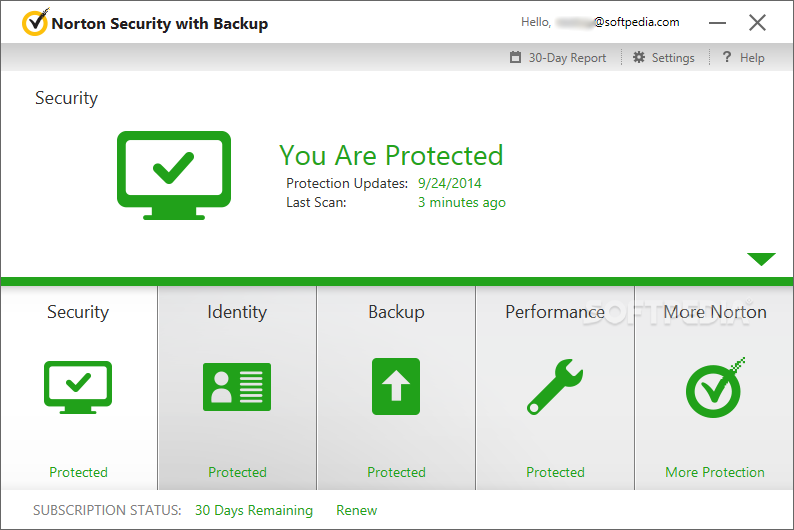
Symantec has always made outstanding antivirus solutions, but their Norton Security 2018 is definitely their best. With one of the fastest install processes of any option on this page, you can have Norton up and running in no time, thanks to Norton’s very small installation pack and extremely easy user interface. The IT team is readily available for any questions or issues you encounter, though we don’t think you’ll find any.

Norton Antivirus Download now ►
7

Norton’s most noteworthy capability is its “power eraser” which digs deep within your hard drive to root out any nagging, persistent malware. This feature alone makes Norton the best choice for rooting out malware that has firmly embedded itself in your PC. Historically, Norton has also been the benchmark by which many other anti-virus programs are measured. You also get a refund if your security is breached.

As for how Norton will affect your performance, this is up for debate. This website praised Norton for actually speeding up their PC, while other sources claim Norton to be very taxing on their OS, bogging down their PC whenever they had it installed. The heavy processing power it requires is one of the major cons pointed out in the following video, specifically Windows 10:

1. Bitdefender AntiVirus Plus 2018

Fast, simplistic, and available in either the free or paid versions, Bitdefender is the antivirus software that has it all covered: File protection antivirus, Wi-Fi security advice, scannable applications, websites, and vulnerabilities, as well as state-of-the-art shielding from ransomware.

Bitdefender Total Security Download now ►
8

How does Bitdefender compare to other antivirus software on this list? Compared to Avast, Bitdefender offers less versatility with its security features, but both offer equally superb protection against malware. Of the two, Bitdefender is less taxing on system performance.

Kaspwesky runs a little deeper compared to Bitdefender, but Bitdefender updates more frequently and is generally the faster of the two. If you’re looking for stability and more customization, Kaspersky is the better choice, but Bitdefender boasts the higher detection ratio and better UI design.

Bitdefender will work discreetly in the background, meaning it will do all of its scanning, troubleshooting, and problem solving on its own. You won’t need to directly ask Bitdefender to do anything; it’s always on the clock. It comes complete with an award-winning password manager, and a very ruthless anti-phishing module. On top of all that, Bitdefender runs surprisingly light. No harassment from ads or pop-ups either. For more information about how to install Bitdefender and more of its features, you can check out this article.

Free Genius Scan app makes scanning super easy

Looking for a less clunky, time-consuming way to scan documents and faxes? Genius Scan has you covered. With the press of a button you can turn any document into a .pdf, and send, fax, or print it right on the spot. It couldn’t be any easier.

https://android.appstorm.net/reviews/office-reviews/genius-scan-puts-a-scanner-in-your-pocket/

How much is it?

It’s 100% free. Download it right here:

Genius Scan for iOS Download free ►
10
Genius Scan for Android Download free ►
10

How does it work?

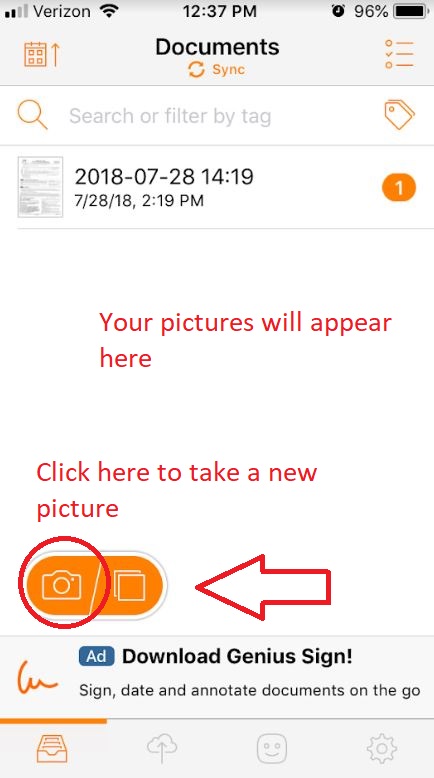
Once you’ve downloaded the app, open it up and you’ll be shown all the documents you’ve created so far.

Click the orange camera at the bottom and you’re immediately in camera mode. All you’ve got to do now is snap a pic, and your photo will appear in the app’s documents tab.

Check out this short video to see Genius Scan in action:

Can the picture be edited?

Yep! Just navigate to it in your documents, tap the picture, and you can rotate, crop, or enhance it. You even have the option to print a specific size: letter, receipt, business card, or legal document.

How do I make it a .pdf?

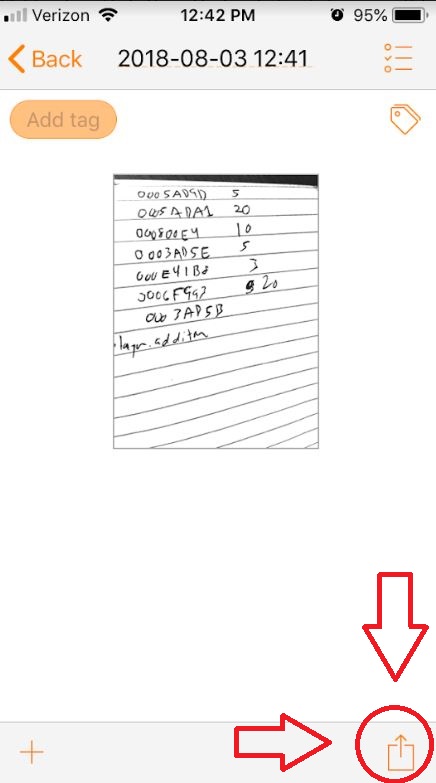
When you’re done editing your image, just click the ‘share’ icon on the bottom right.

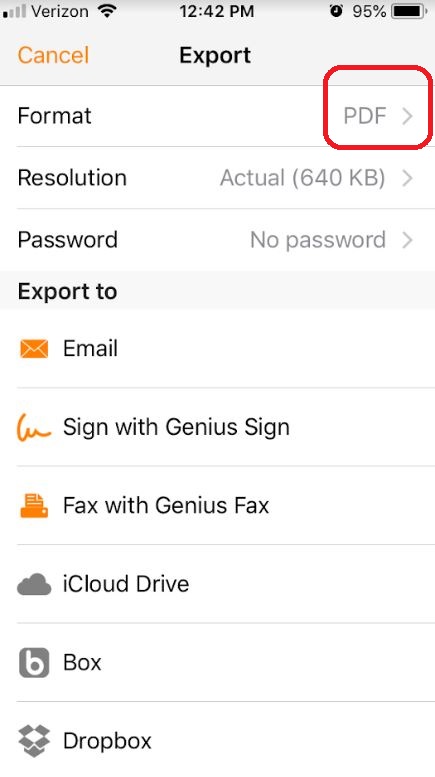
The top option allows you to pick between exporting as a .pdf or as a .jpg. You can also change the resolution here.

Where can I export this to?

Oh, man. That’s the best thing about Genius Scan: Unlike Adobe Scan or Dropbox, Genius Scan lets you fax and print from the app in addition to a ton of other export options. Your choices include:

  • Email
  • Fax
  • iCloud
  • Dropbox
  • Evernote
  • FTP
  • Google Drive
  • OneDrive
  • WebDAV
  • SugarSync
  • Expensify
  • OneNote

Why is this better than other scan apps?

Besides being free? Genius Scan stands out because of its super simplistic design. There aren’t annoying drop-down menus or frequent pop-up ads. When we just need to scan something, we really don’t want menu hunting or confusing overlays. And for that, Genius Scan gets our vote.

If you want to see how it specifically compares to other apps, check a comparison here. If you want to learn more about Genius Scan’s capabilities and whether it’s the right app for you, you can read more here.

How to get the most out of your spice rack

If you’re looking to quickly up your cooking game, there’s no faster way than becoming better acquainted with your spice rack. Salt and pepper are always a help, but what about the more niche players on the field? What’s accomplished by adding seasonings like chives, cumin, or sage?

Below is a list of 15 spices that you can find at your local grocery store. If you’ve already got them in your cabinet and aren’t sure how to best use them, we’re here to help.

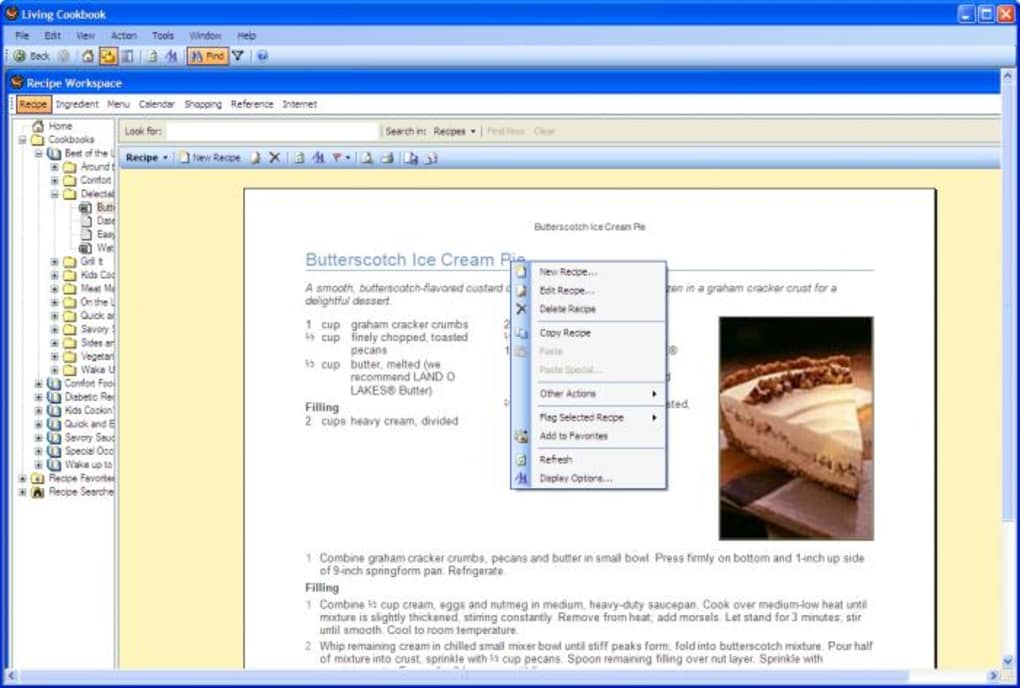
If you’re looking for recipes, or easy ways to organize your cooking schedules and shopping lists, you can also check out Living Cookbook right here:

Living Cookbook Kick it up a notch!
6

1. Thyme

Most commonly paired with oregano or rosemary, thyme has a woodsy, earthy flavor that’s not overpoweringly strong. It can contrast especially well when you’re working with a buttery base, and adds a nice contrast in color and flavor when sprinkled over rice or fried eggs.

Thyme can add an extra level of flavor to your soups, marinades, or even salad dressings. The flavor is so subtle and mixes so wonderfully with other spices that honestly you’d be hard-pressed to find a dish that doesn’t benefit from it!

2. Nutmeg

Sweet and pungent, nutmeg can be used in both desserts and savory dishes. If you’ve ever had egg nog, you’ll immediately be reminded of it upon smelling this.

Sprinkle it over a latte or hot chocolate to get an added minty, winter flavor, or add it to a cobbler. For savory, nutmeg also rounds out and adds a richness to fatty meats like sausage or ground beef. Either way, a little goes a long way with this spice, especially if you’re grating it fresh. It permeates so strongly that you probably won’t need more than a quarter teaspoon.

3. Basil

Fresh and sweet, basil is a key component to Italian foods, particularly cheeses, fish, or chicken. While dried basil does the trick in a pinch, getting it fresh will really bring out it’s herbal, fragrant flavor.

Fresh basil is incredible on pasta and is a vital ingredient in all number of marinades, dressings, rubs, or pesto. Get it dried and it also pairs well with rosemary, garlic powder, oregano, or thyme.

4. Oregano

Rich and lemony, oregano is a robust, somewhat citrus flavor that pairs incredibly well with Italian, Mexican, and Mediterranean food. It adds an herbal sharpness to contrast thicker flavors like cooked cheese, pork, or beans.
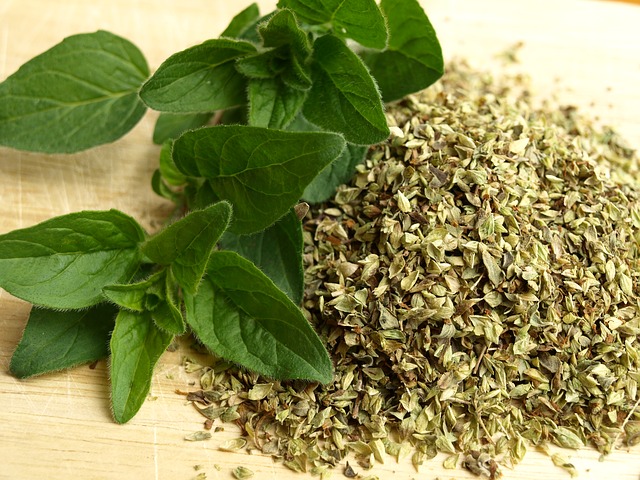
Sprinkle dried oregano on pizza or inside of a grilled cheese sandwich to bring out a sharp, elegant smokiness.

5. Parsley

Peppery and bright, fresh parsley is so often seen as nothing more than a colorful garnish. Besides having a number of health benefits (vitamin C, iron, fiber, calcium), parsley can be a key component to very flavorful sauces, salsas, and marinades.
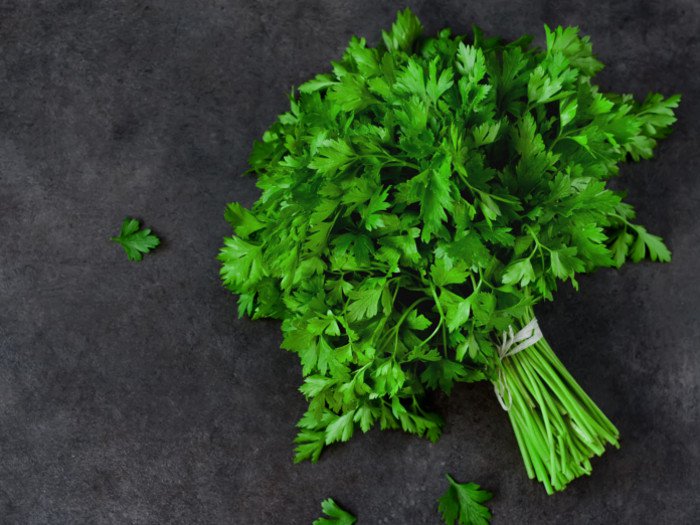
Parsley can brighten your meat dishes, enhance your salads, and offset the smokey flavors of chicken or pork. For a particularly delicious steak marinade combine parsley with tarragon, lemon zest, olive oil, and chives. You won’t be disappointed!

6. Chives

Commonly thought to be another name for scallions, shallots, or leeks, while chives are related to these, they are not the same thing. Chives have a similarly onion taste, but are milder than their siblings and add a far more subtle bittersweet flavor than you’d get from a larger onion.
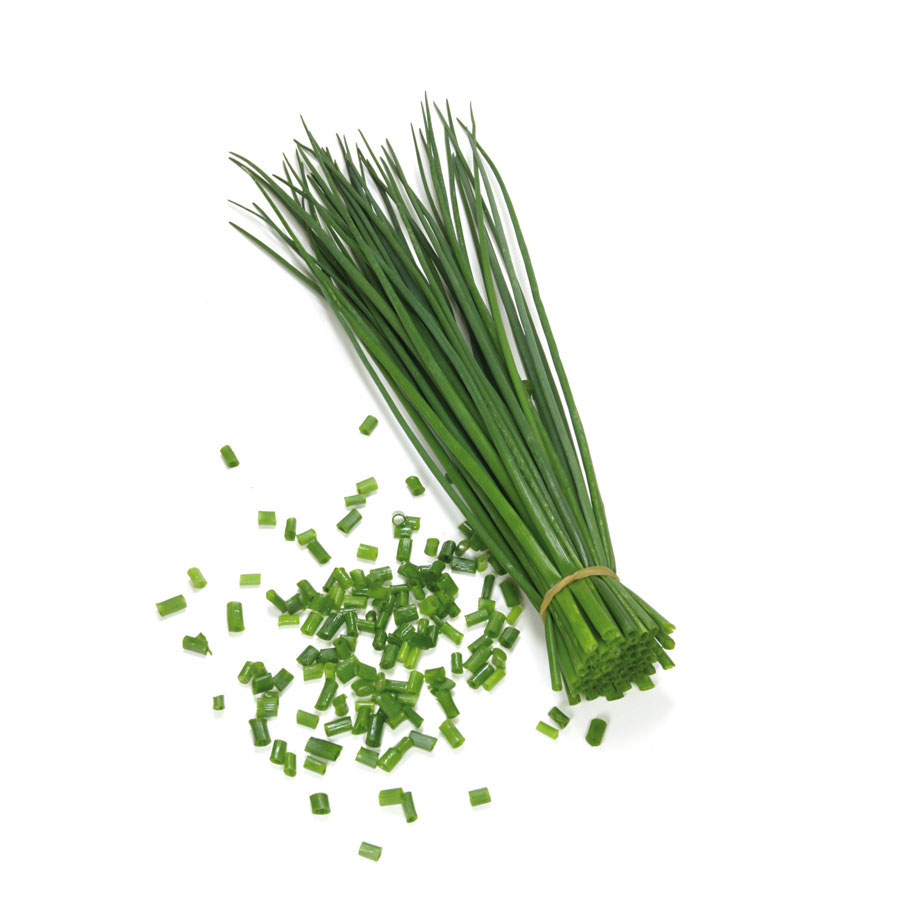
Chives are useful when you want the flavor of the onion without the punch or the texture. They’re especially great in scrambled eggs or fried rice.

7. Cumin

Smokey and salty, cumin adds a distinctive warm flavoring to Indian, North African, Middle Eastern, and Mexican foods. Use a little to add a smooth nuttiness to your dish.

Use more roasted in hot oil and you’ll land on an earthy, sweet flavor. Cumin adds that extra authenticity to recipes like stews, chili, or Spanish rice.

8. Paprika

People think of paprika as spicy, but the heat is almost secondary to its other properties. Paprika is a warm, sweet, smoky flavor that adds a little kick and a lot of personality to your hard-boiled eggs, tofu, lamb, soups, fish, or stews.

Paprika is also a great way to get more mileage out of infamously bland cooked vegetables like cauliflower, squash, or potatoes. As an added bonus, paprika is a very vibrant scarlet color, making your cooking look a little more striking. If you want to really bring out the smoky, salty edge to paprika, opt instead for smoked paprika.

9. Dill

Like chives, dill can be used to substitute in a more subtle flavor from the more common pickle or relish. Dill is not salty or sour like a pickle, however, but rather is a delicate, fresh flavor.
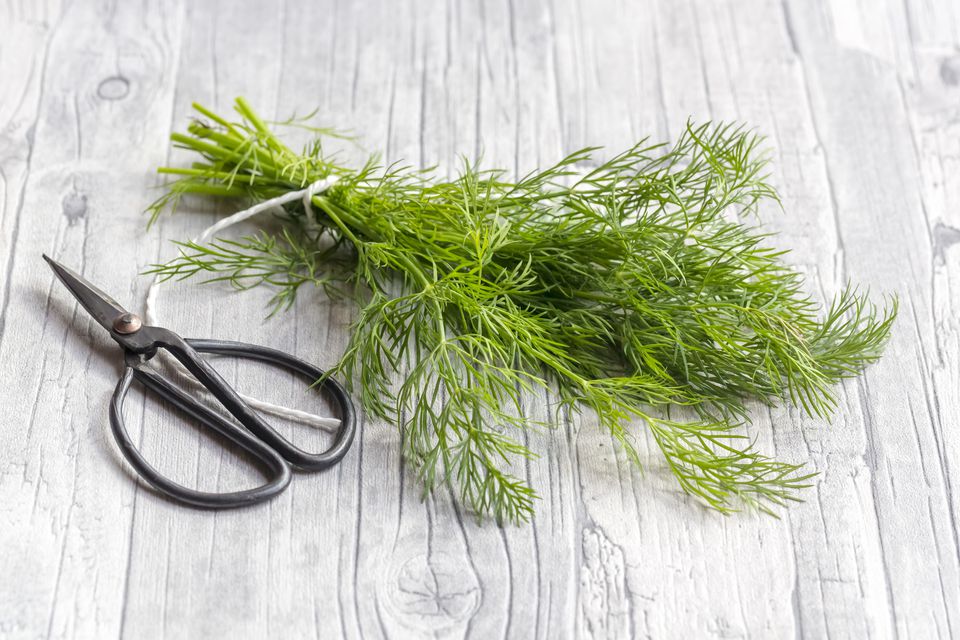
Fresh or dried, sprinkle dill on soups, salads, sauces, or seafood. It’s especially good mixed with old bay and malt vinegar when you’re making a tuna salad.

10. Cinnamon

Do not underestimate cinnamon! Spicy and potent, its harsh bitterness belies how paradoxically sweet the spice can really be. Cinnamon is available both in powdered form and in whole sticks, and its versatility allows it to be used in equal parts sweet or spicy foods.

For sweet, sprinkle it over french toast, apple pie, or breakfast rolls. For spicy add it to your chili, Moroccan tagine, curry, or even pho. The whole sticks are useful in their own right, too; drop one into cider, wine, or applesauce to let the sweet, spicy flavor permeate the entire mix.

11. Rosemary

One of our favorites, rosemary has a very pungent pine flavor. This can be used with eggs or beans, but really hits its stride when (sparingly) added to grilled meats like steak, lamb, or pork.

Be sure not to overdo it, as a little goes a long way with rosemary. Bear in mind that these look and feel like pine needles, so their texture is definitely going to be noticeable. If you’re vegan you might also try adding rosemary to sliced mushrooms with some chopped garlic and extra virgin olive oil. Saute the mushrooms with a pinch of salt. Rosemary is excellent in marinades too.

12. Cloves

Sweet and spicy, cloves are the familiar flavor you taste in pumpkin pies, sweet potatoes, or chai. While it’s most commonly added to give dessert dishes an autumnal spice, cloves can be used for savory too.

Try adding cloves to a marinade to give meats like pork or ham a more distinctive sweetness, or add it with cumin to your tomato sauces.

13. Bay Leaves

By themselves bay leaves will seem bitter, but add a whole leaf to a big vat of something like a tomato sauce and you’ll notice a big difference. Bay leaves should be added for flavoring tomato sauces, soups, or a risotto.

Be sure to remove your bay leaves after, though, and never cut them up or chop them as finding part of an actual leaf is less than pleasant.

14. Cilantro

Sharp, minty, and lemony to some; soapy and metallic to others, there’s an unfortunate gene that can totally ruin the flavor of this deliciously fragrant herb. Cilantro adds a glorious freshness to Chinese and Thai dishes, but is particularly contrasting in Mexican foods. You’ll find it chopped in guacamole or sprinkled over spicy nachos.
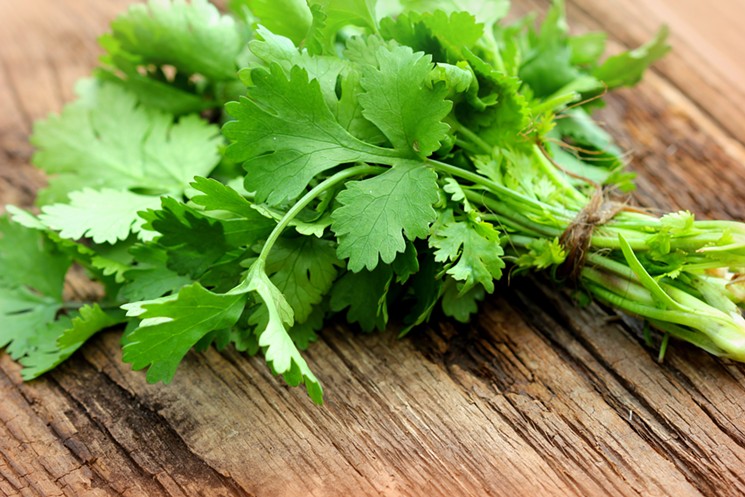
That’s regarding the leaves, at least. The dried seeds of the same plant are actually coriander, a completely different flavor used commonly in curry or garam masala.

15. Sage

Piney, aromatic, sweet, and very potent, sage is like rosemary in the sense that a little can go a long way. Sage is most commonly used on poultry like turkey, and its use in stuffing make it a prime seasoning for your Thanksgiving dinners.
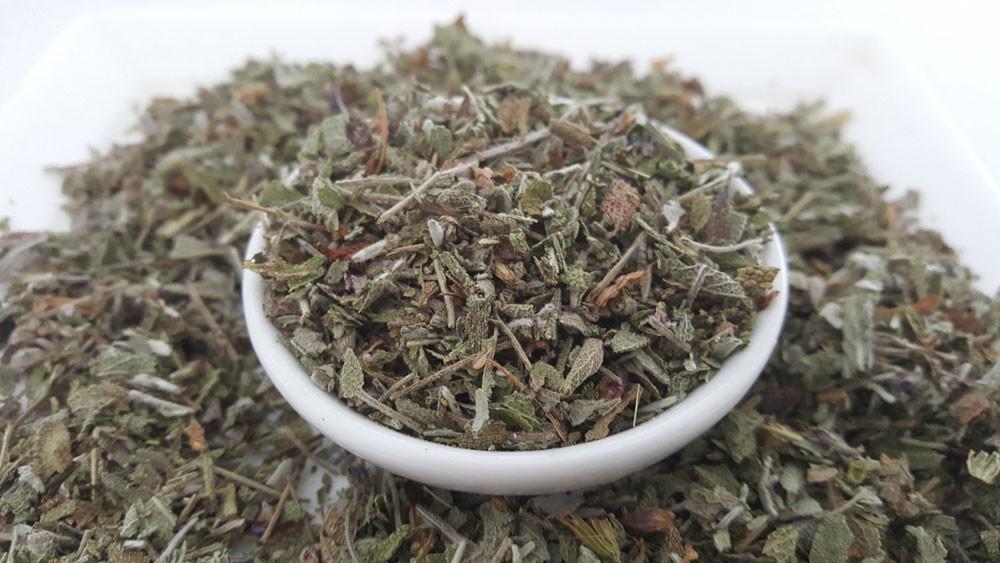
While that’s its most common use, try adding some powdered sage to breakfast hash, sausage and bread stuffings, or any fatty meats in general.

As a final note, many of the herbs and spices on this list are plants! They should be treated as such any time you buy them fresh. Snip off the bottom of the stem, and store it in the fridge in a cup of water. You’ll more than double their shelf life! For more information on how to use spices in different types of cuisine, check out this article.

15 tips for using Command Prompt

Command Prompt is one of Microsoft Windows’ most powerful tools, and for the majority of end-users, one of the most underutilized. While its capabilities are as helpful as they are numerous, cmd itself is hardly intuitive. At first glance novice users probably wouldn’t get much out of it.

https://www.lifewire.com/command-prompt-2625840

We’ve assembled a list of 15 features and shortcuts that will both help to showcase Command Prompt’s many uses, as well as teach you how to more easily navigate through it.

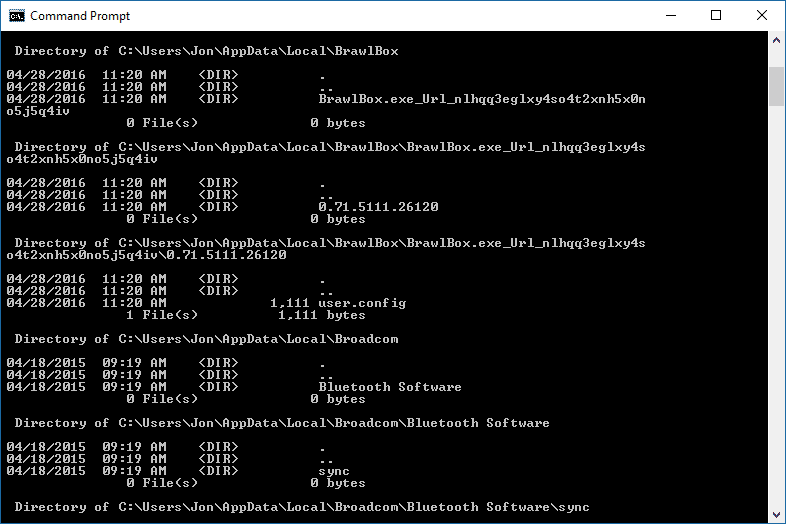
First and foremost, bring up the command prompt by hitting the Windows key and typing cmd, then enter.

15 tips for using Command Prompt

1. Test your network connection

Need to quickly test whether you have internet connectivity? Open cmd and ping a website to determine whether your computer can see it. To do this, simply type, for example, ping softonic.com. If you receive a reply, you have at least some semblance of internet connectivity.

Command Prompt will then list how quickly it was able to send its pings, which provides some frame of reference for your connectivity strength.

2. Scan your files for corruption and viruses

Command Prompt has a built-in virus scanner of sorts, but it can only be operated if you run Command Prompt via admin.

https://www.howtogeek.com/168896/10-useful-windows-commands-you-should-know/

* To run as admin, all you need to do is right-click on your command prompt shortcut and select run as administrator.

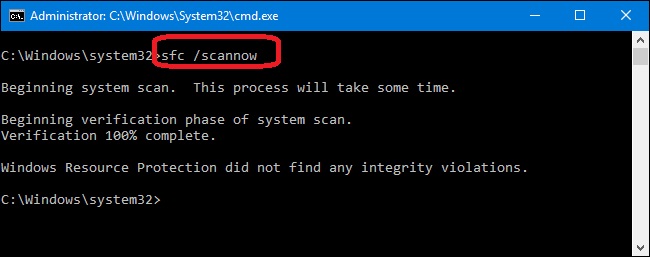
Once that’s done, type in sfc /scannow and Command Prompt will scan your files and note and repair any missing or corrupted files.

3. List network connections and ports


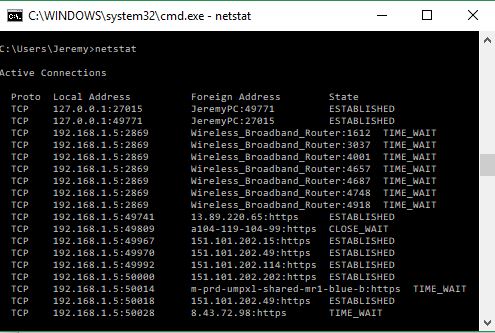
Type netstat into cmd and you’ll receive a list of network statistics from various local and addresses. You can type netstat -a -n to filter all open network connections on their computers, including the port they’re using.

4. Wipe a drive clean without using third-party tools

Time to debunk a myth: Deleted files never actually get fully deleted. Rather, they are always kept on disk. Command Prompt’s cipher command will fix this, writing deleted files to a drive. This clears free space, but will prevent the files within from ever being recovered. If you’re willing to take the risk, type cipher /w:C:\ replacing “C” with whichever drive it is you wish to erase.

Be careful with this!!

5. Enable “GodMode”

GodMode is a hidden capability that, when activated, will provide very easy access to more than 200 tools and settings that are normally scattered behind menus and windows. To enable it, make a new folder and title it God Mode.{ED7BA470-8E54-465E-825C-99712043E01C}. Double click on this folder to open GodMode.

GodMode’s features are far too numerous for us to list here, but some of its implementations include Bluetooth devices, file extensions, device managers, event logs, renaming the computer, changing font settings, and even updating drivers. For more detailed instructions on how to set up GodMode, check out this walk-through.

6. Quickly check your IP address

https://networking.grok.lsu.edu/article.aspx?articleid=16923

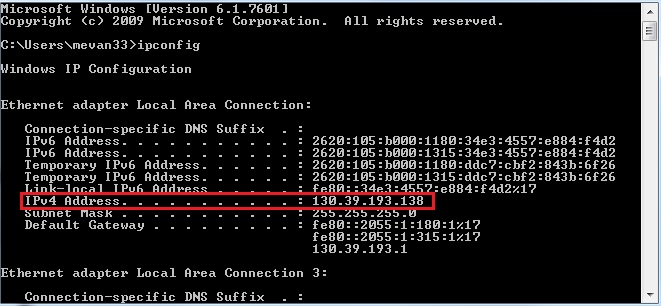
In Command Prompt,you can simply type ipconfig to quickly determine your computer’s IP address, along with a handful of other pertinent information like default gateways, subnet masks, and connection-specific DNS suffixes. It’s especially handy if you want to know the IP address of your router’s web interface.

*The following tips are shortcut codes and commands for faster, easier navigation through Command Prompt*

7. Use the F1-F9 keys for quick access

F1: Pastes the characters of your last executed command
F2: Pastes your previous command up to a set character
F3: Pastes your previous command
F4: Deletes all current prompt text up to a set character
F5: Pastes back all your recently executed commands one at a time
F6: Pastes ^Z to the prompt
F7: Lists all your previously executed commands for easy selection
F8: Pastes back all your recently executed commands one at a time, cycling back after
F9: Lists all your previously executed commands for easy selection via numeral

8. Define commands

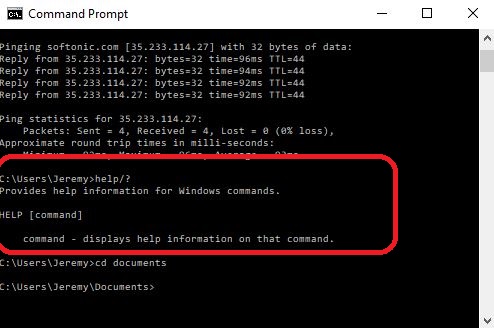
Don’t know what a particular command does? Just type /? after it, i.e. help/? and Command Prompt will succinctly explain to you what that particular command does.

9. Clear the screen

Command Prompt window getting cluttered? Just type cls and you’re looking at a clean, blank window ready to work.

10. Open a new directory


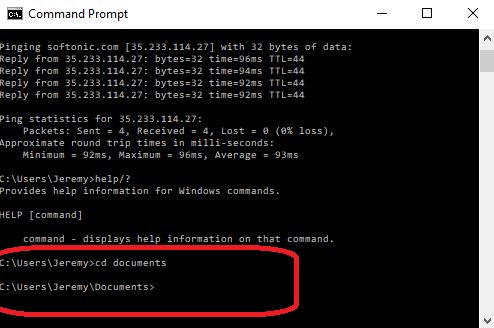
Command Prompt defaults to your C:\Users\Name directory upon opening, but you can switch to new folder by typing cd and then entering the name of the directory you wish to travel to. Type cd documents, for example, and you’ll be put into that folder instead.

To go back to a lower branch, just type cd\

11. See all files within your directory


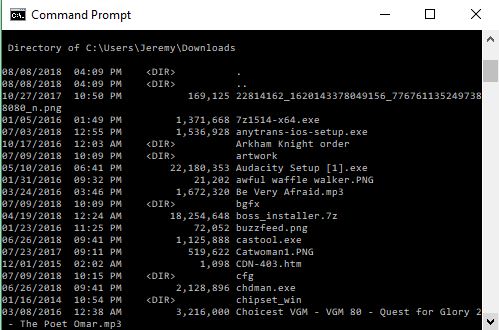
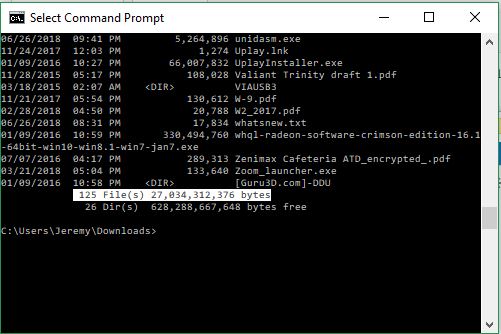
Type dir to see all the listed files within your current directory. This is particularly useful when you’re trying to find what extensions can be accessed from your current folder.

12. Show files organized by folder

Similar to the directory command, you can go the extra mile and show the files organized by subfolder.

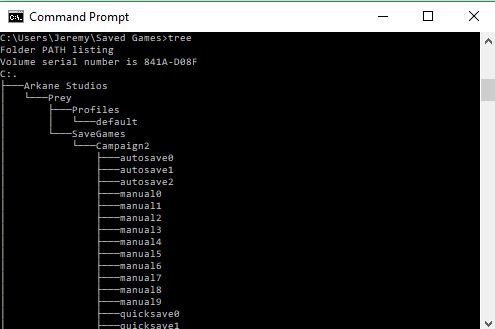
Once you’re in a directory, just type tree and you’ll get a handy flowchart. This is especially great if you’re looking for a navigation overview of a specific folder and just want to find a specific path.

13. Cancel any running task

If you accidentally set Command Prompt to run a task you hadn’t meant, you can cancel the process by pressing cntrl+c.

14. Copy text from Command Prompt

Command Prompt text can be copied, but it’s not as easy to do as you’d think. To do it, start by right-clicking and selecting mark.


Now you can highlight as you’d expect! Right-click again to copy your selection to clipboard.

15. Learn more codes


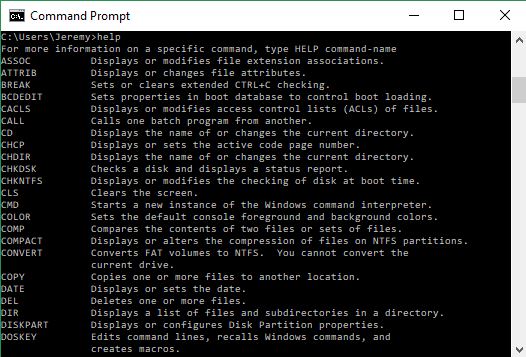
To see even more of Command Prompt’s capabilities all you need to do is type help. It will list a ton more features and shortcuts for you. There’s always more to learn!

How to download free audio at Freesound.org

Freesound.org is an online library that’s got practically every sound under the sun, ranging from the versatile and generic to the highly specific. If you’re looking for sounds or music to add to your podcast idea, YouTube video, radio drama, or really ANY project, Freesound is the compendium to search. And you don’t have to spend a penny – it’s in the name.

You can check out this video walking through these features here:

Type any tags you’re looking for in the search portal and you’ll be given any and all results that feature them. Click the play icon on the corner of the thumbnail and you can hear the whole clip. Click the clip and you’ll be taken to its particular page.

Here you’ll be told any relevant information pertaining to the track itself, most notably the file type, duration, bit depth, channels, and file size. You’ll also see any description given by the uploader, possibly including links to their website, YouTube channel, or licenses. Comments are found below.

Playing a clip is free, but if you’d like to download it, you’ll need to make an account. Don’t worry, though; Freesound accounts are 100% free and do not send any spam to the linked email account.

Once you’ve made an account, click the yellow “download” button and the file will show up in your downloads folder. From there it can be reformatted or edited however you please.

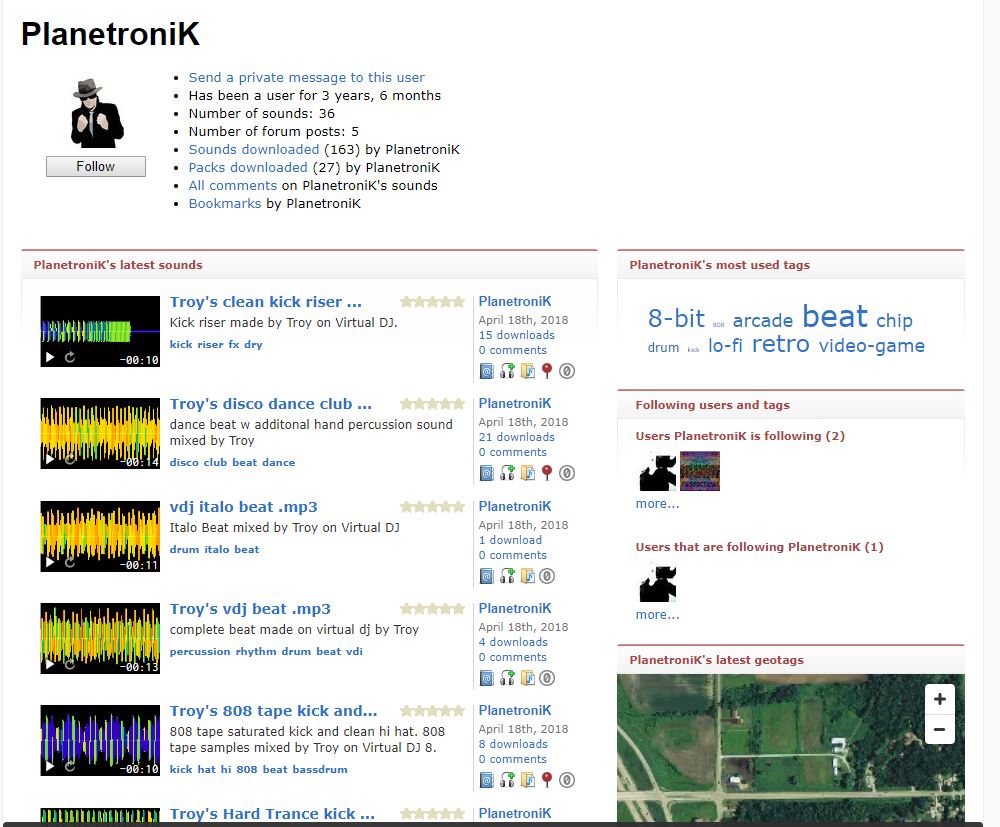
Remember that while your access to the sound was easy and free, it did take somebody time and effort to upload it to Freesound. The best way to thank them is in the credits of your work. Tell them in the comments on the clip’s page, too, how much you appreciate their work. You can also click on an uploader’s name to see their information, send them private messages, or view their other uploaded tracks. Send a link to the project where you used their audio and you may even find a new collaborative partner!

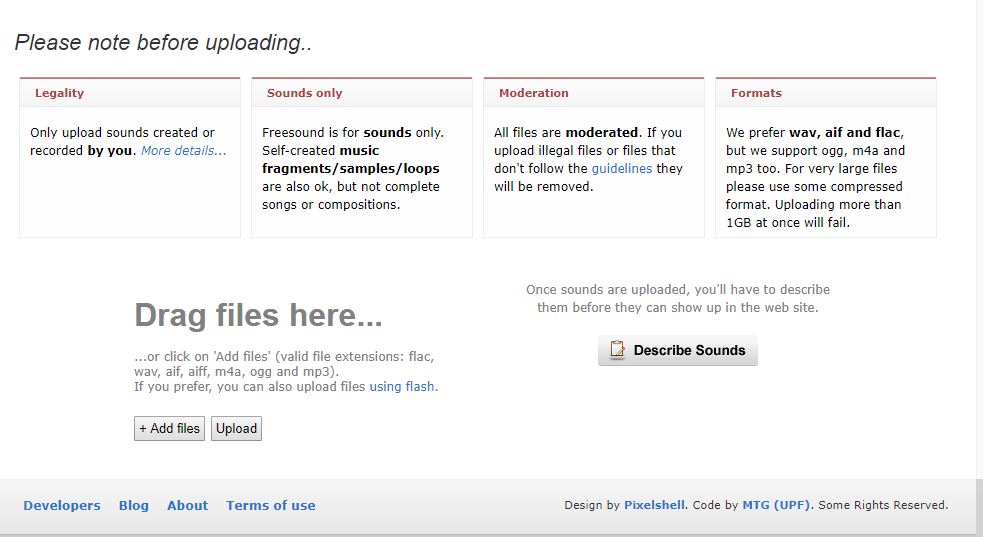
Users with an account can also upload sounds of their own by simply clicking the yellow “upload sounds” button at the top right of the page. From there it’s as simple as drag and drop – just drag your file (flac, wav, aif, aiff, m4a, ogg or mp3) to the box where it says “drop files here” and describe the sound you’re uploading. Then you’re done!

Hope our overview has helped introduce and explain Freesound; we’re excited to see what you can create!