GTA Online Short Trips: Everything you need to know

GTA Online’s Short Trips has risen to fame for featuring beloved characters Lamar Davis and Franklin Clinton, with the latest update promising players doubled earnings in cash and RP until November 8, 2023. Yet, not all fans are fully versed in these 2023 missions.

Grand Theft Auto Online DOWNLOAD

How to do Short Trips in GTA Online?

That being said, this article shares everything about GTA Online Short Trips and how one can start doing them after the latest update.

Originating from The Contract update in 2021, GTA Online Short Trips consists of three unique missions. Rockstar Games paints the backstory with characteristic flair:

“It’s been quite some time since Franklin Clinton and his notorious accomplices knocked over the biggest targets in Southern San Andreas. Since then, Franklin’s put down roots in Los Santos — getting married, starting a family, and even wearing a suit to work. Meanwhile, Lamar just got high. But now it’s LD’s time to come up, and he’s laying the groundwork for a legit, above-board business of his own if he can just pull it together…”

Initially, Franklin extends an invite from Dr.Dre to tour Record A Studios, where players are greeted and given a brief tour by DJ Pooh, marking the beginning of the Short Trips adventures.

These missions, featuring both Franklin and Lamar, necessitate the partnership of two players for commencement. Initially gated behind the purchase of an Agency and completion of The Contract: Dr. Dre, as of the Valentine’s Day event in 2022, these missions have been made accessible to all, with no previous requirements needed.

How to play Short Trips in GTA Online?

To dive into the Short Trips missions following the recent GTA Online update, players should follow these detailed steps:

  • Access the Pause Menu. This is your gateway to all of GTA Online’s content. Simply hit pause to begin.
  • Navigate to the online tab. Within the pause menu, you’ll find the ‘Online’ tab which is your next stop on the road to starting Short Trips.
  • Locate jobs: Here, you will find a wide array of activities, but your focus will be on the ‘Jobs’ section.
  • Opt for Play Jobs. This option will let you delve into a variety of missions – both Rockstar-created and community-generated.
  • Select missions. Narrow down your choices to ‘Missions’ to get closer to the Short Trips.
  • Find and select Short Trips. Scroll through the mission list until you find the ‘Short Trips’ series. They should be listed and ready for you to embark upon.

Rockstar Games has crafted a trio of distinct Short Trips missions, each offering a unique slice of adventure:

  1. Short Trip: Seed Capital
  2. Short Trip: Fire It Up
  3. Short Trip: OG Kush
Grand Theft Auto Online DOWNLOAD

Each mission is packed with thrilling scenarios that are not just entertaining but also highly rewarding, particularly now with the opportunity to rake in double cash and RP during the current promotional event.


X is reportedly selling exclusive handles for $50K

X, previously recognized as Twitter, seems to be accelerating its initiative to market inactive user handles, aligning with a strategy earlier hinted at by owner Elon Musk.

According to a recent report by Forbes, the transition at X, once known as Twitter, is picking up pace with the sale of dormant user handles now underway. A unit within the company, named the @Handle Team, has rolled out a commercial avenue for securing rights to handles that have been long abandoned by their initial registrants.

X (Twitter) DOWNLOAD

Selected potential purchasers have received direct communication from X, proposing a uniform fee of $50,000 to commence the transaction.

These insights emerge from emails, excerpts of which Forbes has confidentially reviewed but chosen not to disclose in full. The emails were sent by individuals currently employed at X and draw attention to the updated protocols and pricing structures for @handle transactions recently put in place by the company.

Forbes reached out to X’s press email for comments, receiving only an automated reply stating: “Busy now, please check back later.” The blueprint for Musk’s company to initiate such a sales mechanism has been a subject of speculation for several months.

Musk himself, as early as November 2022, mentioned on the platform that a “vast number” of user handles had been secured by “bots and trolls,” announcing intentions to “free them up next month.” This prompted a user to propose a “Handle Marketplace” for account sales, which would include a transaction fee for the site.

Discussions on the commercialization of X/Twitter handles by X employees were on the table as early as the following month, according to a report by The New York Times in January, with Musk signaling his intent to liberate up to 1.5 billion usernames “soon.” X initiated the process of deactivating dormant accounts in May.

Despite these moves, as of Friday evening, the username registration guidelines on X’s official website still read: “unfortunately, we cannot release inactive usernames at this time.” Concurrently, the platform’s policy on inactivity cautions users to sign in at least once every 30 days to prevent being categorized as inactive, yet it notes that X is not currently reclaiming unused usernames.

Ironically, Musk might find it beneficial to apply his platform’s new sales strategy to acquire the @handle account, which itself has been silent since 2019. In a twist of fate, its final tweet alluded to a comeback, though the website it pointed to had long ceased to operate.

X’s present guidelines urge users to sign in at least every 30 days to maintain their account’s active status.

X (Twitter) DOWNLOAD

In a move to generate extra income, late October saw the debut of X’s “Premium+ Tier,” a new subscription level priced at $16 monthly that provides an ad-free experience. Subscribers to this tier not only enjoy the absence of ads but also benefit from enhanced visibility of their replies on the platform, effectively boosting their interactions.

Party Animals fans get your free Discord Nitro promo

Party Animals fans are presented with a remarkable chance: they can secure a one-month Discord Nitro subscription at no cost, beginning on October 31, 2023, at 5PM PT and lasting until December 29, 2023, at 8PM PT. Delve further to grasp the details of this special partnership.

Discord DOWNLOAD

Discord Nitro and Party Animals collaborating

Ah, Discord Nitro! Think of it as the VIP lounge of the Discord universe. But what makes it so special? Discord Nitro is a premium subscription service on Discord, the popular communication platform that has become the go-to hub for gamers, communities, and even professionals. But Nitro isn’t just about flaunting a shiny badge; it’s about enhancing your Discord experience to its zenith.

With Discord Nitro, you’re granted the luxury of HD video streaming—perfect for those late-night gaming sessions or professional meetings. Tired of the pesky file size limits? Nitro has got you covered with a generous 500MB limit for your uploads.

And for the aesthetes among us, customization options for your profile and avatar are aplenty. From flaunting two free Server Boosts to accessing custom emojis and even indulging in multiple color themes for the Discord app, Nitro ensures your presence is not just felt but celebrated. And that’s just scratching the surface!

Now, let’s pivot to a world where chaos meets cuteness, and strategy meets silliness. Welcome to Party Animals—a game that’s as unpredictable as it is delightful. Imagine a battlefield, but instead of armored warriors, you have playful puppies, cunning kittens, daring dinosaurs, and yes, even mythical unicorns!

Party Animals is a physics-driven competitive game that thrusts players into uproarious brawls. But it’s not just about throwing punches; players can jump, kick, headbutt, and even arm themselves with whimsical weapons.

The gameplay is diverse, with 20 unique maps and three distinct modes that challenge both your brawn and your brain. Whether you’re testing your endurance in “Last Stand,” strategizing in “Team Score,” or diving into the team-based chaos of “Arcade Mode,” Party Animals promises a rollercoaster of emotions and excitement.

Discord DOWNLOAD

Redeeming Nitro Promo from Party Animals account

Sign in to your Party Animals profile, and within the game interface, you should notice a menu referencing the Party Animals x Discord Nitro promotion.

  • Begin by accessing the Party Animals game interface. Within the game’s menu, locate the section highlighting the Party Animals x Discord Nitro promotion.
  • If you are not already authenticated on Discord via your browser, the system will prompt you to do so. For individuals new to Discord, select the ‘Create a new account’ option. Existing Discord users should proceed by selecting ‘Sign in’, using their established credentials or the provided QR code functionality for authentication.
  • Upon successful login, a verification prompt will appear. This is to ensure that the Nitro promo is being activated on the intended Discord account. It is advisable to review the details at this stage to prevent any discrepancies.
  • Discord may request the addition of payment details if they are not already associated with the account. It is important to note that while payment details are required for the activation process, no charges will be applied until the conclusion of the free trial period. Subsequent to the trial, standard membership charges will be applicable.
  • With all requisite details furnished, proceed by selecting the “Accept Gift” option to initiate the activation of the Nitro promo.
  • Post-activation, users will be redirected to the ‘Subscriptions’ section within Discord’s User Settings. Here, one can review and confirm the successful activation of the Nitro membership.
  • With the Nitro promo now active, users can return to Party Animals and leverage the enhanced features provided by Discord Nitro during their gameplay.

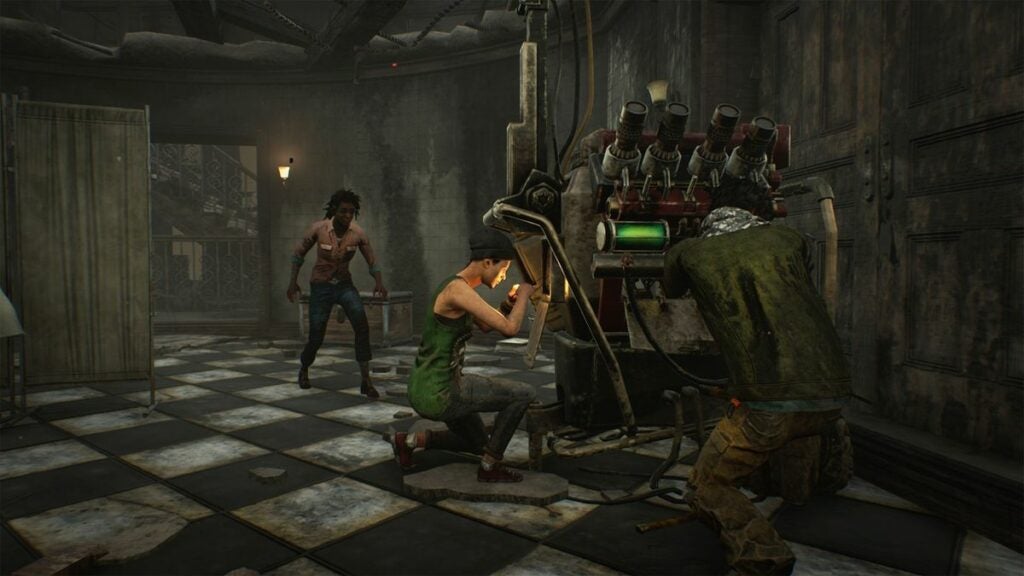
DBD Chapter 30 release date is here but not a mention about the new killer

The chilling atmosphere intensifies with Halloween upon us, and in this eerie ambiance, DBD Chapter 30 prepares to make its mark. Beyond the month known for hauntings and howls, Dead By Daylight ensures that the thrills persist for all horror enthusiasts.

While everyone was eyeing November 1st for the next public test build, Behaviour Interactive has now unveiled the official release date for the DBD Chapter 30 PTB.

Dead By Daylight never misses a chance to immerse its fans in the macabre, and its ongoing tribute to Halloween, the Haunted By Daylight event, is no exception.

This annual dark carnival not only offers exclusive shirts for both killers and survivors but also introduces limited-time modes and coveted Hallowed skins. Dive deep into the Void and amass Void energy, ensuring you seize every cosmetic reward before they vanish into the night.

Dead by Daylight DOWNLOAD

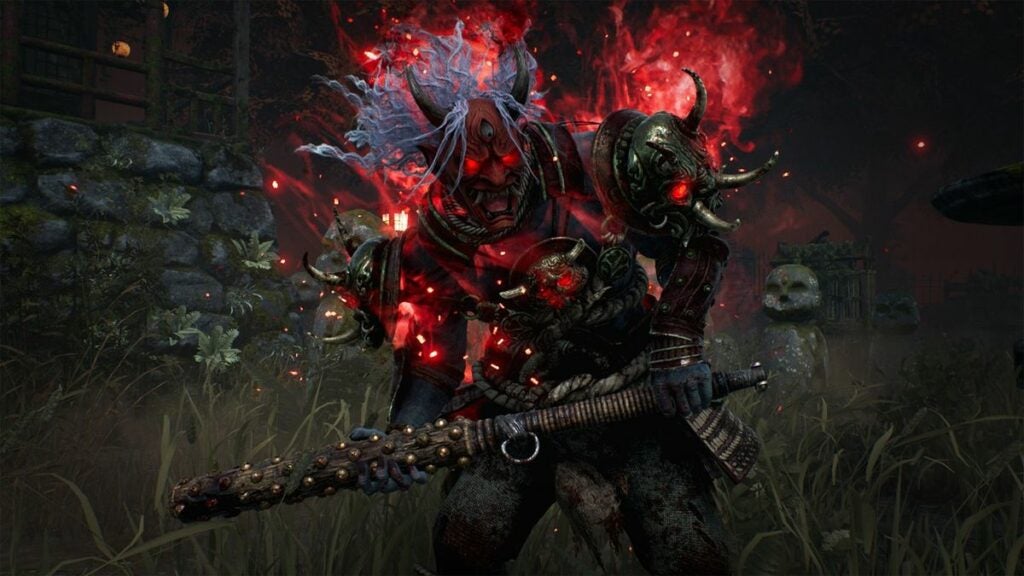
The Haunted By Daylight festivity always offers its share of surprises, but the buzz and suspense enveloping the new killer in Dead By Daylight Chapter 30 are unparalleled.

About DBD Chapter 30 and new killer

Behaviour Interactive has shed light on the much-anticipated DBD Chapter 30 PTB. While whispers suggested a November 1st release, the official game Twitter handle clarified that “the PTB will not be making its debut this week.”

Trusted leaker, dvveet, hints that the delay in the public test build is the reason behind the absence of teasers for the new killer. Dvveet also mentions that hotfix 7.3.3 is slated for a release this week, preceding the PTB, suggesting that we might witness the public test build around November 8th.

When it comes to Chapter 30, the information we possess confirms its November launch. Adding to the lore, Behaviour Interactive’s year 8 roadmap indicates it’s a paragraph featuring an enigmatic licensed killer. To draw a comparison, the previous paragraph chapter graced us last July, introducing Nicolas Cage as a survivor.

Speculations about the identity of the licensed killer are rife. A faction of fans believes it could be the iconic Predator, while others are rooting for an animatronic from Five Nights At Freddy’s. As we await the revelation, hopes are high that this licensed antagonist matches the intense curiosity and excitement it has generated.

Dead by Daylight DOWNLOAD

Looking beyond the anticipated launch of Chapter 30, the horizon holds another thrill — the introduction of the Dead By Daylight single-player version, crafted by the acclaimed Until Dawn developer, Supermassive Games.

How to generate images with DALL-E 3 on ChatGPT?

OpenAI has unveiled a fresh integration, bringing its avant-garde image generator, DALL-E 3, into the fold with ChatGPT. Currently in its beta phase, this feature is exclusively available to the subscribers of ChatGPT Plus, priced at $20 monthly. With DALL-E 3 activated, users can seamlessly instruct the chatbot to conjure up a quartet of unique images using casual vernacular.

The democratization of advanced image generators to the masses isn’t without its challenges. The legal landscape is rife with debates as numerous artists point fingers at OpenAI, citing potential copyright overreach. Beyond the legal fray, there are also mounting concerns from security aficionados regarding the role of AI image generators in amplifying the dissemination of disinformation.

For enthusiasts keen to dip their toes into the world of DALL-E 3 without a price tag, Microsoft’s Bing Image Creator offers a complimentary version. It’s noteworthy that in the early days post-integration, the platform witnessed a surge in edgy image outputs. In response, Microsoft has since fortified its AI framework with additional protective measures.

If the idea of melding ChatGPT with DALL-E 3 to craft visuals piques your interest, read on for a primer and glean insights from my hands-on rendezvous with these cutting-edge chatbot utilities.

ChatGPT ACCESS

Using DALL-E 3 on ChatGPT

For the privileged ChatGPT Plus patrons, activating the DALL-E 3 functionalities is a breeze. Here’s a rundown:

  • Head over to the OpenAI website or get into the ChatGPT mobile application, available both on Apple and Android devices.
  • Once inside, make your way to the GPT-4 tab, prominently located at the screen’s apex.
  • A dropdown menu will unfold. From the available options, earmark “DALL-E 3 (Beta”’ to unleash its capabilities.

However, do bear in mind the following constraints:

  • The GPT-4 rendition of ChatGPT doesn’t grant unlimited access. Powering these prompts requires a considerable computational force. Hence, OpenAI has instituted an official limit, capping interactions at 50 prompts within a span of three hours. Exceed this, and you’ll be greeted by an error, also indicating your cooling period before your next access window.
  • Once your request is in the system, display a smidgen of patience. The image generation process can take a ballpark figure of 30 seconds.
  • OpenAI’s guiding principles are paramount. Should your image request tread into territories not aligned with their guidelines, expect either a curated selection of compliant imagery or, in certain instances, an outright denial of your request.

Tips and tricks

One remarkable shift with DALL-E 3 is how it integrates with ChatGPT. Now, rather than solely serving as a generator, ChatGPT morphs into a facilitator, concocting multiple nuanced prompts for DALL-E 3 to work upon. This added layer enhances the user experience, making the entire process more interactive and dynamic.

With DALL-E 3, prompts can be diverse. They span from succinct sentences to elaborate narratives. And while each prompt is unique, they collectively add depth to DALL-E 3’s capabilities, broadening the spectrum of image outputs.

If your visual narrative involves human subjects, you’ll observe that ChatGPT doesn’t shy away from detailing. It frequently delves into specifics, denoting attributes like gender and race. This precision ensures that the resulting images align closely with your envisioned output, catering to the granularities of your request.

ChatGPT ACCESS
  • Before you dive in, get a solid grasp of DALL-E 3’s capabilities. Remember, it’s those rich, descriptive captions that truly bring out the magic in the outputs.
  • The more you define, the more refined your image. Descriptiveness is the playground where DALL-E 3 shines brightest.
  • Not thrilled with the first result? Pivot and iterate. Tweaking your prompt or adding layers of details can morph your output. Embrace the trial-and-error philosophy.
  • Where DALL-E 3 truly stands out is in morphing descriptions into tangible objects and intertwining text within images. It’s like having a creative genie at your fingertips.
  • DALL-E 3’s predecessors and sample prompts provide a treasure trove of insights. Study them, understand the logic behind each, and tailor your prompts accordingly.

Apple M1 Pro vs M3 Pro: Is it time to upgrade?

The debate of M1 Pro vs M3 Pro is heating up, and it’s no surprise why. Apple’s silicon chips have always been a topic of fascination, but these two contenders have taken the spotlight in a whole new way. Let’s dive into the nitty-gritty and see what makes each of these chips tick.

Apple Store DOWNLOAD

Apple M1 Pro

When the M1 Pro made its debut, tech enthusiasts worldwide sat up and took notice. Nestled inside the sleek bodies of the late 2021 MacBook Pro 14 and 16-inch models, this chip promised a blend of performance and efficiency.

With a total of 10 cores, comprising eight performance cores and two power-efficiency ones, it was clear Apple was upping its game. But that’s not all – the M1 Pro brought with it an integrated 16-core graphics card, ensuring that visuals were nothing short of stunning.

And for those who love numbers, the fact that it’s manufactured in 5 nm at TSMC with a whopping 33.7 billion transistors is just the cherry on top. But as impressive as the M1 Pro is, the M3 Pro wasn’t about to be overshadowed.

Apple M3 Pro

The M3 Pro is Apple’s answer to the future of computing. As part of the groundbreaking M3 lineup, which includes the standard M3 and the beastly M3 Max, the M3 Pro is nothing short of a tech marvel. Utilizing TSMC’s 3nm process, this chip is a testament to Apple’s commitment to pushing boundaries.

With a 12-core CPU and an 18-core GPU, the M3 Pro is all about delivering power without compromise. And if memory is your thing, the M3 Pro doesn’t disappoint, boasting up to 36GB of unified memory. The M1 Pro vs M3 Pro debate gets even more interesting when you consider the M3 Pro’s 37 billion transistors and its enhanced neural engine, designed to accelerate machine learning like never before.

Performance

When it comes to raw performance, both the M1 Pro and M3 Pro have their unique strengths. The M1 Pro, with its no Turbo Boost feature and cores reminiscent of the original Apple M1, offers a stable and reliable performance. On the other hand, the M3 Pro promises up to 30% faster single-threaded performance over its predecessor, making it a force to be reckoned with.

Graphics enthusiasts will appreciate the M3 Pro’s Dynamic Caching, ensuring optimal memory usage for demanding applications and games. As we weigh the pros and cons in the M1 Pro vs M3 Pro face-off, it’s clear that both chips have set new benchmarks in the tech world. The real question is, which one will earn the crown in your book?

Graphics and memory

The M1 Pro, with its 16-core integrated graphics card, ensures that every pixel on your screen is a treat to the eyes. Whether you’re editing a high-resolution video or indulging in some graphic-intensive gaming, the M1 Pro has got you covered. But don’t count the M3 Pro out just yet.

With its enhanced GPU featuring Dynamic Caching and a whopping 36GB of unified memory, it’s designed to handle even the most demanding visual tasks with ease. And for those who crave more, the M3 Pro’s hardware-accelerated ray tracing and mesh shading are game-changers, promising higher-quality graphics with intricate lighting and detailed environments.

Innovations and features

When it comes to groundbreaking innovations, the M1 Pro vs M3 Pro debate takes an exciting turn. The M1 Pro, with its secure enclave and unified memory architecture, showcases Apple’s vision of a seamless and secure computing experience. Add to that the Thunderbolt 4 controller and media encoders, and you have a chip that’s ready for the future.

On the flip side, the M3 Pro is all about pushing the envelope. Its enhanced Neural Engine accelerates machine learning models, making tasks like voice recognition and image processing faster and more accurate.

And for the videophiles out there, the M3 Pro’s advanced media engine supports a range of video codecs, ensuring that your media playback is smooth and top-notch. As we navigate the innovations in the M1 Pro vs M3 Pro journey, it’s evident that Apple is not just shaping the present but also crafting the future of computing.

To upgrade or not?

The M1 Pro vs M3 Pro debate brings us to the ultimate question: Is it time for an upgrade? If you’re someone who’s content with everyday tasks like browsing, streaming, and light editing, the M1 Pro will serve you well. It’s a powerhouse in its own right, offering a blend of performance and efficiency that’s hard to beat.

However, if you’re a professional seeking advanced features, or someone who’s always on the lookout for the next best thing in tech, the M3 Pro is calling your name. With its enhanced graphics capabilities, superior memory, and groundbreaking innovations, it’s designed for those who demand nothing but the best. Whether you’re into high-end video editing, intensive gaming, or complex machine learning tasks, the M3 Pro ensures you’re always ahead of the curve.

Apple Store DOWNLOAD

In the end, the choice between M1 Pro and M3 Pro boils down to your individual needs and aspirations. But if you’re aiming for the stars and need a chip that can keep up, the M3 Pro is a worthy investment for the future.

Farewell, the 13-inch MacBook Pro

At Apple’s “Scary Fast” October event, there was more suspense in the air than in the latest blockbuster thriller. In a dramatic turn of events, as the curtain lifted on the new 14-inch MacBook Pro, the stage darkened for the 13-inch model, ushering it out of the spotlight for good.

For the urban wanderer who cherished a blend of compactness and stamina, the 13-inch MacBook Pro was the darling of the range. Its legendary 20-hour battery life stood out even when compared to its larger 18-hour siblings — and that wasn’t just marketing fluff.

Then, of course, was the keyboard’s unique Touch Bar feature. It was the jazz of tech features: while some tapped along, others missed the old rhythm of physical keys. With the OLED touchscreen replacing some of the beloved tactile buttons, reactions were mixed, to say the least.

So, as we bid adieu to the 13-inch MacBook Pro, the tech world remains divided: while some may reminisce, others are eagerly looking ahead to what’s next.

From center stage to sidelines

Once the darling of Apple’s lineup, the 13-inch MacBook Pro, armed with the M2 chip, was the go-to for those who wanted Pro-level performance without breaking the bank. But as the tech world knows, competition isn’t always from outside – sometimes it’s in-house.

Enter the 2022 13-inch MacBook Air, also powered by the M2 chip. Not only was it lighter on the wallet by around $200, but it also boasted a crisper webcam, a more dazzling display, and a svelte build that seemed to almost float in hand. And then there’s the MagSafe 3 power port, a subtle game-changer, letting you juice up the Air while leaving both USB-C ports open for business – a perk the Pro couldn’t match.

While the Air skipped the Touch Bar party – a feature some critics playfully dubbed the tech world’s “magic trick without the magic” – it seemed to win over many with its streamlined approach.

Yet, the 13-inch MacBook Pro wasn’t without its merits. Its internal fans, a nod to those involved in heavyweight tasks like video editing, ensured that when things got hot, the laptop kept its cool. And from the perspective of battery life, as an expert who’s reviewed many a laptop, I’ve seen the 13-inch MacBook Pro outpace even the Air.

Despite its battery prowess, the Air’s overall feature set seemed to cast a longer shadow, making it the more tempting pick for many over the 13-inch MacBook Pro.

Welcome, 14-inch contender!

Apple, always having a keen ear to the ground, seemed to sense the dwindling allure of its introductory Pro. So, in a move that feels like a tech relay race, the baton has been passed from the 13-inch MacBook Pro to its sprightly sibling, the 14-inch MacBook Pro armed with the fresh M3 chip.

And with this shift, the Touch Bar bids its adieu. A farewell that, candidly, many of us tech aficionados at Mashable (yours truly included) are raising a glass to.

iOS 17 DOWNLOAD

While this new entry-level Pro doesn’t flex as much muscle as its M3 Pro and M3 Max counterparts, it’s by no means a slouch. It’s like trading up from a sports car to a supercar: you’re getting that extra rev in performance over the M2, and for a starting ticket of $1,599, it’s alluring.

So, as we turn the page, we tip our hats to the 13-inch MacBook Pro and its once-trendy Touch Bar. It’s the end of an era, but the dawn of another exciting chapter.

@Highlight feature on Facebook gives users an impactful method to spotlight a specific post

Have you discovered the @Highlight feature yet? If you’re keen on amplifying your online visibility, this tool on social media is truly transformative.

Every post you share on Facebook tells a unique story, but with countless updates every day, how can you make sure your special moments and messages stand out? Enter the @Highlight feature. It’s that little touch that elevates your regular Facebook posts to something more captivating.

Join us as we explore the nuances of the @Highlight feature on Facebook. Whether you’re spotlighting your business, celebrating personal achievements, or just ensuring your voice resonates, the @Highlight feature is your gateway to heightened attention on Facebook. Delve into the magic of this under-the-radar tool and let’s maximize its benefits together.

Facebook DOWNLOAD

What is the @Highlight feature on Facebook?

The @Highlight feature on Facebook offers users an impactful method to spotlight a specific post, ensuring enhanced visibility on both their profile and in their followers’ news feeds. Similar to the concept of “pinning” a post, it guarantees that this content is among the first items seen by those accessing your profile or scrolling their feeds.

Activating the @Highlight feature on a post amplifies its size, rendering it more striking. The post’s expanded dimensions naturally garner more eyeballs, distinguishing it amidst the sea of regular updates in a follower’s feed.

Imagine the @Highlight feature on Facebook as the equivalent of pinning your favorite tweet on Twitter. The emphasized post lingers at the pinnacle of your profile, guaranteeing immediate visibility for any profile visitor. It serves as an excellent platform to spotlight crucial updates or memorable instances you wish to underline.

Furthermore, @Highlight doesn’t just magnify a post’s visibility; it also prolongs its tenure near the top of users’ news feeds. While standard posts gradually descend in the feed due to newer content, a highlighted one remains prominent for longer, granting it a broader audience over its lifespan.

A highlighted post also secures a consistent place atop your profile, ensuring effortless access and interaction for anyone exploring your page.

The beauty of the @Highlight feature lies in its versatility. Be it a significant life event, a promotional campaign, an urgent message, or any content you deem worthy of attention; @Highlight ensures it commands the spotlight.

Nevertheless, while the @Highlight feature is undoubtedly powerful, it’s pivotal to wield it with discretion. Excessive highlighting may dilute its impact, causing followers to overlook your emphasized content if everything appears equally vital. It’s wise to save it for the truly noteworthy posts.

Using the @Highlight feature

Capitalizing on the @Highlight feature on Facebook is quite user-friendly. Here’s a concise guide to effectively employ this tool:

  • Begin by crafting the post you wish to underscore. This could range from a status update, a photo, a video, to any piece of content you usually circulate on Facebook. Ensure it’s primed for your audience’s view.
  • Once satisfied with your creation, hit the “Post” button. Whether it’s your timeline, a group, a page, or another locale, your content will become accessible based on your chosen privacy parameters.
  • After posting, navigate to its location, be it on your timeline or wherever you’ve opted to share.
  • Amplify your post’s visibility by typing “@Highlight” in the comments beneath it. This action is just like adding any conventional comment.
  • Post your comment, and you’ll notice the immediate expansion of your content, enhancing its prominence. Besides, it nestles atop your profile, and it will linger nearer to the summit of your followers’ news feeds longer than usual.
  • Should you wish to modify your highlighted content, tap on the trio of dots (indicative of more options) present on the post’s upper right. Here, you can either rescind the highlight or instate further edits.
  • The potency of the @Highlight feature is undeniable, but its efficacy is maximized when used sparingly. Prioritize which posts to highlight, ensuring the emphasis is on truly notable content.
Facebook DOWNLOAD

To recap, the @Highlight feature on Facebook, while not yet available to everyone, presents a convenient method to enhance your posts’ visibility. It ensures that key content remains a focal point on your profile and consistently pops up in your followers’ news feeds.

Pokemon GO: Spiritomb catching guide

Pokemon GO has always been a game that thrives on events, and the Halloween 2023 event is no different. With a plethora of spooky content for players to dive into, one of the most sought-after creatures this season is Spiritomb. In this guide, we’ll detail how you can capture Spiritomb in Pokemon GO and discuss its shiny variant.

The Halloween 2023 event in Pokemon GO

The Halloween 2023 event in Pokemon GO has been split into two parts, with the second part currently in progress.

This event will conclude on October 31, 2023. During this phase, players have the opportunity to:

  • Catch the Shiny Zorua in the wild for the very first time.
  • Encounter Pikachu and Gengar donning the Tricks & Treats costume.
  • Engage in the Spiritomb Timed Research quest for a chance to encounter this Ghost/Dark-type Pokemon.

Steps to capture Spiritomb in Pokemon GO

Capturing Spiritomb isn’t straightforward. Players need to engage in a special timed research quest to have an encounter with this rare creature. Here’s how:

Engage in the spiritomb timed research quest. This is an event-exclusive quest available only during Pokemon GO’s Halloween celebrations. The quest will end on October 31, 2023, at 8 PM local time.

Complete the quest tasks. The tasks associated with this quest are:

  • Make 108 Nice Throws.
  • Execute Curveball Throws.
  • Spin 10 PokeStops or Gyms.

It’s essential to note that if you miss out on this timed research quest, you’ll likely have to wait until the next Halloween event to have another shot at capturing Spiritomb.

Rewards

Quest Steps and Rewards:

  1. Earn 1,080 Stardust:
    • Reward: Misdreavus encounter
  2. Earn 1,080 XP:
    • Reward: Yamask encounter
  3. Make 108 Nice Throws:
    • Reward: Pumpkaboo encounter
  4. Make 108 Curveball Throws:
    • Reward: Phantump encounter
  5. Use 108 Berries to help catch Pokémon:
    • Reward: Shuppet encounter
  6. Earn 10,080 XP:
    • Reward: Litwick encounter
  7. Spin 8 PokéStops or Gyms:
    • Reward: Gastly encounter
  8. Spin 10 PokéStops or Gyms:
    • Reward: Driftloon encounter

Pokemon GO: Spiritbomb shiny variant

Spiritomb has a shiny variant in Pokemon GO. The shiny form of Spiritomb was introduced to the game in 2020. So, for those trainers who are avid shiny hunters, this is your chance to add a shiny Spiritomb to your collection.

Alan Wake 2: Password for Witchfinder Station walkthrough

Alan Wake 2 is a game that has captivated players with its intriguing storyline and challenging puzzles. One of the most sought-after pieces of information in the game is the password for the computer at Witchfinder’s Station.

Alan Wake 2 delivers groundbreaking features, building upon both the original title and its polished successor. In its approach to reinventing genre conventions, the game echoes shades of Lords of the Fallen, particularly in its diverse environments and player mobility options.

Harnessing innovative lighting techniques and enabling character toggling, the game presents dual realities and perspectives, creating a visually captivating and engulfing gameplay experience.

In this guide, we’ll walk you through the steps to find the station and the coveted password.

Finding Witchfinder’s Station in Alan Wake 2

Before you can access the computer, you first need to locate Witchfinder’s Station.

Progress in the story. Continue playing Alan Wake 2 until the flood event concludes. This significant moment in the game serves as a marker, indicating that you’re on the right track.

Locate the station. Once the flood is over, head to the northwest part of Cauldron Lake. Here, you’ll find a prominent building – that’s Witchfinder’s Station.

The password hunt

Now that you’re inside Witchfinder’s Station, it’s time to find the password:

Spot the computer. As you enter, you’ll notice a computer directly in front of you.

Inspect the screen. To find the password, closely examine the computer screen.

A pro tip for Alan Wake 2 players: Use your weapon’s aim (left trigger) to zoom in on the screen. However, be cautious and avoid shining your light directly onto the note.

On the computer screen, there’s a sticky note that holds the key – the password: 2547

When entering the password, don’t fret about adding extra spaces; just inputting the numbers will suffice.

What awaits inside the computer?

After unlocking the computer with the password, you might be wondering what secrets it holds. Well, while there aren’t any cool gear or items to collect, there’s valuable information to uncover.

Dive into the emails stored in the computer. These correspondences shed light on some of the game’s puzzles, providing players with insights and clues.

Puzzles in Alan Wake 2

Alan Wake 2 is not just about action; it’s also about solving riddles and puzzles. Here’s a brief overview:

  • Throughout the game, players will encounter puzzles on the ground, known as “Riddles.”
  • To solve these riddles, players need two essential components: clues and items. These items can be objects like dolls or statues, and they’re typically found near the riddles.
  • Once you have the necessary items, place them on specific spots on the ground. For instance, if a clue mentions a bird flying, you’d place a bird figure on the corresponding spot. Another clue might discuss a hero and a wolf, guiding players to place the hero on a boat spot and the wolf on a tree spot.

With the information provided in this guide, players should be well-equipped to tackle every puzzle in Alan Wake 2 without requiring additional assistance.

The game is available on Epic Games Store:

Epic Games Store DOWNLOAD

Alan Wake 2 offers players a rich gaming experience, filled with mysteries, challenges, and puzzles. The password for the computer at Witchfinder’s Station is just one of the many secrets waiting to be uncovered.