Vine vs. Instagram Video

Vine has competition now that Instagram has updated with video recording. Both apps are available on Android and iOS, making the rivalry even more heated. Vine and Instagram have a multitude of similar and different features, and we’ll dissect what each has to offer. You might find that Vine still offers the complete package, or that Instagram will quickly steal your heart.

Video Composition
making vine video

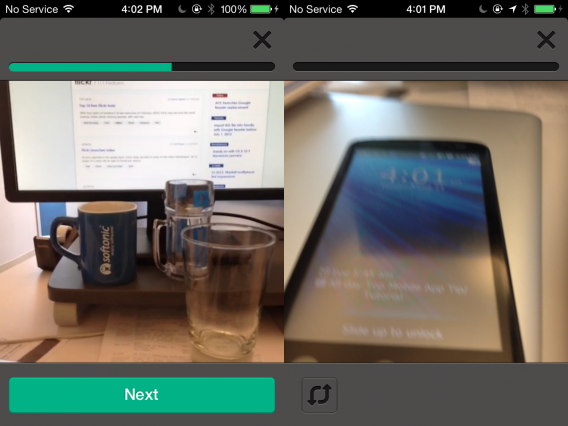
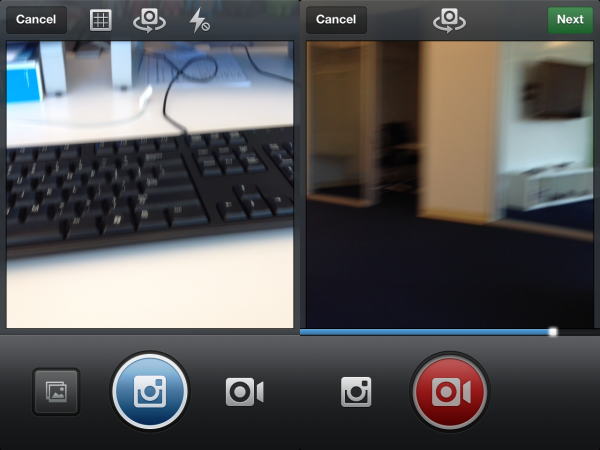
Instagram boasts an increased length of 15 seconds, over twice the amount of Vine’s 6. In the realm of bite-sized clips, though, 15 seconds might be too long. Around 10 seconds would have been the best balance, but Instagram does provide room for padding and editing space. Still, with users used to and largely happy with such short content, it’s not likely Vine will be dethroned in this category.
instagram-photo-video

Speaking of editing, Instagram does at least allow users to delete the final clip in the series, but you still can’t delete the first or any middle clips. This is at least a leg up from Vine’s inability to remove any portions of a sequence. Both apps are rather restrictive on sequence editing, but Instagram has a slight edge.
instagram-filter-cover-frame

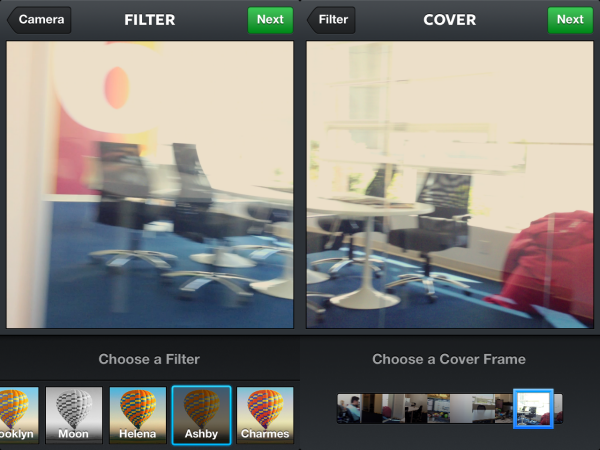
Bearing in mind that it is Instagram, the video portion has a multitude of filters to edit the look of your creation. There are thirteen new filters specifically for video, many of them visually very different to the photo filters. Vine will need to add this or similar effects to stay as artsy as Instagram.

Another point for Instagram is the Cinema mode that helps with video stabilization. At the moment the feature is only in the iOS version, but could come to Android later; many Android devices and operating systems are known to have very steady cameras out of the box. Stability will help older iOS devices produce clearer pictures although this could decrease image quality. Vine has nothing like this and has not announced plans to include it.

Social Sharing

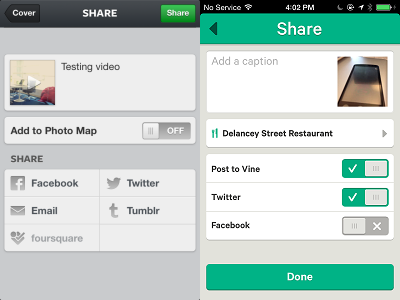
Both video apps allow you to share to social networks. At the moment both include Facebook, Twitter, and of course the native app. However, Instagram expands on this by including Tumblr, Foursquare, Flickr, and sending through email.
share-upload_vine_instagram

While Instagram does have more services, sharing on Twitter is superior on Vine. Vine fully supports Twitter cards, allowing them to appear in your Twitter feed. Instagram does win a few points for allowing users to search for users based on geo-tag locations, though.

Native feeds and websites

exploring apps

After a video is created and shared, users are of course going to want to find those videos. Both Vine and Instagram can be viewed inside the apps or linked to on their corresponding websites.
playback

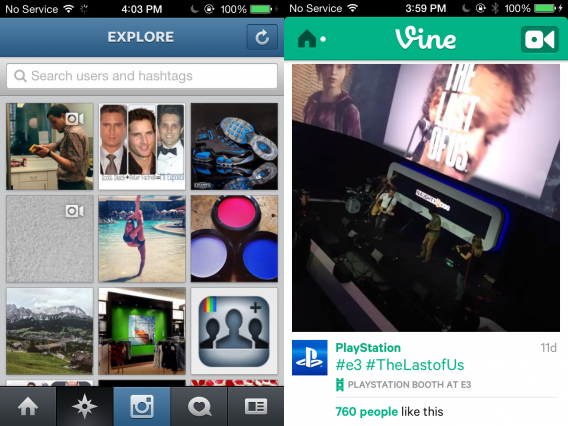
Playback on the two apps is similar on mobile devices. Videos will autoplay, but Instagram will have a slight buffer. Vine was nearly instantaneous during our testing. Both Vine and Instagram on mobile make it easy to discover new videos, with followed content appearing in a feed. There are buttons to quickly like and comment on videos, and the ability to search using tags.
embedding Vine

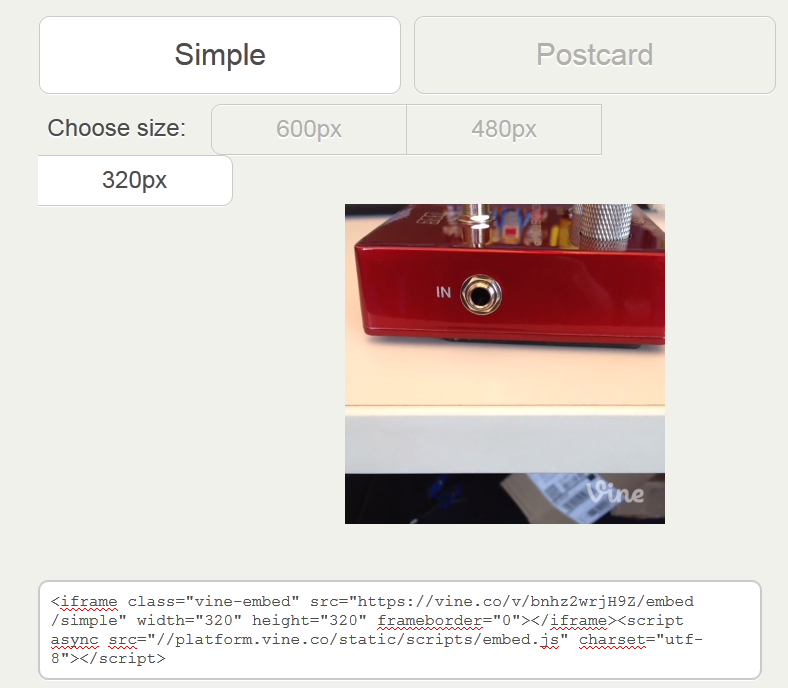
On the web, the two services work very differently. Vine videos are viewed individually, with no way to officially view all of the clips you or others have created. However, each Vine has an embed code, allowing you to easily share. Vine videos can be muted and also loop, making them very snappy and easy to consume.
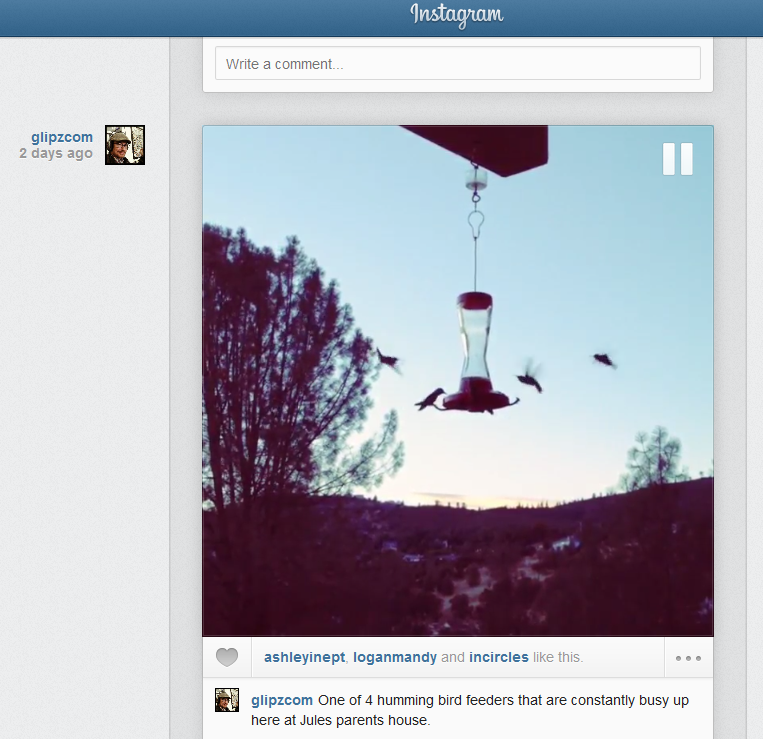
Instagram, on the other hand, includes videos right within the Instagram feed, alongside pictures. It lacks the other features of Vine; it doesn’t allow embedding, looping, or muting. While you do need to use a third party service to quickly view all of your Vines, the extra features tip it slightly ahead of Instagram for sharing and utility.

Which reigns supreme?

The two apps offer many different features that appeal to different tastes. There are key reasons to use one or the other.

  • Vine should be your choice if you prefer compact and looping videos. It’s also possible to embed a Vine within Twitter cards or a website, giving them much more exposure. Vine is great for sharing with those that might not use Vine themselves.
  • Instagram video should be your choice if you want slightly better editing power and fun filters. Instagram allows sharing to more social networks, searchable geo-tags, and an easy way to browse on the web. Instagram has the edge when sharing with others within your network of followers.

We’ve assessed the differences and similarities within Vine and Instagram. Each has strengths and weaknesses, and we hope that the competition will motivate both companies to constantly improve their apps. It’s likely each app will gain each other’s features over time, and we look forward to what Twitter and Facebook announce in the future.
Hands on with OS X 10.9 Mavericks

Apple is saying goodbye to the big cats with OS X 10.9 Mavericks. First revealed at WWDC 2013, OS X 10.9 Mavericks brings changes in the form of Finder, Safari, Maps, Calendar, iBooks and more. Mavericks includes increased security in the form of iCloud, Keychain and boosts energy-saving features. OS X 10.9 Mavericks supersedes OS X 10.8 Mountain Lion and although it doesn’t introduce any revolutionary changes to OS X, includes some nice features, especially for fans of iOS. Here are some of the highlights:

Finder Tabs

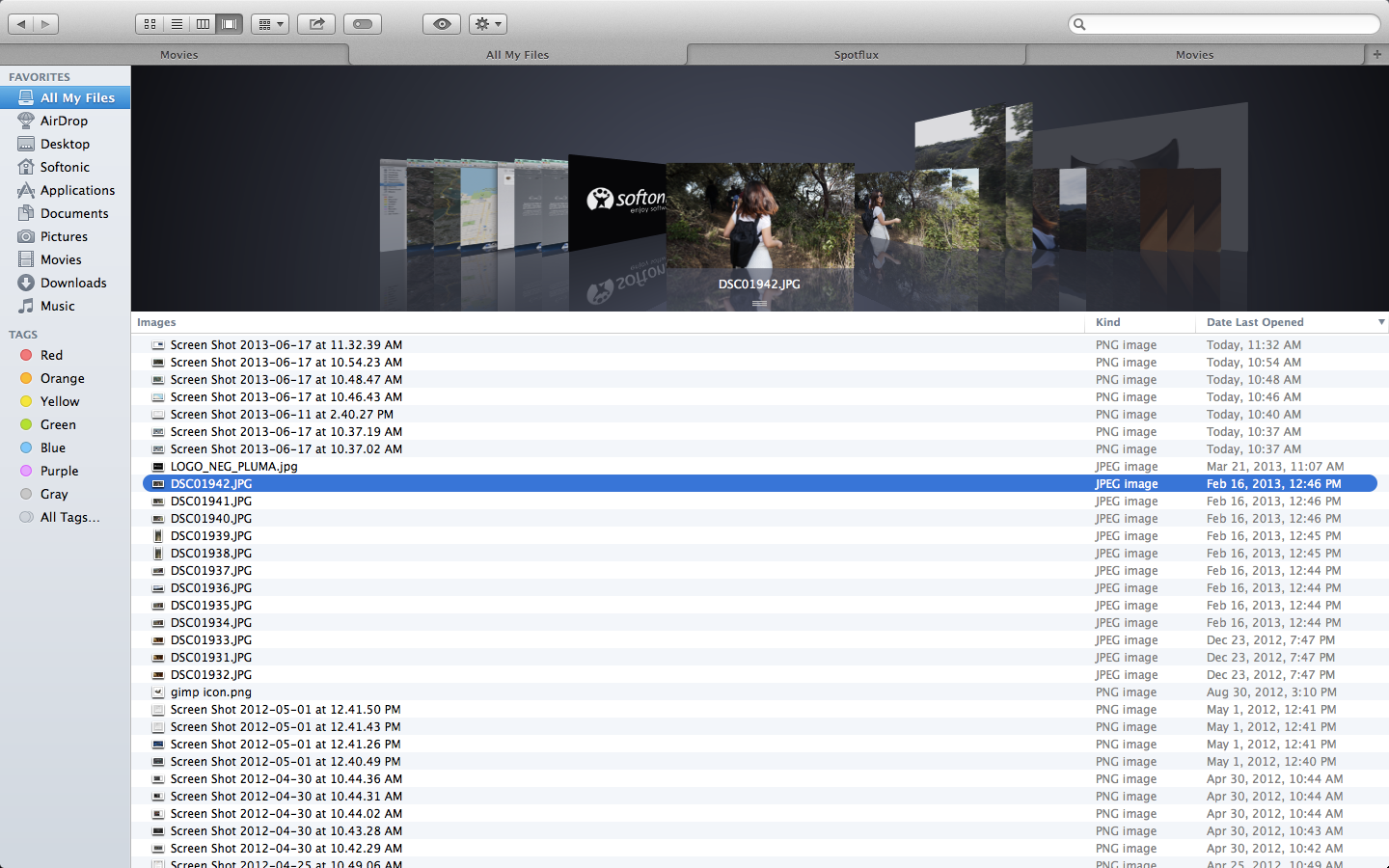
Finder now has tabs to help reduce clutter as you browse through categories. Previously, you’d have to open up multiple windows for the same effect. You can set up tabs for folders such as Applications, Desktop, Movies, and Pictures. Similar to web browser tabs, Finder tabs will change category when you select any of the options on the sidebar. This can be a little confusing at first, but quickly becomes intuitive.

Finder Tabs

You can also use tabs to easily move files between locations – simply drag and drop a file between tabs. The Finder window can also be set to full screen, making it even easier to move files. We thought that one of the most convenient features is the ability to turn several Finder windows into tabs via the window menu.

Tags

A new feature you’ll spot in Finder are tags, which can help organize files. The tag button at the top of the window will allow you to create new tags and rename the ones you already have. All tags will display on the left sidebar, allowing fast access to tagged files. Lastly, you can search for tags in the Finder search field.

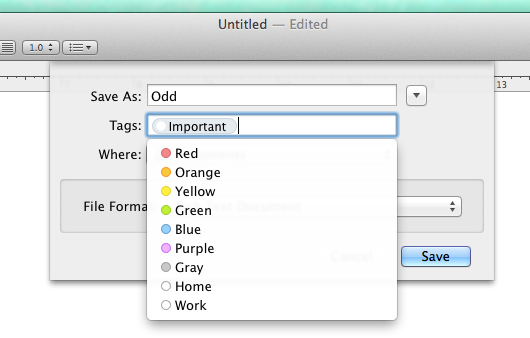
tags while saving

The best part is that tags go beyond just the Finder. When you save a document, even simple ones such as text documents or pictures, you can assign tags right in the save confirmation window. You can even quickly add tags to files within iCloud, allowing a fast universal search for both local and cloud stored files. Using tags in conjunction with Finder is very easy to understand – it’s fluid and makes it very simple to track documents.

Safari

Safari has several new technical upgrades, among them Fast Start and Nitro Tiered JIT. Apple claims these make the web browser faster and more responsive, and improves power saving. We didn’t notice drastic changes during our testing, which could mean the changes are subtle, working quietly in the background, or it could mean they’re just not that great!

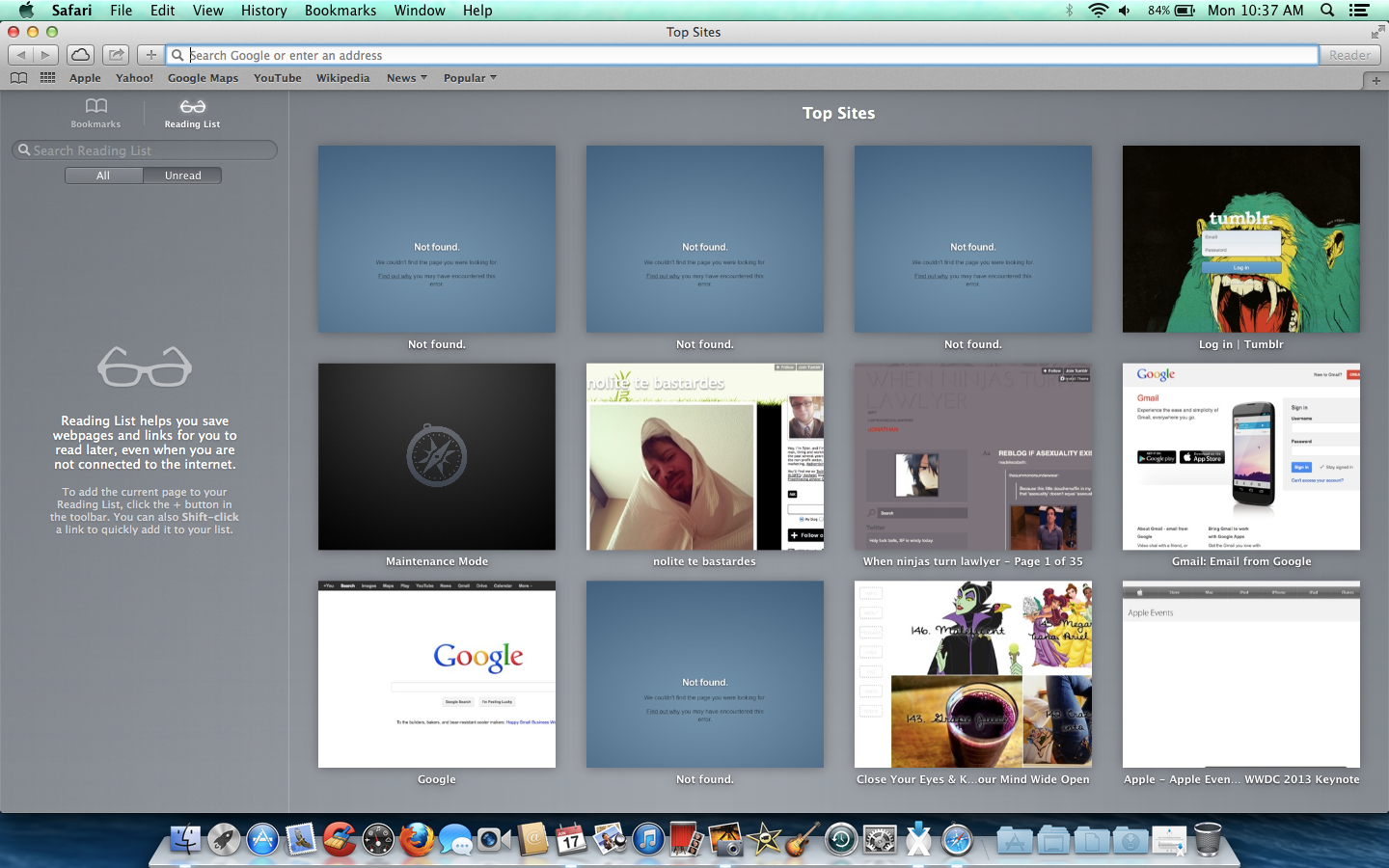
Safari changes

There are also many cool new frontend features that will come in handy. First, when you open Safari or a blank new tab you will see Top Sites, which includes sites you frequent, and favorites. While this isn’t new on its own, it’s now much faster to organize and delete any of the sites that show here. The sidebar has been upgraded to list bookmarks, reading list, and shared links.

The shared links is impressive, providing links posted by people you follow on social networks such as LinkedIn and Twitter. It even includes their corresponding message/tweet, giving you context for what site these people want you to see. While Safari’s other features are mostly bonuses, shared links has the potential to easily connect people’s interests without the need of external apps or sites, making it a truly noteworthy feature.

iCloud Keychain

Improvements to Safari might mean you’ll use the internet more often, which in turn might make it hard to remember all of your passwords. Thankfully, Mavericks includes iCloud Keychain to help remedy this issue. Similar to other password security apps such as PasswordBox, iCoud Keychain stores your usernames and passwords and encrypts them. You can even use iCloud Keychain on other compatible devices, like iPhones running iOS 7.

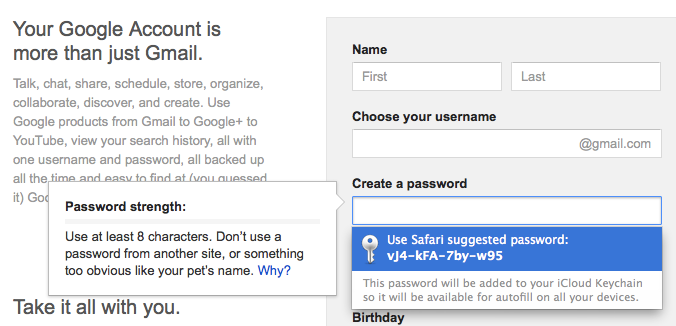
keychain suggestion

Besides storing passwords, iCloud Keychain can suggest new passwords when you create online accounts and store credit card information. With 256-bit encryption, it sounds like it will be a very secure feature, although it’s always possible that dedicated hackers will attempt to breach security. iCloud already requires an Apple ID and enabling two-step verification might be a good way to further strengthen iCloud Keychain. For now, though, the sheer convenience of having a first party service that stores and suggests passwords is very useful.

Read iBooks on your Mac

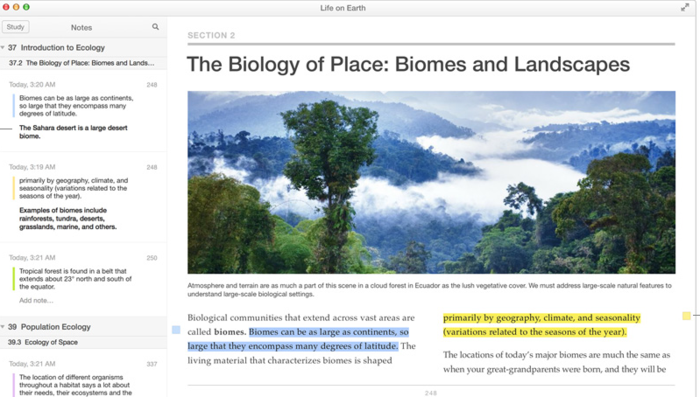
Another iOS feature that’s arrived on Mac is iBooks. Now you can read anything that you’ve downloaded with iBooks on your iPhone or iPad on your Mac. Again, reading books on a Mac isn’t exactly the most popular pursuit for many users but for students and academics, it can be a useful took when it comes to writing essays and quoting textbooks. And with iCloud, iBooks always remembers which page you were on no matter which device you are using.

Notifications

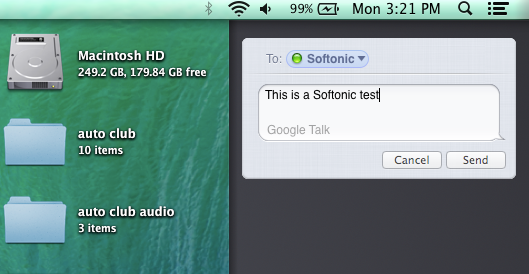
Mavericks has improved notifications, allowing you to see updates outside of the app you’re using, or even while your computer is locked. You can use notifications to get updates on email, FaceTime, and websites you frequent. By default, the notifications appear in the top right hand corner and feature a simple headline, summary/message, and an icon to identify the source. You can also check a summary of all recent notifications, and use this space to quickly send messages or respond to linked services. During our testing we were never bombarded with too many notifications, but it will be interesting to see how notifications evolve once in the hands of the public.
notifications

Maps

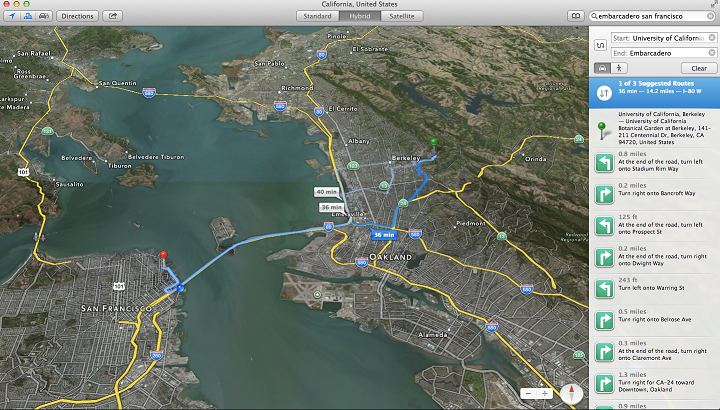
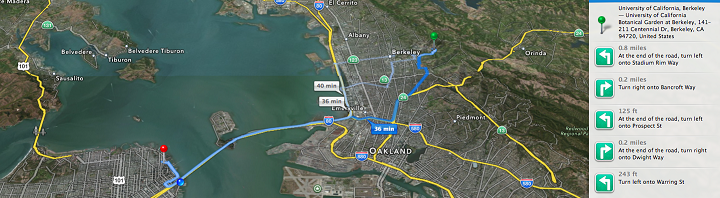
Originally on iOS, Apple Maps leaps to Mavericks and retains much of the same functions. You can view maps in standard, satellite, and a hybrid view. The latter two are more graphically intensive, which for us made the maps load slowly. There are of course standard tilt and zoom controls, and also the ability to bookmark locations and get real-time traffic updates.

apple maps

While it’s nice to have a map app packed right in the OS, Apple Maps still pales in comparison to the great updates within Google Maps. The latter also still has clearer and easier to find directions, especially when you’re on the go, and provides accurate routes quickly. What is nice is that the Apple Maps on Mavericks can quickly sync to iOS 7 maps, which in turn can provide voice navigation. Still, at the moment that isn’t really enough to compete with Google.

Calendar

calendar

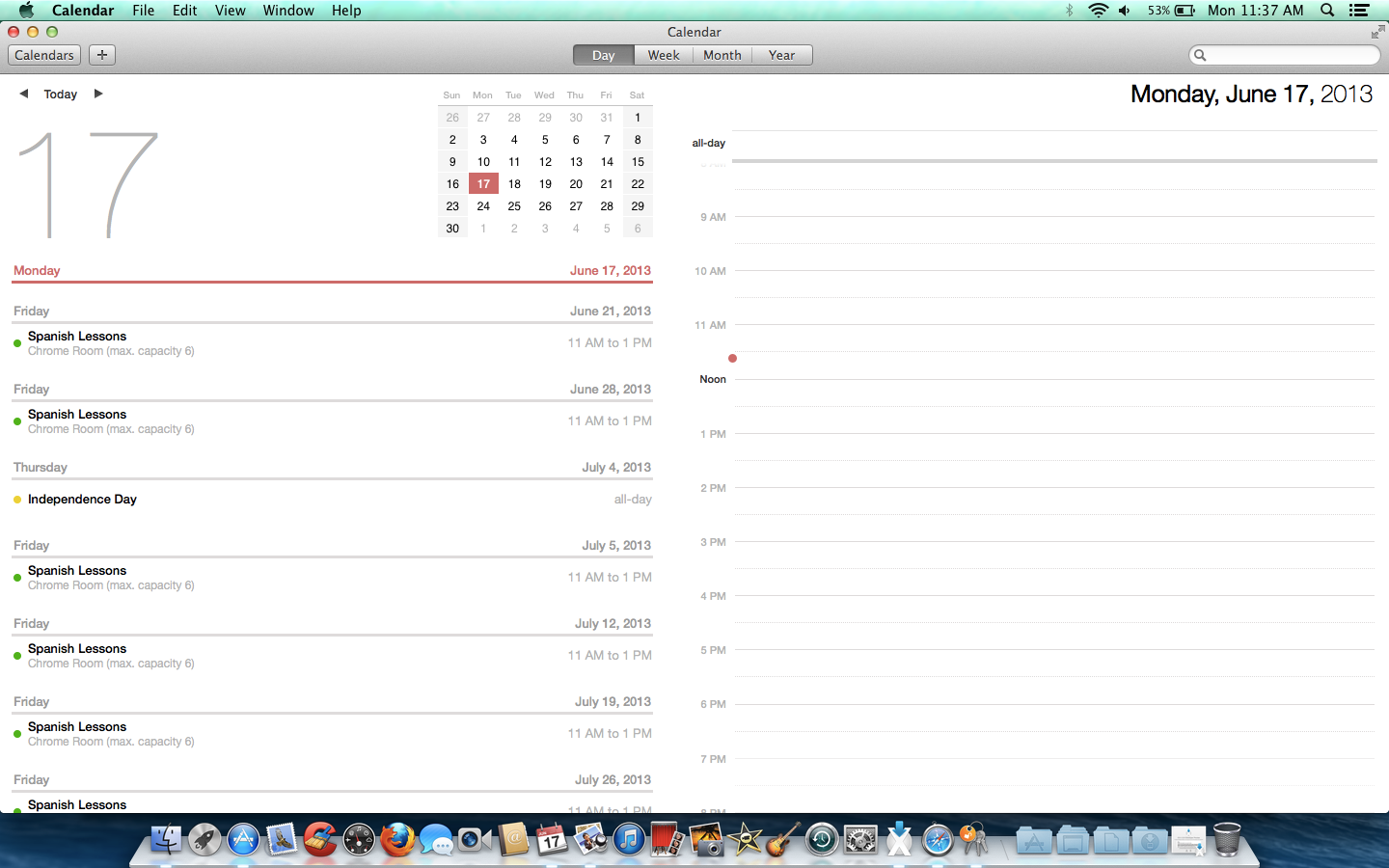
The calendar app has a new redesign that adds new views and features. First you can continuously scroll between dates, allowing you to view partway through one month and into the start of the next. Calendar syncs to other apps, showing events provided by services such as Facebook, and adds travel times to events. When hovering over an event, an improved inspector popup will show details including driving directions and weather reports. This view can even suggest related and nearby locations simply by typing an address. These improvements are very nice if your meetings require a lot of travel to new and distant locations, but will be less useful for nearby appointments.

Just a taste

These are some of the highlights in OS X 10.9 Mavericks. There are also a few more complex and hardware-focused features in the OS, such as network servers, multiple screen display improvements, and battery conservation, but these aren’t that interesting for most standard users. Let us know what you think of the latest incarnation of OS X.

E3 2013: Titanfall multiplayer first impressions

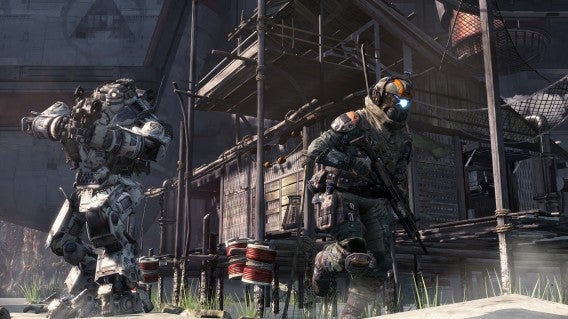
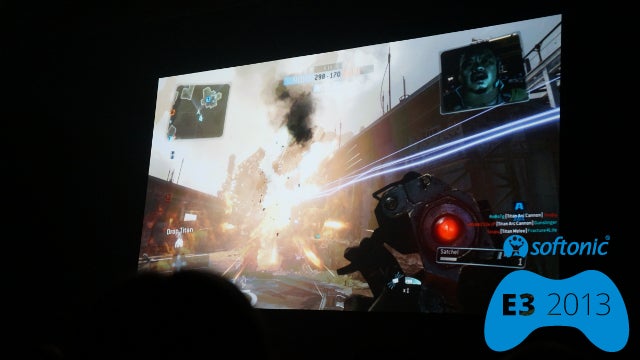
Titanfall will be one of the first games to release on Xbox One, as Microsoft showed at their E3 2013 presentation. Developed by Respawn, Titanfall is set in a futuristic world where players take control of huge war machines called Titans. The game, which promises lots of swift, relentless action, has features reminiscent to Call of Duty and Mirror’s Edge. The graphics weren’t nearly as stellar as other Xbox One games, but this could be because it will also release for Xbox 360 and Windows PC.

Default player


brightcove.createExperiences();

Clash of the Titans

The game takes place in the not-so-distant future on a remote planet, where human armies wage war against one another. There’s no sign of alien life yet, and players take the role of a yet unnamed soldier. The game is a first person shooter, with much of the time spent riding inside the massive Titans.

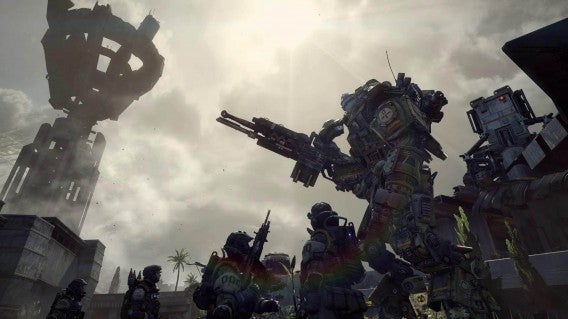
Titans are mechs, similar to those seen in other games such as Metal Gear or Xenogears, and players will be expert pilots. Despite their size, the Titans move at the speed you’d expect a foot soldier to move. They are also very powerful, but even the mighty machines can eventually be destroyed. When a Titan is near destruction, it propels the rider into the sky and away to safety.

Titanfall - Titan throws pilot

While the fights between Titans are mesmerizing, players will need to be aware that pilots have their own set of skills, making them fierce elite warriors in their own right.

Agile fighters

Outside of Titans, pilots are very agile soldiers in their own right, equipped to the teeth with powerful weapons. Pilots can double jump due to their jetpacks, and can even slide across walls. Movements like these are very similar to those found in Mirror’s Edge (soon to receive its own reboot). This movement creates many new and interesting strategic choices. For instance, instead of sneaking up on foes, you could run along a wall and drop on them.

titanfall pilot wall running

Frantic battles

Besides Mirror’s Edge, we noticed clear cues from the Call of Duty franchise. This makes sense, as members of the Modern Warfare 2 team are part of the Titanfall development team. The gameplay is fast and relentless, yet doesn’t ever seem messy or chaotic.

TitanFall armies

The game first seemed to have a steep learning curve, but as we watched the demo more closely it became very easy to orientate ourselves. With further observation, it was easy to see where player characters, enemies, and objectives were at all times.

War among humans

Titanfall has a clear focus on online multiplayer. In fact, no single player aspects were shown at the Microsoft press event. This could lead to speculation that Titanfall is better suited to multiplayer. The game’s conquest mode allows up to 14 players simultaneously. This might seem like a bit too many for the pace of the action, but as stated before it’s not hard to adjust to Titanfall’s swift gameplay.

Holding out for 360

We later discovered that the demo presented was of the Windows PC version of Titanfall. As with other multi-generation releases, it made us curious as to how Titanfall will look and play on the older Xbox 360. For now, we’re impressed with the smooth animations, intense explosions, and the Titan’s cockpit design. Will these graphics look nearly as good on the Xbox 360? While unlikely, we’re still looking forward to comparing versions.

titanfall titan vs pilot

Titanfall isn’t the most groundbreaking game we saw at E3 2013, but its futuristic action will likely appeal to the public. The gameplay is simple, clear, and looks like it can provide hours of fun.

Are you looking forward to the giant robot shooter?

Hands on with Microsoft Office Mobile for iOS

The iOS version of Microsoft Office Mobile released recently and we’ve been testing how it works. Although the app itself is free, accessing the features requires an Office 365 subscription (but you can sign up for a one month free trial), and doesn’t count towards the PC/Mac install limit. You can instead install Office Mobile on up to five iPhones; iPad users will be redirected to the Office Web apps. There is currently no word of an Android release.

Office Mobile

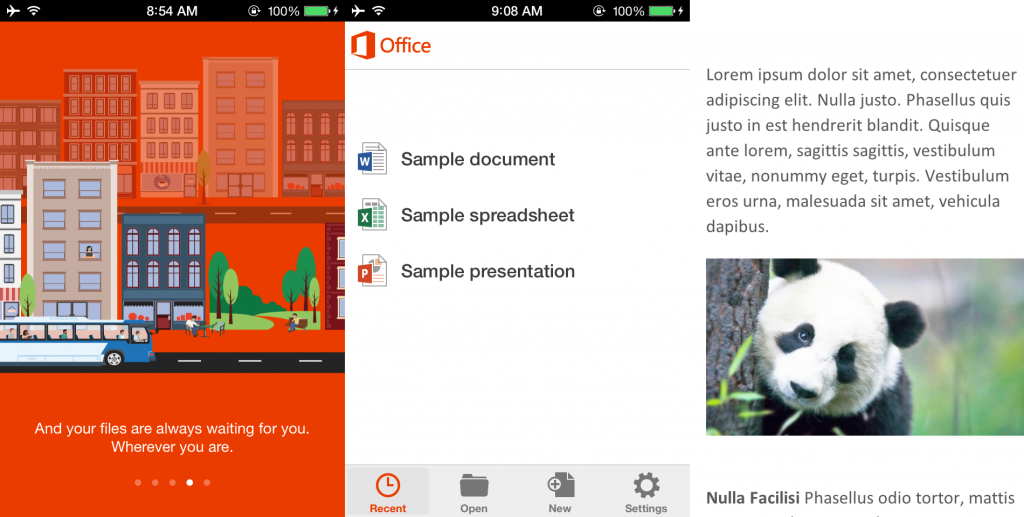
Office Mobile allows viewing and editing of Word, Excel, and PowerPoint documents, but lacks support for OneNote. The app integrates with SkyDrive and SharePoint to allow quick loading and saving of files to the cloud. You can also view your saved photos on SkyDrive through Office Mobile, although you can’t do anything else with them.

It’s worth noting that this is one of the few iOS office suites that uses SkyDrive, which can be a plus or minus depending on whether or not you like the storage service. Being able to bring in documents from the cloud is very nice, as the editing power of Office Mobile is rather lackluster for all document types.

Word

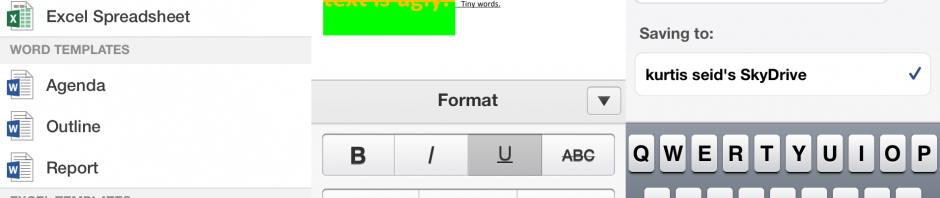
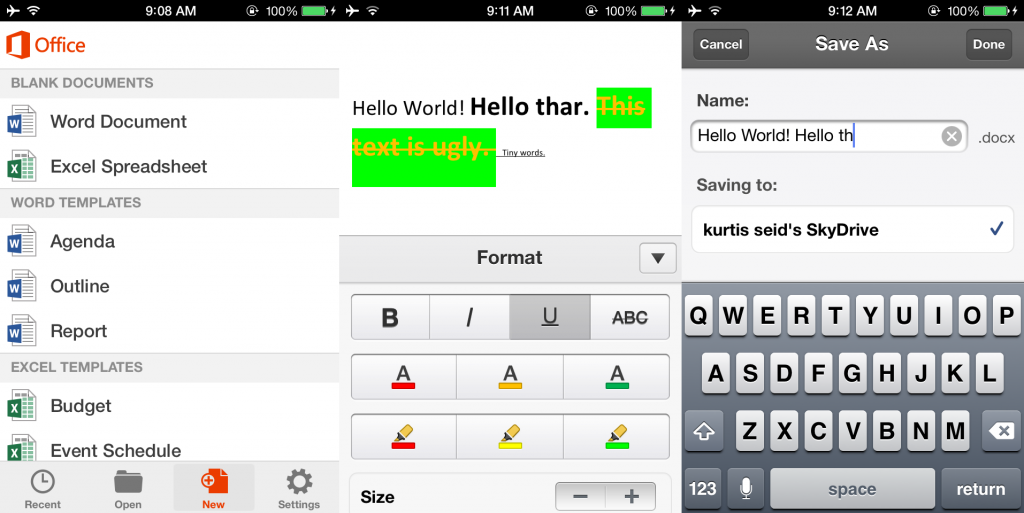
As stated before, you can load your Word documents from the cloud, along with being able to create a new file or open a sample template. Office Mobile is best suited as a viewer, as there are very few editing options for Word. By tapping the brush icon at the top, you are given a few options to format your text. You can bold, italicize, underline, and strikethrough text. You can also change text color and highlight with red, yellow, or green; a rather limited color palate.

word office mobile

The strangest feature is the font size control, which only feature a plus and minus sign with no indication of what the size is. You could be making your text tiny or huge, and have no idea. Each time you want to adjust text size you’ll have to enter and exit the edit menu and test the results. It comes off as a rather bizarre.

The iOS version of Word lacks many basic features such as different font types, bullet point lists, hyperlinking, and spellcheck (auto correct can only do so much). You can simulate some layout changes using the three templates (agenda, outline, and report), but it’s very restrictive.

It’s hard to recommend this over other apps that have a few of the mentioned features, such as Google Drive.

Excel

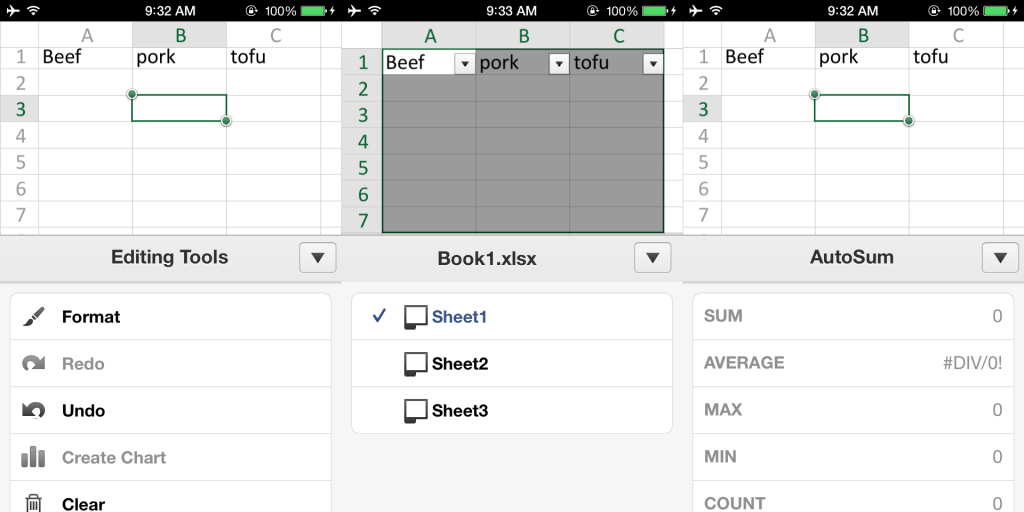
The Excel portion of Office Mobile is similar to Word, with very limited editing options. You can’t insert new rows or columns, or delete cells in the middle of the spreadsheet. You are also only allowed the three default sheet tabs (one if you use one of the templates). Inserted charts will create their own tabs though.

Similar formatting options from Word are available in Excel, although you can now highlight to white and there is no strikethrough or font size options. Added is the ability to turn numbers into dates, percentage, or dollar amounts with a quick tap. You can leave comments directly on individual cells, and select multiple cells at once. With multiple cells you can create charts from a selection of six types; you can also “create” charts with no data which will just be blank pages.

excel office mobile

This version of Excel at least includes the ability to calculate formulas. The formula button has a large number of automatic calculations such as statistics, trigonometry, date, and financial. The list is extensive, more than we’d probably ever use unless creating scientific or business reports. More basic users will likely want to use the separate Auto Sum feature to get averages and other arithmetic. Without these features Excel would feel empty.

Excel is in better shape than Word, but it still clearly has room to improve. Not being able to insert new rows and columns anywhere is a huge hindrance. It’s much easier to create the bulk of your spreadsheet on a computer, then use Office Mobile to touch up minor details on the go.

PowerPoint

The PowerPoint functionality is odd, as you cannot even create new documents with Office Mobile. Your options are to load a file or use the sample document. This is rather understandable, as PowerPoint projects can very complicated and trying to create on a phone sounds like a pain.

powerpoint office mobile

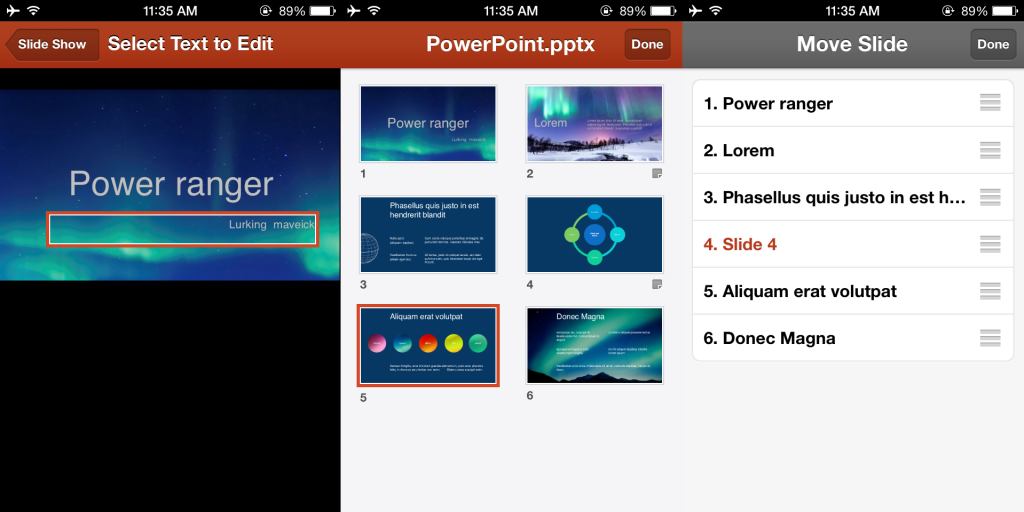
As expected, editing options are limited. You can change already existing slide text, although you can’t move or format it; you also can’t add in new text. You can rearrange slides, hide them altogether, or view all slides at once. That’s all of the features in the app, it doesn’t even allow adding in new slides or images.

What’s the point?

With such a lack of editing options, it’s really hard to figure out the main purpose of this app. Creating a Word or Excel file is crippled, and there isn’t even an option to make a new PowerPoint. It seems like Office Mobile is mainly for Office 365 subscribers to review and check their documents on the go. If you’re not already using Office 365, there is very little reason to open an account just to use Office Mobile. If you want a more powerful office suite consider iWork, QuickOffice, Documents To Go, or Google Drive. Microsoft will need to add necessary features such as font types and row insertion in the middle of a spreadsheet, before it can be more than a document viewer.

Hands on with iOS 7 beta

Following WWDC 2013, Apple released a beta version of iOS 7 for developers. We’ve gotten access to the beta and have tested out a number of its new, interesting and improved features. As expected with a beta, some of the changes aren’t completely polished or bug free, but we can already see the great potential of the redesign. We’ll share what we found to be the best features in the iOS 7 beta. Note that our tests were on an iPhone 4S, which lacks a few features available to iPhone 5 users. For instance, AirDrop was not available.

Control Centers

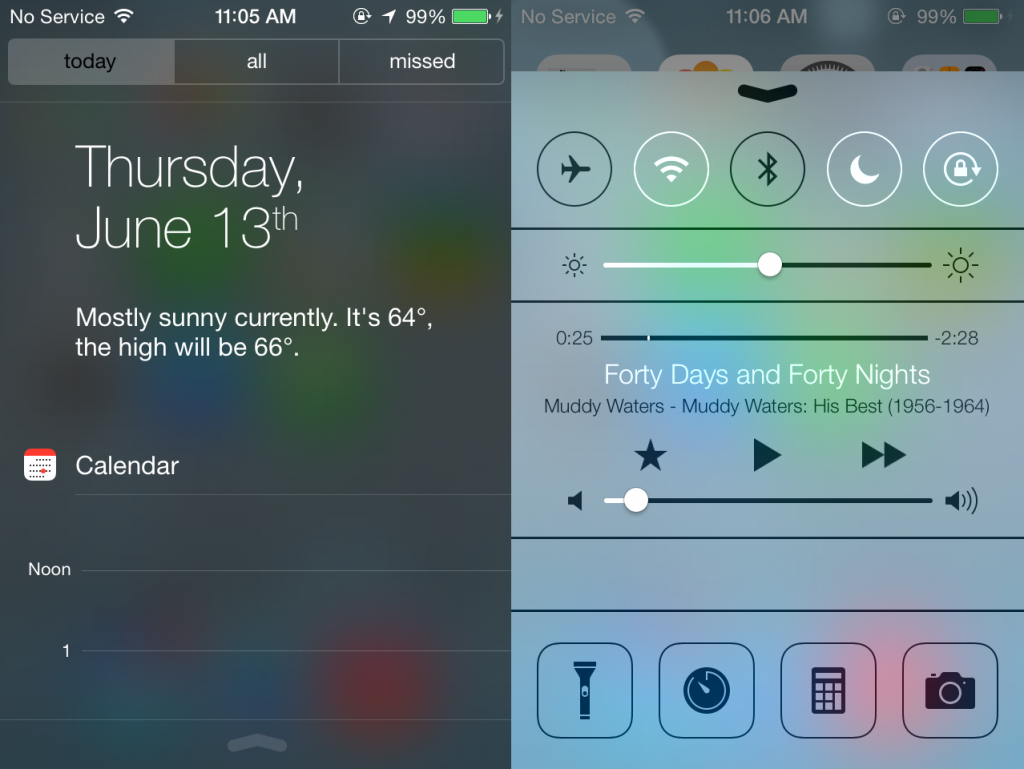
The operating system is completely overhauled. The first noticeable difference is in “Notification Center”, which can be quickly accessed by swiping down from the top of the screen (even while your device is locked). The background is translucent, allowing you to partially see your apps and background underneath. Notifications themselves can be separated into three views: all notifications from today, all notifications, or only the ones you have missed.

centers accessed through swipes

You can also quickly access the “Control Center” by swiping up from the bottom of the screen (as with Notification Center, you can even do this on the lock screen). Among the options include quickly toggling airplane mode, Wi-Fi, Bluetooth, and have quick access to other settings. There is a bar to quickly adjust brightness, full audio controls for music, and quick access to apps such as the clock, calculator, and camera. You can even quickly turn the flashlight on and off.

Both of the Notification and Control centers are extremely convenient methods for toggling your settings and to check notifications. Besides its ease of use, it’s very helpful that they can be accessed from the lock screen. So far in our testing, these features have been smooth and responsive.

Easier multitasking

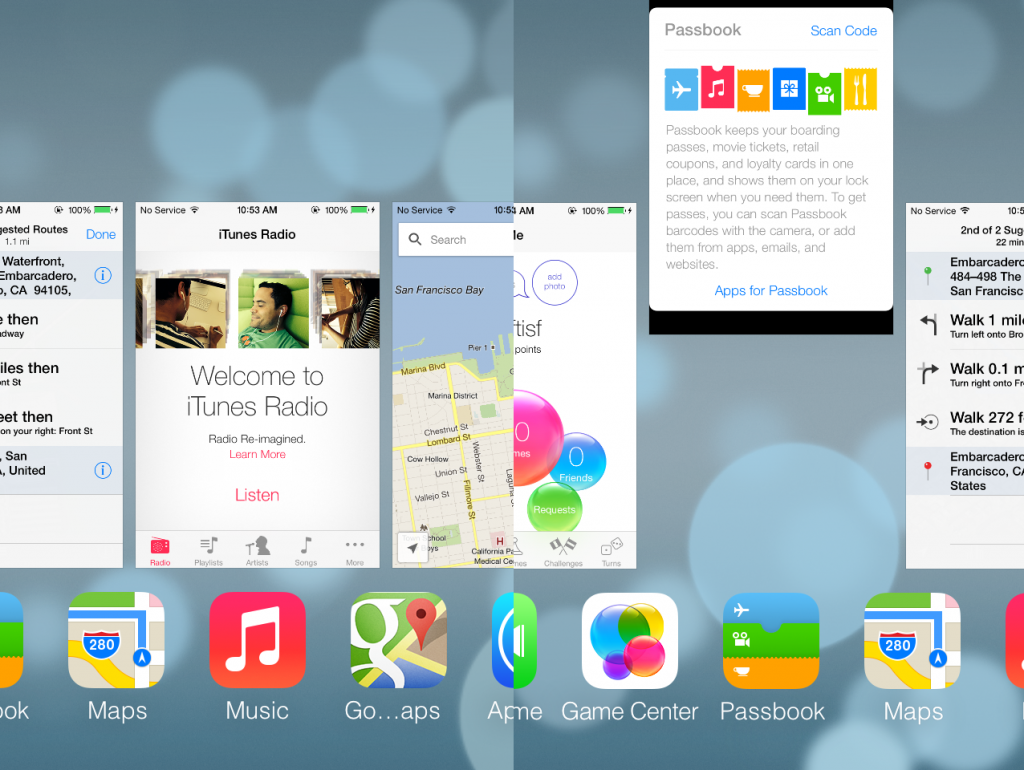
iOS 7 has a number of improved apps, and you could easily find yourself jumping between many of them. Thankfully, the OS has an upgraded multitasking system that no longer freezes apps, but lets them run and update in the background.

multitasking

You can access the redesigned multitasking interface by double tapping the Home button. The interface displays icons at the bottom, along with card-styled previews of each app. You can quickly swipe left and right to check what apps are open, access an app by tapping the icon or preview card, and can even close apps by swiping them up and off the screen. While this is very convent and slick, and during our testing we haven’t experienced a major impact on battery life or performance.

New camera and editing

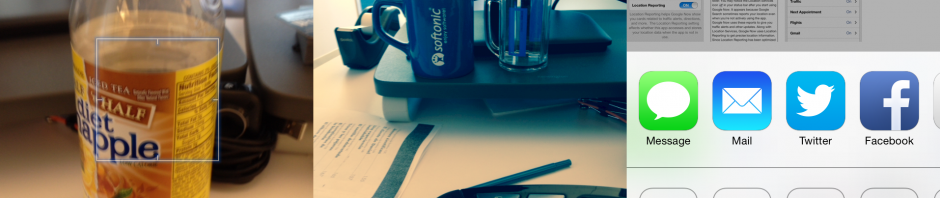
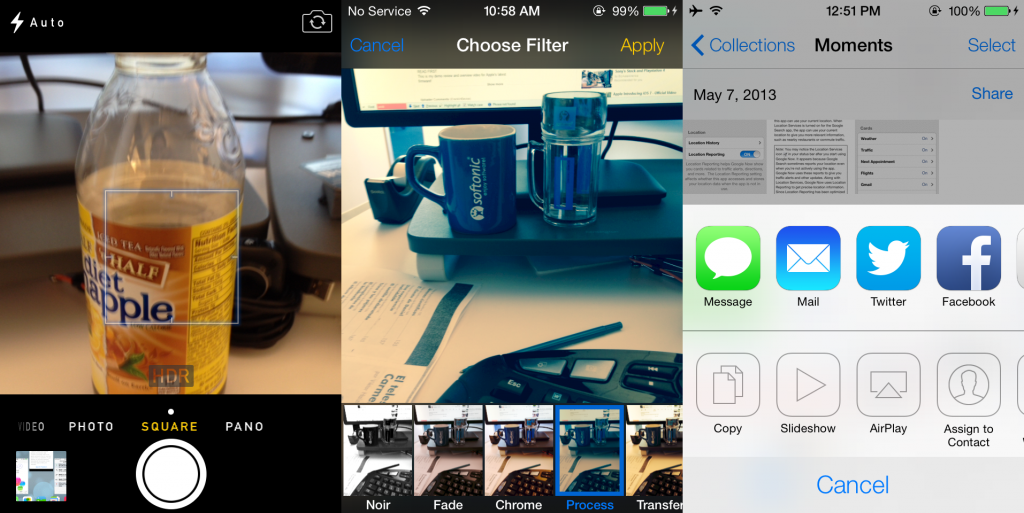
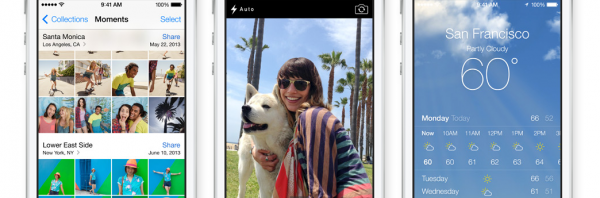
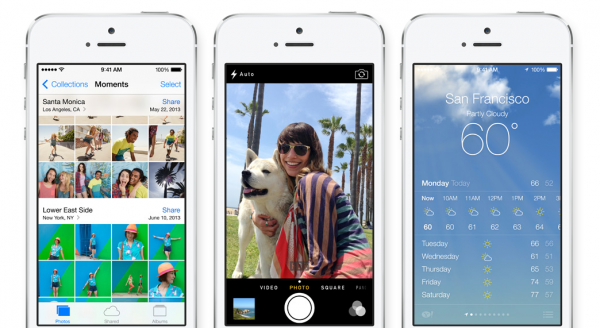
The camera has been redesigned with a new interface and given new features. Upon opening the camera you can quickly switch between video, photo, square, and panoramic modes. After taking a picture you can quickly switch to the camera roll, which features an improved, date-based layout and new editing options. The camera roll allows you to zoom out from moments, to collections, and finally entire years. There is also more geographical data, allowing you to sort photos by location.

photo options

In this edit mode you can auto-enhance, add in a large list of filters, remove red eye, and crop an image. All of these controls offer a preview before you commit to a change, making it easy to cancel out. These photo options can turn pictures into ones of comparable quality from apps such as Instagram, or the photo enhancements in the recent update to Google+.

When you’re done editing, there is an improved sharing menu to quickly upload media through services such as messaging, mail, Twitter, Facebook, and Flickr. From the same menu you can also assign a wallpaper, start a slideshow, print files, or copy. It’s overall a nice touch which shows Apple wants users to have more photo controls without using third party apps.

A more useful weather app

weather app

The weather app has been updated, making use of information from Yahoo! Weather and a new interface. You can view an hourly or daily forecast, and can tap the temperature to see humidity, chance of rain, and wind speed. If you have multiple weather locations, you can swipe left or right to switch to them. Pinching out will display all of your cities, allowing you to quickly reorganize them, add in new locations, and toggle between Fahrenheit and Celsius. These changes make it easier to check and understand the weather, especially if you want to track weather in multiple cities.

Safari is even cleaner

safari upgrades

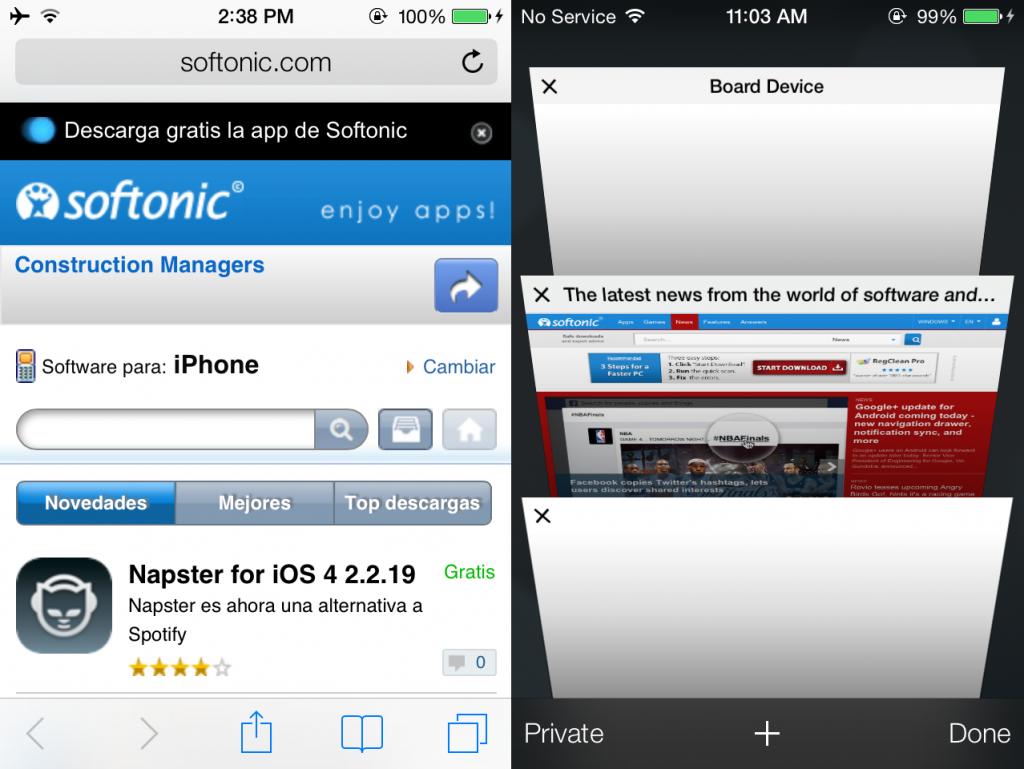
iOS 7 includes an improved version of the Safari browser, though it mostly looks and feels like a clone of Chrome for Android. The redesign has navigation bars at both the top and bottom of the app, and they slide away as you scroll through a web page. At the top you’ll find the address bar, while the bottom bar contains controls for sharing, bookmarks, back/forward pages, and tabs. The amount of tabs is now “unlimited,” and display in a three dimensional view. These changes make Safari easier to use, feels very fluid, and the retracting UI keeps the app clutter free.

iTunes Radio

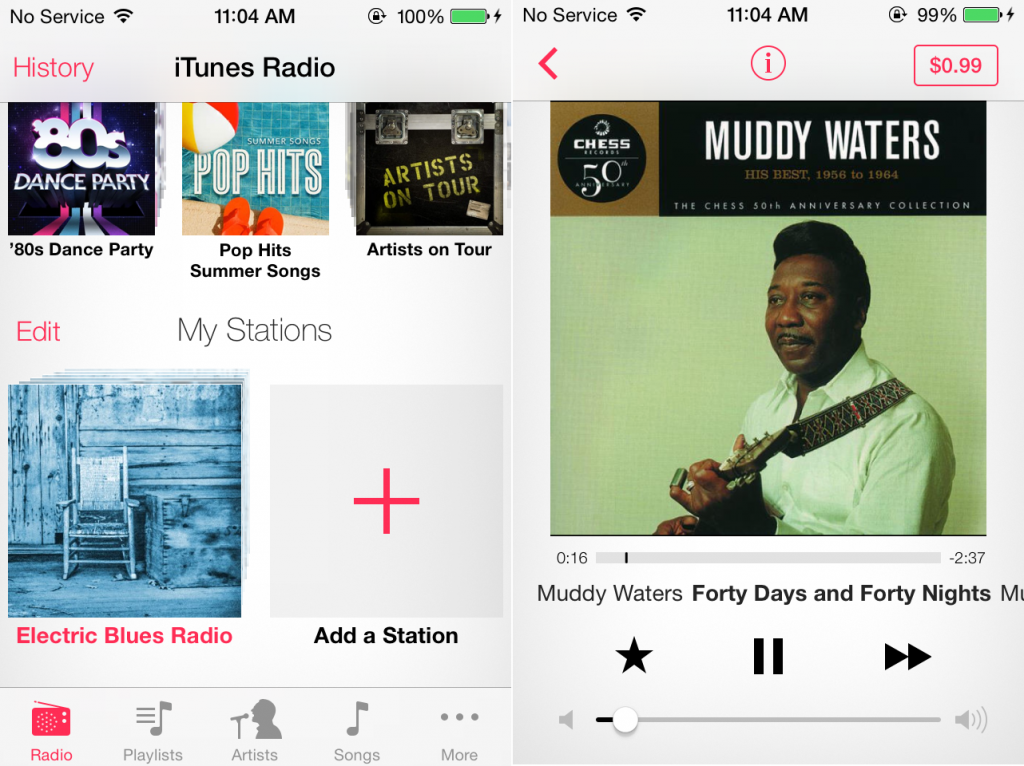
iTunes Radio is a free music streaming service within the Music app, similar to Pandora. You can start a radio station by selecting an artist or genre. When a song plays you can tap the star icon to select if you enjoy the song, never want to hear it your stream again, or want to add it to a wish list. The wish list is there for you keep track of song you want to purchase. Otherwise  there is no other way to select specific songs, which services like Spotify allow.

On the plus side, the more songs you like/dislike, the smarter the app will be about selecting songs you may enjoy, just like Pandora. As mentioned before radio tracks can be controlled within the Control Center, which is the most convenient when your device is locked.

At the moment we have been trying the free, ad-supported version of iTunes Radio, but iTunes Match subscribers ($24.99/year) will get an ad-free experience. Apple hasn’t released specifics on audio quality, so it’s hard to accurately compare it to Pandora’s 128kbps free stream (192kbps for paid subscribers). iTunes Radio isn’t just limited to iOS 7, and will also come to the Apple TV and iTunes, but only in the US currently.

itunes radio

Apple hasn’t released full numbers about how many songs are available, but does come with over 200 pre-made stations with artists from Sony, Universal, and Warner record labels. These deals with record companies also allow iTunes Music to play multiple songs from an artist back-to-back and unlimited skips, both of which are lacking from Pandora. Though comparing it to Pandora’s claimed 1 million+ songs, it’s unknown whether Apple’s library is big enough to compete.

It seems that Apple is targeting a different audience: those that actually want to buy music, rather than listening endlessly for free. While it’s a different and interesting business philosophy, I still prefer music services that aid in music discovery, ability to play specific tracks, and an emphasis on independent bands. I’ll stick to Spotify and Pandora for now, but iTunes Radio is still a nice, simple music app that works great on the go.

A laundry list of small changes

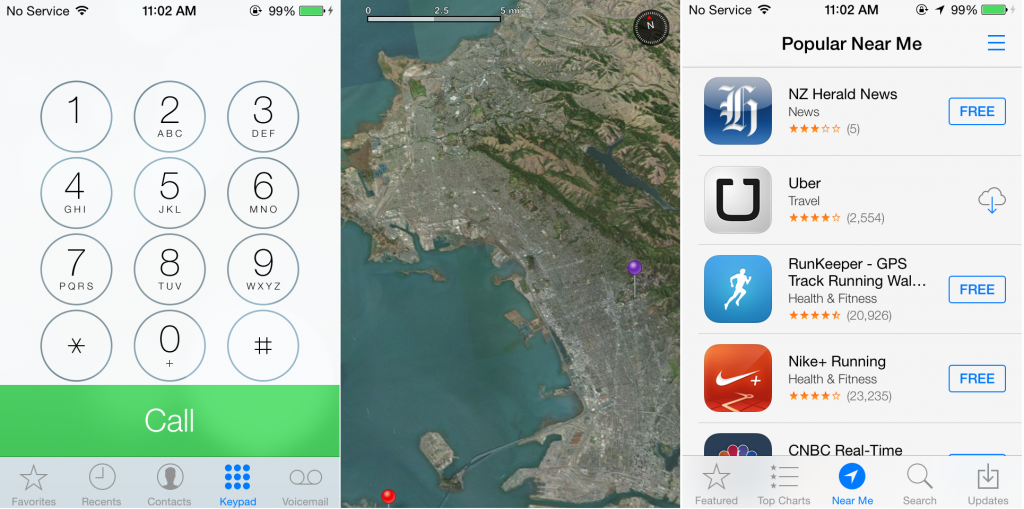
These are the biggest changes we found in the iOS 7 beta, but there are many more small changes within the update. For example the phone dialer has been redone, FaceTime can be used to make free voice calls, the App Store offers a section for local/nearby apps, and the Maps app shows a ruler for scale as you zoom.

more changes

Siri has also been upgraded with new commands to toggle brightness, flashlight, airplane mode, Wi-Fi, and Bluetooth. It can also read messages, play iTunes Radio stations, and search in apps such as Twitter and Bing. It even has a more human sounding voice that is able to speak in English, German, and French. You’ll be able to choose between a male or female voice as well.

AirDrop is also a new feature on iPhone 5, iPad 4, iPad Mini, and iPod Touch 5th generation with iOS 7. Using peer-to-peer Wi-Fi, a list of nearby users will appear, allowing you to share directly without the use of cables or “bumping” devices together like Android does using NFC.

We’re pleased with what we’ve seen of iOS 7 so far, and will continue testing out the beta.

E3 2013: announcements from Microsoft’s press conference

Microsoft kicked off E3 2013 with a highly-anticipated press conference where they showed off their catalog of games for the Xbox One. Did their announcements match our expectations? Or was there something even more surprising? Join us as we take a look at Microsoft’s plans and share some of our impressions.

Microsoft Conference

Snake unleashed

The press conference opened with a game we discussed in our earlier predictions: the next installment of Konami’s tactical espionage series, Metal Gear Solid 5: The Phantom Pain. What Konami showed at the conference was nothing short of spectacular.

mgs5

Set in an open world full of changing weather and a multitude of ways to sneak around – our hero started riding a horse, but also hid in a moving jeep, and hijacked an enemy tank – this new Metal Gear Solid brings us to an open world without losing any of the series’ key essence. The demo included the franchise trademarks, such as stealth gameplay and dramatic cut scenes that showed the return of classic characters such as Revolver Ocelot.

The graphics were superb, leveraging the improved Fox Engine, which makes great use of the Xbox One’s hardware. The Phantom Pain was a great start to the conference, but what else did Microsoft have to showcase?

Xbox 360 lives on

Although the Microsoft conference focused on the new games for the Xbox One, the Xbox 360 was still kicking with a little bit of life. Even with the Xbox One coming later this year, the previous generation system is still getting some love.

Microsoft promised that Xbox Live Gold members will receive two free games, much like Sony has done with PS Plus. Starting in July, Gold members can select from a number of games, including Halo 3 and Assassin’s Creed 2. The games are on the older side, but who could refuse free games?

world of tanks

As for new Xbox 360 games, Microsoft reminded us of the upcoming releases Splinter Cell: Blacklist, Lightning Returns: Final Fantasy 13, Batman Arkham Origins and, of course, Grand Theft Auto V. Like previous years, Rockstar didn’t show anything at the press conference. However, trailers were shown for a console version of World of Tanks, new platformer Max: The Curse of Brotherhood, and the hardcore role-playing game Dark Souls 2.

Action everywhere

ryse_sons_of_romeThe conference soon switched back to Xbox One games, the first among them being Ryse: Son of Rome, an action game with brutal melee attacks similar to Gears of War. It was rather refreshing to see a game set during the Roman Empire, rather than the typical futuristic, fantasy, or modern military settings.



However, if you still want over-the-top action, you’ll love the new Killer Instinct. Unfortunately, this reboot of the popular fighting game series is being developed by Double Helix instead of Rare, the original design company. Rare would seem to be busy making Kinect games.killerinstinct

The final action game shown among this trifecta was Sunset Overdrive, a colorfully designed game filled with skaters facing against infected zombie monsters. While it did look nice, it mostly reminded us of a combination of two Valve games, Left 4 Dead and Team Fortress 2. Our personal impression is that Sunset Overdrive would fit better on the 360, not on a next-gen system such as the Xbox One.

Forza speeds by

Forza MotorSport 5 was the next game to appear, and our suspicions were true. The driving simulator contains extreme realism, something seen in the design of each car, beautiful tracks, and high-speed driving. The demo highlighted the multiplayer aspects and the fact that the franchise appeals to a wide audience of driving enthusiasts.

forza_motorsport_5

High-definition block pixels

Not every game for the Xbox One requires extreme graphic improvements. Microsoft was happy to show off an Xbox One version of Minecraft, which retained its nostalgic pixelated design. In fact, the graphics and gameplay looked exactly like the Xbox 360 version, which leads us to wonder who exactly would bother buying it? The game will include some larger maps, and better online support for multiplayer. Minecraft is already a success on Xbox 360 and it it looks like Microsoft wants to repeat the sales on Xbox One.

Quantum Break will stop everything

QuantumBreakQuantum Break, the most mysterious game preview for Xbox One, was shown and revealed new information. Developer Remedy Entertainment went on to state that watching the TV show would strengthen the connection to the game, and playing the game would personalize the TV show. Sounds far-fetched, but we’ll have to wait to see.

Xbox One has its own LittleBigPlanet

project_sparkEnjoy LittleBigPlanet? Then you may like the next-gen game Project Spark, which mimics some aspects of MediaMolecule’s PS3 franchise. In Project Spark, you can create your own world, share it with others, and play it in many ways like you can in LBP. Unlike other titles, the game will have full Kinect support. We’re a little concerned that the target audience might not be interested in such a feature, however.

SmartGlass Gameplay

A few games such as Project Spark and Forza 5 have the ability to enhance gameplay with the use of SmartGlass. The app connects your tablet to Xbox One, allowing you to check game progress, play mini-games, and help out other players. It sounds interesting, but how many will actually use this feature? It sounds like it has some similarities to the Wii U, and hopefully Microsoft won’t treat it like a straight clone.

Even more surprising games

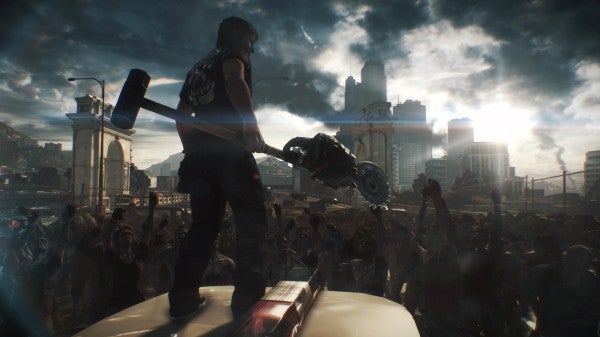
At this point the Microsoft press conference was mainly showing games that we had already predicted, lacking real surprise. That soon changed when Capcom revealed Dead Rising 3. The game was met with applause from the audience, as many didn’t expect it to be so different and/or ready to showcase.

deadrising3

The game contains a new location, an entire city with a much freer open world. The main character, Nick Ramos, is more agile, stoic, and serious than his predecessors. We wonder what’s behind the shift in attitude. Is it to attract a new audience? Fans of the franchise are used to the goofy antics of Frank West and Chuck Greene. Will they also feature in this grittier sequel?

The most mature game shown was The Witcher 3, previously announced for PC months ago. As with The Witcher 2, it was expected to come to consoles, although it’s refreshing to know it will be much sooner and include the spectacular gameplay and feeling of important player choices.

Get your war on

battlefield4While many might have been overjoyed for zombies or roleplaying, many more were even more excited for Battlefield 4. The gameplay demo highlighted the Frostbite 3 graphics engine, showing that Activision and Call of Duty: Ghosts will have steep competition. The presentation at the Microsoft conference wasn’t without technical issues, but EA showed a follow up multiplayer demo at their own press conference later that day.

The gold standards

After the adrenaline buildup from Battlefield 4, the presentation showed a calmer character. A wanderer draped in rags walked aimlessly through a desert, when suddenly a monster burst from the ground. The traveler isn’t some new hero, actually revealing himself to be Master Chief, confirming that a Halo exclusive is coming to Xbox One. It’s not called Halo 5, and we don’t know the setting or timeframe, but we’re sure that Halo fans are ravenously excited that Master Chief will arrive on Xbox One.

Halo_5

The show was wrapped up with footage of Titanfall. It’s an exclusive for Xbox One developed by Respawn.  At first glance, it looks like another futuristic shooter, complete with robots and armored soldiers. What we also saw was new exciting gameplay, showing unexpectedly swift action.

Xbox One hits this November

Xbox One and its laundry list of games will hit retail worldwide this November. While we are excited by some announcements, such as Metal Gear Solid 5: The Phantom Pain, Dark Souls 2, and Dead Rising 3, we’re still skeptical about other titles. Worse yet, these games aren’t even exclusive to the Xbox One!

Unlike Sony, Microsoft wasn’t transparent about second-hand games and cost issues, giving many gamers a bad feeling. For now, we’ll have to concentrate on the good aspects of the Xbox One, and discover any problems as they are revealed. Hopefully we’ll get hands-on time with the Xbox One and its games soon. Until then, check back for all the latest coverage of E3 2013.

E3 2013: Battlefield 4 multiplayer preview

At E3 2013, EA showed off “Siege of Shanghai”, a multiplayer map for Battlefield 4. The map was previously demoed at their press conference to much applause from the audience. Highlighted features from DICE’s new title include simultaneous 32-vs-32 players, new locations, and dynamically destructible environments.

Default player

brightcove.createExperiences();

The look and feel

Battlefield 4 makes use of the Frostbite 3 engine and looks fantastic. The PC demo’s graphics are impressive, but not nearly as crisp and bright as those shown in the first gameplay videos. We speculate that the game might not have vastly drastic visual changes on high end machines, as Battlefield 3 already looked impressively realistic on lower settings. Perhaps more graphical enhancements will be included in future demos.

all_out_war

Speaking of the previous games, Battlefield 4 uses the same control scheme as the last installment with only minor tweaks. This will allow fans to quickly jump in and enjoy the game without a heavy learning curve or adjustment.

Not taking chances

Battlefield 4’s basic gameplay doesn’t have many differences from its predecessors. That’s quite fine, as Battlefield 3 already had a superb and satisfying recipe: large maps, destructible environments, a large array of vehicles, and team based objectives that encourages tactical coordination. Battlefield 4 retains all of these great qualities and improves on them.

Commander mode returns

Battlefield 4 sees the return of “Commander mode” from Battlefield 2, but with an enhanced redesign. The Commander on each team can monitor the battlefield map, observe their team’s location, and issues orders that will appear on other player’s games.

battlefield 4 gameplay

Even better, the Commander can aid the team with airstrikes, missile support, and other means of offensive tactics to cripple the enemy. This feature will hopefully keep matches intense with a huge feeling of uncertainty and risk.

Maps are even more destructible

levolution

A new environmental destruction system dubbed “Levolution” is featured in Battlefield 4. This system allows the map to change in real time based on the amount of chaos. For example players could blow up buildings that then collapse on the enemy, or obliterate the road a team is standing on. This is a great way to give a team a tactical advantage, and annoy the opposition. What we’re curious about is if Levolutions can happen anywhere on the map, or if most of them are scripted reactions.

We’ve enjoyed what we’ve seen so far of Battlefield 4, and look forward to more time for in-depth coverage. We’ll  have a chance as Battlefield 4’s October 31st release on Xbox 360, PS3, and PC comes closer. The game will also release later on the Xbox One and PS4 when those systems launch.

Are you excited for Battlefield 4?

iOS 7: Everything you need to know

new iOS 7

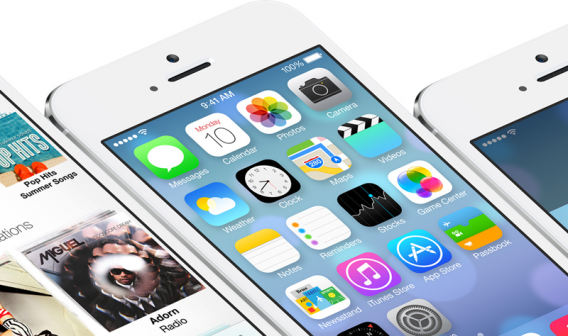
Apple’s iOS has undergone a huge visual overhaul, the biggest change the platform has seen since the iPhone’s launch in 2007. iOS 7 has a cleaner interface that extends across iPhone, iPad, and iPod Touch. These new standards aim to make iOS 7 into a stronger competitor against Android and Windows Phone. We’ll showcase the main innovations in the new iOS.

A beautiful revolution

GameCenter-600x325

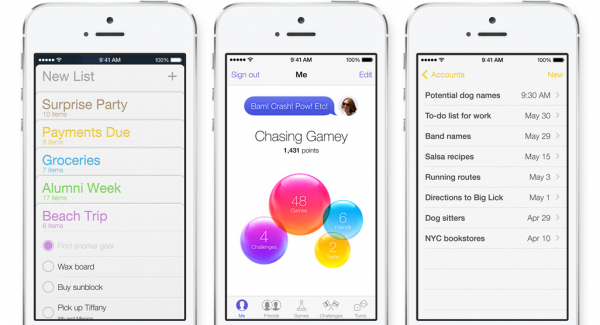
iOS 7 introduces a completely new interface, the design is a far departure from what Apple has previously done. There are no more pseudo-realistic textures, such as the leather Calendar and carpeted Game Center. Apple’s designers are aiming to simplify the mobile OS to make it clean, elegant, and easier to read.

icons

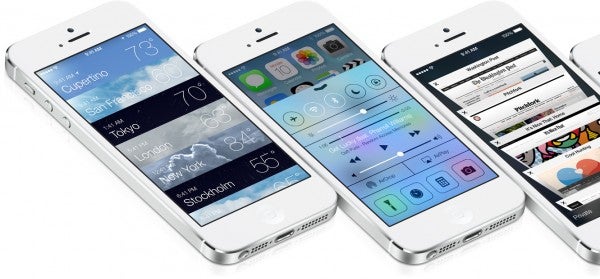
As we previously assumed, icons for Apple apps are now flat and give reflections and other transparencies; a much more modern display. The flattening is also found elsewhere in iOS 7, from the menus to the notification center that replaces the old gray fabric with a semi-transparent background.

Additional visual features include a so-called parallax effect, which simulates a three-dimensional home screen. Animated wallpapers also appear on the lock screen, similar to Android.

Apps reinvented

Meteo

Game Center: The biggest visual changes are found in Game Center, which previously had an often-mocked and outdated look. The new iOS 7 loses the goofy green baize texture, replacing it with a colored bubble interface.

Weather: The weather app’s makeover combines styles found in other popular weather apps, such as Weathercube, Haze, and Yahoo! Weather.

Calendar: The new scheduler drops the faux leather and adopts a minimalist, uncluttered, and easier to read interface.

Safari: The web browser for iOS 7 is has minimal buttons, but still uses the full screen. Open tabs are displayed in a 3D presentation, similar to what is seen on Google Chrome. Swiping a tab left or right will close it. It’s worth noting that iCloud tabs are still available in iOS 7.

Music: the iOS music player now includes songs, TV shows, and movies stored on your device, along with content hosted on iCloud. The interface is clean, enhanced with vibrant colors. iOS 7 has removed Coverflow, which is replaced with a mosaic of album covers.

Photos: iOS 7 Photos intends to rethink how users organize their photo collections. iOS 7 extracts information such as shooting location and special dates to classify photos. With a pinch gesture you can review photos by year, while a long press shows you to choose any photo.

App Store: The App Store in iOS 7 adopts the clean look and incorporates two new features. The first is the ability to search for apps related to geographic locations, such as guide books for particular cities. The second feature is a section dedicated to children, allowing quick access to apps designed for youths. The real novelty of the App Store is automatic updates in the background, a feature that was lacking in older version of the operating system.

A smarter OS

siri

Many key apps on iOS 7 include improved, initiative navigation. For example you can use gestures from Mail to sort emails in competing apps such as MailBox or Gmail. There are also new notifications that show directly on the lock screen, which are synced with all of your devices (iPhone, iPad, and Mac). Better yet, files can contain hundreds of apps over several pages.

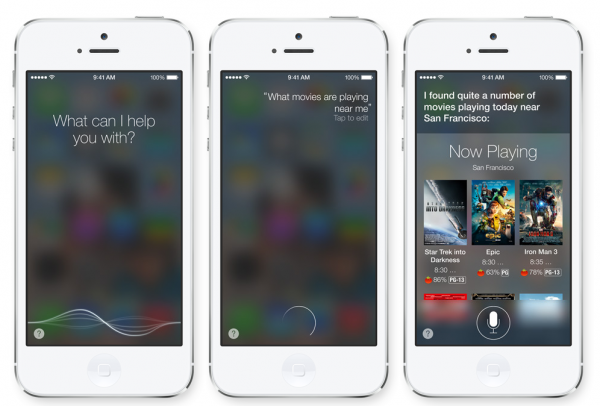
Siri has a redesigned interface, along with a more fluid and human voice, rather than the robotic tone of earlier versions. iOS 7 allows Siri to speak in English, German, and French, and adds new voice assistance to change phone settings, read messages, and search in apps such as Twitter and Bing.

Brand new features

Control-Center

Control Center: The Control Center includes shortcuts to some of the most common iOS settings. Pulling up from the bottom of the screen will reveal a new menu to activate a series of switches. These include options for brightness, switching on the flashlight, Wi-Fi, Bluetooth, music controls, and AirDrop functions.

Multitasking: iOS 7 introduces a new way to move from one app to another, enriching the traditional row of icons for a large preview of currently running apps. Similar to the system on WebOS, multitasking on iOS 7 will be easy to handle with new gestures.

iTunes Radio: this service is available free of charge from the Music app. It allows users to create and listen to Radio Stations,  lists automatically populated with songs from an artist or genre. While it has similarities to Pandora and Spotify, iTunes Radio lacks an option to select individual titles or the order in which lists are arranged.

AirDrop: A new system that allows wireless sharing arrives on iOS 7. This will let users to simply exchange files between iOS devices without the use of cables.

Out now in Beta, iOS 7 will be available this Fall on iPhone 4, iPhone 4S, iPhone 5, iPad 2, iPad 3, iPad 4, iPad Mini, and iPod Touch 5th generation. In the meantime, we’ll continue to update the latest Apple software news. We leave you with one last question: what do you think of iOS 7?

E3 2013: Gameloft’s mobile games lineup

Gameloft is showing off six new mobile games at E3 2013 and we’re here to give you a sneak peak of each. Planned for release on iOS and Android, the six games feature their own unique gameplay style, atmosphere, and graphics. Are you ready to get your hands on Despicable Me: Minion Rush, Asphalt 8, Brothers in Arms 3, Total Conquest, Gangstar Vegas, and Modern Combat 5?

gameloft-e3-master-image

Despicable Me: Minion Rush

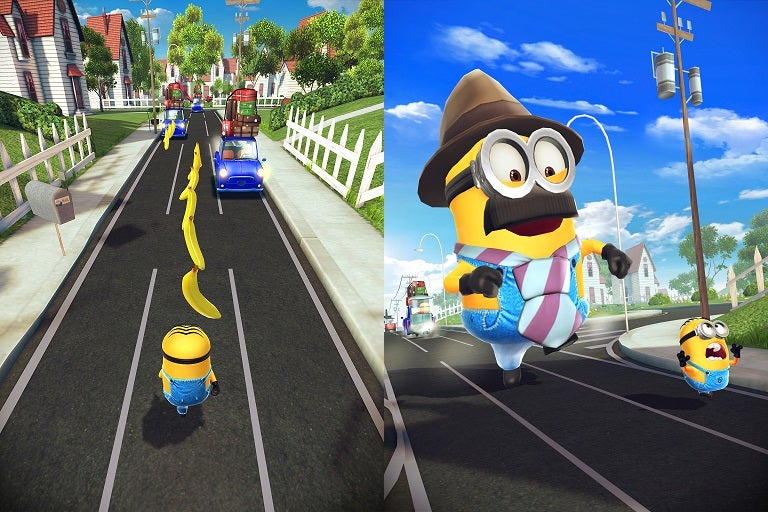
In anticipation of the feature film Despicable Me 2, the Universal Studios franchise makes it way to iOS and Android on June 13th. You take control of the tiny yellow Minions, the super-villain Gru’s bumbling henchmen. Gameplay is similar to Temple Run, a fast-pace charge through obstacles to collect a hoard of bananas. You’ll need to be responsive to jump and dodge through the many threats within each stage.

DM_big

Minion Rush is designed with fans of Despicable Me in mind. The Minions are as wacky and crazy as in the movies, with the same gibbering speech and comedic lack of judgment. The settings are also taken from established locations, such as Gru’s laboratory and surrounding neighborhood. Movie antagonist Vector also returns in for challenging fights, and is paired with mysterious new villain created exclusively for Minion Rush.
DM_Screenshot2

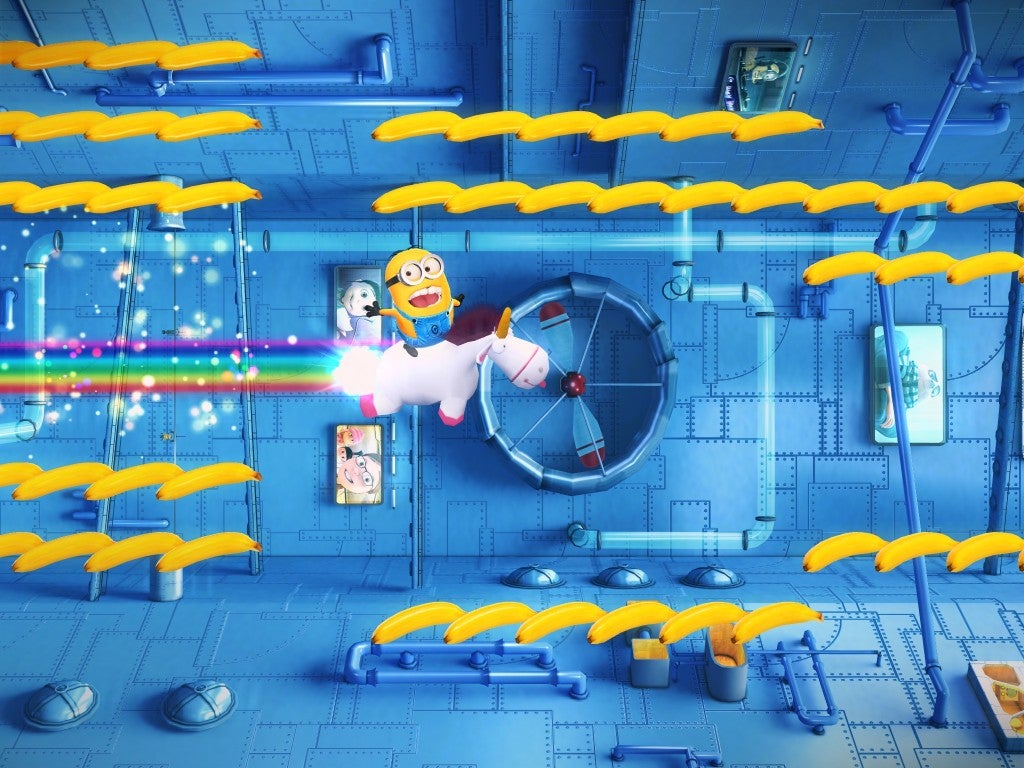
Outside of the normal gameplay you can also customize your Minions with costumes, weaponry, and an array of power-ups. There are three additional bonus games to try out: rampage through locations as Mega Minion, fly through the sky on Gru’s high-speed rocket, and ride Fluffy Unicorn to collect bananas. Last, Minion Rush has social features allowing you to challenge friends, compare high scores, or simply taunt with custom Minions.

Asphalt 8

Asphalt8_screens_2048x1536_2

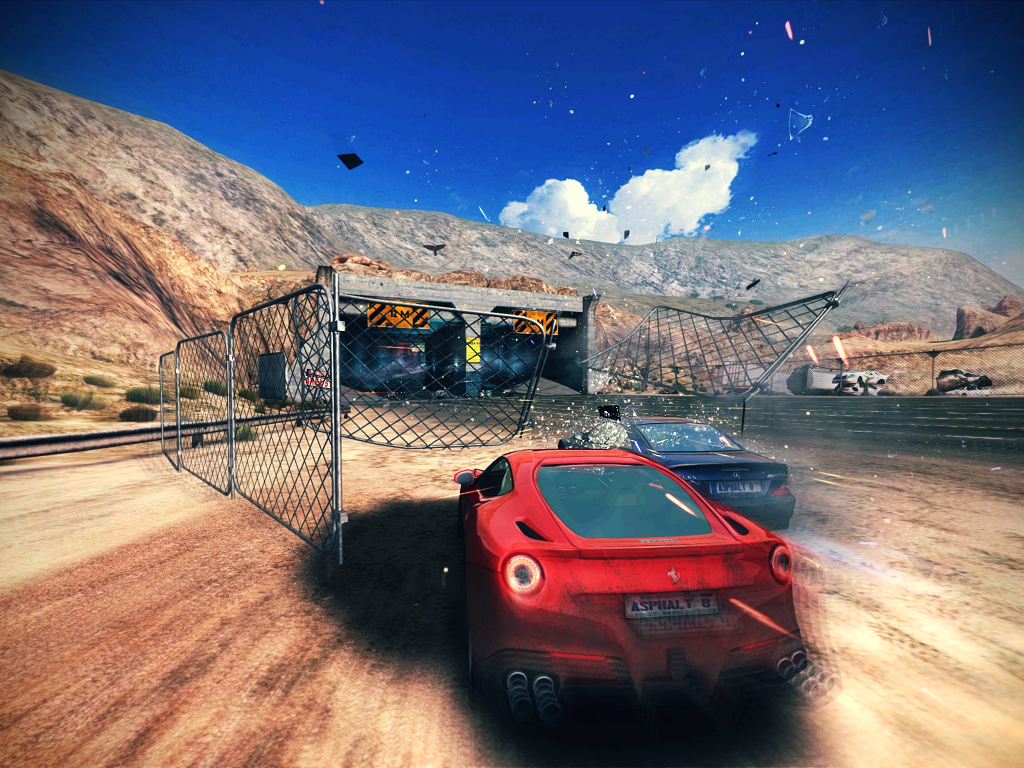
Asphalt 8 brings intense driving action to iOS and Android this July. You can take the driver’s seat of 47 licensed vehicles including Ferrari, Veneno, Lamborghini, Corvette, and more. New tracks range from Venice, Iceland, French Guiana, and the deserts of Nevada. These tracks aren’t always straightforward; the best way to win comes from discovering all the secret shortcuts throughout the course. These locations make use of Asphalt 8’s new physics engine, which turns crashes and impacts even more deadly. Those that don’t want to collide can instead use stunts and extreme speed to swiftly avoid track obstacles and enemy drivers.

Asphalt8_screens_2048x1536_4

New gameplay features include online matches to compete head-to-head against friends. You can customize matches, collect special badges upon victory, and reach the top of the leaderboards. If you can’t set up direct matches, there are also asynchronous races that allow you to challenge your friend’s best time trials. Other new modes include Infected survival, Drift Gate, and improved arcade racing. As you win more matches, you can share your racing progress with your Facebook network.

Brothers in Arms 3

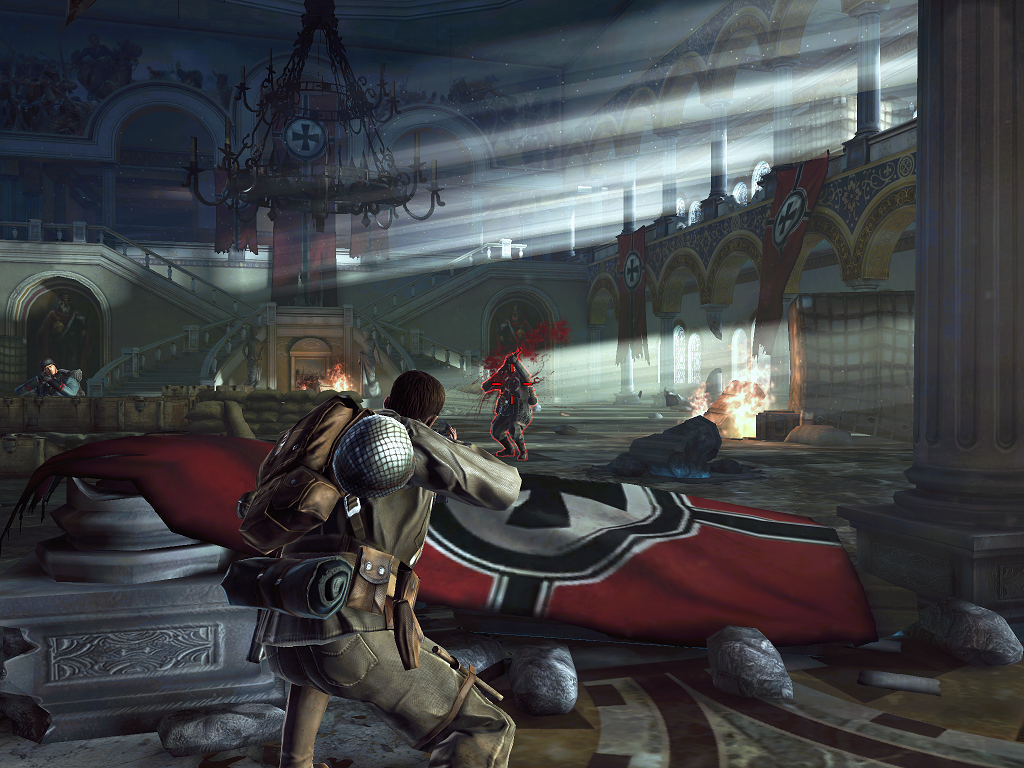
A new spin-off in the long running Gearbox Software FPS series, Brothers in Arms 3 on iOS and Android take players to the heart of World War 2. Levels shown so far take place in the European theatre, our hero brandishing guns and knives to take on the vaguely German enemies (the Nazi Swastika has been removed, possibly for political correctness). If shooting isn’t your style, why not make use of heavier fire power such as grenades and giant tanks?

BIA3_screenshot_2

The game’s graphics are spectacular and really capture the setting of WW2. What we really want to know is if the story is contained in Europe, or if we will also return to the Pacific like Brothers in Arms 2: Global Front.

Total Conquest

TotalConquest_screen_03

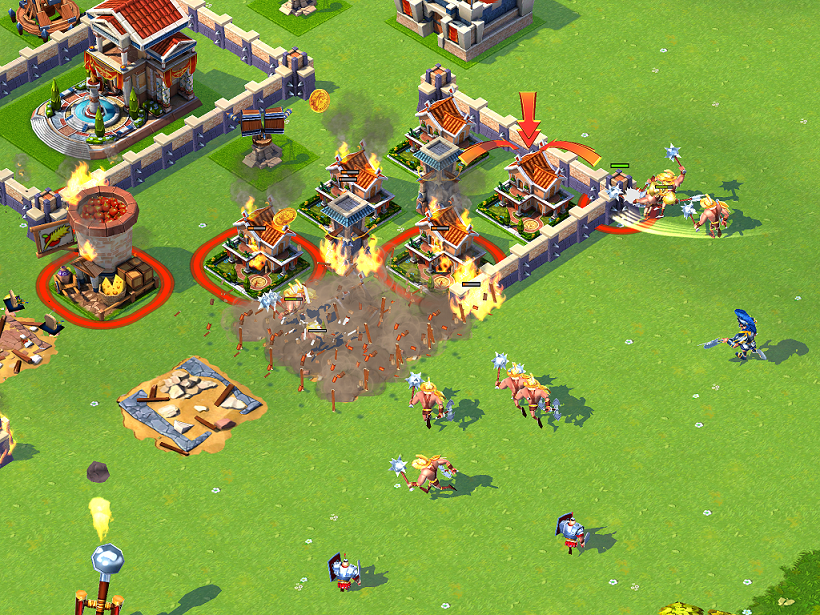
Set in a cartoonish version of Rome, Total Conquest for iOS and Android is a strategy game that relies on your friends and social network to build a powerful Alliance. On your own you’ll construct a province with a unique city-state filled with walls, towers, gates, traps, and garrisoned troops. After training several of the ten unit types you can hone your strategies in the solo campaign or challenge other provinces online.

TotalConquest_screen_01

Invite your Facebook and Game Center friends to form powerful Alliances filled with reinforcements. With your combined might you can take down opposing Alliances, wage full scale wars, and gain special rewards.  Your victories will be recorded and displayed on Game Center’s leaderboards.

Gangstar Vegas

GangstarVegas_screen_2048x1536_1

Gangstar Vegas is the sequel to Gangstar Rio, and this chapter in the crime action on iOS and Android expands the world by nearly nine times the size. The setting of Las Vegas is perfect for a crime game, filled with gambling, pay-per view brawls, and seedy strip clubs. The diverse city sprawls from the corrupt casino strip to the harsh deserts (Once again, we are going to see Asphalt 8 cars racing around).

GangstarVegas_screen_2048x1536_4

There is closer attention to the word’s details, improved lighting and shaders, and full use of the powerful Havok physics engine. Driving looks and feels fantastic as you bank and skid requiring much more precocious if you want to avoid destroying your car. While the technology has improved, we are still waiting for more details about Gangstar Vegas’ story and cinematics.

Modern Combat 5

6-7-2013 3-44-55 PM

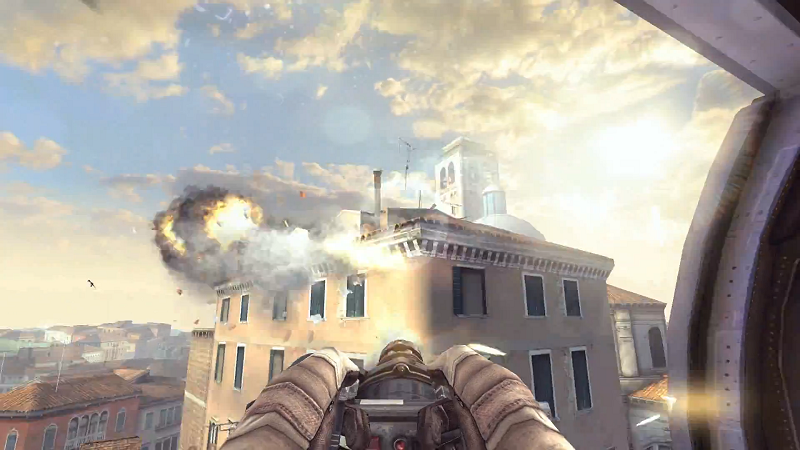
Information about Modern Combat 5 is sparse, but we do know that one level of the iOS/Android shooter will take use to the war torn streets of Venice (Maybe after an Asphalt 8 race?). While you’ll mostly be on foot looking down the sights of your assault rifle, segments will allow you to take the gunner’s set of a military chopper or enter a high speed boat chase.

6-7-2013 3-44-23 PM

Graphics look impressive with sharp lighting, blaring gun fire, and detailed enemies. The physics also appear to be improved, with terrain and scenery flying upon a bomb’s impact, or a corridor of windows shattering apart. Hopefully more information about gameplay, story, and additional locations will be released soon.

What’s next?

We’ve shown six great looking Gameloft mobile games, each with their own unique gameplay, settings, and art style. Among them are sequels and spin-offs to popular franchises, along with movie-tie ins. These are just the games Gameloft has previewed at E3 2013, but we suspect many more will be released throughout the year. Until then we’ll keep checking back to see the latest E3 2013 games coverage.

E3 2013: highlights from EA’s press conference

EA header

Electronic Arts showed off 11 games at today’s press conference. A few of them were already known, such as FIFA 14 and Battlefield 4, while others like a new Mirror’s Edge or Star Wars Battlefront were wishful rumors. EA COO Peter Moore confirmed that these titles would be available for Xbox One and PlayStation 4, although some would also be available for the current generation of systems. To help show off the power of the new systems, many of these games will use new graphic engines such as Frostbite 3 and Ignite (the latter being mainly for EA Sports games). The development of these engines took the company nearly two years.

Plants vs Zombies: Garden Warfare

Plants vs Zombies Garden Warefare

The announcements began with Plants vs Zombies: Garden Warfare, a third person action game where teams for players take control of their favorite plants. The game will first be available on Xbox One, but will arrive on Xbox 360 later.

plants vs zombies gameplay

Among new plants included Bonk Choy, a melee fighting bok choy. Sunflower was also shown to be the healing plant that can keep the rest of the team alive. Besides Plants vs Zombies, another big PopCap game was mentioned -Peggle 2- but no information or gameplay was shown or teased.

Titanfall

Titan Fall 1

Titanfall was previously shown at Microsoft’s press conference earlier in the day. The footage shown at EA’s conference spliced together developer interviews with gameplay footage. The main goal was create balanced environments and gameplay between massive Titans and pilots fighting on foot.

Star Wars: Battlefront

A short teaser for a new Star Wars: Battlefront briefly showed a snowspeeder whizzing by an AT-AT. The snowy terrain was very reminiscent of Hoth from The Empire Strikes Back ,though it could be some other location. With the closure of LucasArts, EA DICE will be developing the game on their own.

Need for Speed Rivals

Need for speed

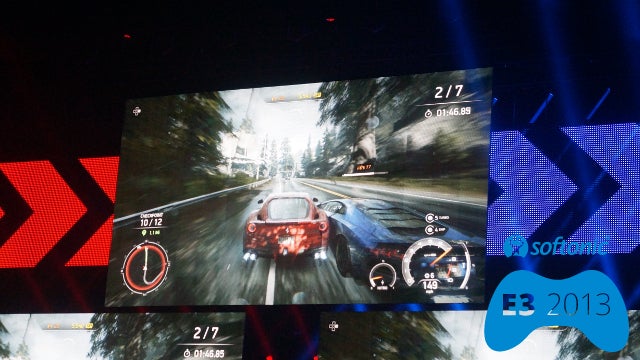
The new Need for Speed showed a seamless transition from single player into multiplayer. One player started a street race within their own game, but as the match became more intense an enemy cop player entered the game in hot pursuit. The police officer was further aided by a third player who used a tablet to deploy support helicopters into the game.

Dragon Age Inquisition

dragon act inquisition

The third game in the Dragon Age series had its debut trailer at the EA press conference and is expected to be out Spring 2014. Unlike the other titles that used towns and dungeons as hubs, Inquisition will be open world. The trailer was narrated by Witch of the Wilds Morrigan, who reveals herself at the end of the trailer. Other characters that make cameos include Varric Tethras and Cassandra Pentaghast from Dragon Age 2.

EA Sports games

fifa 14

A number of sports games were shown, all of them utilizing the new Ignite Engine. The sports engine has features to show true player motion, mimic human intelligence, and sustain living worlds that change depending on how users play.

NBA Live

The first on these games is NBA Live. The game uses a system called “bounceTEK” to improve the dribbling system. The ball itself uses more physics for enhanced realism. Finally, the game is constantly updated, receiving new data within hours of an NBA match being completed.

FIFA 14

drake 1

Already a favorite around the world, FIFA 14 was presented by rapper Drake who noted his deep respect for the developers. FIFA 14 includes new features such as “Precision Movement”, “Pro Instincts”, and “Elite Technique”. The game is planned for a Fall release on Xbox One and PS4.

Madden 25

Aside from the Ignite features found within all of the sports games, Madden 25 also includes “True Step” which is a new locomotion system.

UFC

EA UFC

EA Sport’s UFC makes use of the “MMAi” fighting system and more realistic full body deformation. UFC will have a worldwide release in Spring 2014 on the Xbox One and PS4.

Battlefield 4

battlefield 4

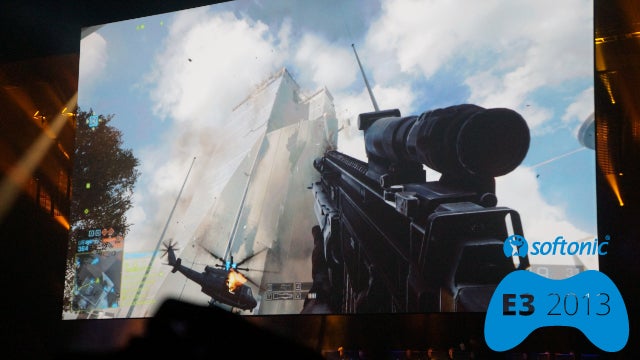
Battlefield 4 showcased the most gameplay and info of everything shown at EA’s press conference. The main highlight was 64 player supported multiplayer.  Commander mode returns from Battlefield 2, allowing a single player to issue commands from a top-down view. Players will even be able to use Commander mode from their tablets by logging on to Battlelog from their devices.

The demo itself showed a “Siege of Shanghai” level, where five person squads formed among 64 live players. The level included destructible environments, such as a tank that was disabled by destroying the support posts underneath the street.

Mirror’s Edge

mirrors edge 2

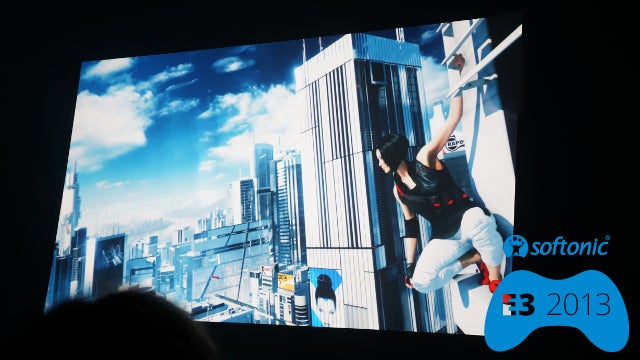
The conference ended with a teaser for Mirror’s Edge. Players return to the role of Faith, but the trailer showed her receiving her unique arm and eye tattoos. Mirror’s Edge isn’t simply a prequel, EA’s press site notes that the new game “Reboots the franchise for the next generation”; a curious choice for a five year old franchise that only has one previous game.

More to come

We’ve seen 11 (12 if you want to include the short mention of Peggle 2) great games from EA. So far these are only brief announcements, but we suspect many of these titles will be available for hands on at the E3 showroom floor and behind closed doors. We’ll share with you all the latest gaming news from E3 2013 as it develops.