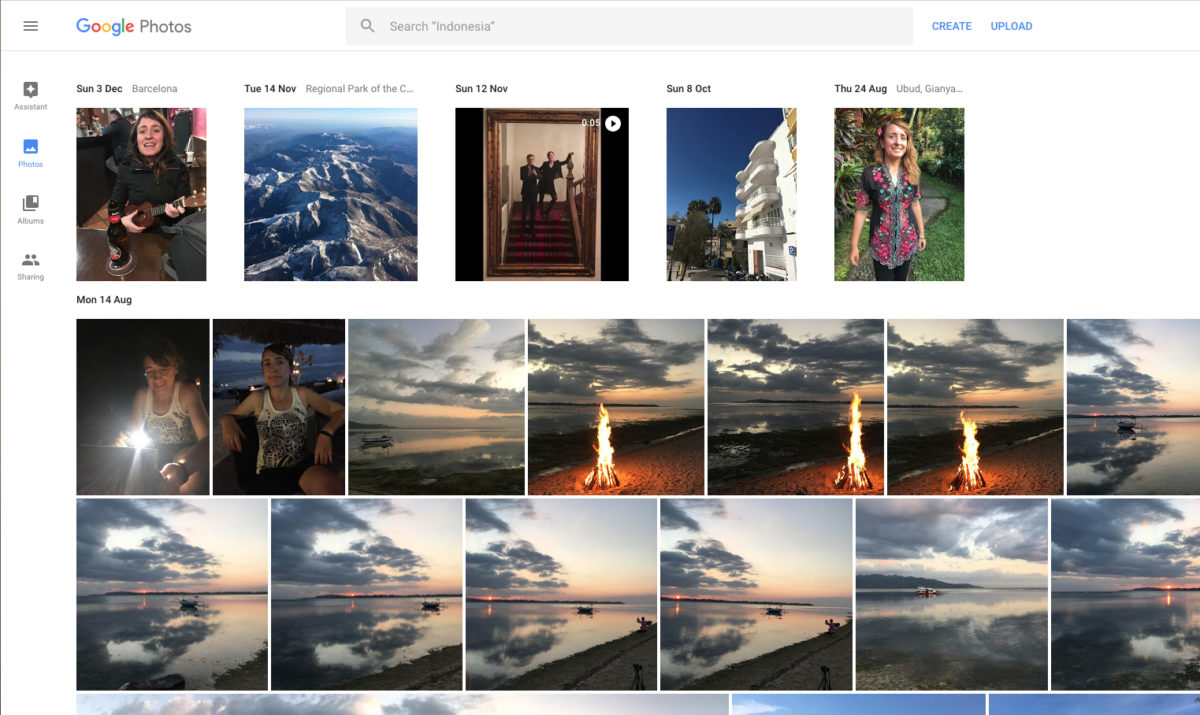
Google Photos’ greatest claim to fame is that it offers free, unlimited storage forever.
It’s a free iOS and Android app that has been around for a couple years now, and with 500 million users it must be doing something right.
It is also available as an online service via your browser, and all you need to access it is a standard Google account, which is useful if you have a million and one snaps cluttering up your hard drive that you want to offload onto the cloud.

Your guide to Google Photos
About that free storage
The best feature of Google Photos is surely the free unlimited storage. This is an even better offer than Flickr, which itself offers a very generous 1,000 gigs.
But to use this storage, photos cannot be more than 16 megapixels, and videos no bigger than 1080p HD – ruling out 4K video, for example. In addition, Google stores what it describes as “high quality” versions of your original files, so its algorithms decide and modify the resolution of your files, if necessary.
You can still use Google Photos if you want to upload bigger files (or simply retain your original resolution), by accessing the 15GB you get free with any Google account.
Of course, this amount of storage won’t last long, but you can pay $1.99 per month (or prepay $19.99 per year) for up to 100GB, and $9.99 a month (or $99.99 annually) for a terabyte. But stick to the limits and let Google decide the resolution, and it’s all gratis.
Regarding privacy, Google says that everything you upload is all totally secure and private – accessible only to you, and anyone your share stuff with.
What can it do?
Back up your entire image library
An obvious function for Google Photos is as a cloud-based archive and backup for your precious memories, in addition to any physical backups you might also have.
Access all images on all devices – and TV
Hardly a unique selling point, but it’s worth noting that if up do indeed use Google Photos to upload all your photos and videos, then you’ll be able to view them on any connected device, without having to download them. Thanks to Chromecast and Airplay support, you can view them on your TV, too.
Automatically upload photos… or not
The app will automatically upload pictures to the cloud, allowing you to save space by deleting files on your phone if needed. This can be turned on or off, and you can choose to upload photos manually, too.
Search visually
Google Photos allows you to search by visual category, based on people, places and things in them, without the need for tags. Some users have complained that it’s not so great at recognizing individual pets, among other things. Personally, I found this function pretty disappointing, with many objects not recognized by the search engine. But Google being Google, this is an area that should improve over time.
Share directly from the app
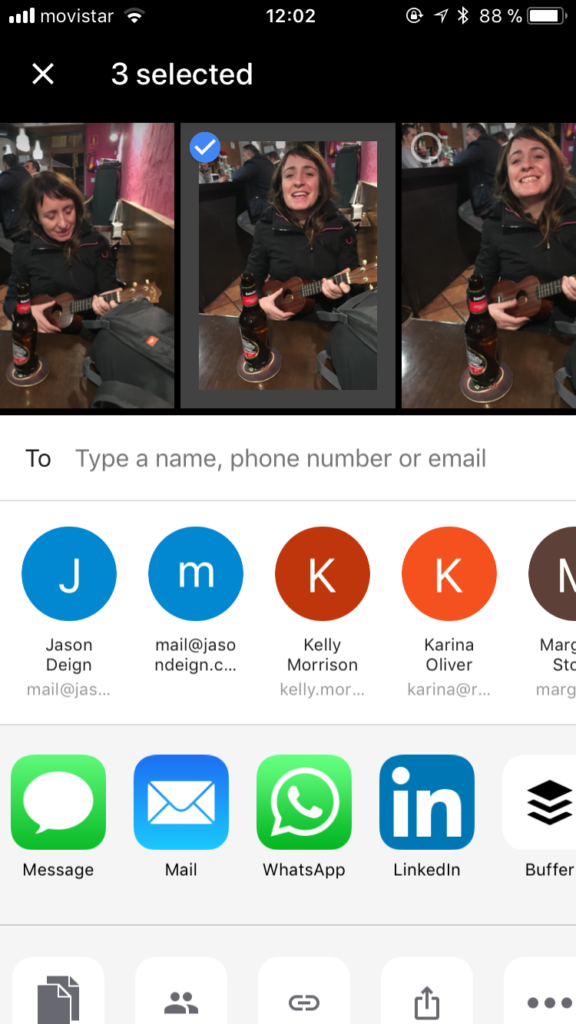
There’s no need to cut and paste or leave the app. Select up to 1,500 photos and then chose Instagram, WhatsApp, Facebook, email or whatever, and simply send.
Make movies and more
Google Photos can automatically create movies, collages, GIFs, panoramas and more from your shots. Or you can create them yourself, by manually gathering together your preferred images.
Straightforward editing
Choose a filter for really simple re-touching, or you can fiddle around with levels such as warmth, tint, saturation, exposure, and contrast. Crop manually, or chose a specific aspect ratio to suit you – and, of course, you can rotate images.
Categorize by place, thing, time – or whatever
Google Photos makes a number of suggestions about how you can order your collection. You can also designate your own, to fit in with your own cataloging idiosyncrasies
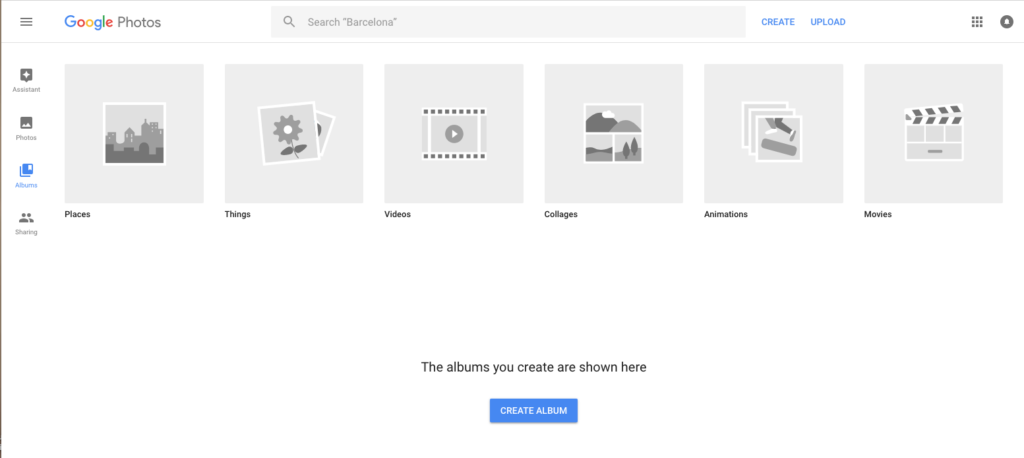
Invite others to share
Despite the fact it had its origins in Google Plus, Google Photos isn’t trying to be any type of social media network, so you can’t give other people’s photos likes or ratings. What it does allow you to do is share albums with others and allow them to contribute to a shared store of pics, which is useful if you’ve just both come back from a trip and shared camera duties, for example.
Clean, ad-free interface
As you’d expect from a Google product, the interface is minimalist, functional and clean. It’s simple to navigate, but you may need to do a little digging around to find some features. And there are no pesky ads to accidentally click on.
Display photo metadata
You can view when the photo was taken, what size the file is and what device it was taken with. And there’s a little Google map to indicate exactly where, too. And if you want to keep your location private on shared photos, you can turn off geo-tagging information in Preferences.
Live share your library
In addition to sharing photos and albums, you can set up a Partner account that will automatically share photos with another Google Photos user in real time. You can also add filters to ensure that person only gets to see what you want them to.

Getting started
On your computer
If you decide to go with Google Photos, there are a number of routes you can take. If you’re planning on using it as a backup to all your existing photos, you’re probably best-off uploading these from your computer.
Assuming you already have a Google account, click on the nine square apps button on the top-right of the homepage to access the apps menu, and click on the Google Photos windmill-style icon.

You’ll find a screen that invites you to drag and drop your photos onto the screen to upload them to the Google Photo cloud.

Before you do this, make sure you go to the Settings in the left-hand menu and decide if you want to go for free unlimited storage of high quality images or keep your originals at full resolution.
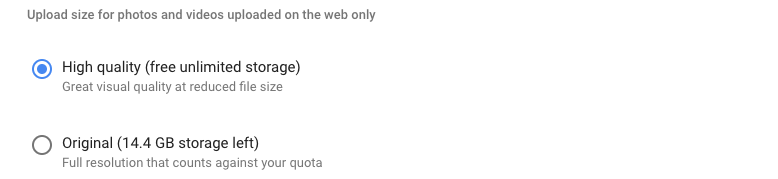
Now you can start to drag and drop images and videos onto the screen to be uploaded. Be warned, this could take a very long time, depending on the number of files and the speed of your internet connection.
Be aware, also, that depending where your photos are stored (for example, mine are in the Apple Photos application), you may not be able to drag them straight onto the Google Photos window. Instead, copy them over to a temporary folder on your desktop and drag them from there.
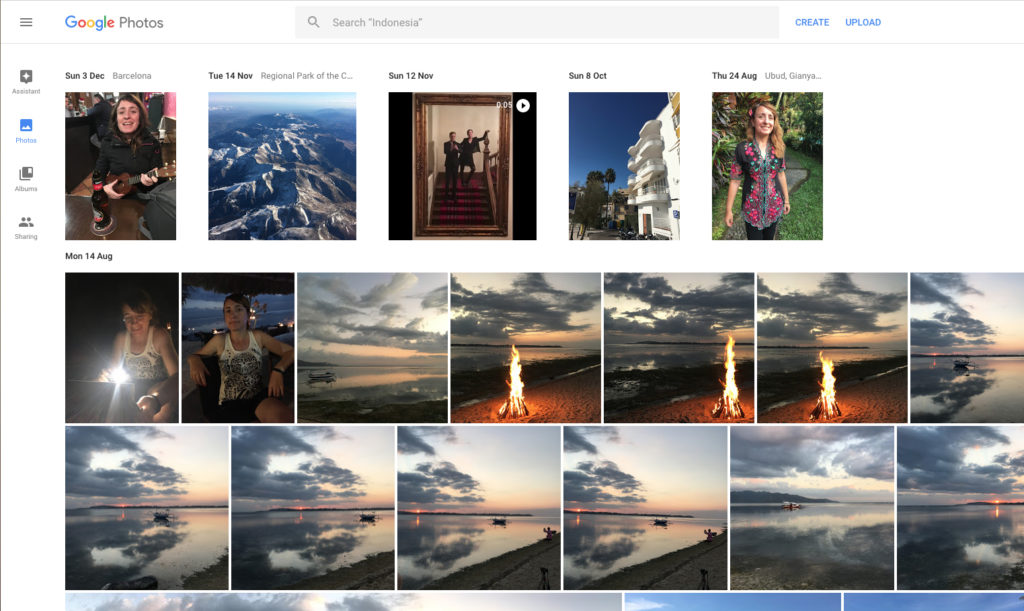
Once you have your photos uploaded, you can view them, share them, retouch them and create collages, movies and more.
If you want to have all new photos automatically uploaded from your computer, Google has a download that does exactly that.
On your device
Once you’ve downloaded the Google Photos app to your device, you’ll need to enable it to access your camera by following the on-screen prompt. After doing this, make a decision on whether you want the app to automatically upload photos for you.
Under Settings, you can choose whether the app backs up your photos automatically or not. If this is toggled off, you can simply select Archive on the three dot (…) menu and that photo will be uploaded.
You can easily see whether or not your photo is in the Google Photos cloud – if it has a cloud symbol with a line through it, it is only available on the device you’re holding in your hand.
From this point, you’re free to retouch, share, create collages or simply view the photo on any device.
In summary
The Positives
- Free unlimited space for photos and vids (subject to resolution restrictions)
- No annoying ads
- Nice, clean interface
- Effective sharing options
- Useful editing features
The Negatives
- Photos over 16 megapixels, videos above 1080p automatically downgraded in quality. Or you can pay for storage to preserve the original
- Editing features could be more powerful
- Issues with visual searching, although these should improve
The Takeaway
Bottom line, if you’re a general photo snapper, rather than a pro, want free, unlimited space for your photos, aren’t too bothered by not being able to upload pics that are greater than 16 megapixels (or video chunkier than 1080p, e.g. 4K), this is for you. Professional users would probably want more powerful editing features, but they’re more than adequate for the general user.