Google has begun rolling out a long-awaited feature in Google Photos that will prevent users from accidentally deleting large amounts of photos and videos. This tool, called “Undo Device Backup,” was leaked in June and has now been officially announced in the Google Photos help forum. Until now, deleting a photo or video from Google Photos automatically removed the local copy on all devices synced with the app, leading users to lose important files while trying to free up space in their account. With the new feature, content can be deleted […]
Google has started rolling out a much-anticipated feature in Google Photos that will prevent users from accidentally deleting large amounts of photos and videos. This tool, called “Undo Device Backup,” was leaked in June and has now been officially announced in the Google Photos help forum.
Until now, deleting a photo or video from Google Photos automatically removed the local copy on all devices synchronized with the application, which led users to lose important files when trying to free up space in their account. With the new feature, you can delete content stored in the cloud without it disappearing from local devices.
When using “Undo device backup,” all backed-up images and videos are removed from Google Photos, but the local copies remain intact, as if they were never synced. However, the function only affects files currently stored on the device, so if the “Free up space on this device” option was previously used to delete local copies, these images will remain in the cloud and will not be deleted with the new function.
Although it will be very useful for many users, the “Undo device backup” feature is currently quite limited, as it does not allow deleting individual files from the backup without affecting the rest (a feature we might see in future app updates).
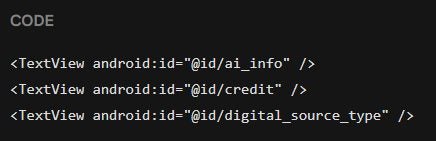
Google Photos is experimenting with new features that could help detect manipulated or AI-generated images. According to Android Authority, future versions of the app might start reading more metadata, which are digital tags that often contain details about the software used to create or modify the image. The latest article from Android Authority mentions that version 7.3 of Google Photos for Android includes references to new metadata tags, such as “ai info,” “credit,” and “digital source type.” Although AI-generated images currently do not show any indicators in Google Photos, these tags […]
Google Photos is experimenting with new features that could help detect manipulated or AI-generated images. According to Android Authority, future versions of the app could start reading more metadata, digital tags that often contain details about the software used to create or modify the image.
Subscribe to the Softonic newsletter and get the latest in tech, gaming, entertainment and deals right in your inbox.
The latest article from Android Authority mentions that version 7.3 of Google Photos for Android includes references to new metadata tags, such as “ai info,“ “credit,“ and “digital source type.” Although AI-generated images currently do not display any indicators in Google Photos, these tags could start indicating their origin in future updates.
Several generative AI programs already include this information in the images they produce. For example, photos created with Google’s Gemini chatbot carry a label with the message “Made with Google AI”, while those generated by ChatGPT include the label “DigitalSourceType” indicating their AI origin.
Despite this, reading these metadata does not guarantee the complete detection of AI-created images, as it is possible to easily remove or modify these tags. For this reason, users will have to continue relying on their visual perception to detect AI images (as long as we can).
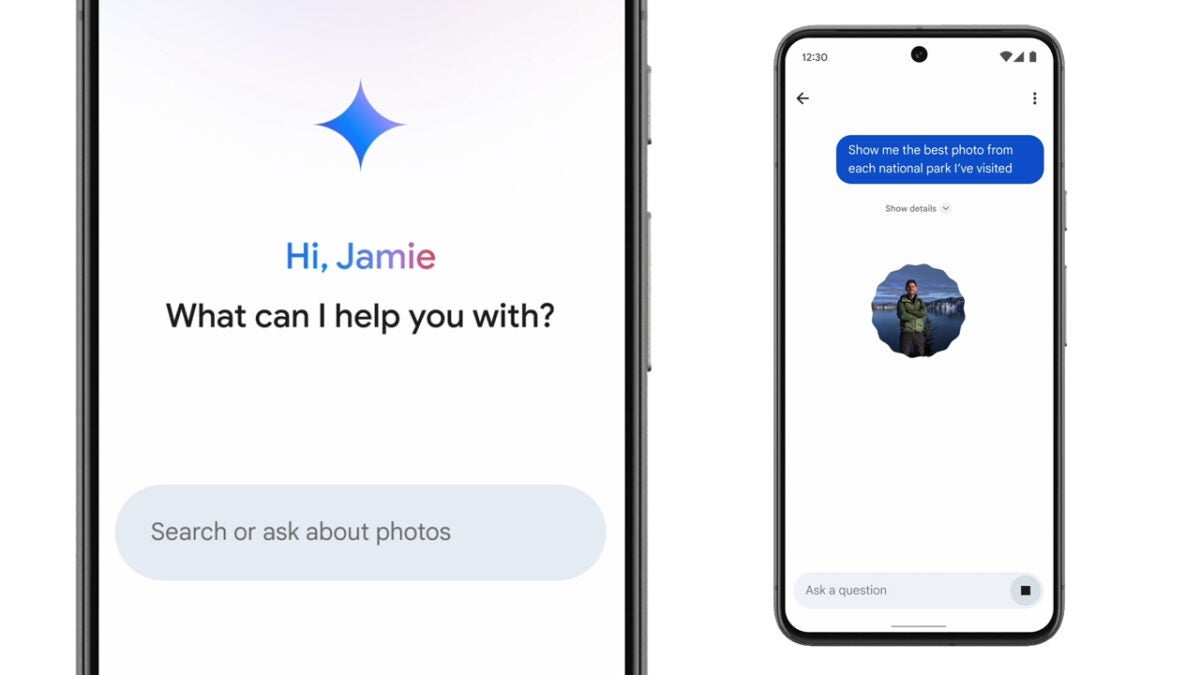
Google has started to roll out “Ask Photos,” a new artificial intelligence feature, in its Google Photos app. Introduced at the Google I/O event last May, this tool is powered by Google’s Gemini model and allows users to ask questions about their photos to get accurate and quick answers. During the presentation of Ask Photos, the potential of AI was demonstrated by asking it to identify the license plate of the presenter’s car in one of his photos. Within seconds of making the request, the feature was able to search through the image gallery […]
Google has started to roll out “Ask Photos,” a new artificial intelligence feature, in its Google Photos app. Introduced at the Google I/O event last May, this tool is powered by Google’s Gemini model and allows users to ask questions about their photos to get precise and quick answers.
Subscribe to the Softonic newsletter and get the latest in tech, gaming, entertainment and deals right in your inbox.
During the presentation of Ask Photos, the potential of AI was demonstrated by asking it to identify the license plate of the presenter’s car in one of his photos. Within seconds of making the request, the feature was able to search through the Google Photos image gallery and find the requested information.
However, this new tool is not limited to specific searches only. Users can use it to make more personal inquiries, such as asking Gemini to gather photos showing the progress in their child’s tennis classes or to remember the themes of family birthday parties.
The feature, which is already being rolled out in the United States, as reported by PhoneArena, replaces the “Search” tab in the app and allows users to interact with AI naturally to find the desired photos. Although it is not yet available to all users, those who previously signed up for the waiting list will be able to enjoy Ask Photos as soon as it becomes available. New users can also join this list through this link provided by Google.
In addition to compatibility with Android devices, Google has announced that the feature will also come to iPhones, where it will appear at the bottom of the Google Photos app screen. For those concerned about using the new feature, the app will include initial guides that will show how to make the most of it.
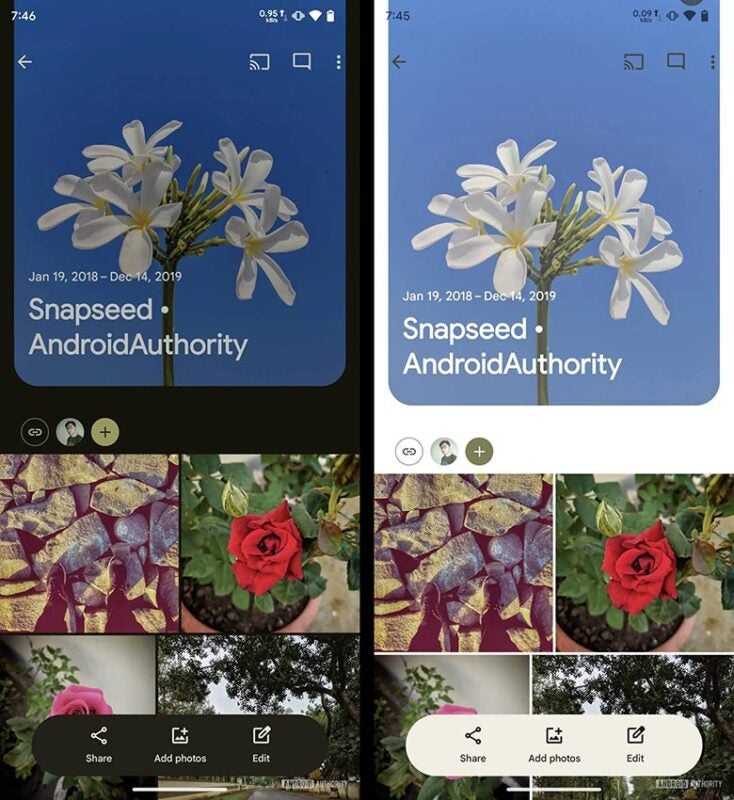
Google is preparing new features to improve the use of Google Photos with one hand. According to an APK analysis conducted by Android Authority, a new floating toolbar will appear in the albums, located near the bottom of the screen. This bar (which disappears when scrolling but can be retrieved by swiping up) makes it easier to access the share and add buttons, enhancing the experience for those who use their mobile with one hand. Additionally, the bar includes a new edit button that allows users to rearrange images, delete photos, change album names, and add descriptions. […]
Google is preparing new features to improve the use of Google Photos with one hand. According to an APK analysis conducted by Android Authority, a new floating toolbar will appear in the albums, located near the bottom of the screen. This bar (which disappears when scrolling but can be retrieved by swiping up) makes it easier to access the share and add buttons, enhancing the experience for those who use their mobile with one hand.
Subscribe to the Softonic Newsletter and receive the latest news in tech, games, entertainment in your inbox
Additionally, the bar includes a new edit button that allows you to rearrange images, delete photos, change album names, and add descriptions. This is a significant improvement over the current design, where the edit option is hidden in the contextual menu.
Although this new bar is not yet available in the latest version of Google Photos, Android Authority has managed to activate it in version 7.1. It is expected to be available soon, but it should be noted that features discovered in APK analysis are not always ultimately implemented.
On the other hand, Google also plans to integrate Gemini features into Photos, such as memory narration and more control over how often certain people appear in them, making the experience with Google Photos more comfortable and personalized.
Google Photos or iCloud Photos? This is a question that depends a lot on our ecosystem, the use of our photo library, and other factors. What is no longer in doubt, however, is that transferring all our photos from Google Photos to iCloud is now easier than ever. Five clicks and not a single download: the system takes care of everything.
Our Google photos and videos to iCloud without downloads or loss of quality
Thanks to a collaboration between Apple and Google, it is now possible to transfer our collections of photos and videos from Google Photos directly to iCloud Photos without the need for intermediate downloads.
This functionality is the result of the joint work of both companies under the umbrella of the Data Transfer Project, an open-source initiative that aims to facilitate data transfer between various online services. Today’s announcement simplifies the management process of our digital libraries and, at the same time, ensures that the principle of reciprocity is respected, complementing the existing tool that allowed the transfer of photos from iCloud to Google Photos since 2021.
The system is available in more than 240 countries and regions. However, there are a couple of exceptions to its availability such as child accounts or accounts with a managed Apple ID. Additionally, it is necessary to temporarily disable iCloud Advanced Data Protection if it is enabled. By meeting these requirements, the steps to follow are as simple as the following:
Access Google Takeout: First, we need to visit Google Takeout, the Google platform that allows us to export data from the company’s services. From here, the process of exporting photos and videos stored in Google Photos will be initiated.
Start an export: Once in Google Takeout, we must select the export of Google Photos, leaving out the rest of the data contained in our Google account.
Choose iCloud as the destination: The system will ask us for the destination of the photos and videos. Instead of choosing a download, we must select “Apple – iCloud Photos” as the destination for the transfer.
Sign in with our Apple ID and authorize: The last step is to sign in with our Apple ID. After signing in, Google will request permission to add photos and videos to iCloud. It is necessary to authorize this operation for the transfer to take place.
After granting the necessary permissions, the transfer will begin. The waiting time for the process to complete will depend on the volume of data to be transferred, but it does not require any additional action on our part. In addition, unlike a download that would be subject to the speed of our internet connection, an internal transfer enjoys a much larger bandwidth.
Transferring an entire library between Google Photos and iCloud Photos is now as simple and fast as it gets. This process also eliminates the risk of losing image quality during manual transfers or downloads. Therefore, switching from Google’s cloud to Apple’s is as easy as pressing a button.
Google Photos has introduced a significant update that makes it easier to access the Private Folder on Android and iOS devices. Previously, this folder was hidden in the Utilities section, which required several taps to access it. Now, according to 9to5Google, the Private Folder is prominently displayed in the Library tab along with Favorites, Archive, and Trash, with the name “Locked”.
The objective of this change is to provide quicker and more convenient access to the Private Folder, a place where users store sensitive photos and videos. Google Photos on the web has already adapted this location in the navigation drawer, and the update in the mobile apps aims to be in line with that design.
Before, the Private Folder went unnoticed as it was inside Utilities, which offered an additional layer of privacy. However, with the new update, Google Photos prioritizes ease of access, allowing users to quickly store and retrieve their sensitive media without having to navigate through multiple menus. This change benefits especially those who frequently use this feature, as they can now access their private content more efficiently.
However, the new location has its downside. Being more visible, the Private Folder also loses some of its secrecy, which could worry some users who want to hide their most “confidential” content as much as possible.
In addition to relocating the Private Folder, Google Photos has reorganized the Utilities section, moving many of its functions to the “More” tab in the app bar. This reorganization includes options such as creating new albums and shortcuts for sharing with others, and importing photos from other places. With these changes, the application interface is streamlined, making it easier for users to find and use functions that were previously difficult to locate or cumbersome to navigate.
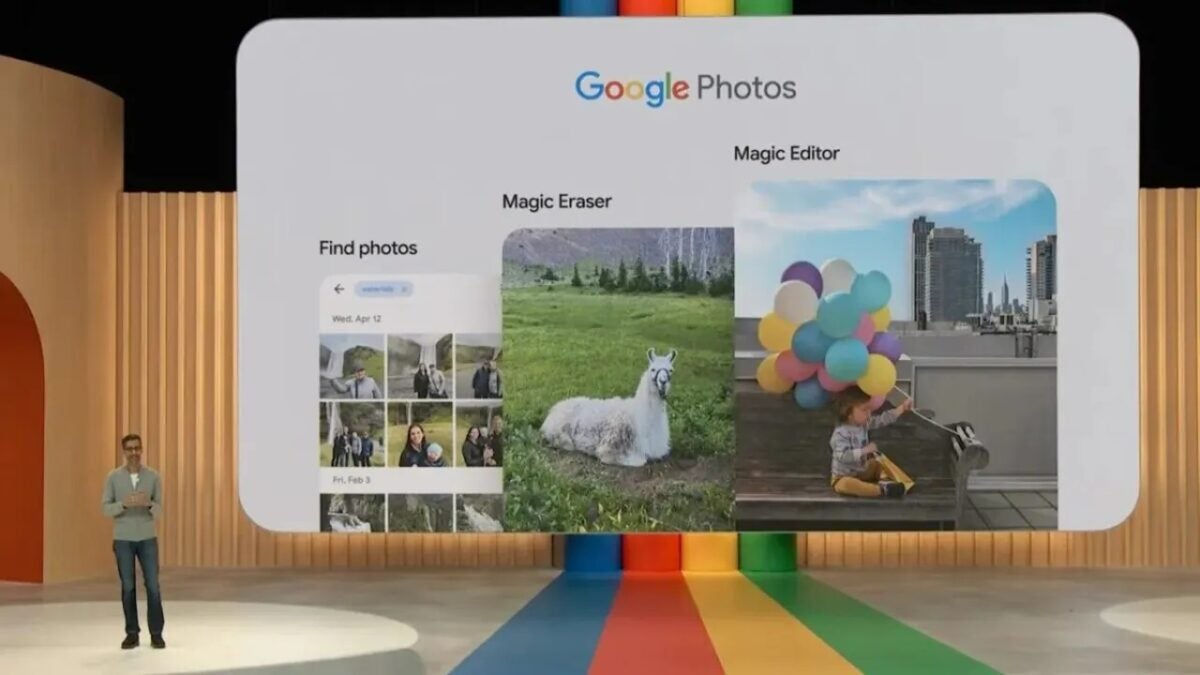
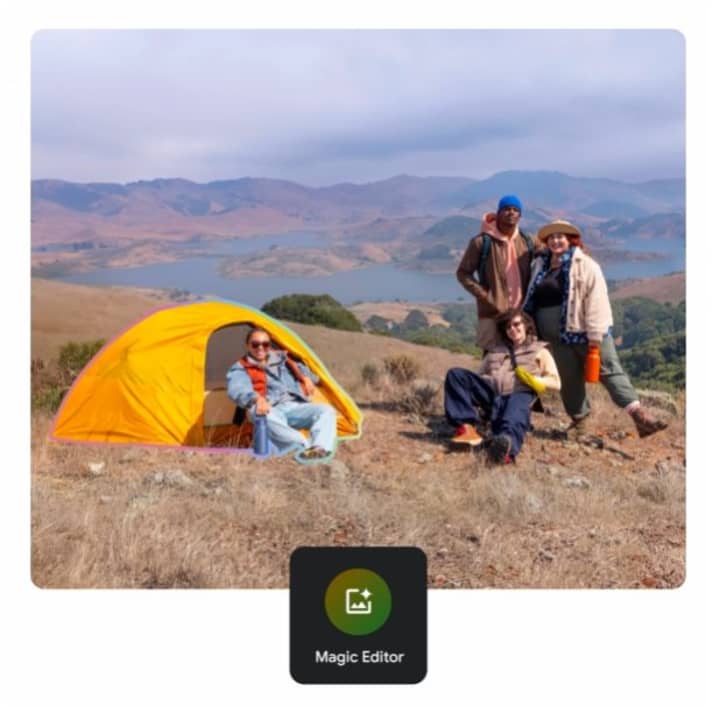
Google has announced that it will make its AI-powered photo editing features available to many more users. Starting on May 15th, almost all Google Photos users will be able to access AI photo editing features such as Magic Editor, which were previously limited to Pixel owners and Google One subscribers.
Magic Editor is Google’s generative AI photo editing tool, and debuted as one of the main AI features on the Pixel 8 and 8 Pro. These types of features are usually exclusive to the new Pixels for the six months following their release, and now Google is bringing them to previous Pixel phones.
But that’s not all: any Google Photos user with an Android or iOS device that meets the minimum requirements will be able to use it without a Google One subscription and will only be limited to 10 edits per month. However, Pixel device owners and paying subscribers will have unlimited usage.
Furthermore, older features like Photo Unblur and Magic Eraser, which were previously only available to Pixel owners and some Google One subscribers, will be free for all Google Photos users, as detailed by Google in a blog post.
The complete list of these functions includes features such as portrait mode blur editing and lighting effects. Other generative AI functions that were launched with the Pixel 8 series, such as Best Take and Audio Magic Eraser, remain exclusive to the latest Pixels, at least for now.
Those who wish to use these AI functions will need a device with at least a 64-bit chip, 4 GB of RAM, and iOS 15 or Android 8.0. Undoubtedly, these are quite simple requirements nowadays, which give the opportunity to many users to try the benefits of Magic Editor.
Are you the type who snaps a gazillion photos and videos, hoping to capture that perfect moment? Well, Google Photos, your go-to for backing up those precious memories, just got a nifty upgrade.
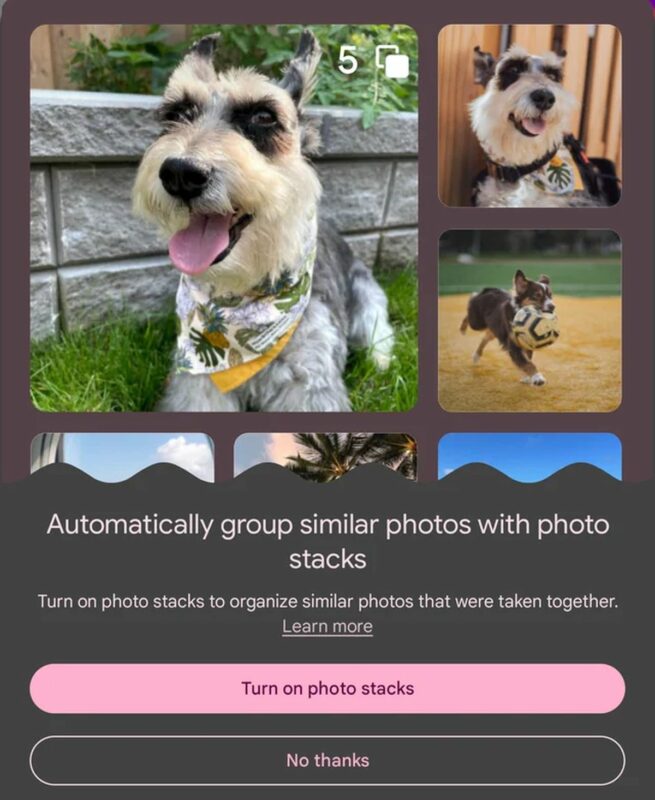
Remember back in October when there were whispers about Google working on something called photo stack? Turns out, it’s not just tech gossip anymore. This feature is making its debut, ready to tidy up your photo library by bundling similar shots together. Say goodbye to the clutter and those pesky duplicates!
Here’s the scoop: Photo stacks is like your personal photo organizer. It’s perfect for those moments when you’re snapping away, trying to get that one perfect shot. Instead of scattering similar pictures all over your library, ‘photo stacks’ will gather them into a neat bundle. This means you can flip through your variations without turning your photo library into a chaotic jumble.
A Redditor, lucky enough to get early access, spotted the photo stacks option in the app. Although they didn’t spill the beans on all the details, like how the feature actually sorts the photos or the max number of pics per stack, it’s still exciting news for photo enthusiasts. Keep your eyes peeled for this cool feature to hit your Google Photos app!
Continuing on the photo stacks adventure in Google Photos, here’s how this new feature adds a sprinkle of magic to your photo organizing experience. Ever tapped on a stack and wondered which photo pops up first?
That’s the “Top Pick,” chosen by Google’s savvy AI from your group shots. But hey, if Google’s pick isn’t your cup of tea, no worries! You can switch it up by selecting any photo in the stack to crown as your new Top Pick.
But wait, there’s more. Google knows that sometimes, less is more. That’s why they’ve added a super handy option to declutter your stacks. If you find yourself drowning in a sea of nearly identical photos, just use the “Keep This, Delete Rest” option. It lets you keep the crème de la crème of the stack and waves goodbye to the rest, freeing up precious space in your library.
And here’s a neat little detail: stacks blend seamlessly into your library, but they stand out with a special icon on the thumbnail. This little badge of honor makes it easy to spot your stacks amidst the ocean of photos.
For those drawing parallels with the Pixel-exclusive Top Shot feature, here’s the lowdown. While Top Shot also merges similar shots and picks the best one, it’s a Pixel-only party. Photo stacks, on the other hand, roll out the red carpet for all Google Photos users.
How to check if Photo Stacks is available on your Google Photos?
Here’s how you can check if this cool feature is ready for you. Just pop open Google Photos, scoot over to Settings, then tap into Preferences. Keep an eye out for the “Stack similar photos” option. Found it? Great! Switch it on, and let Google Photos work its magic, stacking those similar snapshots automatically.
Think of photo stacks as your photo library’s new BFF, especially for all you shutterbugs constantly chasing that perfect shot of your fast-moving kids or playful pets.
You know how it goes – you snap a flurry of pictures, hoping to catch that one magical moment. But then, your library ends up like a crowded party, filled with unwanted images. Photo stacks to the rescue! It’s like having a tidy-up fairy who makes sure only the best shots get the spotlight.
Google Photos continues to enhance its capabilities, now boasting a feature that automatically crafts highlight videos from selected images and clips in your library.
While the Google Photos app for Android and iOS has previously introduced video creation tools, this fresh update, set to launch from October 25, empowers users to specify the people, locations, or events they want to feature in an AI-generated video. The app then seamlessly stitches together a one-minute highlight reel from the chosen content.
Not only will this video amalgamate photos and video snippets, but Google Photos will also overlay music, synchronizing the visuals to the rhythm. While automated highlight videos, reminiscent of the Google Photos Memories function and offerings from brands like GoPro, can sometimes vary in quality, the prospect of testing out Google’s advanced AI video editor is certainly intriguing.
If you’re not entirely satisfied with Google Photos’ automated selections, there’s flexibility to edit. You can adjust or reorder the clips and even switch up the music.
Wondering how to access this new tool once it’s available on Android and iOS starting October 25?
Simply navigate to the top of the app and tap the ‘plus’ symbol. A dropdown menu will appear, presenting options to craft new Albums, Collages, Cinematic photos, Animations, and of course, Highlight videos.
By selecting ‘Highlight videos’, a search bar emerges, allowing you to pinpoint your desired video subjects, whether they’re individuals, locations, or specific years of events. Google’s demonstration suggests that the default video duration is set at one minute, but this stage offers the opportunity for additional customizations before finalizing with a ‘save’.
Diving deeper into AI integration
Google’s overarching strategy with photos and videos is clear: simplify and automate the editing process for the everyday user who might not have the expertise or the inclination to delve into intricate edits. This philosophy is evident in the introduction of the AI-driven video creator tool.
A similar innovation was recently integrated into Google Photos’ Memories feature. This enhancement allows users to “co-author” Memories albums collaboratively. Friends and family can contribute their unique photos and videos to your Memories, culminating in a shared video that encapsulates collective experiences.
Whether you’re an enthusiast aiming to meticulously craft your video highlights or someone who’d rather lean on Google’s advanced algorithms to do the heavy lifting, Google Photos is rapidly evolving as the go-to platform for effortless video creation and sharing.
Further emphasizing Google’s commitment to enhancing user experience, the Google Pixel 8 Pro was launched with a suite of cloud-centric video capabilities, notably Video Boost and Night Sight Video. One minor drawback is the necessity of an internet connection for these features to function.
However, Google compensates for this with other AI-driven tools like Magic Eraser and Call Screen, which operate seamlessly on-device, ensuring users can access some functionalities without the need for constant connectivity.
AI has been helping apps like Google Photos and Apple Photos automatically share up curated photo-based Memories in the form of collages, slideshows and even edited photos for a while now. To augment the Google Photos creations, Google has just announced an update that will build on that AI-based capabilities to make your served up Memories look prettier than ever. Let’s go through the details together:
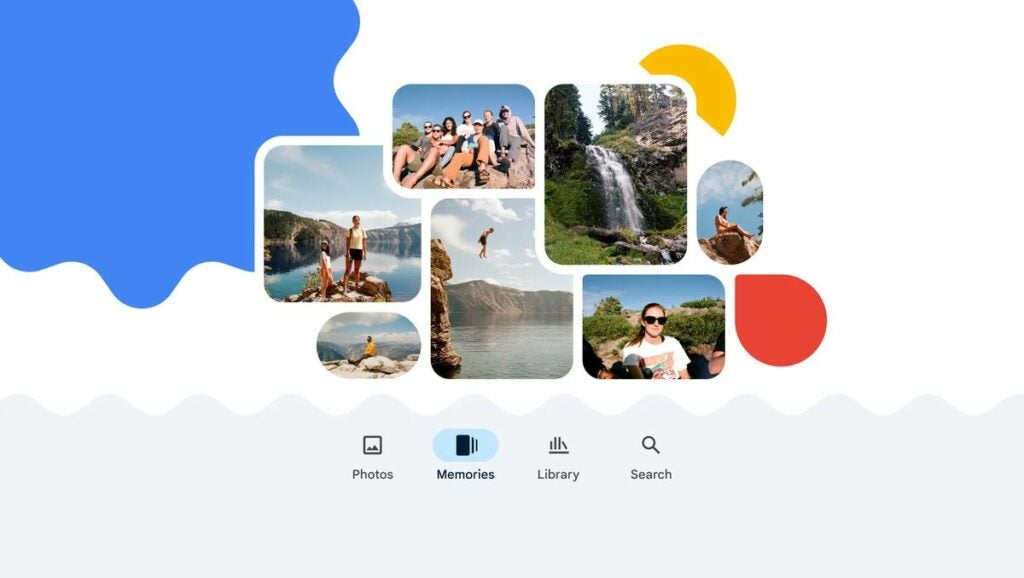
Google Photos launched three years ago and to celebrate the anniversary Google has published a blog post detailing new and advanced Memories features. Google says that the update is the biggest update to Memories since the feature was launched.
The update is bringing with it a new collage editor as well as more integrated clips from your recorded videos and more dynamic presentations of still photos.
“With the update that starts rolling out today, you’ll see more videos — including the best snippets from your longer videos that Photos will automatically select and trim so you can relive the most meaningful moments. Even your still photos will feel more dynamic thanks to a subtle zoom that brings movement to your memories.”
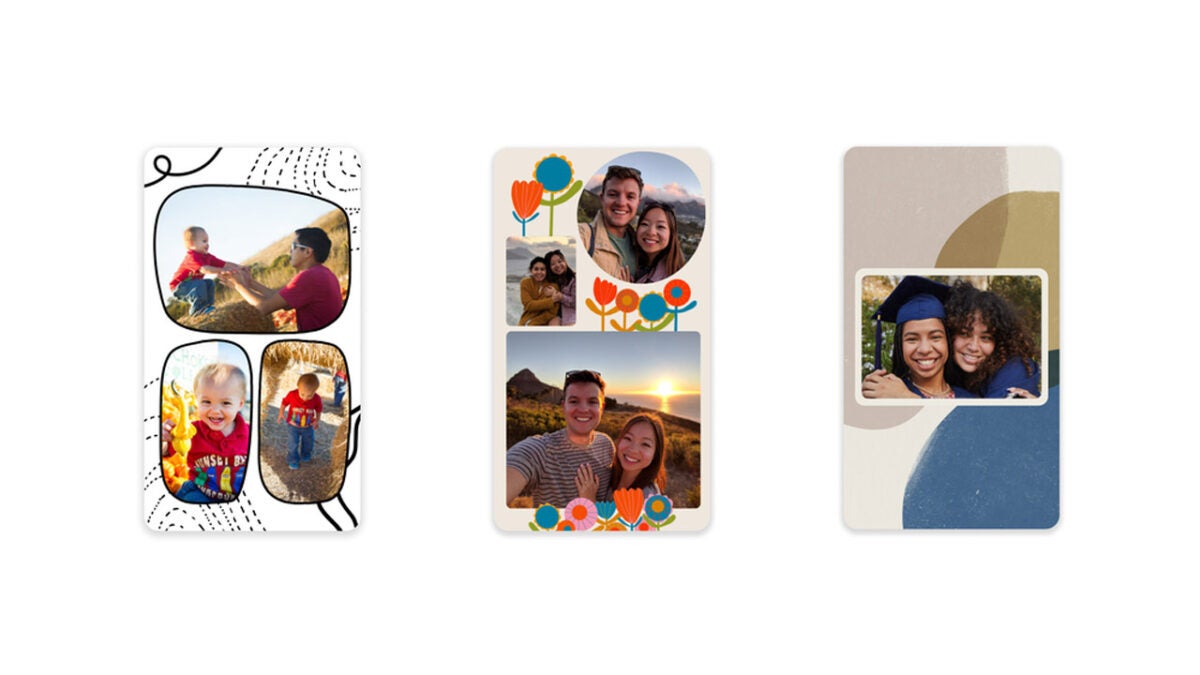
As well as updates on features we already know, the Memories update is also bringing a new feature called Styles, which draws inspiration on old scrapbooks. The feature will automatically add graphic artistic elements behind your photos to make them stand out more as if they were placed in an old-school scrapbook.
There will also be a new easy to use and effective collage maker that will allow users to bring together multiple photos and quickly make pretty and engaging collages.
As mentioned above, the Memories update is already rolling out to Google Photos users, which means it should be landing on your version of the app sometime soon.