A Comprehensive Guide to Supply Chain Transformation

Find out how to run supply chain digital transformation in the most effective way in our in-depth guide. Click here to learn more.

With big data technology’s slow but gradual arrival and ever-evolving work process technologies, new elements have been brought into supply chain processes. At its core level, supply chain functionality was profoundly changed by linked devices and IoT; consequently, digital supply chain transformation has spread throughout procurement, warehousing, and finance operations alike. According to Gartner findings, supply chain processes implementing digital technologies saw 20% revenue gains while experiencing 50% decreases in process expenses.

This article investigates supply chain digital transformation, its definition, real-life usage examples, and related challenges and solutions. We hope to equip you with all the knowledge required for effective digital transformation within supply chains.

What is digital transformation in supply chain management? 

Logistics and digital supply chain management must become the core focus of your business to flourish efficiently and increase revenue while building customer loyalty. What steps must be taken? Let’s get to work by understanding the true worth of digital transformation in relation to supply chain processes.

Digital transformation requires organizations to integrate digital technologies in all operations and deliver value to customers while being flexible enough to explore untested concepts.

Digital transformation goes far beyond installing new digital technologies; it also involves using them to reinvent how your organization operates and delivers value to its customers. Digital supply chain transformation boosts efficiency while offering numerous other advantages – among these are:

  • Cost optimization. Supply chain transformation offers immediate cost reduction and optimization benefits to businesses of any kind, as its increased efficiencies help maximize resource use more efficiently – directly impacting costs. Automating tasks saves time and costs by eliminating repetition or duplication, while monitoring processes ensure that errors do not arise due to manual efforts. Predictive responses allow more agility, resulting in savings overall.
  • Talented employees. Remote working is an increasingly popular trend that highlights the advantages of digital technologies. Digital supply chain businesses that embrace it can provide their employees with secure data access at any time or location, collaboration tools enable remote collaboration; and they can recruit highly skilled supply chain leaders globally.
  • Customers are more satisfied with the service.  Your competitive edge and client relationship will increase dramatically by allowing customers to track their orders, providing top-of-the-line products, and guaranteeing they arrive as scheduled.
  • Routine flow automation. Digital supply chains can reduce the amount of SC paperwork, which previously took up much time. In real-time, entrepreneurs have access to all the data they need thanks to IoT sensor devices.
  • Better visibility. Manufacturers and clients both benefit from this feature of supply chain intelligence software. Businesses can quickly detect problems with suppliers by gathering more data about performance; furthermore, companies can more accurately interpret consumer needs to enhance customer service delivery.

Digital supply chain planning presents one of today’s most significant technological and managerial challenges. Traditional supply chains rely heavily on data-intensive processes that could benefit from new technologies; digitalization aims to improve customer experiences via improved communications, inventory visibility, and other methods.

The main goal of improving the entire supply chain ecosystem is to expedite customer orders while cutting costs for all involved (manufacturers/suppliers).

Real-life use cases of supply chain digital transformation

As part of their competitive strategy, many global companies have implemented digital tools into their supply chains to stay ahead of competitors and maintain an edge. Here are several notable instances of digitizing supply chains:

1. Unified platforms

Digital transformations often entail supply chain technologies that help integrate disparate applications or upgrade outdated systems into one cohesive supply chain platform, providing greater visibility throughout inventory management and distribution processes, thus eliminating bottlenecks and increasing efficiency across various tasks.

Digital solutions exist that can enhance supply chain operations at work. Your company will benefit from using these platforms since they can quickly increase the productivity of your supply chain department. You can use cloud document-sharing software for its mobile capabilities or automation features that promote efficiency or use Vendor Managed Inventory (VMI) solutions to have better insight into product movement between stores and suppliers. All these digital supply chain technologies make supply chain planning a breeze by giving your company more significant insights into forecasting capabilities to maintain optimal stock levels for managers.

2. Demand planning and predictive analytics

It’s no secret that by using machine learning, digital technology analytics companies can improve multiple processes in their supply network. It doesn’t just help better anticipate market fluctuations; it allows businesses to simply enhance the accuracy of their demand forecasts and, at the same time, minimize supply chain disruption.

3. AI and automation 

Digital transformation in global supply chains is only possible with advanced technologies like automation. This digital technology simplifies supply chain planning by letting people focus on crucial tasks while it takes care of automated operations and decreases human error risk.

AI and automated tools offer supply chain professionals invaluable assistance with various administrative duties: forecasting trends when purchasing, tracking product movement, and collecting invoice data accurately for precise purchases.

Artificial Intelligence technology empowers businesses to conduct in-depth data analyses without human input, leading them to make more informed decisions and provide tailored client services. Furthermore, AI tools contain natural language processing features that facilitate direct interactions between AIs and clients.

4. Data analytics

Data analytics form the backbone of digital transformation, helping assess current and future trends; data analytics also allow businesses to remain agile by gathering customer demand data and supply chain disruptions or delays within operations, giving us greater chances for timely responses if required.

Supply chain managers can utilize sophisticated tools and software for real-time data access and keep an eye out for changes to supplier activity, disruptions, or shipment status changes that arise at any given moment.

Your organization can leverage data analysis to maximize operations. Visual dashboards make information readily available so decisions can be made more rapidly; automated software and other tools may further streamline decision-making processes as well.

5. Supply chain visibility with Blockchain

Blockchain technology holds great promise to create more transparent, accountable supply chains for businesses to utilize, making monitoring easier while guaranteeing they come from companies dedicated to ethics, environmental protection, and sustainable practices.

6. Enhanced customer service ability

Businesses have had to adjust their sales and distribution strategies in response to changing consumer behaviors, with modern consumers demanding rapid deliveries via supply chains, as this requires swift action by all departments, including logistics and fulfillment, in order to retain customers quickly while meeting expectations promptly and reliably.

Organizations are making the necessary adjustments by shifting towards direct-to-consumer sales models while taking cues from retailers’ strategies for strengthening digital customer support capabilities.

Implementation of this strategy includes setting up online stores and ordering forms to increase remote customer communication and ordering capabilities. Businesses may utilize virtual reality technologies to demonstrate products/services, conduct tours of facilities, or even conduct presentations about themselves remotely.

Key components of supply chain digital transformation

Cloud computing 

Cloud computing can transform supply chains in many ways. Cloud-based collaboration software enables supply chain stakeholders and partners to communicate more rapidly, collaborate more efficiently in real-time, and respond faster and more quickly to evolving market requirements or customer desires.

Cloud computing enables companies to carry out efficiently and plan supply chain execution more effectively. Through cloud-based tools, organizations have access to real-time information regarding all parts of their supply chains, which allows for enhanced demand forecasting, inventory levels management, and changes in demand/supply planning.

Internet of Things (IoT)

Internet of Things technology is increasingly being deployed in various ways for supply chain transformation purposes. IoT sensors enable real-time tracking and visibility as products move throughout supply chains; businesses using IoT sensors gain real-time information regarding product location, status, and condition to help optimize logistics strategies and transportation plans.

IoT technology can also aid inventory data accuracy and timeliness by quickly gathering accurate inventory information with devices like RFID tags or barcode readers that collect real-time updates of inventory counts.

Artificial Intelligence 

Artificial Intelligence can transform the digital supply chain in many ways. AI can assist managers with streamlining processes for demand planning, inventory levels, and logistics operations with less manual intervention, ultimately providing more responsive management decisions and flexible supply chains.

AI technology assists businesses in improving the accuracy, timeliness, and reliability of supply chains by using artificial intelligence tools such as Natural Language Understanding or Semantic Analysis for extracting pertinent information from multiple sources – sensor data or customer feedback being two examples where companies might utilize this type of AI customer support software.

Data analytics 

Complex supply chains are currently experiencing rapid disruption. And since most businesses now need to react rapidly to changing customer demands before they fluctuate, it’s better to turn to advanced technologies like computer learning and predictive models.

Did you know that your company’s supply chain’s performance also depends on data analytics, as it’s one of the indispensable elements of transportation and logistics processes? When tracking product movement through the supply chain, the database you get can reveal many inefficiencies. And once you analyze that data, go through supply chain digitization, and optimize routes, you will see that transportation costs are decreasing.

Machine Learning 

Besides being an invaluable asset for detecting bottlenecks in logistics, machine learning is one of the critical components of supply chain transformation because it can prove its worth in various areas.

We can rely heavily on computers because they have one massive advantage over people – they don’t get tired and make no mistakes. When companies use machine learning during supply chain transformations, they know it’s safe to rely on it. ML can help with everything – from improving demand planning accuracy and efficiency to predicting supply and demand pattern shifts. Besides that, machine learning algorithms can adapt to supply chain processes’ difficulties and make changes along the way.

Challenges in supply chain digital transformation

  • Failure to create an effective change management strategy. One essential part of supply chain transformations lies in developing an effective change management plan; your supply chain’s success relies on keeping issues top-of-mind during planning sessions and taking personal responsibility to find creative ways of solving any potential obstacles.
  • Wrong use of tools and systems. Companies undertaking digital supply chain transformation initiatives often neglect to provide employees with adequate training on the new systems and software necessary for implementation, even though many were designed with user-friendliness in mind. There will still be an initial learning curve associated with any new implementation, and your company must feel comfortable using any unfamiliar technologies or systems, comprehend their applications, and see the value in adopting them. Experience with global organizations has shown that legacy tools and systems often remain used because people view them as more efficient over time, especially since many organizations need more training on new systems to maximize their efficiency.
  • External disruptions. Do not become distracted by digital transformation hype: always focus on its purpose – minimizing disruptions – before diving in. Your customers’ needs are always changing. Also, stressors like pandemics, political uncertainty, port block congestion, and others will continue to change. The perspective shifts quickly for any company as external challenges become the priority.
  • A loose company culture. Your supply chain transformation will be negatively affected by a loose culture. Supply chain leaders often spend too much energy, time, and money on technology and must integrate this change into the organization’s culture. The latest technologies will always give you a competitive advantage, but keep sight of the people who remain at your company’s core. Your transformation is likely to fail if you don’t make it a top priority from the start. Your employees could become confused and disgruntled as a result.

Solution for supply chain digital transformation

Supply chain digital transformation may be exactly what your business needs to meet current and emerging challenges more easily while opening doors to future ones. Therefore, there should be no debate about starting this transformation process; instead, the only question should be how best to implement it.

FuseBase (formerly Nimbus) can provide businesses with an effective companion for their digital transformation journey and is one of the premier solutions available within its class.

Why FuseBase?
FuseBase

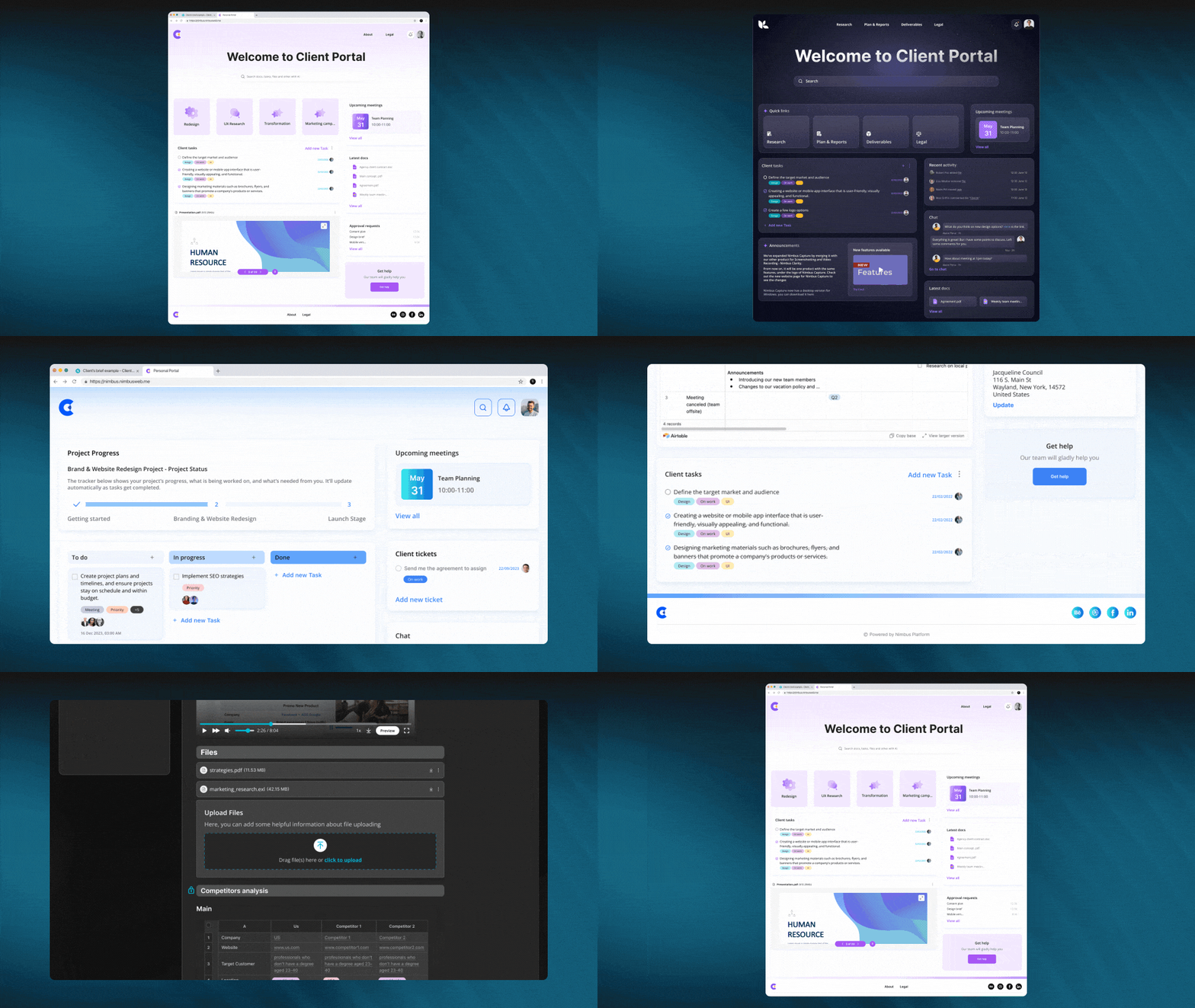
FuseBase can give your company everything it needs to address digital transformation challenges in its supply chain and much more. As previously noted, FuseBase was explicitly designed with client-oriented businesses in mind; therefore, it can streamline internal/external processes while engaging all employees on your journey toward digital transformation and ensure customers remain loyal to your company.

FuseBase offers multiple features for an effortless digital supply chain transformation:

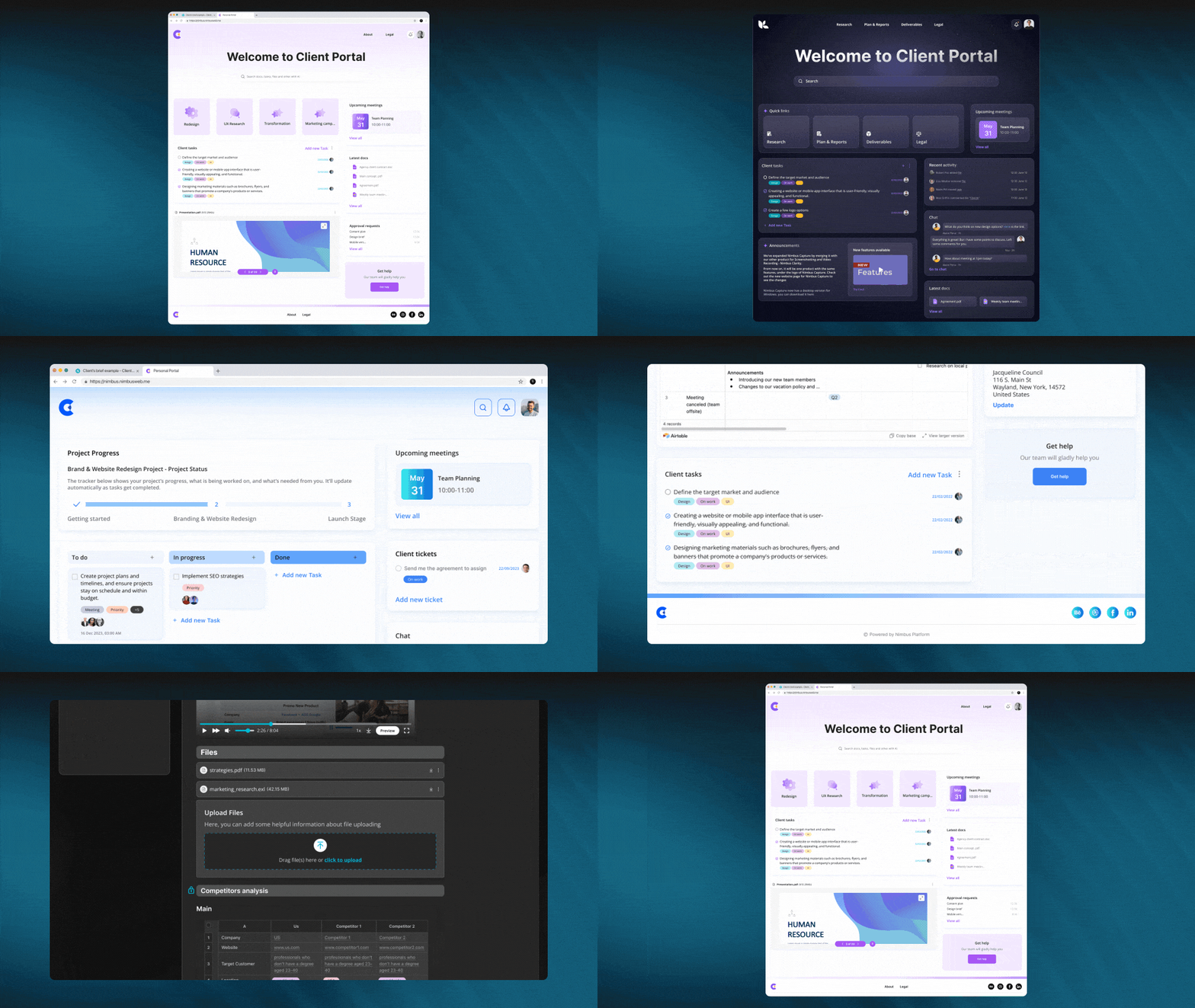
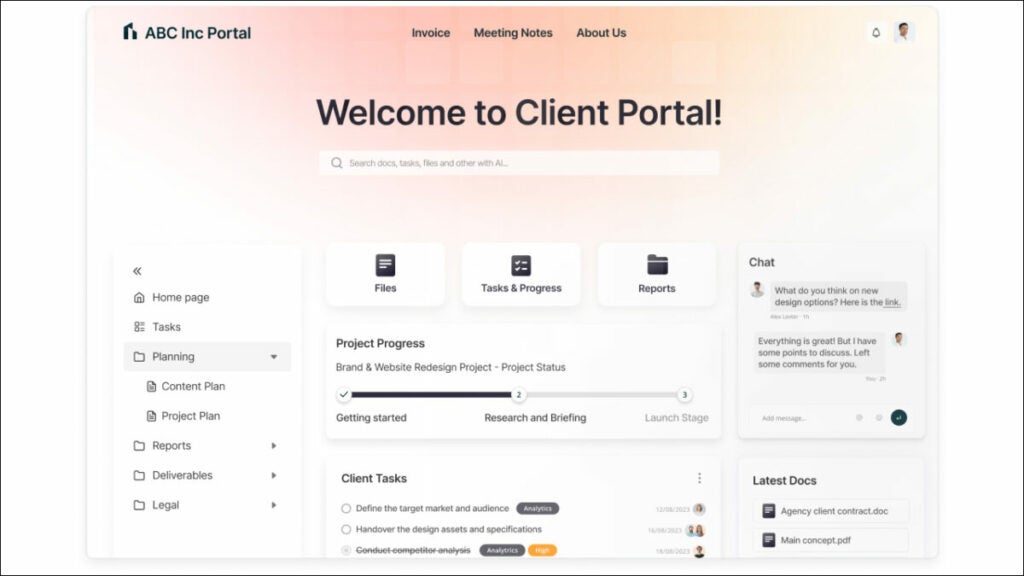
  • Client Portal. This feature can significantly boost client engagement and streamline communications throughout the supply chain by quickly creating customized portals with sleek designs to enable clients to access project details effortlessly.
    Imagine one of your clients has reached out to your firm with concerns over unanticipated product delivery delays at one of its suppliers; what would be an appropriate response from your team? Make them aware of your portal, where they have instantaneous access to real-time updates, production schedules, and collaborative tools – everything a client might require when faced with disrupted productivity or obstacles to progress. Google Docs’ integration into this portal enables seamless sharing and collaborative problem-solving sessions, giving clients instant and accurate decision-making when facing disruptions to productivity or barriers to progress.
  • Data collection. FuseBase’s Data Collection feature is designed to enable companies engaged in supply chain management to gather information efficiently, streamline collaboration, and enhance communication. Users can embed forms, surveys, and analytics directly onto pages without switching applications – this facilitates data-gathering processes while increasing transparency within the digital supply chain and increasing efficiency and collaboration.
    Imagine you have a retailer client experiencing unexpected demand, calling upon you immediately to expedite their supply chain. Utilizing an easily navigable portal with embedded forms, they quickly submit specific order requirements and delivery deadlines for processing via the data collection feature, thus expediting decision-making processes while showing how effective and responsive their supply chain response has been.
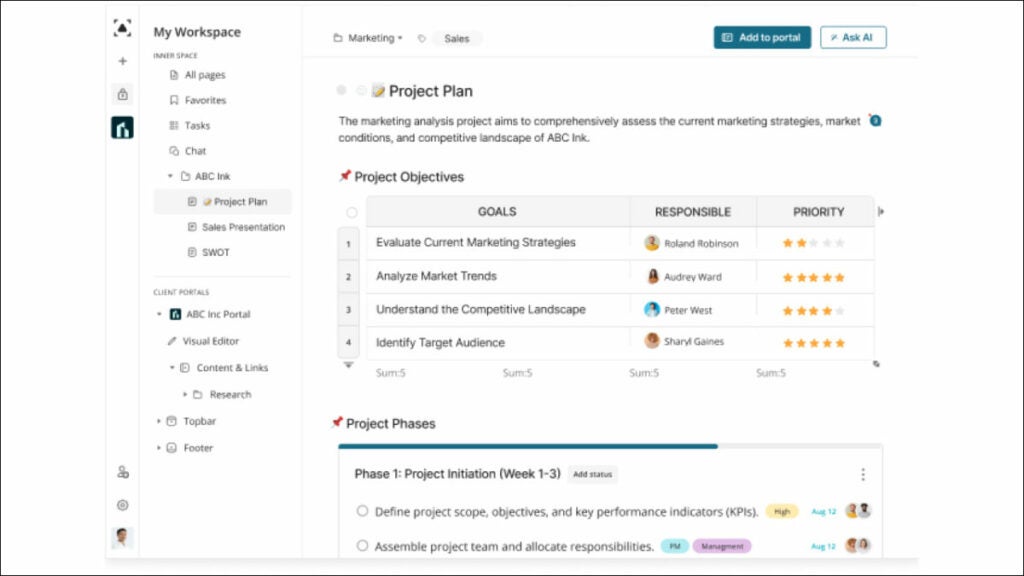
  • Project management. FuseBase’s project management feature effectively organizes tasks, timelines, approvals, and workflows into clear project management dashboards for easy collaboration among team members and streamlining work patterns – an indispensable asset in supply chain management.
    Imagine being a distributor facing supply chain challenges due to unanticipated delays in raw material deliveries; your team leverages project management features by setting up a separate board using tasks for expediting these deliveries faster, timelines for quickly reassessing production schedules, approval processes as necessary – providing real-time visibility, transparent collaboration, and swift responses so supply chain issues can be solved as efficiently as possible.
  • Collaboration and communication. FuseBase’s collaboration and communication feature facilitates meaningful interactions by encouraging engagement, clarifying conversations, simulating in-person dynamics for more efficient supply chain management collaboration, and simulating potential future problems that might arise during discussions. Your company could benefit from employing comments, chats, video recording, and audio archiving tools.
    Imagine this: customers have urgently contacted you regarding an issue that threatens delivery for several days without intervention from you or logistics specialists. FuseBase allows your team to engage clients and logistics experts seamlessly using real-time chat capabilities within FuseBase to engage them effectively and address urgent matters immediately. They can use everything from chats, comments, and document sharing to video and audio recording tools to facilitate communication and fully understand specific customs requirements. As FuseBase tools create clear communication channels across supply chains, finding solutions quickly will become much simpler.

Summing up

The future is unpredictable, but we can guess that within several years, it will become impossible to imagine digital supply chain transformation without including cutting-edge technologies like artificial intelligence, the internet of things, and blockchain – plus collaboration and innovation will always play a part in the digital transformation of the supply chain. Businesses that plan to succeed must learn to collaborate with partners and stakeholders more efficiently and get used to implementing innovation to build flexible and resilient supply chains.

Soon, supply chain digital transformation will be based on the need to adapt to sustainable and efficient customer and market demands as they develop over time. 

HR Digital Transformation: Insights and Challenges

Find out what HR digital transformation is, its advantages and challenges, and more about the stages of such a transformation in our 2024 guide. Click here.

Imagine a future where companies engage employees like never before, where data drives decisions and the workplace has transformed into an engaging, efficient and highly personalized place—this is HR digital transformation. Its effects can be felt across industries, from startups to multinational corporations. But what exactly does successful HR digital transformation entail and why has it generated such hype in business circles?

In this article, we’ll reveal what HR digital transformation is. We will analyze its profound impacts, uncover rewards and obstacles associated with digital HR transformation efforts and reveal the stages that lead to success. By the end of this article, you will hold keys for unlocking an entirely new era of HR practices that reimagines how businesses and employees connect and thrive!

Now, let’s get started.

What is HR digital transformation?

Human Resource Management is currently experiencing an immense transformation due to digitalization. New policies favor eliminating manual HR processes and time-consuming paperwork processes to automate them—increasing productivity, efficiency and operational resilience due to HR digital transformation across enterprises. 

HR digital transformation represents an overall transition for any successful enterprise. Businesses can bolster operations by adopting digital tools, components, machine learning technology and systems into their operations systems to streamline them more efficiently.

Human resources (HR) digital transformation refers to moving HR functions from their current paper-based location into digital format to gain more autonomy and efficiency through cutting-edge technologies like automation, data analytics, chatbots and client and customer onboarding software, making it an ongoing process.

Why is HR digital transformation important?

HR changes must have clearly outlined goals to be effective and long-lasting. Any adjustments must be economically sensible for long-term viability and growth.

Transforming HR operations can increase productivity, decrease expenses and enhance employee experience. HR may become an active partner in driving success for any organization with automation and analytics technologies that facilitate faster decision-making processes and smooth operations.

HR digital transformation has become an indispensable element of today’s business world, empowering HR professionals to serve as strategic partners while improving employee experiences and contributing to overall business success.

Benefits of HR digital transformation

Increased employee happiness and engagement 

As your business expands, more staff are needed to handle its increased workload. The HR office, in particular, may require extra staff members like individual HR employees. HR digital transformation offers several solutions for unifying resources and streamlining interactions, contributing to increased employee and customer satisfaction. Increasing connectivity keeps workers informed and interested while encouraging faster work processes.

Better Integration of People Management With Business Strategy 

Workforce planning and human resources data can leverage HR technology to assist an organization with talent management and better aligning itself to its strategic goals. For instance, if expanding into new lines of business, data can show which employees possess the necessary expertise while others might require further training to expand successfully into said lines.

Improved deliberation based on reliable knowledge and data 

COVID-19’s situation showcased how vital data-based decisions are, giving human resource representatives access to data-rich choices that could increase staff efficiency, effectiveness and productivity, ultimately enhancing the employee experience through technology’s computing power and analytical ability.

Eliminated paper-based HR procedures

Automation makes many administrative jobs more efficient by increasing compliance control and eliminating human mistakes, freeing HR professionals to focus on more strategic projects for their companies’ benefit and ultimately improving employee productivity.

Increased workforce visibility 

Tracking employees dispersed across various locations can be challenging; technology makes this easier by connecting fragmented systems to gain full transparency over your workforce and extend it to managers for monitoring aspects like training needs and skills requirements.

Challenges of HR digital transformation

As part of our discussion about digitalization processes and issues organizations face during and after digitization efforts, we will look at several challenges companies might experience during or after digitization efforts.

Data Security and Privacy 

Privacy and data security are of utmost importance in HR digital transformation. Organizations transitioning to digital HR platforms must protect sensitive employee information against increasingly prevalent cyber-attacks. This HR transformation process entails databases, cloud storage solutions, secure transmission channels and access control measures.

Employee Resistance 

Employee resistance stems from our natural tendency as humans to resist change, particularly when new technology and work practices are involved. Employees may fear what lies beyond, feel anxious over job security concerns or require assistance adjusting to new tools and processes. Resistance can take many forms, from disengagement through passive opposition to active opposition. To overcome employee resistance, human resource professionals must implement effective change management strategies, communicating why change must happen while outlining the benefits of the HR operating model to employees as individuals and companies alike. Training employees on how to use digital tools can also reduce resistance levels.

Skill Gaps 

As organizations start implementing digital technologies and advanced HR tools, companies often experience an uneven match between the skills required to use them and those held by HR professionals implementing them. 

Organizations must provide learning and development training programs or upgrade HR staff members as a solution. offering courses like data analysis, digital HR platforms for HR automation technology or other technologies, including a digital learning platform, may help narrow this divide faster. Hiring digital HR specialists or working closely with outside consultants may also speed up the process.

Quality and Accessibility of Data 

HR digital transformation relies heavily on data quality and access, including accuracy, availability and up-to-date HR tools like HRMS. Data quality helps HR processes become more effective while leading to more intelligent decision-making. Data cleansing, validation and standardization are critical steps toward maintaining high data quality; organizations should implement data governance frameworks to clearly articulate roles, responsibilities and standards within an organization.

Change Management 

Change management is paramount in any HR digital transformation initiative as it addresses its human elements. Change management involves planning, implementing and communicating changes successfully so employees and stakeholders can adapt more quickly to digital transformation in HR. Without an effective change management strategy to support its success, its destiny could be in jeopardy.

How long does digital transformation take?

Timing of HR digital transformation varies between organizations depending on factors like size, existing IT infrastructure, scope of transformation, and commitment and acceptance for change.

Professionals estimate that once an overall concept of digital transformation in HR has been decided and agreed upon, its realization could take between 12-18 months to materialize. You can achieve a minimal viable transformation of your entire organization in 18 months. It’s best to implement HR digital transformation in phases. It allows organizations to test and adjust along the way. Some changes are relatively quick to implement, but a complete digital transformation can take several months or even years.

6 Stages of HR digital transformation when working with FuseBase (formerly Nimbus)

FuseBase (formerly Nimbus), a versatile collaboration platform explicitly designed for client-oriented businesses, plays an essential part in the HR digital transformation journey. FuseBase (formerly Nimbus) provides HR professionals with an intuitive platform that integrates communication, content management and essential tools into one streamlined package—providing HRs with the tools to successfully navigate digital transformation challenges. FuseBase (formerly Nimbus) collaboration platform excels at simplifying and improving every stage of HR digital transformation. Let’s delve into each stage of HR digital transformation and discuss how FuseBase (formerly Nimbus) can serve as an invaluable asset at each one.

Stage 1: Business as Usual 

Business as usual is the first of the six stages where your HR digital transformation journey starts. This stage shows things are stuck in the past. Traditional HR operations remain prevalent, top business leaders are uninterested in change and the HR department is using outdated approaches. Everyone appears comfortable using old methods. Everybody’s focus seems more directed on maintaining the status quo and sticking with what’s familiar than shifting towards anything different and willing to raise digital literacy in the company.

FuseBase’s (formerly Nimbus) Knowledge Base feature can be especially valuable to organizations in Stage 1, where traditional HR methods remain prevalent due to leadership’s inability or unwillingness to change outdated solutions. By building accessible knowledge bases that incorporate digital technologies, companies preserve institutional knowledge while keeping vital insights alive even when leaders resist change. Documenting HR processes and practices into one centralized knowledge base prepares your entire organization for transformation while safeguarding essential HR knowledge.

Stage 2: Present and Active

Present and Active is the second of 6 stages of the HR digital transformation journey, where HR teams start getting curious about different methods of doing things. Big bosses are beginning to see the advantages of technology in HR, creative ideas surfacing and trials conducted on new technology or processes. In this stage, HR begins testing different ideas or processes while trying small experiments in an “I wonder what will happen” phase to optimize HR work processes and practices.

FuseBase

FuseBase’s (formerly Nimbus) Client Portals feature is an ideal fit to get the most out of this stage. HR employees can utilize this digital technology tool to easily create customized project portals branded to each employee.

With FuseBase (formerly Nimbus) you can:

  • Centralize updates –  Make updates more user-friendly by creating and organizing files into folders.
  • Streamline approvals – Streamline approvals by receiving notifications directly on your dashboard when someone completes a task.
  • Enhance communication – Transform employee communication by engaging  via convenient chat channels.

This incredible feature provides users with an enhanced client experience while successfully implementing technology or process changes. FuseBase’s Client Portals provide HR departments a way of streamlining communication while creating the foundation for future transformation initiatives.

Stage 3: Formalized

Things have taken a significant turn in Stage 3: job applicants and employee data are now essential factors when making decisions. With everyone from big bosses guiding people on how best to use new systems to team members pitching in with their expertise to apply new tech across their companies—it marks an era where everyone works collaboratively to digitally transform the organization.

At Stage 3, FuseBase’s Data Collection feature is ideal when the HR team embraces data-driven decision-making and adopts new technology. This feature enables HR departments to easily embed forms, surveys and analytics into HR processes, streamlining data gathering from candidates and employees while discovering information discrepancies & formalizing data use for decision-making purposes. As executive members guide organizations into adapting new systems efficiently, Data Collection ensures each team member contributes their expertise for accurate HR data gathering & storage.

Stage 4: Strategic

Stage 4 is one of the stages of the digital HR transformation journey where things start moving rapidly. Those responsible for leading HR changes sit directly under their big boss, so convincing people of digital changes is no longer required. Now is when planning for future HR operations is key; you are building an expanded road and google map of technological solutions that spans years into the future.

FuseBase’s collaboration feature is essential in supporting digital HR transformation projects involving multidisciplinary teams and long-term planning by offering comments, chats, Video/Audio Recording capabilities and Real-time Collaboration features that facilitate successful results for organizational transformation efforts.

  • Comments provide an ideal platform for team discussions around HR transformation strategies and long-term plans.
  • Chats offer real-time communication channels for multidisciplinary teams, providing instant discussions, updates sharing and brainstorming sessions regarding HR transformation roadmaps. 
  • Video and Audio Recording help users to make sure they’ve captured important meetings, discussions and presentations related to HR transformation strategies to safeguard key dialogue for reference and future planning purposes.
  • Real-time Collaboration tools enable teams to work simultaneously on documents, plans and strategies—this feature is particularly valuable when developing HR transformation roadmaps that integrate HR across every facet of business operations.

Stage 5: Converged

Stage 5 of HR strategy development focuses on making employee lives exceptional. By engaging creative HR teams and outside help to optimize how new hires are welcomed, learning strategies implemented, goals met and achievements reached, you are looking for ways to create an incredible employee experience—moments that bring people joy while improving job performance. Hence, employees remain with your company long-term. At this stage, HR leaders guide company strategy and operations while initiating exciting changes within HR operations/strategies with more rewarding employee benefits for all staff involved.

FuseBase (formerly Nimbus) allows you to invite external experts and agencies into your client portal, giving them access to documents and resources they’ll require for specific projects—opening doors to innovation!

This feature allows you to collaborate closely with external partners, enabling them to contribute their expertise directly into specific folders or generate novel ideas. It also simplifies collaboration and innovation, ultimately leading to improved employee engagement and efficiency within HR at this stage of its journey.

Stage 6: Innovative and adaptive

Stage 6, the last one of the stages of HR digital transformation, involves testing out new things and exploring what’s possible. Your digital transformation team resembles an inventive group, working closely with other departments and testing seemingly offbeat ideas, such as HR transformation. Though experimentation doesn’t always go smoothly, they continue with it anyway! At this stage, all those within an organization start seeing things differently; digital transformation becomes part of everyday work life for employees like an entirely new world reveals itself! Digital transformation becomes the new normal—something out of science fiction that makes all other work possible!

FuseBase’s integration feature is truly game-changing for this final stage; it acts as an arsenal of gadgets you can connect to FuseBase (formerly Nimbus) seamlessly.

So, suppose one of your colleagues develops a unique feature in another tool, finds an intriguing website reference or creates an incredible design flow in Figma. In that case, you can seamlessly incorporate those innovations into FuseBase (formerly Nimbus).

FuseBase (formerly Nimbus) serves as an open doorway to new ideas, offering you a portal into all the creative and innovative experiments being performed across your organization. By harnessing FuseBase (formerly Nimbus) for these experiments, you keep digital transformation rolling forward despite some unconventional concepts; digital transformation will become a normal part of the company’s life!

HR digital transformation examples

Digital Onboarding

Thousands of people have been employed after the pandemic and never set foot inside a company’s office, which makes it harder to get started in a new company. The increasing popularity of remote and hybrid work makes this a constant challenge.

In some cases, what used to be a few anxious days while new employees got to know their colleagues and their company culture has been replaced with a feeling of disconnection from their company and its culture.

Through its digital employee onboarding process, FuseBase (formerly Nimbus) serves as a bridge that introduces new employees to their company culture and processes, whether they are working remotely, following a hybrid schedule or are office-based. Employees access documents, instructional material and essential resources through an employee portal. Widgets housing process documents, task lists and clickable checklists make onboarding procedures accessible and smooth for newcomers. With integrations like Calendly, they can seamlessly schedule meetings with mentors or colleagues without feeling disconnected from their company culture and goals. FuseBase (formerly Nimbus) turns remote onboarding from a disjointed effort to an integrated experience for employees.

Performance management

It is evident that the board representative’s execution was an HR waste, as it required manual auditing and an assortment of assessment structures. The robotization of these paper-based, monotonous cycles will increase profitability and maintainability through better critique, objective setting and more preparation opportunities.

Determining and discussing goals with representatives is critical to the execution of executives. Representatives and directors can monitor the achievements of executives in an exhibit of their framework with robotization. After implementation, the information allows HR offices to identify bottlenecks. Using automation, notifications and updates are sent to both representatives and administrators to promote the culmination and completion of important achievements.

FuseBase (formerly Nimbus) stands as an invaluable ally for HR digital transformation efforts, automating time-intensive processes like manual collection of employee feedback and review of assessment forms through FuseBase (formerly Nimbus) to increase efficiency and promote employee retention. One notable feature is HR’s Task Management system, through which employees and HR can assign tasks to new hires and monitor their completion. With the help of this important digital technology, employees then mark tasks complete, allowing HR to evaluate performance objectively and adapt training or support accordingly. FuseBase (formerly Nimbus) streamlines the onboarding process and ensures employees are actively engaging and aligning themselves with organizational goals. Furthermore, tracking and notifications features help HRs pinpoint bottlenecks within processes so important milestones are reached efficiently and smoothly.

Employee Self-Service Portals

A McKinsey report found  employees spent nearly a full day every week searching for company information, including basic human resources data. “How much time can I take off? Who do I call when I am sick? What is the best way to get my W-2 form from 2 years ago?”  

FuseBase (formerly Nimbus) makes this process simpler by offering its powerful Knowledge Base feature, enabling HRs to quickly build an employee knowledge repository containing essential info that is readily accessible for easy reference.

This is one of the best digital HR solutions that help employees quickly locate answers to common employee inquiries in this centralized knowledge base, freeing them to seek solutions independently while alleviating HR professionals of some burden. Not only is FuseBase (formerly Nimbus) efficient, but it also fosters an atmosphere of self-service and knowledge empowerment within your organization.

Summing up: HR digital transformation best practices

Human Resources Digital Transformation can have powerful positive results on business. Successful HR digital transformation depends on many factors, including strategic alignment and leadership support, data-driven decision-making and implementation, change management, user-centric design, collaboration/sustainability and continuous improvement. HR digital transformation provides a way for organizations to create environments that are employee-friendly and adaptable at the same time. This article covers the best practices that will aid your company’s transformation processes if appropriately implemented. Good luck with your transformation journey!
Digital Marketing Transformation in 2024: A Comprehensive Guide 

Discover the most effective approach to digital marketing transformation in our comprehensive guide.

Digital transformation, though frequently discussed these days, remains somewhat vague and indistinct. While optimizing digital systems has some obvious applications for improvement purposes, does digital transformation really hold any meaning or bearing for marketers in our ever-changing world?

The digital transformation took root when businesses replaced manual filing systems and processes with computers; as technology changes quickly, every business must undergo increasingly intricate transformations in order to remain up-to-date and competitive.

Where should marketing fit into this discussion of digital transformation, or should “Digital Marketing Transformation” stand as its own catchy phrase?

This article introduces Digital Marketing Transformation (DMT for short), including its definition, impact on marketing practices, its benefits, challenges, and best practices. 

Defining digital marketing transformation

Digital transformation refers to the practice of moving away from complacency towards digital excellence by optimizing and employing all available digital channels to gain deeper customer insight and foster long-term loyalty.

Businesses looking for growth should develop a digital transformation strategy that quickly responds and adapts to customer demands in order to effectively meet them. Businesses will gain further insights by optimizing and improving digital channels, which may also support growth strategies.

Before the digital transformation, traditional marketing techniques were typically utilized. Traditional marketing approaches make it hard to attribute sales directly back to marketing; therefore, digital transformation, an integral component of the digital marketing mix, becomes essential here.

The impact of digital transformation on marketing

Technology advances rapidly, and many are reaping its many benefits. Traditional marketing tactics have given way to programmatic advertising strategies focused on cultivating personal connections between brand and consumer.

Digital marketers adopted technology that allowed them to track customers at every point in the customer journey and play an integral role in the digital marketing mix. Digital transformation has greatly transformed marketing in multiple ways:

Digital Funnel

Every digital marketer uses funnels as a metaphorical device to demonstrate potential client journeys from initial awareness through several stages and, finally, purchase decisions.

Before digital technology made marketing funnels more dynamic and dynamically changing, their structure was fairly simple and secure:

  • Awareness – Consumers realize they have found what they were searching for when they find your company or product. 
  • Interest – Clients conduct more research to assess if your offering fulfills their requirements.
  • Consideration – They actively show interest.
  • Intent – People start to make a decision that favors a company
  • Decision – After making a purchase, a consumer becomes a client.    

In the days before digital marketing, companies could create promotional materials and hope for success.

Digital marketing transformation has given businesses more control over the entire process, giving them two new valuable marketing digital tools: analytics and multi-stage interactivity. 

Personalization

The digital marketing transformation is changing the marketing landscape in a big way. It allows you to personalize your content marketing for each customer.

Combining metrics with interactivity allows the company to monitor customer behavior and actions at the individual level. The statistics can then be used to create customized marketing text messages.

Keeping track of consumer purchases and offering related products or ‘refills’ for consumables is just the beginning. Metrics from social media sites like Facebook allow any business to study consumer preferences in advance of a purchase and tailor emails and other communications to each person.

Thanks to social media analytics, marketers no longer have to speculate about what topics might pique customers’ attention.

Data & Analysis

Before the digital marketing revolution, there was a major blind spot in marketing: the absence of actionable, high-quality data to help marketing professionals make better decisions.

Analytics has become a powerful tool that will help in future digital marketing. Marketing teams can find out how many viewers a particular video received on YouTube or other social media sites. It’s also easy to track the effectiveness of a video if viewers are able to click on the button that takes them to the site.

Marketing digital transformation has given professionals much better user metrics and helped build a customer database, which allows them to optimize and tweak marketing strategies and generate leads. It is possible to become more responsive and agile by knowing what works and what doesn’t. Data-driven marketing techniques have quickly become an indispensable element of today’s digital marketing mix, providing professionals with access to cutting-edge insights that enable effective strategy formulation and contribute to significant cost savings.

Automation

When it comes to buying decisions, timing can play a major role. The consumer might be doubting about making a decision and even go so far as taking the first steps towards a possible purchase. However, they may stop at the stage of the shopping basket before actually committing.

The combination of marketing automation and metrics can track consumer behavior and address it without the huge need for a person to watch and monitor it and then react in time. Digital marketing tools can detect specific actions or stats and use this knowledge to send personalized emails directly to customers or act quickly on time-sensitive matters. Also, chatbots have become an increasingly common source of customer support as well as improving response to marketing campaigns.
Interactivity

Interactivity has been transformed in a way that was never before possible by the digital revolution. Digital media allows people to choose when and with whom they want to share their content.

Social media, advertising, and other new technologies can be used to exchange information. Consumers can watch live advertising or live streams on Facebook while watching an influencer talk about a particular product. Viewers can now interact with social influencers in their everyday lives by commenting, making suggestions, or even receiving responses from them during a live stream. Digital marketing transformation has enabled a new level of interaction and customer engagement. This is an innovation that wasn’t even possible before.

Essential components of digital marketing transformation

We shouldn’t get ahead of ourselves. It’s important to understand your organization’s marketing maturity level before making any major changes. You will need to be brutally honest and use metrics and hard data in your assessment.

The analysis of your existing situation involves the identification of the current status of each of the key elements of any project involving technology-driven digital marketing, constituting the digital marketing mix: process, people, data, technology, and culture.

​Let’s talk about these elements one by one.

  • Process. Take a look at your entire marketing process. How many tasks are done manually, and how many are automated? Would more automation or a better one help? It’s inevitable that you will identify procedures that are too complex or time-consuming. Break down each marketing channel. Are there any differences between your in-store or online experience? Do you have departmental silos that are preventing your business from achieving its goals? Would integration of marketing technologies make your business more efficient?
  • People. If you assess how the current jobs contribute to digital marketing efforts, it’s likely that you will identify bottlenecks or skills gaps. The digital transformation requires new technology and people who can use it. What is the best way to develop your people in order for them to be able to perform their roles and meet their own personal development goals? Do you have the right leadership within the relevant sectors to drive the transformation, enforce new behavior, and champion departmental projects?
  • Data. Your digital marketing campaign and other decisions are based on information about your customers. Poor quality data can hinder any digital transformation in marketing. It could even be misleading. Find out where the data for your organization is stored and who owns it. Also, check to see if it’s up-to-date. Understanding and optimizing data flow between systems are integral parts of Search Engine Optimization (SEO) in order to provide customers with a superior experience. You can create a successful marketing strategy and fill in the gaps by analyzing the stats that you have. 
  • Technology. Examine the technology you already have and how it can help you. What is the integration of your existing systems, and will new technology assist in your digital marketing transformation efforts?
  • Culture. Digital transformation in marketing must be aligned with the corporate culture, wider organization strategies, and overall business model and goals. People are reluctant to change the status quo. This makes cultural transformation the most difficult part of any marketing project. To overcome resistance to change, collaboration across your business is essential. You can find potential resistance points by analyzing the cultures of different departments and then plan how to remove or work around these obstacles. Marketing transformation projects must be supported by all departments and the whole company to succeed. Big brands all share a common desire to be customer-centric, driven by the CEO.

Overcoming challenges in digital marketing transformation

Big Data Management

When we talk about “big data,” it refers to information in quantities that are so vast they can be difficult to handle with traditional databases and tools. Big data management is essential for the digital marketing revolution.

Large corporations tend to generate massive volumes of information that are difficult to interpret, while many firms possess disjointed systems that only permit basic consumer or operational analysis of information.

Big data management is an integral element of digital marketing strategies, particularly Search Engine Optimization (SEO). Organized data creates an efficient system. Proper management and processing of large volumes of information is integral to any company’s success, and centralizing all staff information simplifies handling and processing for everyone involved in managing or processing information.

Finding the Best Possible Team

Digital marketing expertise is necessary when leading and overseeing marketing transformation efforts involving artificial intelligence, virtual/augmented realities, or other cutting-edge digital technologies; traditional marketing graduates lack the experience needed for the effective execution of such efforts.

Staff expertise plays an essential part in meeting changing demands and adopting digital transformation in marketing. Digital transformation necessitates having access to marketing leaders with appropriate knowledge and capabilities.

Analyzing Customer Online Habits

Customer-centricity is at the core of successful digital transformation efforts. Enhancing customers’ experiences requires tailoring experiences according to individual customer requirements while mapping out an entire journey for these digital customers. This challenge lies within its very existence!

CMOs must first analyze the actual needs of their clientele prior to taking any steps toward digital transformation. After understanding those actual needs, CMOs can then ascertain if digital transformation will meet those requirements and enhance customer experiences. However, 71% of marketers state their main challenge is understanding customer behaviors and their effects.

Solving the Digital Marketer’s Dilemma: “Transformation Is Important, Yet Not Urgent”

Senior executives frequently discuss the necessity of digital transformation. Most often, they believe this process should not be implemented immediately if revenues are sufficient and management is content with operations.

Other companies – likely competitors of theirs – have begun adopting digital innovations, giving them a distinct competitive advantage over those content with what they currently do.

Companies should share and create an enterprise digital marketing vision to protect market share and stay ahead of competitors.

Digital transformation of marketing should be treated as an imperative. Adopting it can allow you to gain traction and outpace competitors; customer experience must drive improvements rather than digital 

Shifting to Mobile

Mobile technologies have had an enormous impact on customer journeys and experiences. It is because of this rapid growth that the digital customer’s needs are increasing.

Software, which was previously only available on desktop computers, is expected to now be accessible via mobile devices. Many companies find it challenging to meet the mobile demands of digital clients.

Google has announced its shift to mobile-first indexing. The search results will then be based primarily on the mobile version of a website, giving preference to those sites that are mobile-friendly. It will seriously impact the way business is done.

Best practices for implementing digital marketing transformation

Find a platform to bring your goals to life 

Nimbus

Once your business goals have been established, the next important step should be identifying digital platforms that both align with these and expand your capabilities further. Make sure the platform you choose supports features and functions essential for meeting your goals successfully.

FuseBase (formerly Nimbus) is a collaboration platform designed for client-oriented businesses. It stands as a solution in this quest for an ideal platform. Carefully tailored for client-based businesses, FuseBase provides comprehensive collaboration services tailored to impressing clients while simultaneously streamlining teamwork. Imagine having all your digital marketing, communication, and other tools working together within one hub to streamline campaigns while making changes quickly to satisfy clients. You could impress them not just with marketing techniques but with organized workflow, too – FuseBase makes this possible for clients and staff!

Take a more personalized approach

Since traditional marketing strategies like newspaper and billboard advertising were popular decades ago, customers’ attitudes and purchasing patterns have undergone a dramatic transformation. Marketers recognize this shift and emphasize more tailored approaches designed to build long-term consumer relationships through data-driven approaches like Client Portal that focus on tailoring experiences instead of product or brand promotion.

Client Portals offer organizations and professionals alike effective means of seamlessly engaging their audience in an authentic manner.

Client Portals enable companies to quickly build visually striking hubs for consumers to easily access project details in an engaging, customizable format – not only improving consumer experiences but also reinforcing brand identities through each interaction with them. FuseBase ensures each interaction meets individual customer requirements specifically – forging lasting bonds between the brand and its customers.

Client portals make collaboration easy by replacing platforms like Google Drive and Google Docs and seamlessly incorporating external multiple tools like Calendly and Figma directly into consumers’ individualized spaces – streamlining collaboration while giving clients familiar tools for engaging with your brand.

Transform raw data into a reliable source of information

The collection of all first-party customer data can be a huge undertaking. Most of the data will be in a raw format that cannot easily be incorporated into AI customer journeys and analytics tools. To create a ready-to use ‘fuel,’ you must first deduplicate and standardize your formatting.

FuseBase makes managing data much simpler by organizing it for use in future marketing endeavors! FuseBase’s knowledge base feature turns that organized information into actionable marketing knowledge ready for implementation!

The knowledge base feature goes far beyond simply creating searchable wikis and documentation; it serves as your solution to ensure data consistency. Here’s how:

  • Structured Workspaces. Create individual workspaces for specific projects or departments to ensure all pieces of information have a place they belong.
  • Granular Permissions. Give only authorized contributors access to your knowledge base while still having control over who can view or customize content within it. This ensures only relevant individuals participate in data cleanup processes.
  • Efficient Organization. Utilize tags, folders, and an effective search function to organize data quickly and enable team members to contribute towards initiatives of “clean data.”
  • Simplified Workflow. Knowledge base’s no-code setup makes implementation, management, and customization simple – acting as the cornerstone of internal processes while keeping all information safe and organized.

Artificial Intelligence (AI) Integration 

Artificial Intelligence and Machine Learning have quickly become integral parts of digital marketing strategies, playing an increasingly significant role in campaigns and shaping digital strategies. AI tools have quickly revolutionized digital marketing’s landscape in ways unimagined before; Artificial Intelligence has quickly emerged as an industry game-changer, and FuseBase leads this charge through cutting-edge AI integration.

FuseBase AI goes far beyond automation: it acts as your virtual assistant, simplifying decision-making processes while revolutionizing content marketing and production with effortless creativity and flair.

AI assistant helps you improve your email marketing and provides content creation solutions efficiently and affordably to make your brand’s messaging stand out against digital noise. More than simply automated creation, this virtual assistant also offers insightful analysis for each piece of content FuseBase creates for you.

FuseBase AI aids better decision-making by offering insights that may otherwise go overlooked by humans. While crafting new ideas, proposals, and briefs takes up too much of your team’s time, FuseBase AI makes this journey efficient by swiftly producing comprehensive proposals on your team’s behalf, giving your staff time for other aspects of marketing campaigns instead.

Final Thoughts

Organizations often struggle to respond swiftly enough to the quickly evolving digital age, missing opportunities that arise from insufficient flexibility. Customers do not care which brands are popular – they will select those offering maximum value and ROI regardless of reputation. New as well as established businesses must continue adapting in response to consumer preferences in order to remain relevant within our globalized environment.

Digital marketing transformation projects can have far-reaching ramifications on any enterprise; marketing departments play an especially vital role during such initiatives, representing an unparalleled opportunity for transformational, positive change! Companies who take up this challenge will enjoy incredible outcomes as a result.

The Top 8 Digital Transformation Tools for 2023

Discover the top 8 digital transformation tools in our comprehensive 2023 overview

Industry analysts generally agree that for companies to remain competitive in 2023, they must fully adopt technology and deploy digital transformation software tools. Not only will digital adoption platforms reduce time-consuming procedures, but they may also enhance teamwork, workflow and speed of problem resolution for customers.

Don’t fear becoming part of this digital revolution; there are various digital tools out there that can aid your organization’s transition across various industries.

Investment in digital tools can save time and boost employee morale at work; here are eight digital transformation tools that will play an essential role in helping ensure the success of your organization in 2023.

Best digital transformation tools: a quick pick

We have compiled a list of top digital transformation tools that help businesses leverage technology and streamline processes. Here, you’ll find all the digital transformation tools you need, from project management tools for successful business operations CRM platforms that will improve the customer experience of your clients to accounting programs to automate processes.

FuseBase (formerly Nimbus)

Nimbus

Communication tools must remain accessible for all work models and locations for effective business development and digital transformation, whether your team operates remotely or uses hybrid work models. Remote teams rely on collaboration tools that offer custom bot creation as well as team channels for tasks like file sharing, client communications and project management. One such platform is FuseBase (formerly Nimbus), which makes these tasks simpler and faster for remote workers.

FuseBase (formerly Nimbus) provides an all-inclusive collaboration solution designed for client-oriented businesses and teamwork environments, centralizing communication tools such as content creation and other management features into one system to facilitate integration among systems.

FuseBase (formerly Nimbus) offers various features designed to aid organizations in optimizing the benefits of their digital transformation efforts.

Who uses FuseBase (formerly Nimbus)?

FuseBase (formerly Nimbus) was created for client-oriented businesses of all sizes.

Best features:

  • Client Portals. Client portal provide clients with an efficient means of accessing project information. By centralizing updates, approvals and communication into one convenient hub rather than searching emails or multiple platforms individually for updates, client portals enable clients to stay organized while saving both parties time by eliminating emails awaiting responses!
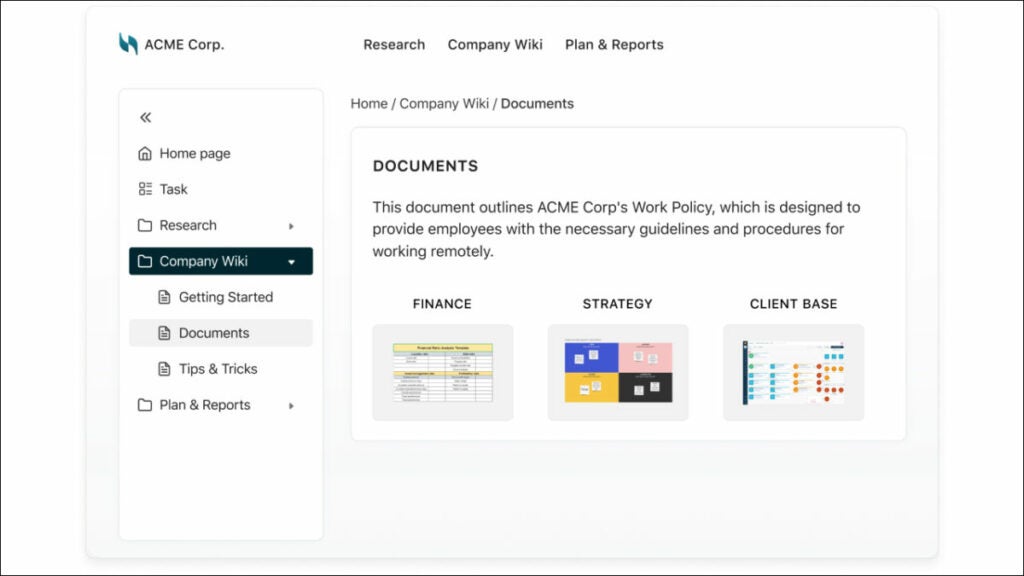
  • Knowledge bases. FuseBase (formerly Nimbus) provides knowledge base as a solution for digital content and collaboration management in organizations, providing knowledge managers with a useful resource to organize wikis, documentations and guides with crucial institutional knowledge that is accessible by their team and can easily be stored for quick retrieval in workspaces as relevant information hubs. Resources may also be stored and easily found within context.
  • Project management. Project management dashboard and tools play a critical role in the success of digital transformation projects. Project managers need to plan, execute and monitor multiple projects according to an established digital transformation strategy. Users of dashboards can set objectives and allocate resources efficiently while monitoring progress to enable decision-making. Kanban boards, part of FuseBase’ (formerly Nimbus) comprehensive project management toolset, make mapping out work processes simpler than ever. These visual representations of work processes clarify where tasks currently stand in their workflow and whether any tasks require further progress or attention. FuseBase (formerly Nimbus) Project Management makes time tracking effortless for both you and your clients, not only ensuring accurate invoicing but also giving an opportunity for an in-depth examination of where each moment was spent.

Pricing:

  • Free plan is available
  • There are multiple pricing plans to suit every need and budget, starting with just $9/month.

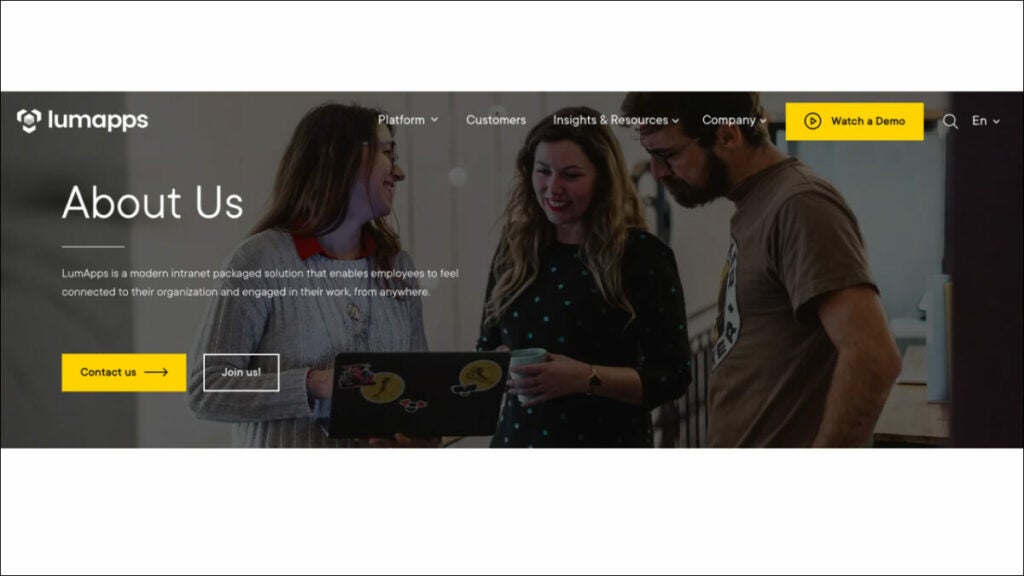
LumApps – Social Intranet Platform

Digital transformation tools for social intranets allow companies to connect their company apps to an intranet for easy use, similar to having an internal social media channel. Intranet solutions, when managed correctly, allow human resources, IT and internal communications departments to collect, store and centralize business data.

LumApps promotes information sharing and employee collaboration through a social intranet that connects to business tools. LumApps is the only platform that connects, engages and empowers all your employees—frontline workers and deskless workers alike—in an ultra-personalized, media-rich web and mobile app. By leveraging employee-generated video and rich community spaces, this scalable SaaS platform allows dispersed employees to share and collaborate effectively.

Who uses LumApps?
LumApps can be used by mid-sized to large organizations that have the need to connect their dispersed workforce.

Best features:

  • Create campaigns to prioritize your employees. LumApps Campaigns allows you to send relevant information at the perfect time to the people who need it. LumApps Campaigns enables communications teams to develop, plan, communicate, track, monitor and improve communication strategies.
  • Enterprise video management.  Videos are an essential part of any employee’s experience. They also enhance the overall work environment. LumApps play, built into LumApps, gives internal communications managers, HR and departmental managers complete control over video content without any technical knowledge.
  • Automate tasks to improve productivity. LumApps Digital Assistant intelligently guides employees with their IT, HR and Operations requests and initiates seamlessly automated processes such as reminders. This allows organizations to cut operating costs while their workforce can focus on mission-critical tasks.
  • Elevate employee productivity. Employee productivity is hampered by digital friction, which also damages the employee experience. LumApps Companion provides desk-based workers, mobile employees, frontline workers and other workers with the most intelligent and personalized way to access 3rd party app services and data.

Pricing:

Contact LumApps to get info about pricing.

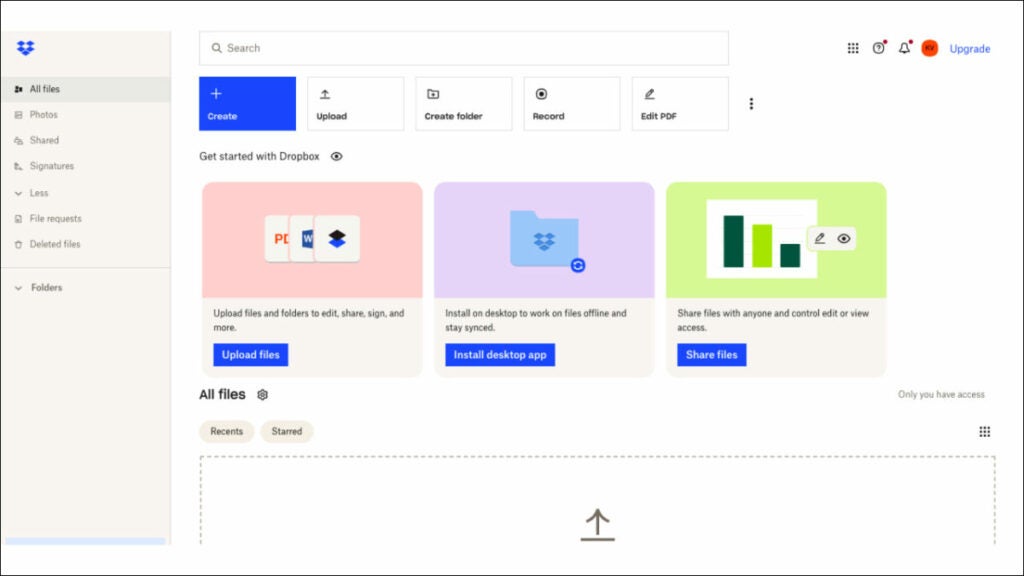
Dropbox – Cloud storage software

Your business could be severely compromised if its data were to disappear unexpectedly, making cloud storage solutions the only surefire way of safeguarding against data loss while giving access to all essential files at any given moment.

Dropbox is one of the greatest innovative digital tools, helping users keep data organized while keeping work moving smoothly. Their mission is to use cutting-edge digital technologies in a user-friendly fashion for an improved way of working. What distinguishes Dropbox from other digitalization tools is their user-friendly organization, allowing all documents and photos to be stored in a central place where you can organize them the way that best serves you—whether that means accessing on a desktop, phone, etc. Sharing files becomes effortless using this user-friendly platform.

Who uses Dropbox?

Businesses of all sizes use Dropbox, among other digitalization tools and cloud storage services, for file sharing, collaboration, online backup protection, streamlining business processes and much more.

Best features:

  • Protect and store your files. Secure your files with password protection, file recovery, watermarking and viewing history.
  • Keep control over shared content. Trackable links let you know when someone opened and accessed a file. You can also turn off the access to any user at any time without impacting permissions for others.
  • Cooperate on projects. Video tools allow you to edit PDFs directly and streamline the feedback and approval process.
  • Manage your business. Automating manual processes is possible using digitization tools like eSignature Templates that make document reusing quick and efficient.

Pricing:

  • Plus – $9.99/month
  • Essentials – $18/month
  • Business – $20/user/month
  • Business Plus – $26/user/month

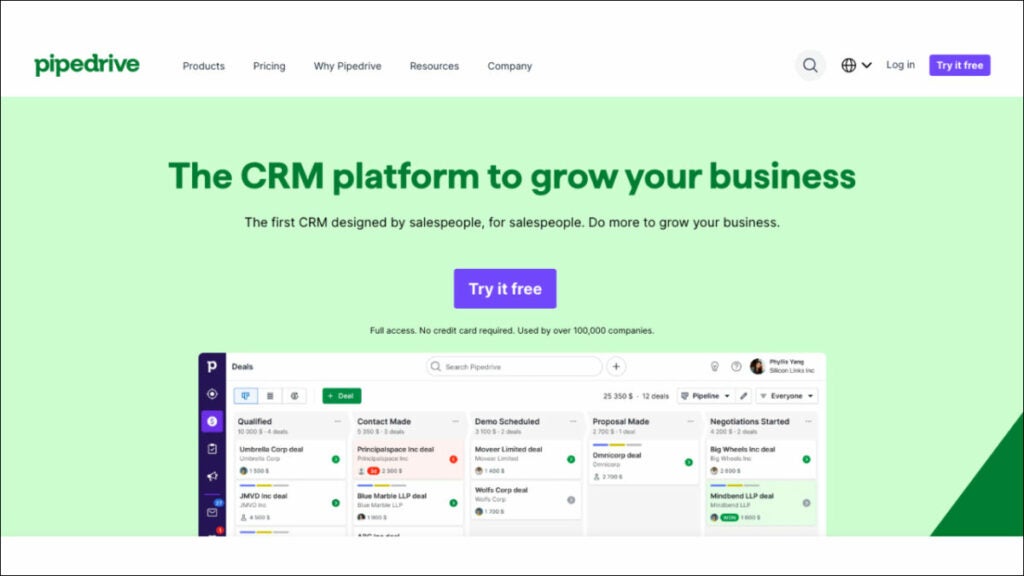
Pipedrive – CRM tool

Customer Relationship Management (CRM) tools can be an indispensable asset when it comes to meeting and satisfying customers more effectively. By harnessing data for digital transformation purposes, these digital transformation tools help businesses not only deliver personalized offers and services tailored to customer demand but also design products tailor-made specifically to that market segment.

Pipedrive stands out as one of the most trusted CRM tools, helping businesses with customer retention more efficiently while streamlining sales processes and completing tasks rapidly. Technology-enhanced activity-based marketing activities serve to optimize customers’ purchase journeys.

Who uses Pipedrive?

Organizations and sales teams that require CRM solutions to stay organized and on schedule.

Best features:

  • Lead management. Users are provided the ability to track leads throughout a process and create positive customer interactions, with this typically including steps such as lead generation, customer inquiry capture, lead filtering, grading distribution and qualification as necessary steps.
  • Pipeline management. Manage opportunities from their inception through order; gain insights into sales cycles; and track stages, values and probabilities of closing. Make sure you provide a superior customer experience while managing sales pipelines at individual sales rep, team, region or company-wide levels.
  • Document & Content management. Provide users with an interface for accessing, publishing and editing digital media files that comprise presentations, documents, images or any other related electronic data sources such as CRM systems. This could include presentations, documents or any related electronic media files.
  • Forecasting. Sales revenue projections can be made based on customer feedback, historical sales data, analysis of market surveys and trends, as well as salesperson estimates.

Pricing:

  • Essential – $12.50/user/month, billed annually
  • Advanced – $24.90/user/month, billed annually
  • Professional – $49.90/user/month, billed annually
  • Enterprise – $74.90/user/month, billed annually

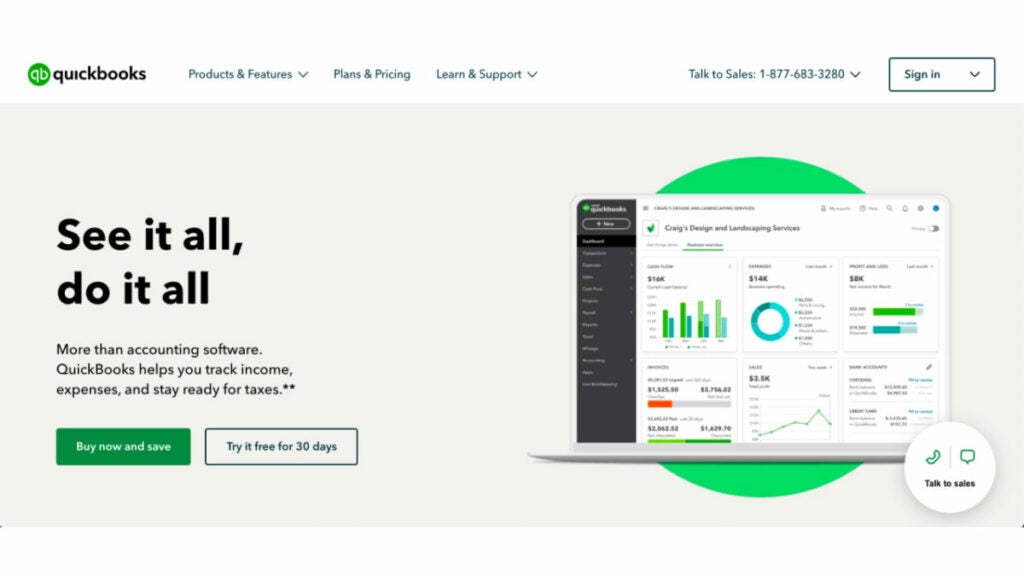
QuickBooks Online – Digital Accounting Tool

QuickBooks Online is one of the premier small digital accounting tools, enabling you to run your business anytime from any Internet-enabled location. Used by more than 4.5 million customers worldwide, QuickBooks’ intuitive design ensures ease of use for each individual customer and facilitates time and cost-savings while speeding payment delivery. Organize, save time and speed up payment delivery with QuickBooks’ accounting solutions! It helps keep an eye on finances & expenses, create invoices, track inventory levels and manage payroll all from within one centralized platform!

Who uses Quickbooks Online?

Quickbooks Online was specifically created to meet the accounting and financial software needs of small businesses, making it the premier solution available today.

Best features:

  • Accepting payments. Payment options such as card payments, eChecks and ACH transfers allow for efficient management of business, whether on-site, in-store or remotely managed. Use an invoice to request payments. Provide customers with payment links, or use QuickBooks GoPayment card reader and quickly receive them, efficiently managing business whether at its center, online storefronts or remote offices.
  • Inventory. Manage your inventory effectively with purchase orders and vendor management features while having access to import services/products directly from Google Sheets/Excel.
  • Designed 401(k) plans. 401(k) plans are designed to encourage employees to start saving for retirement early and attract the best talent by matching contributions and offering growth opportunities within your company.
  • Business funding. Apply directly through QuickBooks to see loan costs. Once approved, funds will arrive within 1 or 2 days in your account without incurring penalties and save on interest with repayment of the loan without late penalties or additional interest costs.

Pricing:

  • Simple Start – $15/month
  • Essentials – $30/month
  • Plus – $45/month
  • Advanced – $100/month

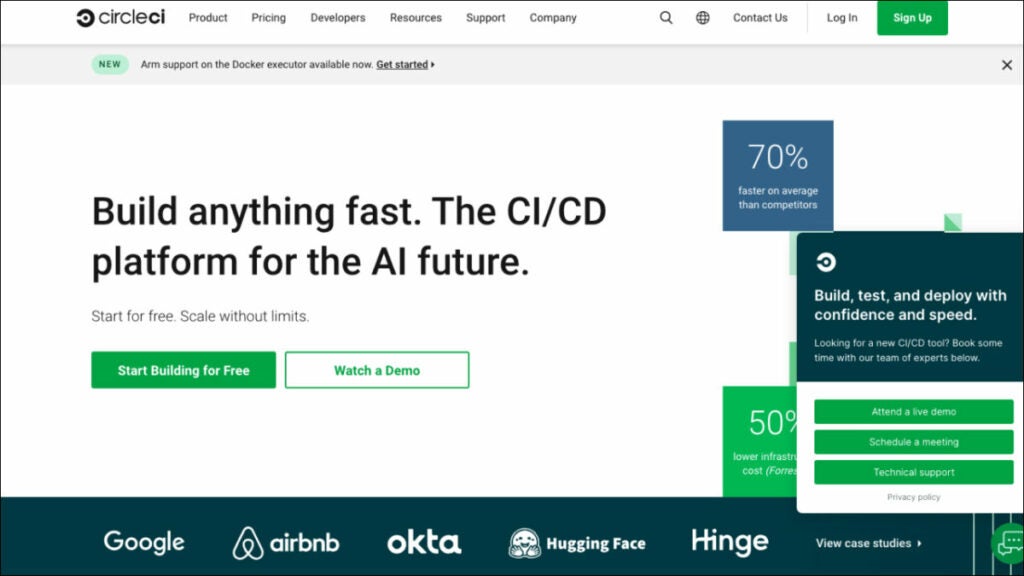
CircleCI – CI Tool

Integration and deployment tools are vital tools to enable digital transformation. Developers can utilize Continuous Integration/Continuous Deployment software to establish a workflow, triggering pipeline builds whenever there are updates in a version control system. By including security checks, code quality tests and unit tests as part of their build pipeline development, teams can increase efficiency while ensuring timely feature delivery.

CircleCI is one of the premier digital transformation tools, serving as an integrative and delivery platform. As such, CircleCI enables companies to transform code from ideas into fully-fledged products more rapidly. Widely acknowledged as a DevOps tool with over one million builds processed daily, CircleCI gives businesses insight into team operations as well as code performance through usage statistics.

Who uses CircleCI?

CircleCI is trusted by hundreds of companies looking to transform ideas into products more rapidly.

Best features:

  • Available hosting options. Select the best hosting option for your requirements. CircleCI offers continuous integration in the cloud storage with self-hosted runners or CircleCI installed on your own server.
  • Maintenance overhead is eliminated. This cloud-hosted computing allows your team to focus on shipping software instead of maintaining infrastructure.
  • Improved developer productivity. CircleCI is a DevOps tool that helps you optimize your development processes from the beginning. 
  • Insights. CircleCI Insights Dashboard summarizes how your build process is performing with aggregated time series data, credit usage rates and pipeline length.

Pricing:

  • A free plan is available
  • Performance – Starting at $15/month
  • Scale – Starting at $2,000/month
  • Server – Custom pricing

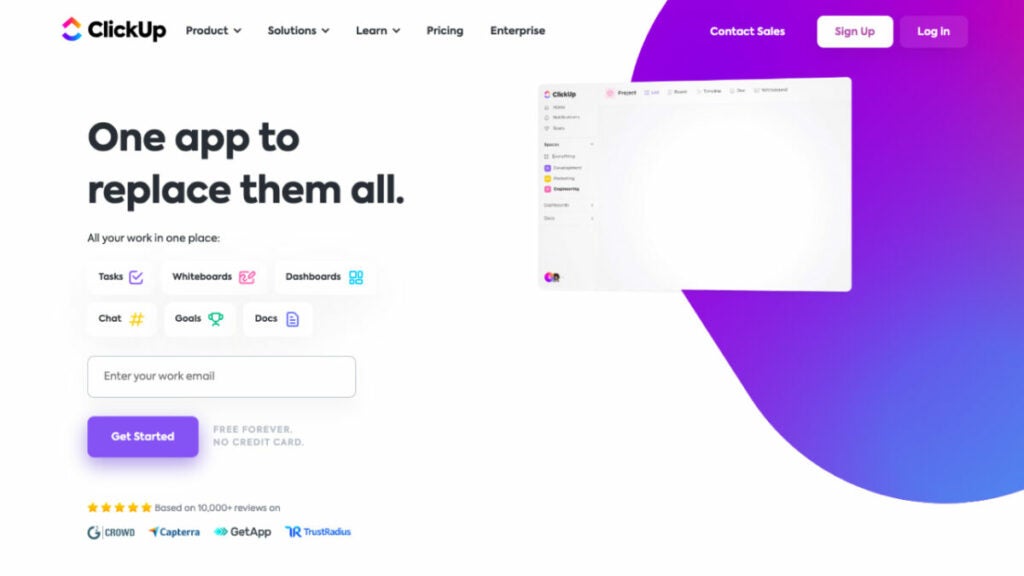
ClickUp – Document Management Software

Document digitization is the first step for businesses to take for a successful digital transformation. They cannot transform into a digital workplace without moving from paper documents to paperless offices. An effective DMS is essential to any enterprise that relies heavily on documents and wants to manage, retrieve, store and update information with accuracy as well as keep tabs on it all.

ClickUp is an all-in-one productivity digital transformation platform designed to eliminate silos in work. As the central hub for teams to collaborate, plan and organize work using Tasks, Docs and Chat, these digitalization tools help find documents faster while integration and deployment tools enable project teams to effectively track document changes without losing information effectively. ClickUp provides customization features via mouse-click customization so teams can work efficiently while saving countless hours every week by replacing repetitive tools; plus, it comes complete with several great CMS (content management system) features!

Who uses ClickUp?

Ideal for teams looking to eliminate silos at work, increase productivity and work faster on an intuitive platform.

Best features:

  • Everything view. ClickUp’s Everything view is designed to quickly locate anything within its hierarchies, giving a bird’s-eye view of tasks at every level in your organization and providing filter and sort options that meet individual requirements and accelerate digital transformation journeys.
  • Automation. Use 50+ triggers and conditions to automate repetitive tasks and processes with prebuilt automation recipes or customize them according to your unique requirements.
  • Relationships. With Relationships, you can create the ultimate visual database. Connect tasks, documents and integrations so everything can be managed from one central place.
  • Document Management. Share and document anything with your team using ClickUp Docs! This document-sharing solution makes collaborating on new product ideas, tracking bugs or taking notes during meetings easy.

Pricing:

  • Free plan available
  • Unlimited – $7/member/month 
  • Business – $12/member/month 
  • Enterprise – Contact Sales

SmartRecruiters – Recruitment Management Tool

Onboarding and recruitment have a lasting effect on your company’s corporate culture, profitability and performance; that is why investing in recruitment management tools and communication tools that streamline these processes should be prioritized.

SmartRecruiters empowers talent acquisition departments to hire people by freeing them from traditional applicant tracking software’s constraints. Over 4,000 clients trust SmartRecruiters as their digital adoption platform; Bosch, Skechers and Visa have chosen SmartRecruiters as an indispensable hiring platform.

Who uses SmartRecruiters?

SmartRecruiters is the best choice for digitally mature companies with critical hiring requirements. It offers world-class functionality, support and an ecosystem of applications and services from third parties.

Best features:

  • Standardize interview criteria and process evaluation. Establish evaluation criteria to enhance interviewer quality; facilitate collaboration among hiring teams for faster recruitment velocity.
  • Save money while improving compliance. Collect all the employee data needed in one convenient place, saving both risks and compliance exposures as well as your overall cost of ownership. Robust API endpoints provide custom integrations so data transfers into HR systems quickly.
  • Engage new hires.  Engage new hires by setting clear deadlines and automating tasks as part of an onboarding process using automated communication tools while prioritizing activities such as verification of eligibility and access client management.
  • Attract and retain qualified candidates. Attract and retain qualified candidates by using communication tools to attract them; expand recruitment efforts with channels; promote job ads widely; and give applicants an innovative yet personalized application experience.

Pricing:
Contact SmartRecruiters to get information about pricing plans. 

Summing Up

Driving transformation within an organization can be challenging, particularly when it comes to challenging the status quo. Success lies in garnering support from leaders within your organization. By using cutting-edge digital adoption platforms mentioned here, you can overcome limitations and shape a more promising digital future. These eight digital transformation tools offer assistance for companies seeking change quickly while streamlining processes more seamlessly than ever. Among these, at the top of our list is FuseBase (formerly Nimbus), a platform we highly recommend. With these tools at your fingertips, you will be better equipped than ever to lead companies toward their digital destiny.

2023’s Digital Transformation Benefits Revealed

Discover the 8 key benefits of business digital transformation, their importance, and how to leverage them.

Digital transformation has quickly become one of the buzzwords in business for good reason: as technology rapidly progresses, organizations must adapt quickly if they wish to remain relevant. An increasing number of organizations are opting to embrace digital transformation as part of their business strategy for keeping up with technology development.

Digital transformation refers to using digital technology across an organization to dramatically change how it functions and serves its customers.

Digital transformation is crucial to modern business survival—no one disputes that fact. However, making the transition may prove more complex and daunting than expected for even experienced managers. Even executives experienced in managing large organizations may need more support in facing the complexity and difficulties of digital transformation.

Check out these eight benefits of digital transformation if you need extra motivation to begin your digital transformation journey. They’re so indispensable in modern businesses that it would be foolish not to undertake them!

Limited Human Error

Digital transformation provides many distinct advantages by eliminating time-consuming manual data entry, decreasing inefficiency and human errors and lessening risk compared to manual processes that rely on human interaction. This is what makes digital transformation important and explains why, according to Gartner research, 91% of businesses engage in some form of digital initiative while 87% of senior business leaders consider digitalization an imperative priority.

Consider, for instance, verifying third-party bank details: digitizing and automating these efficient processes will increase security throughout vendor lifecycle management. Using digital solutions like third-party risk management platforms or payment fraud prevention digital tools may prove especially helpful when faced with this challenge.

Massive Efficiency Boost

Digital transformation brings significant productivity benefits across an organization as a whole; an impressive 40% of surveyed companies rank operational efficiency as its primary advantage.

Digital transformation is about reinventing your company’s business model, equipping it with an unmatched competitive advantage in the market and enabling future digital growth by harnessing new key technologies and adopting digital solutions. By harnessing these effectively, you can:

  • Replace and modernize outdated existing systems.
  • Optimize management of internal resources. 
  • Accelerate and refine various processes.
  • Start automating manual processes to increase efficiency. 
  • Access business-critical data and base decisions on data-driven insights.
  • Increase agility and adaptability across your entire enterprise. 

Digital transformation acts as a powerful catalyst to increase efficiency within an organization, giving it a boost for survival in today’s increasingly digital business ecosystem.

Cost Reduction

Besides the reduction of material and energy consumption, cost reduction serves as the competitive advantage of digital transformation benefits, with nearly two-thirds launching with cost-cutting goals as their starting point, according to Gartner. Companies using digital technologies for cost reduction include increasing asset efficiency, improving worker productivity and cutting overhead and production expenses while streamlining aftermarket service operations.

Starting this journey to reduce costs can often yield additional tangible benefits of digital transformation. By streamlining their factory floor operations more effectively, companies can avoid expenditures related to inefficient energy usage or extended downtime. Additionally, addressing customer service quality issues promptly can yield further financial rewards.

Better Time to Market

Businesses today operate at lightning speed, while customers want new and better products on an almost continuous basis. Manufacturing and supply chain management become more complicated every day; digital technologies offer one solution for speeding both product production and reaching consumers more efficiently.

To facilitate this goal, a “digital thread” may be employed, creating one source of truth for products and processes across an entire company from suppliers through customers and field service teams so the proper information reaches the appropriate people quickly when needed.

Businesses today are adopting agile processes and tools in an attempt to accelerate business processes even faster, aiding innovation while getting products out quickly to their target markets. Flexible collaboration tools play a pivotal role here.

Enhanced data collection

Gartner reports that 63% of retailers plan on increasing spending to collect and analyze data. Businesses collect massive quantities of customer information, but the real value lies in using it effectively. Digital transformation helps companies take care of data management and organize this process more easily. Different teams can use raw data in other parts of an organization to produce insights across customer journey, operations, production, finance and business opportunities, turning raw data into meaningful insight quickly and easily.

It’s also essential that during data collection, sensitive data remains well protected as it passes through various systems, including customer relationship management (CRM) software.

As part of your digital transformation initiative, consider offering customers more control over their data by emphasizing data privacy as a point of differentiation. This approach will enable your company to both stimulate growth and foster trust among consumers who increasingly value having some control over how their personal information is being utilized.

Increased new revenue streams

An effective digital transformation strategy can bring great new revenue streams for organizations.

Deloitte‘s study shows companies with greater digital maturity tend to experience increased sales, higher net revenue growth and larger profit margins. Not only can efficient processes help businesses increase revenues, but they can also assist new business models while taking minimal effort on board. They detect patterns more quickly, decrease problem solving time significantly and identify significant trends with greater transparency and team collaboration.

Leaders equipped with an insightful digital transformation roadmap and plan can make more informed decisions and drive growth in their companies.

Satisfied Customers

Digital transformation has an enormous influence on customer retention and satisfaction. 86% of people abandon brands they once loved after bad experiences. Customers expect businesses to provide products and services through digital channels.

Customer satisfaction has become a central element in successful businesses today and companies that embrace digitization can build strong brands by adapting operations to changing customer demands and gathering insight through data mining into customer behavior and creating user-centric digital interfaces—elements vital in creating winning brands.

Stronger resource management

Digital transformation streamlines business operations by centralizing information and resources within one streamlined set of tools, eliminating redundant software databases as well as redundancies from different vendors. According to estimates, an enterprise business typically uses around 900 applications. Digital transformation enables these applications, databases and software programs to merge into one central repository to optimize business intelligence more efficiently.

Digital transformation extends far beyond any one department or functional unit; rather, its scope encompasses every facet of business operations: from sales and marketing through finance and the C-Suite—all using data at some level or another. It is, therefore, paramount that every department has access to secure tools designed specifically to facilitate work within each division of an enterprise.

Reshaping businesses: digital transformation across industries

Benefits of digital transformation for HR

Why is digital transformation for HR important? As working environments evolve and software management solutions advance, HR organizations continue to adapt to digital environments. Organizations in the 21st century increasingly prefer using digital storage of records and reports and data that consolidate company resources. Any HR organization can reap numerous advantages through adopting digital transformation for HR purposes. Some examples might include:

  • Encouraged teamwork and strengthened communication. Digital transformation offers many key benefits that enhance employee relations and communication among colleagues, such as building a digital framework that strengthens bonds and eliminating miscommunication issues like delayed responses or any lost data issues by opting for an innovative digital platform that prioritizes these two elements.
  • Boosted performance. Every organization can reap immense advantages by adopting a digital business environment that empowers managers and leaders to anticipate potential problems that could arise, finding lasting solutions with innovative thinking and providing a solid basis for future expansion and success.
  • Supported the development of data-driven insights. Gathering more data in today’s digital world will increase your odds of gaining useful insights and meeting goals more successfully. Having an idealized picture of where your company currently stands helps you more easily make decisions in its best interests. Many successful businesses today use digital transformation methods, yielding great results: you couldn’t be in a better time to shift towards data-driven digital culture.

Benefits of digital transformation in marketing

Digital transformation has given business owners and marketers new methods of understanding and improving customer experience and behavior that were unavailable before, building a digital framework that helps enhance offerings while strengthening ties to clientele. As a result, businesses get better at tailoring offerings according to customer demands as well as creating strong bonds between themselves and clients.

  • Higher Customization. McKinsey found that over 80% of consumers reported receiving customized messages as increasing their likelihood to repurchase and being an important element for exploring a brand. Apart from increasing leads generation and nurturing efforts, customized campaigns strengthen client relationships while encouraging repeat purchases by making customers feel valued. People respond well when feeling appreciated. Customers will likely choose your business if they feel their concerns have been heard and cared for!
  • Utilization of Omnichannel Approach. Omnichannel marketing may seem like nothing more than a buzzword, but its importance cannot be understated in today’s complex client interactions world. Omnichannel’s goal should be to offer your customers a consistent journey between all interactions they have with your company: relevant and personalized information (wherever possible), the sender name clearly displayed, the key reasons for touchpoints and information presented in a digital format!
  • Data-Driven Insights. A key benefit of digital marketing for enterprise businesses is its ease of tracking and analysis; organizations using digital tactics can easily use this insight to hone plans and procedures and achieve even better outcomes. What drives data-based insights? Costs and revenue streams. And these are the two metrics that matter to a corporation, so including data-based insights into organizational culture can lead to substantial enhancements both financially and organizationally.

Benefits of digital transformation in banking

“Digital transformation” refers to the practice of replacing analog methods with digital ones in an effort to increase business value for banks through enhanced customer experiences, increased efficiency gains and the incorporation of innovative ideas.

  • Enhance customer experience and address customer pain points. Customer wants, needs and habits should drive digital experience design rather than solely considering isolated points of contact. Financial institutions must focus on meeting clients at all stages of their client journeys. Banks that excel in financial services have developed seamless digital experiences to cover customer acquisition, activation and maintenance throughout every stage. Banks can stand out among competitors by emphasizing digital identity solutions and digital wallet services. As most banks provide similar products at similar prices, expediting customer onboarding through digitization and simplification is imperative for success. There is evidence to show that banks with superior client experiences have greater increases in deposits.
  • Increases digital channel customer acquisition. Bank customers have become disinterested in opening accounts in person at banking institutions; offering online account opening is an effective way of drawing new business in. If your institution already uses digital channels, make sure they can remain competitive against challenger banks by recruiting new customers through digital means; recruiting digitally saves both time and money while making banks more cost-effective than their counterparts in terms of time- and cost-savings compared with using identity verification during digital onboarding procedures.
  • Suppresses Fraud and Meets Regulations. Managing compliance requirements and fraud can be accomplished more easily with an in-depth knowledge of online clients. Businesses have increasingly turned to automated solutions enabled by artificial intelligence (AI) and machine learning because manual approaches cannot keep pace with increasing business demands for KYC/Fraud protection measures. Organizations may reduce fraud with PEPs/sanctions/unfavorable media solutions by performing comprehensive identity verification that ensures they comply with AML and KYC laws.

Benefits of digital transformation in insurance

In this digital age, the insurance industry faces increasing pressure to digitize in order to remain competitive, as modern customers expect digital experiences from insurers. To meet customer expectations and facilitate growth, insurers should digitize products and processes. Digitizing will enhance customer engagement while streamlining operations and fuelling growth, yielding business insights. What are the benefits of digital transformation in insurance?

  • Enhanced risk management that limits human error. Digital transformation provides insurers with greater risk management through richer data and insights, but, like any business transformation, is fraught with inherent risks that must be effectively managed to ensure its successful transformation.
  • Informed decisions with data pipelines. Insurance industry data sources for product development strategies range from internal systems, customers and marketing initiatives, as well as wearable devices worn by employees and policyholders alike. Maintaining current practices creates “data silos.” Digital transformation enables insurers to build out an organized data pipeline, ensuring the most accurate data gathering, advanced processing and storage. Data pipelines include various data processing activities tailored to meet the unique requirements of insurers, making their data gathering, processing and storage more efficient than ever—be that financial reports from brokers’ performance metrics or customer interactions or IoT feedback data feedback from sensors in connected objects (IoT).
  • Precise Underwriting. Digital transformation allows insurers to gather and analyze large volumes of data about potential policyholders, which facilitates more precise risk evaluation and fairer premium pricing decisions.

How to leverage the benefits of digital transformation

Nimbus

As we delve deeper into digital transformation and its advantages, it becomes evident that selecting appropriate software for businesses aiming to thrive in a dynamic ecosystem is of critical importance. These tools not only ensure operational efficiencies are optimized but also ensure digital transformation initiatives yield maximum returns. Platforms such as FuseBase (formerly Nimbus) can serve as invaluable allies, providing seamless integration and optimized workflows. So what’s FuseBase (formerly Nimbus) and how can it leverage your digital transformation?

FuseBase (formerly Nimbus) is an all-in-one collaboration platform created to meet the needs of client-oriented businesses. By centralizing communication, content creation and essential tools into one intuitive hub, it ensures your systems no longer operate separately or your workflow becomes disjointed.

FuseBase (formerly Nimbus) features are tailored specifically to help organizations maximize the return from their digital transformation initiatives and achieve maximum success.

Client portals 

FuseBase (formerly Nimbus) stands out by offering organizations Client Portals as part of their digital transformation initiatives, giving a significant boost toward successful transformation. Client portal brings numerous benefits:

  • Facilitate real-time project updates and communication. As digital transformation requires real-time project updates and communication without losing information when switching tools, FuseBase (formerly Nimbus) Client Portals provide one central repository for project details, updates and approvals, keeping all information organized without becoming dispersed across teams or applications.
  • Evaluate projects and clients with data dashboards – for instance, financial institutions could utilize this feature for monitoring digital onboarding processes like tracking how quickly new customers adopt its services online.

FuseBase (formerly Nimbus) Knowledge Bases

Knowledge bases play an essential part in digital transformation efforts: protecting institutional knowledge while eliminating silos, providing teams with instantaneous access to pertinent data when needed and seamlessly aiding digital processes. Knowledge Bases have proven their worth to many organizations undertaking transformative journeys. This feature ensures knowledge continuity while remaining accessible—perfect for seamless digital transformation initiatives! You can benefit greatly by using knowledge base:

  • Searchable Wikis that allow users to quickly create searchable repositories, documentation and guides to  centralize knowledge among team members. An IT department could for instance keep extensive technical documents for troubleshooting purposes as well as support.
  • Workspaces that provide dedicated areas within an organization for different projects, teams or departments. Any company can utilize workspaces for project management purposes ensuring each team operates more efficiently.
  • Tags and nested folders that provide effective solutions for companies looking for efficient organization systems, ideal for categorizing marketing collateral so teams can locate digital assets during campaigns quickly.

Project Management Features

Effective project management and project management dashboards is very important when embarking on significant process changes or technology implementation, particularly digital transformation initiatives that encompass multiple complex projects. A smart project manager ensures digital transformation projects are planned, executed and monitored as planned, setting clear objectives while allocating resources appropriately and monitoring progress.

FuseBase (formerly Nimbus) Project Management offers an accessible toolkit designed to make managing tasks, to-dos, timelines and approvals streamlined across project boards and workflows to support digital transformation efforts.

  • Task dashboards help businesses easily track project progress. You can stay abreast of campaign planning, content production and execution stages with this effective monitoring solution.
  • Kanban boards enable agile project management by helping teams visualize tasks. Also, time tracking provides organizations with an accurate method for documenting work hours for client billing purposes or any other purpose deemed relevant by management.
  • Tables and databases help organizations make data-driven decisions with confidence, acting as key assets during digital transformation initiatives to easily organize client records and make them readily accessible.

Conclusion

Companies understand the necessity of a successful digital transformation strategy as key to future success and will increasingly rely on digital tools to increase returns for shareholders, improve consumer satisfaction and foster an engaging workplace for employees.

Under persistent economic instability in our digital era, embracing digital transformation will become ever more essential. There are multiple business benefits of digital transformation and business leaders today recognize that in order to become digitally mature, their companies must adopt digital business models and integrate a range of previously separate digital transformation strategies into an overarching strategy plan.

Businesses looking to take full advantage of many digital solutions must place digital transformation plans front and center.

Event Planner’s Toolkit: 8 Essential Software Tools for Seamless Events

Discover the top 8 event planning software in 2023: explore overviews, use cases, key features, and pricing details.

The job of an event planner has its rewards, but it also has its share of stress and strain. If you’re in charge of planning an event, you might have to sacrifice sleep to get everything done. We feel for you and your struggles and applaud your efforts. Having reliable software for event planners on your side can significantly assist in saving time and streamlining operations. 

In this article, we have carefully assembled an array of software tools designed specifically to cater to the unique needs and desires of event planners like yourself.

Our choices reflect a careful evaluation of the top business requirements of individual event planners. We searched across the digital landscape to locate software solutions that will assist in making you excel in your craft—everything from Customer Relationship Management (CRM), Project Management tools and Meeting Planner software to 3D drawing apps created explicitly for event planners is covered here!

Whether it involves managing multiple clients at once, overseeing complex event timelines, organizing meetings with pinpoint accuracy or visualizing events in stunning 3D detail, this article serves as your roadmap to finding the best software to make event planning simpler than ever. Let’s dive in and uncover tools that will take event planning to new heights!

Project management software

FuseBase (formerly Nimbus)

Nimbus

FuseBase (formerly Nimbus) is a client collaboration software that fosters effective client interactions while simultaneously unifying teams through seamless team synchronization. It can become an indispensable project management software for event planners. This is because it unlocks strategic event planning through seamless client collaboration and effective project management processes. Businesses hosting conferences regularly for themselves or their clients can benefit significantly from this platform. Organizations that place a premium on quality in event planning will want to use FuseBase (formerly Nimbus) to ensure every aspect of the conference lives up to their expectations.

FuseBase (formerly Nimbus) boasts impressive features, such as seamless integration with external sources and robust task management, client portals, billable and non-billable hours and AI-powered features to save valuable time while increasing productivity. 

Best features:

  • Client Portals. If you are planning an event for a client and they need to see how the planning process is progressing, then client portals are the perfect solution. These portals help you create various brochures, track completed tasks and monitor those still in progress. With client portal, you can distribute documents, contracts and keep track of pricing reports in different tabs. Portals greatly simplify the event planning process and enhance communication with clients like knowledge base.
  • Tasks. Tasks allows you to assign responsibilities, provide detailed descriptions, add comments and attach necessary files as well as set deadlines for completed tasks. The built-in progress bars enable effortless task monitoring while using labels to prioritize tasks effectively. For instance, you could assign someone the task of creating guest lists directly on event pages and report on it seamlessly. This feature helps streamline collaboration and simplify tracking responsibilities across your team.
  • Billable and non-billable hours. Use this feature in various situations – for instance, when hiring contractors for events and closely tracking both billable and non-billable hours worked by them. This feature allows you to track and manage your budget efficiently, guaranteeing payment for hours worked, making it an indispensable asset in event planning endeavors.
  • FuseBase AI. Event planning often necessitates creating engaging event invitations and promotional materials. FuseBase AI assistant excels at automating tedious yet time-consuming tasks by producing new material while refining existing ones, guaranteeing your invitations are engaging and well-crafted.

Who uses FuseBase (formerly Nimbus)?

From solo event organizers to full-service agencies, event planning services rely on FuseBase (formerly Nimbus) for client collaboration, project management andefficient workflows with client-centered solutions for greater efficiency.

Pricing:

  • Free plan is available
  • Paid plans start from $9/user/month

Asana

Asana is a project management platform that facilitates the coordination of any collaborative effort, from routine activities to large-scale endeavors.
Asana has quickly become one of the go-to tools in event planning due to its user-friendly interface and robust project management features. Offering task management, team collaboration and project tracking functions that facilitate event planner workflows while assigning tasks, setting deadlines and monitoring progress more effectively, Asana is a valuable tool in planning successful events.

Who uses Asana?

Event planners of all scales rely on Asana to streamline their event planning processes, from independent freelancers to event management firms.

Best features:

  • Project views. Use a list, calendar, timetable, Gantt chart or Kanban board to arrange your tasks.
  • Boards. Use post-it notes to organize your work and keep tabs on your projects as they progress. You may improve the openness of your operations by using boards.
  • Time tracking. Track how much time you spend working so you can allocate your resources effectively.
  • Portfolios. Your hub for managing cross-team collaboration and keeping tabs on interconnected projects.

Pricing:

  • Basic – $0/ user/month
  • Premium – $10.99/user/month, billed annually
  • Business – $24.99/user/month, billed annually

CRM software

EventHub

EventHub is a specialized platform made for the sole purpose of simplifying the organization of live events. Whether it’s paperwork, applications, files, payments, logistics or anything else, this cloud-based client management software tool can handle it. You may organize sponsors and games, make new event categories and more. By automating your customer relationship management (CRM), the EventHub platform frees up your time to focus on the event itself while still satisfying your customers. In addition, it can be adjusted to fit your specific requirements. 

Who Uses EventHub?

EventHub is an event management platform used by numerous users across the event industry: event organizers, planners, marketing teams, venues, exhibitors and attendees alike.

Best features:

  • Attendee Profiles. EventHub CRM empowers event organizers to build detailed profiles for event attendees, including information like contact info, preferences, past event participation history and interactions between both attendees and event organizers. These profiles are invaluable for enhancing online event management.
  • Lead Management. Event organizers utilize CRM features to capture and manage leads effectively. This may involve following potential attendees or sponsors through tracking interactions with the event, nurturing leads to convert into participants or partners, scoring leads accurately or segmenting leads for targeted attention. 
  • Communication and Email Marketing. EventHub’s CRM often includes email marketing and communication features, enabling event organizers to send targeted emails, newsletters, event updates or event alerts directly to specific attendees or partners lists. Automated workflows streamline communication during every phase of an event’s lifespan ensuring engagement throughout.
  • Interaction History. EventHub CRM systems maintain an in-depth record of interactions between event organizers and attendees or partners—email correspondence, telephone conversations, event registrations or participation at previous events—to facilitate event organization. Keeping such records can enable organizers to understand attendee preferences more fully so they can tailor offerings appropriately.

Pricing:

Contact EventHub to get info about pricing.

Eventmobi

Eventmobi is an all-inclusive event management software that provides virtual, hybrid and in-person event assistance and management services to event planners and organizers. The platform has customizable tools for managing client databases and adaptable features. Easy client and event management, audience segmentation and more. 

Eventmobi provides a digital venue, event networking, registration tools and branded mobile applications to let you connect with customers before, during and after your events. Tools for scheduling meetings, conducting surveys and providing comments are also provided. 

Eventmobi is committed to providing superior event and client management and it does it by providing extensive analytics and insights that can be used for optimization and more. 

Who Uses Eventmobi?

EventMobi is widely utilized by event planners, corporate event management teams, associations, nonprofits and educational institutions as a powerful management and enhancement solution for various events and engagements.

Best Features:

  • Attendee Segmentation. EventMobi allows event organizers to utilize attendee segmentation by interests, job roles or event registration details. By customizing event content to specific attendee groups while creating networking opportunities and communicating more efficiently between events, EventMobi helps maximize the overall event experience for every attendee!
  • Personalized Event Content. By analyzing attendee interactions and preferences, EventMobi provides personalized session suggestions, exhibitors and networking opportunities explicitly tailored toward attendees’ interests and goals.
  • Lead Retrieval and Scanning. EventMobi offers exhibitors and sponsors lead retrieval and scanning features explicitly designed to enhance exhibitor-attendee interactions and ROI. Exhibitors can capture attendee information through the EventMobi app for follow-up and nurturing post-event, increasing ROI for exhibitors and sponsors alike.
  • Feedback and Surveys. EventMobi’s CRM features tools for collecting feedback and conducting post-event surveys, which enable organizers to collect attendee feedback on sessions, speakers, exhibitors and overall event and customer satisfaction from attendees.

Pricing:

Eventmobi’s single event pricing starts from $3,500 per event. Contact Eventmobi to get more info about pricing.

Meeting planner software

Cvent

Cvent is an extensive event management system and meeting planning software with features for online registration, event marketing, venue selection, attendee engagement, reporting and much more. Cvent’s flexibility and scalability allow it to cater for events of all sizes from meetings to large conferences; additionally, it features an event-related services marketplace and integrations with other event technology platforms.

Who uses Cvent?

Event Planners, corporations, organizations and professionals across multiple industries trust Cvent as their platform of choice to manage meetings, conferences and other special events.

Best features:

  • Comprehensive Event Management: Cvent offers comprehensive event management capabilities for meeting room planners. Their services cover everything from initial event planning and registration through on-site check-in and post-event reporting, making their process seamless from beginning to end.
  • Venue Sourcing and Selection. An efficient solution for quickly searching and comparing venues based on specific criteria such as location, capacity and amenities – simplifying an otherwise cumbersome event venue search process.
  • Mobile Event Apps. Cvent offers customized mobile event apps to enhance attendee engagement at meetings and conferences, offering attendees access to event agendas, session details, interactive maps and networking features that enable them to stay informed during an event.
  • Integrated Attendee Engagement. Cvent helps meeting planners engage attendees before, during and after events using email marketing, surveys, attendee feedback tools and attendee experience measurement tools to optimize attendee experiences. 

Pricing:

Contact Cvent to get info about pricing.

Whova

Whova is one of the best event management tools designed to streamline and facilitate any scale meetings, conferences and events. It offers features like event registration, agenda management, speaker management, attendee engagement, tools like live polling/Q&A and mobile event apps designed specifically for participants.

Whova stands out with its robust networking and community-building features, helping attendees meet one another during events and form meaningful interactions. Furthermore, Whova provides event analytics to meet planners so they can assess the success of events as well as make data-driven decisions regarding future planning efforts.

Who uses Whova?

Whova is an all-in-one event management tool used by organizations and professionals from diverse fields – event planners, corporations, universities, associations and conference organizers alike. 

Best features:

  • Event Networking. Through tools such as private social communities, attendee profiles and an intelligent matchmaking algorithm, Whova helps event attendees connect with one another quickly while setting meetings up or engaging in meaningful interactions before, during or after events.
  • Live Polling and Q&A. Whova provides interactive features for event sessions, including real-time polling and Q&A sessions, to increase audience engagement while making sessions more dynamic. Attendees can participate in real-time polls while also sending questions directly to speakers or panelists in real time,  improving engagement levels significantly and making each event session genuinely dynamic!
  • Mobile Event App. A custom event app empowers organizers with tools for providing attendees with event details on mobile devices, such as event information, agendas, different maps and interactive features.
  • Data Analytics and Insights. Track attendee engagement levels, session popularity rates and other event metrics so organizers can assess event success as they make data-driven decisions for future planning.

Pricing:

Contact Whova for a price quote request.

3D drawing software for event planners

SketchUp

SketchUp users use the world’s most widely used 3D modeling and design software to model everything from treehouses to complex, energy-efficient structures. SketchUp is an easy-to-use and potent 3D modeling program developed by Trimble Inc., an innovative corporation committed to transforming the world through the innovative use of technology. 

SketchUp’s intuitive 3D modeling software is used extensively by event planners and designers, featuring tools for building 3D models of event spaces as well as visualizing event layouts, stage setups and booth designs. Event planners frequently rely on SketchUp due to its user-friendly design and active community sharing tips and resources with each other.

Who uses SketchUp?

Event planners and event designers typically utilize SketchUp, an all-in-one 3D drawing application for event planning.

Best features:

  • User-Friendly 3D Modeling. SketchUp’s intuitive user interface makes it an accessible option for event planners without extensive 3D modeling experience, enabling them to easily create 3D models of event spaces, layouts and setups quickly and without much fuss.
  • 3D Warehouse. SketchUp’s 3D Warehouse provides event planners with access to an abundance of pre-made 3D models for furniture, decor items and architectural components that they can quickly import into their event designs for improved efficiency and time-saving purposes. Event designers can use these models quickly for enhanced event designs thereby saving both time and effort during the design phase.
  • Realistic Rendering. SketchUp offers realistic rendering capabilities, which enable event planners to create lifelike visualizations of event spaces for clients and stakeholders to gain better insight into event designs and aesthetics.
  • Integration with Layout. An interactive presentation tool to easily generate professional documents & presentations from 3D models, providing event planners with means for effectively conveying event concepts in terms of floor plans, design boards and presentations.

Pricing:

  • Go – $119/year
  • Pro – $349/year
  • Studio – $749/year

Cinema 4D

With Cinema 4D, anyone can bring their intricate 3D graphical models to life. Cinema 4D is an advanced 3D modeling and animation software offering powerful tools for creating realistic three-dimensional environments. While its learning curve may be steeper compared to SketchUp, Cinema 4D allows more flexibility and creativity—ideal for event planners needing highly detailed 3D visuals or animations for presentations or promotional materials.

Who uses Cinema 4D?

Cinema 4D is a program for making 3D graphics on Mac and PC computers. Anyone can do a lot with animations and textures with this 3D graphics application.

Best features:

  • Advanced 3D Modeling. Cinema 4D provides users with advanced modeling tools and techniques, including parametric modeling, polygonal modeling and spline-based modeling, giving users access to precise 3D objects, characters and environments they can craft quickly with precision and flexibility.
  • Dynamic Simulations. It enables users to simulate lifelike cloth, hair and rigid body dynamics for creating realistic animations and visual effects. This tool makes creating stunning, lifelike animations an absolute breeze!
  • MoGraph Motion Graphics. Cinema 4D’s MoGraph is an unparalleled motion graphics toolkit that enables users to produce complex motion graphics, animations and procedural effects with ease. MoGraph tools have proven themselves popular throughout film, broadcast media and advertising industries alike.

Pricing:

Cinema 4D offers multiple pricing plans from FORGER ($1.24/month) to MAXON ONE + ADOBE SUBSTANCE 3D ($1,399/year)

Bonus: Software powerpack for event planners

FuseBase (formerly Nimbus)

FuseBase (formerly Nimbus) is an outstanding client-management tool that embraces the best project management software features for event planners.
FuseBase (formerly Nimbus) is the preferred project management platform among event organizers due to its focus on collaboration and client interaction management—something few other project management solutions provide. Essentially a client collaboration software at heart, FuseBase (formerly Nimbus) redefines client interactions and team synchronization among event organizers. Notably, this software integrates top-tier project management capabilities. This comprehensive solution addresses common collaboration challenges by centralizing updates, approvals and communication within branded client portals for enhanced client experiences. FuseBase (formerly Nimbus) boasts several critical features for event planners of both individuals and agencies to execute event planning successfully: robust task management, client portals, billable and non-billable hours, an AI assistant and AI customer support software known as FuseBase AI Assistant and much more. Event organizers rely on FuseBase (formerly Nimbus) for seamless client collaboration and project management during successful event planning efforts.

Event Hub

Event Hub is a dedicated and simple event management platform built to streamline live event administration. As an intuitive CRM system, Event Hub streamlines paperwork, applications, payments, logistics and vendor management so event planners can focus on running successful events while this cloud-based CRM takes care of administrative duties for them. Scalable and customizable to suit event professional’s individual requirements, Event Hub serves as an indispensable asset in today’s dynamic event industry.

Whova

Whova is an all-in-one event management platform designed for successful meetings, conferences and events. With features like registration, agenda management, virtual event management, attendee engagement tools and mobile access, Whova makes event planning straightforward while its renowned networking capabilities enable attendees to form lasting bonds. Real-time polling/Q&A services, along with detailed analytics make Whova attractive for both event planners as well as corporations/universities looking for efficient yet interactive event management platforms.

Wrapping up

Selecting the ideal software for event planners is critical to success in today’s dynamic and competitive event management market. We’ve explored an assortment of powerful tools tailored specifically for event planners’ unique needs; each option offers versatile features designed to address modern event challenges. In the end, the right choice depends on you and your individual preferences, so explore these solutions until you discover one that meets them all perfectly!

The 8 Best Software Tools for Sales Reps in 2023

Explore the Top 8 Sales Software in 2023: Overview, Use Cases, Features, and Pricing

Staying ahead in modern sales is vitally important. From experienced inside sales representatives within companies to independent consultants and outside sales specialists, having access to the right tools makes all the difference. This is why we’ve embarked on our search for software for consultants explicitly tailored to each of your unique requirements.

We have carefully selected four categories of software: CRM, Commission tracking, Accounting and Route planning.

Why did we select these categories? Our decision was determined by a comprehensive examination of the essential requirements sales reps must fulfill. We took great care in investigating each aspect of your challenges. These categories serve as the cornerstones for success in sales.

Join us as we delve deeper into these invaluable tools for sales reps.

 CRM software

FuseBase (formerly Nimbus)

Nimbus

FuseBase (formerly Nimbus) goes beyond traditional CRM; it provides dynamic client collaboration software explicitly tailored for client-oriented businesses. FuseBase’s (formerly Nimbus) seamless incorporation of key CRM features within an effective collaborative hub environment sets it apart.

The platform gives sales reps the power to manage deals more efficiently, track sales analytics, and have safe and secure access to important information. Furthermore, users can create databases with lead information, while the FuseBase AI feature facilitates lead data analysis and the generation of personalized email chains based on this analysis. Client portals enable sales teams to keep records of meetings held with clients as well as track fulfillment of commitments, creating more transparent customer interactions while making sales teams’ tasks simpler and more effective.

FuseBase (formerly Nimbus) streamlines teamwork and client collaboration by making all content accessible to everyone, regardless of whether or not they have a FuseBase (formerly Nimbus) account.

Essentially, FuseBase (formerly Nimbus) is more than a CRM; it serves as your partner in elevating client collaboration while streamlining CRM functionalities.

Who uses FuseBase (formerly Nimbus)?

NiFuseBase (formerly Nimbus) has quickly become the go-to solution for consulting firms, independent consultants, sales development reps, and client-oriented businesses looking for a client collaboration platform with integrated CRM platform features.

Best features:

  • Client Portals. FuseBase (formerly Nimbus) Client Portal offers consultants an effective tool for creating professional yet branded client hubs to consolidate project details while streamlining updates, approvals, and communication between internal work hub pages and client access points. You can even integrate external tools like Google Docs, Calendly, or Figma for enhanced collaboration and project management.
  • Knowledge Bases. FuseBase (formerly Nimbus) Knowledge Bases is a reliable tool for consultants to store and manage critical data. By establishing a single authoritative source, you can rest assured that your organization’s most valuable assets—its expertise and experience—will be safeguarded while still being easily accessible to current and future team members. This can be accomplished by creating searchable wikis and documentation and using tags and nested folders. Say goodbye to worrying about losing internal expertise when team members change.
  • Streamlined Task Management. Simply attach tasks with details like descriptions, comments, files, and due dates to provide clarity and accountability. Progress bars allow easy monitoring, while task labels help prioritize workload efficiently. Additionally, you and your clients can view billing and non-billing hour reports at any time, allowing you to track and categorize any time spent, regardless of whether it was billable. This feature facilitates task execution for greater productivity from consultants while remaining organized and staying on target to deliver exceptional results!
  • FuseBase AI. FuseBase AI uses advanced AI capabilities and AI Customer Support Software to simplify lead data analysis and craft personalized email chains, increasing sales reps’ efficiency. With AI, teams can save a lot of time while still getting a lot done because the technology can speed up manual procedures, reveal insights humans overlook, and adapt material to new situations.
  • Data Collection. FuseBase (formerly Nimbus) makes data collection for sales reps easier with customized forms, approval processes, and video/audio recordings that improve communication. Collaborate efficiently using comments/chats/briefs and custom notifications, and manage tasks efficiently through the ticketing system; make each interaction count with FuseBase (formerly Nimbus) and elevate your sales process.

Pricing:

  • A free plan is available
  • There are multiple pricing plans to suit every need and budget, starting with just $9 a month.

HubSpot CRM

HubSpot provides flexible pricing and packaging based on your team size, from a small group of five to a large, skilled sales force of 500. HubSpot’s customer relationship management (CRM) platform was developed with efficiency in mind. All of your contacts will be stored in one easily editable location. No more searching through emails to get information. It’s all there in one convenient place. 

The HubSpot CRM software for sales reps is the backbone of Sales Hub, providing a unified view of customers, sales teams, and the technologies they use. Users can maximize their productivity with the CRM platform’s access to more information, qualified leads, and unified training resources. You can use their extensive network of app and solution partners to create a unique and memorable journey for your customers from start to finish.

Who uses HubSpot CRM?

With HubSpot’s CRM, your team can expand as you do. Today, over 100,000 companies in more than 120 countries use HubSpot’s award-winning software to attract, engage, and delight customers.

Best features:

  • Prospect Smarter. Use HubSpot’s sales engagement solutions to easily convert leads with meaningful, contextual discussions. No more trying to second-guess what to do. To concentrate on creating a quality, high-converting pipeline and monitor your team’s performance with essential sales KPIs, it is essential to maintain your prospecting representatives well-organized, efficient, and productive throughout the day.
  • Accelerate Revenue Growth. With the help of HubSpot’s AI-enhanced deal management solutions, you can quickly and easily convert leads into paying customers, closing more deals in less time.

  • Scale Insightfully. HubSpot’s integrated reporting and analytics tools enable you to efficiently anticipate revenue and gain visibility and predictability in your pipeline, allowing you to set and accomplish realistic revenue objectives.
  • Document Tracking. Construct a repository of shareable sales information and keep tabs on which products actually result in closed deals.

Pricing:

  • Free plan and free trial available
  • Starter – $45/month
  • Professional – $450/month
  • Enterprise – $1200/month

Commission tracking software

Performio

The commission-based compensation mechanisms provided by Performio are indispensable. It provides flexibility in designing sales commission structures and incentive programs. Moreover, Performio commission tracking software offers a commission table that details all payments made and to whom they were sent. This tool can forecast values, results and achievement percentages related to commission compensation. Performio excelled in support and value and performed admirably in all other categories. However, this platform has a lengthy setup process and few available integrations with other services. 
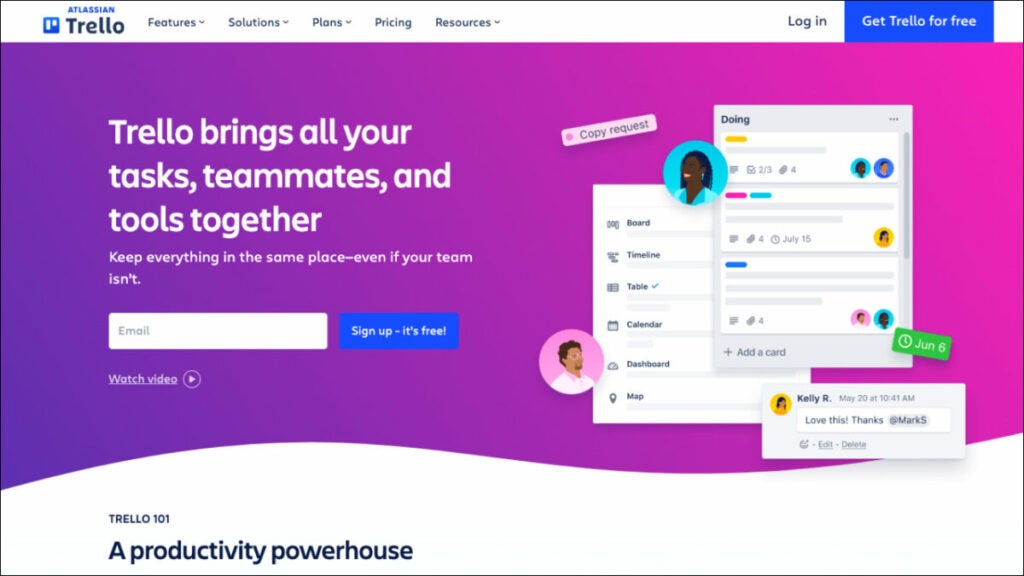
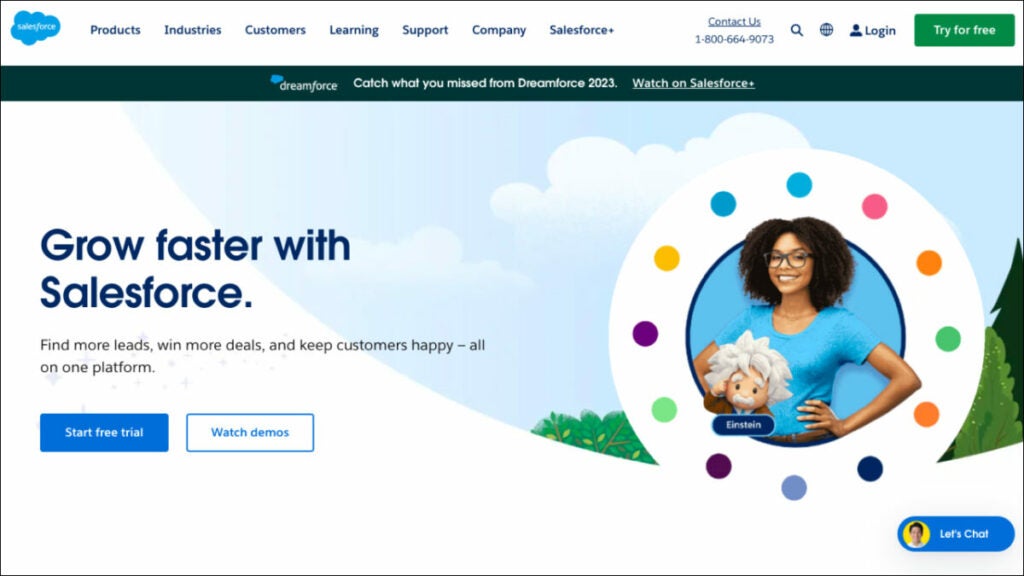
Who uses Performio?

Businesses that have elaborate sales commission structures and procedures use Performio. Performio was developed to provide in-depth insights that fuel robust sales performance for expanding businesses.

Best features:

  • Easily calculate sales commissions. Leave your spreadsheets behind. Take the guesswork out of sales commissions. Put an end to the hassle and expense of resolving payment mistakes.
  • Easily share sales commission information. With Performio, your sales representatives can access their own dashboard to see in real-time how much they’re being paid and why. 
  • All your sales comp data in one place. Gain actionable insights into the efficiency of your incentive plan and the productivity of your sales staff thanks to robust reporting tools. Provide firm management with details regarding sales compensation.
  • Forecasting. Customers can use the What If calculator’s simulation and forecast capabilities to precisely predict commission charges and manage accruals.

Pricing:

Contact Performio to get info about pricing.

QCommission

QCommission can evaluate sales data and calculate commissions based on the performance of sales reps because it connects with numerous customer relationship management and accounting software. This tracking app has 150 reports, including yearly incentive summaries, compensation adjustments and payee incentive commission reports. It also has sophisticated commission calculating options, including splitting commissions or compensating at a variable rate. Additionally, it is the sole platform that explicitly targets compliance with ASC 606 and Sarbanes-Oxley. These features make it the best software for sales reps for commission-based staff compensation.

Who uses QCommission?

Companies that still use Excel to figure out their sales compensation plans and people who are tired of spreadsheet mistakes and how long it takes to change commission reports.

Best Features:

  • Tracking commissions. Users can customize their commission payout frequency (monthly, quarterly, semiannually, or annually) using the system’s commission processing calendar. The users can set up payees, items, customers, programs, incentives, and sales quotas in the system.
  • Contract storage. It’s the only commission-tracking software that provides a wide range of commission agreement samples across multiple sectors.
  • Reports. It has the most reports available (over 150). These include commission payouts, target attainment, salary changes, incentive commissions, commission due statements, and unpaid commissions.
  • Integrations. More than Performio, NextAgency, or Blitz, it connects with forty of the most widely used third-party programs, including Salesforce, Microsoft Dynamics, SugarCRM, SuiteCRM, QuickBooks, Xero, and PayPal.

Pricing:

Contact to get info about pricing.

Accounting software

FreshBooks

Because of its comprehensive project management and time tracking tools, FreshBooks was a top pick for accounting software for freelancers, offering them the ability to effectively manage their finances and track their earnings, including average commissions. It can assist you in figuring out if you’re over or under budget by comparing projected and actual project costs.

In addition, it enables you to set recurring invoices and accept online payments, both of which are advantageous to your cash flow. FreshBooks automatically calculates late fees and prints a list of invoices that must be paid. In addition to its user-friendliness, FreshBooks’ clean layout and straightforward design make it a breeze to use.

Who uses FreshBooks?

FreshBooks is a cloud-based accounting system made especially for self-employed people. Field sales reps can do the work that brings in the money and less of the paperwork.

Best features:

  • Invoicing. You may add a logo, write a unique note, set up recurring invoices, and all-powerful customization options in FreshBooks. Estimates can be transformed into projects, and the differences can be analyzed.
  • Time tracking. Automatic time tracking ensures you don’t miss any billable time and is a feature in FreshBooks. The smartphone app’s time-tracking features are beneficial for those who frequently work from home. 
  • Mobile app. Invoices, expenses, online payments, client communication, and mileage tracking are some features of the FreshBooks mobile app.
  • Expense tracking. With FreshBooks, you can simply snap a photo of your receipt, upload it, and assign it to the appropriate category. You can also link your bank account so that transactions are imported automatically.

Pricing:

  • Lite – $17/month 
  • Plus – $30/month 
  • Premium – $55/month 
  • Select – Custom pricing for unlimited billable clients and specialized features

AccountSight

Due to its extensive time tracking and billing features, AccountSight is one of the finest accounting software for outside sales reps. It’s so good that it’s worth being included in a list of the top programs.
It also provides many tools that may be used to improve the efficiency of a company’s time and money tracking. You may connect it to QuickBooks Online to gain access to additional accounting tools like bill tracking and individualized invoicing.

Who uses FreshBooks?

Businesses that focus on projects and require time tracking, reporting, analytics tools and consultants need robust accounting and client management resources.

Best Features:

  • Controlling time sheets. When you upgrade to a subscription plan in AccountSight, your employees can upload timesheets individually and in bulk via Excel. In contrast, the free plan only allows you to produce a timesheet for yourself. 
  • Invoicing. Manual invoices, invoices based on billable hours and expenses, and invoices based on recurring costs are the three types of invoices that can be generated in AccountSight. You can bill at standard rates or make reductions and pricing modifications on the fly, and you can even get notified when payments are overdue.
  • Reporting. AccountSight’s in-depth reports give you a bird’s-eye view of project performance in real-time, letting you make more precise predictions. All weekly timesheet data is available for inspection and analysis and a comparison of billed and unbilled project expenses. 
  • Keeping tabs on costs. Before filling out online expense sheets, users can keep tabs on and manage all project expenses and assign expense forms with charge rates or per-unit costs. 

Pricing:

  • Free – $0 for one user, five clients, and five projects
  • Basic – $10/user/month; comes with a 2- to 5-user pack
  • Small Group – $9/user/month; comes with a 6- to 20-user pack
  • Enterprise – $8/user/month; comes with a 21- to 100-user pack

Route planning software

Route4Me

The routing problem has been resolved. Route4Me is a highly user-friendly route planning software that automatically generates routes for your business and sends them to a mobile app with in-built navigation. This is the ideal solution for any organization that needs to optimize its last mile of service, including field service, field sales, field marketing, territory management and more. More than 40,000 businesses and organizations worldwide rely on Route4Me’s route sequencing and optimization software. 

Who uses Route4Me?

The Route4Me Web Platform was built to be a flexible, all-purpose platform that can serve as the backbone for various industries, including sales that rely on routing and logistics services and teams.

Best features:

  • Don’t waste money and time. This tried and true route planning and scheduling software will save you time and help you get more done across the board. Simply enter your desired stops and limits, and you’ll be presented with optimized routes on highly interactive maps.
  • Maintain Total Control. The Route4Me Operations Matrix provides you with complete, real-time transparency. Scheduled versus real times for each route are presented graphically in an easy-to-read table with arrivals and departures color-coded according to how early, late, or on time they were. 
  • Optimize Order Fulfillment. Add orders manually or automatically sync them. Orders may be quickly sorted, loaded, sent and delivered using the Route4me mobile app. 
  • Maximize Fleet Utilization. Routes can be planned according to the number of parts, the shipment weight or the amount of money the route is expected to generate.

Pricing:

  • Route Management – $199/month
  • Route Optimization – $249/month
  • Route Optimization Plus – $349/month

Badger Maps

Badger Maps is a mapping software that helps outside and field salespeople work more effectively. With Badger, sales reps can better manage their area from their mobile devices or laptops by integrating Google Maps, CRM data, route optimization, schedule planning and lead creation. Additionally, Badger may upload field data to your CRM. The platform provides reporting and insights to help sales managers better manage their teams in the field. 

Who uses Badger Maps?

Badger Maps is a perfect software for sales industry professionals. 

Best features:

  • Lasso. Make new paths in record time by tracing a circle around a set of coordinates on a map using your mouse or finger. You can rapidly and regionally reassign accounts for your team.
  • Optimizing Travel Time. With the push of a single button, you can quickly and easily reach any destination on your list.
  • Transport Mode. See and control your entire day’s plan with ease. Nothing but the essentials for getting the job done uninterrupted.
  • Check-ins. Make personalized check-ins with attached images to get the correct information from your field reps. Weekly reports are emailed out automatically and you can also make reports manually if you’d like.

Pricing:

  • Business – $49/user/month, billed annually
  • Enterprise – $95/user/month, billed annually

Bonus: Software powerpack for sales reps

FuseBase (formerly Nimbus)

FuseBase (formerly Nimbus) is a client collaboration tool that goes far beyond mere CRM; it provides dynamic client collaboration software tailored to client-oriented businesses. Integrating essential CRM features into an effective teamwork hub, it serves as an all-in-one solution for sales reps. 

The platform allows for effortless collaboration among teams and clients by sharing various forms of content, available even for those without FuseBase (formerly Nimbus) accounts! FuseBase (formerly Nimbus) has quickly become the go-to choice of consulting firms, independent consultants and client-oriented businesses alike, providing them with client portals for efficient project communication, a central knowledge base to preserve key insights, effective time management capabilities and task management – helping consultants bridge the gap between ideas and execution. FuseBase (formerly Nimbus) serves as an indispensable tool in client collaboration while streamlining CRM features.

Performio

Performio excels as a commission management solution, giving users all the essential tools to easily customize and calculate sales compensation plans with Performio’s intuitive tools for quick calculation and customization. It provides a detailed commission table outlining payouts to recipients as well as an ingenious forecasting tool capable of forecasting values and achievement percentages. Performio’s comprehensive support and value offerings stand out despite an extended setup process and limited third-party integration capabilities. Organizations with complex sales commission plans and processes can benefit significantly from Performio’s in-depth insights, making it the perfect option for rapidly expanding companies looking to drive strong sales performance. It offers hassle-free commission calculations, user-friendly communications of sales compensation plans, centralized comp data storage capabilities and unique forecasting abilities through its “What If” calculator.

AccountSight

AccountSight stands out as an exceptional accounting software choice for consultants due to its advanced time tracking and billing features, making it one of the market’s best free time tracking solutions. This time and expense management software includes many features to facilitate time and expense administration processes more efficiently, including integration with QuickBooks Online for extended accounting functionality such as custom invoice creation and bill tracking. Consulting firms seeking advanced time-tracking capabilities, project-based businesses needing reports and analytics features and consultants requiring effective client management tools are among its target users. 

The platform offers notable features of timesheet management with multiple approval levels and invoicing options, comprehensive project performance reporting for real-time insights and expense tracking with customizable expense types and comments.

Wrapping up

In this article, we looked at a few software choices that are made to meet the specific needs of sales reps. All of these tools provide powerful options for consulting professionals. 

You will find solutions that streamline your consultancy, boost productivity, and raise client and customer satisfaction, whether you need efficient route planning or thorough time monitoring. All these software for consultants have advantages and features that make them ideal for industry professionals. The best software for you may vary depending on your specific needs, but these choices are excellent starting points for investigating other programs to see if any of them seem like a good fit.

8 Software Solutions for Consultants in 2023

Explore the top 8 software for consultants in 2023 with comprehensive details on overview, use cases, key features, and pricing.

Technology developments in fields like finance, human resources and marketing have trickled down to the sales floor in recent decades, resulting in a digital transformation makeover for the sales industry. The process of making decisions is made easier for sales directors and managers now that they have access to a variety of snazzy reports, predictions and artificial intelligence data analysis. 

A sales representative’s responsibilities extend far beyond simply making transactions. Salespeople also need to be experts in teamwork and leadership.

And this is where they need the help of modern best software for sales reps.

For this matter, we’ve compiled a list of 8 software for consultants to help sales reps win more business and work smarter.

Project management software

FuseBase (formerly Nimbus)

Nimbus

FuseBase (formerly Nimbus) is an efficient client collaboration tool incorporating key project management software features, which makes it the go-to choice for business consultants in search of effective project management tools. This flexible project management software simplifies collaboration by consolidating various content types on one accessible page that can then be shared via a link with anyone. At the same time, our popular project management tool offers customizable no-code client portals to create seamless user experiences and promote your brand. You can integrate professional email addresses, super documents, customizable interactive tables and external content seamlessly—giving business reps everything they need to streamline workflow and boost productivity effectively!

Who uses FuseBase (formerly Nimbus)?

FuseBase (formerly Nimbus) is a client collaboration software that embraces project management software features and is widely utilized by sales teams, managers and professionals seeking to streamline project management, collaborate more closely with multiple clients and enhance overall productivity.

Best Features:

  • Super documents. FuseBase (formerly Nimbus) project management software lets you consolidate multi-format information onto the same page (a super document), including text, images, audio/video files and PDFs. Various FuseBase (formerly Nimbus) objects like buttons and hints toggles can assist teams & clients in navigating your pages more smoothly while increasing conversion rates as they highlight/sort information while increasing conversion rates overall and beyond!
  • Client Portals. FuseBase Portals allows you to quickly build no-code websites to enhance client experiences and manage projects, providing your clients with a superior user experience and keeping project info updated.
  • FuseBase AI. This feature makes your work simpler! Leave all the tedious, menial tasks to our AI assistant—FuseBase AI will assist in writing original and revised content from scratch or editing existing material. One key advantage of choosing FuseBase AI over competing tools like ChatGPT or Claude is its ability to generate and store responses directly in place—no need for switching tools when everything works seamlessly together.
  • Kanban boards. These boards provide an efficient method for monitoring multiple projects’ workload. By allocating resources efficiently and preventing task overloads, Kanban boards allow you to visualize and track progress while quickly pinpointing bottlenecks effectively; you can customize workflows according to any given project while organizing tasks by assignee, status, or initiative.

Pricing:

  • Free plan is available
  • Paid plans start from $9/user/month

Trello

Trello project management software is one of the best consulting tools that facilitates team collaboration by providing a central location for weekly meeting agendas, employee progress plans, document storage and the ability to delegate tasks. This project management tool is the nerve center that links together everything you’re working on and displays deadlines, progress and team comments in one convenient location. You can connect Zoom for video calls, Jira, Slack and Google Drive tickets and files to keep everything in one place and maintain an open line of communication with clear and understandable expectations. Trello stands out for its ease of use and visual elements. Business consultants can create boards, lists and cards to manage projects efficiently, track progress and collaborate with team members—it’s ideal for those who prefer an effortless solution!

Who uses Trello?

Sales managers and consulting business professionals have long used this project management software to effectively organize pipelines, improve team communication, track leads, coordinate sales efforts and oversee sales pipelines.

Best features:

  • Templates. Give your team an easy roadmap for success with expert-developed and community-sourced Trello templates that you can utilize immediately.
  • Automation. Butler Automation makes task management and workflow automation simple, helping you efficiently track projects! Use Butler to create tasks and streamline processes.
  • Integrations. Find mobile apps your team already uses or discover innovative new methods of accomplishing work through Trello.
  • Power Up Your Teams. Energize your teams’ work processes by linking their favorite tools with Trello plugins.

Pricing:

  • Free trial available
  • Standard – $5/user/month 
  • Premium – $10/user/month 
  • Enterprise – $17.50/user/month

Client management software

Salesforce Sales Cloud

Sales Cloud 360 software for consultants is an industry-leading solution that also offers strong marketing software features. It has powered top sales organizations worldwide with the most popular customer relationship management (CRM) tool. Sales Cloud 360 helps businesses of all shapes, sizes and sectors across the globe to quickly and easily increase their ROI. Boost sales team efficiency through data-driven selling by rolling out industry-specific tools and best practices in record time, including the ability to create comprehensive proposals. 

Salesforce is the best CRM software that offers robust client management and collaboration features to assist sales reps in tracking leads, managing contacts and overseeing sales activities.

Who uses Salesforce Sales Cloud?

Salesforce’s multi-tenant cloud-based platform may accommodate the requirements of any business consulting firm operating in sales or any other sector.

Best features:

  • Activity Management. Get a 360-degree perspective of your customer knowledge base by centralizing your email marketing and other customer engagement operations on a single platform and automating their synchronization.
  • Forecast Management. Control your projections in a timely manner. Adjust key performance indicators on the fly to maximize precision and modify KPIs so they better reflect your company’s needs.
  • Workflow & Process Automation. Build processes easily using drag-and-drop simplicity. Streamline time-consuming sales procedures. Control and oversee all territory-related matters.
  • Lead Management. You can access your to-do list from anywhere in Salesforce, allowing you to stay on top of your day and respond to customers wherever they may be.

Pricing:

  • Starter – $25/user/month
  • Professional – $80/user/month
  • Enterprise – $165/user/month

Insightly

Nowadays, many consultants choose Insightly because it is a cutting-edge CRM software that doesn’t break the bank. It’s user-friendly, flexible and scalable, meaning it can accommodate businesses of all sizes while addressing the problems that traditional CRMs face. Insightly is a software for consultants that improves sales teams’ ability to generate leads, close deals and retain customers while offering robust features for task management and the entire proposal process. It provides customer relationship management (CRM) and project management features, making it an excellent solution for management consultants who must oversee client relationships and projects simultaneously.

Leads, contacts, emails, events, quotations, projects, tasks, opportunities and business reports can all be managed in a single, secure, scalable CRM that is simple to use.

Who uses Insightly?

Good CRM software for any rapidly expanding company needing a scalable, robust and inexpensive cloud-based system.

Best features:

  • Opportunity and Lead Management for Sales. Gain speed in your sales procedure and get the most out of your pipelines by using them to monitor, handle and cultivate business deals, including the business management and proposal process. Find out what’s driving success and what could go wrong for your company.
  • Validation Rules & Advanced Permissions. Maintain accurate records, collect useful information and provide satisfying services. Adding validation rules to all of your CRM’s most important fields and objects can greatly increase its usefulness to your company. 
  • Products, Price Books & Quotes. Make it simple for customers to buy from you by keeping detailed records of all the services you offer. Facilitate process enhancement and clarity by ensuring that the appropriate goods are being added to the appropriate opportunities at the appropriate cost. Get direct access to deal velocity, configuration and pricing quotes.
  • Customizable CRM. Every company is different. Adjust the CRM settings and data to fit your company’s workflow. You can save money by avoiding the need for costly outside developers thanks to Insightly’s straightforward and intuitive customization features.

Pricing:

  • Plus – $ 29/user /month
  • Professional – $49/user /month
  • Enterprise – $ 99/user /month

Time tracking software

Toggl Track

Toggle is an adaptable time-tracking tool suitable for teams of any size. Multiple devices can be tracked simultaneously using a simple and straightforward timer. In order to be more open with your clients, you can generate client-ready time tracking reports, export time logs as spreadsheets, receive reports via email and share saved reports via public links. Toggl Track works with hundreds of other billing and project management apps on the web, desktop (Windows, Mac and Linux) and mobile (iOS and Android). 

Toggl is an intuitive time tracking solution designed specifically to assist sales reps in accurately recording time spent on tasks and projects, including an easy-to-use interface that makes time tracking straightforward, as well as comprehensive reporting functionality that provides instantaneous updates on progress made towards various tasks and projects. Plus, it integrates easily with multiple channels and apps.

Who uses Toggl Track?

Sales professionals, consulting firms and sales managers frequently utilize this best software for consultants.

Best features:

  • Second-nature time tracking for employees. The user is at the center of our employee time-tracking system. Their native calendar integrates with your favorite project management software to make keeping track of time a breeze and the browser extensions allow you to connect with 100+ other apps.
  • No employee surveillance. And the workers agree with you. Accurate data relies on employee buy-in; therefore, the platform is dedicated to tools that give workers greater autonomy. 
  • Eliminate time-consuming payroll tasks. Get rid of confusing time codes and time cards. Any member of your team can track time and monitor project-wide billable hours from any gadget. With a few clicks, admins can export payroll timesheet information.
  • Easy payroll calculation. Employees can be paid on time. Assign team members with billable rates and total up their contributions to chargeable work. Keep tabs on the ratio of billable to non-billable hours.

Pricing:

  • Free plan available
  • Starter – $9/ per user per month
  • Premium – $18/ per user per month
  • Enterprise – contact to get custom pricing

Clockify

Clockify is an easily usable free time tracking and invoicing software ideal for smaller sales teams. Providing time monitoring, reporting and team collaboration features, it’s a valuable tool for tracking project costs. Clockify is a free business consulting software that helps teams monitor the time they spend on different tasks, simplifying the task management process while offering advanced analytics capabilities to generate reports. You may manage billable and non-billable time spent on activities by staff for an unlimited number of users, projects and clients. The information gathered can be utilized for various purposes, including but not limited to payroll and invoicing, employee performance analysis and report generation. Since data is stored and synced in the cloud, Clockify may be used on any device to keep track of time. 

Who uses Clockify?

The best business consulting software for freelancers, teams and companies in all fields who want to improve their workflow, boost their productivity and make more money with a productive, stimulating and stress-free work atmosphere.

Best features:

  • Time tracker. You can either start and stop the timer as needed or manually enter the hours. With a single click, you can keep track of time and then bill for it.
  • Timesheet. In less than a minute, you can record your weekly actions. Choose an action and choose a duration. You can schedule the week’s events quickly,  send and accept timesheets, and send a reminder when timesheets are due.
  • Calendar. Make a schedule and use time blocks effectively.  Check out the schedule for the day; simply click to block off time, change the size of blocks and import schedule items from Gmail/Outlook.
  • Dashboards. This is the one tool to determine how you spend your time and what your team is up to. Track your time and money to see exactly where it’s going, view the results of your team’s efforts and find out what people are currently working on and who is doing what.

Pricing:

Clockify is free.

Accounting software

Xero

Online accounting and business consulting software for small businesses that have won multiple awards. Accessible from any internet-enabled computer or mobile device, Xero streamlines data gathering by bringing in monetary dealings from several accounts, instantly reflecting cash flow and other financial data for a business, helping users manage resources and supporting a limitless number of registered users. 

Xero connects to over a thousand other business programs and accepts various currency types. Its centralized ledger makes it possible for sales reps and their clients to work together on financial matters. 

Who uses Xero?

Small businesses and freelancers involved in sales, accounting and bookkeeping.

Best Features:

  • Collaborate online. If you and your staff, bookkeeper or accountant are spread across the globe, Xero will make it easy to collaborate online.
  • Customize and integrate to suit your needs. Add features like Xero Expenses to track expenses and Xero Projects to your base subscription and integrate with other services like Stripe and Venmo. The Xero App Store makes it simple to discover, evaluate and acquire third-party apps that work with Xero.
  • Don’t let your bills pile up. Monitor your company’s cash flow and never miss an invoice again. Review your invoices, costs and purchase orders in one place; look at bills that need work, have been approved or are due, and stay on good terms with your vendors.
  • Schedule payments. Schedule forthcoming payments and pay vendors in bulk to save on administrative work. Make a single payment to numerous vendors simultaneously; plan ahead to ensure timely payments.

Pricing:

  • Early – $13/month
  • Growing – $37/month
  • Established – $70/month

Wave

Wave business consulting software stands out for its cost-effective nature, making it an excellent choice for managing your business process, including tracking expenses. You can create and customize professional invoices, use the expense management feature and easily reconcile bank and credit card transactions using Wave. While its core features are free to use, fees associated with payment processing (if accepting online payments via credit cards or bank transfers) need to be considered when accepting online payments through Wave. It provides freelancers, small business owners and self-employed sales reps the basic accounting functionality without incurring subscription costs for basic accounting software solutions.

Who uses Wave?

Wave is the right consulting software for small businesses and freelancers alike.

Best features:

  • Invoicing. Do not constantly harass your customers for payment. Reduce overdue invoices, monitor cash flow and accelerate payments for zero dollars with this billing and invoicing software.
  • Payments. Get paid more quickly. Wave consulting software values ease of use above all else. Make it possible for customers to pay with a credit card, bank transfer, or Apple Pay with a single click.
  • Accounting. Easily keep tabs on your earnings and outgoings. Keep an eye on your finances, be methodical and stop worrying about tax filing. 
  • Payroll. Quickly and easily pay yourself and your employees. This Payroll system was designed with the needs of sole proprietors in mind; it is intuitive and provides on-the-fly training.

Pricing:

  • Invoicing and Accounting are free
  • Mobile receipts – $8/month
  • Payroll – $40/month
  • Advisors – $149/month

Bonus: Software powerpack for consultants

FuseBase (formerly Nimbus)

FuseBase (formerly Nimbus) is an effective client collaboration tool featuring key project management features. FuseBase (formerly Nimbus) is widely recognized among client-oriented sales representatives who want an efficient project management solution. This client collaboration tool incorporates essential project management features into an accessible platform that streamlines collaboration and increases productivity. FuseBase (formerly Nimbus) stands out by providing multi-format documents, no-code client portals and seamless AI integration—making it the go-to choice for sales teams and managers who wish to manage multiple projects simultaneously and collaborate effectively on client projects.

Insightly

Insightly is a strong contender among businesses seeking an economical, modern CRM system that efficiently unites customer relationship management with project administration. Insightly stands out by providing user-friendliness, scalability and the capability to meet challenges that legacy CRMs cannot. Teams using Insightly can easily centralize and manage customer, sales and business data efficiently. Notable features of Insightly include sales lead tracking, opportunity management, validation rules, advanced permissions management, product and price book management and extensive customization options. As the go-to solution for fast-growing businesses across multiple industries that need an accessible cloud CRM, it enhances productivity while cultivating lasting customer relationships—standing out as an exceptional option!

Toggl Track 

The premier time-tracking software, Toggle offers teams of all sizes a practical, user-friendly timekeeping solution that’s both flexible and user-friendly. Offering seamless timekeeping across devices for sales reps and increasing productivity. Toggl Track’s key features include an intuitive interface, robust reporting features and extensive app integrations—making it the ideal way to monitor how much time you spend on tasks or projects. Toggl Track provides businesses looking for an upgrade from traditional timesheets with an effortless solution that monitors work hours and gives insight into productivity and profitability. Its employee empowerment capabilities and efficient payroll administration further solidify its status as the premier time-tracking solution available today.

Wrapping up

With the right software for sales reps, any business owner can significantly boost productivity while optimizing sales process elements and improving overall performance. Start by identifying what benefits you require from a sales management solution, then review our professional services recommendations above to choose one that fits you best.

Remember: the ideal software solution will fit perfectly into your goals and workflow, helping to drive sales management success.

Top 9 Software For Financial Advisors in 2023

Discover the top 9 financial advisor software in 2023

Every financial advisor knows having a plan for your funds is essential. A complete financial plan may include budgeting, saving, investing, paying off debt and retirement planning. But how do experts handle all this planning, and what platforms do they use? 

Well, you have many choices and they all offer a unique set of benefits. As a financial adviser, you have access to various financial planning tools to assist you in managing your customers’ money.

To help streamline your operations and make your services more appealing to today’s wealth management clients, we’ve compiled a list of some of the best software for financial advisors, broken down by category.  

Practice management software

FuseBase (formerly Nimbus)

Nimbus

FuseBase (formerly Nimbus) is a client collaboration tool that embraces a few key practice management software features. It stands out among financial planning software programs as an exceptional client collaboration software and Practice Management tool, boasting two functions in one streamlined tool. FuseBase (formerly Nimbus) recognizes the necessity of team collaboration for success in financial advising. We take an integrative, client-centric approach with FuseBase’s (formerly Nimbus) suite of products. 

FuseBase (formerly Nimbus) offers advisors efficient means of building strong client relationships by encouraging open dialogue, data sharing and presenting a holistic overview of each client’s financial journey. By prioritizing client needs and interactions, this management software streamlines administrative tasks and enriches client experience—setting it apart as the go-to option for client-oriented businesses.

Who uses FuseBase (formerly Nimbus)?
FuseBase (formerly Nimbus) is primarily a platform for client collaboration businesses, which makes it one of the best financial planning software solutions (used by financial advisors, advisory firms and client services teams in financial advisory services) to streamline practice management, enhance client collaboration and maintain brand consistency.

Best features:

  • Super documents. Even though FuseBase (formerly Nimbus) is not primarily a document management software, it offers great document management features. Converge multiple types of information onto one page—text, photos, audio/video files and PDFs. Organize page content, while buttons/tips/toggles help guide clients through pages and highlight crucial information, helping improve productivity.
  • Client Portals. FuseBase (formerly Nimbus) offers no-code client portals that improve client experiences while simultaneously helping financial advisors promote services and keep project information current with clients. 
  • Permission management. FuseBase (formerly Nimbus) provides a clearly laid out hierarchy for access control and permission management, so setting workspace and folder editing privileges with fine-grained permissions ranging from complete editing to viewing is simple and enables employees to focus on their work without worrying over critical data security concerns. 
  • Kanban boards to Keep Track of Project Workload. By allocating resources and avoiding task overloads, kanban boards allow you to visualize progress effectively while pinpointing bottlenecks as quickly as possible—customizing workflows per any given project and organizing tasks according to assignee, status or initiative.

Pricing:

  • Free plan is available
  • Paid plans start from $9/user/month

Morningstar Office

Morningstar Office is one of the advanced financial planning software programs designed exclusively to serve Registered Investment Advisors (RIAs). Utilizing Morningstar’s vast data, advanced analytics and ratings as a basis for portfolio management software and practice management, Morningstar Office helps RIAs maximize client reporting capabilities by using research analytics in managing portfolios efficiently. Also, Morningstar Office provides powerful document management software with tools for organizing and accessing financial documents as part of its core advanced planning features. Any financial advisor can significantly benefit from having Morningstar Office financial planning software at their disposal!

Who uses Morningstar Office Cloud?

This portfolio management software is excellent for financial advisory firms using specialized practice management software to benefit from account analysis, security screening, tax-aware rebalancing, portfolio development and what-if analysis.

Best features:

  • Financial goal planner. All clients have financial goals, even if they don’t need complete financial planning services. Morningstar’s Goal Bridge allows you to have conversations about goals with your clients and then connect these goals quickly to a plan that is easy to understand and that clients prefer for portfolio management.
  • Reduce time spent on back-office tasks. Outsource daily data imports to Morningstar. Automated basic tasks allow you to focus on selecting investments, marketing and relationships.
  • Accessible Reports. The most popular report for clients shows the impact of taxes on households over a specified period. 
  • Drill-Down Analysis. Look deeper into your models for more details on the tax implications of a proposed open trade. You can view the current, target and post-trade values for each subclass and all the trades necessary to reach your goal.

Pricing:

Contact Morningstar Office to get info about pricing. 

CRM software

Creatio

The financial industry can benefit from Creatio’s software for financial advisors solution by improving customer service and retail sales and creating and executing multichannel marketing campaigns. The platform’s adaptability in client segmentation across multiple dimensions enables targeted client communication via the most appropriate channels at optimal times.

You can buy Creatio products alone or as part of a complete Customer Relationship Management (CRM) Software that automates customer-facing and internal business processes with zero programming. This is the right financial planning software for organizations to digitize workflows, enhance customer and employee experiences and increase productivity across all business divisions with the help of Creatio’s products, packed with powerful no-code tools and out-of-the-box capabilities. Non-technical users can make robust business apps using Creatio’s drag-and-drop visual design tools and no-code UI builder.

Who uses Creatio CRM?

Creatio financial planning software applications are highly adaptable and easy to use, allowing businesses of any size and industry to manage client-facing activities better and provide a superior customer experience.

Key features:

  • Marketing. The platform is one of those digital tools that requires no coding and gives you complete control over automating your marketing campaigns and lead management processes.
  • Sales. A code-free, fully customizable, end-to-end platform for automating all aspects of the sales process, particularly in personal finance.
  • Infinite, no-code personalization. CRM Creatio provides a robust collection of no-code tools for UI/UX development, workflow automation, data modeling, integrations with other software and more, allowing users to build their own custom business applications on top of the platform.
  • End-to-end workflow automation. Create and automate complicated workflows for various customer relationship management (CRM), operational and industry-specific use cases and channels.

Pricing:

  • Sales Creatio – starts from $25/user/month 
  • Service Creatio – starts from $30/user/month 
  • Marketing Creatio – $916/year 
  • Studio Creatio – starts from $25/user/month

Junxure

You won’t find a better CRM for a young business in the financial services industry. In terms of strengthening ties with customers, it’s hard to beat. Junxure is useful for keeping track of activities and collecting financial data. As a result, automated financial plans and advice are provided in real-time. You can use it to keep track of your tasks and set reminders. Junxure financial planning software provides several personalization possibilities to help users expand their client base. You can customize themes for social media posts and email marketing and easily acquire customer data in a short amount of time.

Who uses Junxure Cloud?

One of the best financial planning software options for Wealth Managers, Financial Advisors and Registered Investment Advisers.

Best features:

  • Workflow Automation. With these customizable workflows, they can automate routine tasks and processes for greater efficiency by eliminating manual data entry while making sure no key steps in managing client assets and financial plans go overlooked.
  • Document Management. Junxure provides every financial advisor with excellent document management solutions to securely store and organize client-related documents, accounts, compliance regulations and more. It enables easy document retrieval as well as compliance with record-keeping requirements.
  • Compliance Tracking and Reporting. Assist advisors with managing compliance-related tasks and reporting, from tracking deadlines and meeting regulatory requirements to creating custom report templates as needed.
  • Junxure’s Integration Capabilities. Junxure has earned recognition for its seamless integration capabilities, seamlessly interoperating with various third-party financial planning and reporting tools, custodian platforms and other financial advisory industry software applications. 

Pricing:

  • You can schedule a demo
  • $65/user/month, billed annually

Ugru CRM

It is a CRM system for financial planners. This is one of the financial planning tools that works well with existing sales force automation and forecasting systems. In addition, it manages pipelines effectively. Ugru can help automate your email marketing and bring in more clients. The search and filter functions in the CRM are beneficial. It’s easy to import data in bulk and takes very little time. You can use the available features like lead retrieval and lead referral routing to get more potential customers interested. Pipeline activity and campaign effectiveness data are obtainable. Ugru is one of the best financial planning software that keeps integrating more and more features. Tools for managing personal finances are also included and numerous tools exist to facilitate budgeting and other related calculations.

Who uses UGRU?

With a particular focus on the Financial Services industry, UGRU provides its services to all multi-advisor firms and SMEs.

Best features:

  • Data Management. All of the client information can be stored in one place, where it can be easily created, retrieved, updated and managed, including information related to client portfolios.
  • Lead Management. Track potential and new clients from their initial contact to purchase. As a result, the sales staff can follow up with prospects and increase the deals they close.
  • Territory Management.  Accounts can be assigned to specific people, teams, or regions and those people’s responsibilities, calendar events, tasks and status updates can be readily reallocated to other people or groups.
  • Sales Forecasting and Pipeline. With UGRU CRM for Financial Advisors, it is easy to predict your sales and cash flow with its handy tracking of contacts, their stage in the sales cycle, the amount of opportunity presented by each contact, whether this sale would be one-off or repeatable, etc.

Pricing:

  • CRM Plus – $59/month, includes three users
  • Performance – $139/month, includes three users
  • Professional – $179/month, includes three users
  • Advisor Pro – $324/month, includes three users

Financial planning software

MoneyGuidePro

MoneyGuidePro is an advanced financial planning software platform used by numerous professional advisors worldwide and trusted by their clients alike, providing access to comprehensive plans developed using different models, scenarios and capital market assumptions—MoneyGuidePro makes creating them effortlessly! In addition, MoneyGuidePro gives advisors tools for goal-based planning that take investment performance as well as risk tolerance into consideration while creating comprehensive plans with ease and accuracy for their clients.

Who uses MoneyGuidePro?

Financial advisors who wish to use this financial planning software for risk management purposes. It allows them to customize portfolios, generate net worth statements, analyze life insurance policies and much more.

Best features:

  • Advanced Planning. MoneyGuidePro takes an outcome-focused approach to the financial planning process. Advisors work directly with their clients to identify financial goals such as retirement, college savings and significant life events they would like to attain. They then create detailed plans that outline steps necessary to accomplish these objectives, considering the client’s risk tolerance and tax loss harvesting.
  • Retirement Complex Planning. It helps advisors project and optimize retirement income sources like Social Security, pensions and other investments for optimal retirement planning. 
  • Scenario Analysis. MoneyGuidePro offers advisors the capability to run scenarios to evaluate potential outcomes of various financial decisions and market conditions on clients’ plans, providing advisors and clients alike with more informed decision-making abilities based on potential scenarios. 
  • Tax Planning. The software equips advisors to use various tax strategies to decrease tax liabilities while increasing after-tax returns for their clients.

Pricing:

  • You can request a demo
  • Contact MoneyGuidePro to get pricing info.

NaviPlan

NaviPlan by Advicent provides comprehensive financial planning software programs used by financial advisors to create personalized plans for their clients, including in-depth and holistic stress testing.

NaviPlan’s highly accurate calculation engine equips firms to meet client needs, ranging from goal-oriented assessments to complex cash flow planning analyses.

Who uses NaviPlan?

All Sized Registered Investment Advisors and Broker-Dealers Serving Clients of Any Size.

Best Features:

  • Monte Carlo simulations. Use this to assess the likelihood that clients’ wealth management and financial goals can be reached, helping advisors and clients understand the range of potential outcomes as they make necessary adjustments and adjust as required.
  • Client Collaboration. NaviPlan offers a client portal designed to facilitate collaboration between advisors and their clients, giving clients access to their plans, tracking progress and uploading relevant documents—increasing transparency and increasing engagement with advisors and clients.
  • Secure Data Management. With secure storage, monitoring compliance status reports and reporting, advisory firms meet regulatory standards more easily. This solution ensures firms meet compliance obligations effectively.
  • Integration Capabilities. NaviPlan offers seamless integration capabilities with other financial planning software that make it possible for advisors to work effectively within their existing software stack, increasing both efficiency and data accuracy during planning processes.

Pricing:

Contact NaviPlan to get more info about pricing plans.

Billing software

QuickBooks Online

Intuit’s QuickBooks is an all-encompassing accounting and money management program widely utilized by organizations of all sizes to streamline bookkeeping, accounting and other financial operations. QuickBooks Online financial planning software makes keeping up with small businesses easy whether on the move or sitting behind a desk, offering both intuitive and powerful capabilities such as invoicing customers for services rendered, monitoring stock levels and processing payroll—keeping track of small business finances from any location! It will streamline processes while saving time during expediting payment. 

Who uses Quickbooks Online?

This software program stands as one of the top financial planning solutions and serves as the industry standard in small business accounting and financial management.

Best Features:

  • Invoicing and Payment Processing. QuickBooks cash flow-based software enables professional invoicing and payment processing by creating professional invoices electronically for clients to review and supporting regular billing cycles for recurring billing cycles, helping businesses create efficient financial plans.
  • Track Expenses. QuickBooks integrates directly with bank and credit card accounts so transactions can be automatically imported for reconciliation purposes.
  • Financial Reporting. QuickBooks’s various financial reports offer insight into any company’s finances’ health.
  • Tax Prep and Reporting. QuickBooks makes tax prep simpler by organizing financial data efficiently, offering features such as sales tax tracking and calculation, as well as supporting filing tax reports and returns.

Pricing:

  • Simple Start – $15/month
  • Essentials – $30/month
  • Plus – $45/month
  • Advanced – $100/month

FreshBooks

The time spent on client projects and the efficiency with which you reconcile your bank and manage your financials may be gauged by using FreshBooks. Advisors can use this system to keep tabs on bills and charge customers correctly.

FreshBooks is a web-based financial planning software specially made for sole proprietors, independent contractors and consultants. Its intuitive design and powerful features make managing customers’ personal finances and communicating with customers much more effortless. 

Who uses FreshBooks?

Any company would benefit from using FreshBooks’s great financial planning software because it is a cloud-based solution tailored specifically for small businesses and advisers. 

Best features:

  • FreshBooks can be easily integrated with online transactions. Customers can use the FreshBooks Payments solution to pay directly from their bills, and the service will log the transaction automatically. It’s quick, easy, safe and well-integrated.
  • Make Instantaneous Payments Online. Credit card payments can be accepted on invoices with the press of a button. After entering a few details, FreshBooks will electronically transfer funds to the designated account. As would be anticipated, the process is quick and easy to understand.
  • Know Your Metrics. You can check your progress without bothering your accountant. With FreshBooks, you can see at a glance how much it costs to run your business, make educated decisions based on data and track all of your expenses.

Pricing:

  • Lite – $8.50/month
  • Plus – $15/month
  • Premium – $27.50/month
  • Select – Contact FreshBooks to get a custom quote

Bonus: Software powerpack for financial advisors

FuseBase (formerly Nimbus)

FuseBase (formerly Nimbus) is a client-oriented platform specifically tailored to address the needs of business consultants, including financial advisors. FuseBase (formerly Nimbus) stands out among other tools as an outstanding choice of client collaboration software and practice management tool, prioritizing building stronger client relationships through Client Portals, Super Documents, robust permission management capabilities and Kanban boards that streamline project management—making FuseBase (formerly Nimbus) an exceptional option. This comprehensive set of capabilities makes FuseBase (formerly Nimbus) an outstanding selection when seeking to grow clientele for financial advisors.

Junxure

Junxure stands out as an exceptional CRM solution for small financial services, particularly for strengthening client relationships and streamlining processes. It excels in collecting financial information such as real-time advisor tips and task management reminders; providing customization options for email marketing and data segmentation for more efficient searching; automating workflow processes such as document management with full compliance tracking reporting as well as seamless integration capabilities—not to mention providing a 30-day free trial period making this interactive tool one of the top choices among its category!

MoneyGuidePro 

MoneyGuidePro is a top financial planning software tailored specifically for financial advisors. The program excels at goal-based planning for income strategies by optimizing income sources while considering tax efficiency strategies, scenario analysis and robust tax planning tools—helping financial advisors craft customized, comprehensive plans explicitly tailored to client’s goals and objectives, making MoneyGuidePro an undisputed leader among its counterparts in the software landscape.

Wrapping up

Financial advising is rapidly developing and choosing financial planning software tools can make all the difference in its evolution. From comprehensive financial planning to efficient client relationship management, top software for financial advisors offers various features and benefits tailored specifically for them—FuseBase (formerly Nimbus) excels with client collaboration features. At the same time, Junxure Cloud shines at workflow automation and compliance tracking and MoneyGuidePro helps professionals provide goal-based financial strategies explicitly tailored for advisors. These tools demonstrate how technology has revolutionized the financial advisory landscape as it continues transforming into today’s professional landscape.

10 Top Software Picks for Product Managers in 2023

Explore Top 10 Product Manager Software 2023: Overview, Uses, Features, Pricing

As a product manager, you know managing products is dynamic and complicated. There may not be one universal software for product managers that addresses all your individual requirements, but product management software serves as an indispensable compass to navigate this terrain. That being said, your toolbox must include much more than product management software alone, and familiarity with various product management frameworks is equally vital.

In this article, we have carefully compiled categories of essential top product management tools beyond standard ones that go above and beyond just product management tools. After carefully considering top business requirements and aligning them with product manager needs, these choices have been made.

So, read carefully, as these product manager tools can become game-changers for your career.

Project management software

FuseBase (formerly Nimbus)

Nimbus

FuseBase (formerly Nimbus) is a client collaboration tool that embraces the key features of popular project management solutions. Tailored for product managers and client-oriented businesses in general, FuseBase (formerly Nimbus) serves as ‘’the right-hand man” for all product management professionals. Its innovative Super Documents, Client Portals, Kanban boards and seamless integrations with an array of other best tools – give users everything they need to efficiently organize projects, collaborate with clients, work on their product strategy and access vital data, all while gathering and incorporating customer feedback. 

FuseBase (formerly Nimbus) meets traditional project management requirements and is designed as an extensible platform that facilitates communication and engagement with clients, knowledge management and collaboration. FuseBase’ (formerly Nimbus)s collaboration hub shows its dedication to meeting the specific demands of modern product management. Offering versatility and efficiency in abundance, this is unquestionably an ideal platform for any product manager striving to excel in their role.

Who uses FuseBase (formerly Nimbus)?

FuseBase (formerly Nimbus) is a leader among many free client collaboration solutions including product management tools (as it offers a free version) that is used by an expansive user community. Still, product managers, in particular, tend to rely heavily on its versatile features for efficient project management, data organization and cross-functional product management team collaboration throughout the product development lifecycle. 

Best features:

  • Client Portals. FuseBase (formerly Nimbus) Portals are no-code websites that product managers can use to promote services and improve customer experience. With portals, you can gather all client project information and update it constantly. Use portal chats and tasks to collaborate and streamline feedback and approvals. Also, you can give your clients one-link access to all project information, and you can share pages with them even if they don’t have Nimbus accounts. Use portal chats and tasks to collaborate and streamline feedback and approvals. 
  • Kanban boards to keep track of project workload. FuseBase (formerly Nimbus) Platform allows product management pros to control team resources and avoid task overloads for colleagues. See where your projects stand at a glance, pinpoint problem areas and tailor your workflows to fit any endeavor.
  • FuseBase (formerly Nimbus) Tasks. With efficient task management, product managers may close the gap between conception and realization. For effective workload management, you may assign tasks, provide details, comments, files and due dates, track your progress using in-built progress bars and categorize your tasks in order of priority.
  • FuseBase AI. FuseBase AI saves product managers time by automating tiresome processes. It aids in content creation and revision. When compared to alternatives like ChatGPT, Claude, etc., FuseBase AI’s ability to generate and save responses locally at your place of work is a significant selling point. With FuseBase AI, you can do things like brainstorm ideas, get personalized recommendations, create original content, edit and proofread text and more. 

Pricing:

  • Free plan is available
  • Paid plans start from $9/user/month

Asana

Asana, a project management tool, can assist your product team in organizing daily work and strategic initiatives more efficiently and confidently throughout the product management lifecycle, including the ability to create roadmaps. Focusing on reliability and scalability rather than features, Asana is one of the product management tools that connects your entire team into one central location; work can be organized any way you see it, from lists or boards to calendars and Gantt charts. Asana allows you to stay productive, confident and efficient regardless of location!

Who uses Asana?

Why have more than 11,000 customers of Asana product roadmap tools given it an overall score of 4.5/5? Asana is a top product management tool that offers resource management features that easily coordinate projects and efficiently manage tasks and processes across multiple teams.

Best features:

  • Task management. Focus your work in manageable pieces with clear deadlines and responsible parties in mind, all while aligning with your product strategy.
  • Project Hubs. These shared hubs enable teams of employees to take care of task management and collaborate on tasks together.
  • Project views. If desired, organize your project as a Gantt chart or Kanban board. Otherwise, using calendar views as the foundation is also effective.
  • Custom field labels. Labels allow you to sort, filter and report on your work automatically.

Pricing:

  • Basic – Free
  • Premium – $10.99/user/month billed annually, free trial is available
  • Business – $24.99/user/month billed annually

Design management software

Figma

Figma is both an on-premise and cloud-based product management tool. It provides businesses with effortless means to design custom prototypes quickly, collaborate easily with designers and developers, share prototypes among team members and manage design processes within the product development process more efficiently. And finally, manage design processes within product development workflow more easily than ever, with a minimal learning curve! Originally born online, it enables product teams to come together and quickly develop, test and ship better designs.

Who uses Figma?

Most users interact with Figma and choose it among other product management tools because of its advantageous collaborative design capabilities. Figma users include designers, developers and cross-functional teams involved with product development.

Best features:

  • Real-time collaboration. It allows product teams, design and development teams to work seamlessly, maintaining consistent communication at every point during decision-making and collecting feedback phases of design projects, enhancing collaboration within product lifecycle management tools.
  • Design versioning. Effective version control helps keep an up-to-date history of design changes that align with project goals more easily when necessary and makes for quicker decisions when necessary.
  • Interactive prototyping. Product managers have the power to use interactive prototyping in order to visualize and test user experiences before implementation, helping ensure their designs align with customer needs and project objectives.
  • Design handoff and documentation. An efficient tool that facilitates handoff between designers and developers by creating design requirements, exporting assets and providing extensive documentation in order to ease collaboration while avoiding development misunderstandings.

Pricing:

  • Starter – Free Forever
  • Figma Professional – $12 per editor/month billed annually
  • Figma Organization – $45 per editor/month, annual billing only
  • Enterprise – $75 per editor/month, annual billing only

Sketch

Sketch is the essential digital design platform and product management app, offering everything you need to develop, prototype and collaborate on product ideas. It’s a vector graphics editor tailored for user interface design on MacOS that integrates well with cloud product management tools. Sketch remains one of the premier choices among product managers looking for native Mac applications that create pixel-perfect designs quickly while remaining collaborative enough. Sketch is the best product management software that makes taking designs from conception through realization and throughout the product lifecycle management tools easier than ever!

Who uses Sketch?

Sketch serves primarily as a design product management tool and is utilized by numerous professionals involved in product development: product managers, designers and developers.

Best features:

  • Vector graphics editing. Vector-based design capabilities provide product teams with the means to produce scalable graphics and user interfaces with precision efficiently.
  • Artboard and page organization. They help efficiently organize, manage and oversee various design concepts, iteration cycles and screens.
  • Integration with design libraries. Sketch supports creating and utilizing design libraries, making it easier for product managers to maintain an aesthetically consistent design language across product components. 
  • Third-party plugin ecosystem. Product managers can make use of third-party plugins to streamline their design workflow, from exporting assets and document generation all the way up to designing documentation for specific projects. 

Pricing:

  • Standard plan – $10 per editor/month, billed yearly
  • Business plan – $20 per editor/month, billed yearly
  • Mac-only license – $120/Per license

Human resources management software

BambooHR

BambooHR has quickly become one of the go-to HRM best product management software solutions due to its user-friendly interface and comprehensive HR management features, making it suitable for product managers. Notably, they may benefit from all the features like tracking team members’ time off requests, managing performance reviews and maintaining employee records; this ensures HR-related tasks can be efficiently completed while product management pros focus on product development or project management tasks.

Who uses BambooHR?

BambooHR’s product management tool centralizes employee, payroll, time and benefit data for data quality, security, privacy and synchronization so you can sleep well.

Best features:

  • HR data & reporting solutions. They enable HR personnel to manage data more easily while offering powerful reporting and analytics tools to make use of employee records for effective HR practices. Plus, your data becomes part of its work for you!
  • Performance and employee experience. People are your greatest assets; any effective organization must support their growth. BambooHR helps with employee satisfaction surveys, feedback collection and meeting performance targets.
  • Payroll, time, benefits. BambooHR makes payroll simple for both employers and employees by centrally overseeing time, benefits and hours worked from one central platform. No more manual approval of data duplication: just precise payroll services at your fingertips!

Pricing:

  • Advantage – Starting at $8.75/month
  • Essentials – Starting at $5.25/month

Zenefits

Zenefits is an all-in-one HR platform that simplifies various HR tasks such as benefits administration, payroll processing and compliance monitoring for small to midsized enterprises. Over 11,000 small and midsized enterprises rely on Zenefits SaaS cloud HR product management software to empower employees, manage change effectively and comply with regulations; their People Platform delivers an intuitive yet comprehensive HR experience for employees.

Zenefits is one of the best product management tools that provides industry professionals a way to ensure their team members can access essential HR services and benefits, helping attract and retain top talent more easily while aligning with the company’s product roadmap within the product development process.

Who uses Zenefits?

Zenefits is the best product management software that caters to small and medium-sized businesses (SMBs) of all sizes, from 1-5 employees to 1000+.

Best features:

  • Benefits administration. This feature helps attract and retain top talent, which is critical for product development projects to succeed.
  • Time off tracking. Time off monitoring technology assists you in efficiently managing and approving employee leave requests more quickly.
  • Compliance management. Zenefits can serve as an invaluable asset when it comes to human resource and employment law compliance management.
  • Employee records management. You can utilize this data to better comprehend your team composition and resource allocation abilities for projects.

Pricing:

  • Essentials  – $8/month per employee
  • Growth  – $16/month per employee
  • Zen  – $27/month per employee

Sales management software

Salesforce 

Salesforce provides product managers with an expansive set of product management tools for sales management, customer insights and data visualization through marketing automation, making it a crucial component of product planning. Through Salesforce, they can gain insight into user behavior while tracking team performance and staying laser-focused on their product strategy. The data-driven analysis also can inform product development decisions. With such flexibility and an expansive ecosystem of third-party integrations with other tools, Salesforce becomes an appealing option when aligning product strategies with sales efforts.

Who uses Salesforce?

Salesforce serves the needs of companies of any size or industry. Any product manager can use Salesforce’s best product management software features, aligning product development to market demands and customer needs.

Best features:

  • Sales analytics. Sales analytics provide invaluable insight for improving product strategies, pinpointing opportunities for growth and optimizing resource allocation in product development projects.
  • Integration capabilities. Salesforce offers extensive integration capabilities that enable users to connect their CRM data to other tools (like project management software or marketing automation tools) seamlessly.
  • Lead and opportunity management. Product management professionals using Salesforce can stay abreast of potential sales opportunities and evaluate them before working closely with sales teams to convert leads into customers.

Pricing:

  • Starter – $25/user/month
  • Professional – $80/user/month
  • Enterprise – $165/user/month

HubSpot Sales Hub

HubSpot Sales Hub is an easy and user-friendly CRM and sales automation platform created to streamline sales processes. Sales teams, product overseers and product marketing executives alike can use this product management platform for gathering customer feedback, tracking leads and opportunities and analyzing sales data, all with a minimal learning curve. Its integration with marketing tools ensures a smooth journey from lead generation through closing deals, keeping professionals apprised of user interaction and market trends while aligning with the company’s product roadmap.

Who uses HubSpot Sales Hub?

HubSpot Sales is the best product management software typically utilized by sales and marketing professionals, customer support teams, business leaders and product management professionals. 

Best features:

  • Lead management & prospecting software. Utilize one centralized prospecting workspace to turn more leads into deals. 
  • Call tracking software. It lets you prioritize each day’s sales calls directly from your browser while automatically tracking them within HubSpot.
  • Sales analytics. Powerful analytics and reporting tools enable product managers to monitor sales performance, monitor customer engagement levels and assess sales strategies’ efficacy.

Pricing:

  • Free plan and free trial available
  • Starter – $45/month
  • Professional – $450/month
  • Enterprise – $1200/month

 Marketing management software

HubSpot Marketing Hub

HubSpot Marketing is the best product management software and it offers an all-encompassing inbound marketing platform featuring an expansive set of the best product management tools. A product manager can leverage its features for developing and running marketing campaigns, automating lead nurturing processes, measuring campaign performance and seamlessly integrating marketing efforts with product releases and software development to align them with business objectives—plus, it helps understand user behavior to tailor product strategies accordingly!

Who uses HubSpot Marketing Hub?

HubSpot Marketing product management software provides marketing experts, sales teams and organizations of all sizes with the best tools for effective management of both their marketing initiatives and operations.

Best features:

  • Campaign management. Product-related campaigns and marketing efforts are coordinated efficiently in accordance with product goals.
  • Marketing automation allows businesses to automate communication between leads and customers to deliver relevant product details at every point in their customer journey.
  • Lead tracking and scoring tools allow product managers to track engagement levels of leads and prospects over time to assess engagement rates accurately.
  • Analytics and reporting. These features offer useful insight into the success of marketing campaigns.

Pricing:

  • Free trial available
  • Starter – starts at $18/month
  • CRM Suite Starter – starts at $20/month
  • Professional – Starts at $800/month

Marketo

Marketo by Adobe is a marketing automation platform that drives engagement and revenue growth. As a product manager, you can prioritize features, collaborate with marketing teams on lead management, work on campaign optimization, collect user feedback, take care of reporting/analytics capabilities that allow you to refine product messaging based on customer responses, as well as campaign analytics capabilities that deliver insights into campaign successes.

Who uses Marketo?

Perfect for B2B or B2C companies that want to increase customer satisfaction, customized and scalable segmentation, personalization and a strong connection with customers.

Best Features:

  • Cross-channel marketing. With Marketo product management software, you can keep track of your consumers at every turn of their journey, including the strategic planning of your product roadmap.
  • Sales and marketing partnership. Connecting the dots between marketing and sales is essential for providing customers with consistent, individualized service. 
  • Content intelligence. Marketo Engage allows you to craft personalized experiences at scale by identifying and providing top performing content based on real-time behaviors, profiles augmented with online and offline data sources, AI algorithms, etc.

Pricing:

  • Free trial available
  • Contact Marketo to get info about pricing.

Bonus: Software powerpack for product managers

FuseBase (formerly Nimbus)

FuseBase (formerly Nimbus) is a client collaboration tool that encompasses the best features of product management software solutions. It’s a client-oriented platform specifically tailored to address any product manager’s unique requirements and navigate the complexities of the product life cycle, all while gathering and setting up customer feedback loops. If you’re a product manager, FuseBase (formerly Nimbus) provides you with innovative features like Super Documents for versatile information management, Client Portals, FuseBase AI and FuseBase Tasks enable you to efficiently organize, collaborate on and access critical project data efficiently and cost-effectively. Beyond traditional project management, this product management software supports knowledge management, customer satisfaction and collaboration tools, reflecting modern product management demands. FuseBase (formerly Nimbus) stands as the best product management software for industry professionals seeking excellence in their roles.

Sketch

Sketch is the best product management software for digital design, providing users with everything they need to produce innovative digital products quickly and collaboratively. The Mac-based vector graphics editor makes ideal tools for crafting user interfaces and user experiences, particularly valued by product managers who rely on native Mac applications for precise design work. Furthermore, there’s Sketch for Teams, which facilitates collaborative working sessions within one workspace. Sketch is one of those product manager tools that designers and developers widely utilize as a vector graphics editing application that excels at artboard/page organization, design library integration, plugin ecosystem support and plugin compatibility to ensure an effortless design process that aligns perfectly with project objectives and branding needs.

Salesforce

Salesforce stands as the market-leader product management software, boasting an expansive suite of tools for sales management, customer support and marketing automation, all essential components of the product management process, with a strong focus on customer feedback. Users find incredible value in the Salesforce product management platform for gathering insights into customer behavior, monitoring sales team performance and employing data-driven analysis for informed product development decisions. Salesforce stands out for its adaptability and extensive third-party integrations, which makes it an attractive solution for product managers looking to align product strategies seamlessly with sales efforts. Salesforce’s multi-tenant cloud computing model benefits companies of all sizes and industries alike, equipping any product manager to connect product development to customer demands through robust CRM features like sales analytics and integration and lead and opportunity management features.

Wrapping up

As discussed previously, product management requires an arsenal of software tools to efficiently navigate the maze of product creation, collaboration and strategic decision-making. This article presents the ten best software for product managers options explicitly designed to meet the unique requirements of the industry workers, from project management and design through sales and marketing. All 10 product management platforms can help any product manager meet these objectives effectively. By employing the appropriate combination of product manager tools, you can streamline your processes, better meet market needs and drive success for your products in today’s complex business world.