WoW Secrets of Azeroth Day 13: Stormshroud Peak and A Curious Orb

Ready for the grand finale of WoW Secrets of Azeroth Day 13? Today’s quest takes us to Stormshroud Peak for some serious mystery solving!

Secrets of Azeroth event has been captivating players since August 31, and today is none other than WoW Secrets of Azeroth Day 13. We’re capping things off with an epic adventure to Stormshroud Peak, the location for today’s quest: A Curious Orb!
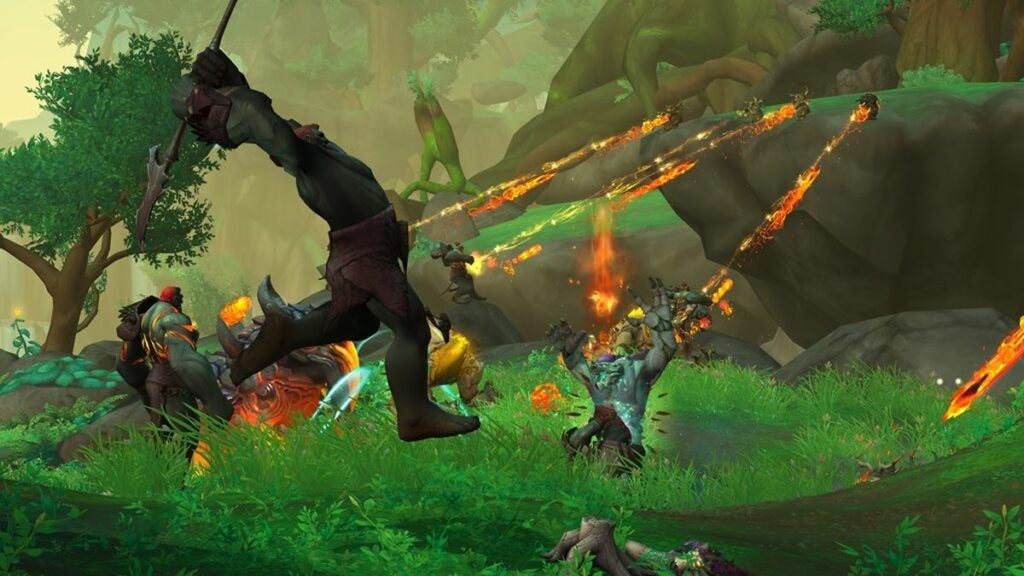
Dust off your mount because the climb to Stormshroud Peak is more than a hop, skip, and a jump—it’s basically a vertical marathon. But hey, you’re not alone. The whole community is buckled in for this adventure. Trust us, it’s worth every step.

Secrets of Azeroth Day 13 in WoW

Ah, the Valdrakken Inn. It’s almost like home, isn’t it? After grabbing the quest, get ready to head for Stormshroud Peak in the Thaldrazus area, the heart of today’s action. To locate this peak, navigate southeast from the dragon capital and then make a southwest turn from Tyrhold. Trust us, it’s worth the trek.

Stormshroud Peak and A Curious Orb

Now, here comes the fun part. Stormshroud Peak is dotted with caves, three to be exact. Inside these caves, you’ll find tablets that you’ll reveal using your Torch of Pyrreth. Once illuminated, these tablets enable you to interact with what seems like nondescript mounds of dirt. Voilà, these mounds will give you pieces to form the Orb of Rathmus, our ‘Curious Orb’ for the day. Bring it back to the Valdrakken Inn to complete your quest.

For those of you who love coordinates, here are the waypoints for the caves and their respective orbs:

  • Cave 1:
    • Tablet: /way #2025 50.2 81.0
    • Orb: /way #2025 49.5 79.7
  • Cave 2:
    • Tablet: /way #2025 46.6 77.6
    • Orb: /way #2025 45.9 79.7
  • Cave 3:
    • Tablet: /way #2025 48.7 76.4
    • Orb: /way #2025 50.2 78.0

Fixing A Curious Orb quest bug

Ah, the twist in the tale—the notorious “A Curious Orb” quest bug. So you’ve accepted “A Complete Inventory” and suddenly, poof, it’s marked as done? We feel you, and you’re not alone. This glitch is throwing a wrench into the grand finale quest, “Under Suspicion,” making it a bit of a hot mess.

Thinking of dropping the quest? Hold that thought. The item you snag, the Compiled Report, becomes your clingy ex—just won’t let go. That means you’re stuck in a questless limbo, and we know how disheartening that can be.
One fan vented on the WoW official forums, saying:

“I abandoned this quest and the item, Compiled Report, would not let me take the quest again as it stated I didn’t meet the requirements. Deleting the Compiled Report also does not allow me to get the quest again, and neither does actually solving the clues, so I’m completely unable to complete it now.”

We’ve heard this sad song from many players facing the same hurdle. At this point, the best strategy seems to be to turn in “A Complete Inventory” and carry on. Sure, you’ll miss out on a search quest, but sometimes you’ve got to let go to move forward. Keep those spirits up; there are more adventures ahead!

Have fun

That wraps up our journey through WoW Secrets of Azeroth Day 13, glitches and all. While Stormshroud Peak brought its own set of challenges—both intentional and accidental—we hope you’ve still found some empowerment and excitement along the way. Here’s to hoping the next adventure is as bug-free as a freshly debugged program

Fortnite servers not responding now due to v26.10 update: Patch notes

Fortnite servers not responding issue has reared its head again, just as we’re all hyped about the v26.10 patch notes. Fear not, gamers, we’ve got your back. Let’s get you back to the action and discuss the patch notes later.

Fortnite DOWNLOAD

Fix now: Fortnite servers not responding

If you’re faced with the Fortnite servers not responding dilemma, kiss matchmaking goodbye until it’s fixed. But let’s not mope, let’s troubleshoot!

Check server status

Want to know if it’s a Fortnite thing or just you? Check Fortnite’s server status. Planned maintenance will come with a set downtime. Mark your calendar, count the minutes, and then hop back in to see if life in the Fortnite universe has returned to normal.

Follow official updates

Seriously, you’re missing out if you’re not following @FortniteStatus on Twitter. Get real-time updates on glitches, matchmaking woes, and when everything’s back to being awesome. Don’t forget to turn on those notifications!

Control if platform is up and running

Hold up, sometimes it’s not Fortnite’s fault. Check the server status for PSN, Xbox Live, Epic’s own servers, and the Nintendo Network. If they’re on the fritz, there’s nothing much you can do but sit tight.

Check your internet connection

Hey, we get it, blaming the developers is convenient. But sometimes, the Fortnite servers not responding issue could be lounging in your own hardware. Try the good ol’ reboot trick—restart your router and whatever gaming machine you’re on. Think of it as kicking the gremlins out of your system, making it all shiny and new for another Fortnite session. If you’re still in a pickle after that, Fortnite Support is your next stop.

Check internet speed

Look, we get it. You blame Fortnite servers not responding when it’s actually your Wi-Fi throwing a tantrum. Trust us, lag is the true villain here. Run a quick internet speed test to make sure your connection isn’t the imposter in this game. If your net is crawling, maybe it’s time to give your ISP a “gentle” nudge. Hey, you need optimal speed for those snipes!

Update the game

Oh, you’ve been ignoring those update prompts? Big oops. Sometimes, Fortnite servers not responding is just a code-red way of saying, “Update me, darling!” Seriously, an outdated game version could be the friendship barrier between you and that Victory Royale. Head to your game store, hit that update button, and glide back into the action.

So, you’ve tried everything and you’re still staring at the dreaded Fortnite servers not responding message? Deep breaths. The Fortnite developers are usually on the case faster than you can say “Where we dropping, boys?” Just sit tight, they usually sort things out lickety-split.

Fortnite v26.10 patch notes

We’ve got the fixes out of the way; can we please talk about those juicy v26.10 patch notes now?

Toggle Zoom DMR

Forget about squinting your eyes at far-off targets. The upcoming Toggle Zoom DMR, first teased in the Chapter 4 Season 4 trailer, is raising eyebrows and expectations. Word around the campfire suggests adjustable zoom capabilities, making this weapon a force to reckon with, especially at medium range.

Pizza Party

The moment we’ve all been waiting for—Pizza Party is back! Just in time for Fortnite’s sixth anniversary, this healing item returns to the scene. Great for those squad heals or maxing out your health bar in a jiffy.

The Super Styles

The downtime for the Fortnite v26.10 update will also unlock some Super Styles. These aren’t just any styles; they’re meant to zhuzh up your existing Battle Pass outfits. The community’s eyes are on you, Epic Games—make ’em spectacular!

Fresh Reality Augments

Leaks point toward the addition of three to four new Reality Augments. While we’re not sure which ones will make the cut, it’s pretty clear Epic Games is keeping us on our toes, as they’ve been doing since Chapter 4 launched.

Piper Pace quests

The torch passes from Nolan Chance to Piper Pace for the next set of Snapshot Quests. Expect these missions to weave further narrative threads, particularly about some grand heist involving a time machine and Innovator Slone.

Bug fixes

Let’s be real, even the best games have glitches. This update promises to tackle some nagging issues that have been bugging players. That’s right; some much-needed bug fixes are part of the Fortnite v26.10 package.

How to get Frigibax in Pokemon Go

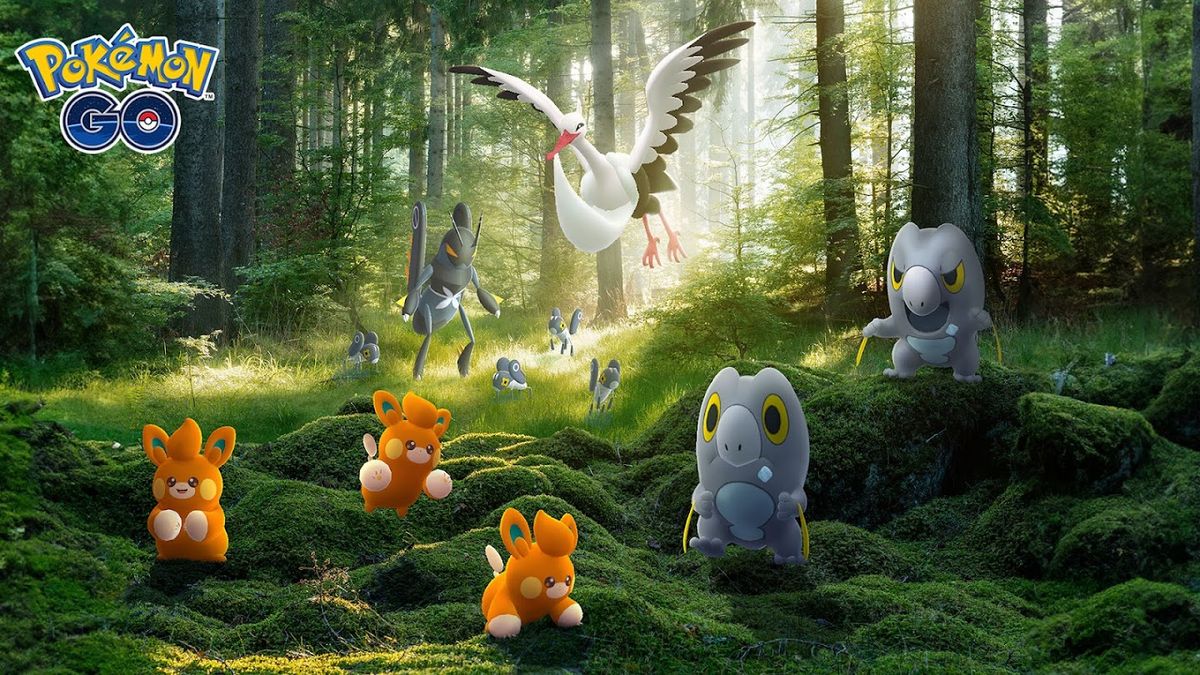
Curious about how to get Frigibax in Pokemon Go You’re in good company! Pokemon GO continues to engage its community with new additions and events. The recent Ultra Unlock: Paldea event has introduced Frigibax, a dual Dragon and Ice-type Pokemon, along with its evolutions, Arctibax and Baxcalibur.

In this guide, we’ll detail everything you need to know about capturing Frigibax and adding it to your Pokedex.

What makes Frigibax special?

Frigibax is part of the Gen 9 Pseudo Legendary Pokemon and boasts a maximum Combat Power of 1410. Alongside powerful movesets and stats, this Pokemon is worth adding to your collection. The Ultra Unlock: Paldea event not only features Frigibax but also other Paldean Pokemon like Nymble, Pawmi, Bombirdier, and more.

Getting Frigibax in Pokemon Go

The primary method to catch Frigibax is through the Ultra Unlock: Paldea event. During the event, Frigibax appears as a wild spawn, with its spawn rate experiencing a significant boost.

Utilizing in-game items for increased spawn rates

Spawn rates for Frigibax can be enhanced even further by using items like Pokemon GO Lure Modules, Incense, and the Weather Boost function. Areas with windy and snowy weather conditions are particularly beneficial for encountering Frigibax.

Strategy for increasing Frigibax spawn

To maximize your chances, head to PokeStops and Gyms experiencing windy or snowy weather. Use a Glacial Lure Module, light some Incense, and walk around the area. These actions will stack, dramatically increasing the spawn rate of Pokemon influenced by these weather conditions.

Evolving into Arctibax and Baxcalibur

Once you’ve caught Frigibax, you’ll need Pokemon GO Candy to evolve it into its next stages. Evolving Frigibax into Arctibax requires 25 Candy, while evolving Arctibax into Baxcalibur will set you back 100 Candy. Candy can be obtained by catching multiple Frigibax during the event.

Will Frigibax have a Shiny variant?

As of now, a Shiny version of Frigibax has not been introduced. However, like other Pseudo Legendaries, it’s likely that a Shiny variant will be released in future events.

Fixed: Starfield mods not working

So you’ve launched into the universe of Starfield, only to find your Starfield mods not working? We get it, it’s like preparing for a spacewalk and realizing you’ve left your suit back at the station. Whether you’re a Vortex Nexus Mods aficionado or a DIY modder, fear not. We’re here to help you untangle this cosmic conundrum so you can get back to conquering galaxies—or at least, enjoying your game to the fullest.

How to fix Starfield mods not working bug?

Ah, Starfield—the latest jewel in Bethesda‘s crown. But what’s this? Your mods aren’t working? Don’t fret, space cadet! Whether you’re using Vortex from Nexus Mods or going manual, we’ve got some troubleshooting tips for you:

Check your file names

First things first. Inspect your “StarfieldCustom.ini” filename. Sometimes, like a shapeshifting alien, it morphs into a .txt file or decides to drop its uppercase identity. Make sure it’s correctly named, or you’ll be stuck in this mod-less limbo.

Edit manually

Still facing issues? It’s time to get hands-on with the game’s very own “Starfield.ini” file. We recommend using Notepad++ to ensure you can read the hieroglyphics—erm, characters—of the file. Once you’ve made your edits, set the file to read-only to preserve your changes.

Move mods to My Games

One common mistake is misplacing your mods. If Vortex has been over-ambitious and stashed your mods in the Steam folder, gently relocate them to your My Games folder or the game’s Data folders. After this interstellar migration, try launching the game’s .exe directly.

Tweak the Vortex settings

In your Vortex settings, navigate to Mods and make sure “Hardlink Deployment” is enabled under the “Deployment Method” option. It’s a tiny change, but sometimes the smallest adjustments have the biggest impact—just like adjusting your spaceship’s thrusters.

Final words

Navigating the modding universe of Starfield can be tricky, but you’re not alone on this journey. We’ve all been there, staring at a screen, cursing the modding gods for our ill fate. But armed with these tips, your mods will be back on track faster than you can say “hyperspace.” And remember, Starfield mods not working today could mean a new voyage of discovery tomorrow. Keep exploring, space cowboy!

FAQ

What’s causing my Starfield mods to malfunction?

The primary issue is often tied to the various Starfield “.ini” files that need to be properly configured and recognized by the game. Additionally, the arrangement of folders and how you’re deploying the mods—whether manually or through tools like Vortex—can be contributing factors.

What steps can I take to resolve issues with non-working Starfield mods?

Confirm the “StarfieldCustom.ini” file is named correctly and isn’t saved as a .txt file. Use Notepad++ to safely edit the “Starfield.ini” file in the game folder and set it to read-only mode. Make sure your mods are saved in the correct game folders—namely My Games and the game’s Data directories. Also, enable Hardlink Deployment in your Vortex settings and try launching the game’s .exe directly.

Are there any utilities that can simplify the modding process for Starfield?

At present, there are specific mods that can assist with accurately formatting the “StarfieldCustom.ini” file. While no Script Extender mod exists for Starfield just yet, we’re optimistic that future tools may make the modding process significantly smoother.

Trending TikTok songs: Last week’s hits

If you’ve been scrolling through TikTok lately—and let’s be real, who hasn’t—you’ve probably caught yourself humming a catchy tune you heard for a grand total of 15 seconds. Yes, we’re talking about those trending TikTok songs that are as infectious as they are pervasive.

Not only do they spice up your feed, but they also offer a quick escape from everyday life. Wondering why these snippets of sound hold so much sway? Stick with us, and you’ll soon become an aficionado of TikTok’s musical universe.

Top 3 trending TikTok songs in the “Popular” category

Song 1: Oh U Went (feat. Drake) by Young Thug

  • “Oh U Went” is a tune where Young Thug and Canadian megastar Drake join forces. Young Thug talks up his growing wealth, while Drake chimes in about his established status in the music world. The end result? A song that’s both melodic and has that edgy trap vibe we all love.
  • If “Oh U Went” reminds you of Thug’s 2019 hit “Mannequin Challenge” with Juice WRLD, you’re onto something. Just like in the earlier track, Young Thug uses a playful, repetitive rhythm. Drake, for his part, channels the laid-back flow we first heard from Juice WRLD.
  • Young Thug doesn’t shy away from sprinkling in some nods to his edgier lifestyle in the song. These references eerily foreshadowed his arrest in May 2022. Meanwhile, Drake chimes in, affirming Young Thug’s lyrics and adding his own spin to the track.

Song 2: A Little Too Good by Vincent Mason

  • Vincent Mason’s “A Little Too Good” dives deep into the bittersweet territory of a love story that’s come to an end, yet its echoes remain. The song takes us into the early morning hours, where loneliness and nostalgia collide.
  • The lyrics really hit home for anyone who’s been through a breakup. From parked cars under starry skies to that lingering feeling of ‘forever,’ the song encapsulates those moments we’ve all experienced but are hard to put into words. It’s like reliving those precious memories through a musical lens.
  • But here’s the kicker—while things seemed perfect back then, the song reflects on how everything felt a bit too perfect, a bit too fast. It’s that ‘too good to be true’ realization that brings a sense of grounding, making “A Little Too Good” a track that resonates on multiple emotional levels.

Song 3: Eat That But by Moblilb3000

  • “Eat That But” by Moblilb3000 is truly a creature of the community, born from the collective creativity that makes the internet such an amazing place. While the details about its origins are as mysterious as a locked treasure chest, its impact is undeniable.
  • The song may not come with a backstory, but that’s part of its allure. It’s like that random piece of art you find in a thrift store—no signature, no artist’s statement, but somehow it draws you in and keeps you guessing.

Top 3 Trending TikTok songs in the “Breakout” category

Song 1: Alone With You by Arz:

  • “Alone With You” by Arz breaks away from the typical rap game norms to deliver a love song that’s more roses than racy. It’s a refreshing detour into romance, providing a softer side that often goes unexplored in the genre.
  • Now, this isn’t your run-of-the-mill rap track. The lyrics veer away from the usual topics, focusing instead on the sweet little things that make love, well, lovely. Think less about bling and swagger, and more about flowers, tender kisses, and cozy movie nights.
  • At the heart of it all, Arz’s message is simple but profound: he wants to be alone with the one who makes his heart sing. It’s a song that gives you permission to unapologetically celebrate love, making “Alone With You” a unique gem in the rap scene.
@eliza_kennedy

Caught flights and feelings.

♬ Alone With You – Arz

Song 2: Hood Rats (with Sukihana) by Sexyy Red & Sukihana:

  • “Hood Rats (with Sukihana)” by Sexyy Red & Sukihana is the track you didn’t know you needed but won’t be able to forget. With lyrics that are raunchy enough to make even a sailor blush, this song isn’t for the faint of heart—but boy, is it entertaining!
  • When it comes to delivery, both Sexyy Red and Sukihana are in a league of their own. They serve up the NSFW lines with a side of sass and a dash of charisma, showing they both own their space in the rap world. Let’s also give a nod to the production: crisp as a freshly ironed shirt and just as smooth.
  • Don’t let the naughty lyrics fool you; this song is all about having a good time. From the production to the performance, it’s designed to make you laugh and maybe even dance a little. It’s a fun-fest from start to finish, and we have a hunch you’ll agree.

Song 3: Particles – Slowed by Viliam Lane:

  • “Particles” isn’t your average instrumental track; it’s more like a sonic journey through a cosmic landscape. Imagine a black hole forming in the vast expanse, all while a seemingly immortal teleported cameraman captures it—yeah, it’s that kind of extraordinary.

How music defines the TikTok experience?

Imagine TikTok without music. It’s like a peanut butter and jelly sandwich minus the jelly—sure, it’s still good, but something crucial is missing. Music is the heartbeat of TikTok; it fuels viral dances, makes memes more meme-y, and adds the extra sparkle to your pet’s adorable antics.

Trending TikTok songs

The trending TikTok songs you hear everyday may only involved in short clips, but they pack a punch, setting the mood and often driving the narrative of a video.

What makes a song TikTok Famous?

Alright, so we’ve established that music is TikTok‘s secret sauce. But what elevates a song from mere background noise to full-blown TikTok fame? We think it boils down to a few factors:

  • Catchiness: If the tune is stuck in our heads after one listen, that’s a winner.
  • Meme potential: A song that lends itself to various interpretations or funny scenarios has a higher chance of going viral.
  • Cultural resonance: Sometimes, a song encapsulates a moment or a feeling that many can relate to, propelling it to stardom on the platform.
Trending TikTok songs

Tune in next week for a new playlist

Alright, music explorers, we’ve given you the lowdown on this week’s chart-toppers and breakout stars. But let’s be honest, the playlist of trending TikTok songs is as dynamic as a well-executed dance challenge. Songs rise, songs fall, and who knows what viral treasure we’ll be humming next week? So, mark your calendars and tune in next week. We promise a whole new playlist that’ll have you saying, “I heard it here first!”

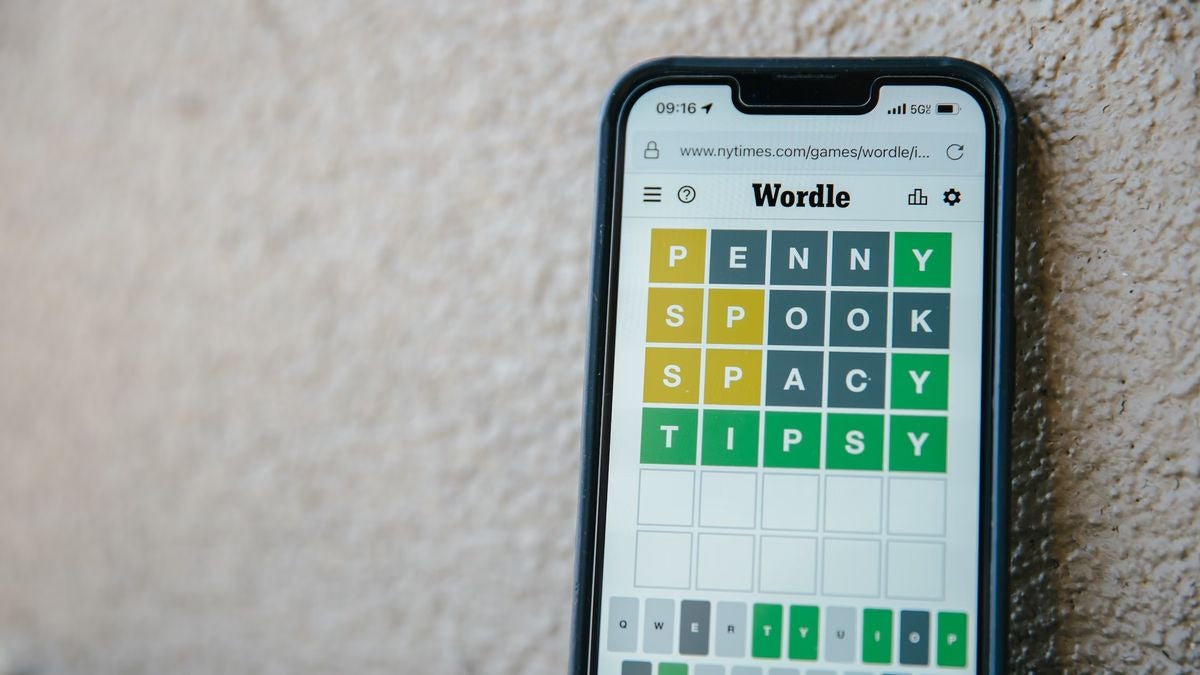
Wordle 809 answer (6 september 2023)

Hey, we get it—life happens. Maybe you’re on vacation, swamped with work, or simply not feeling your best. But you’re a Wordle fan, and the idea of breaking that hard-earned streak has you feeling more tense than relaxed.

Can’t find the Wordle 809 answer? No worries

We’ve all been there, staring at an empty grid, the clock ticking down. But don’t worry; we’ve got your back with some super helpful Wordle hints and clues that’ll steer you in the right direction. Or hey, if you’re really desperate, you can jump to the end for the Wordle 809 answer. We won’t judge.

Now, let’s talk origin story. Hats off to Josh Wardle, a Welsh engineer who concocted this brain teaser originally as a gift for his partner—a devoted word game enthusiast. He then tested the waters by sharing it in a family group chat. Guess what? Everyone was hooked! Recognizing the gem he had, he decided to spread the joy and made the game public.

In a chinwag with The New York Times, Wardle credited the game’s one-puzzle-a-day limit as the secret sauce behind its viral glory. “That enforced a sense of scarcity,” the Times reported. This innovative touch was inspired by the newspaper’s own daily challenge, Spelling Bee. And to keep it fair and fun for everyone, Wardle, along with his partner Palak Shah, curated a list of 2,500 English five-letter words from an initial daunting list of 12,000. So, no worries—there’s plenty of Wordle answer fun to keep you puzzled for almost seven years!

Today’s Wordle hint

Alright, word sleuths, today’s Wordle challenge throws a curveball your way with its quirky letter arrangement. Don’t worry, the letters themselves are as common as your morning coffee, but the way they come together? That’s the fun part! Plus, there’s no annoying repetition of letters, so that narrows it down a bit. For your starting gambit, stick with the crowd-pleasers—those popular consonants.

Wordle 809 tips for September 6

Ready for the nitty-gritty? Drum roll, please:

  • The word kicks off with the letter G.
  • It’s a low-maintenance word with just one vowel, and that’s an A.
  • The grand finale? The word wraps up with an H.
  • Oh, and there’s a silent letter in there just to keep you on your toes.

Feeling enlightened yet? We believe these clues should make your Wordle 809 answer hunt a cakewalk. But hey, if you’re still scratching your head, scroll down for the final reveal. No judgment here!

Wordle 809 answer for September 6

Heads up, SPOILER AHEAD! Seriously, if you’re not in the mood for spoilers, now is the time to skedaddle. Last call to preserve the mystery of today’s puzzle!

Ready? Okay, here it is: The Wordle 809 answer for today is GNASH. If you nailed it, hats off to you! For the uninitiated, “gnash” means to rapidly clench your top and bottom teeth together. It’s like what you do when you’re frustrated, but hopefully, today’s Wordle didn’t get you to that point!

Be sure to swing by tomorrow for more fun and puzzling clues. We’re all about keeping that Wordle streak alive!

Why people love Wordle?

Let’s explore why people love Wordle!

The “Eureka!” factor

The joy in Wordle isn’t just in winning; it’s in that “aha” moment when the answer finally clicks, giving you a rush psychologists call “sudden influx of fluency.”

And hey, even if you don’t nail it, seeing the Wordle answer light up feels like a mental high-five. This buzz isn’t just for games; we crave it in work puzzles and relationship riddles too.

A welcome distraction from the noise

With a constant barrage of troubling news, it’s easy to feel overwhelmed. Enter Wordle, your five-minute sanctuary of “flow,” that blissful state where challenge meets engagement, sans overwhelm. As Baldwin noted, Wordle strikes a balance—it doesn’t devour our attention, but it’s not a walk in the park either. Think of it as brain yoga, not just another screen time-filler.

The joy of shared reality

Ever discovered a hidden gem of a band and then found a kindred spirit who’s also a fan? That’s what psychologists call shared reality theory in action. Wordle nails this by making it ridiculously easy to share your puzzle prowess, creating mini-echo chambers of collective enthusiasm.

Less is more: The charm of scarcity

The fact that there’s only one Wordle puzzle per day adds an element of “catch it while you can” excitement. This scarcity keeps us coming back for more, making each Wordle answer a highly anticipated daily event.

The social glue of peer pressure

If you’ve seen even one friend post their Wordle score online, you’ve felt it—that low-key urge to join the bandwagon. It’s not just FOMO; it’s about in-group identity. Sharing your Wordle achievements syncs you with your circle, solidifying social bonds and giving everyone something to rally around.

Show your smarts, without the brag

Let’s be honest: we love a good opportunity for social comparison, and Wordle delivers. Posting your scores isn’t just a “hey, I’m part of the tribe” signal; it’s also a socially acceptable way to flex those intellectual muscles.

Pokemon Go Paldean Adventure: How to choose a path

Pokemon Go fans, listen up! When diving into Special Research events like “A Paldean Adventure,” you’ll get a rare chance to do something pretty old-school: choose a path for your Starter Pokemon.

Pokemon Go’s Paldean Adventure event is started

From September 5 to 10, the Paldean Adventure event introduces newcomers from the Scarlet and Violet realms—Sprigatito, Fuecoco, Quaxly, and Lechonk. Each one plays a pivotal role in the research tasks you’ll tackle.

While all four critters are essential, it’s the Starter Pokemon—Sprigatito, Fuecoco, and Quaxly—that offer a unique dilemma. You’ll need to pick one, reminiscent of the choices you make at the start of a traditional Gen IX experience. So choose wisely!

The “A Paldean Adventure Special Research” isn’t a sprint; it’s more like a marathon. Taking at least a week to finish, your initial choice impacts the type of tasks and rewards that appear along your journey to complete the research. So, whatever path you choose, be ready for a tailored adventure.

New Pokemon releases

Hold on to your Poke Balls, because Pokemon Go is rolling out the red carpet for some ninth-generation stars in its Paldean Adventure event. Let’s dive into the newcomers you’ll be able to catch, evolve, and battle with!

Meet the ninth-gen starter Pokemon and their evolutionary families:

  • Sprigatito evolves into Floragato and finally into Meowscarada.
  • Fuecoco transitions into Crocalor, which then evolves into Skeledirge.
  • Quaxly evolves into Quaxwell and then culminates as Quaquaval.

To evolve these starters, you’ll need 25 Candy for the first-stage evolution and another 100 Candy to reach their final form. Choose a path wisely, because these Pokemon will be powerhouses on your team.

But wait, there’s more! Lechonk is also making an entrance, evolving into Oinkologne. This porky Pokemon will require 50 Lechonk Candy for its transformation, and the evolved form will vary depending on the gender of your Lechonk.

Got a knack for finding rarities? Keep your eyes peeled for Shiny Lechonk. Plus, there are PokeStop Showcases centered around finding the biggest Lechonks out there, offering an opportunity for some sweet rewards.

Note: Once the Paldean Adventure wraps up, don’t fret. Sprigatito, Fuecoco, and Quaxly will move to 5 km Eggs. As for Lechonk, you’ll find it in the more accessible 2 km Eggs.

Paldean Adventure event bonuses

During the Paldean Adventure event in Pokemon Go, you won’t just be catching new Pokemon. Prepare to reap some sizable bonuses that’ll make even a casual player feel like a Pokemon Master. Let’s dig into the perks you can enjoy:

  • Catching any Pokemon during this event will net you four times the usual XP. That’s right, 4x the XP to level up faster!
  • Alongside the XP, you’ll also collect four times the Stardust. Perfect for powering up your Pokemon team!
  • Keep an eye out for PokeStops transforming into Gold PokeStops—no Golden Lure Modules needed!

And for all you Shiny hunters, you’re in luck. Hoppip, Houndour, Buizel, and Fletchling will appear in their Shiny forms at higher rates. Shiny Pokemon are the unicorns of Pokemon Go, so don’t miss out on this chance to snag one, or maybe even a few!

Note: Spinning these Gold PokeStops will give you Gimmighoul Coins, but heads up—you won’t find any Roaming Form Gimmighouls here.

How to choose a path in Paldean Adventure?

When it comes to choosing a path in Pokemon Go’s A Paldean Adventure Special Research, it’s more about personal preference than anything else. Rest assured, this research isn’t confined to the Paldean Adventure event alone; it’s part of the larger Adventures Abound season that stretches until December 1. So, you can jump into this quest at your own pace.

After you ace the first set of tasks in the A Paldean Adventure research, you’ll face a fun decision: Adventure with Sprigatito, Adventure with Fuecoco, or Adventure with Quaxly. Each choice revolves around a different Starter Pokemon from the Scarlet and Violet regions, which, of course, influences the research tasks and rewards you’ll encounter.

In terms of research tasks, the differences are subtle but meaningful. You’ll need to catch and evolve your chosen Starter at least once, which shouldn’t be a tall order. Plus, you’ll get to meet your selected Starter more often in encounters—sort of like a personalized adventure with your new buddy.

The rewards across the three paths are pretty consistent, with slight variations that cater to your chosen Starter. So, don’t stress too much about the “right” choice. Pick your favorite Paldean Starter Pokemon and enjoy the journey!

Boosted wild Pokemon spawns

During the Paldean Adventure event, prepare to meet eight Pokemon with boosted spawn rates, many of which are making their debut. Keep your Pokéballs handy for these event-specific encounters:

  • Sprigatito
  • Fuecoco
  • Quaxly
  • Houndour
  • Lechonk
  • Hoppip
  • Buizel
  • Fletchling

Featured raid bosses

For all you Raid enthusiasts, assemble your teams! The Raid Boss lineup during this event aligns perfectly with the Paldean Adventure theme. So grab your pals and go tackle these Pokemon while you can:

  • Unown P: One-Star
  • Unown A: One-Star
  • Unown L: One-Star
  • Unown D: One-Star
  • Unown E: One-Star
  • Machamp: Three-Star
  • Camerupt: Three-Star
  • Metagross: Three-Star
  • Turtonator: Three-Star
  • Kartana: Five-Star
  • Celesteela: Five-Star
  • Mega Manectric: Mega Raid

Tip: From September 1 to 8, Kartana is a Northern Hemisphere exclusive, and Celesteela is for the Southern Hemisphere. But don’t worry, they’ll swap hemispheres from September 8 to 16. So everyone gets a chance!

How to link an EA account to Twitch

Looking to get those coveted Twitch drops via your EA account? We know the FOMO is real, so let’s tackle this simple task together and get you all set up.

Trust us, it’s a breeze and you’ll be in and out in under 60 seconds.

Linking an EA account to Twitch

Wondering about the nitty-gritty? Here’s your road map:

  • Head over to “ea.com/twitchlinking” and either log in to your existing account or create a new one.
  • Make sure you’re logged in to the Twitch account where you intend to watch streams and claim rewards. This ensures you won’t miss out on any offers.
  • If you have Login Verification enabled, you’ll be prompted to enter a security code. Simply input the code and click “Log In.
  • If you use App Authenticator, a security code will be sent to your mobile device for verification.
  • For those who haven’t enabled extra security features, the code will be sent to your registered email address.
  • After entering the code, locate and click the “Yes, link them” button to finalize the linking process between your EA and Twitch accounts.
  • A notification will appear confirming that the accounts are successfully linked.

After completing these steps, you can navigate to the “Connections” tab to verify that Electronic Arts is now listed among your connected accounts.

Note: Double-check to ensure that the Twitch account you’ve linked to your EA account is the correct one. Follow Twitch’s guidelines on how to claim Drops, which you can find in your Twitch Settings under “Connections.”

If you find that your rewards are MIA, revisit the criteria for the Twitch Drop you’re aiming for. Sometimes, simply watching a stream enters you into a drawing rather than guaranteeing a drop.

How to unlink your EA and Twitch accounts?

Decided that unlinking is the best course of action? Here’s how to do it:

  • Navigate to your connections on “twitch.tv.” You’ll likely need to log in first.
  • Scroll down to the section labeled “Other connections.”
  • Locate “Electronic Arts” and click the “Disconnect” button next to it.

Why link your EA account to Twitch?

Twitch frequently hosts special events and offers exclusive drops. Linking your EA account to Twitch opens up a world of opportunities, from special in-game consumables to exclusive cosmetics like skins.

As laid out in the steps above, connecting your accounts is a simple, straightforward process. Successfully following the guide will have your EA and Twitch accounts synced up and ready for action.

How to get Essence of the Oversoul in Destiny 2

In Destiny 2, the Crota’s End raid offers the Necrochasm as its top-tier loot, a reward eagerly sought by many Guardians. Central to obtaining and upgrading this coveted weapon is the Essence of the Oversoul, a vital resource you will encounter upon completing any part of the Crota’s End activities.

Essence of the Oversoul isn’t just a collectible to stash away; it’s the linchpin for transforming your Eidolon Ally into the fearsome Necrochasm. Even if you already own this Exotic weapon, you’re not off the hook. You will need more of that Essence to unlock its catalyst feature. So if you’ve previously conquered Crota under contest mode, a return trip to face the Son of Oryx is inevitable. Your objective? Knock him around and get your hands on some more of that Essence.

Spotting an Essence of the Oversoul among your loot drops should be a cause for minor celebration. It nudges you that much closer to the full glory of Necrochasm. Of course, snagging it is a matter of luck. But hey, isn’t that part of the fun?

How to find Essence of the Oversoul in Crota’s End?

For those venturing into Destiny 2‘s Crota’s End raid with hopes of scoring or upgrading the Necrochasm, collecting Essence of the Oversoul is critical. This much-sought-after item can drop randomly after you have managed to tackle any encounter in Crota’s End.

Now, it’s not all up to the luck of the draw. You can secure a fixed amount of Essence of the Oversoul by achieving certain triumphs. Each encounter-specific triumph or challenge yields one Essence, and if you complete encounters with teammates using the same class as you, that will also net you one Essence.

However, a heads up: You won’t score any extra Essence from hidden chests, finishing the entire raid, or having a team with matching subclasses. Those strategies won’t bolster your Essence of the Oversoul inventory.

Wondering which triumphs offer Essence of the Oversoul as a reward? Here is a handy list:

  • Perfected Truth: Flawless clear grants you three Essence.
  • In Unison: Conquer Crota’s End with all six guardians in the same class.
  • Conservation of Energy: Successfully complete the Abyss encounter challenge.
  • Feather-Light: Finish the Abyss without any player accumulating 10 stacks of Weight of Darkness.
  • Precarious Balance: Nail the encounter challenge for The Bridge.
  • Threatening Reach: Take out all the Swordbearers at The Bridge from the other side.
  • Equal Vessels: Complete the Ir Yût encounter challenge.
  • Communal Rites: Ensure that at least one player expunges Ir Yût in each round.
  • All For One: Accomplish the encounter challenge for Crota.
  • Singular Sensation: Defeat Crota with only one player Enlightened at any given time.
  • Broken Throne: Clear all Crota’s End encounters on Master difficulty, earning you two Essence.

Collecting Essence of the Oversoul via these triumphs and challenges is a surefire way to get closer to wielding or upgrading your Necrochasm, making you a more formidable Guardian in the process. So why not give it a try? After all, you have got nothing to lose and a powerful Exotic weapon to gain.

Does farming Essence of the Oversoul make sense in Destiny 2?

If you are itching to amass Essence of the Oversoul, you might be wondering if farming is a viable strategy. According to preliminary community insights, it seems you can indeed farm this valuable resource by running through Crota’s End multiple times.

Now, before you jump in excitedly, remember: You can’t farm weapons and armor in the same way. Those are restricted to one drop per encounter per class each week. However, revisiting the encounters can land you Spoils of Conquest along with another chance at securing Essence of the Oversoul.

It is worth noting that Crota’s End is a relatively new addition to the Destiny 2 raid lineup. So, some specifics and limitations might still be a bit fuzzy. More time and community input will likely clarify any nuances or restrictions involved in farming Essence of the Oversoul.

In a game like Destiny 2, where complexities often intersect, it is refreshing to see an approach to acquiring Necrochasm that doesn’t require jumping through myriad hoops. You can essentially advance at your own pace, giving you a more relaxed path to unlocking or enhancing this powerful Exotic. So if farming is your thing, you have got the green light to go for it. After all, the more Essence of the Oversoul you collect, the closer you are to wielding the Necrochasm in all its glory.

How to use Google Duet AI in Google Workspace

Google wants to let everyone know that it is also in the generative AI race, and recently, the company revealed its new technology at the Cloud Next 2023 event. Here is how to use Google Duet AI in Google Workspace!

Google has announced that it is adding a new AI assistant to Gmail called Duet AI. Duet AI can help users draft and customize their emails and assist with other tasks in Google Workspace, such as meetings, documents, and Google Chat. Duet AI aims to streamline the email drafting process and provide users with helpful suggestions to compose more effective and personalized communications. As AI technology advances, we can expect to see more and more AI assistants being integrated into our daily digital interactions.

What is Google Duet AI?

Google is giving its Workspace apps a new AI-powered friend called Duet AI.
Duet AI can help you with everything from drafting emails to creating presentations. It can even translate languages and answer your questions. So whether you’re a student, a business professional, or just someone who wants to be more productive, Duet AI can help you.

Duet AI is like a Swiss army knife for Google Workspace apps. It integrates seamlessly with Google Workspace apps, eliminating the need for manual copying, pasting, or exporting between different programs. This makes it more efficient and convenient for users to work with Duet AI. Duet AI also aims to enhance productivity by providing users with intelligent support across various tasks within these applications.

For example, Duet AI can help users draft emails, create presentations, and summarize documents. It can also help users find information, translate languages, and answer questions. Overall, the integration of Duet AI with Google Workspace apps is designed to make users more productive and efficient. In the next part, we will show you how to use Google Duet AI in Google Workspace!

How to use Google Duet AI in Google Workspace

Well, it has all these cool features, but they are not worth anything unless you know how to use Google Duet AI in Google Workspace. Luckily, the company released it for mass usage, and now everyone can try it for free without paying a single dime. If you want to know how to use Google Duet AI in Google Workspace, check out the step-by-step guide below:

  1. Go to Duet AI’s webpage. (Make sure you are logged in to your Google account)
  2. Click on “Try Duet AI.
  3. Fill in the boxes on the right side of your screen.
  4. Click “Submit.”
  5. Google will return to your trial request as soon as they can.

Google expressed its capabilities perfectly with great examples. Now that you know how to sign up, let’s move on to how to use Google Duet AI.

Gmail

The overwhelming workload can be daunting, but what if you had a collaborative partner that could intelligently assist you in real time, alleviating some of that burden? Duet AI is designed to offer such assistance, allowing you to focus on what truly matters while it handles other tasks.

Consider the scenario of being a financial analyst receiving an email from your boss at 5 PM, requesting a presentation on Q3 performance by 8 AM the following day. Rather than rushing through various documents and spreadsheets, such as forecasts in Sheets, profit and loss statements in Docs, and slides from monthly business reviews, you’ll soon have the option to simply ask Duet AI with a request like “create a summary of Q3 performance.” Duet AI can then take on the heavy lifting, generating an entire presentation complete with text, charts, and images, all drawn from relevant content in your Drive and Gmail.

Google Meet

Google is adding new features to Google Meet to help ensure that everyone can be seen, heard, and understood, even if they are in different locations or have different levels of technology. These features include:

  1. Studio look: This feature uses AI to improve your video call’s camera and sound quality, making you look and sound your best.
  2. Dynamic tiles and face detection: This feature ensures that everyone in a meeting is visible, even if they are in a conference room together.
  3. Automatically translated captions: This feature automatically translates the audio of a meeting into 18 different languages.
  4. Take notes for me: This feature uses AI to take notes and create a summary of a meeting, so you don’t have to.
  5. Summary so far: This feature gives a quick snapshot of everything that has happened so far in a meeting so latecomers can catch up.
  6. Attend for me: This feature allows you to send an AI assistant to a meeting in your place, so you can still participate even if you can’t be there in person.

Google Chat

Google Chat is a new way to collaborate with your team, whether you’re in the office or working remotely.

It’s a chat app that’s integrated with Google Workspace, so you can easily access your files, documents, and other resources.

Chat also has a number of features that make it a great tool for collaboration, including:

  1. A refreshed user interface makes staying on top of conversations easier.
  2. New shortcuts that make it faster to send messages and files.
  3. Enhanced search that makes it easier to find the information you need.
  4. The ability to chat directly with Duet AI can help you with tasks like summarizing documents and answering questions.
  5. Huddles are audio-first, impromptu gatherings that you can start right from Chat.
  6. Support for up to 500,000 participants in a Chat space.
  7. Enhanced smart reply in Gmail uses Duet AI to help you draft longer, more personalized replies with a single tap.

These features make Google Chat a powerful tool for teams that need to collaborate effectively, even when they’re not in the same place.

Is Google Duet AI safe?

Being safe has become an issue with the incredible spike in technology, especially artificial intelligence. Big companies are targets of hackers, and user data is the first thing that comes to mind before exploiting an attack. If you do, you will be using Google Duet AI for work purposes, and what if your data get stolen?

“In Workspace, we’ve always held user privacy and security at the very core of what we do. With Duet AI, we continue that promise, and you can rest assured that your interactions with Duet AI are private to you. No other user will see your data and Google does not use your data to train our models without your permission. Building on these core commitments, we recently announced new capabilities to help prevent cyber threats, provide safer work with built-in zero trust controls, and better support our customers’ digital sovereignty and compliance needs,” Google said in its official announcement.