Skip to content

Softonic English

Just another Softonic Sites site

Custom Models in Adobe Firefly: Train the AI on Your Visual Style

If you’ve been generating images with AI tools for any amount of time, you’ve probably noticed the pattern: everything starts to look the same. The same compositions, the same color palettes, the same visual language. Generative AI has made image creation accessible to anyone with an internet connection, and that accessibility has produced a flood of content with almost no personality. Impressive at first glance, increasingly generic once you’ve seen it a few dozen times.

Adobe has taken a different approach with Adobe Firefly, its generative AI model. One of its newest features, Custom Models, lets you train an AI model using your own images, so what it generates actually reflects your visual identity. If you want to know how it works, here’s what you need.

Adobe Firefly
Adobe Firefly DOWNLOAD

Custom Models in Adobe Firefly: What They Are and How They Work

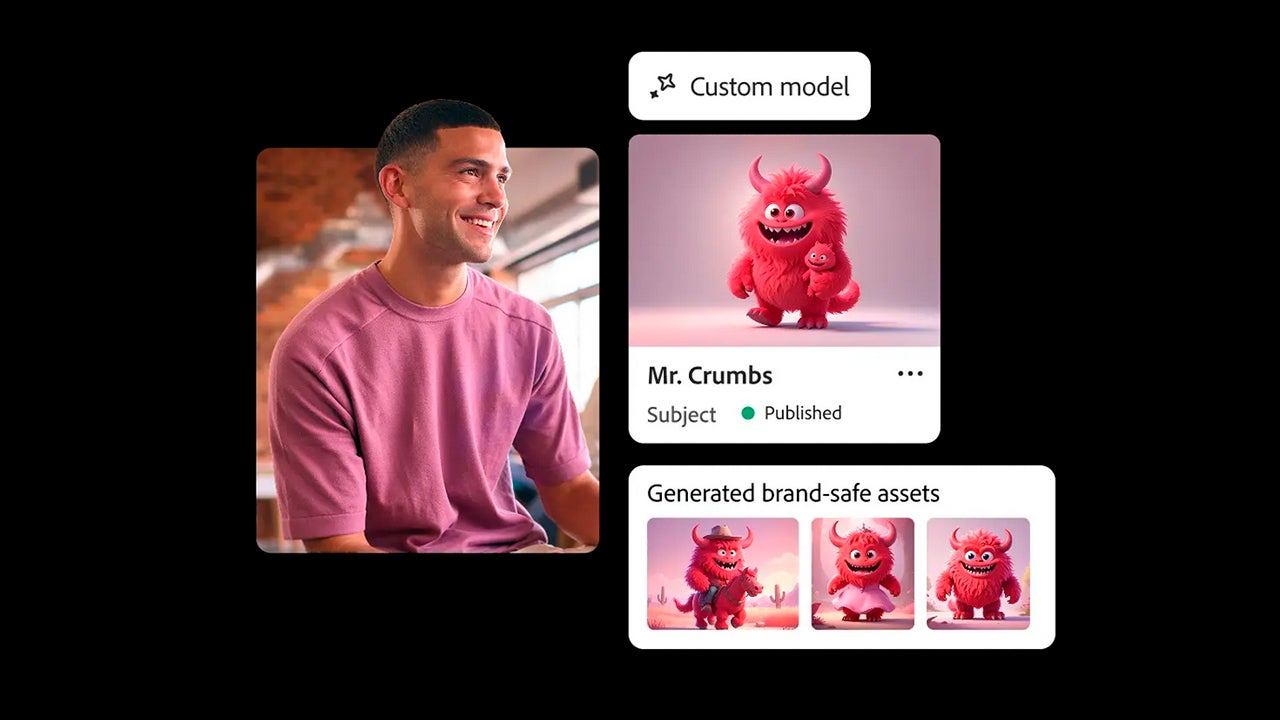
Custom models are AI models trained on your own images. Instead of generating content from Adobe’s general dataset, Firefly learns from the patterns in your work: your color palettes, your visual style, the kind of compositions you typically use.

The difference in output compared to a generic model is significant. When the model is trained on your content, the images it generates look like yours. And since Firefly’s underlying technology is used throughout, everything you create is commercially safe.

If you’re working in an organization, you can share and manage custom models across your entire team. That means faster workflows and visual consistency from the start, instead of everyone generating in different directions.
How to Create Your Own Custom Model in Adobe Firefly

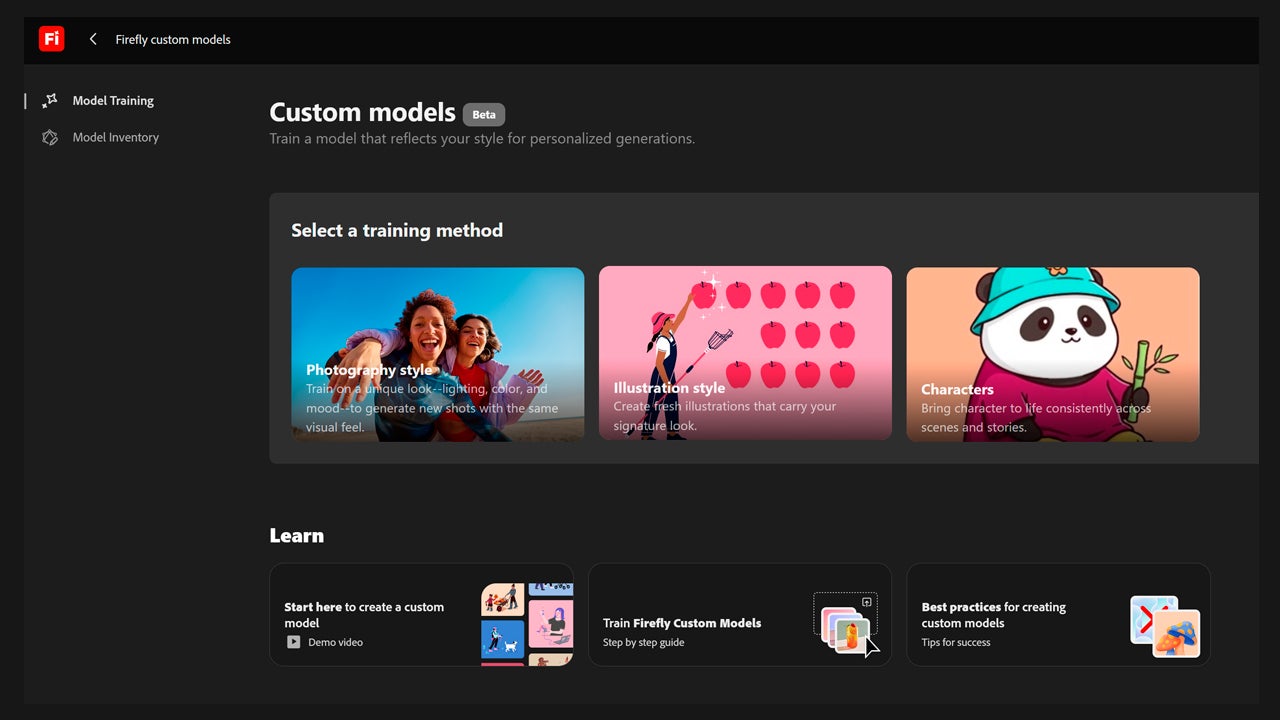
On the Adobe Firefly main page, you’ll find a list of sections in the left sidebar. Click Custom models to get started.

First, you’ll choose a training method. There are three options: photos, illustrations, and characters. Photos is the right pick if you want the model to generate realistic, detailed imagery. Illustrations and characters are more focused on stylized and artistic output.
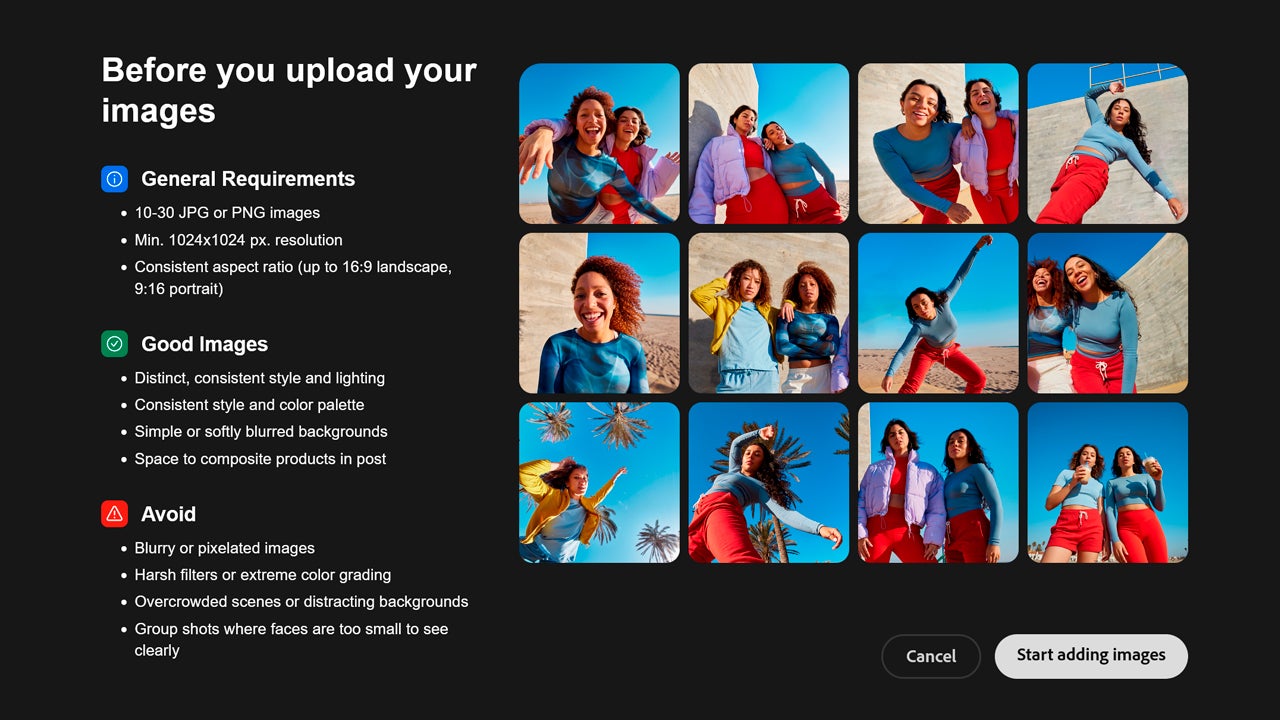
Once you select a category, you’ll see the requirements for best model performance. You’ll need to upload between 10 and 30 images, each with at least 1024 x 1024 pixel resolution and a consistent aspect ratio. The images should share a distinctive visual style and include enough open space for product compositions. Make sure every image is the best quality you have.
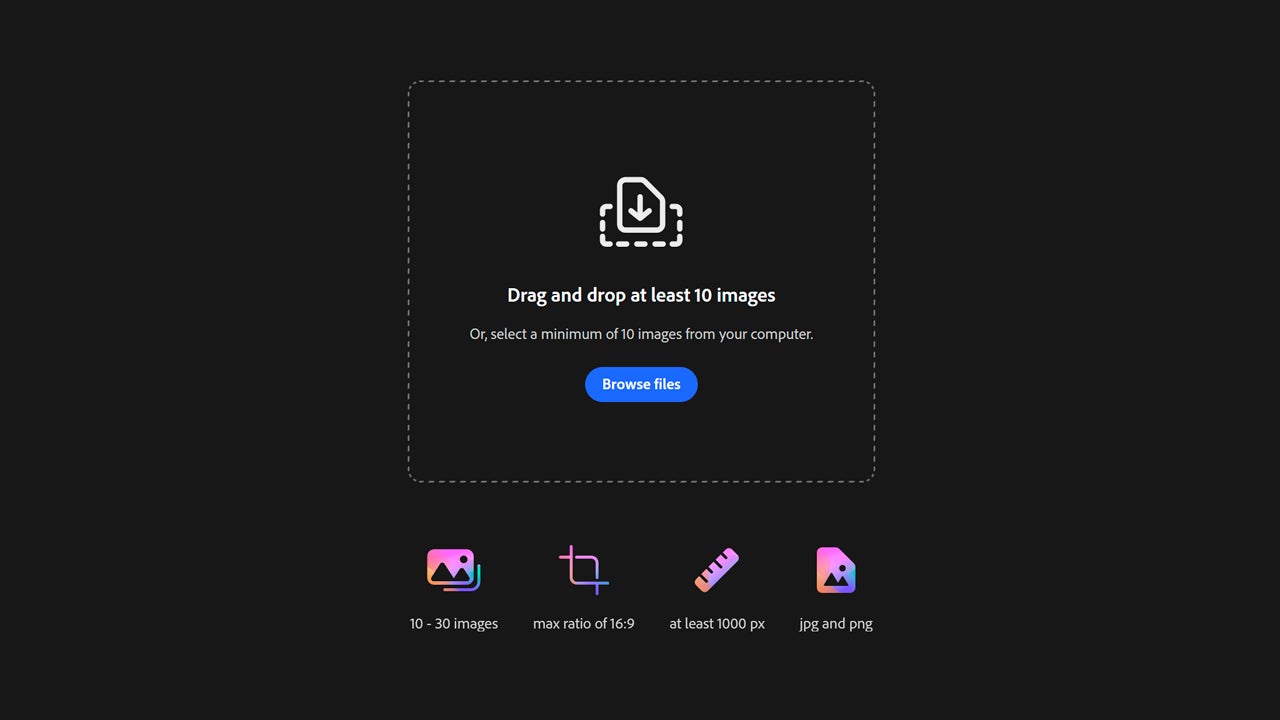
Select Start adding images and upload your files. Firefly will analyze each one. When it’s done, every file gets an automatic description based on what appears in the image. On the right, you’ll see tags you can use later when generating new images.
You’ll also see a Model Score, where Adobe rates the quality of the data you’ve uploaded. Keep in mind it’s a guide only and still in beta.
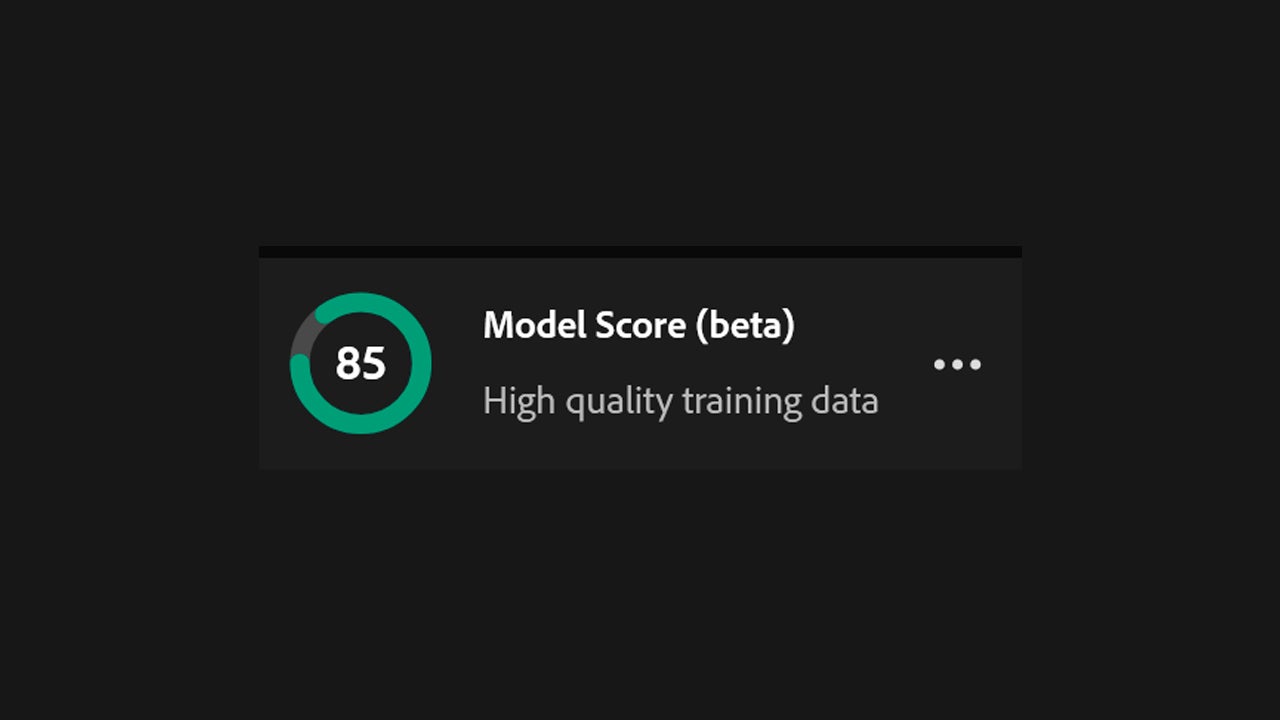
When you’re ready, click Train and grant Adobe permission to use your images to build the model. You’ll receive an email from Adobe when it’s done. You can track the training process from Model Inventory by selecting your project.

Training a custom model currently costs 500 credits. In Adobe, credits are the currency for advanced generative AI features. Depending on your subscription plan, you get a set number of credits per month. If you run out, you can purchase more through this link.

Is My Content Safe Inside Firefly?

If you’re wondering whether it’s safe to upload personal or company material to Firefly to build custom models, the short answer is yes.

Adobe confirms they don’t use your data to train Firefly’s commercial models, the ones available to the general public. You also get control tools to manage who can view the training data and use the models.

You can upload your material without concern. Content Credentials are added to every generated asset, showing how the image was created, which tools were used, and whether generative AI was involved. Adobe’s goal is that anyone can identify whether something was AI-generated or not.

Adobe Firefly
Adobe Firefly DOWNLOAD

Author: María López

{ "de-DE": "Künstler aus Berufung und Technikliebhaber. Seit ich denken kann, habe ich gerne an allen möglichen Gadgets herumgebastelt.", "en-US": "Artist by vocation and technology lover. I have liked to tinker with all kinds of gadgets for as long as I can remember.", "es-ES": "Artista de vocación y amante de la tecnología. Me ha gustado cacharrear con todo tipo de gadgets desde que tengo uso de razón.", "fr-FR": "Artiste de vocation et amateur de technologie. J'aime bricoler avec toutes sortes de gadgets depuis que j'ai l'usage de la raison.", "it-IT": "", "ja-JP": "", "nl-NL": "", "pl-PL": "", "pt-BR": "", "social": { "email": "", "facebook": "", "twitter": "", "linkedin": "" } } View all posts by María López

Author María LópezPosted on May 28, 2026May 28, 2026Categories News

Post navigation

Previous Previous post: Google Drive as Your Professional Second Brain: How to Build a Digital Vault for Every Project, Client, and Deliverable
Next Next post: Reddit Posts Promising Free TradingView Premium Are Installing Malware on Your Device

Recent Posts

  • Reddit Posts Promising Free TradingView Premium Are Installing Malware on Your Device
  • Custom Models in Adobe Firefly: Train the AI on Your Visual Style
  • Google Drive as Your Professional Second Brain: How to Build a Digital Vault for Every Project, Client, and Deliverable
  • YouTube has become an unexpected ally against AI, and no one saw that coming
  • Square Enix announces Dragon Quest XII… again

Archives

  • May 2026
  • April 2026
  • March 2026
  • February 2026
  • January 2026
  • December 2025
  • November 2025
  • October 2025
  • September 2025
  • August 2025
  • July 2025
  • June 2025
  • May 2025
  • April 2025
  • March 2025
  • February 2025
  • January 2025
  • December 2024
  • November 2024
  • October 2024
  • September 2024
  • August 2024
  • July 2024
  • June 2024
  • May 2024
  • April 2024
  • March 2024
  • February 2024
  • January 2024
  • December 2023
  • November 2023
  • October 2023
  • September 2023
  • August 2023
  • July 2023
  • June 2023
  • May 2023
  • April 2023
  • March 2023
  • February 2023
  • January 2023
  • December 2022
  • November 2022
  • October 2022
  • September 2022
  • August 2022
  • July 2022
  • June 2022
  • May 2022
  • April 2022
  • March 2022
  • February 2022
  • January 2022
  • December 2021
  • November 2021
  • October 2021
  • September 2021
  • August 2021
  • July 2021
  • June 2021
  • May 2021
  • April 2021
  • March 2021
  • February 2021
  • January 2021
  • December 2020
  • November 2020
  • October 2020
  • September 2020
  • August 2020
  • July 2020
  • June 2020
  • May 2020
  • April 2020
  • March 2020
  • February 2020
  • January 2020
  • December 2019
  • November 2019
  • October 2019
  • September 2019
  • August 2019
  • July 2019
  • June 2019
  • May 2019
  • April 2019
  • March 2019
  • February 2019
  • January 2019
  • December 2018
  • November 2018
  • October 2018
  • September 2018
  • August 2018
  • July 2018
  • June 2018
  • May 2018
  • April 2018
  • March 2018
  • February 2018
  • January 2018
  • December 2017
  • November 2017
  • October 2017
  • September 2017
  • August 2017
  • July 2017
  • June 2017
  • May 2017
  • April 2017
  • March 2017
  • February 2017
  • January 2017
  • December 2016
  • November 2016
  • October 2016
  • September 2016
  • August 2016
  • July 2016
  • June 2016
  • May 2016
  • April 2016
  • March 2016
  • February 2016
  • January 2016
  • December 2015
  • November 2015
  • October 2015
  • September 2015
  • August 2015
  • July 2015
  • June 2015
  • May 2015
  • April 2015
  • March 2015
  • February 2015
  • January 2015
  • December 2014
  • November 2014
  • October 2014
  • September 2014
  • August 2014
  • July 2014
  • June 2014
  • May 2014
  • April 2014
  • March 2014
  • February 2014
  • January 2014
  • December 2013
  • November 2013
  • October 2013
  • September 2013
  • August 2013
  • July 2013
  • June 2013
  • May 2013
  • April 2013
  • March 2013
  • February 2013
  • January 2013
  • December 2012
  • November 2012
  • October 2012
  • September 2012
  • August 2012
  • July 2012
  • June 2012
  • May 2012
  • April 2012
  • March 2012
  • February 2012
  • January 2012
  • December 2011
  • November 2011
  • October 2011
  • September 2011
  • August 2011
  • July 2011
  • June 2011
  • May 2011
  • April 2011
  • March 2011
  • February 2011
  • January 2011
  • December 2010
  • November 2010
  • October 2010
  • September 2010
  • August 2010
  • July 2010
  • June 2010
  • May 2010
  • April 2010
  • March 2010
  • February 2010
  • January 2010
  • December 2009
  • November 2009
  • October 2009
  • September 2009
  • August 2009
  • July 2009
  • June 2009
  • May 2009
  • April 2009
  • March 2009
  • February 2009
  • January 2009
  • December 2008
  • November 2008
  • October 2008
  • September 2008
  • August 2008
  • July 2008
  • June 2008
  • May 2008
  • April 2008
  • March 2008
  • February 2008
  • January 2008
  • December 2007
  • November 2007
  • October 2007
  • September 2007
  • August 2007
  • July 2007
  • June 2007
  • May 2007
  • April 2007
  • March 2007
  • February 2007
  • January 2007
  • December 2006
  • November 2006
  • September 2006
  • August 2006
  • June 2006
  • May 2006
  • July 2001
  • January 2001
  • November 2000
  • September 2000
  • August 2000
  • July 2000
  • April 2000
  • March 2000

Categories

  • Affiliate post
  • Expert Review
  • Gaming
  • Guides
  • How to
  • Legacy how To
  • News
  • Noticias
  • Software>Security
  • Sponsored
  • Trucos y Consejos
  • Uncategorized
  • Windows software

Meta

  • Log in
  • Entries feed
  • Comments feed
  • WordPress.org
Softonic English Proudly powered by WordPress