Posts promising free access to TradingView Premium have been circulating across Reddit trading and crypto communities for several months. Many of the accounts behind them carry real karma, posting history, and activity patterns that read as legitimate. Comment threads fill quickly with positive responses; critical posts get buried or removed. Scams that advertise themselves are easy to catch. This one doesn’t.
Reports flagged in the r/TradingView community describe posts appearing specifically in subreddits like r/BestTrades, offering no-subscription, no-credit-card access to TradingView’s paid tier. At every stage, the offer is built to pass visual inspection. Just a link, a few steps to follow.
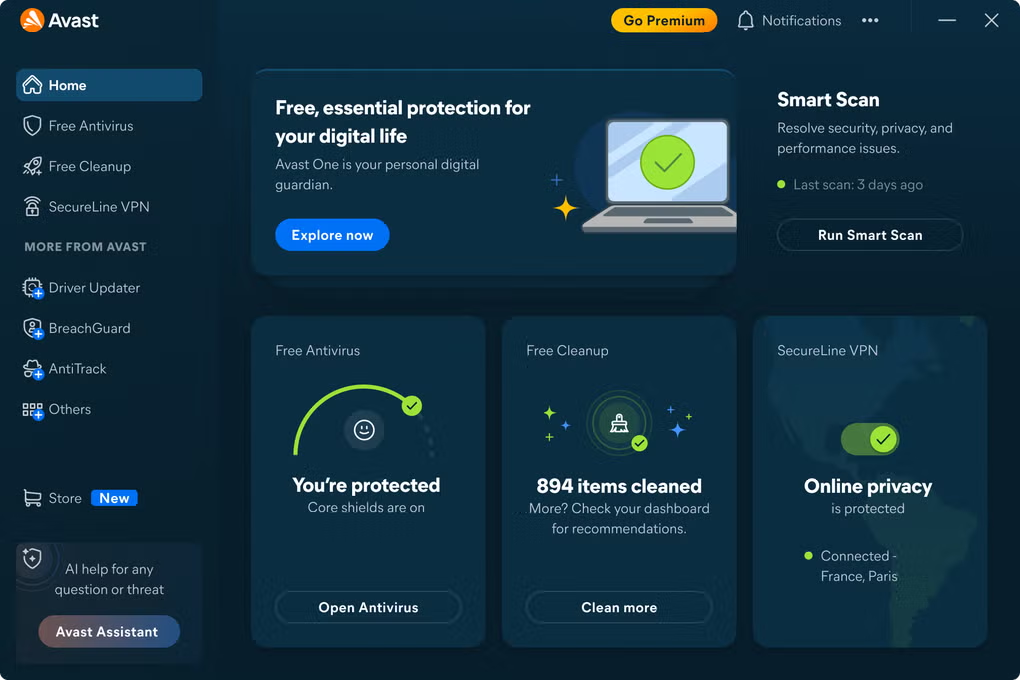
Those steps don’t deliver TradingView. They deliver an infostealer built to pull credentials, session cookies, and crypto wallet data off the device without making a sound. Avast One Free Antivirus is designed to flag these downloads before they execute, which matters precisely because a threat this carefully assembled won’t set off obvious alarms.

How This Scam Is Built
The lure is well chosen. TradingView Premium covers advanced charting, real-time data, and multi-screen setups. Expensive enough that free access sounds worth a click. The posts target Reddit’s crypto and trading communities, where the offer fits the audience.
Accounts posting these don’t look newly created. Months or years of Reddit history, karma, activity that reads as genuine. Positive comments land quickly under each post; warnings from real users tend to get buried. Multiple people have flagged this pattern in r/TradingView specifically.
From there, the link takes users off Reddit to a page designed to look like a standard software download. Files are usually compressed, password-protected, or packaged with an instruction that should stop the process immediately: disable your antivirus before installing.
No legitimate software asks for that.
What actually gets installed depends on the device. On Windows, the payload is Vidar. On Mac, AMOS. Both run silently and are built to collect:
- Saved credentials from your browser
- Session cookies (which hand attackers access to logged-in accounts, no password needed)
- Cryptocurrency wallet data
- Personal files and system information
Most people don’t realize anything happened until an account gets accessed or funds go missing. By then it’s damage control.
The Red Flags Are There, If You Know Where to Look
A well-assembled scam still leaves tells at almost every step.
Start with the offer. TradingView has paid plans. Someone on Reddit distributing premium access through an external download warrants skepticism first, not curiosity about how to grab it.
Download instructions are usually the clearest signal. Real software doesn’t come with a checklist of security workarounds. Password-protected archives, a prompt to disable your antivirus, a multi-step setup that feels more complicated than it should: that friction is there to move malware past your defenses, not because the software requires it.
Watch how the thread behaves. Critical comments disappearing while positive responses pile up in uniform-sounding language: that’s social engineering, not organic discussion.
Urgency is a tell too. Phrases like “grab this before it gets taken down” or “available for a limited time” exist to push you past the part of your brain that would otherwise pump the brakes.
What Actually Keeps You Safe Here
A few habits take most of the risk off the table:
- Download software from its official source. TradingView’s website is tradingview.com. A Reddit post isn’t a distribution channel.
- Any cracked or “free” version of paid software should be treated as malware until proven otherwise. The TradingView pitch is just the current vehicle; compressed files with install instructions are a standard delivery method for exactly this kind of threat.
- Don’t disable your security software to install something. An installer that asks you to do that is the threat. The same logic applies to password-protected archives and setup steps designed to bypass your defenses.
- Take thirty seconds before clicking. Checking the URL, searching for recent reports, or looking at an account’s posting history is usually enough to see through this. These campaigns count on you moving fast.
- An automated layer adds backup when manual checks miss something. Avast One Free Antivirus is built to flag suspicious downloads, dangerous links, and fraudulent pages like those used in this campaign.
Avast One Free Antivirus: What It Does in a Situation Like This
Scams like this keep working because they’re built to pass visual inspection. Accounts look real. Files look like software. Pages look like download pages. Avast One Free Antivirus works at a different layer, flagging potentially suspicious activity before you have to make a judgment call. Coverage includes:
- Real-time malware protection catches viruses, trojans, and infostealers before they execute. No waiting to notice something’s wrong.
- Web Guard and scam detection flags suspicious links and downloads before you click, including disguised installers like those used in this campaign.
- Hack Alert and BreachGuard monitors known data breach databases and alerts you when your credentials or personal data appear in them.
- On public or unsecured Wi-Fi, Network Inspector helps you connect more safely without manual configuration.
- Coverage across Windows, Mac, Android, and iOS, managed from a single dashboard.
No security tool catches everything. But one running automatically in the background stops a lot of these attempts before you ever have to make a call. If you want that protection without adding complexity to your setup, download Avast One Free Antivirus and have it running in minutes.
