Skip to content

Softonic English

Just another Softonic Sites site

Adobe Liquid Model Is Here to Wow You—Are You Ready?

On many occasions, reading a PDF document on your mobile involves constantly zooming in or out. Besides being very uncomfortable, it’s easy to miss details and not find the information you need. Fortunately, Adobe has a tool to make reading much more comfortable: Adobe Liquid Mode. What is Adobe Liquid Mode? No more pinching the screen continuously to read: Adobe Liquid Mode is the solution Adobe proposes to make dealing with PDFs on mobiles easier and more pleasant. This tool uses Adobe’s artificial intelligence […]

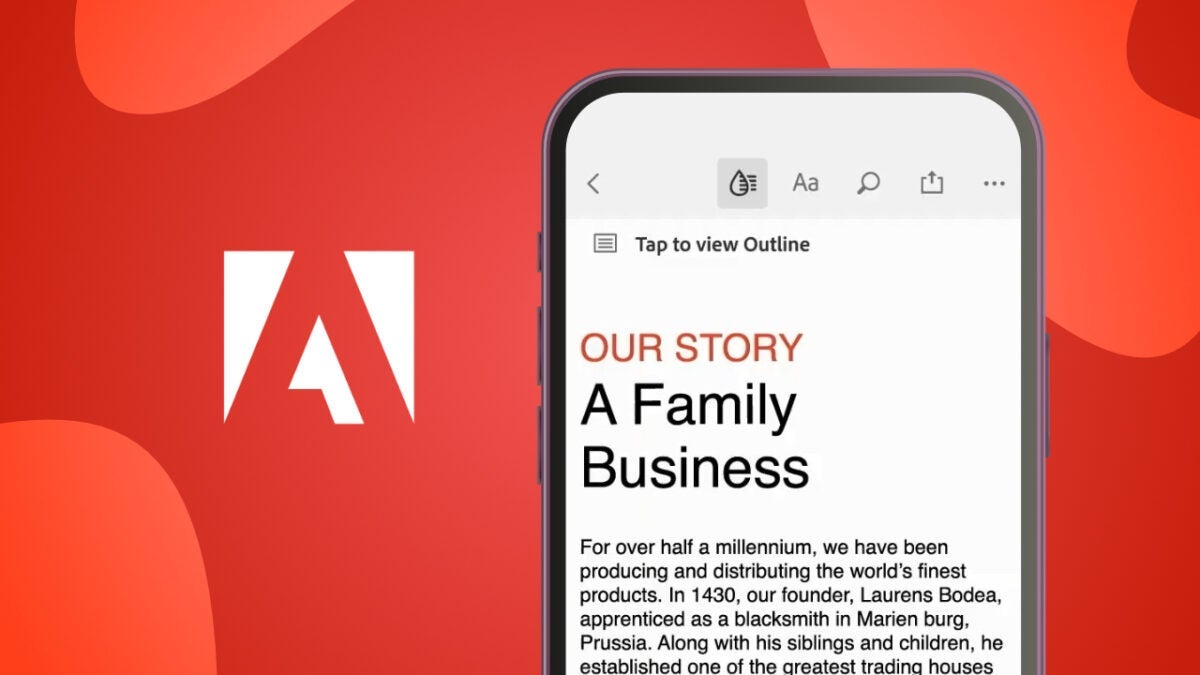
On many occasions, reading a PDF document on your mobile device involves constantly zooming in or out. This can be very uncomfortable, and it’s easy to miss details and not find the information you need. Fortunately, Adobe has a tool that makes reading much more comfortable: Adobe Liquid Mode.

Compare Acrobat Plans
Compare Acrobat Plans Download Free

What is Adobe Liquid Mode?

No more constantly pinching the screen to read: Adobe Liquid Mode is the solution Adobe proposed to make dealing with PDFs on mobile devices easier and more pleasant.

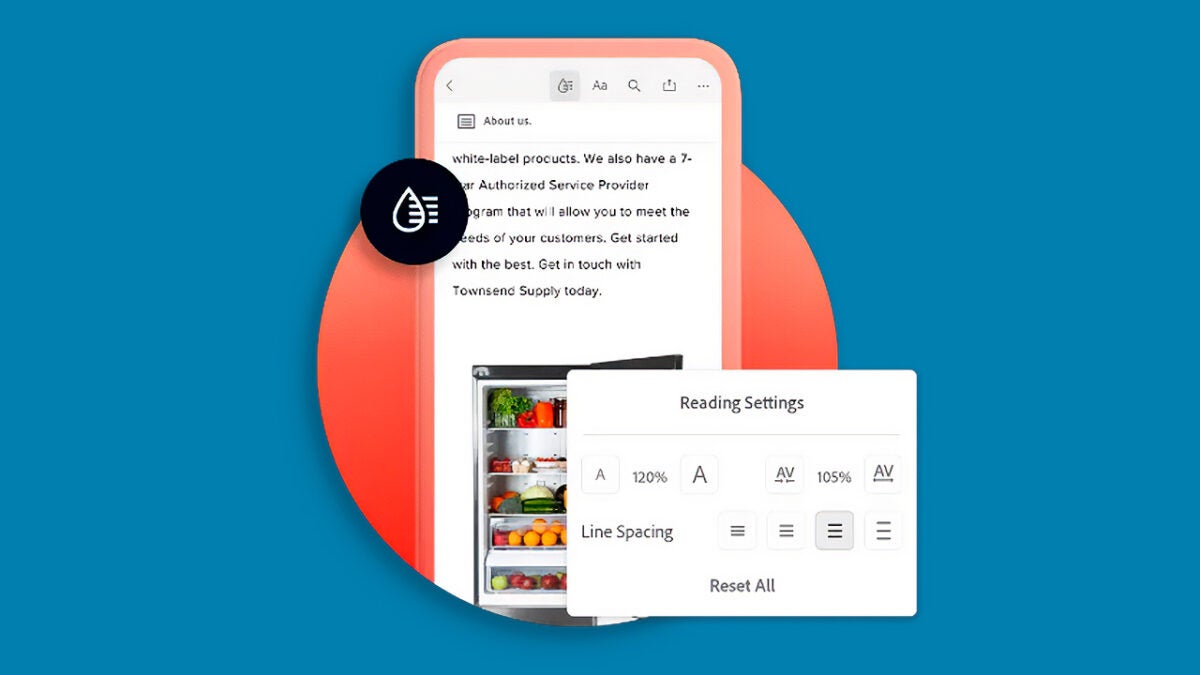
This tool uses artificial intelligence from Adobe Sensei to analyze the document content and reorganize it to fit the size of your device’s screen. Similar to web pages, texts, and headings adapt while images and graphics adjust to make everything clearer.

Liquid Mode not only improves visualization but also allows you to interact with the contents of a PDF. You can, for example, tap a heading to quickly jump to that section or search for keywords. This feature can be useful for students, professionals, and anyone who needs to read lengthy documents on their mobile device.
How can I use Adobe Liquid Mode?

To begin, make sure you have the Adobe Acrobat Reader app installed on your mobile. It is free and available for both Android and iOS. Now, follow these steps:

  • Once the application is installed, open the PDF file you want to view. To do this, go to the File icon and select where your file is located. You can also open it directly from your email, cloud storage applications like Google Drive, or your own device.
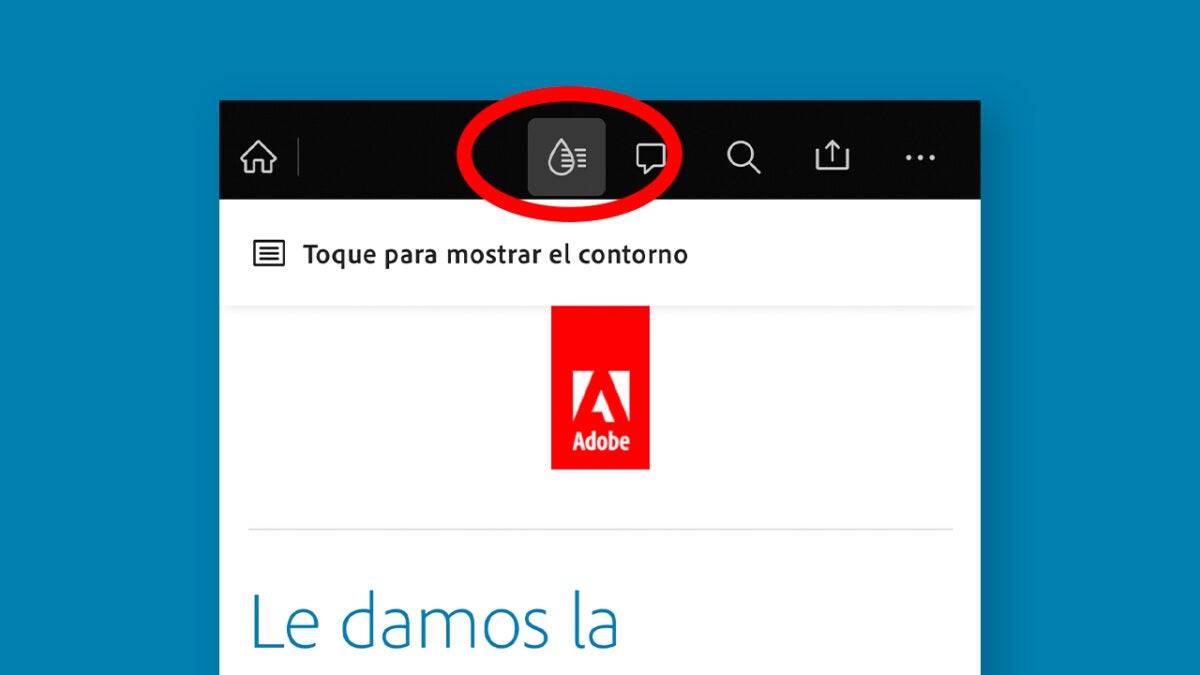
  • When the PDF is open in Adobe Acrobat Reader, look for the Liquid Mode icon at the top of the screen (it looks like a drop). Tap it and let Adobe Sensei, Adobe’s artificial intelligence, do the rest.
  • With Liquid Mode activated, you’ll see how the text adapts to your device’s screen to make everything easier to read. Now you can scroll much more comfortably, change the text size to your liking, and quickly find important sections.
Within Adobe Acrobat Reader, you can leave the Liquid Mode option enabled by default. At the start, click on your profile icon to access the Settings. There, select Preferences and then, keep the Automatically convert to Liquid Mode tab enabled.

Customize your experience within Adobe Acrobat Reader

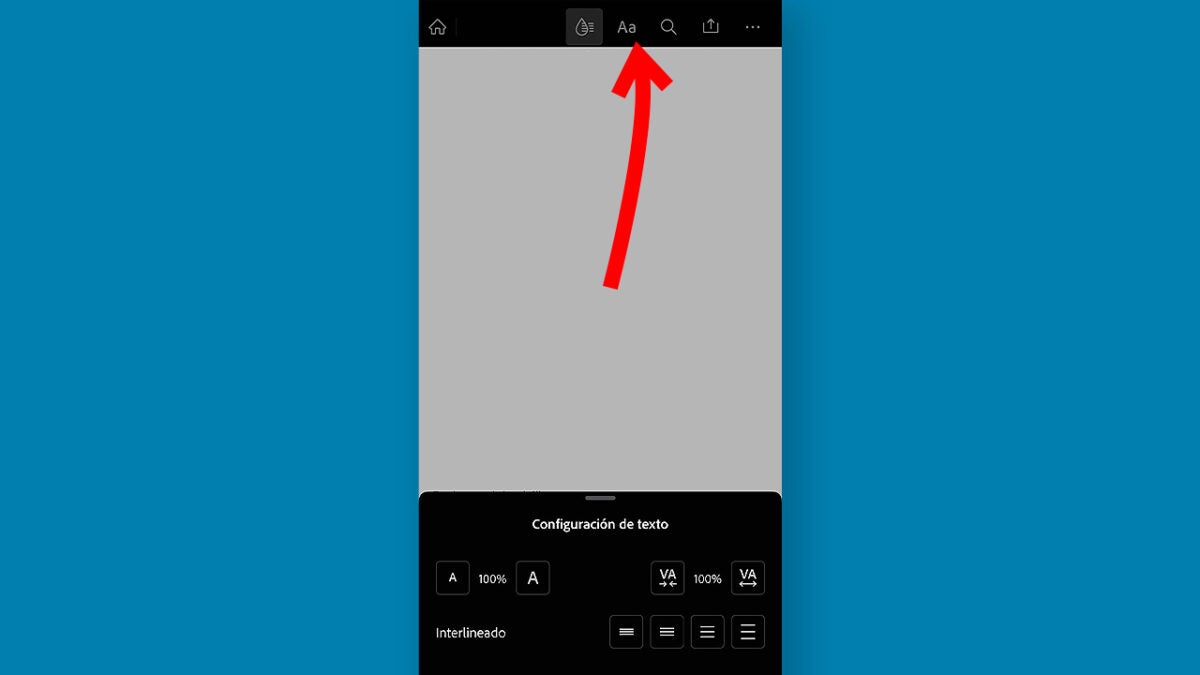
Although Liquid Mode automatically adapts documents to your screen, you can also further customize the experience to suit your needs. In this case, the application allows us to change the font size, for example:

  • Click on the “Aa” symbol that you will see right next to the Liquid Mode icon. From here you can increase or decrease the font size and even change the line spacing of the text. Try it out to see which configuration makes your file easier to read.
  • Right next to it, you will also find a magnifying glass symbol. By clicking on it, you can search for keywords within the document. Type the word or phrase you want to search for, and Adobe will show it to you instantly.
  • Adobe Acrobat Reader allows us to share the document with other users via a link. This can be sent through any compatible application like Gmail, WhatsApp, or Messages, for example.
When you finish viewing your document, you will see that from Adobe Acrobat Reader you can perform many actions. By clicking on the three dots icon at the top, you will have options such as Compress PDF, Set Password, Send a copy, or even Print.

Liquid Mode on computer

As of today, Adobe Liquid Mode is available on devices with Chromebook, iOS, and Android.

Compare Acrobat Plans
Compare Acrobat Plans Download Free

If you have an iPhone or iPad, you will need to have iOS 14 to enjoy Liquid Mode. Devices with Android need to have Android 5.0 or later. However, there is an exception: Android devices with less than 1 GB of RAM or with x86 processors are not compatible with this feature, at least for now.

Author: María López

{ "de-DE": "Künstler aus Berufung und Technikliebhaber. Seit ich denken kann, habe ich gerne an allen möglichen Gadgets herumgebastelt.", "en-US": "Artist by vocation and technology lover. I have liked to tinker with all kinds of gadgets for as long as I can remember.", "es-ES": "Artista de vocación y amante de la tecnología. Me ha gustado cacharrear con todo tipo de gadgets desde que tengo uso de razón.", "fr-FR": "Artiste de vocation et amateur de technologie. J'aime bricoler avec toutes sortes de gadgets depuis que j'ai l'usage de la raison.", "it-IT": "", "ja-JP": "", "nl-NL": "", "pl-PL": "", "pt-BR": "", "social": { "email": "", "facebook": "", "twitter": "", "linkedin": "" } } View all posts by María López

Author María LópezPosted on November 27, 2024September 12, 2025Categories News

Post navigation

Previous Previous post: Unlock New Possibilities in Performance Marketing with Adobe GenStudio
Next Next post: The Apple security camera will be able to recognize us by our height and build without seeing our face

Recent Posts

  • Apple confirms October 28 “Pro and Tell” event: new Macs may arrive a day early
  • Quentin Tarantino westerns hit Prime Video: Django and The Hateful Eight
  • Google Flights updates holiday guide: Thanksgiving deals fade, Christmas fares hit a sweet spot
  • James Webb may have spotted the earliest giant black holes yet
  • The Dark Knight Trilogy is leaving Netflix UK: watch it by November 7

Archives

  • October 2026
  • September 2026
  • August 2026
  • July 2026
  • June 2026
  • May 2026
  • April 2026
  • March 2026
  • February 2026
  • January 2026
  • December 2025
  • November 2025
  • October 2025
  • September 2025
  • August 2025
  • July 2025
  • June 2025
  • May 2025
  • April 2025
  • March 2025
  • February 2025
  • January 2025
  • December 2024
  • November 2024
  • October 2024
  • September 2024
  • August 2024
  • July 2024
  • June 2024
  • May 2024
  • April 2024
  • March 2024
  • February 2024
  • January 2024
  • December 2023
  • November 2023
  • October 2023
  • September 2023
  • August 2023
  • July 2023
  • June 2023
  • May 2023
  • April 2023
  • March 2023
  • February 2023
  • January 2023
  • December 2022
  • November 2022
  • October 2022
  • September 2022
  • August 2022
  • July 2022
  • June 2022
  • May 2022
  • April 2022
  • March 2022
  • February 2022
  • January 2022
  • December 2021
  • November 2021
  • October 2021
  • September 2021
  • August 2021
  • July 2021
  • June 2021
  • May 2021
  • April 2021
  • March 2021
  • February 2021
  • January 2021
  • December 2020
  • November 2020
  • October 2020
  • September 2020
  • August 2020
  • July 2020
  • June 2020
  • May 2020
  • April 2020
  • March 2020
  • February 2020
  • January 2020
  • December 2019
  • November 2019
  • October 2019
  • September 2019
  • August 2019
  • July 2019
  • June 2019
  • May 2019
  • April 2019
  • March 2019
  • February 2019
  • January 2019
  • December 2018
  • November 2018
  • October 2018
  • September 2018
  • August 2018
  • July 2018
  • June 2018
  • May 2018
  • April 2018
  • March 2018
  • February 2018
  • January 2018
  • December 2017
  • November 2017
  • October 2017
  • September 2017
  • August 2017
  • July 2017
  • June 2017
  • May 2017
  • April 2017
  • March 2017
  • February 2017
  • January 2017
  • December 2016
  • November 2016
  • October 2016
  • September 2016
  • August 2016
  • July 2016
  • June 2016
  • May 2016
  • April 2016
  • March 2016
  • February 2016
  • January 2016
  • December 2015
  • November 2015
  • October 2015
  • September 2015
  • August 2015
  • July 2015
  • June 2015
  • May 2015
  • April 2015
  • March 2015
  • February 2015
  • January 2015
  • December 2014
  • November 2014
  • October 2014
  • September 2014
  • August 2014
  • July 2014
  • June 2014
  • May 2014
  • April 2014
  • March 2014
  • February 2014
  • January 2014
  • December 2013
  • November 2013
  • October 2013
  • September 2013
  • August 2013
  • July 2013
  • June 2013
  • May 2013
  • April 2013
  • March 2013
  • February 2013
  • January 2013
  • December 2012
  • November 2012
  • October 2012
  • September 2012
  • August 2012
  • July 2012
  • June 2012
  • May 2012
  • April 2012
  • March 2012
  • February 2012
  • January 2012
  • December 2011
  • November 2011
  • October 2011
  • September 2011
  • August 2011
  • July 2011
  • June 2011
  • May 2011
  • April 2011
  • March 2011
  • February 2011
  • January 2011
  • December 2010
  • November 2010
  • October 2010
  • September 2010
  • August 2010
  • July 2010
  • June 2010
  • May 2010
  • April 2010
  • March 2010
  • February 2010
  • January 2010
  • December 2009
  • November 2009
  • October 2009
  • September 2009
  • August 2009
  • July 2009
  • June 2009
  • May 2009
  • April 2009
  • March 2009
  • February 2009
  • January 2009
  • December 2008
  • November 2008
  • October 2008
  • September 2008
  • August 2008
  • July 2008
  • June 2008
  • May 2008
  • April 2008
  • March 2008
  • February 2008
  • January 2008
  • December 2007
  • November 2007
  • October 2007
  • September 2007
  • August 2007
  • July 2007
  • June 2007
  • May 2007
  • April 2007
  • March 2007
  • February 2007
  • January 2007
  • December 2006
  • November 2006
  • September 2006
  • August 2006
  • June 2006
  • May 2006
  • July 2001
  • January 2001
  • November 2000
  • September 2000
  • August 2000
  • July 2000
  • April 2000
  • March 2000

Categories

  • Affiliate post
  • Expert Review
  • Gaming
  • Guides
  • How to
  • Legacy how To
  • News
  • Noticias
  • Software>Security
  • Sponsored
  • Trucos y Consejos
  • Uncategorized
  • Windows software

Meta

  • Log in
  • Entries feed
  • Comments feed
  • WordPress.org
Softonic English Proudly powered by WordPress