Finding the perfect stock image is one thing. Finding one that’s actually ready to use, with the right color palette, format, and composition, is something else entirely. If you work in content creation, social media, or design, you already know how much time it can take to turn a stock asset from “almost perfect” into “ready to publish.” And if you’re managing multiple campaigns at once, that time cost adds up fast.
The good news for you is that Adobe has just changed the rules of that game entirely. If you want to know how this new workflow can save you time and bring your assets in line with your brand before you ever click download, keep reading below.
The Gap Between Stock and Your Brand
Let’s be honest about what the problem has always been. Stock images (no matter how high the quality) are rarely “ready to publish” the moment you find them. There’s always a gap. The subject’s shirt doesn’t match your brand color. The image is vertical, but your banner needs to be horizontal. The background has elements that distract from your message. And every time you run into that gap, the workflow breaks: download the file, open your editing software, make the adjustments, export, and loop back.
For a social media manager or a content marketing lead, downloading a 50 MB file just to crop it or swap a background color is the kind of interruption that quietly adds up to hours of lost productivity every week. We know that resources are limited and that real-time perfection is not always possible, but that’s exactly what this new approach is designed to address.
The integration of native editing tools directly in Adobe Stock eliminates that latency. The concept of a raw download, grabbing an asset and figuring out the rest later, is being replaced by something smarter.
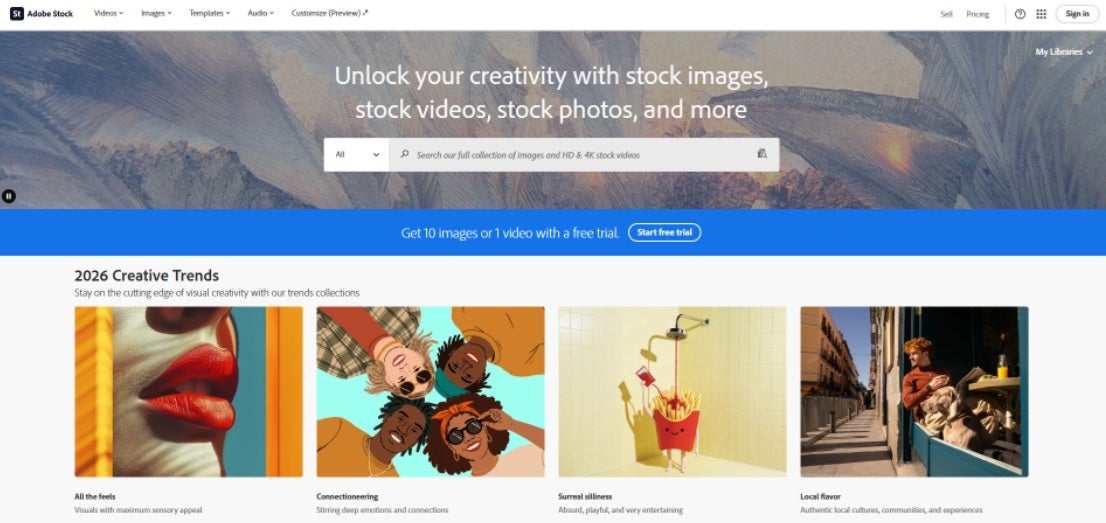
AI Studio: Where Stock Becomes a Creative Workstation
The core of this workflow is AI Studio, now built directly into Adobe Stock. Rather than acting purely as a content library, the platform increasingly supports a broader range of creative tasks directly in the browser—many of which previously required switching to a dedicated desktop application.
With these integrated tools, Adobe Stock can support a large portion of everyday design adjustments before an asset is ever licensed. Here’s a closer look at what that workflow can include.
Expand Image lets you extend the borders of an image to fit different formats while filling the new canvas with content that blends naturally with the original. In practical terms, a single vertical image can be adapted into a horizontal banner, a square post, or a widescreen header. This helps teams reuse assets across multiple placements without starting from scratch each time, although results may vary and often benefit from a few iterations.
Change Color allows you to adjust specific elements within an image to better align with brand guidelines. For example, if a subject’s clothing or a background tone doesn’t match your visual identity, you can refine it directly in the browser. This reduces the need for external editing while giving teams more control over consistency across campaigns.
Type to Edit (Natural Language Editing) introduces a more flexible way to make adjustments. Instead of relying only on manual tools, you can describe changes in plain language—such as refining lighting, simplifying a background, or shifting the overall tone—and the system interprets and applies them. This can speed up early-stage editing, especially for non-specialists, while still allowing room for refinement.
Beyond these core features, AI Studio also supports additional adjustments that help streamline pre-production work. These include background modifications, object-level refinements, and variations of existing assets to explore different creative directions without sourcing entirely new images. Together, these capabilities make it easier to evaluate, adapt, and prepare visuals within a single environment before moving into final production workflows.
Brand Consistency from the Very First Asset
For art directors and brand managers, this is where the real value shows up. Ensuring that every stock image used across a campaign maintains a consistent aesthetic used to be an exhausting post-production task. Someone always processed the same asset differently on their machine, and by the time it reached the client, the visual coherence was already slightly off.
With Adobe Stock’s new workflow, you can guarantee alignment with your brand identity guidelines from the very first click. When you apply color adjustments or visual filters through AI Studio before downloading, the asset already has the right look and feel by the time it reaches your team or your client. The stylistic consistency lives in the platform, not in the individual designer’s preferences.
This is especially critical in branded content and programmatic advertising, where you may need hundreds of variations of the same idea. When everyone is editing from the same source and the same tools, discrepancies disappear before they even have a chance to cause problems.
The Technology Behind It: Why Your Laptop Is Now Enough
You might be wondering how tasks that once required a high-performance workstation can now happen instantly in a browser tab. The answer lies in Adobe Stock’s cloud architecture and its use of generative AI to shift processing away from your device entirely.
By centralizing these functions in Adobe’s cloud infrastructure, the heavy lifting moves to optimized servers rather than your local hardware. This democratizes high-quality content creation in a way that has practical impact: a content manager working from a budget laptop can now perform complex edits with generative background fills, canvas expansion, or color correction with the same fluency as an editor working on a dedicated design workstation.
The barriers to entry that once defined professional-grade image work are gone. Your creativity can focus on strategy rather than on whether your computer has enough processing power to keep up.
What This Looks Like in Practice
To understand the real impact, it helps to see it in a concrete scenario.
Imagine a social media manager who needs to launch a last-minute promotion. They find the perfect image in Adobe Stock, but they need three versions: a 1:1 square for Instagram, a 9:16 format for Stories (using generative expansion to complete the sky in the original image), and a transparent PNG for a sticker. In the traditional workflow, that’s three separate manual exports across at least two applications. With AI Studio, all three versions are generated and downloaded in the same session, ready to publish, without leaving the platform.
Or consider a freelance creative working for a client whose brand identity is built strictly around a specific shade of green. They find an ideal office photograph, but the decorative accessories are bright red. Using generative editing inside the stock platform, they select the objects, request a color change to match the client’s hex code, and download an asset that no longer looks like stock at all. It looks like custom production for the brand.
Adobe Stock Plans and Access
AI Studio is available directly within the redesigned Adobe Stock website. Adobe Stock is accessible through a variety of Creative Cloud plans, including standalone subscriptions and bundles. If you want to explore the features before committing, Adobe offers free trial options so you can test the workflow against your actual projects.
For specific plan details and current pricing, you can check Adobe’s official pricing page, as options and credit structures are updated regularly.
A New Standard for Stock Workflows
The evolution of Adobe Stock into a full editing environment shows that the future of content is not just about how many files are available. It’s about how quickly and precisely those files can be shaped to serve a specific creative need.
We can no longer think of a stock platform as a simple archive. The integration of AI Studio transforms it into a complete creative workstation. Every download leaves the platform already aligned with your brand, your format, and your use case. The latency between finding an asset and publishing it has been compressed to almost nothing.
Overall, it’s about making AI work for you rather than against you, using it to automate the mechanical and repetitive without losing your visual judgment. The question is no longer what you can find in stock. It’s what you can create inside it.
