
Skip to content

Softonic English

Just another Softonic Sites site

How to use Adobe Firefly AI Assistant to turn ideas into finished creative work

Firefly AI Assistant is built for a pretty specific moment in the creative process: that point where you know you need to make something, but you still can’t quite see it. Adobe introduced this generative AI assistant for Creative Cloud in April, and the company says it can help pull ideas out through text prompts inside Creative Cloud apps. Here’s how Adobe explains it.

Adobe Firefly
Adobe Firefly Try Now

How can Firefly AI Assistant help you come up with ideas and create?

Blank page. Blank canvas. No clear direction yet.

That’s the moment Firefly AI Assistant is meant to help with. Adobe frames it as a creative sidekick you can throw ideas at while you test different directions and see what actually works.

You tell Firefly AI Assistant what you want to make and what kind of outcome you’re aiming for: a certain style, specific colors, a particular mood, that kind of thing. Even if the idea is still rough, you can describe it in words, and Firefly responds with visuals based on that prompt.

Adobe says Firefly AI Assistant can generate images from your text while staying close to the direction you’ve described. And if the first result isn’t right, you can keep adjusting the prompt and try again.

How do you get from idea to result in one conversation?

Firefly AI Assistant can speed up this part and, in some cases, save you from bouncing between multiple programs just to get a first version on screen. If you want to try it, this is the basic process on the platform:

  • Start by typing out your idea. Describe the product you want to sell, who it’s for, the style you want, and any other details that matter.
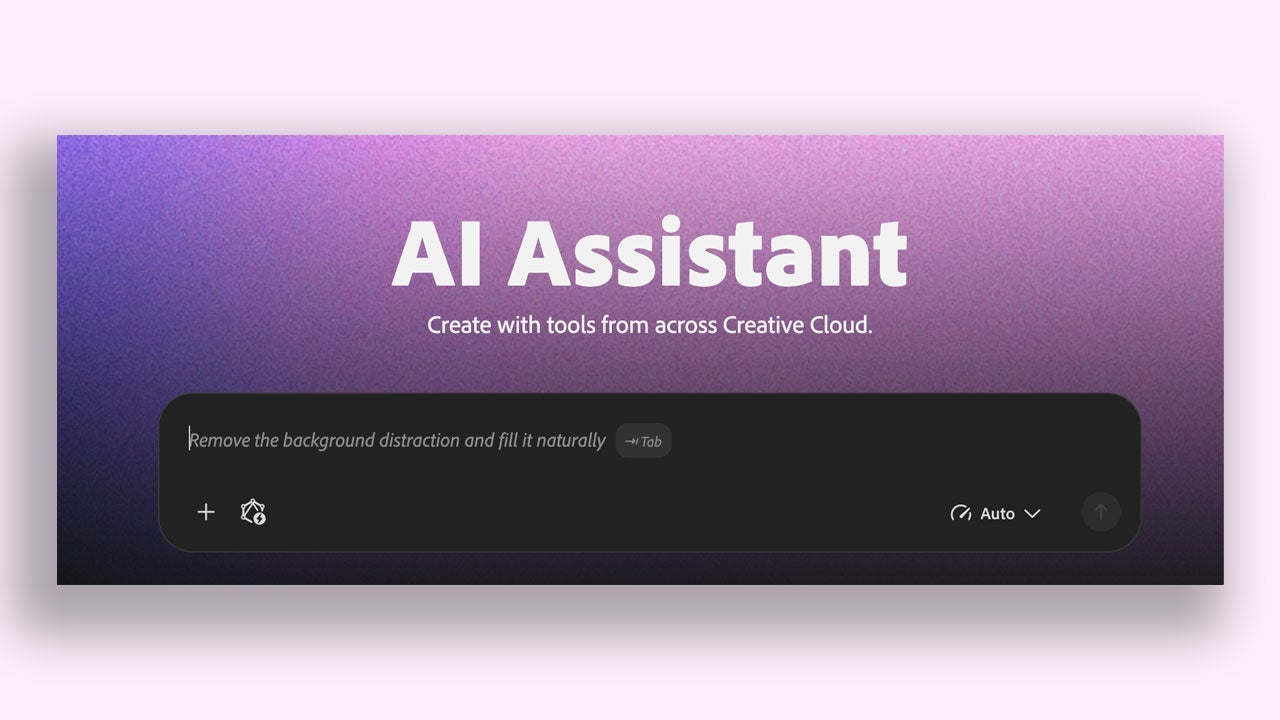
  • Then Firefly AI Assistant generates images from that prompt.
  • If the first round is off, refine the result or rewrite the description. Change the colors, shift the framing, tweak the lighting. Keep going until it feels closer to what you had in mind.
  • You’ll usually see several variations. Pick the one that works best, then adapt it for other formats if you need to. For social posts, Adobe says Firefly can resize the image for different formats.

How Firefly AI Assistant works with Creative Cloud tools while you keep control

Firefly AI Assistant can tap into tools from Adobe Photoshop, Adobe Illustrator, and Adobe Premiere Pro, with everything connected through Firefly AI Assistant. The pitch is that it can tell which tool fits the task, while you still decide what actually gets done.

So yes, the assistant may help you move faster and try more ideas, but you’re still steering. If you’d rather fix a specific detail yourself, you can open the project in Adobe’s apps and keep working there.

How to retouch portraits and build a visual identity people recognize

If portraits are a big part of your work, Firefly AI Assistant can help there too. Because it can use Adobe Photoshop tools, Firefly AI Assistant can simplify the editing process, and Adobe says the final results improve as well.

Adobe also says Firefly AI Assistant includes Creative Skills, which are ready-made workflows you can start using right away. One of them is called Portrait Retouch, and it’s made to help polish portrait images.

  • Upload your portraits into the Firefly AI Assistant conversation.
  • Choose Portrait Retouch.
  • Ask Firefly AI Assistant to apply the same style across every image you upload. That helps keep the look consistent from one image to the next, which matters when you’re trying to build a visual identity people will recognize. And if you want to keep refining the result, you can always open the images in Adobe Photoshop and finish them there.

How to make an 8-second cinematic product video from a mockup

Short video is everywhere on social media right now. Adobe says Firefly AI Assistant can make that kind of content too, starting from a single image. If you want to test it, here’s the basic flow:

  • Pick the image you want to animate.
  • Ask the assistant to generate a video in the style you want, whether that’s cinematic, more graphic, or something else.
  • Review the result and ask for changes if needed – different lighting, another background, or whatever better fits the idea. Before long, you can end up with a short clip ready for social media, for example. And if you prefer editing video yourself, you can bring that clip into Adobe Premiere Pro to add music, subtitles, or cut it together with other footage.

How to turn your logo into a vector you can use anywhere

If your logo is saved as a raster image and starts looking pixelated in certain situations, there’s a simple fix: convert it into a vector. A vector image can be scaled up without losing sharpness. That’s especially useful for posters, T-shirts, and almost any print project.

  • Upload your logo to the Firefly AI Assistant conversation.
  • Ask Firefly AI Assistant to convert it into a vector.
  • Review the result and request changes if needed. That gives you a clean, professional asset you can reuse wherever it needs to appear, whether that’s on social media posts or in printed materials.

Why Firefly AI Assistant can help if you care about speed, quality, or both

If speed is the main thing you care about, Firefly AI Assistant can cut out a lot of extra steps. You can make more images, more videos, and more versions of the same concept in less time. At the same time, Adobe isn’t presenting this as a trade-off where you lose quality or hand over control.

You can review every asset, ask for revisions, or step in and finish the work yourself in Adobe Photoshop, Adobe Premiere Pro, or Adobe Illustrator. The assistant’s role is to help you get there faster.

Try Firefly AI Assistant now for free

Firefly includes free generations, so you can try the platform without paying upfront. You don’t need a subscription plan for that, and the limits reset every day, which gives you room to keep experimenting.

Adobe Firefly
Adobe Firefly Try Now

Author: María López

{ "de-DE": "Künstler aus Berufung und Technikliebhaber. Seit ich denken kann, habe ich gerne an allen möglichen Gadgets herumgebastelt.", "en-US": "Artist by vocation and technology lover. I have liked to tinker with all kinds of gadgets for as long as I can remember.", "es-ES": "Artista de vocación y amante de la tecnología. Me ha gustado cacharrear con todo tipo de gadgets desde que tengo uso de razón.", "fr-FR": "Artiste de vocation et amateur de technologie. J'aime bricoler avec toutes sortes de gadgets depuis que j'ai l'usage de la raison.", "it-IT": "", "ja-JP": "", "nl-NL": "", "pl-PL": "", "pt-BR": "", "social": { "email": "", "facebook": "", "twitter": "", "linkedin": "" } } View all posts by María López

Author María LópezPosted on October 6, 2026October 7, 2026Categories News

Post navigation

Previous Previous post: Facebook Marketplace text scam: it uses your name to trick you
Next Next post: We were close to getting a third ‘Jack Reacher’ movie, but the author of the books stopped it in time. “I exercised my veto”

Recent Posts

  • Doom Patrol #4 is out now: Evelyn X joins the team
  • The Exorcist: Martyrs is official: release date and plot revealed
  • Magic: The Gathering updates 2027 boosters: ultra-rare God Packs arrive
  • Yellowstone: Luke Grimes says Kevin Costner return is unlikely
  • P.T. fan-made PC port is 97% complete: Kojima takes notice

Archives

  • October 2026
  • September 2026
  • August 2026
  • July 2026
  • June 2026
  • May 2026
  • April 2026
  • March 2026
  • February 2026
  • January 2026
  • December 2025
  • November 2025
  • October 2025
  • September 2025
  • August 2025
  • July 2025
  • June 2025
  • May 2025
  • April 2025
  • March 2025
  • February 2025
  • January 2025
  • December 2024
  • November 2024
  • October 2024
  • September 2024
  • August 2024
  • July 2024
  • June 2024
  • May 2024
  • April 2024
  • March 2024
  • February 2024
  • January 2024
  • December 2023
  • November 2023
  • October 2023
  • September 2023
  • August 2023
  • July 2023
  • June 2023
  • May 2023
  • April 2023
  • March 2023
  • February 2023
  • January 2023
  • December 2022
  • November 2022
  • October 2022
  • September 2022
  • August 2022
  • July 2022
  • June 2022
  • May 2022
  • April 2022
  • March 2022
  • February 2022
  • January 2022
  • December 2021
  • November 2021
  • October 2021
  • September 2021
  • August 2021
  • July 2021
  • June 2021
  • May 2021
  • April 2021
  • March 2021
  • February 2021
  • January 2021
  • December 2020
  • November 2020
  • October 2020
  • September 2020
  • August 2020
  • July 2020
  • June 2020
  • May 2020
  • April 2020
  • March 2020
  • February 2020
  • January 2020
  • December 2019
  • November 2019
  • October 2019
  • September 2019
  • August 2019
  • July 2019
  • June 2019
  • May 2019
  • April 2019
  • March 2019
  • February 2019
  • January 2019
  • December 2018
  • November 2018
  • October 2018
  • September 2018
  • August 2018
  • July 2018
  • June 2018
  • May 2018
  • April 2018
  • March 2018
  • February 2018
  • January 2018
  • December 2017
  • November 2017
  • October 2017
  • September 2017
  • August 2017
  • July 2017
  • June 2017
  • May 2017
  • April 2017
  • March 2017
  • February 2017
  • January 2017
  • December 2016
  • November 2016
  • October 2016
  • September 2016
  • August 2016
  • July 2016
  • June 2016
  • May 2016
  • April 2016
  • March 2016
  • February 2016
  • January 2016
  • December 2015
  • November 2015
  • October 2015
  • September 2015
  • August 2015
  • July 2015
  • June 2015
  • May 2015
  • April 2015
  • March 2015
  • February 2015
  • January 2015
  • December 2014
  • November 2014
  • October 2014
  • September 2014
  • August 2014
  • July 2014
  • June 2014
  • May 2014
  • April 2014
  • March 2014
  • February 2014
  • January 2014
  • December 2013
  • November 2013
  • October 2013
  • September 2013
  • August 2013
  • July 2013
  • June 2013
  • May 2013
  • April 2013
  • March 2013
  • February 2013
  • January 2013
  • December 2012
  • November 2012
  • October 2012
  • September 2012
  • August 2012
  • July 2012
  • June 2012
  • May 2012
  • April 2012
  • March 2012
  • February 2012
  • January 2012
  • December 2011
  • November 2011
  • October 2011
  • September 2011
  • August 2011
  • July 2011
  • June 2011
  • May 2011
  • April 2011
  • March 2011
  • February 2011
  • January 2011
  • December 2010
  • November 2010
  • October 2010
  • September 2010
  • August 2010
  • July 2010
  • June 2010
  • May 2010
  • April 2010
  • March 2010
  • February 2010
  • January 2010
  • December 2009
  • November 2009
  • October 2009
  • September 2009
  • August 2009
  • July 2009
  • June 2009
  • May 2009
  • April 2009
  • March 2009
  • February 2009
  • January 2009
  • December 2008
  • November 2008
  • October 2008
  • September 2008
  • August 2008
  • July 2008
  • June 2008
  • May 2008
  • April 2008
  • March 2008
  • February 2008
  • January 2008
  • December 2007
  • November 2007
  • October 2007
  • September 2007
  • August 2007
  • July 2007
  • June 2007
  • May 2007
  • April 2007
  • March 2007
  • February 2007
  • January 2007
  • December 2006
  • November 2006
  • September 2006
  • August 2006
  • June 2006
  • May 2006
  • July 2001
  • January 2001
  • November 2000
  • September 2000
  • August 2000
  • July 2000
  • April 2000
  • March 2000

Categories

  • Affiliate post
  • Expert Review
  • Gaming
  • Guides
  • How to
  • Legacy how To
  • News
  • Noticias
  • Software>Security
  • Sponsored
  • Trucos y Consejos
  • Uncategorized
  • Windows software

Meta

  • Log in
  • Entries feed
  • Comments feed
  • WordPress.org
Softonic English Proudly powered by WordPress