
Picture this: you’re at a bustling coffee shop, laptop open, using the free public Wi-Fi to finish a crucial work report. The atmosphere is perfect for productivity, with the hum of conversation and the aroma of fresh coffee. But this quaint scenario isn’t as secure as you might think.
While you’re focused on your tasks, cybercriminals are constantly on the lookout for unsecured networks to exploit, ready to access the sensitive information you’re sending over the internet. This is where Avast Free Antivirus comes in to provide crucial protection.

Public Wi-Fi might be convenient, but it’s a hacker’s playground. Every time you connect to an unsecured network, you’re potentially exposing sensitive information to cybercriminals. Fortunately, there are effective ways to stay safe and secure. Let’s explore how you can protect your identity and data while using public Wi-Fi, with some essential tips and tools.
Public Wi-Fi: A Double-Edged Sword
Convenience vs. Security
Public Wi-Fi can be a lifeline for many during summer work sessions. The appeal is undeniable: it’s free, easy to access, and available in many places you find yourself during the warmer months. Whether you’re catching up on work at a café, waiting for a flight at the airport, relaxing in a park, or unwinding at a hotel, public Wi-Fi keeps you connected without eating into your mobile data plan.
However, this convenience comes at a cost. Public Wi-Fi networks are often unsecured, meaning the data transmitted over them can be easily intercepted. This poses a significant risk to your personal and professional information. By using Avast Free Antivirus, you can mitigate these risks effectively.

The Hidden Dangers
- Data Snooping: When you connect to public Wi-Fi, your data can be intercepted by anyone within range who has the right tools. Hackers can capture sensitive information such as login credentials, financial data, and personal emails. This is often done using simple software that is readily available online, making it a prevalent threat.
- Rogue Networks: Rogue networks are fake Wi-Fi networks set up by cybercriminals to trick users into connecting. These networks often have names similar to legitimate networks, making it easy to mistake them for safe connections. Once you connect, hackers can monitor all your online activities and steal sensitive information.
- Man-in-the-Middle Attacks: In a man-in-the-middle (MITM) attack, a hacker intercepts the communication between your device and the Wi-Fi network. This allows them to alter or steal the information being transmitted. For example, they could redirect you to a malicious website that looks like the real one you intended to visit, tricking you into entering your credentials or other sensitive data.
Identifying Safer Networks
Recognizing Legitimate Networks
When connecting to public Wi-Fi, it’s crucial to verify the authenticity of the network. Here’s how to ensure you’re connecting to a legitimate and safe network:
How to Verify the Authenticity of a Public Wi-Fi Network:
- Ask Staff: When in doubt, ask an employee or staff member for the correct network name and password. This is especially important in places like cafes, hotels, and airports where multiple networks might be available.
- Look for Official Signage: Many establishments display their Wi-Fi network name and password on a sign or receipt. This helps you connect to the correct network.
- Check the Network Name Carefully: Hackers often set up rogue networks with names that closely resemble legitimate ones. Double-check the network name before connecting to ensure it’s accurate.
Asking the Right Questions:
- Who Owns the Network?: Always ensure the network is provided by the establishment you’re in. If it’s unclear who owns the network, it’s better to avoid connecting.
- Is There a Password?: Secure networks typically require a password. While a password doesn’t guarantee complete security, it indicates that some level of encryption is in place, which is better than an entirely open network.

Best Practices for Network Selection
Choosing the right network can significantly reduce your risk of falling victim to cyber attacks. Here are some best practices:
Avoiding Open Networks:
- Why Encrypted Connections Matter: Open networks, those without passwords, are generally not encrypted. This means any data you transmit can be easily intercepted by anyone nearby. Always opt for networks that require a password, as they are more likely to use encryption to protect your data.
- Reliability of Networks at Well-Known Places: Networks at reputable businesses, such as well-known cafes, hotels, and airports, are usually safer than those in less controlled environments. These establishments are more likely to implement security measures to protect their customers.,2l11-<<<
Defend Your Data: Enhancing Your Cybersecurity Measures
Two-Factor Authentication
Adding an extra step to secure your accounts can make a significant difference in your online security. While Two-Factor Authentication (2FA) won’t stop your password from being stolen, it provides an important layer of security should that occur.
Adding an Extra Step to Secure Your Accounts:
- Enhanced Security: Two-Factor Authentication (2FA) requires not only a password but also a second form of verification, such as a code sent to your phone or an authentication app. This extra step ensures that even if someone has your password, they still need the second factor to access your account.
- Easy Implementation: Most major services (like Google, Facebook, and financial institutions) offer 2FA options. Enabling it is usually straightforward and can greatly enhance your account security.
Regular Software Updates
Keeping your system and apps up to date is crucial for maintaining security.
Keeping Your System and Apps Up to Date to Patch Vulnerabilities:
- Security Patches: Software updates often include patches for security vulnerabilities that have been discovered since the last version. By regularly updating your software, you protect yourself against known exploits.
- Automatic Updates: Enable automatic updates where possible. This ensures that you receive critical security fixes as soon as they are available, without needing to remember to check for updates manually.
Awareness and Vigilance
Staying aware of common threats and practicing vigilance can prevent many security issues.
Recognizing Phishing Attempts and Avoiding Suspicious Links:
- Phishing Awareness: Phishing attacks are designed to trick you into giving away personal information, often through emails or messages that appear to be from legitimate sources. Be cautious of unexpected requests for personal information, even if they seem to come from trusted sources.
- Checking Links: Hover over links to see where they really lead before clicking. Be wary of shortened URLs or links that look suspicious. If in doubt, go directly to the website by typing the URL into your browser rather than clicking the link.
- Email and Message Caution: Avoid opening attachments or downloading files from unknown or unexpected sources. Even if an email appears to come from someone you know, confirm its legitimacy if it seems unusual or out of character.
Key Features of Avast Free Antivirus for Public Wi-Fi Protection
Avast Free Antivirus offers specific features designed to protect you while using public Wi-Fi, ensuring that your devices and data remain secure.
Wi-Fi Network Security:
- Connect More Safely: Avast helps you connect more safely to Wi-Fi networks, keeping cybercriminals and malicious intruders out of your network and away from your sensitive personal files. This feature checks the security of the Wi-Fi networks you join, alerting you to potential risks.
Network Inspector:
- Enhanced Network Protection: Avast’s Network Inspector scans for vulnerabilities in the Wi-Fi networks you connect to, even on unsecured networks. It blocks hackers and intruders from piggybacking on your network, ensuring they can’t access your sensitive data.
Firewall:
- Intelligent Traffic Monitoring: Avast’s intelligent firewall monitors all network traffic between your PC and the outside world, helping to block malicious intrusions and unauthorized access. This is crucial when using public Wi-Fi, as it prevents unauthorized users from accessing your device.
Web Shield:
- Blocking Malicious Websites: Web Shield blocks websites if it detects malicious code or malware, protecting you from threats that can be encountered while browsing the internet on public Wi-Fi. It also blocks potentially dangerous links in emails, safeguarding against phishing attempts.
Real-time Threat Detection:
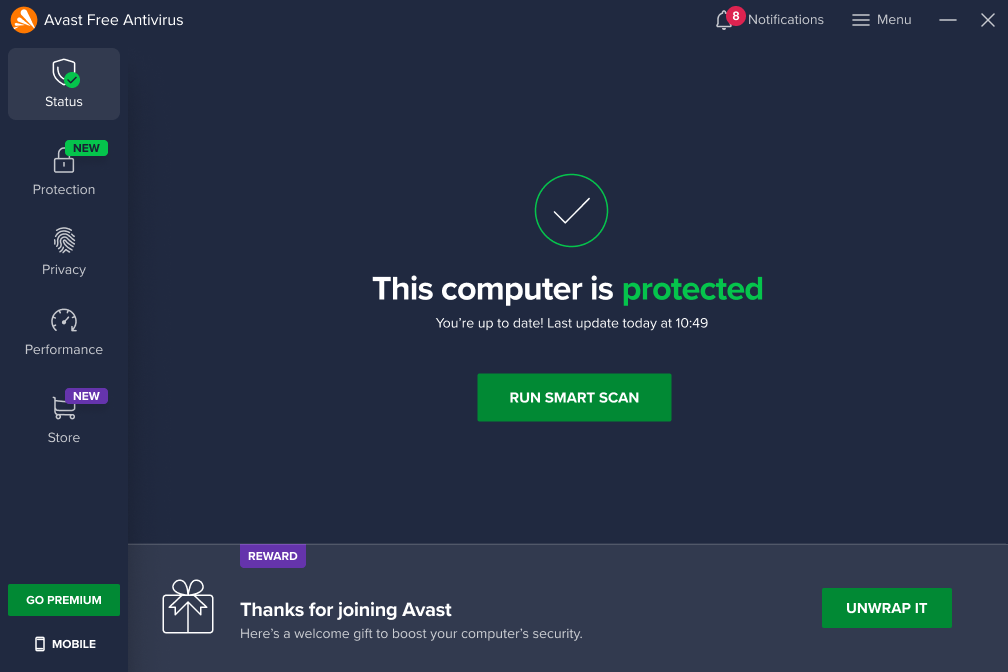
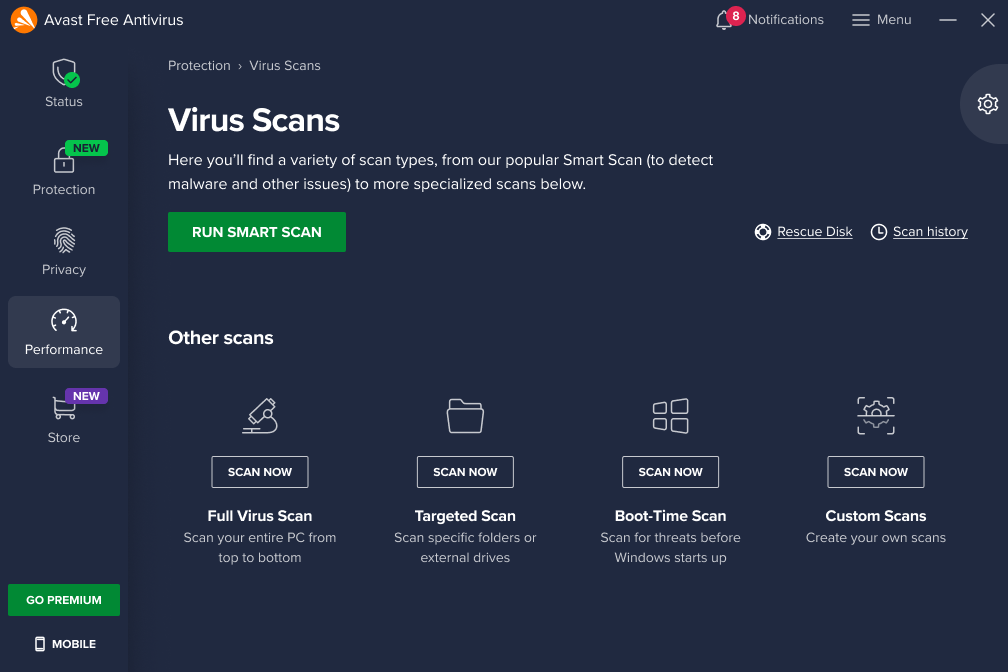
- Keeping an Eye on Suspicious Activity: Avast provides continuous monitoring of your system, detecting and blocking threats as they arise. This real-time protection ensures that you are safeguarded against the latest malware and other online threats while connected to public Wi-Fi.
Additional Safeguards: Boost Your Online Security
In addition to its public Wi-Fi-specific features, Avast Free Antivirus includes several other tools that contribute to your overall security.
Automatic Updates:
- Staying Ahead of New Threats: Avast regularly updates its virus definitions to protect against new and emerging threats. Automatic updates ensure that your antivirus software is always up to date, providing you with the best possible protection without requiring manual intervention.
Safer Browsing and Emailing:
- Protection While Online: Avast enhances your safety while browsing, emailing, or working online. It helps block malicious websites, unsafe downloads, and prevents your device from being hijacked and made part of a botnet.
Ransomware Shield:
- Protecting Sensitive Information: Avast includes features that encrypt your sensitive data, making it inaccessible to hackers. This is particularly important when using public Wi-Fi, where your data is most vulnerable.
User-Friendly Experience
Avast Free Antivirus is designed to be easy to use, making it accessible even for those who are not tech-savvy.
- User-Friendly Design: The Avast interface is designed to be intuitive and user-friendly, allowing you to easily navigate and access its features. This means you can manage your security settings, run scans, and monitor your system’s health without confusion or difficulty.
Easy Installation and Setup:
- Hassle-Free Protection: Installing Avast Free Antivirus is straightforward and quick. The setup process guides you through each step, ensuring that you can get started with minimal effort.
Secure Your Devices with Avast Free Antivirus
Public Wi-Fi, while convenient, poses significant risks to your personal and professional information. Understanding these dangers is crucial: from data snooping and rogue networks to man-in-the-middle attacks, the threats are real and prevalent. By following essential steps like verifying network authenticity, using strong passwords, enabling two-factor authentication, and employing a VPN, you can significantly bolster your online security. Additionally, integrating Avast Free Antivirus into your routine provides an extra layer of protection with features like real-time threat detection, automatic updates, Wi-Fi security scanning, and more.
Embrace these practices and leverage the robust tools offered by Avast Free Antivirus to ensure your summer work sessions are both productive and secure. By taking these precautions, you can confidently navigate the digital landscape, knowing that your sensitive data and personal information are safeguarded against cyber threats. Stay vigilant, stay protected, and enjoy a worry-free summer of remote work.
